
Fact-checked by the SnapMessages editorial team
A nationally representative AARP survey conducted in September 2024 found that 35% of U.S. adults age 50 and older already own a smart speaker or home assistant, a figure that would have been unthinkable a decade ago. What’s changing even faster than ownership rates is the reason people in this group are buying these devices: not to play music or check sports scores, but to stay independent, manage chronic conditions, and feel safer at home without relying on anyone else. For smart home apartment renters over 50, that shift in motivation changes which devices are actually worth buying and which are marketing fluff dressed up as technology.
The numbers make the case clearly. According to Rently’s 2025 Smart Apartment Trends Report, 41% of renters cite “feeling safer at home” as their primary motivation for wanting smart home technology, outpacing energy savings (18%) and convenience (11%) by a wide margin. Meanwhile, Horowitz Research’s 2025 survey shows that only 37% of adults 50 and over own at least one smart home device, compared to 59% of 18–34-year-olds. That gap is not primarily a matter of interest. Peer-reviewed research identifies privacy concern, setup difficulty, and cost as the real barriers, not tech-aversion. This article takes those barriers seriously rather than waving them away.
By the time you finish reading, you will know exactly which devices are renter-safe (meaning they require no drilling, wiring, or landlord approval), which ones have a defensible health benefit for adults over 50, how to build out a smart apartment in three affordable stages without getting buried in incompatible gadgets, and where the honest limits of this technology are, because there are real ones worth naming.
Key Takeaways
- Smart home device ownership among adults 50+ grew from 10% in 2019 to 27% in 2025, per AARP Research, a 170% increase in six years.
- 41% of renters say feeling safer at home is their top reason for wanting smart technology, making safety devices (not thermostats or mood lighting) the highest-priority starting point.
- Smart thermostats save an average of 10–12% on heating and 15% on cooling, but this benefit only applies if your apartment has individually controlled HVAC, a condition many apartment renters do not meet.
- The FTC found in November 2024 that nearly 89% of smart products surveyed failed to disclose how long software updates would be provided, meaning a $100 device can become insecure and non-functional within a few years of purchase.
- Monitored security systems can trigger a 5–10% discount on renters insurance premiums, and some Medicare Advantage (Part C) plans partially cover medical alert systems with fall detection.
- A three-stage buying plan keeps initial costs under $60 for Stage 1, under $150 for Stage 2, and under $300 for a fully equipped Stage 3 setup, with every device packable and reusable at your next apartment.
In This Guide
- Why Smart Home Tech Hits Different When You’re Over 50 and Renting
- The Renter’s Rule: What You Can and Cannot Touch
- Voice Assistants and Smart Displays: The Device That Pays for Everything Else
- Smart Lighting That Protects You at Night
- Safety Devices That Work Without Calling Your Landlord
- Health Monitoring Devices That Belong in the Apartment Conversation
- How to Start Without Getting Overwhelmed: A Sequenced Buying Plan
- The Honest Trade-Offs: What Smart Devices Cannot Do for You
Why Smart Home Tech Hits Different When You’re Over 50 and Renting
There is a specific collision of circumstances that makes smart home technology more valuable, and more complicated, for renters over 50 than for any other demographic. You may be managing one or more chronic conditions. You live in a space you do not own, which limits what you can modify. You likely live alone or with a partner rather than in a multigenerational household. And you have more to gain from automation than a 28-year-old renter does, because the stakes are higher: independence, fall prevention, medication adherence, and the ability to age in place on your own terms.
According to AARP’s 2025 research, two-thirds of adults 50 and older agree that technology makes daily life and aging easier, and smart home technology ownership in this group grew from 10% in 2019 to 27% in 2025.
The wellness case is not hypothetical. A peer-reviewed systematic review found that assistive smart home technology use was significantly and positively associated with health-related quality of life among older adults, with the strongest benefit observed in those experiencing depressive symptoms. That is a clinically defensible finding, not a marketing claim. Devices that reduce friction, provide companionship through video calling, and automate safety checks have measurable effects on wellbeing, not just convenience.
That instinct to age in place is nearly universal among this group, and smart home technology is one of the more practical tools for making it possible. But it works only if you buy the right devices, in the right order, for the right reasons. A $250 robot vacuum is not the same kind of investment as a $30 motion-sensor night light. This guide distinguishes between the two throughout.
The Hesitation Is Legitimate
Privacy concern is not irrational reluctance. It is the single most agreed-upon barrier among adults 50 and older who do not yet own smart home devices, ranking above cost and setup difficulty in research. Always-on microphones, cameras that upload footage to corporate servers, and devices that share data with third-party advertisers are legitimate issues, not technophobia. This article addresses those concerns directly in each relevant section rather than burying them in a footnote.
The Renter’s Rule: What You Can and Cannot Touch
Renting an apartment creates a clear constraint that most smart home articles written for homeowners simply ignore: you cannot make permanent modifications. That means no drilling into walls to run wiring, no replacing hardwired smoke detectors with connected alternatives, and no swapping a landlord-owned thermostat without written permission. Understanding this boundary upfront prevents security deposit disputes and ensures every device you buy is actually usable in your current apartment.
Renter-Safe vs. Landlord-Approval Devices
| Device Category | Renter-Safe? | What Makes It Safe |
|---|---|---|
| Smart bulbs | Yes | Screw into existing fixtures; no wiring required |
| Smart plugs | Yes | Plug into existing outlets; fully removable |
| Battery-powered motion sensors | Yes | Adhesive or freestanding; no installation |
| Video doorbell (peephole style) | Yes | Replaces peephole insert; no drilling |
| Smart thermostat | Needs landlord approval | Requires hardwired HVAC connection; may be building-controlled |
| Smart door lock (wired) | Needs landlord approval | Replaces deadbolt hardware permanently |
The Thermostat Gray Area Most Articles Miss
Smart thermostats such as the Google Nest are recommended in nearly every “smart apartment” guide, but this advice ignores a basic reality: a large share of apartment buildings, especially older urban buildings and those built before 1990, control HVAC centrally. If your building manages the heat and cooling system-wide, your in-unit thermostat is decorative. A Nest will do nothing for you.
The relevant alternative is a smart plug paired with a portable space heater or window AC unit. You can schedule the heater to turn on 30 minutes before you wake up, set it to shut off automatically if you forget, and monitor its energy draw through the plug’s app. Google Nest data indicates that smart thermostat control saves an average of 10–12% on heating and 15% on cooling, but those savings only materialize if you actually control your own heating system. If you are not sure whether your unit has individual HVAC control, ask your building manager before buying any thermostat.
Before buying any smart home device, photograph the relevant spot (outlet, fixture, doorbell) and read your lease’s modification clause. Most leases allow battery-powered and plug-in devices without question. When in doubt, a one-paragraph email to your landlord asking about a specific device creates a paper trail that protects your deposit.
The Portability Dividend
Every device recommended in this guide is packable. That reframes the cost calculation: you are not spending money on an apartment you rent, you are building a personal safety and wellness infrastructure that travels with you to your next home. A $35 smart plug and a $15 smart bulb are not sunk costs. They are a reusable kit, and that framing matters when you are evaluating whether a device is worth buying.
Voice Assistants and Smart Displays: The Device That Pays for Everything Else
A voice assistant or smart display is the foundation device for a smart apartment over 50, not because it is the most impressive gadget, but because it is the piece that ties everything else together. Once you can say “turn off the living room light” from bed, or ask “did I take my blood pressure medication this morning?”, the barrier to using other smart devices drops substantially.
Speaker vs. Display: Which Is Actually Useful
There is a meaningful difference between a basic smart speaker like the Amazon Echo Dot (roughly $35–$50) and a smart display like the Echo Show 8 or Google Nest Hub (roughly $100–$130). For renters over 50 specifically, the display is the better investment. The screen adds video calling with family members, a meaningful isolation countermeasure, along with visual medication reminders, weather at a glance, and a dashboard that shows you the status of other smart devices in the apartment. A speaker alone cannot show you whether the front door sensor was triggered while you were asleep.
More than 6 in 10 U.S. adults age 50+ now use some kind of smart device to help with security, utilities, appliances, and lighting, a majority that reflects how normalized this technology has become in this age group.
For families managing care from a distance, pairing a smart display in a parent’s apartment with the family’s own devices enables drop-in video calls without the parent needing to answer a phone or navigate an app. AARP’s Caregiver’s Guide to Smart Home Technology specifically notes that connected devices give caregivers non-intrusive oversight through motion sensors and voice assistants, reducing check-in phone calls while preserving the older adult’s sense of independence.
The Privacy Concern, Addressed Honestly
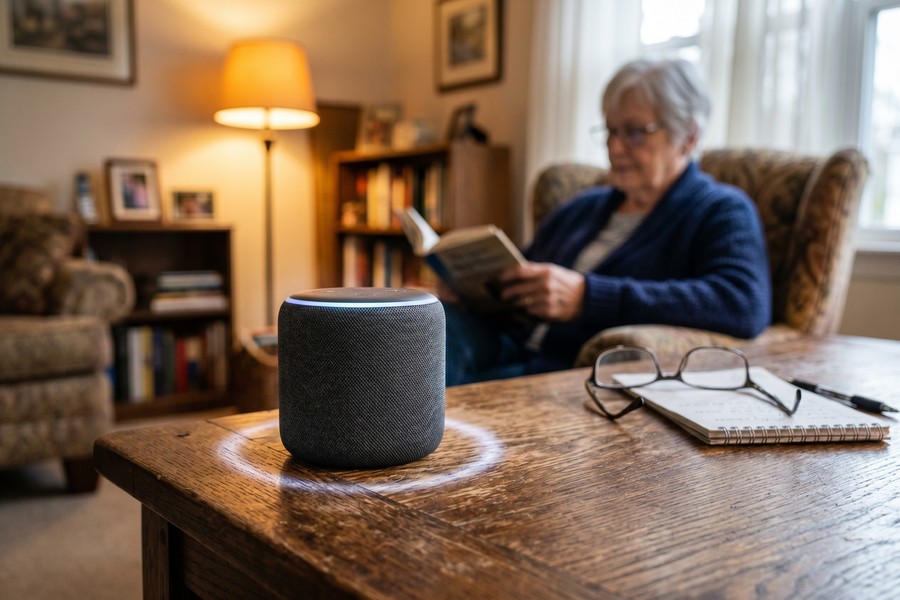
The always-on microphone is a legitimate concern, not a paranoid one. Amazon and Google voice assistants are designed to wake on a trigger phrase and then send that audio to cloud servers for processing. Both companies acknowledge that some recordings may be reviewed by employees for quality purposes, though both offer opt-out settings. This is a real trade-off, and you should know about it before you buy.
The practical mitigation is straightforward: both Echo and Nest Hub devices have a physical mute button that disconnects the microphone hardware, not just software, so the device cannot listen until you press it again. You can also review and delete your voice history in the companion app. If you prefer local processing without cloud audio uploads, the Apple HomePod uses on-device processing for most requests and has stronger privacy commitments by policy. It costs around $300, which is a real difference, but that is a meaningful option for privacy-conscious buyers. The FTC’s consumer guidance on securing internet-connected devices also recommends changing default device settings and disabling unused features, advice that applies directly here.
One documented real-world case worth knowing about: a wheelchair user with post-polio syndrome reported that a voice-activated home assistant enabled his wife to call for emergency care during a stroke that she otherwise would not have survived, because she could not physically reach a phone. That is an extreme scenario, but it illustrates the category of benefit that goes well beyond convenience.
Smart Lighting That Protects You at Night
Most articles recommend smart bulbs so you can change the color of your lights or set a morning alarm. That framing buries the most important benefit for renters over 50: automated path lighting that reduces nighttime fall risk in hallways and bathrooms.
Fall Prevention Is the Clinical Case for Smart Lighting
Falls are the leading cause of injury-related death among adults 65 and older in the United States, according to the CDC’s injury prevention data. A significant proportion occur at night, when people walk to the bathroom in the dark rather than fumbling for a light switch. A motion-sensor-triggered smart bulb in a hallway or bathroom solves this problem without any wiring: the light turns on automatically when it detects movement, stays on long enough to be useful, then turns off. No switch to find, no fumbling, no tripping over furniture in the dark.
Setting this up costs roughly $15–$25 per bulb (Philips Hue White, LIFX Mini, or comparable) plus a $20–$35 motion sensor if your fixture lacks one built in. The bulbs screw into existing sockets with no lease implications whatsoever. This is one of the highest-value purchases in this entire guide relative to its cost.
Circadian-aware smart lighting systems can automatically shift to warm amber tones in the evening and cooler, brighter tones in the morning, a feature with documented effects on sleep quality and circadian rhythm regulation. For adults managing insomnia, sleep apnea side effects, or chronic fatigue, this is a health-relevant feature, not just an aesthetic one.
Building a Path-Lighting System With No Wiring
The practical setup: install a smart bulb in the hallway light closest to the bedroom, pair it with a battery-powered motion sensor (Philips Hue Motion Sensor, Sengled, or a compatible alternative), and set an automation rule in the app that triggers the light between 10 p.m. and 6 a.m. whenever motion is detected. The bulb turns on at low brightness, enough to navigate safely without fully waking you, then turns off after two minutes of no movement.
Repeat the same setup in the bathroom. Total cost for both rooms: approximately $60–$90. That is a one-time expense for a system that runs on its own every night without any action on your part. For adults managing arthritis, balance issues, or medications that cause nighttime drowsiness, this setup has a defensible clinical rationale that most vendors never bother to explain.
Safety Devices That Work Without Calling Your Landlord
Safety is the top motivation for smart home adoption among renters, and there is a set of renter-safe devices that directly address the most common risks: water damage, unauthorized entry, fire, and CO exposure. None of them require a single phone call to your building manager.
The Four Devices Worth Buying First
| Device | Approximate Cost | Primary Benefit for Over-50 Renters |
|---|---|---|
| Smart water leak sensor | $15–$30 per sensor | Alerts phone when water detected under sink, near toilet, or behind appliances, prevents mold (respiratory risk) and landlord disputes |
| No-drill video doorbell (Ring Peephole Cam) | $50–$80 | Replaces existing peephole; no drilling required, reduces need to rush to the door and risk a fall |
| Wireless door/window sensor | $10–$25 per sensor | Adhesive-mount; alerts if door is opened unexpectedly, adds security layer without lease modification |
| Smart smoke/CO monitor | $35–$100 | App alerts sent to family members immediately, ensures someone is notified even if resident cannot respond |
Water leak sensors are particularly underrated for apartment renters. A slow leak under a kitchen sink can go undetected for weeks and produce mold that poses a real respiratory risk, especially for adults with asthma or COPD. A $20 sensor placed under the sink and linked to your phone sends an alert the moment water is detected. It also creates a documented record if you need to dispute a landlord’s claim that you caused damage.
Battery-powered smart smoke and CO detectors are renter-safe, but check your lease first. Some buildings require that you use the landlord-supplied detectors and prohibit replacing them. In those cases, a supplemental smart CO monitor placed elsewhere in the unit (such as a bedroom) is the appropriate addition rather than a replacement.
The Insurance Discount You May Not Know About
Some renters insurance providers offer 5–10% premium discounts for monitored security systems or smart safety devices. This is not universal, and discounts vary by insurer and state. It is worth calling your insurance provider directly and asking: “Do you offer any discounts for smart water sensors, smoke detectors, or security systems in a rental?” If your annual premium is $200, a 10% discount pays back a $20 leak sensor in the first year. The math is simple, but most people never make the call.
Some Medicare Advantage (Part C) plans now partially cover medical alert systems with fall detection, a category of device that overlaps with the smart home. Coverage varies significantly by plan, so checking your plan’s supplemental benefit documents or calling the member services line is the only reliable way to find out what you qualify for.
Health Monitoring Devices That Belong in the Apartment Conversation
This is the category that almost no competitor article covers: smart health devices that are just as renter-friendly as smart bulbs. No installation, no lease implications, no landlord conversation required. They sit on a shelf, connect to your phone, and produce data that can meaningfully support chronic disease management between doctor visits.
The Core Devices and What They Actually Do
| Device | Approximate Cost | Health Benefit | App Integration |
|---|---|---|---|
| Smart blood pressure monitor | $45–$90 | Tracks trends over time; shareable with doctor via app | Omron, Withings Health Mate |
| Smart scale (body composition) | $30–$80 | Weight trends, BMI, and muscle mass over time | Withings, Garmin Connect, Apple Health |
| Sleep tracker (bedside) | $50–$150 | Sleep stages, breathing disruptions, snoring alerts | Withings Sleep Analyzer, Google Fitbit |
| Smart air quality monitor | $50–$120 | Detects VOCs, PM2.5 particulates, CO2 levels | Airthings, IQAir, Awair |
The air quality monitor is the device most renters over 50 have never considered and most need to know about. Apartment renters have no control over building HVAC systems, which means they cannot independently improve air filtration, duct cleaning schedules, or fresh air intake. Poor indoor air quality, including elevated CO2, volatile organic compounds from cleaning products or new furniture, and fine particulate matter, is a documented health risk, especially for adults with asthma, heart disease, or compromised immune function. A smart air quality monitor from brands like Airthings or IQAir shows you in real time what you are breathing and alerts you when levels require action, such as opening a window or running a portable air purifier.
Research on smart home health technologies for chronic disease management shows that remote monitoring correlates with better quality-of-life outcomes at one and three months post-discharge compared to usual care, making these devices a clinically relevant bridge between doctor visits, not a consumer novelty.
Wearables vs. Passive Monitoring: Knowing Which You Need
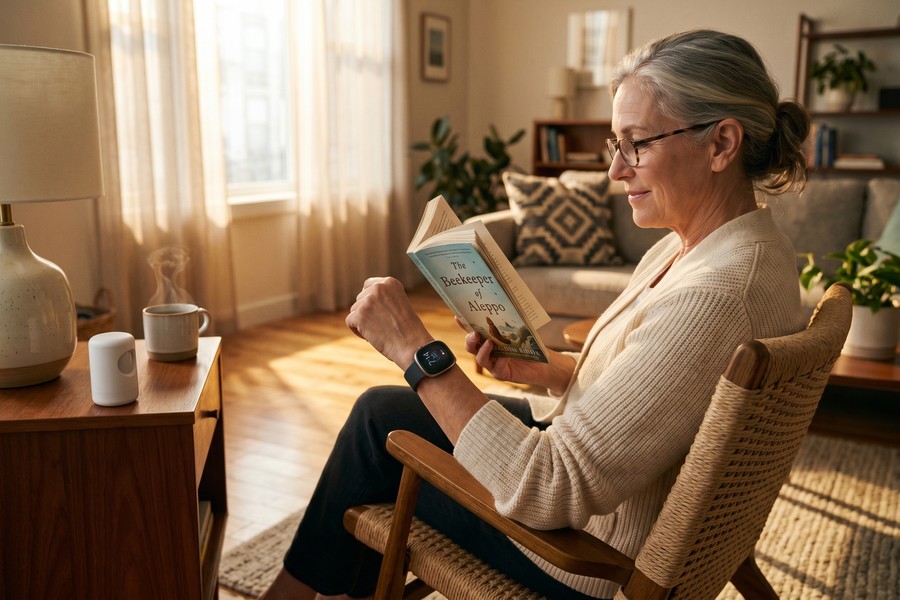
Wearable fall detection devices (Apple Watch Series 9 and later, Samsung Galaxy Watch, or dedicated medical alert smartwatches) are the better choice for active renters who are mobile throughout their day. They detect falls using accelerometers and can automatically call emergency services if you are unresponsive. For active adults over 50 without significant mobility limitations, this is the appropriate form factor.
Passive in-home monitoring (radar-based or infrared motion sensors that track movement patterns and detect falls without a wearable) is more appropriate for adults with higher fall risk or those who prefer not to wear a device constantly. The honest trade-off here is privacy: passive monitoring systems build a continuous picture of your movement patterns inside your own home. That data lives on a company’s servers in most cases. Some adults find this deeply uncomfortable, and that discomfort is entirely reasonable. The choice between independence-support and privacy is real, not a false dilemma. You are allowed to decline passive monitoring and opt for a wearable instead. You can also pair a smart display or smartphone with hydration and wellness tracking apps to build daily health habits that complement your hardware.
How to Start Without Getting Overwhelmed: A Sequenced Buying Plan
Setup difficulty is the third most-cited barrier among older adults adopting smart home technology, behind privacy and cost. The most common mistake is buying five devices from different brands that use different apps, different hubs, and different voice assistants, and then spending a weekend trying to get them to work together. The fix is choosing one ecosystem before buying anything and building from there.
Stage 1: Test Before You Commit (Under $60)
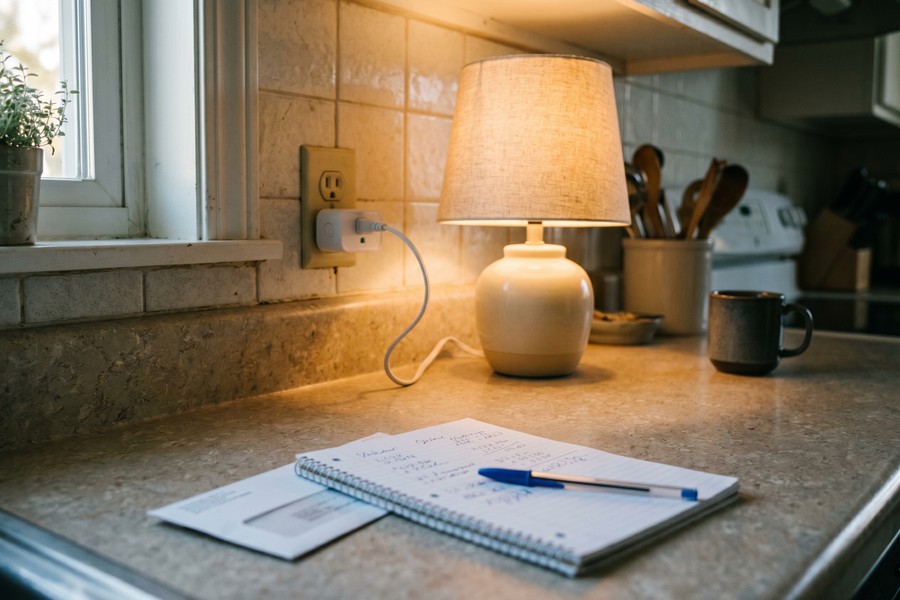
Buy one smart plug and one smart bulb, both from the same brand ecosystem (Amazon Alexa-compatible, Google Home-compatible, or Apple HomeKit-compatible). The smart plug goes on a lamp or coffee maker you use every day. The smart bulb goes in a hallway or bedside lamp. Spend two weeks using them. If you find the app annoying, the voice assistant useful, or the scheduling features pointless, you will know before you have spent $300.
This stage costs roughly $15–$35 for the plug and $10–$25 for the bulb. It is also the stage where you discover whether your Wi-Fi signal reaches the rooms where you plan to use devices, a practical issue that derails many setups and is much easier to solve before you have a full smart home that suddenly stops responding.
Stage 2: Add the Backbone Devices (Under $150 Total)
Once you have confirmed the ecosystem works for you, add a smart display or voice assistant ($100–$130) and a water leak sensor ($15–$30). The display becomes your control center. The leak sensor goes under your kitchen sink or near the bathroom toilet. Total investment at this stage: roughly $125–$160, and you now have the foundation of a functional smart apartment.
Stage 3: Complete the Health and Safety Layer (Under $300 Total)
Stage 3 adds the health monitoring devices: a smart blood pressure monitor ($50–$90), an air quality monitor ($50–$120), and either a motion-sensor night-light setup ($40–$60) or a video doorbell ($60–$80). You do not need all of these at once. Prioritize based on your specific health situation. If you manage hypertension, the blood pressure monitor comes first. If you suspect poor air quality in your building, the air quality monitor comes first.
The Matter connectivity standard, now supported by Amazon, Google, Apple, and Samsung, allows devices from different brands to work together without ecosystem lock-in. Buying Matter-certified devices means your smart plug from one brand can work with a hub from another, protecting your investment if you switch ecosystems later. Look for the Matter logo on the box.
Setup Help Is Not a Sign of Failure
Best Buy’s Geek Squad offers in-home and in-store setup assistance, and many Amazon Echo devices can be demonstrated in-store before you buy. There is nothing embarrassing about asking for help with a first-time setup. The goal is a working system, not self-sufficiency in tech troubleshooting. If you have an adult child or trusted neighbor who is comfortable with technology, a single 90-minute setup session handled by them can save days of frustration. Setting up your phone to handle related tasks, like automating daily reminders, is also easier than most people expect, and guides like this one on automating repetitive tasks on iPhone using Shortcuts can give you a head start.
The Honest Trade-Offs: What Smart Devices Cannot Do for You
Smart home technology supports independence, but it does not replace in-person caregiving, emergency medical response, or regular health checkups. That distinction matters. A fall detection watch calls 911 after a fall; it does not prevent the fall or provide care afterward. A smart blood pressure monitor shows you a trend; it does not interpret what that trend means for your medication without a conversation with your doctor. Research consistently confirms that smart home health technology works best as a bridge between medical appointments and human care, not as a substitute for either.
The Privacy-Dignity Tension
Older adults consistently prefer assistive technologies that support independence without making them feel surveilled. Interior cameras, even if installed by a well-meaning family member for remote monitoring, cross a line that many people reasonably decline. Research on technology acceptance among older adults shows that perceived privacy invasion reduces willingness to use a device even when its functional benefits are clear. If a family member is pushing for in-home cameras and you are not comfortable with that, your discomfort is not irrational. Door sensors, motion sensors, and wearables provide meaningful safety information without continuous visual surveillance.
The FTC warned in November 2024 that nearly 89% of smart products surveyed failed to disclose how long software updates would be provided. A device that stops receiving security updates becomes a vulnerability on your home network. Before purchasing, search the manufacturer’s website for their stated software support period, and factor that into whether a $90 device is actually a good value over three to five years.
In November 2024, Samuel Levine, Director of the FTC’s Bureau of Consumer Protection, stated publicly that consumers stand to lose significant money when smart products stop delivering the features they paid for, and that manufacturers are failing to post software support timelines prominently. The FTC’s survey found this was true of nearly 89% of products examined. Levine specifically called on consumers to ask manufacturers directly about update support before purchasing, noting that “consumers should ask questions and consider how long their product will last.”
The Cost-Benefit Breakdown, Honestly
Not every smart device earns back its cost in utility savings or insurance discounts. The ones with a credible financial return are smart plugs (eliminating standby power draw on always-on appliances, typically saving $5–$15 per month depending on usage), leak sensors (preventing water damage disputes that can cost hundreds in deductibles), and monitored security systems (the 5–10% insurance discount).
Color-changing lights, smart picture frames, and decorative LED strips are comfort purchases. They may genuinely improve your quality of life, and that is not nothing. But you should call them what they are. Spending $80 on a Philips Hue color bulb kit because you enjoy the ambiance is fine. Telling yourself it will pay for itself in electricity savings is not accurate.
The devices with clear financial ROI are specific: smart plugs, leak sensors, and monitored security systems. The devices with clear health ROI are also specific: Omron or Withings blood pressure monitors, Airthings air quality monitors, Withings Sleep Analyzer, and motion-sensor night lights. The rest are quality-of-life investments. That is a valid reason to buy them, just not a financial one.
Building a strong digital security foundation matters here too. Smart devices add convenience but also expand your connected footprint. Following a personal digital security routine and understanding how scammers exploit everyday technology users are habits worth developing alongside your smart home setup. And if you ever receive a QR code from a device manufacturer or installer, knowing how fake QR codes are used to steal information will help you stay safe.
Real-World Example: A Three-Stage Smart Apartment Rollout for an Active 67-Year-Old Renter
Consider an illustrative example: a 67-year-old woman living alone in a one-bedroom apartment in a mid-size city, managing hypertension and mild arthritis. Her HVAC is centrally controlled by the building, making a smart thermostat irrelevant. She has a flip phone and has never connected a device to her home Wi-Fi. Her primary concerns are safety at night, keeping track of her blood pressure readings, and staying in touch with her daughter who lives three hours away.
In Stage 1, she spends $48 on an Amazon Echo Dot (4th generation) and two Sengled smart bulbs for the hallway and bathroom. Her daughter helps configure them over a weekend. Within two weeks, she is using voice commands to turn off lights from bed, eliminating a nightly trip across the dark bedroom, and receiving a spoken daily reminder to take her medication. Cost: $48. Perceived value: immediate.
In Stage 2, three months later, she upgrades to an Echo Show 8 ($130) and adds two Govee water leak sensors under her kitchen sink and behind the bathroom toilet ($28 for two). The smart display enables weekly video calls with her daughter through a simple voice command. In month four, one of the leak sensors detects a slow drip from the bathroom supply line and sends an alert to her phone. She notifies building maintenance before any water damage occurs. Her building manager is appreciative; the potential repair would have cost $600–$1,200 in mold remediation. Total Stage 2 cost: $158. Demonstrable benefit: avoided damage and a documented incident record.
In Stage 3, six months later, she adds an Omron Platinum wireless blood pressure monitor ($79), an Airthings View Plus air quality monitor ($99), and a Philips Hue motion sensor kit for the hallway ($40). The blood pressure monitor uploads readings to an app she shares with her cardiologist, who identifies a pattern of elevated evening readings that leads to a medication timing adjustment. The air quality monitor reveals elevated CO2 levels when the building’s HVAC is in nighttime setback mode; she starts cracking a window at night and notices improved sleep within two weeks. Total three-stage investment: approximately $424, spread over nine months. Every device is packed and moved with her when she eventually relocates to a new apartment the following year.
Your Action Plan
-
Audit your apartment for renter-safe opportunities
Walk through each room and note the existing light sockets, outlets, and any existing peephole. Check your lease’s modification clause. Confirm with your building manager or your own thermostat whether you control your own HVAC. This 20-minute exercise tells you exactly which devices are viable and which are off the table before you spend anything.
-
Choose one ecosystem and commit to it for Stage 1
Amazon Alexa has the widest device compatibility and the most affordable entry price. Google Home is a strong second. Apple HomeKit has the best privacy policy but costs more and requires Apple devices for full functionality. Pick one based on what phone and tablet you already use, then buy only from that ecosystem for the first 60 days. Mixing ecosystems too early is the single most common setup mistake.
-
Start with Stage 1: one smart plug, one smart bulb
Budget $35–$60 and spend two weeks simply using the devices. The goal is not to build a smart home; it is to determine whether you find the app, the voice control, and the scheduling useful before committing further. If the answer is yes, proceed. If the answer is no, you have lost $60, not $400.
-
Add safety before convenience
Before buying color-changing lights or a smart coffee maker, install at least one water leak sensor (under the kitchen sink) and confirm your smoke and CO detection is adequate. These two steps protect you and your deposit with under $50 in devices and zero landlord involvement.
-
Install motion-sensor night lighting in hallways and bathrooms
This is the highest-value health-and-safety purchase relative to its cost. Buy a smart bulb for each hallway light and bathroom light used at night, pair them with a battery-powered motion sensor, and set an automation rule to trigger the lights at low brightness between 10 p.m. and 6 a.m. Total cost: $60–$90 for two rooms. The fall-prevention benefit is immediate and ongoing.
-
Add a smart blood pressure monitor or air quality monitor based on your health priorities
If you manage hypertension, a smart blood pressure monitor that syncs to an app and generates shareable trend reports is a meaningful bridge between appointments. If you have respiratory concerns or suspect poor indoor air quality in your building, an air quality monitor comes first. Buy one, use it consistently for 30 days, and bring the trend data to your next doctor’s appointment.
-
Review your renters insurance and Medicare Advantage plan
Call your renters insurance provider and ask specifically whether smart water sensors, smoke detectors, or a monitored security system qualify for a premium discount. Then check your Medicare Advantage plan’s supplemental benefits for any coverage of medical alert systems or fall detection devices. These calls take 10 minutes each and may offset a meaningful portion of your device costs.
-
Check the software support period before every future purchase
Before buying any smart device going forward, search the manufacturer’s website for their stated software update support timeline. The FTC’s November 2024 findings showed that nearly 89% of manufacturers fail to post this information prominently, so you may need to look in their FAQ or contact support directly. A device with only one or two years of update support remaining is not worth its price if you plan to use it for five years.
Frequently Asked Questions
Can I install a smart lock on my apartment door without landlord permission?
In most cases, no. Smart locks that replace the deadbolt hardware are a permanent modification that requires landlord approval under most standard lease agreements. Some landlords will agree, especially if you offer to restore the original lock when you move out and cover any reinstallation costs. However, there are renter-friendly alternatives: door sensor alarms (adhesive-mount, no hardware change) and video doorbells that replace just the peephole insert (such as the Ring Peephole Cam) provide meaningful security additions without touching the lock itself.
My building controls the heat and AC centrally. Are smart thermostats useless for me?
Yes, in that scenario a smart thermostat would have no effect on your heating or cooling because you do not control the system. The practical alternative is a smart plug paired with a portable space heater or window air conditioning unit. You can schedule these to turn on and off automatically, set temperature-based automations using a compatible smart thermometer, and monitor their energy use, capturing much of the scheduling benefit without touching the building’s HVAC.
How do I know which smart home ecosystem to choose?
Base your choice on the devices you already own. If you have an iPhone and an iPad, Apple HomeKit is a natural fit and provides the strongest privacy protections. If you use Android, Google Home has the tightest integration. Amazon Alexa has the broadest third-party device compatibility and the lowest entry costs, making it the most flexible starting point for someone new to smart home technology regardless of phone type. If long-term flexibility matters to you, look for Matter-certified devices that work across all three ecosystems.
Are there smart home devices that Medicare or insurance will help pay for?
Some Medicare Advantage (Part C) plans include supplemental benefits that partially cover medical alert systems and fall detection devices. This is not standard across all plans, and coverage amounts vary significantly. The only reliable way to find out what your specific plan covers is to call your plan’s member services number and ask about “personal emergency response systems” or “fall detection devices” under your supplemental benefits. For renters insurance, ask your insurer directly about discounts for smart water sensors, smoke detectors, or monitored security systems. Possible discounts range from 5 to 10% depending on the provider and state.
What should I do about the privacy concerns with voice assistants?
The concerns are real and deserve straightforward answers. First, use the physical mute button on any Echo or Nest Hub device when you are not actively using it. This disconnects the microphone hardware, not just software. Second, go into the device’s app settings and review your voice history; both Amazon and Google allow you to delete recordings and opt out of human review programs. Third, if you are deeply uncomfortable with cloud-processed audio, Apple’s HomePod uses significantly more on-device processing and has stronger data use commitments by policy. No voice assistant is zero-risk, but the steps above substantially reduce the exposure.
How do I set up smart home devices if I am not comfortable with technology?
The most straightforward path is choosing devices from a single brand that offers guided in-app setup, such as Amazon Echo or Google Nest, which walk you through each step on your phone screen. Best Buy’s Geek Squad offers in-home setup services for a fee, and many local libraries host technology help sessions for older adults at no cost. Asking a trusted family member or neighbor to handle the initial setup during a single visit is also entirely reasonable. The goal is a working system, not technical self-sufficiency. Once devices are set up, daily use is typically just speaking a command or tapping a large icon in an app.
What if I move to a new apartment? Do I have to start over?
No. Every device category recommended in this guide is designed to be packed and transported. Smart bulbs come out of their sockets, smart plugs unplug, sensors pull off their adhesive mounts (with minimal wall repair in most cases), and health monitoring devices need no installation at all. The only setup required at the new apartment is reconnecting devices to your new Wi-Fi network, which takes 15–30 minutes for a modest setup. This portability is a core reason to frame smart home spending as a lifestyle investment rather than an apartment improvement cost.
Can a smart home system actually help with fall prevention, or is that marketing?
There is a meaningful difference between passive fall detection (systems that detect a fall after it happens and call for help) and active fall prevention (changing environmental conditions to reduce fall risk). Smart home technology primarily does the latter: motion-triggered night lighting removes the most common trigger for nighttime falls, voice assistants reduce the need to rush across a dark room to answer a phone, and smart devices generally reduce the number of situations where a person needs to move quickly or navigate obstacles. These are genuine, clinically supported benefits. Fall detection wearables (Apple Watch, medical alert smartwatches) address the former; they call for help after an event, not before. Both categories are valuable, and neither replaces regular physical therapy, strength training, or fall risk assessments by a healthcare provider.
How long do smart home devices typically last before becoming obsolete?
The hardware lifespan of most smart devices (smart bulbs, plugs, sensors) is typically three to seven years. The software support period, meaning the period during which a manufacturer continues to provide security updates and app compatibility, is often shorter and, as the FTC found in November 2024, frequently not disclosed by manufacturers. Smart bulbs and plugs tend to keep working even when software support ends, since they operate as simple on/off devices. Smart displays, voice assistants, and health monitoring devices with cloud-dependent features are more vulnerable to becoming non-functional when support ends. When evaluating any purchase, ask the manufacturer or check their website specifically about their update support commitment.
Is indoor air quality really a serious enough concern to justify buying a monitor?
For renters over 50 who have no control over building HVAC, it is worth taking seriously. Poor indoor air quality, including elevated CO2, fine particulate matter (PM2.5), and volatile organic compounds from cleaning products, furniture off-gassing, and building materials, is a documented health risk, particularly for adults with cardiovascular disease, asthma, or compromised immune function. A smart air quality monitor will not clean the air for you, but it tells you when levels are high enough to warrant opening a window or running a portable air purifier. For adults managing respiratory conditions, knowing when to act is itself valuable clinical information.
Sources
- AARP Research, 2025 Technology Trends and Adults 50-Plus
- AARP Research, Tech Trends and Adults 50-Plus (Research Insights)
- AARP, A Caregiver’s Guide to Smart Home Technology
- Federal Trade Commission, Smart Products Surveyed Fail to Provide Consumers Information on Software Support Duration (November 2024)
- FTC Consumer Advice, Securing Your Internet-Connected Devices at Home
- Rently, 2025 Smart Apartment Trends Report
- Horowitz Research, State of Media, Entertainment and Tech: Subscriptions 2025
- SmartRent, NMHC/Grace Hill 2024 Renter Preferences Survey Data
- HousingWire, Smart Home Technology and Aging in Place
- AARP Research, Home Assistant and Smart Speaker Ownership Among Adults 50+ (September 2024 Survey)
- SnapMessages, How to Build a Personal Digital Security Routine That Actually Sticks
- SnapMessages, What Is Social Engineering and the Surprising Ways Hackers Exploit It
- SnapMessages, How Cybercriminals Use Fake QR Codes to Steal Your Information
- SnapMessages, How to Automate Repetitive Tasks on iPhone Using Shortcuts






