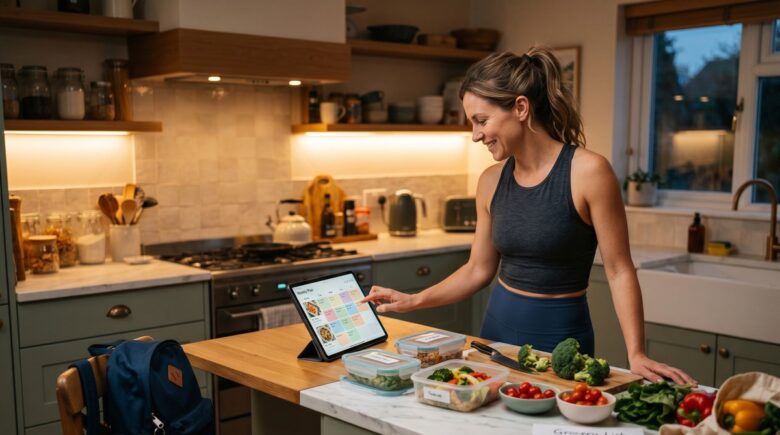
Fact-checked by the SnapMessages editorial team
Quick Answer
Using a meal planning app for weight loss means letting the app calculate your calorie targets, build a weekly menu, and generate your grocery list automatically. Most single parents can complete initial setup in under 30 minutes, and consistent home cooking driven by a plan is associated with a 28% lower likelihood of having an overweight BMI. A safe, realistic target is 0.5 to 1 pound per week over 5 to 6 months.
A meal planning app for weight loss works by removing the nightly decision of what to cook, replacing it with a pre-built weekly schedule that already accounts for your calorie deficit, dietary preferences, and grocery budget. The app handles the math; your only job is to cook what is on the list. According to CDC guidance on losing weight, planning meals ahead of time and using an app to track nutrition are two of the most effective behavioral tools available for achieving steady, safe weight loss.
The global diet and nutrition apps market is valued at USD 6.13 billion, up from USD 5.06 billion in 2024, growing at a compound annual rate of 16.6%. That growth reflects something real: people are increasingly choosing structured digital tools over gym memberships and rigid diets because those tools fit inside the actual shape of their lives. For a single parent juggling school pickups, work deadlines, and dinner for a table of picky eaters, that distinction matters enormously.
This guide is written for parents doing it alone. It will walk you through why the gym is not actually the missing piece, how to choose and configure the right app for your specific constraints, and how to recover when the plan falls apart on a Thursday night. Follow each step and you will have a working system inside two weeks.
Key Takeaways
- A peer-reviewed study found people who regularly cook meals at home are 28% less likely to have an overweight BMI, making consistent home cooking a clinically meaningful intervention on its own.
- A meta-analysis covering 62,407 participants across 261 studies found mobile app interventions produced a pooled mean body weight reduction of 1.32 kg versus control groups.
- Mothers aged 25 to 34 spend an average of 61 hours per week on childcare combined, compared to 45 hours for fathers in the same age group, per the 2022 American Time Use Survey, leaving almost no margin for gym time.
- App users self-report saving an average of $47 per month on groceries, while most premium meal planning apps cost only $35 to $45 per year, making the financial return positive before any weight-loss benefit is counted.
- The CDC recommends aiming for 1 to 2 pounds of weight loss per week; a 20-pound goal therefore requires a realistic commitment of 5 to 6 months at a safe pace of 0.5 to 1 pound per week.
- At least 1 in 4 adults in every U.S. state had obesity, according to CDC Adult Obesity Prevalence data, making effective, accessible weight management tools a genuine public health priority.
In This Guide
- Step 1: Why the Gym Is Not the Missing Piece for a Busy Single Parent
- Step 2: What Is Decision Fatigue and Why It Kills Dinner Plans by Tuesday
- Step 3: What a Meal Planning App Actually Does (and What It Does Not)
- Step 4: How to Choose the Right Meal Planning App for the Single-Parent Use Case
- Step 5: How to Set Up the App in the First Two Weeks Without Burning Out
- Step 6: How to Structure Eating for Weight Loss When You Are Not Going to the Gym
- Step 7: What to Do When the Plan Breaks Down Mid-Week
- Frequently Asked Questions
Step 1: Why the Gym Is Not the Missing Piece for a Busy Single Parent
For most single parents, the gym is not a realistic daily option, and it does not need to be. Nutrition accounts for the dominant share of weight-loss outcomes when compared to exercise alone, and the numbers support making the kitchen your primary target before any fitness routine.
The Time Reality
Mothers aged 25 to 34 spend an average of 61 hours per week on combined primary and secondary childcare, according to an analysis of the 2022 American Time Use Survey published by the Gender Equity Policy Institute. Fathers in the same age range average 45 hours. With no co-parent to cover drop-offs and pickups, a solo parent’s margin for discretionary time is genuinely narrow.
Recommending a gym membership to someone in this situation is not bad advice so much as impractical advice. The good news is that research supports a food-first strategy. A peer-reviewed study of 11,396 participants found that people who cooked meals at home regularly were 28% less likely to have an overweight BMI compared to those who did not, independent of gym attendance. Getting a consistent cooking habit in place is itself a meaningful clinical intervention.
Apps like Mealime, Eat This Much, and MealPrepPro exist precisely because that cooking habit needs a system behind it. Without one, the intention to cook at home evaporates by Wednesday.
What to Watch Out For
The biggest trap here is treating the absence of exercise as a permanent excuse to skip it entirely. A meal planning system gets the weight moving; adding even two 20-minute walks per week compounds the result. The point of this guide is not to argue against movement but to establish that food change comes first and needs no gym membership to work.
As of the 2021 to 2023 NHANES cycle, 40.3% of U.S. adults age 20 and older have obesity, based on measured heights and weights, per the CDC National Center for Health Statistics.
Step 2: What Is Decision Fatigue and Why It Kills Dinner Plans by Tuesday
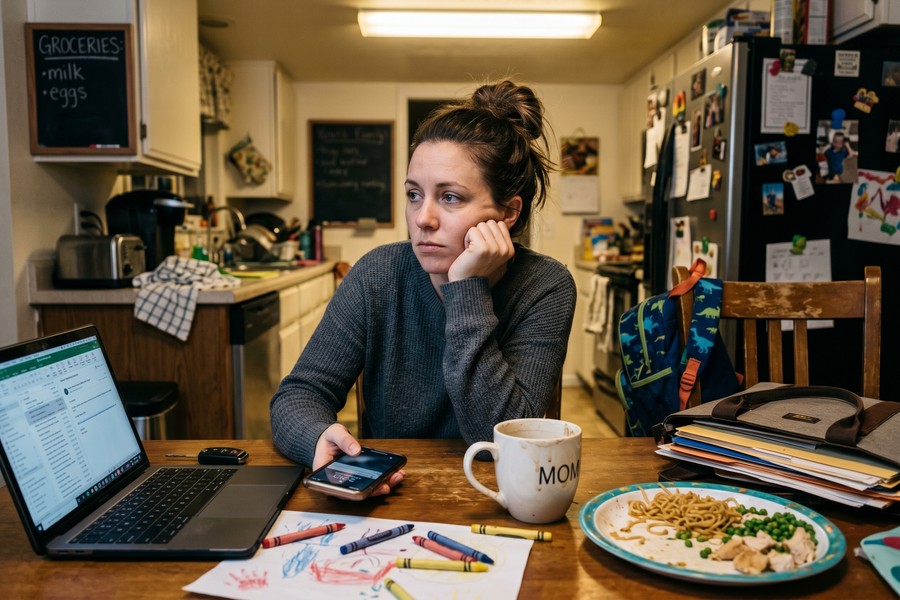
Decision fatigue is the measurable deterioration in decision quality that follows a high volume of choices earlier in the day. By 6 PM on a Tuesday, a single parent has already made hundreds of decisions at work and at home, and cognitive resources are depleted at precisely the moment dinner must be assembled.
How This Plays Out in Real Life
A 2025 review published in Nutrients confirmed that food-related decision fatigue peaks during evening hours, when people are most likely to default to whatever is easiest, often a drive-through or leftover pizza. The review noted that people navigate hundreds of food-related decisions daily, and that exhaustion correlates directly with lower-quality food choices. For a single parent, there is no co-parent to absorb half that load or suggest an alternative. The decision lands on one person, tired, with hungry kids in the background.
Framing a meal planning app as a cognitive offload tool rather than a diet product changes how you approach it. The plan was decided on Sunday, during a calmer, more resourced state of mind. Tuesday-night exhausted-parent-you does not decide anything. You just execute what Sunday-you already set up.
The CDC specifically identifies planning home meals as a strategy for avoiding less healthy drive-through options. The behavioral logic is the same: a decision made in advance, in a low-stress environment, consistently beats a decision made in the heat of a tired weeknight.
What to Watch Out For
Decision fatigue also makes onboarding feel harder than it is. Do not set up a new app on a Tuesday evening after a full day. Schedule the initial setup for a Sunday morning, ideally before the kids are up, when your decision-making capacity is at its best.
Block a recurring 30-minute Sunday-morning calendar event for your weekly meal planning session. Treat it like a standing appointment. Most apps allow you to auto-regenerate last week’s plan with one tap, so the session shrinks over time as your preferences are learned.
Step 3: What a Meal Planning App Actually Does (and What It Does Not)
A meal planning app builds a personalized weekly menu based on your body stats, calorie goal, dietary preferences, and budget, then generates a complete grocery list automatically. That is fundamentally different from a recipe app, which simply stores recipes without scheduling, calculating nutrition, or building a shopping list.
How to Do This
During setup, a meal planning app typically asks for your current weight, height, age, activity level, goal rate (for example, 1 lb per week), diet type (such as Mediterranean, low-carb, or omnivore), any allergies, and your weekly grocery budget. From those inputs, the app calculates a daily calorie target and macro split, then populates a weekly menu accordingly. Mealime, Eat This Much, and MealPrepPro all follow this general structure, though their execution differs meaningfully in ways that matter for a single-parent household.
The NIDDK notes that many weight-loss programs are now offered through apps for mobile devices, and recommends that a sound weight-loss program include a plan to track progress on healthy eating using tools such as cellphones and online journals. Meal planning apps satisfy both criteria simultaneously.
One feature worth understanding specifically for single parents is multi-profile or portion-scaling support. Some apps allow you to set a calorie-deficit plan for yourself while scaling up the same recipes for kids who need more calories. You cook one base meal; the app tells you how much of it each person eats. That gap is almost entirely missing from competitor reviews of these tools, but it matters enormously when you are feeding a picky eight-year-old and trying to hit a 1,600-calorie daily target at the same time.
The financial case is also worth stating plainly. Most premium tiers run between $35 and $45 per year. That is less than a single month of many gym memberships, and the tools available at that price point have improved substantially. PlateJoy, for instance, integrates directly with Instacart and AmazonFresh, which can eliminate a weekly grocery run entirely.
What to Watch Out For
Mealime’s free version shows zero nutritional data. Eat This Much’s free tier limits planning to a single day at a time. Neither is adequate for a 20-pound weight-loss goal, where calorie awareness is non-negotiable. Budget for a paid tier, or look carefully at which apps offer full nutrition tracking without a paywall before committing to one.
No meal planning app replaces a conversation with your doctor before making significant dietary changes, especially if you have metabolic conditions, take medication, or are managing blood sugar. Apps calculate averages based on general population data; a physician or registered dietitian can adjust targets to your specific health picture.
Step 4: How to Choose the Right Meal Planning App for the Single-Parent Use Case
Choose an app by matching its features to your specific constraints, not by picking the one with the most five-star reviews. For a single parent, three features matter most: batch-cooking support, grocery list organization by store aisle, and a budget cap.
How to Do This
Evaluate each app against the single-parent checklist below. MealPrepPro is particularly strong for batch cooking; it builds plans explicitly designed for preparing a full week of meals in one Sunday afternoon session, which is ideal when cooking daily is not realistic. Mealime organizes grocery lists by store section, which shaves meaningful time off a rushed shopping trip. Eat This Much allows users to set a strict daily spending target, with a “spend under $10/day” option that makes it practical for tight single-income budgets.
The free-versus-paid question has a reasonably clear answer for this specific goal. Most premium tiers run between $35 and $45 per year. App users report saving an average of $47 per month on groceries by replacing pre-packaged and drive-through meals with planned home cooking. At those numbers, a paid app subscription pays for itself inside the first month. The NIDDK recommends tools such as the NIH Body Weight Planner for setting realistic calorie goals; pairing that free government tool with a paid planning app gives you both the target and the system to hit it.
For the single-parent persona specifically, Mealime Premium is the clearest recommendation. It shows full nutritional data, organizes shopping lists by aisle, handles multiple dietary profiles within one household, and costs around $35 per year. Eat This Much is a strong alternative if budget control is the dominant concern. MealPrepPro earns a place if Sunday batch cooking is your preferred approach over daily cooking.
One honest limitation worth naming: none of these apps handles truly spontaneous schedules well. If your week changes shape on Monday because of a work emergency or a sick child, the plan you built on Sunday will need manual intervention. The swap feature helps, but it is not frictionless. That is a real tradeoff compared to just ordering from a delivery app, and the reason some users abandon structured planning after the first difficult week.
| App | Price (Annual) | Nutrition Tracking | Grocery List | Batch Cooking | Budget Cap | Best For |
|---|---|---|---|---|---|---|
| Mealime Premium | ~$35/year | Full macros + calories | Organized by aisle | Moderate | No explicit cap | Everyday cooking, multi-profile households |
| Eat This Much | ~$48/year | Full macros + calories | Standard list | Limited | Yes (daily spend target) | Tight budgets, calorie-first users |
| MealPrepPro | ~$40/year | Full macros + calories | Organized by category | Strong (weekly batch) | No explicit cap | Sunday batch cookers, meal preppers |
| PlateJoy | ~$69/year | Full macros + calories | Instacart integration | Moderate | No explicit cap | Families wanting grocery delivery |
| Mealime (Free) | $0 | None | Organized by aisle | None | No | Recipe browsing only; not suitable for weight loss |
What to Watch Out For
Recipe quality varies more than marketing copy suggests. Eat This Much draws from a large database, but the results can include meals that are technically within calorie targets but require ingredients that do not appeal to children. Test the recipe suggestions during setup before committing to a full week, and use the filter controls to exclude ingredients your household will not eat.
Some meal planning apps integrate directly with grocery delivery services like Instacart and AmazonFresh. If your schedule makes a physical grocery run difficult, this feature alone can be the difference between sticking to the plan and abandoning it by Wednesday. Check for this integration before choosing your app.
Step 5: How to Set Up the App in the First Two Weeks Without Burning Out
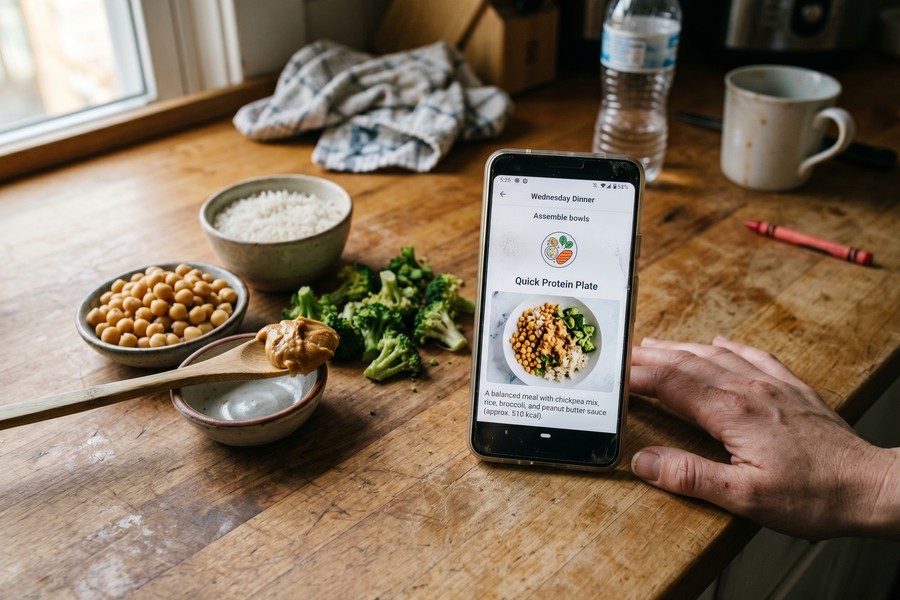
The first two weeks are about building the habit of the Sunday session, not about eating perfectly. Get the system running before you worry about optimizing it.
How to Do This
Setup for most apps takes between 10 and 30 minutes on first use. You will enter your current weight, height, age, sex, activity level, and weight-loss goal rate. The app uses these to calculate a recommended daily calorie intake. At a safe rate of 0.5 to 1 pound per week, the app will typically suggest a deficit of 250 to 500 calories below your maintenance level. Accept the app’s first-week plan as-is rather than customizing heavily. You can adjust recipes as you learn the interface.
The Sunday session framework that works best for single parents has three phases. First, open the app and confirm or regenerate the week’s plan (5 to 10 minutes). Second, review and adjust one or two meals to account for what is already in your fridge (5 minutes). Third, generate the grocery list and either shop in-store or send it to Instacart or AmazonFresh (15 to 30 minutes, depending on method). That is your full investment for the week.
Weeknight cooking then becomes execution-only, with no decision-making required. That shift is the whole point.
The swap feature is the single most important flexibility tool in any meal planning app, and it is one that most articles fail to explain. When a planned meal does not work on a given night (because of a late soccer practice or a child who refuses to eat what is on the menu), a good app lets you swap that meal with another option that maintains roughly the same calorie and macro profile. You are not blowing the week’s plan; you are rerouting within it. That distinction is what prevents the Wednesday collapse that ends most diet attempts. Pair this with the kind of automating-tasks mindset described in our guide to automating repetitive tasks on iPhone, and you will find the administrative overhead of meal planning drops quickly.
What to Watch Out For
Do not try to synchronize the meal planning app with a fitness tracker, a calorie counter, and a grocery app simultaneously in week one. The cognitive setup cost of linking multiple platforms is high. Get the meal planning habit established on its own for the first two to three weeks. Add supplementary tools only after the Sunday session feels automatic.
Involve older children (roughly ages 8 and up) in the Sunday session. Letting a child pick one dinner from the app’s suggestions gives them ownership over a meal they are more likely to eat, and the time you spend reviewing options together is a practical cooking education. Research suggests that children involved in food preparation develop stronger food literacy and eat a wider variety of foods, which reduces the single-parent challenge of cooking separate meals.
Step 6: How to Structure Eating for Weight Loss When You Are Not Going to the Gym
Weight loss without a gym is entirely achievable through a calorie deficit maintained through food choices alone, and the meal planning app calculates that deficit automatically. Your job is to cook what is on the plan and not add untracked food on the side.
How to Do This
When the app calculates your daily intake, it is already accounting for your stated activity level. If you are sedentary to lightly active (the realistic category for most single parents during the school year), the app sets a lower maintenance baseline and then subtracts the deficit on top of that. The result is a daily calorie target, typically displayed prominently in the app’s dashboard. You do not need to understand the math; you need to cook the meals and eat the portions specified.
One dimension that most guides miss entirely is meal timing. A 2025 study published in Nutrients found that irregular meal timing disrupts circadian rhythms and contributes to metabolic dysfunction. The meal planning app’s built-in consistency (breakfast, lunch, and dinner scheduled at predictable times) has a biological benefit beyond calorie control. Eating at regular times supports the body’s metabolic signaling, which matters especially for parents whose schedules have historically been chaotic.
The NIDDK recommends choosing a healthy eating plan you can maintain over time and using tools like the NIH Body Weight Planner to set realistic calorie goals. A 20-pound loss at a safe pace of 0.5 to 1 pound per week requires 5 to 6 months of consistent adherence, not 6 weeks. Set that expectation with yourself on day one.
Active users of the SIMPLE mobile app for time-restricted eating reported a median body weight loss of 4.20% at 12 weeks, drawn from a study of 53,482 users. That translates to roughly 7 to 8 pounds for a 175-pound person in three months, without any gym involvement, simply by maintaining a consistent eating schedule and calorie deficit. It is a realistic benchmark. You can also track hydration alongside your eating plan; our guide to the best water tracking apps pairs well with a meal planning setup since adequate hydration supports metabolism and reduces false hunger signals.
What to Watch Out For
Most users experience a plateau around the 8 to 10 pound mark. This is not failure; it is physiology. As body weight decreases, the calorie maintenance level also decreases, meaning the original deficit the app calculated is no longer a true deficit. Return to the app’s settings and update your current weight. The app will recalculate your targets accordingly. Missing this adjustment is the most common reason people stop seeing results after an initial successful stretch.
A meta-analysis covering 62,407 participants across 261 primary studies found that mobile app interventions produced a pooled mean body weight reduction of 1.32 kg versus control groups, confirming that app-guided approaches produce measurable results across large populations.
Step 7: What to Do When the Plan Breaks Down Mid-Week
The most common failure point is not a lack of nutritional knowledge; it is a tired Thursday when leftover pizza is sitting in the fridge and the planned meal requires 40 minutes of active cooking. Rigid plans fall apart here, and most diet guides pretend this scenario does not happen.
How to Do This
Good meal planning apps include deviation-recovery features that most reviews never describe. Some apps track what you actually ate against what was planned, and automatically readjust the following week’s targets to compensate for the difference. One bad day does not compound into a lost week when the app absorbs the deviation and recalibrates. If your app does not do this automatically, you can do it manually: log the off-plan meal using the app’s food diary, note the calorie difference, and allow the app to suggest a slightly lower-calorie plan for the next two days to balance out.
The swap feature described in Step 5 is your first line of defense before a deviation happens. If you can feel by 4 PM that the planned dinner is not going to work tonight, open the app and swap it for something that requires 15 minutes or less. Most apps flag quick-prep recipes explicitly. Use that filter before you reach for the phone to order delivery.
The plateau recovery described in Step 6 applies here too. If the plan has been broken repeatedly over two or three weeks, do not restart from scratch. Update your weight in the app, confirm your goal rate, and re-generate the weekly plan. The app does not penalize you for imperfect adherence; it simply recalculates from where you are now. For building the kind of consistent daily habits that help routines stick even under pressure, the principles in our guide on building a daily reflection habit apply directly, since tracking what went wrong each week is one of the most effective behavior change tools available.
What to Watch Out For
Perfectionism is the second most common failure mode after decision fatigue. A single parent who goes off-plan on Thursday and then decides the whole week is lost will not reach a 20-pound goal. The target is not a perfect week every week; it is a sufficient week most weeks. Research on behavioral adherence consistently shows that flexible, forgiving approaches outperform rigid ones over periods longer than eight weeks. Build your recovery strategy into the system from the start, not as an afterthought.
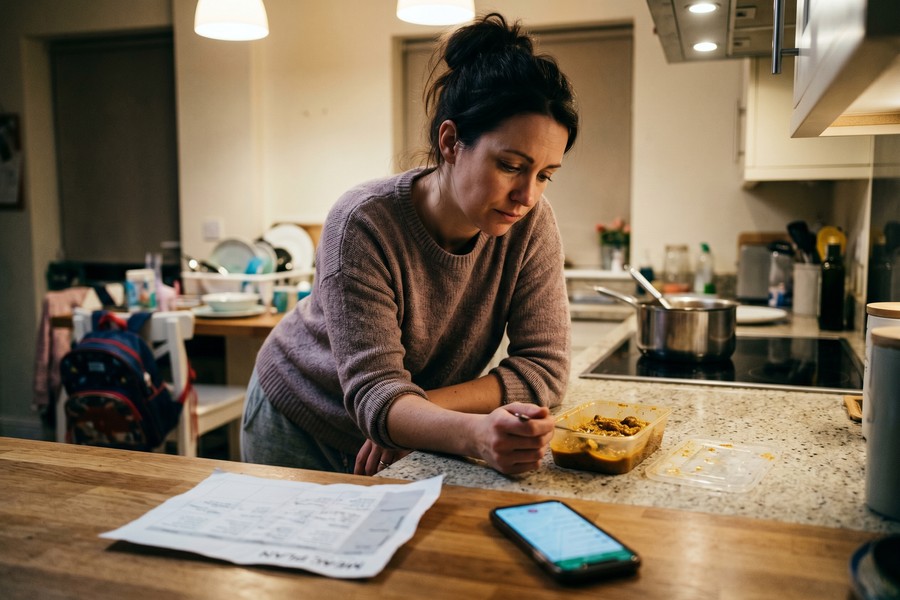
The National Institute of Diabetes and Digestive and Kidney Diseases (NIDDK) recommends that a sound weight-loss program include a plan to track progress on healthy eating using tools such as cellphones and online journals, and notes that many weight-loss programs are now offered through apps for mobile devices, according to its guidance on Choosing a Safe and Successful Weight-Loss Program. A meal planning app satisfies both criteria simultaneously, which is why health authorities increasingly point to digital tools as practical complements to clinical advice.
Managing stress and mental load alongside a new health habit is genuinely difficult for solo parents. If anxiety around food or routine changes is an obstacle, tools that support the broader mental wellness picture can help. The best meditation apps for beginners are worth bookmarking alongside your meal planning setup, because sleep quality and stress levels directly affect appetite regulation and adherence.
Frequently Asked Questions
Can I really lose 20 pounds without going to the gym, just by using a meal planning app?
Yes, a 20-pound loss is achievable through food-based changes alone, without gym attendance, provided you maintain a consistent calorie deficit over time. A peer-reviewed study found that people who cook meals at home regularly are 28% less likely to have an overweight BMI, independent of exercise. At a safe rate of 0.5 to 1 pound per week, losing 20 pounds takes roughly 5 to 6 months of consistent adherence to a planned eating strategy.
Which meal planning app is best for someone with very little time?
Mealime Premium is the strongest option for time-constrained users because it organizes grocery lists by store aisle, supports multiple dietary profiles, and shows full nutritional data for under $35 per year. MealPrepPro is the better choice if Sunday batch cooking is your preferred approach, since it builds plans around cooking a week’s worth of meals in a single afternoon session. Both apps are meaningfully faster to operate than assembling a meal plan manually each week.
How do I handle cooking for picky kids when I am on a calorie-deficit plan?
Use the portion-scaling or multi-profile feature available in apps like Mealime and PlateJoy. These allow you to set a calorie-deficit target for yourself while scaling the same recipe up for children who need more calories. You cook one base meal; the app specifies different serving sizes per profile. This approach eliminates the time cost of cooking two separate dinners, which is one of the most common reasons single parents abandon structured eating plans.
How much does a meal planning app cost per year, and is it worth paying for?
Most premium meal planning apps cost between $35 and $69 per year. App users report saving an average of $47 per month on groceries by replacing pre-packaged meals and drive-through orders with planned home cooking, which means the subscription pays for itself within the first month. The free tiers of Mealime and Eat This Much are not adequate for weight loss because they omit nutritional data; a paid tier is the minimum workable option for a calorie-controlled goal.
What happens if I eat off-plan one day? Will it ruin my progress?
A single off-plan day does not ruin a weight-loss effort, but how you respond to it matters. Some apps, including Eat This Much, track deviations and automatically readjust the following week’s targets to compensate. If your app does not do this automatically, log the off-plan meal, note the calorie difference, and allow the app to suggest a slightly lighter plan for the next one to two days. Flexible, forgiving adherence consistently outperforms rigid approaches over periods longer than eight weeks in behavioral research.
How long before I start seeing results with a meal planning app?
Most people report noticeable changes in energy levels and digestion within 2 to 3 weeks of consistent adherence. Measurable weight change typically becomes visible on the scale after 4 to 6 weeks. A 20-pound loss at the CDC-recommended pace of 1 to 2 pounds per week requires a realistic commitment of 5 to 6 months; any product or program promising faster results should be treated with skepticism.
Should I use a free meal planning app or pay for a premium version?
For a 20-pound weight-loss goal, the free tiers of most popular meal planning apps are not adequate. Mealime’s free version shows no nutritional data, and Eat This Much’s free tier limits planning to a single day at a time. Calorie awareness is non-negotiable for a meaningful weight-loss goal, which means a paid tier is necessary. Given that premium apps average $35 to $45 per year and most users offset that cost within one month through grocery savings, the paid tier is the more financially logical choice.
What do I do when I hit a weight-loss plateau after losing the first 8 to 10 pounds?
Update your current weight in the app’s settings. As body weight decreases, calorie maintenance requirements also decrease, so the original deficit the app calculated is no longer accurate. Re-entering your current weight prompts the app to recalculate a new daily target that reflects your lighter body. This is the most commonly missed step among users who experience a plateau after initial success, and skipping it is the primary reason people stop seeing progress mid-goal.
Is it safe to lose weight without tracking exercise, relying only on food changes?
Yes, for otherwise healthy adults, a calorie deficit maintained through food choices is a safe and effective primary driver of weight loss. The NIDDK recommends choosing a healthy eating plan you can maintain over time as the foundation of any weight-management strategy. Adding light activity improves outcomes, but it is not required to achieve meaningful weight loss. Anyone with metabolic conditions, cardiovascular disease, or other health concerns should consult a physician before starting any calorie-restricted plan.
Can using a meal planning app save me money as well as help me lose weight?
Yes, on both counts. App users report average grocery savings of $47 per month by replacing pre-packaged and restaurant meals with home-cooked alternatives, and they report recovering roughly 3 hours per week previously spent on planning and shopping. Since pre-packaged and drive-through meals tend to be both more expensive and more calorie-dense than the app alternative, the cost of not using a structured plan is measurable in both dollars and pounds. For a single parent already managing a tight budget, the financial case for a paid meal planning app is at least as strong as the health case.
Sources
- Centers for Disease Control and Prevention, Losing Weight
- Centers for Disease Control and Prevention, Healthy Meals and Snacks
- National Institute of Diabetes and Digestive and Kidney Diseases, Choosing a Safe and Successful Weight-Loss Program
- National Institute of Diabetes and Digestive and Kidney Diseases, Eating and Physical Activity to Lose or Maintain Weight
- CDC / National Center for Health Statistics, NCHS Data Brief No. 508: Obesity Among Adults in the United States (2024)
- CDC, Adult Obesity Prevalence Maps (2024 data)
- Roots Analysis, Diet and Nutrition Apps Market Report (2025)
- MDPI International Journal of Obesity / PMC, Umbrella Review and Meta-Analysis of Mobile App Interventions for Weight Loss (2025)
- Huntriss et al., Obesity Science and Practice (Wiley / World Obesity), SIMPLE App Time-Restricted Eating Study (2024)
- Gender Equity Policy Institute, Free Time Gender Gap: Analysis of 2022 American Time Use Survey (2024)






