Fact-checked by the SnapMessages editorial team
Quick Answer
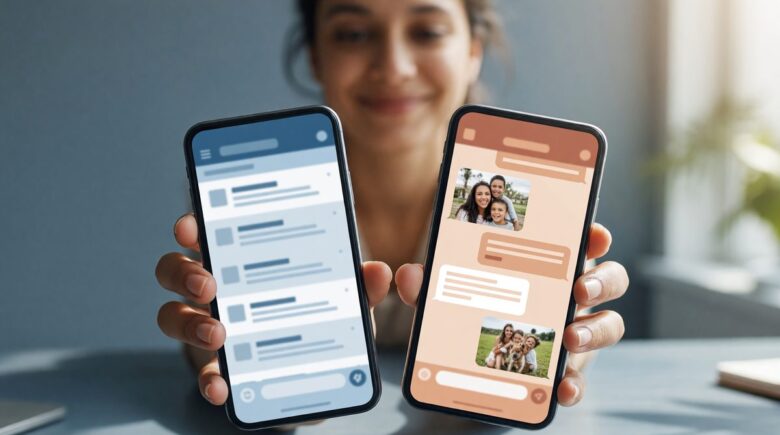
Using one phone for work and personal keeps things simple, but research suggests it deepens work-related stress for 59% of employees (APA 2021 survey). Separate devices create a physical boundary that protects sleep, mental recovery, and family connections, and you can still achieve much of that separation without carrying two phones through work profiles and notification discipline.
Key Takeaways
- 43% of Americans report chronic stress from checking work communications outside office hours, according to the APA’s 2017 Stress in America survey.
- 59% of employees experience negative health impacts tied to work stress alone, per the APA’s 2021 Work and Well-Being Survey.
- 37% of adults directly blame work-related phone alerts for poor sleep quality, according to the National Sleep Foundation.
- Nearly 60% of Americans report digital eye strain, a figure that worsens when work and personal screen time stack on the same device, per the American Optometric Association.
- Americans check their phones an average of 96 times per day, according to Asurion research.
- Android’s Work Profile can silo business apps into a container that switches off during personal hours, offering meaningful separation without a second device, per Google’s setup documentation.
A single smartphone juggling Slack, email, family chats, and bedtime reading feels like an efficient choice, until the line between “on” and “off” dissolves entirely. When work and personal life share the exact same glass rectangle, your nervous system rarely gets a true break. The one phone work personal debate is really about how your brain processes boundaryless access all day and night.
Research from the American Psychological Association shows that 43% of Americans feel constantly stressed by checking work communications outside of office hours, and your phone is the portal that makes that checking frictionless. The question, from a health and wellness standpoint, shifts from “can you?” to “what’s the cost?”
Why Mixing Work and Personal on One Phone Quietly Drains Your Energy
Blending work and personal apps on a single device forces your brain into a low-grade, always-on alert state that fuels decision fatigue. You glance at the screen to check a family message and a work email notification pops into view, your attention splits, and a tiny cortisol spike follows. That pattern compounds across the day.
Psychologists have long linked constant task-switching to reduced cognitive stamina. For smartphone users who never physically put work down, the effect is even more pronounced. The stream of notifications, project updates, personal texts, breaking news, keeps the prefrontal cortex from settling into any one mode, which is why you might feel inexplicably drained by late afternoon.
What makes this harder to detect is that no single interruption feels big. But how push notifications work behind the scenes and demand your attention can gradually erode your ability to sustain focus on what matters, whether that’s a complex work task or a relaxed dinner conversation.
It’s also worth being honest about who this approach does not suit at all. If your role involves on-call responsibilities, sensitive client data, or an employer MDM policy that requires device monitoring, digital-only solutions like notification scheduling will not adequately address the privacy or cognitive load issues. For those workers, a second physical device is less of a lifestyle preference and more of a practical necessity.
Key Takeaway: One phone creates cognitive spillover: glance at one domain, get pulled into another. Over months, that invisible friction collects into real mental fatigue, a pattern documented in 43% of Americans who report chronic stress from after-hours connectivity according to APA’s 2017 survey.
How One Device Blurs Work-Life Boundaries and Harms Your Mental Health
The World Health Organization recognized burnout as an occupational phenomenon linked most directly to chronic workplace stress that hasn’t been successfully managed, and always-available technology is a primary accelerant. When your work apps live next to your photo gallery, the psychological signal that work has ended never fires clearly. You stay in a state of incomplete recovery.
This boundary blur is especially harmful to sleep. The National Sleep Foundation’s 2020 poll found that 37% of adults directly attribute poor sleep quality to work-related thoughts and alerts pinging into the evening. And if that alert arrives on the same device you use for a wind-down meditation or audiobook, the tension between “rest now” and “answer this” sits squarely in your hand.
Relationships absorb the fallout too. When a phone keeps work in your peripheral vision during shared meals or evening downtime, partners and kids sense the split attention. Over time, that low-level withdrawal erodes the emotional recharge that personal connections are supposed to provide, the very resource that buffers against burnout.
The data is consistent across sources. The APA’s 2021 Work and Well-Being Survey found that 59% of employees experience negative health impacts from work stress alone, a figure that a single-phone setup often amplifies by removing any clean break from work cognition.
| Aspect | One Phone for Work & Personal | Two Separate Phones |
|---|---|---|
| Work-Life Separation | Boundary is digital only; notifications cross domains | Physical separation; work can be powered off and left behind |
| Mental Load | High; constant context-switching day and evening | Lower; brain gets a defined “work is done” signal |
| Sleep Quality Impact | Work alerts intrude on wind-down; 37% report sleep disruption linked to work | Non-work phone promotes screen-free bedtime routines |
| Privacy Risk | Work data and personal data coexist; monitoring potential higher | No commingling; personal data isolated from employer reach |
| Physical Disconnect | Harder to step away entirely; device always with you | One device can stay in a drawer during off-hours |
Key Takeaway: According to the National Sleep Foundation’s poll, 37% of adults blame work-related phone alerts for poor sleep, while the APA’s 2021 survey found that 59% of employees experience negative health impacts from work stress alone, a combination that a single-phone setup often amplifies.
Privacy, Security, and the Hidden Stress of Blended Data
When your one phone for work and personal life carries both company data and your intimate messages, the anxiety isn’t always about an overt breach. It’s the ambient worry that your employer can see things you’d rather keep private. Even when company policies promise limited access, the feeling that something personal could be visible is a low-grade stressor in its own right.
That worry isn’t unfounded. Some organizations require mobile device management (MDM) software that can remotely wipe a phone, track location, or enforce security restrictions, on your only device. Minnesota Management and Budget’s Policy 1438 on mobile devices explicitly recognizes this tension, and it’s one reason many public-sector employers move toward providing separate work devices. The policy states plainly that state agencies cannot require employees to use personal mobile devices for state business and must consider legitimate business needs before allowing or providing such devices.
From a wellness standpoint, separation reduces a near-constant background fear. Without that mental load, you lose the internal voice asking, “Should I open that health record or personal photo while on the corporate network?” That relief alone can improve evening calm. A personal digital security routine that actually sticks becomes far easier when work data isn’t intertwined with everything else.
Key Takeaway: Even without a concrete privacy incident, the knowledge that employer oversight may extend to your personal life on a blended phone creates persistent stress. State policies like Minnesota’s mobile device rules illustrate why physical separation is often the safest mental safeguard.
Separating Work and Personal Without Carrying Two Phones
You don’t necessarily need a second device. Android’s Work Profile, developed by Google, silos business apps into a container that you can switch off during personal time. Similarly, an eSIM lets you run a separate work number on the same hardware, and scheduled Do Not Disturb rules can mute work apps after a set hour, all while keeping your personal space intact.
These techniques can significantly reduce that always-available feeling, yet many overlook the physical health benefit: fewer reasons to keep the screen lit late into the evening. The American Optometric Association notes that nearly 60% of Americans report digital eye strain, and stacking work and personal screen time on a single device only lengthens the exposure window. Carving out times when the phone simply isn’t a work portal protects your eyes and your spine.
Building micro-boundaries matters more than people expect.
Leaving the phone in another room during dinner, or using a simple alarm clock for wake-up instead of a smartphone, creates tangible separation that your nervous system registers. And if that alone is enough to restore your evenings, you may not need a second device. The power of adding a quick meditation app for a daily mindfulness reset is that it signals the workday is done, no extra SIM card required.
Digital-only boundaries have a real ceiling. Work profiles and Focus modes require ongoing discipline to maintain, and a single accidental tap into the work container during personal hours can restart the very cognitive pattern you were trying to interrupt. For people with high-volume work communication or roles that touch sensitive data, software controls alone are a partial solution, not a complete one.
Key Takeaway: Work profiles, notification scheduling, and physical placement routines can simulate the boundary benefits of two phones without the cost, yet nearly 60% of Americans still deal with digital eye strain, underscoring the need to cap total screen time regardless of the device strategy, per American Optometric Association data.
What Happens When You Finally Split the Devices
Consider a composite profile drawn from frequently reported experiences among remote workers: a project manager at a mid-size tech firm who carried a single iPhone for four years, juggling Slack, personal banking, family iMessage threads, and client email on one device. By her own account, she checked the phone an average of 80 times per day, a figure consistent with research from Asurion, which found Americans check their phones 96 times per day on average.
After her employer introduced a mandatory MDM policy that granted IT the ability to remotely wipe the device, she requested a company-issued phone. Within three weeks of carrying two devices, she reported three measurable changes: she stopped checking work messages after 8 p.m. almost entirely, her self-reported sleep quality improved from a 5 to a 7 on a 10-point personal scale, and she described evening conversations with her partner as “actually present” for the first time in years.
What drove the shift wasn’t willpower. It was friction.
Leaving the work phone on her desk at the end of the day created a physical ritual her brain began to associate with “off.” The personal phone, stripped of Slack and corporate email, no longer triggered work cognition when she picked it up to text a friend. The boundary became environmental, not aspirational.
Her experience mirrors what behavioral scientists call “choice architecture”: when the default environment makes the healthy behavior easier, people follow it without heroic self-discipline. For the one phone work personal question, the lesson is that even partial physical separation, a dedicated work device left in a specific room, can produce outsized recovery benefits compared to purely digital solutions like app timers alone.
Key Takeaway: Physical separation creates environmental cues that digital-only boundaries cannot replicate. Even a modest structural change, a second device left at a desk, can meaningfully reduce after-hours work cognition and improve sleep and relationship quality within weeks.
Your Action Plan: Deciding What’s Right for You
There is no universal answer to the one phone work personal question, but there is a clear framework for making the decision intentionally rather than by default. Work through these steps in order:
- Audit your current stress signals. For one week, note every time your phone causes a context switch, a work ping during dinner, a personal alert mid-meeting. If you count more than 10 per day, your blended setup is actively costing you cognitive resources.
- Check your employer’s MDM policy. If your company can remotely wipe your device, track its location, or enforce restrictions, using that device as your only phone means accepting permanent employer reach into your personal life. Request a company device or ask about your organization’s bring-your-own-device terms in writing.
- Try a two-week digital separation experiment first. Enable Android Work Profile or iOS Focus modes to create a strict work/personal app divide. Set a hard notification cutoff, 7 p.m. is a reasonable starting point. Track whether sleep and evening stress improve.
- If digital separation isn’t enough, go physical. A basic second phone on a low-cost prepaid plan can serve as a dedicated work device for under $20 per month. Leave it at your desk at the end of each workday. The ritual of putting it down becomes the boundary.
- Protect your wind-down window regardless of device count. Whether you use one phone or two, keep screens out of the bedroom for the final 30 minutes before sleep. The National Sleep Foundation’s data on sleep disruption holds whether the alert comes from a work phone or a blended one, the light and cognitive arousal are the same.
- Reassess quarterly. Job demands shift, relationship needs evolve, and technology changes. Set a calendar reminder every three months to ask whether your current setup is protecting your recovery time or quietly eroding it.
Key Takeaway: Start with a digital separation audit before buying a second device. If structured app profiles and notification cutoffs restore your evenings, you may not need two phones. If they don’t, the physical boundary of a second device is worth the modest cost, your recovery time and relationship presence are not optional expenses.
Related reading: AIO Roundup: 7 Mental Health Apps That Actually Work for Remote Workers in 2026.
Frequently Asked Questions
Can my employer see my personal photos if I use one phone for work?
If your employer requires mobile device management (MDM) software on your phone, the scope of what they can access depends on the MDM configuration and your jurisdiction’s laws. Most MDM tools focus on business data, but some can access device-level information including location. If privacy is a concern, requesting a separate employer-issued device is the cleanest solution, as policies like Minnesota’s explicitly support.
Is Android Work Profile actually effective at separating work and personal apps?
Yes, when configured correctly. Android Work Profile, documented by Google, creates a containerized environment where work apps run in isolation, they cannot read personal contacts, photos, or messages, and the profile can be switched off entirely outside work hours. It is not a perfect substitute for a second physical device, but it is a meaningful digital boundary that many users find sufficient.
Does using one phone for work and personal really affect sleep?
Research consistently supports the connection. The National Sleep Foundation found that 37% of adults attribute poor sleep to work-related alerts, and blue light exposure from screens suppresses melatonin production regardless of what you’re viewing. When work and personal life share one device, the temptation to check “just one more thing” extends screen exposure deeper into the night.
What’s the cheapest way to get a second phone for work separation?
A refurbished Android device on a prepaid plan is the most cost-effective route, devices start around $50 to $80, and data-light prepaid plans can run $15 to $25 per month. Alternatively, if your employer provides work devices, request one. Many companies already have policies that support this, particularly for roles involving sensitive data.
Can I use one phone effectively if I have strong self-discipline?
Willpower alone is a fragile strategy. Behavioral research consistently shows that environmental design outperforms self-discipline for sustained behavior change. Even highly disciplined people benefit from reducing friction: when a work notification appears on your personal phone at 9 p.m., your brain has to actively choose not to engage rather than simply never seeing it. Structural solutions like work profiles or a second device remove the choice entirely, which is more reliable long-term.
How do I convince my employer to give me a separate work phone?
Frame the request around data security and MDM policy risk rather than personal preference. Employers are generally more receptive when you note that blending corporate and personal data on one device creates liability for both parties. Reference your company’s BYOD policy, ask whether MDM software would be required on your personal device, and propose that a company-issued phone reduces the organization’s exposure as much as yours.
Sources
- American Psychological Association, Stress in America: Technology and Social Media (2017)
- American Psychological Association, Work and Well-Being Survey (2021)
- National Sleep Foundation, Technology and Sleep: How Devices Affect Sleep Quality
- World Health Organization, Burn-Out an Occupational Phenomenon: International Classification of Diseases
- American Optometric Association, Computer Vision Syndrome and Digital Eye Strain
- Minnesota Management and Budget, Mobile Device Policy 1438
- Asurion, Americans Check Their Phones 96 Times a Day
- Google, Set Up Android Work Profile for Personal Devices
{“@context”:”https://schema.org”,”@graph”:[{“@type”:”Organization”,”@id”:”https://snapmessages.com/#organization”,”name”:”SnapMessages”,”url”:”https://snapmessages.com”},{“@type”:”Person”,”@id”:”https://snapmessages.com/#person-mei-lin-tsuji”,”name”:”Mei-Lin Tsuji”,”description”:”Mei-Lin Tsuji is a higher education finance consultant and former university financial aid advisor with 12 years of experience guiding students and families through the complexities of education funding. She holds a master’s degree in higher education administration and has helped thousands of students identify scholarships, grants, and smart loan strategies. Mei-Lin is passionate about making edu”,”knowsAbout”:[“Health & Wellness”]},{“@type”:”Article”,”headline”:”One Phone for Work and Personal Life: The Stress Trade-Off”,”datePublished”:”2026-07-01″,”dateModified”:”2026-07-01″,”publisher”:{“@id”:”https://snapmessages.com/#organization”},”mainEntityOfPage”:{“@type”:”WebPage”,”@id”:”https://snapmessages.com/one-phone-work-personal-stress”},”inLanguage”:”en”,”author”:{“@id”:”https://snapmessages.com/#person-mei-lin-tsuji”}},{“@type”:”FAQPage”,”mainEntity”:[{“@type”:”Question”,”name”:”Can my employer see my personal photos if I use one phone for work?”,”acceptedAnswer”:{“@type”:”Answer”,”text”:”If your employer requires mobile device management (MDM) software on your phone, the scope of what they can access depends on the MDM configuration and your jurisdiction’s laws. Most MDM tools focus on business data, but some can access device-level information including location. If privacy is a concern, requesting a separate employer-issued device is the cleanest solution, as policies like Minnesota’s explicitly support.”}},{“@type”:”Question”,”name”:”Is Android Work Profile actually effective at separating work and personal apps?”,”acceptedAnswer”:{“@type”:”Answer”,”text”:”Yes, when configured correctly. Android Work Profile, documented by Google, creates a containerized environment where work apps run in isolation, they cannot read personal contacts, photos, or messages, and the profile can be switched off entirely outside work hours. It is not a perfect substitute for a second physical device, but it is a meaningful digital boundary that many users find sufficient.”}},{“@type”:”Question”,”name”:”Does using one phone for work and personal really affect sleep?”,”acceptedAnswer”:{“@type”:”Answer”,”text”:”Research consistently supports the connection. The National Sleep Foundation found that 37% of adults attribute poor sleep to work-related alerts, and blue light exposure from screens suppresses melatonin production regardless of what you’re viewing. When work and personal life share one device, the temptation to check “just one more thing” extends screen exposure deeper into the night.”}},{“@type”:”Question”,”name”:”What’s the cheapest way to get a second phone for work separation?”,”acceptedAnswer”:{“@type”:”Answer”,”text”:”A refurbished Android device on a prepaid plan is the most cost-effective route, devices start around $50 to $80, and data-light prepaid plans can run $15 to $25 per month. Alternatively, if your employer provides work devices, request one. Many companies already have policies that support this, particularly for roles involving sensitive data.”}},{“@type”:”Question”,”name”:”Can I use one phone effectively if I have strong self-discipline?”,”acceptedAnswer”:{“@type”:”Answer”,”text”:”Willpower alone is a fragile strategy. Behavioral research consistently shows that environmental design outperforms self-discipline for sustained behavior change. Even highly disciplined people benefit from reducing friction: when a work notification appears on your personal phone at 9 p.m., your brain has to actively choose not to engage rather than simply never seeing it. Structural solutions like work profiles or a second device remove the choice entirely, which is more reliable long-term.”}},{“@type”:”Question”,”name”:”How do I convince my employer to give me a separate work phone?”,”acceptedAnswer”:{“@type”:”Answer”,”text”:”Frame the request around data security and MDM policy risk rather than personal preference. Employers are generally more receptive when you note that blending corporate and personal data on one device creates liability for both parties. Reference your company’s BYOD policy, ask whether MDM software would be required on your personal device, and propose that a company-issued phone reduces the organization’s exposure as much as yours.”}}]}]}






