Fact-checked by the SnapMessages editorial team
Quick Answer
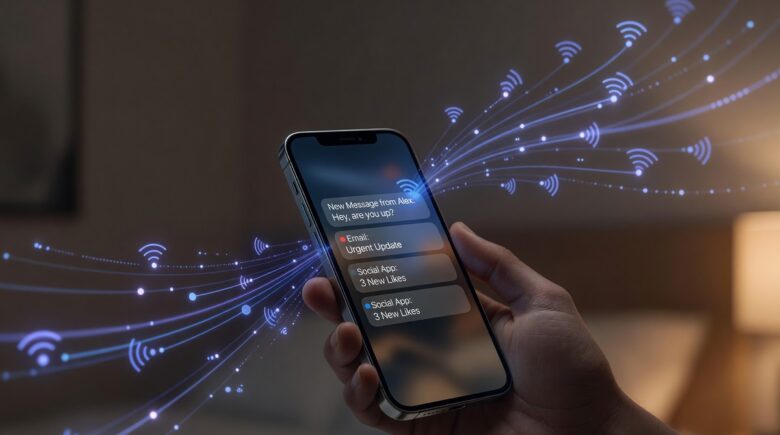
Push notifications work by routing a message from an app’s server through a platform gateway, Apple Push Notification service (APNs) or Firebase Cloud Messaging (FCM), to your device in under 1 second. This three-hop architecture is the universal standard across iOS and Android.
Updated July 2026
Understanding how push notifications work means tracing a message through three distinct layers: the application server, a platform gateway, and your device’s OS. According to Google Developers’ guide to the Web Push Protocol, a notification payload travels from a developer’s backend to FCM, which then delivers it to the target device using a persistent TCP connection. The whole trip typically completes in milliseconds.
The average smartphone user receives 23 push notifications per day across all apps and platforms, according to Statista’s 2025 global usage report. That volume means the infrastructure behind this system carries enormous daily load, and its architecture directly affects battery life, privacy, and data usage. The scale of this network is comparable to the FDIC’s national deposit insurance system, built for reliability first and speed second.
Key Takeaways
- Every push notification routes through a platform gateway, either Apple Push Notification service (APNs) or Firebase Cloud Messaging (FCM), never directly from app server to device, per Google’s Web Push Protocol documentation.
- FCM can queue up to 100 offline messages per device with a TTL of 4 weeks, while APNs stores only the most recent 1 notification per app, according to Google’s FCM message lifecycle guide.
- High-priority notifications on Android bypass Doze mode entirely and wake the CPU on demand, as confirmed in Google’s Doze mode documentation.
- Notification payloads pass through Apple or Google servers unencrypted by default, a privacy concern formally raised by the U.S. Senate Judiciary Committee in 2023, as reported by Reuters’ December 2023 coverage.
- Web push notifications use the open VAPID standard defined in IETF RFC 8030, rather than proprietary gateways.
- Safari on iOS only added web push support in iOS 16.4 (March 2023), leaving hundreds of millions of iPhone users without this capability until recently, as detailed in Apple’s official documentation.
What Are the Three Layers Behind a Push Notification?
Every push notification passes through exactly three layers: the application server, a platform push service, and the device client. No notification goes directly from an app’s backend to your phone. The platform gateway is always in the middle.
On iOS, that gateway is Apple Push Notification service (APNs). On Android, it is Firebase Cloud Messaging (FCM), operated by Google. Both services maintain a persistent, always-on connection to every registered device. When an app server sends a payload to the gateway, the gateway forwards it over that existing connection with no new handshake required, which is why delivery is nearly instant.
The app server authenticates with the gateway using a cryptographic token or certificate. For APNs, this is a JSON Web Token (JWT) signed with a private key issued by Apple. This authentication step prevents any unauthorized server from pushing messages to your device. Apple’s WWDC 2023 session on push flow explains how apps register for device tokens via APNs, servers store and use tokens to route notifications through APNs for delivery to specific devices.
What Is a Device Token?
When you install an app and grant notification permission, the OS registers your device with the gateway and returns a unique device token: a long alphanumeric string that acts as a delivery address. The app’s server stores this token and uses it for every future notification. If you reinstall the app or switch devices, a new token is issued. Apple’s APNs registration documentation explains the full token lifecycle in detail.
Key Takeaway: Push notifications always route through a platform gateway, either APNs (Apple) or FCM (Google), never directly from app server to phone. Each device receives a unique token at install time, as described in Apple’s APNs developer documentation. This 3-layer model is the foundation of all modern push delivery.
How Do You Get Notifications When the App Isn’t Even Open?
Your phone maintains a single, persistent background connection to the platform gateway. This is how push notifications arrive even when no apps are open. Critically, the OS itself manages this connection rather than individual apps, which is the key efficiency design that makes the whole system practical.
Both APNs and FCM use a long-polling or persistent socket approach over TLS-encrypted TCP. The OS keeps one always-on socket open to the gateway server. When a notification payload arrives at the gateway for your device token, it pushes the data through that socket immediately, and the OS wakes the relevant app process briefly to display the alert or execute a background task.
This design means apps do not need to run background processes constantly to receive notifications. That is a major reason modern smartphones can handle dozens of apps without catastrophic battery drain. If you are curious how other background processes affect your phone, see our guide on how to make your iPhone battery last all day.
Key Takeaway: The OS, not individual apps, maintains a single persistent TLS socket to the push gateway. This architecture means apps do not need constant background activity to receive alerts. According to Apple’s UserNotifications framework docs, APNs manages all delivery through this 1 shared connection per device.
| Feature | Apple APNs (iOS) | Firebase Cloud Messaging (Android) |
|---|---|---|
| Operated by | Apple | |
| Auth method | JWT (P8 key) or certificate | OAuth 2.0 service account |
| Max payload size | 4 KB | 4 KB |
| Offline queuing | Stores 1 notification per app | Stores up to 100 messages, 4-week TTL |
| Topic messaging | Not natively supported | Supported (subscribe/publish model) |
| Delivery priority | Normal (5) or High (10) | Normal or High priority flags |
Where Do Notifications Go When Your Phone Is Offline?
When your device is offline, the platform gateway queues the notification, but only under specific conditions. Both APNs and FCM store pending messages for a limited time and discard them if the device does not reconnect within the Time-To-Live (TTL) window.
FCM supports a TTL of up to 4 weeks and can queue up to 100 messages per device while offline, according to Google’s FCM message lifecycle documentation. APNs takes a more conservative approach: it retains only the most recent notification per app. Older messages are silently dropped when a new one arrives for the same app while the device is unreachable.
This behavior has real consequences for messaging apps. If you are offline for an extended period, you may not receive all the notifications sent to you, only the most recent one per app on iOS. Understanding push notification behavior at this layer helps explain why some message previews appear incomplete after coming back online. This infrastructure is also relevant when comparing platforms; our article on WhatsApp vs iMessage explores how each app handles message delivery differently.
Here’s a scenario worth running the numbers on. Say you fly internationally and leave your phone in airplane mode for 10 days. On the Android side, an FCM-backed app can hold up to 100 queued messages for you, well within its 4-week TTL, so almost everything arrives once you reconnect. On an iPhone, if that same app sent you 15 separate alerts while you were dark, APNs keeps only the newest one; the other 14 are gone for good, replaced silently as each new payload overwrote the last. The practical fix has nothing to do with the gateway: open the app itself once you’re back online, since the full conversation history usually still lives on the app’s own server, not in the push queue.
Developers who ignore TTL limits and queuing constraints ship apps that silently lose messages, and users never know why. According to Google’s FCM message lifecycle guide, TTL values must be set deliberately to avoid this outcome.
Key Takeaway: FCM queues up to 100 offline messages per device with a TTL of 4 weeks, while APNs stores only the most recent 1 notification per app. Developers must set TTL values deliberately, as documented in Google’s FCM message lifecycle guide, to avoid silent message loss.
How Do Push Notifications Affect Battery Life and Privacy?
Push notifications affect both battery consumption and data privacy, two concerns that are increasingly regulated and technically significant. On the battery side, the persistent gateway connection is deliberately low-power, but high-priority notifications can wake the CPU from deep sleep, adding measurable drain.
High-priority notifications on Android, such as incoming calls or instant messages, trigger an immediate device wakeup regardless of Doze mode. Google’s Doze mode documentation confirms that FCM high-priority messages are exempt from battery optimization restrictions. Normal-priority messages are batched and delayed until the next maintenance window, which is the preferred choice for non-urgent alerts.
The privacy picture is more complicated. Notification payloads pass through Apple’s or Google’s servers before reaching your device, which means both platform operators can technically read unencrypted notification content. In 2023, the U.S. Senate Judiciary Committee raised concerns about governments requesting push notification metadata from Apple and Google, highlighting that this intermediary architecture creates a real surveillance surface. Apps like Signal address this by encrypting their payloads so that APNs and FCM receive only an opaque encrypted blob, never the message text. For broader context on messaging privacy, our explainer on end-to-end encryption is essential reading. You should also consider how Focus modes can help you control which notifications actually reach your screen.
Worth being honest about here: encrypting notification payloads is not free for developers, and it is not something you as a user can turn on yourself. If an app’s engineering team has not built end-to-end encryption into its push flow, no setting on your phone will retroactively secure that content, since the plaintext already passed through Apple or Google’s infrastructure on the way to your lock screen. If you handle sensitive conversations, that is a reason to check whether an app documents encrypted push payloads rather than assuming all messaging apps behave the same way.
Key Takeaway: High-priority push notifications bypass Android’s Doze mode entirely, waking the CPU on demand. Notification payloads also pass through Apple or Google servers unencrypted by default, a privacy concern formally raised by the U.S. Senate in 2023, as reported by Reuters’ December 2023 coverage.
How Is Web Push Different From App Push?
Web push notifications follow the same three-layer model but use an open standard called the Web Push Protocol, defined in IETF RFC 8030, rather than proprietary gateways. A browser (Chrome, Firefox, Safari, or Edge) acts as the push client and maintains the gateway connection.
When a website requests permission and you accept, the browser generates a subscription object containing an endpoint URL hosted by the browser vendor’s push service, a public key, and an authentication secret. The website’s server stores this object and uses it to encrypt and send notifications. The encryption standard is VAPID (Voluntary Application Server Identification), which ensures only the authorized server can send to that subscription.
Web push has a smaller payload limit and fewer features than native app notifications. Safari on iOS only added web push support in iOS 16.4, released in March 2023, a significant delay that kept web apps as second-class citizens on iPhone for years. This shift also connects to broader changes in messaging infrastructure; see how RCS is reshaping iPhone messaging for more context on Apple’s evolving openness to standards.
Who should skip web push entirely? If you run a small site and most of your visitors are on iPhones with an app you already control, the payoff is thin: pre-2023 iPhone users never got web push at all, and even now, adoption on older iOS versions lags. Native app push through APNs, while heavier to build, remains the more reliable channel for an iOS-heavy audience. Web push earns its keep mainly for cross-platform sites without a dedicated app, where the open standard means you are not locked into either Apple’s or Google’s proprietary tooling.
Key Takeaway: Web push uses the open VAPID standard (defined in IETF RFC 8030) rather than proprietary gateways. Safari on iOS only gained web push support in iOS 16.4 (March 2023), meaning hundreds of millions of iPhone users lacked this capability until less than 2 years ago.
Related reading: texas freelancer avoided phishing attack.
Frequently Asked Questions
How do push notifications reach an iPhone specifically?
On iPhone, every push notification routes through Apple Push Notification service (APNs), which Apple operates on its own servers. The app developer’s server sends a payload to APNs using a JWT-authenticated HTTP/2 connection, and APNs delivers it to the device via the OS-maintained persistent socket. Apps cannot bypass APNs to deliver notifications on iOS, as confirmed by Apple’s UserNotifications framework documentation.
Do push notifications use data or Wi-Fi to deliver?
Yes, push notifications require either cellular data or Wi-Fi to reach your device. The payloads are extremely small (maximum 4 KB), so data consumption is negligible. Consider the arithmetic: even at 23 notifications a day, the number Statista’s usage report cites for the average user, 4 KB payloads add up to under 100 KB daily, a rounding error compared to a single loaded webpage. The persistent gateway connection itself uses minimal bandwidth because it is an idle TCP socket most of the time. This low overhead makes push notifications ideal for apps like Chase and SoFi to send balance alerts without draining your APR or DTI budget.
Can push notifications be intercepted or read by third parties?
If the notification payload is not end-to-end encrypted by the app, it passes through Apple’s or Google’s servers in a readable form. Platform operators and, in some cases, government agencies with legal requests can access this metadata or content. Apps like Signal encrypt their notification payloads so that APNs and FCM see only an opaque encrypted blob, not the message text. The CFPB has emphasized that unencrypted data transmission poses risks to consumer financial privacy.
Why do some push notifications arrive late or not at all?
Late or missing notifications are usually caused by TTL expiration, network interruptions, or OS-level battery optimization blocking the gateway connection. On Android, aggressive battery saver modes from manufacturers like Huawei, Xiaomi, and OnePlus are a well-documented cause of delayed notifications. Ensuring the app is excluded from battery optimization resolves most cases. The Google Developers documentation confirms that FCM respects system-level power policies unless set to high priority.
What is the difference between a push notification and an in-app notification?
A push notification is delivered by the OS even when the app is not running, using the APNs or FCM gateway infrastructure. An in-app notification is a UI element displayed only while the app is open. It requires no gateway, no device token, and no OS permission. Only push notifications require the user to grant explicit permission. This distinction is critical for apps like Experian and FICO Score tools that need to alert users about credit changes outside the app.
How do push notifications work for messaging apps like WhatsApp or Telegram?
Messaging apps like WhatsApp and Telegram use APNs (iOS) or FCM (Android) to alert your device when a new message arrives on their servers. The notification typically contains a small preview or just a badge count. The full message content is then fetched from the app’s own servers when you open the notification. This two-step model keeps sensitive content off the platform gateway wherever possible.
Do all apps use the same push gateway?
No. Android apps use Firebase Cloud Messaging (FCM), while iOS apps use Apple Push Notification service (APNs). Web apps use the open Web Push Protocol with VAPID keys, as defined in IETF RFC 8030. Each platform has distinct authentication methods, payload limits, and delivery behaviors. For example, a Google app may use OAuth 2.0, while an Apple app uses a P8 key.
Are push notifications secure by default?
No. By default, notification payloads pass through Apple or Google servers unencrypted. The only way to secure the content is for the app developer to implement end-to-end encryption. The FDIC and Federal Reserve have both stressed that unencrypted data transmission increases the risk of data breaches, especially in financial apps like Chase or SoFi.
What happens if I disable push notifications?
If you disable push notifications for an app, the OS stops receiving alerts from the platform gateway. You will not get any alerts on your lock screen, in the Notification Center, or through audible cues. However, the app’s server still stores your messages. When you re-enable notifications, you may receive a delayed alert or a badge count update. This is why some users miss messages during extended offline periods.
Can I control which apps send push notifications?
Yes. On iOS, go to Settings > Notifications and disable alerts for any app. On Android, go to Settings > Apps > Notifications and manage individual apps. You can also use Focus modes or Do Not Disturb to temporarily block all notifications. The Google Developers guide confirms that users have full control over notification delivery at the OS level.
Sources
- Google Developers, Web Push Protocol
- Google Developers, Web Push FAQ
- Apple Developer, Sending Web Push Notifications
- Apple Developer, WWDC 2023 Session on Push Flow
- Android Developers, Optimize for Doze and App Standby
- IETF, RFC 8030: Generic Event Delivery Using HTTP Push
- Google Firebase, Cloud Messaging Documentation
- Apple Developer, Registering Your App with APNs






