
Fact-checked by the SnapMessages editorial team
Quick Answer
Message scheduling apps let you compose a text now and deliver it automatically at a chosen time, protecting both your mental boundaries and the recipient’s. Most platforms support scheduling natively: iOS 18 allows delays up to 14 days for iMessage, Android has offered the feature since 2016, and clinical studies show scheduled supportive texts can lead to significant improvements in mental health outcomes over six weeks.
Updated August 2026
Knowing how to use message scheduling apps effectively goes well beyond convenience. The ability to write a message when a thought is fresh, then deliver it at a considerate hour, is one of the most underrated tools for protecting your own sleep, your recipient’s, and the health of a relationship. According to SimpleTexting’s 2025 SMS Marketing Statistics Report, 41.6% of businesses are already using AI to optimize message timing, a number that signals how rapidly the practice is moving from niche tactic to standard behavior.
The shift matters now because the cultural expectation of instant response has been quietly eroding attention, rest, and even basic politeness. Every notification fired at 11 PM is a small interruption to someone’s nervous system. Scheduling solves that without requiring either party to change their relationship with the other. The technical infrastructure is already built into the phones most people are carrying; most users simply don’t know it exists or how far it actually reaches.
This guide is written for people who want both the practical setup steps and the honest picture of what each platform can and can’t do. Whether you’re a professional trying to protect your evenings, a caregiver sending reminders to a patient, or someone who simply wants to stop texting friends at midnight, the steps here will help you build a routine that actually holds.
Key Takeaways
- iOS 18’s Send Later schedules iMessages up to 14 days in advance and encrypts them on Apple servers only until the moment of delivery, making it the most privacy-protective native option for personal health conversations.
- Android has supported native message scheduling since 2016, nearly a decade before Apple added the feature, though behavior varies by device manufacturer and the feature does not extend to all third-party messaging apps.
- A peer-reviewed Text4Hope study published on PubMed found that participants receiving daily scheduled supportive texts showed significantly lower rates of stress, anxiety, and depression after six weeks compared to controls.
- RCS traffic surged significantly in 2024 following Apple’s adoption of the standard, according to Omnisend’s 2025 industry data, dramatically expanding the audience that can receive rich scheduled business messages.
- Automated SMS appointment reminders have been shown to reduce missed appointments by up to 38% for wellness and healthcare practices, with one clinic reporting a 35% increase in client retention after adopting scheduled communication.
- The FCC’s 2024 Second Report and Order requires that consent for automated or scheduled commercial messages be obtained from a single seller at a time, closing the “lead generator loophole” that enabled bulk spam scheduling.
In This Guide
- Why your messaging habits are quietly affecting your health
- How message scheduling actually works across devices and apps
- How do the top messaging apps compare for scheduling features?
- What is the wellness case for scheduling your messages?
- How do clinics and mental health providers use scheduled messaging?
- How do I set up a personal message scheduling routine?
- What are the real downsides of message scheduling I should know about?
- Frequently Asked Questions
Step 1: Why your messaging habits are quietly affecting your health
Each notification ping triggers a small but real cortisol response in the brain. Cortisol is the body’s primary stress hormone, and a constant drip of low-level alerts keeps the nervous system in a state of low-grade alarm that prevents full recovery between stressors. Over time this accumulates into what researchers call digital burnout, a condition that looks a lot like ordinary fatigue but is specifically tied to the cognitive load of being perpetually reachable.
The neuroscience behind the ping
The brain’s threat-detection system, the amygdala, responds to unexpected interruptions the same way it responds to any sudden stimulus: by activating a brief stress response. Messaging apps exploit this mechanism by design, because novelty-seeking keeps users engaged. The problem is that the mechanism doesn’t distinguish between a message that matters and one that doesn’t. Every notification carries a small cost, and the total adds up.
That cost is not only paid by the person receiving messages. Sending a text at midnight to someone who has their phone on their nightstand is an act that affects their nervous system whether they respond immediately or not. The notification arrives; the light comes on; the cortisol briefly spikes. Message scheduling is one of the few tools that lets a sender act on a thought immediately while protecting the recipient from that interruption.
What to watch out for
The instinct to send immediately feels productive, but acting on that instinct at the wrong hour often prioritizes the sender’s relief over the recipient’s rest. Recognizing this habit is the first practical step. If you already use asynchronous messaging practices at work, extending the same logic to personal communications is a natural progression.
The average smartphone user receives more than 80 notifications per day across all apps. Even when notifications are dismissed without reading, the act of checking the screen interrupts a task and requires an average of 23 minutes to fully regain deep focus, according to research from the University of California, Irvine.
Step 2: How does scheduled sending actually work?
Message scheduling operates at three distinct levels, and understanding which level your chosen method uses tells you how reliable it will be and what privacy trade-offs it involves.
The three levels of scheduling
The first level is device-level (native OS) scheduling. This is built directly into the operating system. Apple’s iOS 18 Send Later and Android’s native Google Messages scheduler both work this way. The message is held on the device (or in the platform’s servers) and transmitted at the designated time without requiring any third-party service. For iOS 18, Apple’s documentation confirms that iMessages scheduled via Send Later are encrypted on Apple’s servers only until the moment of delivery, after which they are deleted from those servers. This is the most privacy-protective approach for personal conversations.
The second level is app-level scheduling through third-party tools like Scheduled, later.com, or SMS automation platforms. These apps typically have their own servers in the loop, which means your message content sits on an external server until delivery. The convenience is higher since these tools often work across multiple accounts and platforms, but the privacy footprint is larger.
The third level is cloud and carrier-level scheduling, used primarily by businesses running A2P (Application-to-Person) campaigns through platforms like Twilio, EZTexting, or SimpleTexting. Messages are composed in a dashboard, stored in the cloud, and transmitted by the carrier network at a scheduled time. This is the backbone of appointment reminders, marketing campaigns, and clinical check-ins.
Critical limitations most guides skip
iOS 18’s Send Later feature only works for iMessage. If you try to schedule a message to a contact who doesn’t have an Apple device, the conversation will show a green SMS bubble instead of a blue iMessage bubble, and the scheduling feature will not be available. There is currently no native schedule-and-send capability for standard SMS or RCS on iPhone. Android has offered scheduling since Android 7, but behavior varies by manufacturer: Samsung Messages has its own built-in scheduler, while some other Android skins route through Google Messages, which handles scheduling differently.
One common source of confusion with third-party apps is that some do not auto-send. Instead, they fire a local notification reminding you to send manually. This is not the same as true scheduled sending, and the distinction matters if you’re building any kind of reliable routine.
Understanding how your operating system handles background processes is relevant here. For deeper context on how phones manage app behavior behind the scenes, the guide on how push notifications work on your phone covers the same infrastructure that powers scheduled message delivery.
On both iOS and Android, aggressive battery-saving modes can interfere with background app activity. If your device is in Low Power Mode (iOS) or has battery optimization enabled for your messaging app (Android), scheduled messages from third-party apps may not send on time. Test any scheduling tool with a low-stakes message first before relying on it for time-sensitive communication.
Step 3: Which apps support scheduled sending?
Choosing the right platform for scheduled messaging depends on who you’re messaging, what device they use, and how far in advance you need to plan. The table below gives a direct comparison of the most widely used options.
| Platform | Max Schedule Window | Message Types Supported | Auto-Sends? | Privacy Approach |
|---|---|---|---|---|
| Apple Messages (iOS 18) | 14 days | iMessage only (not SMS or RCS) | Yes | Encrypted on Apple servers until delivery; then deleted |
| Google Messages (Android) | No published cap; typically weeks ahead | SMS, RCS, MMS | Yes (device must be online) | End-to-end encrypted for RCS; standard SMS is unencrypted |
| Samsung Messages | No published cap | SMS, MMS | Yes | Standard carrier SMS encryption |
| Google Chat | 120 days | Chat messages within Google Workspace | Yes | Google Workspace encryption; TLS in transit |
| WhatsApp Business | Varies by third-party tool; no native scheduler | WhatsApp messages | Requires approved BSP or third-party app | End-to-end encryption for message content |
| Slack | No published cap | Workspace messages | Yes | Enterprise-grade; data stored on Slack servers |
WhatsApp deserves a separate note because of its scale. Statista data from Q4 2024 puts the WhatsApp Business app at 764 million monthly active users, making it the largest commercial messaging platform in the world. Despite that reach, WhatsApp has no native scheduling feature for personal accounts. Businesses must use an approved Business Solution Provider or a compliant third-party tool, and the API access required for scheduled sending comes with a real cost.
The asymmetry between Android and iOS on this feature is worth stating plainly. Android added native scheduling in 2016. Apple added it to iMessage in 2023 (iOS 17, limited) and expanded it in iOS 18. For nearly a decade, iPhone users who wanted to schedule texts were dependent on workarounds. That gap is mostly closed now for iMessage-to-iMessage conversations, but the iOS limitation to iMessage specifically remains a meaningful constraint for anyone communicating across platforms. For more on the broader iMessage versus Android compatibility picture, the comparison of cross-platform messaging between iPhone and Android covers the technical context in detail.
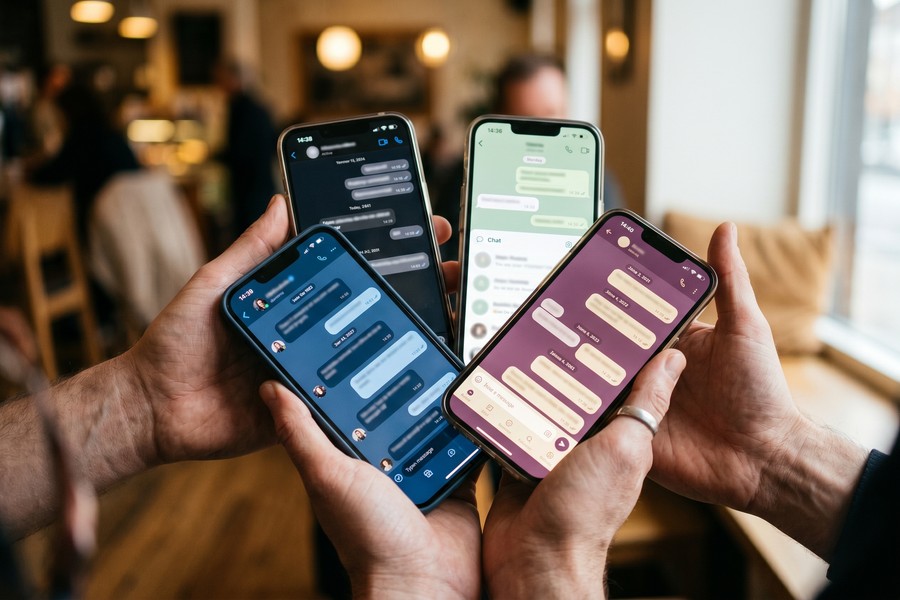
Global RCS traffic surged dramatically in 2024 following Apple’s adoption of the RCS standard, according to Omnisend’s 2025 industry analysis. This growth significantly expands the audience that can receive rich, media-capable scheduled messages, though native scheduling for RCS on iPhone remains unavailable.
Step 4: What is the wellness case for scheduling your messages?
Scheduling messages is not just a productivity tactic. There is a genuinely strong case that intentional message timing is an act of care, both toward yourself and the people you communicate with.
Writing now, sending at the right time
The wellness logic is straightforward. Compose a message when the thought is sharp and the emotion is present, but deliver it during hours when the recipient is likely to be receptive rather than asleep or in the middle of something that matters. This decouples the act of communicating from the pressure of immediacy. You’ve done the relational work of responding; the recipient gets the message at a time that serves them. Both parties benefit without any negotiation required.
The evidence for this extends beyond intuition. A peer-reviewed study behind the Text4Hope program, published through NIH channels, found that subscribers who received daily scheduled supportive text messages showed significantly lower rates of stress, anxiety, and depression compared to a control group after six weeks. Participants were measurably less likely to report moderate or high stress (odds ratio 0.56), generalized anxiety disorder (odds ratio 0.55), or major depressive disorder (odds ratio 0.50). The messages were not conversational. They were pre-written, scheduled, and delivered consistently. The intervention worked because of timing reliability, not spontaneity.
Scheduling as a boundary tool
Another underappreciated use of scheduling is personal boundary protection. Many people feel pressure to respond to messages immediately, not because they want to, but because they know the other person can see “online” status or read receipts. Composing a reply during a focused check-in window at 9 AM and scheduling it to arrive at 10 AM breaks that pressure loop. You’re not pretending to be unavailable. You’re making a deliberate choice about when communication happens.
This is the same logic behind turning off asynchronous communication norms at work, applied to personal life. The difference is that scheduling lets you implement the boundary unilaterally, without requiring the other person to change anything about how they use their phone.
What to watch out for
Scheduling cannot fix a poorly written message. If the content of what you’re sending is ambiguous, sending it at a “better” time doesn’t reduce the stress it causes. The wellness benefit comes from the combination of thoughtful content and considerate timing.
Pair message scheduling with notification batching. Set your phone to deliver non-urgent notifications in two daily summaries (morning and evening). Then schedule your own outgoing messages to land in those same windows for your contacts. The result is a communication rhythm that feels more like letters and less like a live feed, which most people report as noticeably less stressful within one week.
Step 5: How do clinics and mental health providers use scheduled messaging?
Healthcare providers and mental health clinicians have been using scheduled SMS well ahead of the general public, and the evidence base behind their approach is now strong enough to inform how any health-conscious individual thinks about timed messages.
Appointment reminders and no-show reduction
Platforms including Weave, Emitrr, and WellnessLiving are purpose-built to automate appointment reminders for wellness and healthcare practices. WellnessLiving’s data reports up to a 38% reduction in missed appointments for practices using automated SMS reminders, with one clinic owner reporting a 35% increase in client retention after switching to scheduled communication. These are not marginal gains. A single no-show in a therapy practice costs both a billable hour and a gap in the patient’s care continuity. For a practice charging $150 per session (a common midpoint, per GoodTherapy’s cost survey), a 38% no-show reduction on a weekly caseload of 20 patients saves roughly $1,140 each month, or $13,680 annually.
The mechanism is simple: a message sent 24 hours before an appointment, followed by a confirmation prompt, gives patients enough lead time to cancel and reschedule if needed without the awkward phone call. Staff workload drops because the system handles confirmations automatically. Patients report lower anxiety about appointments when they feel well-informed in advance.
Medication adherence and mental health follow-up
Scheduled messaging has a documented role in medication adherence. A study published in the Journal of Psychiatric Research found that a three-month SMS reminder intervention improved medication adherence in patients with bipolar I disorder, with benefits persisting for at least three months after the intervention ended. This is clinically significant because medication non-adherence is one of the primary drivers of relapse in bipolar disorder, and the intervention required no clinical contact beyond the setup.
Mental health providers also use scheduled messages for post-session check-ins and psychoeducation delivery. A short, scheduled text sent two days after a therapy session asking how a coping skill worked extends the therapeutic relationship without requiring a billable appointment. For patients with limited access to care, this kind of timed follow-up can meaningfully bridge the gap between sessions.
Compliance matters at the business level too. The FCC’s 2024 Second Report and Order on unlawful text messages requires that consent for automated or scheduled commercial messages be obtained from a single seller at a time, with clear consumer disclosure. Healthcare providers sending scheduled patient communications must confirm that their platform handles this consent requirement correctly, or they risk carrier-level message blocking.
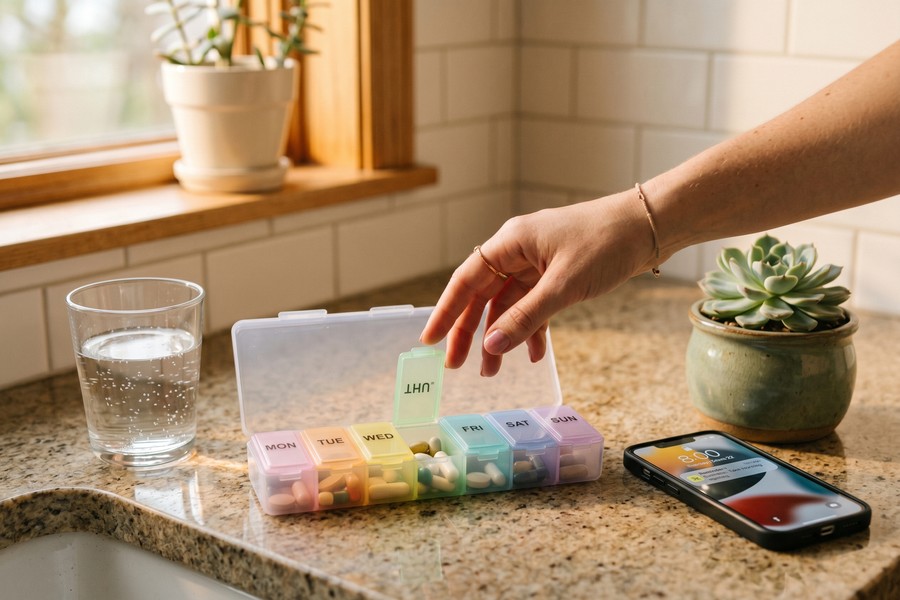
The CTIA Short Code Monitoring Handbook (v1.9, 2024) sets the compliance standards for all scheduled A2P short-code messaging programs, including required opt-in confirmation messages, mandatory opt-out honoring, and audit procedures enforced by wireless providers. Any business or practice using a short-code for scheduled messages must meet these standards or face suspension from the carriers.
Step 6: How do I set up a personal message scheduling routine?
Building a workable personal scheduling habit takes about 15 minutes to configure and a few days to make automatic. The goal is to write messages when the impulse is there, but deliver them at times that serve everyone involved.
How to do this
Start by identifying two daily communication windows. Most people find that mid-morning (around 9 to 10 AM) and late afternoon (around 4 to 5 PM) work well because recipients are typically awake, not in the middle of a meal, and not winding down for sleep. These become your outgoing delivery windows.
On iPhone (iOS 18): Open the Messages app and compose your message to an iMessage contact. Press and hold the send button (the blue arrow). A menu will appear with “Send Later” as an option. Select a time within the next 14 days. The message will be held and delivered automatically. Note: this only works if the conversation is blue (iMessage), not green (SMS).
On Android (Google Messages): Compose your message, then press and hold the send button. A “Schedule send” option will appear. You can choose preset times or set a custom time. The phone needs to be connected to a network at the scheduled send time for delivery to complete.
For Samsung Messages: Compose your message, tap the plus icon in the conversation bar, and look for “Schedule message.” Set date and time, then confirm. This works for standard SMS and MMS, which is an advantage over the iOS native option.
Consider a nurse working night shifts in a Pacific time zone hospital, who needs to send appointment reminders to her elderly parents in the Eastern time zone. She can schedule a message at 2 AM her time to arrive at 8 AM their time, avoiding waking them. That kind of time zone bridging is exactly what scheduling was built for.
For more advanced automation on iPhone, pairing message scheduling with Shortcuts can extend the capability. The guide on automating repetitive tasks on iPhone using Shortcuts covers how to build more complex automated messaging flows.
Notification hygiene as the supporting layer
Scheduling outgoing messages works best when paired with incoming notification management. Enable Focus modes (iOS) or Digital Wellbeing schedules (Android) to batch incoming alerts during your designated windows. This creates a symmetrical system: you send during your windows, and you receive during your windows. Tell close contacts about this practice. The social layer matters. If the people in your life know you check messages at 9 AM and 5 PM, they adjust their expectations rather than interpreting your silence as avoidance.
What to watch out for
Don’t schedule messages for conversations that are actively ongoing. If you and a friend are mid-exchange, scheduling your next reply for tomorrow morning is likely to feel passive-aggressive rather than boundaried. The routine works best as a default setting for non-urgent communication, not as a rigid rule applied to every single exchange.
When traveling internationally, message scheduling becomes an especially practical tool for managing time zone gaps without burdening recipients. If you’re composing messages at 2 AM your local time because you just landed, schedule them to arrive at 9 AM in the recipient’s time zone rather than theirs. The guide on securing your messaging apps before traveling internationally also covers platform-specific privacy settings worth enabling before crossing borders.
Step 7: What are the real downsides of message scheduling I should know about?
Scheduled messaging is genuinely useful, but it carries trade-offs that most how-to guides skip. Knowing them in advance prevents the situations where scheduling makes things worse rather than better.
When scheduling backfires interpersonally
The most common failure mode is context drift. You schedule a warm birthday message three days in advance, and in the intervening time something goes wrong in the relationship. The message arrives exactly as planned, and the recipient experiences it as tone-deaf or even cruel. The message was accurate when composed. It became inaccurate by the time it landed.
This risk is proportional to how far in advance you schedule and how emotionally charged the content is. Scheduling a “thinking of you” message two weeks out carries far more interpersonal risk than scheduling a “heading into a meeting, will reply after 3 PM” message for 90 minutes from now. Use the longer scheduling windows for low-stakes content: appointment reminders, logistical coordination, professional follow-ups. Keep emotional or relationship-heavy messages for manual sending, when you can confirm the context still holds.
The social contract problem
There’s a subtler issue that most scheduling guides never address. If you regularly schedule messages to appear at times when you’re not actually available, you are implicitly signaling a responsiveness you don’t have. A recipient who replies immediately to your 9 AM scheduled message and gets no answer for six hours will eventually notice the pattern. The boundary you’re protecting can read as inconsistency or even deception.
The honest solution is transparency. Tell the people who communicate with you regularly that you batch your messages. Most people are entirely understanding once the practice is explained. The social contract problem is not with scheduling itself but with treating it as a secret optimization rather than a communicated preference.
Technical failure points
Several real technical risks affect reliability. Third-party scheduling apps that rely on device-local notifications rather than server-side sending will silently fail if your phone is off, in airplane mode, or has killed the app in the background. Google Messages requires a network connection at the time of scheduled sending; a dead spot or travel scenario can delay delivery without any notification to the sender. And as noted throughout this guide, iOS 18 scheduling is restricted to iMessage contacts, which excludes a large portion of most people’s contact lists.
For anyone building a health or clinical workflow around scheduled messages, these failure modes argue for platform-level tools (Twilio, Weave, EZTexting) rather than device-native scheduling. The server-side delivery guarantee that comes with a paid platform is worth the cost when reliability is genuinely important.
Business use of scheduled messaging in the United States is governed by both the FCC’s 2024 rules on automated texts and the CTIA’s Short Code Monitoring standards. Using a personal phone to send bulk scheduled messages to customers, even through a third-party app, can result in your number being flagged and blocked by carriers. If you’re communicating with more than a handful of recipients, use a compliant A2P platform with proper opt-in handling.
Frequently Asked Questions
Can I schedule a text message to a non-iPhone user from my iPhone?
Not with iOS 18’s native Send Later feature. Apple’s Send Later only works for iMessage conversations, which require both sender and recipient to have Apple devices with iMessage enabled. If the conversation is SMS (green bubble), the scheduling option is not available. For cross-platform scheduling from an iPhone, you’ll need a third-party app like Scheduled or a business SMS platform, though those come with their own privacy and reliability trade-offs.
How far in advance can I schedule a message?
It depends on the platform. iOS 18 Send Later allows scheduling up to 14 days ahead. Google Messages has no widely published cap and supports scheduling at least weeks out in practice. Google Chat added scheduling up to 120 days in a 2025 rollout. Business SMS platforms like Twilio or SimpleTexting typically allow scheduling months or even a year ahead, depending on the plan.
Does scheduling a message work if my phone is off?
For native device-level tools like Google Messages, the phone or at least a network connection is required at the time of scheduled sending. If the device is offline, many apps will attempt to send as soon as connectivity resumes, which may result in late delivery. Server-side business platforms (Twilio, EZTexting, Weave) send from their own infrastructure, so the device being off has no effect on delivery.
Is scheduling messages safe for private health conversations?
The safest option for personal health conversations is iOS 18’s Send Later via iMessage, because Apple encrypts messages on its servers only until the moment of delivery and then deletes them. For Android, RCS messages in Google Messages are end-to-end encrypted in transit, but message content is stored on-device. Third-party scheduling apps often store message content on their own servers, which is a meaningful privacy trade-off to understand before use. For guidance on broader messaging security habits, the guide on building a personal digital security routine is a practical starting point.
Why does my scheduled message say it sent but the recipient never received it?
This is most common with third-party apps that use local device notifications rather than true auto-sending. When the scheduled time arrives, the app notifies you to send manually rather than sending automatically. If you miss that notification, the message never goes out. The fix is to use native OS scheduling (iOS 18 or Google Messages) or a server-side platform for anything time-sensitive.
Should I use a third-party scheduling app or the built-in feature on my phone?
For personal use, the built-in native feature is almost always the better choice. It’s free, requires no additional app permissions, and is more reliable because it’s tightly integrated with the OS. Third-party apps offer advantages for cross-platform scheduling, bulk sending, or managing multiple accounts, but they introduce additional privacy exposure and potential reliability issues. If you’re managing business communications or sending to more than a handful of people, a dedicated A2P platform is more appropriate than either.
Can scheduled messages actually improve mental health, or is that marketing?
There is peer-reviewed evidence that scheduled supportive messages improve measurable mental health outcomes. The Text4Hope study found that participants receiving daily scheduled supportive texts showed significantly lower odds of stress, anxiety, and depression after six weeks compared to controls. The key variable is content quality and consistency of delivery, not just timing. Scheduling is the mechanism that ensures consistency; thoughtful content is what makes the difference.
Does the recipient know a message was scheduled?
On most consumer platforms, no. There is no standard indicator visible to the recipient that a message was scheduled rather than sent in real time. On iOS 18, the sender sees a small clock icon before the scheduled message is delivered, but no notification is shown to the recipient upon arrival. Some business SMS platforms include disclosure language in the message or footer, which may be required by compliance rules. For personal conversations, the recipient will simply see a normal message.
How is scheduled messaging affected by RCS adoption on iPhones?
RCS adoption on iPhone significantly expands who can receive rich messages from Android users, but, iOS 18 still does not support native scheduling for RCS messages. You can send RCS messages to iPhone users from Android with native scheduling, but iPhone users cannot schedule RCS messages natively back. This is one of the more consequential remaining gaps in Apple’s RCS implementation. The article on how RCS is replacing traditional texting on iPhones tracks this evolution in detail.
What do businesses need to know about legal compliance for scheduled text campaigns?
Businesses must comply with both FCC regulations and CTIA standards. The FCC’s 2024 Second Report and Order requires consent for each automated message to come from a single, identified seller with clear disclosure, closing the loophole that previously allowed lead generators to sell a single consent to multiple senders. The CTIA Short Code Monitoring Handbook v1.9 sets the specific technical and procedural standards your platform must meet for short-code campaigns. Non-compliance can result in carrier-level message blocking across all major U.S. wireless networks.
Can I cancel or edit a scheduled message before it sends?
Yes, on most platforms you can cancel or edit a scheduled message before the delivery time. On iOS 18, you can tap and hold the scheduled message in the conversation and choose to edit or delete it. On Google Messages, you can find the scheduled message in the conversation with a clock icon and delete it. Once the message is sent, editing is limited to platform capabilities (iMessage allows editing within 15 minutes of sending).
Does WhatsApp support message scheduling?
WhatsApp does not have a native scheduling feature for personal accounts. You can schedule messages using third-party apps that integrate with WhatsApp Business API, but these require a business account and may have costs. For personal WhatsApp use, you cannot schedule messages natively.
Sources
- SimpleTexting, 2025 Texting and SMS Marketing Statistics Report
- Omnisend, SMS Marketing Statistics 2025
- AiSensy, WhatsApp Business Statistics 2025 (citing Statista)
- PubMed / NIH, Text4Hope: Subscribed Participants Show Reduced Mental Health Scores
- FCC, Targeting and Eliminating Unlawful Text Messages, Second Report and Order DA-24-910 (2024)
- CTIA, Short Code Monitoring Handbook v1.9 (2024)
- Apple Support, Use Send Later in Messages on iPhone
- NIH / Journal of Psychiatric Research, SMS Reminder Intervention and Medication Adherence in Bipolar I Disorder
- PubMed, Smartphone Use and Cortisol Awakening Response in Young Adults
- University of California, Irvine, The Cost of Interrupted Work: More Speed and Stress
- Samsung Support, Schedule a text message on your Galaxy phone
- GoodTherapy, How Much Does Therapy Cost?






