Fact-checked by the SnapMessages editorial team
Quick Answer
To build a freelancer productivity system from scratch, you need to audit your personal distraction profile, design a body-first workspace, schedule work blocks around your biological 90-minute focus cycles, assemble a minimum-viable digital tool stack, and establish a hard end-of-day shutdown ritual. Most freelancers can have a working version running within 5 to 7 days. In 2024, 64 million Americans freelance, and the ones who thrive protect focused hours rather than simply log more of them.
Building a freelancer productivity system that actually holds is less about finding the right app and more about understanding why distraction keeps winning. Remote freelancers face a specific combination of environmental noise, digital interruptions, and internal anxieties that office workers simply don’t encounter in the same configuration, and according to Upwork’s 2024 Freelance Forward report, more than 64 million Americans are now freelancing, representing roughly 38% of the total U.S. workforce. That’s a lot of people trying to focus in kitchens, spare bedrooms, and studio apartments without a manager or a structured office environment to anchor the workday.
The timing matters. Remote work has moved from a temporary arrangement to a permanent economic structure. A U.S. Bureau of Labor Statistics analysis published in October 2024 found that a 1 percentage-point increase in remote workers across 61 private-sector industries was associated with a 0.08 percentage-point increase in total factor productivity growth, but only where implementation quality was high. Remote work doesn’t automatically produce results; structured systems do.
This guide is for freelancers who have tried the standard productivity advice, the to-do lists, the timers, the app stacks, and found that none of it sticks past the first week. The steps below are grounded in chronobiology, workspace design, and behavioral research rather than generic hustle culture. Follow them in order, and by the end you’ll have a system that accounts for your body, your environment, and your specific distraction patterns.
Key Takeaways
- More than 64 million U.S. freelancers now work independently, yet most lack a structured system to protect focused work hours, according to Upwork’s 2024 workforce data.
- Remote workers spend 59.48% of their working week in uninterrupted focus sessions of 30 or more minutes, compared to just 48.5% for in-office workers, per Hubstaff’s January 2024 Workstyle Report.
- That focus advantage translates to roughly 61.88 additional hours of recovered work time per year for remote workers versus office-based peers, according to the same Hubstaff tracking data.
- A peer-reviewed PLOS ONE study identified auditory privacy and work engagement as the two strongest predictors of productivity loss from distraction, both directly controllable by freelancers who design their workspace deliberately.
- Harvard Business School research found that 70% of small business owners reported a productivity dip from remote work in early 2020, but that figure shifted to positive by 2021, the difference was the presence of structured remote-work systems, not remote work itself.
- U.S. freelancers contributed $1.27 trillion to the American economy in 2024, a 78% increase since 2014, reinforcing that independent work is a serious economic force that deserves serious operational infrastructure, per Upwork’s research.
In This Guide
- Step 1: How Do I Figure Out What’s Actually Distracting Me Before I Build Anything?
- Step 2: How Do I Design a Zero-Distraction Workspace When I Don’t Have a Dedicated Office?
- Step 3: How Do I Build a Daily Schedule That Works With My Biology, Not Against It?
- Step 4: What’s the Minimum Digital Tool Stack for a Freelancer Productivity System?
- Step 5: How Do I Keep the System From Falling Apart After Week Two?
Step 1: How Do I Figure Out What’s Actually Distracting Me Before I Build Anything?
Start with a single-day interruption audit before buying any tool or rearranging any furniture. Most productivity guides skip this step entirely and go straight to solutions, which is why the solutions never fit the actual problem. Distraction for freelancers falls into three distinct categories, and each one requires a different kind of intervention.
The Three Distraction Types
Environmental distractions are the physical-world intrusions: household noise, a partner’s calls, delivery alerts, visual clutter in your field of view. Digital distractions are the notification pings, the tab-switching impulse, and the reflex to check messages between tasks. Internal distractions are the ones nobody talks about: the low-grade financial anxiety that pulls attention away from client work, the income uncertainty that sits in working memory like an open browser tab you can’t close.
The internal category is the hardest to address, and it’s the most common for freelancers. Financial instability is a real operational condition, not just a mindset problem. Freelancers without an emergency buffer at an institution like Chase, SoFi, or a local credit union carry a persistent cognitive load that no focus app dissolves. When you’re worried about whether next month’s invoice will arrive before a credit card’s APR kicks in on a carried balance, or whether a thin cash cushion will survive a slow client month, that anxiety competes directly with creative output. A peer-reviewed PLOS ONE study by Bialowolski et al. found that auditory privacy and work engagement are the two strongest predictors of productivity loss from distraction, both of which can be upstream symptoms of financial stress affecting motivation and focus quality.
The Federal Reserve’s surveys on household financial stability consistently find that self-employed workers, including freelancers, report higher income volatility than salaried employees. That volatility is a distraction input. Understanding your own financial picture, your DTI (debt-to-income ratio), your FICO Score, and whether your credit utilization on cards issued by institutions like Chase or Experian-reporting lenders is manageable, gives you something concrete to act on rather than a formless anxiety to suppress. The CFPB’s free resources on budgeting for variable-income households are a practical starting point.
How to Run the Audit
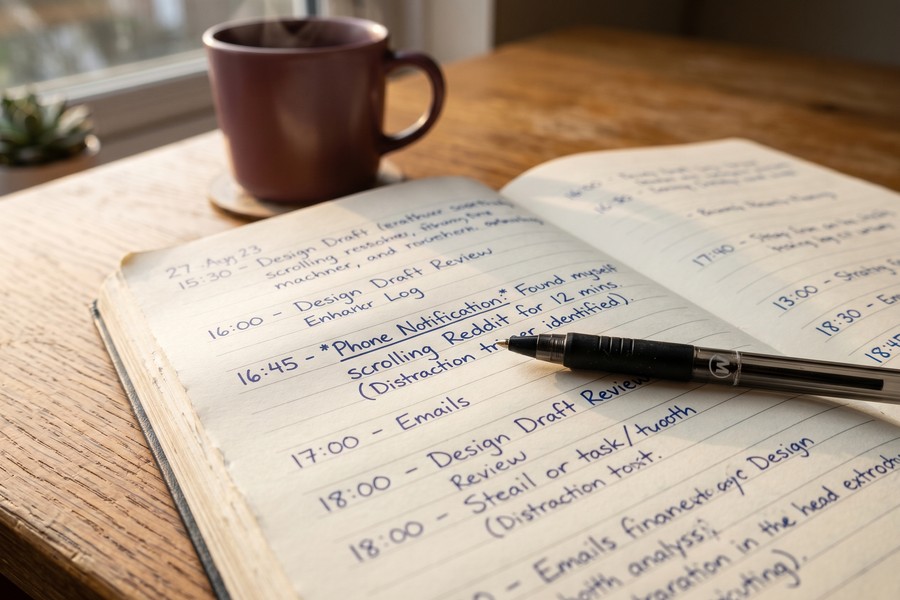
For one full workday, keep a simple log, a notes app or a piece of paper works fine. Every time your attention breaks, record the time, the trigger, and which of the three categories it belongs to. Don’t try to fix anything yet. At the end of the day, tally up how many interruptions came from each category. Most people discover one category dominates by a factor of two or three.
This single data point tells you where to focus your system design. If environmental interruptions dominate, your workspace comes first. If digital interruptions top the list, your tool stack is the priority. If internal distractions are the primary culprit, you need a worry-management protocol before any app will help. One honest caveat: freelancers dealing with significant financial anxiety or clinical anxiety may find that the techniques in this guide reduce the surface-level disruptions but don’t resolve the underlying stress. Professional support is worth considering alongside any productivity framework.
A designated “worry window”, a fixed 15-minute block each day to write down financial concerns and next actions, is a documented cognitive-behavioral technique for reducing intrusive thoughts during work. Scheduling the worry removes it from working memory during focus blocks, because your brain stops recycling it once it’s captured and given a time slot.
Step 2: How Do I Design a Zero-Distraction Workspace When I Don’t Have a Dedicated Office?
Physical environment shapes cognitive state more directly than most productivity writing acknowledges. The variables that matter, temperature, light, auditory privacy, and visual field, have measurable effects on sustained attention, and each one is adjustable even in a studio apartment or shared living situation.
The Physical Variables That Actually Matter
Room temperature between 70°F and 77°F (21–25°C) has been associated with peak cognitive performance in environmental psychology research. Natural light exposure in the morning regulates circadian rhythms that influence alertness throughout the day, so positioning your primary work surface near a window, even a small one, is a genuine focus intervention, not an aesthetic preference. Air quality matters too: CO2 buildup in poorly ventilated rooms causes measurable cognitive fatigue. Opening a window for 10 minutes every 90 minutes costs nothing.
Ergonomics connects to focus in a way that’s underappreciated. Physical discomfort, a chair that strains the lower back, a screen positioned too low for the neck, creates persistent low-level sensory signals that compete with cognitive work. The CDC’s National Institute for Occupational Safety and Health (NIOSH) advises teleworkers to create a dedicated, ergonomically optimized work-ready environment and to take hourly five-minute micro-breaks, specifically because physical fatigue is a distraction-inducing condition that compounds over the day.
The No-Dedicated-Room Protocol
Most freelancer productivity content assumes you have a spare room to convert. The majority of freelancers don’t. In a studio apartment or shared space, the goal is creating a contextual cue that signals “work mode” to your nervous system, rather than a physically separate room. This can be a specific desk lamp that’s only on during work hours, a particular set of headphones used only for deep work, or a chair physically rotated to face a different direction during work sessions. The brain responds to consistent environmental signals; you’re training a context switch, not just tidying a corner.
Noise cancellation via over-ear headphones with active noise cancellation (ANC) provides auditory privacy in shared spaces. Given that auditory privacy ranks as one of the top two predictors of focus loss in the PLOS ONE research cited earlier, this is among the highest-ROI purchases a freelancer in a noisy environment can make. A pair in the $50–$150 range from Sony or Jabra handles most scenarios. You don’t need the flagship model.
Use a specific ambient sound profile, brown noise, rain, or a consistent lo-fi playlist, only during deep work sessions. Over time, this audio cue becomes a conditioned signal that primes your brain to enter focus mode faster. Consistency matters: the same sound, every time, before serious cognitive work.
Step 3: How Do I Build a Daily Schedule That Works With My Biology, Not Against It?
The standard Pomodoro technique, 25 minutes on, 5 minutes off, is better than no structure, but it’s an arbitrary interval that doesn’t match what neurophysiology research says about natural attention cycles. The brain operates on ultradian rhythms of roughly 90 minutes, cycling through peaks of alertness followed by natural dips. Building work blocks around this cycle rather than a timer app produces more output and less fatigue.
Mapping Tasks to Energy, Not the Clock
High-cognitive-demand work, original writing, complex problem-solving, creative client deliverables, belongs in your personal peak-alertness window. For most people this falls in the late morning, roughly 9 a.m. to 12 p.m., though individual chronotype shifts this window earlier for “larks” and later for “owls.” Administrative tasks, email, invoicing, and light research belong in energy troughs, typically mid-afternoon. This isn’t self-indulgent scheduling; it’s chronobiology applied to an hourly rate.
The WHO and ILO joint technical brief on healthy teleworking identifies work-life balance and structured scheduling as key factors in sustaining the productivity gains that remote work can offer. An unstructured workday that bleeds into evenings is among the top drivers of burnout for freelancers. One honest concession: freelancers with client deadline pressure don’t always get to choose which hours they work. The protocol still applies within whatever window you have; protect your highest-alertness block for your hardest task, whatever time that falls.
Income variability complicates scheduling in a way most guides ignore. When a high-value client like a mid-size SoFi marketing partner or a Chase-adjacent fintech company pays net-30 or net-60, the gap between work delivered and payment received creates financial stress that flares at predictable points in the month. Identifying those pressure points in advance and scheduling the worry window for those specific periods, rather than letting the anxiety bleed unpredictably into focus blocks, is a practical calendar intervention. The Federal Reserve’s data on variable-income household cash flow confirms that the timing of income gaps, not just their size, is a primary driver of financial anxiety in self-employed workers.
Remote workers already spend 59.48% of their working week in uninterrupted focus sessions of 30 or more minutes, compared to 48.5% for in-office workers, according to Hubstaff’s 2024 Workstyle Report. That 10-point gap represents roughly 61.88 hours of recovered work time per year, the equivalent of more than 8 full working days.
Step 4: What’s the Minimum Digital Tool Stack for a Freelancer Productivity System?
The most common mistake in building a productivity system is treating more tools as more protection against distraction. It’s the opposite. App-switching and system-tinkering are themselves major sources of distraction and procrastination, and no competitor guide names this directly. The principle here is a minimum-viable stack: three tools maximum, each serving a distinct function with no overlap.
The Three-Tool Framework
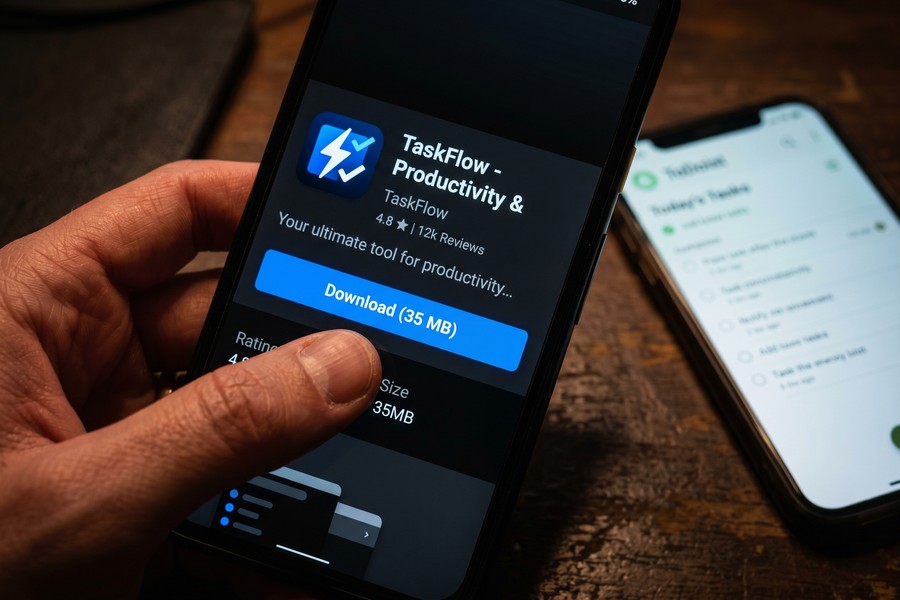
The three functional categories a freelancer needs covered are: distraction blocking, task capture, and time awareness. One tool per category, used consistently, outperforms six tools used intermittently. For distraction blocking, Freedom or Cold Turkey both work well. Freedom allows scheduled blocking sessions across devices (starting at $3.33/month); Cold Turkey offers a free tier with robust website blocking on desktop. For task capture, a single trusted inbox, Todoist, Apple Reminders, or even a plain text file, beats switching between Notion, Trello, and a paper planner. For time awareness, a basic interval timer or a Pomodoro-style focus app that signals the end of your 90-minute block handles the mechanical cue.
Async communication discipline is where most freelancers silently bleed focus, and no tool fixes it without a policy. Set a written response-time expectation with every client, something like “I respond to messages within 4 business hours,” and batch email and messaging into two daily windows: once mid-morning after your first focus block, and once late afternoon. This protects your deep work hours without damaging client relationships. Clients who know the expectation are rarely bothered by a 3-hour response lag. Those who haven’t been told the expectation will interpret silence as neglect. The fix is communication, not faster checking. You might also find it useful to explore why async messaging works so well for distributed teams, the same principles apply to solo freelancers managing client relationships.
One limitation worth naming honestly: distraction-blocking tools like Freedom and Cold Turkey address willpower bottlenecks well, but they do nothing for the context-switching that happens inside a single browser window. A freelancer who compulsively opens a new tab to check a financial account, review a pending invoice on FreshBooks, or scan Experian credit alerts isn’t defeated by any blocker. That’s an internal distraction problem, which routes back to the audit in Step 1 and the financial buffer discussion in Step 5.
What to Watch Out For
Adding a new productivity app when the current system feels shaky is a form of procrastination dressed as optimization. If your stack isn’t working, the problem is almost never that you need a different app; it’s usually that the distraction audit in Step 1 revealed an environmental or internal cause that no software addresses. Run the audit again before downloading anything new.
Push notifications from productivity apps are still notifications. A task manager that pings you every time a deadline approaches is a distraction tool wearing focus-work clothing. Disable all in-app notifications for every tool in your stack and check them on your own schedule. If you want to understand how these notification systems work at a technical level, this overview of how push notifications work on your phone is worth a read before you configure your settings.
| Tool Category | Recommended Option | Free Tier | Paid Cost | Best For |
|---|---|---|---|---|
| Distraction Blocking | Freedom | 7 sessions free | $3.33/month (annual) | Cross-device blocking with scheduling |
| Distraction Blocking (Alt) | Cold Turkey | Yes (desktop) | $39 one-time | Hardcore website blocking, no override |
| Task Capture | Todoist | Yes (5 projects) | $4/month | Simple task inbox with natural language input |
| Task Capture (Alt) | Plain text file | Always free | $0 | Nomadic freelancers who want zero friction |
| Time Awareness | Focus Flow (iOS) | Yes | $1.99/month | Interval-based sessions with rest reminders |
| Time Awareness (Alt) | Physical kitchen timer | Always free | $0 | Keeping digital devices out of sight |
Step 5: How Do I Keep the System From Falling Apart After Week Two?
Most freelancer productivity systems fail not because they were badly designed but because they were built for ideal conditions. The first client crisis, a sick week, or a difficult financial month hits, and the system has no fallback mode, so it collapses entirely rather than degrading gracefully. Building in a “degraded mode” protocol from the start changes this.
The Weekly Self-Audit (15 Minutes, Five Questions)
Every Friday, before closing the laptop, answer five questions in writing: How many deep-work blocks did I complete this week? Which distraction category hit hardest? Did I honor the hard stop ritual each day? What was my energy level on a 1-5 scale mid-week? Is there a financial or client worry I need to schedule into a worry window? This audit takes 15 minutes and catches drift early, before a bad week becomes a broken system. It also tracks both output metrics and wellbeing signals, because a system that improves task completion while grinding the freelancer toward burnout is not a success.
Movement, Sleep, and the Upstream Inputs
Physical health is not separate from the productivity system; it is an input to it. The U.S. Department of Health and Human Services Physical Activity Guidelines document that regular physical activity improves cognitive function and reduces anxiety and depression symptoms, conditions that, for a freelancer, are direct causes of the internal distractions identified in Step 1. A 20-minute walk before the first work block is part of the system, not a distraction from it.
Sleep is the same: adequate sleep improves decision-making, reduces emotional reactivity to financial stress, and consolidates the skill-based learning that client work demands. Skimping on it to log more hours is a net negative on output quality. The compounding feedback loop runs like this: poor sleep degrades focus, degraded focus produces weaker work, weaker work increases client friction, client friction raises financial anxiety, and financial anxiety destroys sleep. Breaking that loop at the sleep end is more effective than any app configuration.
The financial dimension matters here too. Freelancers managing variable income often make decisions under cash-flow pressure that compound over time, carrying high-APR balances on Chase or Citi cards rather than drawing on an emergency fund, or neglecting to track their DTI as income fluctuates. The CFPB’s guidance on variable-income budgeting, and tools like Experian Boost or Credit Karma for monitoring FICO Score trends, give freelancers a clearer picture of their financial footing. That clarity reduces the background anxiety signal measurably. Institutions like SoFi and Ally Bank offer high-yield savings accounts specifically suited to building freelance emergency buffers, and the FDIC insures deposits at both, which removes one layer of worry from the equation.
The end-of-workday shutdown ritual deserves specific attention because most guides treat it as a bullet point rather than a biological necessity. Without a hard stop signal, cortisol from unresolved work tasks continues to circulate in the evening, degrading sleep quality, which then degrades next-day focus, a compounding feedback loop that accelerates burnout. The ritual can be simple: close all work tabs, write tomorrow’s top three tasks, say aloud “shutdown complete,” and physically move away from the workspace. The specificity matters less than the consistency. A short journaling habit at shutdown pairs well with this if you process the day better in writing.
The Degraded-Mode Fallback
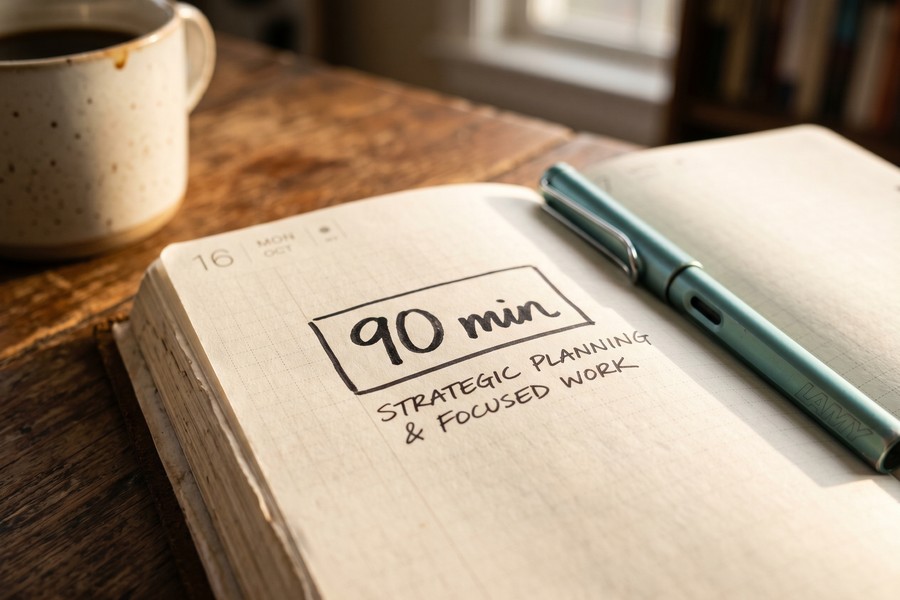
Define in advance what a “minimum viable workday” looks like during a high-stress week: one 90-minute focus block, one task capture review, and the shutdown ritual. Nothing else is required to count the day as a system success. This lowers the psychological cost of imperfect weeks and prevents the all-or-nothing thinking that causes people to abandon good habits entirely after one difficult stretch.
Cal Newport, Associate Professor of Computer Science at Georgetown University and author of Deep Work (Grand Central Publishing, 2016), argues that the capacity for deep, distraction-free work is becoming simultaneously rarer and more economically valuable. His position, supported by the productivity research cited throughout this guide, is that freelancers who systematically protect their focus hours are compounding a competitive skill, not just managing their calendar. The ones who abandon the system after a hard week are giving that ground back. The weekly self-audit exists precisely to catch that drift before it becomes a full retreat.
For freelancers dealing with income anxiety as an internal distraction, a concrete financial buffer changes the cognitive math. A cash reserve equal to two months of baseline expenses, held in an FDIC-insured high-yield account at an institution like SoFi or Ally Bank, reduces the background worry signal that bleeds into working memory. Getting there takes time, but even a partial buffer covering four weeks of expenses has a measurable effect on subjective focus quality. Treat building that reserve as part of the productivity system’s infrastructure. Monitoring your FICO Score through Experian or a CFPB-recommended tool alongside that savings goal keeps the full financial picture visible, which is itself a form of anxiety management.
A quick worked example on the focus-time numbers: if remote workers recover 61.88 hours per year through fewer interruption-recovery periods compared to office workers, and a freelancer bills at a modest $75/hour, those recovered hours represent a potential value of $4,641 annually ($75 × 61.88). At $100/hour, the same recovered time is worth $6,188 per year. The system isn’t an overhead cost; it has a computable return.
Frequently Asked Questions
How many hours a day should a freelancer actually be working at full focus?
Most freelancers achieve roughly 7 productive hours per day at their realistic ceiling, which is actually competitive with office workers who average far fewer genuinely focused hours once meetings and interruptions are subtracted. The goal of a freelancer productivity system is not to add hours but to protect the quality of those 7. Logging 10 or 11 hours without focus protection leads to diminishing output quality and accelerated burnout, not higher earnings.
Should I use the Pomodoro method or 90-minute focus blocks?
90-minute blocks align better with the brain’s natural ultradian rest-activity cycle, a roughly 90-minute oscillation between peak alertness and a rest dip that neurophysiology research has documented for decades. Pomodoro’s 25-minute interval was chosen for motivational accessibility, not cognitive science. If you’re just starting out, Pomodoro is a reasonable entry point because it’s easy to commit to. Once focus tolerance builds, transitioning to 90-minute blocks typically increases depth of output, particularly for creative or analytical freelance work.
What if I can’t stop checking messages because my clients expect fast replies?
Set the expectation explicitly and in writing before it becomes a problem. A simple line in your onboarding email, “I batch messages twice daily and respond within 4 business hours on weekdays”, resets client expectations without damaging the relationship. Most clients care about reliability, not speed; they want to know the message will be answered, not that it will be answered in 10 minutes. Reactive messaging is a habit, not a client requirement, in most freelance arrangements.
Can I build a zero-distraction workspace in a studio apartment with a roommate?
Yes, and the approach relies on contextual cues rather than physical separation. A specific desk lamp used only during work, over-ear noise-canceling headphones, and a consistent start signal (a particular playlist, a cup of coffee made the same way) train your nervous system to enter work mode in the same physical space where you also relax. Auditory privacy is the highest-leverage variable in shared spaces, which the PLOS ONE research on distraction and productivity confirms. ANC headphones from Sony or Jabra in the $50–$150 range solve most of the problem.
How do I stop financial anxiety from killing my focus during deep work sessions?
Schedule a dedicated 15-minute “worry window” at a fixed time outside your focus blocks, late morning or after lunch works for most people. During this window, write down every financial concern and one next action for each. This removes the thoughts from working memory during focus sessions because your brain registers that the worry has been captured and assigned a time. Pairing this with a growing cash reserve in an FDIC-insured account, and a clear view of your FICO Score and DTI through tools like Experian or the CFPB’s free resources, reduces the background anxiety signal over time rather than just managing its symptoms.
Which is better for blocking distracting websites: Freedom or Cold Turkey?
Freedom is better for freelancers who work across multiple devices and want scheduled blocks that sync automatically. It starts at $3.33/month on an annual plan and works on Mac, Windows, iOS, and Android simultaneously. Cold Turkey is better for freelancers who need a harder lock on their desktop: it offers a free tier with no override option once a block is activated, which is useful if willpower is genuinely the bottleneck. Both serve the distraction-blocking function in the three-tool stack; choosing between them comes down to device setup and how much you trust yourself with an escape hatch.
Do I really need all five steps, or can I just skip to the tool stack?
Skipping to the tool stack is the most common mistake, and it’s why most productivity systems collapse by week two. Tools address digital distractions effectively but do nothing for environmental or internal distractions, which, for many freelancers, are the dominant category. The distraction audit in Step 1 takes one day and determines which steps matter most for your specific situation. You may find that your distraction profile means Step 2 (workspace) delivers 80% of the result and the digital stack is secondary. Without the audit, you’re guessing.
Sources
- U.S. Bureau of Labor Statistics, Remote Work and Productivity (Beyond the Numbers, October 2024)
- Hubstaff, Remote Work: Deeper Focus, Fewer Interruptions (Workstyle Report, January 2024)
- High5Test, Freelance Statistics Summary of Upwork 2024 Freelance Forward Report
- Bialowolski et al., Productivity Loss From Distraction, PLOS ONE (2020), via PubMed Central
- Harvard Business School Faculty Research, Remote Work and Small Business Productivity (2021)
- CDC / NIOSH, Working From Home: Ergonomic and Health Guidance for Teleworkers (2020)
- WHO / ILO, Joint Technical Brief on Healthy and Safe Teleworking (2021)
- Cal Newport, Deep Work: Rules for Focused Success in a Distracted World, Selected Quotes (Goodreads)
- Cal Newport, Deep Work Definition Quote (QuoteFancy, sourced from Deep Work, Grand Central Publishing, 2016)






