
Fact-checked by the SnapMessages editorial team
According to the CDC’s National Center for Health Statistics, 24.3% of U.S. adults reported chronic pain in the past three months. That figure represents roughly 60 million Americans, people managing back pain, fibromyalgia, arthritis, migraines, and dozens of other conditions with little more than a prescription bottle and a follow-up appointment every few months. What most of these individuals lack is not medication or willpower; it is data. Chronic pain management apps exist precisely to fill that gap, turning the invisible, daily grind of living with pain into a structured record that patients and providers can actually use.
The scale of the problem is hard to overstate. Beyond the 24.3% experiencing any chronic pain, the same CDC survey found that 8.5% of U.S. adults had high-impact chronic pain, pain that frequently limited life or work activities. That translates to tens of millions of people whose ability to hold a job, maintain relationships, and perform basic daily tasks is compromised on a regular basis. A systematic review published in the Journal of Medical Internet Research found that mobile apps were the most commonly used mHealth tool type (88% of studies) across 25 years of research on digital interventions for chronic musculoskeletal pain, and that 93% of randomized controlled trials observed significant improvements in patient adherence when apps were involved. Despite this evidence, most beginners have no idea how to choose the right app, set it up properly, or interpret what it tells them.
This guide walks through everything a first-time user needs to know: how to evaluate and select an app that matches your actual needs, how to set up a tracking routine that survives bad pain days, how to read your own data for patterns and triggers, and when self-tracking has hit its limit. By the end, you will have enough context to make an informed download decision, avoid the most common pitfalls, and get more out of your next medical appointment than a shrug and a pain-scale question.
Key Takeaways
- 24.3% of U.S. adults, roughly 60 million people, reported chronic pain in 2023, according to CDC data, making it one of the most common undertreated conditions in the country.
- Mobile apps were used in 88% of mHealth studies on chronic musculoskeletal pain over 25 years, and 93% of RCTs found significant improvements in patient adherence when apps were used.
- A peer-reviewed review found more than 500 digital pain apps available in one national market alone, yet only 12 addressed psychological aspects and only one had been independently tested for efficacy, making critical evaluation essential before downloading.
- Most consumer-facing pain apps are not covered by HIPAA, meaning your sensitive symptom, medication, and mood data may be legally shared with or sold to third parties unless the app explicitly holds privacy certifications like SOC 2 or GDPR compliance.
- Real-world adherence is a genuine problem: research indicates 60% of chronic pain app users opened their app only once over six months, meaning setup strategy matters as much as app selection.
- The VA’s free Pain Coach app, developed using CBT for Chronic Pain and Acceptance and Commitment Therapy frameworks, is one of the most credible options available yet appears in almost none of the mainstream “best apps” roundups focused on paid products.
In This Guide
- Why Tracking Your Pain Is the First Step Toward Managing It
- What to Look for in a Chronic Pain App Before You Download Anything
- The Best Chronic Pain Management Apps in 2025: Matched to Real Use Cases
- How to Set Up Your App and Start Tracking Flare-Ups on Day One
- Reading Your Own Data: How to Spot Triggers and Patterns Over Time
- The Mental Health Layer: Tracking Mood, Sleep, and Stress Alongside Pain
- The Real Reasons People Quit Their Pain App (And How to Avoid It)
- When an App Is Not Enough: Knowing the Limits of Self-Tracking
Why Tracking Your Pain Is the First Step Toward Managing It
Most people who have lived with chronic pain for more than a few months have never seen their own patterns displayed in a chart. They know it hurts, and they know some days are worse than others, but the connection between a bad Tuesday and what happened Sunday night remains invisible. That invisibility is the core problem an app solves. Without a record, pain is just noise. With one, it starts to take the shape of something you can work with.
Tracking in this context means far more than entering a number from one to ten. Pain is multifactorial. A raw intensity score tells you how bad today felt; it tells you almost nothing about why. Useful tracking captures sleep quality and duration, mood, activity level, weather or barometric pressure, food intake (especially for conditions like fibromyalgia or irritable bowel-related pain), stress events, and any medications or relief strategies used. When these variables are logged together over weeks, correlations begin to appear that no single 15-minute doctor visit could ever surface.
That said, an honest acknowledgment matters here: apps do not cure pain and they do not replace a physician, rheumatologist, physical therapist, or pain psychologist. Their value is specific. They generate evidence that makes clinical conversations more productive. A patient who arrives at a specialist appointment with eight weeks of exportable data, showing pain peaks on days three and four after each cortisol-spiking work event, is having a fundamentally different conversation than the patient who says “it comes and goes.”
An estimated 60 million American adults live with chronic pain, representing approximately 24.3% of the U.S. population, according to the U.S. Pain Foundation citing CDC data.
What Passive Suffering Costs You
Living with pain without tracking it is, in a sense, living without evidence. You may be cycling through the same flare-up triggers every three weeks and have no way to see it. You might be on a medication that helps only modestly but appears to “work” because you also happened to rest more on the days you took it. Without a log, there is no way to separate coincidence from cause. This is exactly why clinicians who specialize in pain management increasingly ask patients to track before they adjust treatment.
If you also use apps for other health metrics, you may find synergies worth building on. The same discipline that makes daily hydration tracking a useful habit applies here, consistent data entry, even on hard days, is what turns raw logs into something actionable.
What to Look for in a Chronic Pain App Before You Download Anything
The sheer number of options is part of the problem. A peer-reviewed systematic review published in the Canadian Journal of Pain found more than 500 digital pain apps available in the Canadian market alone, yet only 12 addressed the psychological aspects of pain, and only one had been independently tested for efficacy. That ratio, 500 options, one with clinical validation, is why selection criteria matter more than the apps themselves.
The Non-Negotiable Feature Checklist
For a beginner, five features should be present before committing to any app. First, customizable symptom fields, because fibromyalgia and post-surgical nerve pain are not the same experience, and an app that forces you into predetermined categories will frustrate you within a week. Second, flare-up logging with timestamps, so you can identify duration patterns over time. Third, a medication tracker that links doses to pain scores. Fourth, data export (PDF or shareable report) so you can actually bring your data to a medical appointment. Fifth, offline functionality, flare-ups do not wait for a Wi-Fi connection, and an app that won’t accept entries without internet is a liability on bad days.
Beyond that checklist, look at whether the app includes weather data integration (barometric pressure correlates with joint and migraine flare-ups for many users), a quick-entry mode for high-pain days, and a way to flag correlations visually without needing to do your own spreadsheet analysis.
Symptom-Logger vs. Therapy-Delivery: They Are Not the Same Thing
One of the most common beginner mistakes is downloading the wrong category of app. There is a meaningful distinction between symptom-logger apps, tools like Bearable, Manage My Pain, My Pain Diary, and Flaredown, and therapy-delivery apps like Curable and Pathways. A symptom logger captures what your body is doing. A therapy-delivery app provides structured psychological and neurological retraining exercises, typically grounded in cognitive behavioral therapy or pain neuroscience education. Both are legitimate. They serve different purposes.
A beginner who downloads Curable expecting a detailed pain diary will find guided audio sessions and journaling prompts instead. Someone who downloads Bearable expecting CBT exercises will get charts and correlation data. Neither experience is wrong; both apps do what they claim to do. The mismatch is the problem, and it accounts for a significant share of early abandonment.
The Privacy Issue Most Beginners Never Check
Consumer-facing health apps occupy a regulatory blind spot that most users are unaware of. Unlike data held by a hospital or physician’s office, most wellness apps are explicitly not covered by the Health Insurance Portability and Accountability Act. That means your pain scores, medication logs, mood entries, and sleep data can, in many cases, be shared with or sold to advertisers, data brokers, or analytics partners, legally. This is not hypothetical. It is standard practice across a large segment of the consumer health app market.
Before entering any health data, check whether the app explicitly states HIPAA compliance, GDPR compliance (for EU data protection standards), SOC 2 auditing, or PIPEDA compliance (Canada). Manage My Pain, for example, is independently audited to SOC 2 standards and holds HIPAA, GDPR, and PIPEDA compliance certifications, a combination that most of its competitors do not match. If an app’s privacy policy uses vague language about “sharing with partners to improve your experience,” treat that as a warning sign.
You might also want to review how your phone’s broader security habits interact with app data. Understanding how to build a personal digital security routine can help you make smarter decisions about which apps you grant access to sensitive health information.
Most consumer pain apps are not covered by HIPAA. Before entering any symptom, medication, or mood data, check the app’s privacy policy for explicit HIPAA, GDPR, or SOC 2 compliance. Vague language about “sharing with partners” means your health data may be sold or shared legally.
The Best Chronic Pain Management Apps in 2025: Matched to Real Use Cases
Rather than a ranked list that treats every app as competing for the same user, the more useful frame is matching apps to specific needs. The best app for someone tracking fibromyalgia flare-ups across a dozen variables is a different tool from the best app for someone exploring the psychological drivers of their persistent back pain. Pricing matters too, since many people managing chronic pain are also managing the financial costs that come with it.
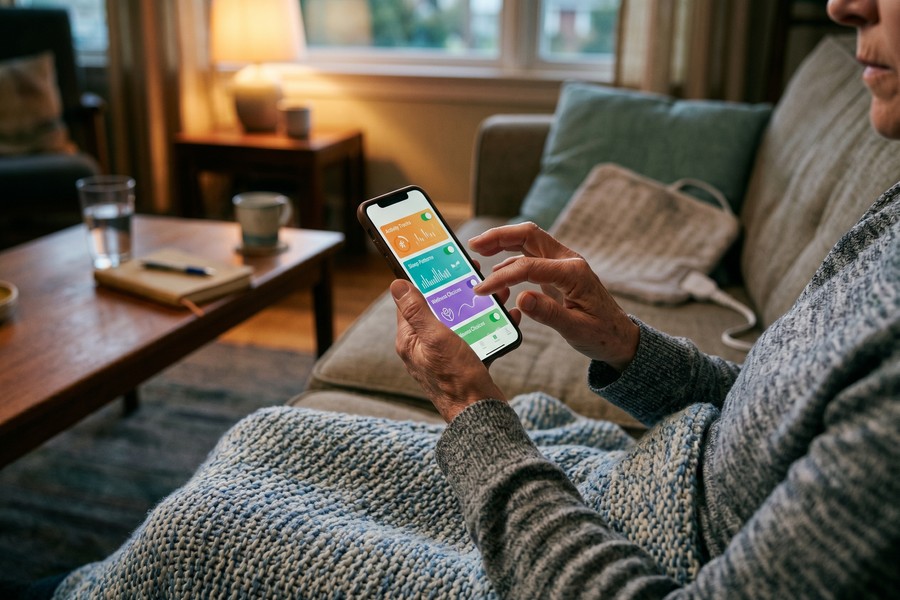
Best Apps by Use Case
| Use Case | Recommended App | Platform | Cost (as of Oct 2025) |
|---|---|---|---|
| Detailed multi-symptom logging | Bearable | iOS, Android | Free tier; Premium ~$8.99/month or ~$49.99/year |
| Multi-symptom logging + privacy compliance | Manage My Pain | iOS, Android | Free tier; Pro ~$4.99/month or ~$29.99/year |
| Flare-up pattern recognition | Flaredown | iOS, Android (web-based) | Free |
| Pain diary with weather integration | My Pain Diary | iOS, Android | One-time purchase ~$4.99 |
| Psychology-first / CBT-based approach | Curable | iOS, Android | Free trial; ~$11.99/month or ~$59.99/year |
| Free, evidence-based, government-backed | VA Pain Coach | iOS, Android | Free |
| Gut/food-triggered pain | mySymptoms | iOS, Android | ~$4.99 one-time |
Platform Limitations Competitors Don’t Mention
A few practical gotchas matter for beginners making a download decision. Flowly, which uses heart rate variability biofeedback for pain management, is iPhone-only and does not support Android or iPad, a significant limitation for the majority of smartphone users who are on Android. Pathways, once a popular pain neuroscience app available as a native iOS and Android app, has discontinued its native mobile apps and migrated to a web-based platform. If you find a review recommending Pathways as a mobile app download, check whether the information is current before spending time searching app stores.
The VA’s Pain Coach app deserves special mention precisely because it appears in almost none of the mainstream consumer roundups, which tend to favor subscription products. Developed by the VA’s National Center for PTSD and the VHA Pain Management Office, Pain Coach draws on Cognitive Behavioral Therapy for Chronic Pain (CBT-CP) and Acceptance and Commitment Therapy frameworks. It is free, available on both iOS and Android, and recommends use in collaboration with a healthcare provider. That combination, evidence-based design, no cost, and clinical framing, makes it a strong starting point for anyone who wants a structured, psychology-informed tool without a subscription.
The VA’s free Pain Coach app, developed using CBT for Chronic Pain and Acceptance and Commitment Therapy, is available to anyone, not just veterans, yet it rarely appears in consumer “best pain apps” lists that focus on paid subscription products.
Honest Pricing Context
Most apps offer a free tier that is genuinely useful for basic logging but locks the most valuable features, correlation analysis, data export, advanced charting, behind a paywall. For someone managing a serious condition, the $49.99 to $59.99 annual cost of a premium subscription is often worth it. But download and use the free tier for at least two weeks before paying. If you haven’t built the logging habit by then, a paid subscription won’t change that.
How to Set Up Your App and Start Tracking Flare-Ups on Day One
The most common mistake new users make is trying to track everything at once. An app that offers 30 trackable variables is useful at week eight. At day one, it produces blank-page paralysis, a screen full of empty fields that makes the whole project feel like a second job. The fix is deliberate constraint.
The First-Week Setup Ritual
Start by picking three to five variables that are most relevant to your condition and your existing suspicions about triggers. For most people, that core set looks like: pain intensity (1–10), sleep duration or quality, activity level (low/medium/high), stress level, and any medications taken. Weather data is worth adding if your app integrates it automatically, since it requires no manual entry. Everything else, food logs, detailed body mapping, mood sub-scales, can come in week three or four once the habit is established.
Set a daily check-in reminder at the same time every day, and make it a time that actually fits your schedule. Midday works better than bedtime for many chronic pain patients because end-of-day fatigue and pain make data entry feel punishing. Log at least one full baseline week before drawing any conclusions. Patterns that appear in the first three days are usually noise.
For high-pain days when detailed entry feels impossible, set a “minimum viable log” in advance: just pain intensity plus one word describing the day. Even a one-field entry keeps your data streak alive and contributes to the baseline. Gaps in the record are harder to recover from than minimal entries.
What a Complete Flare-Up Entry Should Contain
When a flare-up occurs, the entry is worth making more detailed than a standard daily log. Document the pain location and type (burning, stabbing, aching, pressure), intensity on a consistent scale, time of onset, and estimated duration. Then work backward: what happened in the 12 to 24 hours before? Did you sleep less than usual? Skip a meal? Have an emotionally stressful event? Travel in a car for more than an hour? These retrospective fields are where flare-up logging diverges from routine tracking and where the most useful patterns eventually emerge.
Also record what you tried for relief, specific medications and doses, ice or heat, rest, stretching, a hot bath, and whether it helped, partially helped, or made no difference. Over time, this creates a personal evidence base for what actually works, separate from what you think works.
Reading Your Own Data: How to Spot Triggers and Patterns Over Time
Four to eight weeks of consistent logging is the minimum before patterns become reliable. Before that threshold, a high-pain day that coincided with poor sleep looks like a correlation. After eight weeks of the same pairing, it starts to look like something worth bringing to a physician.
Correlation vs. Confirmed Trigger
An app can show you that two variables tend to move together. It cannot prove causation. A chart showing that pain scores rise on days after fewer than six hours of sleep is a correlation, a strong, actionable one, but it doesn’t conclusively prove that sleep loss causes that specific flare. Other factors may be at work. What the data does is give you a testable hypothesis and a conversation starter for a clinical appointment.
Non-obvious patterns are often the most valuable findings. Many chronic pain patients are surprised to discover that sleep debt precedes major flare-ups by 24 to 36 hours rather than occurring on the same day. This lag effect is easy to miss without a record but becomes visible in a weekly chart. Similarly, barometric pressure drops, which an integrated weather feature can track automatically, correlate with increased joint and migraine pain for a meaningful subset of users.
The Pacing Insight: Boom-and-Bust in Your Own Data
One of the most clinically useful patterns that tracking can surface is the boom-and-bust activity cycle. This is a pattern where high-activity days, days when pain is manageable and energy is better, prompting over-exertion, reliably precede crash days 24 to 48 hours later. The insight matters because it feels counterintuitive. The day you feel better is the day your data will eventually tell you to exercise the most caution about overdoing it.
Spotting this pattern requires at least four to six weeks of combined activity and pain logging. Once visible, it gives a concrete, data-backed argument for pacing strategies, doing less on good days to avoid triggering bad ones. Physical therapists who specialize in pain management use this information to build sustainable activity programs. Having the chart is what makes the concept actionable rather than abstract.
Bringing Data to Your Doctor’s Appointment
An exported PDF from a pain app turns a 15-minute visit from a subjective recollection (“my pain has been pretty bad most weeks”) into a structured review. A well-formatted report might show average pain scores week-over-week, top correlating factors, flare frequency and duration, and medication response patterns. That level of specificity helps a doctor make treatment adjustments based on actual trends rather than recall bias. Most apps that offer data export provide either a shareable PDF or a CSV file, check this feature before you commit to a platform, since some free tiers lock it behind a paywall.

Among randomized controlled trials studying mobile health tools for chronic musculoskeletal pain, 93% (25 of 27 studies) observed significant improvements in patient adherence outcomes, according to a systematic review published in the Journal of Medical Internet Research.
The Mental Health Layer: Tracking Mood, Sleep, and Stress Alongside Pain
Chronic pain and mental health exist in a bidirectional relationship that is difficult to overstate. Poor sleep intensifies pain sensitivity. Heightened pain disrupts sleep architecture. Persistent pain elevates anxiety and depression, which in turn lower pain tolerance and increase inflammation. These feedback loops are real, documented, and often invisible to the person living inside them, because they feel like separate problems rather than a single reinforcing cycle.
Why Unified Tracking Beats Separate Apps
Some users keep a mood app, a sleep tracker, and a pain diary as three separate tools. The problem is that the insight only appears when these data streams are viewed together. An app that tracks mood alongside pain in a single interface, Bearable handles this particularly well, lets you see at a glance whether the weeks your mood scores were lowest also produced the highest pain intensity scores. That visual correlation often motivates behavior change more effectively than a doctor’s recommendation alone, because you are seeing your own numbers rather than reading a population-level statistic.
For people who also journal as part of their health routine, the best journaling apps can complement pain tracking by providing a longer-form outlet for stress processing on high-pain days, which some research suggests has measurable effects on pain perception. Similarly, structured mindfulness practices, documented through beginner-friendly meditation apps, may contribute to pain tolerance over time when used consistently alongside tracking.
CBT and Pain Psychology Features in Apps
Apps like Curable and the VA’s Pain Coach draw on pain neuroscience education and CBT principles. The National Center for Complementary and Integrative Health (NCCIH) at NIH provides evidence-based guidance indicating that mind-body practices, including mindfulness, relaxation techniques, and yoga, may be beneficial additions to conventional chronic pain treatment plans. This positions therapy-delivery apps not as alternatives to medical care, but as supplements that address the neurological component of chronic pain that a pain diary alone cannot reach.
These are not gimmicks. The neurological model of chronic pain, in which the nervous system itself becomes sensitized and amplifies signals beyond their tissue-damage origin, is supported by substantial clinical evidence. An app that provides guided exercises to address catastrophizing, hypervigilance to pain signals, or avoidance behaviors is working on a different part of the problem than an app tracking barometric pressure. Both are worth considering; they are simply tools for different jobs.
The National Center for Complementary and Integrative Health at NIH indicates that mind-body practices such as mindfulness and relaxation techniques may be beneficial additions to conventional chronic pain treatment plans, supporting the case for therapy-delivery apps as genuine clinical supplements, not merely wellness accessories.
The Real Reasons People Quit Their Pain App (And How to Avoid It)
Tracking abandonment is a documented problem, and no honest guide should skip over it. Real-world usage data shows that 60% of chronic pain app users opened their app only once over six months, and research consistently indicates that real-world dropout rates are significantly higher than the adherence numbers seen in controlled clinical trials. The reasons are specific and worth naming.
Three Common Abandonment Patterns
The first is tracking fatigue. After a few weeks, daily entry starts to feel like a chore, particularly if the app hasn’t yet surfaced any obvious insights. The work feels disconnected from reward. The second is what might be called the flare-day failure: on the days when pain is worst and logging would be most valuable, it also feels most impossible. Users miss a few entries during a bad stretch, feel they’ve “broken” their record, and quietly stop. The third is early payoff impatience, users expect to see clear patterns within the first two weeks and, when the data looks like noise, conclude the app isn’t working.
Each of these has a practical counter. For fatigue, use apps with quick-entry modes. Several popular options allow a full daily log in under 60 seconds when the fields are configured correctly. For flare-day gaps, establish the minimum viable log concept before you need it: decide in advance that on hard days, one field is enough. For early impatience, set a concrete review date, four weeks out, and commit to not evaluating usefulness before then.
When a Paper Diary Is the Honest Answer
Some people genuinely do better with a structured paper pain diary or a simple spreadsheet than with a feature-heavy app. If you have tried two or three apps and the friction of digital entry consistently outweighs the perceived benefit, that is not a personal failure. It is information. A printed pain diary template from a pain clinic, filled in by hand and brought to appointments, produces the same core value as an app if the data is accurate and consistent. The goal is the record, not the medium.
| Format | Best For | Main Limitation |
|---|---|---|
| Smartphone App | Automated weather data, correlation charts, reminders | Learning curve; fatigue with complex interfaces |
| Paper Diary | Low friction; works offline; no battery concerns | No automated pattern analysis; harder to export |
| Spreadsheet | Full customization; easy data export for appointments | Requires setup knowledge; no mobile reminders |
Research on chronic pain self-management apps found that 60% of users opened their app only once over a six-month period. Real-world adherence is consistently lower than rates reported in clinical trial settings, meaning the apps themselves are only part of the equation.
When an App Is Not Enough: Knowing the Limits of Self-Tracking
Self-tracking is a self-management tool. It is not a diagnostic device, a substitute for clinical evaluation, or a treatment in itself. The VA’s Pain Coach app states explicitly that it is not intended to replace professional care, and that framing applies to every app in this category, regardless of how sophisticated the feature set is.
The Clinical Gap in Current Apps
The peer-reviewed research is direct about where current apps fall short. The systematic review published in the Canadian Journal of Pain found that among all evaluated pain apps, only one had undergone independent scientific testing for efficacy. Separately, research has found that among the most evidence-based behavior-change techniques for pain management, specifically, specific goal-setting and social support mechanisms, very few commercially available apps incorporate either. Goal-setting and social support are two of the most clinically validated techniques in behavior change science. Their absence in most apps is not a minor omission; it means the majority of popular products are missing features that would make them more effective.
This is worth stating plainly because it affects how you should use these tools. An app that tracks your pain well is genuinely useful. It is not, by itself, a behavior-change program. If your goal is to reduce pain frequency, improve function, or reduce medication reliance, tracking data is the input, what you and your clinical team do with that data is the actual intervention.
When the Data Itself Becomes a Signal to Escalate
One of the more practical uses of tracked data is as an escalation trigger. If your logs consistently show pain scores above seven out of ten for three or more weeks, or if flare frequency is increasing despite consistent treatment, that trend is itself a reason to contact a specialist. The app has done its job: it has made the trajectory visible and documented. At that point, the appropriate response is an appointment, not a different app.
Be aware that the digital health space, including apps, carries security considerations worth thinking about. If you store sensitive health information on your phone, maintaining good baseline digital hygiene matters. Reviewing guidance on how to detect and remove spyware from your phone is a reasonable precaution given how much personal data a pain management app accumulates over months of use.
A peer-reviewed review found that among all commercially available chronic pain apps evaluated, only one had been independently tested for efficacy, and most lack evidence-based goal-setting and social support features. Popular and well-designed are not the same as clinically validated. Use these tools for what they do well, tracking and data generation, and maintain a care team for clinical decisions.
Connecting Your Data to a Care Team
The most effective use of a pain app is as a communication bridge between patient and provider. If your app generates exportable reports, share them at every relevant appointment. If it does not, screenshot the key charts before you go. A physical therapist, pain psychologist, rheumatologist, or primary care physician can all make better use of eight weeks of documented patterns than they can of verbal summaries. The app does not manage your pain. It gives you and your care team better information to do so.
| App Feature | Self-Management Value | Clinical Usefulness |
|---|---|---|
| Daily pain score log | Baseline awareness | High, trend data for appointments |
| Medication tracker | Adherence reminder | High, documents what was tried and when |
| Correlation chart | Trigger identification | Moderate, hypothesis generation, not diagnosis |
| CBT/pain psych exercises | Neurological retraining support | Moderate, complement to formal therapy |
| Data export (PDF/CSV) | Personal record-keeping | High, direct clinical communication tool |
| Community/social features | Peer support | Low direct clinical value, but adherence benefit |

8.5% of U.S. adults, tens of millions of people, experienced high-impact chronic pain in 2023, meaning pain that frequently limited life or work activities, according to the CDC’s National Center for Health Statistics.
Real-World Example: From Unstructured Suffering to Actionable Patterns
Consider an illustrative example: a 44-year-old office worker with fibromyalgia who had been managing her condition for three years using only prescription medication and monthly rheumatology appointments. Her pain scores at appointments ranged from 4 to 8 out of 10, and her physician’s primary question each visit was “how has your pain been?”, a question she found impossible to answer accurately from memory. She downloaded Bearable in January and configured it to track pain intensity, sleep hours, work stress level (rated 1 to 5), and steps walked per day, with automatic weather data enabled. She committed to a single daily 90-second check-in at noon.
After six weeks, the app’s correlation chart surfaced two patterns she had never consciously noticed. First, her worst pain days reliably occurred within 36 to 48 hours of nights with fewer than five hours of sleep, not on the poor-sleep night itself, but two days later. Second, her highest step-count days (above 8,000 steps) were followed by pain scores averaging 6.8 out of 10, while days under 5,000 steps preceded average scores of 4.1. The boom-and-bust cycle was visible in the chart in a way it had never been as a lived experience.
She exported an eight-week PDF report and brought it to her February rheumatology appointment. The conversation shifted from the usual “how bad has it been” to a specific discussion about sleep hygiene and activity pacing. Her rheumatologist referred her to a physical therapist with a specialization in pain management, who used the step-count data to build a graded activity program. Three months after starting the program, her average weekly pain score had dropped from 6.2 to 4.7, not a cure, but a measurable, documented improvement tied to specific behavioral changes her data had made possible.
The cost of the tool that enabled this shift: $49.99 for an annual Bearable premium subscription. The more significant investment was the discipline to log consistently for eight weeks before expecting any payoff. She reported that the first month felt like low-return busywork. The second month felt like reading her own medical chart for the first time.
Your Action Plan
-
Clarify your goal before choosing an app
Decide whether your primary need is symptom tracking and pattern recognition (symptom-logger apps like Bearable or Manage My Pain), or psychological and neurological retraining support (therapy-delivery apps like Curable or VA Pain Coach). Downloading the wrong category is the single most common source of early frustration and abandonment. If you are unsure, start with a symptom logger, it gives you data regardless of your eventual treatment direction.
-
Audit the privacy policy before entering any data
Look for explicit statements of HIPAA compliance, GDPR compliance, SOC 2 auditing, or PIPEDA certification. If the privacy policy uses vague language about sharing with “third-party partners” without limiting that sharing, your pain, medication, and mood data may be sold to data brokers or advertisers. Manage My Pain is one of the few consumer options with independently audited SOC 2, HIPAA, GDPR, and PIPEDA compliance. Use this as your baseline for comparison.
-
Configure a minimum viable log for your first week
Pick three to five variables: pain intensity, sleep quality or duration, activity level, stress, and medications are a strong starting set. Disable or ignore every other field for the first two weeks. Set a daily reminder at a consistent time, midday often works better than bedtime for high-pain days. Log every day for seven days before drawing any conclusions from the data.
-
Create a dedicated flare-up template
In your chosen app, set up a flare-up entry that captures: pain location, type (burning, stabbing, aching, pressure), intensity, time of onset, duration, what happened in the prior 24 hours (sleep, food, stress, activity, weather), and relief measures tried with results. Complete this template the moment a flare-up begins rather than reconstructing it afterward. Retrospective logging of flare details is significantly less accurate than same-moment entry.
-
Set a four-week and eight-week review date
Mark these dates in your calendar before you start. At the four-week mark, review whether the logging habit is holding and whether any early patterns are visible. At eight weeks, do a full review of your correlation data and identify two to three potential triggers worth discussing with a healthcare provider. Do not evaluate whether the app is “working” before the eight-week mark; early data is too sparse to be reliable.
-
Establish a minimum viable log for hard days in advance
Before you experience a major flare-up, decide what your bad-day entry will be: pain intensity plus one descriptive word. That is enough to maintain the data record and keep the trend line intact. Gaps caused by flare-days are harder to recover from analytically than minimal entries. Write your minimum viable log definition somewhere you will see it on bad days.
-
Export a report before every relevant medical appointment
Use your app’s PDF export function to generate a report covering the period since your last visit. Bring a printed copy or have it ready on your phone. Structure your appointment around the data: lead with the trend lines, then the correlation patterns, then specific flare events. This converts a 15-minute visit from a recall exercise into a data-driven treatment discussion.
-
Recognize when the data is telling you to escalate
If your weekly average pain scores remain consistently above 7 out of 10 for three or more weeks, or if flare frequency is increasing despite consistent treatment and logging, treat that documented trend as a clinical signal. Contact your care team with the data. An app that has made this trajectory visible has served its purpose as a self-management tool; the next step belongs to a specialist.
Frequently Asked Questions
Are chronic pain management apps safe to use without telling my doctor?
Safe, yes, but more useful if your doctor knows. None of the symptom-logger or therapy-delivery apps discussed here require medical supervision to download or use. That said, the VA’s Pain Coach app explicitly recommends using it in collaboration with a healthcare provider whenever possible, and that guidance applies broadly. The data you generate is most valuable when shared with a clinician who can act on it. Telling your doctor you are tracking is also useful because they can guide which variables matter most for your specific diagnosis.
How long does it take before an app starts showing useful patterns?
Most researchers and clinicians working in digital pain management recommend at least four to eight weeks of consistent logging before treating any correlation as meaningful. Before that threshold, a pattern that looks significant may simply be noise from a small sample. The boom-and-bust activity cycle, for example, typically requires six or more weeks of combined activity and pain logging to appear clearly in charts. Commit to a review date before you start, and resist the temptation to interpret two or three weeks of data as conclusive.
What is the difference between a symptom tracker and a therapy app for pain?
A symptom tracker records what your body is experiencing: pain intensity, location, sleep, mood, activity, medications, and environmental factors. Its output is data, charts, correlations, exportable reports. A therapy-delivery app provides structured psychological exercises, pain neuroscience education, guided audio sessions, and CBT or acceptance-based techniques. Its output is a skill or a shift in how the nervous system processes pain signals. Both categories are legitimate. The mistake is downloading one when you need the other. If you want to understand your triggers and bring data to appointments, start with a symptom logger. If you want to work on the psychological and neurological components of persistent pain, look at Curable, the VA Pain Coach, or similar apps.
Are pain apps covered by HIPAA?
Most are not. HIPAA applies to covered entities, healthcare providers, hospitals, insurers, and their business associates. A consumer-facing app that you download independently from the App Store or Google Play is generally not a HIPAA-covered entity unless it is specifically contracted to work with a healthcare provider or insurer. That means your pain scores, medication logs, mood entries, and flare history can, in many cases, be shared with or sold to third parties legally. Check explicitly for HIPAA, GDPR, SOC 2, or PIPEDA compliance statements in the app’s privacy policy before entering any data.
Can children or teenagers use chronic pain management apps?
Some apps are suitable for older teenagers with parental involvement and clinician guidance, but most consumer pain apps are designed for adults and their privacy policies may not comply with children’s data protection laws such as COPPA in the United States. If you are looking for pain tracking support for a minor, consult with their pediatrician or pain specialist for clinically appropriate tools rather than downloading a general consumer app.
Is the VA Pain Coach app only for veterans?
No. The VA’s Pain Coach app is free and available to anyone via the iOS App Store and Google Play. It was developed by the VA’s National Center for PTSD and the VHA Pain Management Office using Cognitive Behavioral Therapy for Chronic Pain and Acceptance and Commitment Therapy frameworks, but it is not restricted to veterans. It is one of the most credible free options available precisely because it is publicly funded, evidence-informed, and does not carry a subscription model or advertising incentive.
What should I do if I miss several days of logging?
Resume without reconstructing. Trying to fill in missed days from memory introduces inaccurate data, which is worse than a gap. Simply restart your daily log on the current day, note in the app that you had a gap (most apps allow a notes field), and continue forward. One gap of several days in eight weeks of data will not invalidate your patterns. Multiple prolonged gaps will make correlation analysis unreliable, which is why establishing a minimum viable log for bad days, before you need it, is worth doing early.
Can pain apps integrate with wearables like Fitbit or Apple Watch?
Several can. Bearable, for example, supports integration with Apple Health, Google Fit, and some Fitbit devices to automatically pull in sleep data, step count, and heart rate without manual entry. This is significant because automated data collection reduces the logging burden and improves accuracy on high-pain days when manual entry is least likely to happen. Check the specific integration list for any app before assuming compatibility with your device, not all integrations are available on both iOS and Android versions.
How do I choose between a free and a paid app tier?
Start on the free tier of any app and use it for two full weeks before considering a paid upgrade. If by week two you are logging consistently and can see the early shape of your data, that is the right time to evaluate whether the locked premium features, typically data export, advanced correlation analysis, and unlimited custom fields, justify the cost. If you haven’t built the habit by week two, a paid subscription is unlikely to change that. Most premium tiers run between $4.99 and $11.99 per month, or $29.99 to $59.99 annually. Annual plans typically save 30 to 50 percent over monthly billing.
What if my pain condition involves multiple body areas or diagnoses?
Apps with customizable symptom fields, particularly Bearable and Manage My Pain, handle multi-location, multi-diagnosis tracking best. You can configure separate tracking fields for different body areas, create custom symptom labels for your specific conditions, and log pain types independently. Avoid apps that use a single “pain score” field with no customization if your condition involves distinct symptoms in different locations, the data will be too blunt to reveal condition-specific patterns.
Sources
- CDC / National Center for Health Statistics, Data Brief No. 518: Chronic Pain Among Adults, United States, 2023
- U.S. Pain Foundation, Chronic Pain Facts and Statistics (2025)
- Journal of Medical Internet Research, Shi & Sit: mHealth Interventions for Chronic Musculoskeletal Pain Systematic Review (2024)
- Canadian Journal of Pain / PMC, Systematic Review: Digital Pain Apps in the Canadian Market
- Society of Behavioral Medicine, Pain Coach: A New App for Chronic Pain Management (Summer 2025)
- National Center for Complementary and Integrative Health (NCCIH) / NIH, Mind-and-Body Approaches for Chronic Pain: Clinical Digest
- PubMed Central, JMIR mHealth and uHealth: Mobile App Adherence in Chronic Pain RCTs
- PubMed Central, Canadian Journal of Pain: Psychological Features and Evidence Testing of Digital Pain Apps
- U.S. Pain Foundation, Chronic Pain Fact Sheet (2025, citing CDC NCHS Data Brief No. 518)
- NCCIH / NIH, Evidence-Based Mind-Body Practices for Chronic Pain Providers
- SBM Outlook, VA National Center for PTSD: Pain Coach App Development and Evidence Base
- CDC NCHS, High-Impact Chronic Pain Prevalence: 8.5% of U.S. Adults in 2023
- SnapMessages, Best Water Tracking Apps to Hit Your Daily Hydration Goals
- SnapMessages, Best Journaling Apps to Build a Daily Reflection Habit
- SnapMessages, Best Meditation Apps for Beginners Who Have Never Tried Mindfulness






