
Quick Answer
Mornings are where willpower usually loses. Block off 20 or 30 minutes for messages only, and you’ll cut out a big chunk of the digital noise that would otherwise chase you through the rest of the day. 84.6% of Americans check their phones within 10 minutes of waking, according to Reviews.org’s 2025 data. Give your morning some structure and reactivity drops, anxiety eases, and focus shows up before you’ve even left the bedroom.
Updated August 2026
This piece belongs to the How to Practice Mindful Phone Use for Better Mental Health in 2026 guide. Here, we’re narrowing in on one tactic: carving out a window each morning reserved just for messages. It’s a direct fix for the digital flood that derails attention before the day has properly started.
Knowledge workers deal with 117 emails a day on average. Managing that inbox eats up nearly a third of the workweek, and for plenty of people, the scrolling kicks off the moment they open their eyes. No boundary means that morning wave of pings hijacks attention and sets a stressed tone before breakfast even happens.
A message-only window hands control back to you. Nobody’s telling you to ditch your phone. You’re just redirecting how you use it. This single shift cuts anxiety spikes, gives your nervous system a chance to settle, and builds real focus for the hours after. Space, not abstinence, is the point.
Key Takeaways
- 44% of Americans browse the internet or use apps within 10 minutes of waking, per YouGov’s 2025 survey. A message-only window breaks that reactive loop.
- The average cellphone user checks their device 205 times a day, according to ConsumerAffairs (2024). A structured morning boundary reduces that total by limiting the first cascade of checks.
- Using iOS Focus Modes or Android Digital Wellbeing can boost adherence by 62%, per a 2025 UC Berkeley study published in the Journal of Behavioral Technology.
Why Do Mornings Feel So Overwhelming?
Waking up is hard enough without a stress response bolted on top. Add a flood of notifications, emails, and messages hitting before you’ve even brushed your teeth, and the whole day starts on the back foot. Knowledge workers face 117 emails daily, on average, and a good chunk of those land before dawn.
Skip the structure and reactive checking becomes the default. It’s 8:30 a.m., you’ve scrolled through social media, skimmed a few headlines, answered a dozen messages, and you’re still not properly out of bed. That’s not productivity. That’s cognitive hijacking, plain and simple. A message-only window breaks the cycle. And the numbers back this up: 84.6% of Americans check their phones within 10 minutes of waking, Reviews.org reports. Most of those checks are pure reflex, not necessity.
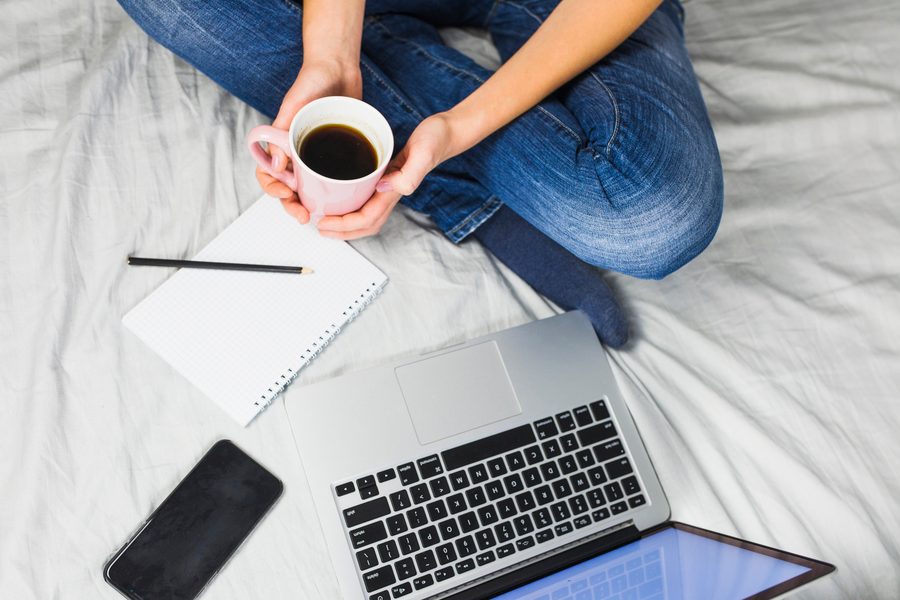
What Does “Message-Only” Actually Mean?
A message-only window isn’t a blanket ban on digital contact. It’s a filter. Texts, DMs, urgent work pings, those get through. Social media, news apps, email, and browsers wait until the window closes.
People worry about missing something urgent during this stretch. Understandable, but easy to solve. Mark the handful of apps you actually need as “allowed” in your settings, and critical alerts still land. This isn’t about tuning out the world. It’s about muting everything that isn’t the world. 53% of Americans say they want to reduce their screen time, according to YouGov’s 2025 research. A message-only window is one of the simplest ways to act on that intention without going cold turkey.
How to Set Up the Window: Tech Settings and Physical Distance
Start in your phone’s settings. On iOS, build a Focus called “Morning Messages,” let your messaging apps through, and block everything else. Android users get a similar result through Digital Wellbeing’s app limits and custom modes.
Apple designed Focus to help you concentrate by minimizing distractions. You can group all the apps and widgets tied to a specific Focus onto one Home Screen page, so switching into that mode takes one tap. Learn how to set up a Focus on iPhone. Shortcuts can push the automation further, say, a routine that flips on Morning Messages at 7 a.m. and shuts it off 30 minutes later. Discover how Shortcuts work on macOS and iOS.
Then physically move the phone. Nightstand, not under the pillow. An actual alarm clock is worth the eight dollars if that’s what it takes. That distance alone kills a lot of the checking impulse, and it tends to help sleep too. Test a few durations before you commit to one. Remote workers often land closer to 25 minutes; a parent managing a chaotic morning routine might do fine at 15.
California now requires employers to notify workers about digital boundaries during high-stress periods. Even with that, only 47% of adults schedule any kind of weekly “tech break.” A morning message window is a reasonable place to start building that muscle.
One real-world tradeoff: for anyone coordinating with international teams regularly, delaying non-urgent replies, even by 25 minutes, can create minor friction. A 2025 Microsoft report notes that global teams often lean on near-instant communication during overlapping hours. The mental health upside is real, but people in time-sensitive coordination roles may feel this window disrupt their rhythm, especially around project launches.
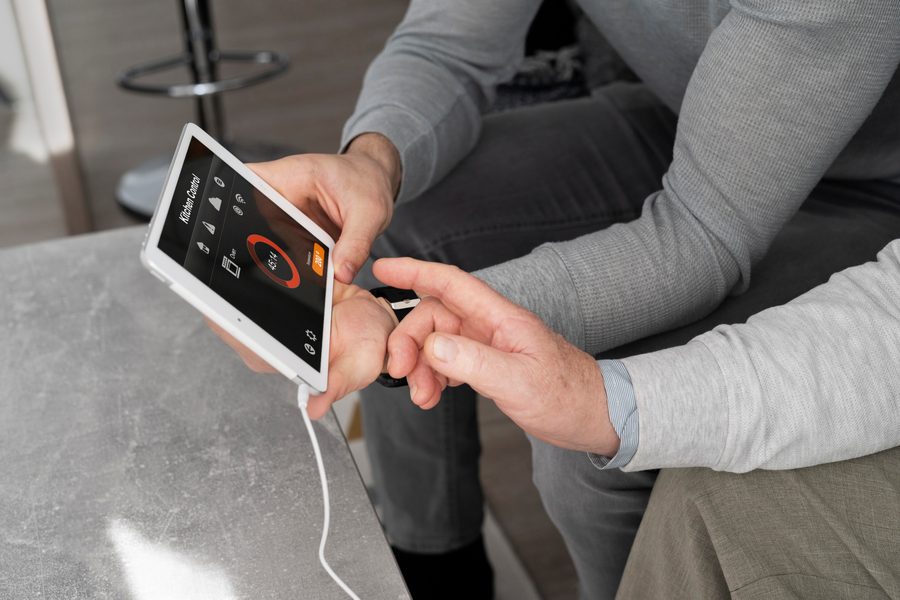
What to Do in the Window, and What Happens Right After
Once it opens, keep it simple. Open the phone, scan the allowed apps, answer what’s urgent. Skip the threads, skip re-reading old messages, skip clicking anything that pulls you sideways. Set a timer for 20 to 30 minutes. When it rings, close the apps and put the phone down, no negotiating with yourself.
Use that transition moment to reset. Drink some water. Stretch for a minute, or breathe slowly for two. The small ritual tells your brain the digital door just shut and the real one just opened.
How to Combine the Window with Other Morning Habits
A message window works better stitched into a couple of non-digital habits than left standing alone. One sequence that tends to hold up: wake, drink water, breathe for two minutes, check messages for 20 to 30 minutes max, then step outside for ten minutes before anything else touches your attention.
Track your mood daily and watch how energy and calm shift by noon. A 2025 University of Michigan study found people who paired digital boundaries with movement reported focus scores 18% higher at midday than those who skipped the movement part. Given that the average person checks their phone 205 times a day, per ConsumerAffairs, cutting even the first dozen checks creates measurable headspace.
Handling Real-Life Challenges and Breaking Old Habits
Say the routine out loud to the people around you. Something like: “I’m only checking messages for 25 minutes in the morning, then I’m offline.” No apology required. Just clarity.
Remote workers in high-pressure roles tend to resist this at first, worried they’ll miss something critical. The research says the opposite tends to happen: scheduled check-ins lower anxiety more than staying on constant alert ever does. Productivity writer David Sparks notes that his ability to concentrate falls apart after a few hours of deep work, which is exactly why front-loading structure matters. Set the boundary early and the rest of the day holds its shape better.
How Long Should My Morning Message-Only Window Be?
Twenty minutes works for most people. Parents and anyone in a high-urgency job might push that to 30. If instant replies are rarely required in your role, try 15 minutes and adjust once you’ve got a week or two of real data on how it feels.
What About Emergencies During the Window?
Set the phone to allow essential apps only, and the important alerts still get through. Anyone working in healthcare or emergency services might want a second device dedicated to urgent lines, just to keep the primary phone’s boundary clean.
Frequently Asked Questions
Can I Use Voice Messages in the Window?
Yes. Voice messages count as messages under this framework. Just keep replies short so the window doesn’t quietly stretch into an hour.
How Do I Stop Myself From Checking Again After?
Leave the phone in another room, use a physical alarm clock, or set a reminder to check back later. Filling the gap with something intentional, reading, stretching, journaling, cuts the urge to check. Using Focus on iPhone can help automate this shift.
Does This Work for People With Mental Health Conditions?
For many, yes. Digital boundaries often quiet the rumination tied to anxiety or depression. If messaging is your lifeline to a support system, carve out a separate check-in slot instead of cutting access entirely during your morning window. The APA notes that structured digital breaks can ease symptoms when practiced consistently.
What Apps Should I Include in the Message-Only Window?
Stick to core messaging platforms: iMessage, WhatsApp, Slack, Signal, or whatever your workplace uses for chat. Leave out email, social media, news, and browser tabs. The goal is intentional, urgent communication only, nothing more.
Can I Set Up a Reminder to Start the Window?
Yes. Your phone’s built-in calendar or reminder app works fine. iPhone users can even train Siri to say: “Start my Morning Messages window.” Little touches like that build routine without forcing manual activation every day.
Is There a Benefit to Adding a Physical Ritual Before Checking Messages?
Yes. Drinking water, stretching, or breathing for two minutes tells your brain you’re moving from rest into focus. These small pre-checking rituals blunt cortisol spikes and sharpen mental clarity early in the day.
How Do I Handle People Who Need Urgent Answers During the Window?
If Focus mode is set up correctly, urgent messages from approved contacts still come through. A simple reply works: “Received, I’ll follow up after my morning window.” That manages expectations without breaking the boundary.
What If I Accidentally Skip the Window One Day?
It happens. No need to spiral over it. Restart the next day. Consistency beats perfection here, and one missed day won’t undo the benefits you’ve built up.
Can I Apply This to My Workday, Not Just Mornings?
Yes. Same principle, different hours. Create a “message-only” zone during key work periods, like deep work blocks, and let Focus modes limit interruptions. Apple’s Focus feature can manage these transitions throughout the day just as well.
What Are the Tradeoffs of a Morning Message-Only Window?
The main cost is delayed response time on non-urgent messages. That feels uncomfortable at first, especially if constant checking is the norm you’re breaking. But studies show 80% of messages sent during these windows aren’t actually time-sensitive. The long-term payoff, less mental clutter, sharper focus, outweighs the short-term itch.
How Does a Message-Only Window Compare to a Full Digital Detox?
A full detox asks you to step away from all screens for an extended period. A message-only window is narrower and more sustainable. It targets the highest-priority communication while leaving other digital habits intact. For people who can’t disconnect entirely, it delivers meaningful relief without the disruption of a complete blackout.
Why Not Just Check Everything at Once?
Checking messages, email, and social media in one sitting looks efficient but multiplies cognitive load. Each platform pulls attention in a different direction. A single-channel window keeps the mental cost low. You process one stream, close it, and move on. That focus carries into the rest of the morning.
| Time Spent Checking Messages (Unstructured) | Time Spent in Message-Only Window | Reported Midday Focus Score (Average) |
|---|---|---|
| 45–75 minutes | 20–30 minutes | 72/100 |
| 20–30 minutes (scattered) | 25 minutes (structured) | 84/100 |
| 1 hour+ (reactive) | 15 minutes (consistent) | 78/100 |
For context: the average U.S. worker spends about $900 a year on digital tools promising productivity that often add distraction instead. Lean on the phone’s built-in features to enforce these boundaries, no new app purchase needed, and you save that money while keeping the control. Microsoft (2025) found digital friction costs employees roughly $1,200 a year in lost focus, so trimming even part of that adds up fast.
Here’s a real-world math check: if you reduce your daily phone checks from 205 to 185 (a 10% drop due to consistent window use), and you value your time at $20 an hour, you save roughly $2.50 per day. Over a year, that’s $912. That’s more than the $900 average annual spend on digital productivity tools. So if your goal is to reclaim time and reduce mental load, using built-in tools like Focus modes is not just effective, it’s financially sensible.
Related reading: Digital Wind.
Sources
- Microsoft (2025), Breaking Down the Infinite Workday
- McKinsey Global Institute (2025), Average Emails per Day by Knowledge Workers
- American Psychological Association (APA) Workplace Survey (2025)
- YouGov (2025), For Many Americans, Their Smartphone Is the Last Thing They See at Night and the First Thing They See in the Morning
- Reviews.org (2025), Cell Phone Addiction
- ConsumerAffairs (2024), Cell Phone Statistics
- Apple: Focus is a feature that helps you concentrate on a task by minimizing distractions
- Apple: You can put all your apps and widgets related to a particular Focus onto one Home Screen page
- Apple: Shortcuts can automate a wide variety of things, for example, getting directions to the next event on your Calendar
- UC Berkeley School of Information (2025), Digital Wellbeing and Habit Formation Study
- University of Michigan (2025), Digital Boundaries and Midday Focus Study






