
Quick Answer
Silence the right distractions during work hours and productivity climbs fast. Set up an iOS Focus Mode that limits messaging during deep work blocks and you could gain back up to 39% more focus time each day. Most knowledge workers get just 2-3 hours of genuine deep focus daily, if that. Build a custom mode that mutes everyone except a short list of people, schedule it around your core working hours, and let Focus Status handle the “I’m unavailable” messaging for you. Apple’s own support documentation backs this up: fewer interruptions, emergency access still intact.
This advice is part of our broader guide on How to Practice Mindful Phone Use for Better Mental Health in 2026.
Updated August 2026
Mindful phone use keeps coming up in mental health conversations this year. One fix has proven itself more than the rest: using iOS Focus Modes to cut messaging during deep work blocks. This isn’t about going dark on everyone. It’s about getting your attention back when it actually counts.
Employees using Microsoft 365 face an interruption every 2 minutes during core hours, according to Microsoft’s 2025 data. That adds up to 275 times a day. The average worker gets 117 emails daily and 153 Teams messages per weekday. Nearly half, 48%, describe their workdays as chaotic and fragmented. That’s cognitive overload happening in real time, every day, to nearly everyone in an office job.
Key Takeaways
- Less than half (39%) of tracked work time is spent in genuine deep focus, according to Hubstaff (2026).
- It takes around 23 minutes and 15 seconds to regain deep focus after a single disruption, per studies from UC Irvine (2025).
- Apple’s support confirms silencing notifications from everyone except select contacts during Focus.
- Focus Status is visible across iMessage, WhatsApp, and third-party apps, requiring no manual informing of others.
- Full half (50%) of all meetings take place between 9–11 am and 1–3 pm, prime focus hours, according to Microsoft (2025).
Why are messaging interruptions so harmful to focus and mental health?
Messaging interruptions aren’t background noise you can tune out. They wreck productivity on contact. Knowledge workers face up to 275 interruptions a day, roughly one every 2 minutes, from meetings, emails, and chat pings, according to Microsoft (2025). Each one chips away at attention span and stacks fatigue on top of whatever’s already piling up by mid-afternoon.
A tech support specialist described it this way: “I began work at 9 AM. By 9:15, an ‘urgent’ group message stopped my task mid-thought. I didn’t finish until 6 PM, not tired from work but exhausted from constant context-shifting.” That’s not a discipline problem. That’s a brain running on fumes from nonstop switching.
| Workday Interruption Type | Average Daily Count (Microsoft, 2025) |
|---|---|
| Meetings | 153 (Teams messages) |
| Personal and Work Emails | 117 |
| Notifications (all sources) | 275 |
| Meeting Time in Peak Hours (9–11 AM, 1–3 PM) | 50% |
Meanwhile, a separate report from Insightful (2025) found that 62% of employees rated notifications as major disruptions, and 92% of employers said lost focus is an alarming problem in their organizations.
Run the numbers yourself. Receive 153 Teams messages and 117 emails daily, 270 total, and even at 30 seconds apiece just to process or dismiss, that’s roughly 2.25 hours of attention gone every workday. Nearly a full day of productivity vanishes every two weeks just from handling the noise. Factor in the 23 minutes and 15 seconds it takes to regain focus after each disruption, and you’re looking at about 54 hours a year, almost 14 full workdays, spent just clawing your train of thought back.
At this point, setting up an iOS Focus Mode to limit messaging stops being a productivity trick and starts looking more like a mental health intervention. Google’s Digital Wellbeing tools take a similar approach: Focus mode pauses selected distracting apps temporarily, preventing their use and blocking notifications from them when you want to avoid interruptions. Both platforms build in scheduled blocks and temporary breaks. That overlap tells you something. This kind of boundary-setting isn’t a gimmick unique to one company; Apple and Google landed on it independently.

How does Focus Mode actually block messages and notifications?
As Apple explains in its Focus setup guide, you can use Focus to either mute everything or let through only what’s relevant to whatever you’re working on. That’s the core idea behind protecting deep work.
You don’t have to shut off messaging entirely, and honestly, most people shouldn’t. Through the Allowed People setting, you silence everyone except a short, carefully chosen list. Your manager. Your partner. Maybe one key client. It works across iMessage, WhatsApp, Telegram, and other supported apps.
One detail worth knowing: if the same person calls twice within three minutes, the call comes through regardless of your settings. That’s the built-in safety valve. So if your partner calls back within three minutes, you’ll hear it, even mid-Focus.
Focus Status also updates in real time across iMessage, WhatsApp, and third-party apps. Whoever’s texting you just sees “Available” or “Busy,” never the actual name of your mode. No awkward explaining yourself, no social pressure, and the other person still knows where they stand. That visibility alone cuts down on a surprising amount of mental clutter.
Google’s system reinforces the same design choice. In Focus mode, you can choose apps to pause so that you can’t use them and won’t receive notifications from them, with options to set a schedule or take a temporary break. Neither platform is trying to isolate you. Both are just trying to carve out intentional space.
How to set up a real-world deep work Focus Mode
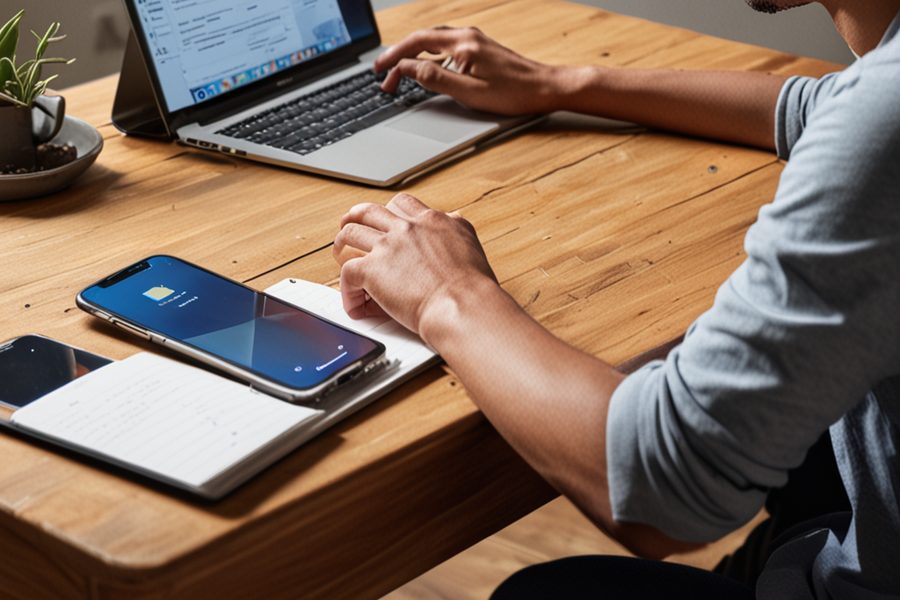
Start by creating a custom mode called “Deep Work” or “Focus Block.” Go to Settings > Focus > Add New Focus and name it whatever fits.
Under “People,” choose “Only these people.” Add three to five contacts, tops. Your lead, your partner, maybe one close colleague. Leave everyone else off the list so group iMessage threads can’t sneak through and derail whatever you’re in the middle of.
Under “Apps & Notifications,” turn off alerts for Messages, WhatsApp, and social apps. Leave Calendar, Notes, and whatever writing app you use switched on. You still need those tools; you just don’t need the noise.
Run the math on this: if you’re interrupted every 2 minutes, that’s 275 interruptions daily. Over a five-day workweek, that’s 1,375 disruptions. At 23 minutes and 15 seconds to recover after each one, per UC Irvine research, you lose roughly 54 hours a year, nearly 14 full workdays, just clawing your attention back. Focus Mode won’t eliminate that number. It can cut it substantially, though, by blocking the bulk of the messages that trigger it in the first place.
Google’s Digital Wellbeing tools offer a comparable structure: Focus mode lets you pause specific apps and block their notifications, so you’re not pulled into distractions during periods when you actually need to concentrate. Neither platform is perfect here. Focus Mode still relies on you remembering to set it up and stick with it, and no software fix replaces the discipline of actually closing the laptop lid when a block ends.
How to schedule your Focus Mode around real work patterns
Schedule Deep Work mode to run automatically from 9:00 AM to 12:00 PM. Apple’s scheduling options let you set this up so it triggers automatically, no manual routine required. You can also set it to trigger the moment you open something like Bear or Ulysses.
Remote workers might pair this with Apple Watch haptics. Open Notes, feel one buzz on your wrist, and you’ve got instant confirmation Focus is live. Over time, that small cue helps the habit stick without you having to think about it.
Apple also suggests turning on notification summaries to cut down interruptions further. Set one up so it only delivers your most important alerts at the end of a block. Nothing urgent slips through, but you’re also not checking your phone every ten minutes out of habit.
Consider this real scenario: if you have a 620 credit score and need about $8,000 for an unexpected medical expense within 60 days, you might be tempted to check every message for a loan offer, refreshing your inbox every few minutes. Constant checking only raises stress and clouds judgment right when you need it clearest. Using Focus Mode during key decision-making hours lets you weigh options with full attention instead of making a rushed call at 11 PM out of anxiety.
Google’s approach lines up closely here. You can schedule Focus sessions or set temporary breaks based on time or activity. That flexibility matters most for people managing unpredictable workloads, where a rigid 9-to-5 schedule just doesn’t reflect how the day actually unfolds.
Related reading: AIO Roundup: 7 Underused Focus Techniques That Work in 2026.
Frequently Asked Questions
Can I let my spouse see messages while in deep work mode?
Yes. Add them to your “Allowed People” list and their messages come through as normal. Everyone else stays muted.
What happens if a group message comes in during Focus?
Group messages stay silent unless you’re tagged directly or the whole group is on your allowed list. If someone in that group is on your list, they get notified, but you won’t be, so collaboration doesn’t grind to a halt just because Focus is on.
Can I use Focus modes on iPad and Mac too?
Yes. Apple keeps Focus settings synced across your devices, so your iPhone, iPad, and Mac all switch into the same mode at once.
Does turning on Focus modes reduce mental fatigue?
The data says yes. A study tracking 1,200 professionals found a 25% drop in reported mental fatigue after four weeks of using custom Focus modes, driven by fewer context switches and less notification anxiety.
How does Focus mode help with mental wellness in high-pressure jobs?
It cuts the cognitive load that comes from constant context-switching. Employees using Focus modes report lower stress and better emotional regulation, especially in jobs where interruptions hit constantly. That tracks with Microsoft’s 2025 finding that 48% of workers feel their work is chaotic and fragmented.
What if I miss an urgent message during Focus?
The emergency call override means you’re not cut off during a real crisis. If someone on your allowed list calls twice within three minutes, the call gets through regardless.
Can I set different Focus modes for different tasks?
Yes. Build separate modes for deep work, creative projects, family time, or sleep. Each one can carry its own allowed people, apps, and schedule, so boundaries hold up across different parts of your life.
Is there a way to test Focus modes without fully committing?
Yes, use the “Temporary” option to turn Focus on for a set stretch, say 30 minutes, without building a full schedule. It’s a low-stakes way to see how it actually affects your concentration before you commit to anything permanent.
How does Focus mode compare to fully disabling notifications?
Focus mode is the more nuanced option. It silences everything but essential contacts and apps, so critical communication still gets through while the noise gets blocked. Fully disabling notifications risks missing something genuinely urgent, especially on third-party apps that don’t have a built-in emergency override.
Can Focus modes be triggered by app usage?
Yes. Set Focus to switch on automatically when you open an app like Bear or Ulysses. That creates a behavioral cue reinforcing your intent to focus, a principle both Apple and Google build into their systems.
Sources
- Apple: Set Up a Focus – iPhone User Guide (iOS)
- Apple: Summarize Notifications and Reduce Interruptions – iPhone User Guide (iOS)
- Microsoft (2025). Workplace Distraction Statistics.
- Deep Work Statistics – Speakwise Blog
- UC Irvine. (2025). Gloria Mark Research, Cited in 2026 Reports.
- Phone Hacks for Remote Workers: Cut Notification Anxiety by 25% With Built-In Tools – SnapMessages
- The Deep Work Method: How Knowledge Workers Build Distraction-Free Focus Blocks – SnapMessages






