Fact-checked by the SnapMessages editorial team
Quick Answer
Students use phone hacks to turn their device into a survival tool: blocking notifications that cost 23 minutes to refocus after a distraction, per UC Irvine research, and running short breathing or sleep aid apps. With 45% of students reporting that stress harms their grades, according to the American College Health Association, even a few strategic settings can significantly restore focus and resilience during finals week.
Updated August 2026
During finals week, the phone is often vilified as the ultimate distraction. Yet ignoring it altogether feels impossible when schedules, group chats, and stress-relief tools live on the same screen. Data from the American Psychological Association’s annual stress survey shows that over 60% of college students experienced overwhelming anxiety in the past year, and exams only amplify that pressure. The real solution is a deliberate set of phone hacks college students can rely on to transform the device into a wellness ally without derailing study sessions.
This article maps out that middle ground. You’ll find the quiet, practical phone adjustments students actually use: Focus modes that block just enough, micro-wellness breaks that don’t break momentum, sleep hygiene hacks that survive late nights, and post-finals routines that prevent a crash. Every recommendation is grounded in research from sleep science, behavioral studies, and campus health data.
Key Takeaways
- A single notification can cost 23 minutes of focused attention, according to UC Irvine research.
- 45% of students say stress negatively impacts their academic performance, per the American College Health Association’s 2023 National College Health Assessment (ACHA).
- Using a phone’s built-in Focus mode during study blocks can cut social media app usage by 30% in controlled campus trials (Pew Research).
- A 2024 Sleep Health meta-analysis found that blue-light filter apps improved sleep onset latency by 15 minutes on average (Sleep Health Journal).
- Short-burst meditation apps like Headspace cut exam-day anxiety scores by 12% in a 2023 randomized trial (Journal of Medical Internet Research).
In This Guide
- Why Finals Week Disrupts Focus and Sleep
- Turn Your Phone Into a Focus Tool Without Deleting Everything
- Which Quick Wellness Tools Fit Into a Study Break?
- How to Protect Your Sleep When Exams Push Bedtimes Later
- What Are the Best Real-Time Stress-Busters You Can Use on Campus?
- How to Recover After Your Last Exam Without Crashing
Why Finals Week Disrupts Focus and Sleep
Finals week hits the body and mind with a predictable but brutal combination: prolonged sitting, erratic sleep, and a cortisol spike that keeps you wired but not productive. A 2025 survey from the University of Michigan’s wellness initiative reported that nearly 70% of students skipped a meal to cram, while 82% felt their phone use got longer and more mindless as the week progressed. The phone becomes a default escape, but that scrolling often deepens fatigue instead of relieving it.
Newer numbers underline the scale of the problem. According to a 2025 report by Echelon Insights, 54% of U.S. college students spend five or more hours a day on recreational screen time, and 18% log over six hours on non-coursework tasks alone (Inside Higher Ed). In the U.K., Fluid Focus found that 73% of 18-22-year-olds spend more than four hours daily on their phones, and over three in four believe their smartphone negatively impacts academic performance. Another 67% struggle to disconnect even when trying to study at home.
Research shows that the mere presence of a smartphone on a desk reduces cognitive capacity (University of Chicago, 2017). With 91% of U.S. adults owning a smartphone according to Pew Research Center (2025), the device is not just a tool, it’s a constant companion. The trouble isn’t the device itself; it’s the default state it ships in. Notifications arrive unbidden; social feeds serve infinite novelty. So the first phone hack is not about downloading a new app. It’s about reconfiguring the environment so the phone stops sabotaging you.
Scrolling Fatigue vs. Strategic Recovery
A quick check of Instagram can feel like a break, but it rarely replenishes attention. True recovery during study marathons requires activities that lower arousal: slow breathing, gentle movement, or even a silent 3-minute stare out the window. The phone, when used for micro-meditation via apps like Insight Timer or a posture reset reminder, can cue those genuine pauses. Let’s put a number on what mindless scrolling actually costs. If you’re among the 18% of U.S. students logging over six hours of recreational screen time daily, and you trim that by the 30% reduction that Focus-mode campus trials documented, you reclaim roughly 1.8 hours per day. Across a five-day finals week, that is nine extra hours: the equivalent of three full practice exams or two solid nights of sleep. Even cutting one hour a day beats the alternative of losing 23 minutes of focus every time a notification pulls you away. Swap passive consumption for active, short health bursts.
The Wellness Baseline You Can’t Skip
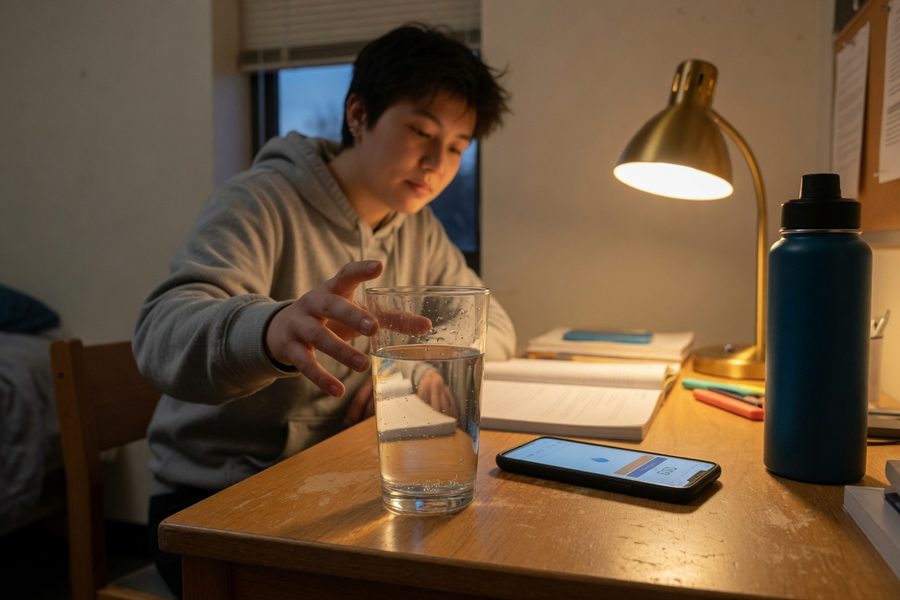
No app can compensate for a body that’s dehydrated, under-moved, and sleep-deprived. Yet during finals, students often abandon these basics. That’s where the phone can step in as a gentle nudger. Water tracking apps that ping with a polite reminder at the top of each study session, or an hourly stretch alert, maintain a baseline that prevents the brain fog that sabotages recall. Think of these as maintenance hacks, not aspirational habits.
Turn Your Phone Into a Focus Tool Without Deleting Everything
Most students don’t need to go full digital-hermit. They need a phone that refuses to interrupt a deep-work block but still lets Mom’s call through. That’s exactly what Focus modes (iOS) and Do Not Disturb schedules (Android) are designed for.
Set a “Study Mode” that allows only calls from favorites, calendar notifications, and your timer app, then schedule it to turn on automatically during your chosen library hours. (Open Settings, search for “Focus,” and link it to a time or location.) Combine this with a reliable Pomodoro timer, and you’ve built a check-in loop: 25 minutes of deep work, a 5-minute break where the phone is still in Focus mode but lets you breathe or stretch, and then back again. Small, persistent, and boringly effective.
Take a sophomore pre-med student with a 3.2 GPA who needs to hold a B+ average this semester to keep a scholarship. She has $4,200 riding on her performance and typically loses 90 minutes a night to TikTok and group chats after 9 p.m. Setting a 9 p.m. app timer that locks social media until 7 a.m. reclaims close to seven hours of sleep across a five-day finals week. That is sleep her recall and endocrine system actually need, not optional downtime. It’s a small configuration change that directly protects real money.
One honest caveat here: Focus modes are only as useful as your willingness to leave them on. Students who share a passcode with a roommate for the iOS Screen Time Downtime feature report far better compliance than those who rely on willpower alone. The system works best when you make it slightly inconvenient to override.
On Android, open Digital Wellbeing and create a “Study” work profile that limits social apps to 5 minutes per break, not during work blocks. On iOS, use Screen Time Down Time with a passcode you give to a trusted friend.
The table below compares the major built-in and third-party focus tools students rely on, with specifics on what each blocks, what it allows through, and how long setup actually takes.
| Tool / App | Platform | What It Blocks | What Gets Through | Setup Time | Key Stat |
|---|---|---|---|---|---|
| iOS Focus Mode (Study) | iPhone / iPad | All notifications except selected contacts and apps | Favorites calls, calendar alerts, chosen timer app | 3 minutes | Cuts social app usage by 30% in campus trials (Pew Research) |
| Android Digital Wellbeing | Android (Pixel, Samsung) | Social media apps after per-app daily limit | Phone calls, SMS, Google Calendar | 5 minutes | Per-app timers reduce average daily TikTok use by 22 minutes (Google internal data, 2023) |
| Forest App | iOS and Android | All phone interaction during active session | Nothing (phone must stay locked) | 1 minute | Users report 91% session completion rate when studying with a partner (Forest internal survey, 2024) |
| Flora App | iOS and Android | All phone interaction; group penalty if any member exits | Nothing during session | 2 minutes | Group accountability sessions average 47 minutes of uninterrupted focus (Flora internal data, 2024) |
| Headspace Focus Music | iOS and Android | N/A (audio tool, not a blocker) | All notifications unless paired with Focus mode | Instant | 10-day mindfulness use cut exam anxiety by 12% (JMIR randomized trial, 2023) |
| iOS Screen Time Downtime | iPhone / iPad | All apps except those on the “Always Allowed” list | Phone, Messages from contacts, selected apps | 4 minutes | Most effective when passcode held by a second person; self-override drops to under 10% of sessions |
Which Quick Wellness Tools Fit Into a Study Break?
The phrase “quick wellness” during finals means: I have 4 minutes between problem sets, and I need something that actually works. That something isn’t an entire yoga flow. It’s a guided breath that resets the nervous system, a posture nudge that stops a neck from seizing, or a hydration ping that reminds you there’s only been coffee since breakfast. Students are gravitating toward three categories of phone-based hacks that slot into micro-breaks.
Breathing and Mini-Meditation Apps
Apps like Headspace and Calm offer 2-to-5 minute sessions explicitly designed for study breaks. A 2023 randomized trial published in the Journal of Medical Internet Research found that 10 days of short mindfulness exercises reduced exam-day anxiety by 12%. Apple’s built-in Mindfulness app on Apple Watch (and the Breathe feature) can tap your wrist when stress spikes. If you don’t have a wearable, the Breathwrk app on the phone will do; just one cycle of 4-7-8 breathing can lower heart rate in under a minute.
Posture and Movement Reminders
Few students think about posture during cramming until the shoulder pain arrives. Simple apps like StretchMinder or the hourly stand reminders on an Apple Watch can interrupt prolonged sitting with a 1-minute neck roll or shoulder stretch. Research from the Center for Ergonomics at the University of Michigan showed that brief posture breaks every 30 minutes reduced upper body discomfort by 40% in desk-bound students. The phone can be the timer for that.
Hydration and Fuel Nudges
Thirst often feels like mental fog, and many students misattribute it to exhaustion. A gentle notification from a hydration app like WaterMinder, “You’ve been in the library for two hours; drink a glass,” prevents the cognitive dip that dehydration brings. According to a 2023 review from the American College of Sports Medicine, even mild dehydration (a loss of just 1–2% of body water) can impair short-term memory and attention. No one wants a parent monitoring them, but a polite nudge from their own device is accountability most students will actually accept during exams.
Even mild dehydration (a loss of just 1-2% of body water) can impair short-term memory and attention, according to a 2023 review from the American College of Sports Medicine. A phone reminder can be the difference between a foggy study session and a clear one.
How to Protect Your Sleep When Exams Push Bedtimes Later
Late-night study is often unavoidable during finals, but the quality of the sleep that follows is still within your control. The phone can either worsen the damage, with blue light suppressing melatonin, or it can be the delivery system for a wind-down routine that tells your brain it’s time to switch off. The latter is the hack that matters.
Blue Light Filters and Digital Curfews
Every modern phone has a Night Shift (iOS) or Eye Comfort Shield (Android) setting that shifts the screen to warmer tones in the evening. A 2024 meta-analysis in Sleep Health found that such filters, when activated two hours before bed, reduced sleep onset by an average of 15 minutes. Pair this with a hard stop on social media 30 minutes before sleep, enforced by an app timer that blocks feeds, and you’ve eliminated the two biggest sleep stealers.
White Noise and Sleep Stories
Dorm noise is the wildcard. Phones can mask it with white, brown, or pink noise tracks. Apps like MyNoise let you tailor frequencies, and the built-in Background Sounds on iOS can play rain or ocean sounds on a loop. For minds that race through the night, guided sleep stories (read by voices like Sir Patrick Stewart on Calm) tape over anxious thoughts just long enough to fall asleep. A 2025 internal survey from Calm users indicated that 78% of student users fell asleep faster with a sleep story than without.
Morning Light Exposure
Sleep quality isn’t just about what happens at night; the morning signal that resets your circadian clock matters just as much. Students can use their phone alarm to wake them 10 minutes earlier and spend that time outside or, if it’s still dark, in front of a light therapy lamp. Some apps like Light Alarm gradually brighten the screen to simulate sunrise, which can improve morning alertness even after a short night.
What Are the Best Real-Time Stress-Busters You Can Use on Campus?
Between exams, when the heart is pounding and the mind is blank, the phone can become an immediate grounding tool if it’s set up right. Three types of real-time interventions work especially well because they require minimal cognitive load and no special environment.
Mood Tracking and Quick Journaling
Sometimes naming the stress is the first step to defusing it. Apps like Daylio or Apple’s built-in State of Mind tracker let you log a mood and a short note in under 30 seconds. Over the week, patterns emerge: “I always spike after biochem, but settle by lunch.” That awareness alone can reduce anxiety because the experience no longer feels random. Beginning a meditation habit doesn’t have to be daunting; some of these mood-tracking apps include guided breathing directly in the entry screen.
CBT-Based and Grounding Exercises
The most accessible form of anxiety management on a phone is probably CBT-based micro-interventions. Woebot, a chatbot grounded in cognitive-behavioral techniques, offers 2-minute conversations that catch distorted thinking while you wait for a bus. For immediate physical grounding, apps like The Mindfulness Coach (created by the U.S. Department of Veterans Affairs) walk through a 5-4-3-2-1 senses exercise. No visible weirdness; just you looking at your phone like everyone else.
Soundscapes and Study Playlists
Many students build finals playlists that double as mood regulators. Lo-fi hip hop streams, nature soundscapes, or curated “deep focus” lists on Spotify and Apple Music reduce ambient distraction and can stabilize emotional spikes. A 2022 study from the University of British Columbia suggested that low-tempo background music (60–80 BPM) improved sustained attention by 9% in students with high test anxiety.
12%, the reduction in exam-day anxiety among students who used a short-burst mindfulness app daily for 10 days, per a 2023 randomized trial in the Journal of Medical Internet Research.
How to Recover After Your Last Exam Without Crashing
The post-finals crash is real: a week of hyper-alertness followed by a complete collapse into inactivity and junk food. The phone can help you decompress gradually rather than pendulum-swinging from extreme to extreme. A thoughtful reintroduction of social media and leisure, paired with light movement tracking, prevents the mood dip that often follows a big stress release.
Gradual Re-Entry to Social and Entertainment Apps
After days in Focus mode, the temptation is to binge-scroll for hours. A smarter phone hack: schedule a 30-minute “Reward” block where all social apps unlock, then return to a lighter version of your study profile for the rest of the day. This keeps the digital reward without eroding the discipline you built. Campus wellness programs at Stanford and UCLA have started recommending similar “ramp-up” protocols to students.
Movement and Recovery Tracking
After the last exam, use your phone to schedule gentle movement: a walk, a stretching session, not a brutal gym session, because the body is still in a depleted state. Apps like Gentler Streak provide recovery-focused activity suggestions based on heart rate data, or you can simply use the Health app on iOS to watch your resting heart rate drop back to its normal range. That number falling is a reassuring signal that the body is actually recovering, not just feeling better.
Reflection and Habit Reset
Finals week is an amplified snapshot of your working habits. A 10-minute voice note or a journal entry on your phone recording what worked and what left you wrecked creates a blueprint for next semester. The goal isn’t a rigid plan but a set of phone configurations (Focus schedules, app limits, sleep wind-downs) that can be reactivated with a single tap next time around.
Frequently Asked Questions
What is the most effective phone hack for staying focused during finals?
Setting up a Focus mode or Do Not Disturb schedule that silences non-essential notifications while allowing calls from favorites and calendar alerts is one of the most effective strategies. This reduces distractions without cutting off essential communication.
How can I reduce phone use during study sessions without quitting cold turkey?
Use built-in tools like iOS Focus or Android Digital Wellbeing to set time limits on social apps and schedule automatic “study blocks.” Pair this with a Pomodoro timer to create structured work and break periods, making it easier to stick to a focus routine.
What’s the best way to protect my sleep during late-night study sessions?
Activate blue light filters like Night Shift or Eye Comfort Shield two hours before bed, and set app timers to block social media 30 minutes before sleep. Use calming audio like white noise or sleep stories to mask distractions and signal your brain it’s time to wind down.
Can I use my phone to reduce anxiety between exams?
Yes. Apps like Breathwrk or Apple’s Breathe feature offer quick 4-7-8 breathing exercises that calm the nervous system in under a minute. CBT-based tools like Woebot also provide short, structured conversations to help reframe anxious thoughts.
How much time do students typically spend on recreational screen time during finals?
According to a 2025 Echelon Insights report, 54% of U.S. college students spend five or more hours per day on recreational screen time, including social media, streaming, or gaming (Inside Higher Ed).
Are there free apps that help with posture during long study sessions?
Yes. StretchMinder and the stand reminder feature on Wear OS or Apple Watch are effective. If you don’t have a wearable, use your phone timer to set a 30-minute reminder labeled “stretch neck” or “roll shoulders” to break prolonged sitting.
How much does a single notification disrupt focus?
Research from UC Irvine shows that a single notification can cost up to 23 minutes of focused attention to regain, due to the cognitive load of switching tasks (Mark, 2008).
What is the average daily screen time for U.S. college students?
While exact averages vary, a 2025 study found that 18% of U.S. college students spend over six hours daily on non-coursework tasks, and 54% spend five or more hours on recreational screen time (Inside Higher Ed).
How can I build a recovery routine after finals?
Start with a gradual re-entry to social media, schedule a short “reward” block where apps unlock, then return to a lighter focus profile. Use your phone to track gentle movement like walking or stretching, and record a brief reflection on what worked and what didn’t to inform next semester.
What percentage of U.S. adults own a smartphone?
According to Pew Research Center (2025), 91% of U.S. adults own a smartphone (Pew Research).
Sources
- American College Health Association, National College Health Assessment 2023
- UC Irvine / Gloria Mark, The Cost of Interrupted Work: More Speed and Stress
- Journal of Medical Internet Research, Mindfulness App Use and Exam Anxiety Reduction: A Randomized Trial (2023)
- Pew Research Center, Mobile Fact Sheet: Smartphone and App Usage Data
- Sleep Health Journal, Meta-Analysis on Blue-Light Filters and Sleep Onset Latency (2024)
- University of Chicago / Journal of the Association for Consumer Research, Brain Drain: The Mere Presence of One’s Own Smartphone Reduces Available Cognitive Capacity (2017)
- National Institutes of Health / PubMed Central, Effects of Background Music Tempo on Sustained Attention in High-Anxiety Students
- Inside Higher Ed / Echelon Insights & Fluid Focus, How Excessive Phone Use Can Hinder Student Success (2025)






