Fact-checked by the SnapMessages editorial team
Quick Answer
The best productivity apps for night shift workers address sleep scheduling first, then circadian alignment, then task management. Start with a shift-aware sleep app like SleepSync, add a circadian-scheduling tool like Timeshifter, and layer in a shift calendar and focus app. Most workers notice meaningful improvement within 2 weeks of consistent use.
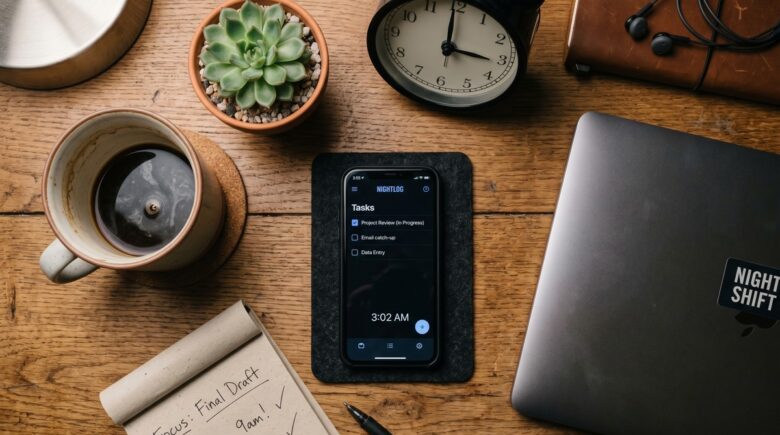
The best productivity apps night shift workers should reach for first are not task managers or to-do lists. They are sleep and circadian tools, because no amount of scheduling optimization can overcome a body running on fewer than six hours of fragmented daytime sleep. NIOSH data shows that night shift workers face a 28% higher risk of accidents and errors compared with day-shift colleagues, and that figure is tied directly to the quality and quantity of sleep they protect between shifts.
Demand for tools in this space is rising fast. The global productivity app market generated $32.5 billion in 2024, a 17.3% increase over the prior year, largely driven by AI-assisted scheduling and wellness integrations. Yet most of that development has been aimed squarely at 9-to-5 professionals. Night workers, nurses, logistics coordinators, emergency responders, factory technicians, hospitality staff, are an afterthought in most app stores.
This guide is for anyone whose alarm goes off at 9 PM. It covers every layer of the productivity stack, from protecting daytime sleep to managing focus at 4 AM to keeping your nutrition and relationships functional on a reversed schedule. Work through the steps in order; each one builds on the one before it.
Key Takeaways
- More than 26.5% of shift workers meet criteria for Shift Work Disorder, according to a systematic review of 29 studies published in PubMed Central, meaning over one in four are dealing with a recognized clinical condition, not just tiredness.
- A two-week trial of the personalized sleep app SleepSync found participants slept an average of 29 minutes longer per night, with more than 80% reporting improved sleep quality, per Monash University’s Turner Institute for Brain and Mental Health.
- Light exposure timing is the single most powerful lever for circadian adaptation, getting it wrong can worsen misalignment, which is why light-management apps like Timeshifter are categorically different from simple blue-light screen filters.
- Standard calendar and task apps reset at midnight and schedule reminders at 7 AM, creating daily friction for workers whose shift spans two calendar dates, purpose-built shift schedulers like MyShiftPlanner and Homebase solve this directly.
- Night shift workers eat more erratically and snack more after midnight than day workers, a pattern documented across 31 studies and 18,000+ participants, meaning nutrition apps built around breakfast-centric meal logic actively work against this group.
- No app fully counteracts circadian misalignment. The tools in this guide are harm-reduction and optimization aids, not cures, and workers with persistent sleep disruption should seek evaluation from a sleep medicine specialist, as recommended by the American Academy of Sleep Medicine.
In This Guide
- Step 1: Why Standard Productivity Apps Work Against Night Shift Workers
- Step 2: Protect Daytime Sleep, The Foundation of Everything Else
- Step 3: Add a Circadian Reset App (The Category Most Articles Ignore)
- Step 4: Set Up a Shift Calendar That Understands Non-Linear Weeks
- Step 5: How Do I Stay Focused and Manage Tasks During the Night Shift?
- Step 6: Which Nutrition and Fitness Apps Actually Work for a Reversed Schedule?
- Step 7: Mental Health Tools and Building Your Final App Stack
Step 1: Why Standard Productivity Apps Work Against Night Shift Workers
Most mainstream productivity apps are not neutral. They are built on assumptions that actively conflict with a night shift schedule. Recognizing these friction points is the first step to building a stack that actually helps.
The 9-to-5 Architecture Problem
Open almost any popular task manager or calendar app, Google Calendar, Apple Reminders, Microsoft To Do, Notion, and you will find the same structural choices: daily task lists that reset at midnight, “morning reminder” defaults set around 7 AM, sleep tracking that celebrates eight hours ending by 8 AM, and step-goal notifications that fire mid-afternoon. For a nurse finishing a 12-hour overnight shift at 7 AM, that 7 AM reminder arrives as she is finally trying to fall asleep. For a warehouse operator whose “Wednesday” spans Tuesday night to Wednesday morning, a midnight reset splits a single shift into two separate workdays. These are not minor annoyances. They create daily cognitive friction at exactly the moments when cognitive load is already highest.
Fitness apps compound the problem. Most default “active hours” windows run 6 AM to 10 PM. A logistics coordinator who walks eight miles during a 10 PM to 6 AM shift will often find those steps deprioritized, her sleep window flagged as “inactive,” and her hydration reminders firing while she is deep in daytime sleep. Apps from Apple Health, Fitbit, and Samsung Health all share this default-window bias. They are not broken, they are just not designed for her.
The Biological Reality Behind the Friction
This matters because productivity for night shift workers is not purely a scheduling problem. It is a physiological one. The human circadian clock, governed by the suprachiasmatic nucleus in the brain, regulates not just the sleep-wake cycle but also hormone secretion, core body temperature, immune response, and metabolism. Chronic circadian misalignment, working when the body expects sleep, is independently associated with cardiovascular disease, metabolic disorders, type 2 diabetes, and certain cancers. The World Health Organization has classified night shift work as a probable carcinogen based on this evidence. An app that adds friction to an already-stressed system is a real cost, not an inconvenience.
The good news: there are apps built specifically around these realities. The rest of this guide covers them in the order you should adopt them.
Before downloading any new productivity app, check whether it allows a fully custom daily schedule reset, not just a time-zone adjustment. If the app’s “day” always starts at midnight, it will consistently miscalculate your shift productivity and generate reminders at the wrong times.
Step 2: Protect Daytime Sleep, The Foundation of Everything Else
Sleep protection is not a category of wellness app. For night shift workers, it is the most important productivity tool in the entire stack. No focus timer or task manager delivers meaningful results when the person using it is running a chronic sleep debt.
Tracking vs. Scheduling: Two Different Tools for Two Different Problems
Most articles on this topic lump all sleep apps together. They should not. Sleep-tracking apps like Sleep Cycle and the Oura Ring app record what happened to your sleep, stages, disruptions, heart rate variability. Circadian-scheduling apps like SleepSync and Sleepzy help you determine when to sleep based on your specific shift pattern. Night shift workers need both, but for completely different reasons. A tracker tells you your sleep quality was poor last Tuesday. A scheduler tells you that if your shift ends at 7 AM, your optimal sleep window begins at 8:15 AM, not immediately on arriving home.
The Monash University research team built SleepSync specifically around this distinction. Their peer-reviewed trial with 27 shift workers found that a personalized mobile app synced to individual shift schedules improved total sleep time, insomnia severity, sleep quality, anxiety, and stress over just two weeks. Participants slept an average of 29 minutes longer per night, which, over a five-night work week, amounts to roughly 2.4 extra hours of sleep.
The Monash team’s published findings emphasize one consistent theme: sleep interventions that are personalized to a worker’s specific schedule, rather than offering generic advice, are what produce measurable outcomes. Generic “sleep hygiene” tips deliver far weaker results than schedule-matched recommendations.
Automating Your Daytime Sleep Environment
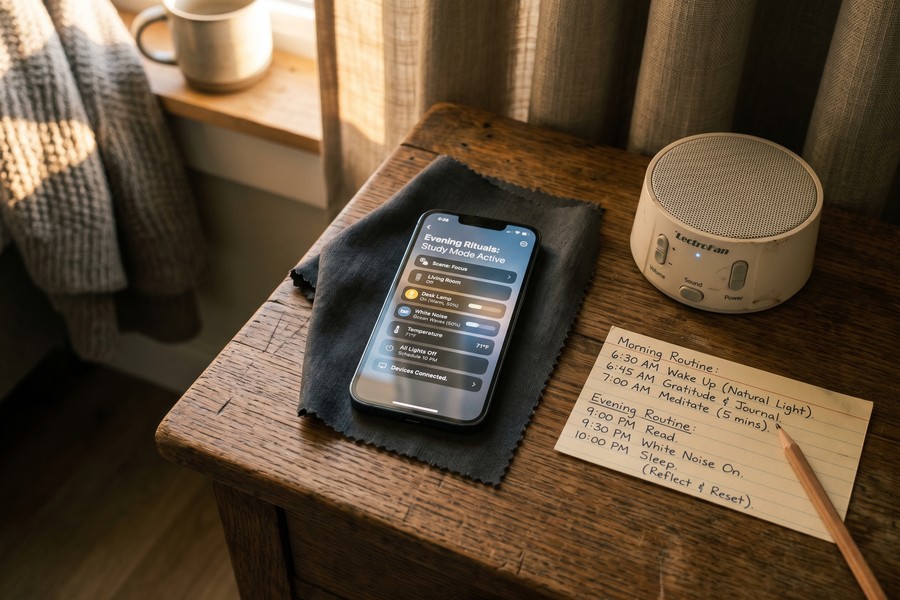
Beyond the sleep app itself, automation is your friend. iPhone Shortcuts and Android automation tools like Tasker can trigger a full “daytime sleep mode”, Do Not Disturb, blackout blinds via a smart home integration, a thermostat drop to around 65–68°F (the range most sleep researchers consider optimal), all activated by a single tap or a time trigger synced to your shift end. If you use an iPhone, the guide on automating repetitive tasks with iPhone Shortcuts covers exactly how to build this kind of trigger chain without writing any code.
The CDC and NIOSH recommend that night shift workers increase bright light exposure during the first half of their shift to stay alert, then wear blue-light-blocking glasses on the commute home to avoid resetting the circadian clock before sleep. An automation routine that dims your phone screen and enables a warm color filter the moment your shift ends supports this recommendation at zero ongoing effort.
More than 50% of night shift healthcare workers sleep 6 or fewer hours per day, well below the clinically recommended minimum of 7 hours. No productivity app can substitute for that missing sleep, which is precisely why sleep tools come first in this stack.
Step 3: Add a Circadian Reset App (The Category Most Articles Ignore)
Once your sleep window is protected, the next priority is managing the circadian clock itself. This is where most productivity app roundups fail night shift workers entirely: they list “blue-light filter apps” as if they are equivalent to circadian science tools. They are not.
Why Light Timing Matters More Than Light Blocking
Timeshifter is the clearest example of a purpose-built circadian tool. Rather than simply filtering your screen, it generates a personalized daily plan, based on your chronotype, specific shift pattern, and off days, that tells you exactly when to seek bright light, when to avoid it, when your last caffeine should be, and when to expect peak fatigue. The underlying science is well-established: light is the strongest known zeitgeber, the primary time cue for the human circadian pacemaker. Mistimed light exposure does not just fail to help; it can actively delay circadian adaptation and worsen sleep quality on subsequent days.
For workers who rotate shifts or have irregular patterns, Timeshifter also addresses the “off-day transition problem” that almost no other app or review covers. When you have two days off and need to partially realign with a daytime social world, a blanket recommendation to “sleep on your regular schedule” is often impractical. Timeshifter generates a modified plan for those transition days specifically, prioritizing the least disruptive re-alignment path.
What to Watch Out For
Circadian apps require honest input data to work. If you enter a “typical” shift pattern but your actual schedule varies week to week, the recommendations will be off. Build the habit of updating the app whenever your schedule changes. Treat it like a medication schedule rather than a set-and-forget tool, that is the right mental model here.
Pair Timeshifter’s light-avoidance alerts with a pair of amber-tinted blue-light-blocking glasses for your commute home. The app tells you when to wear them; the glasses do the mechanical work. This combination costs under $30 and is one of the highest-impact interventions available, according to NIOSH guidance.
| App | Primary Function | Shift-Specific Features | Price (as of Feb 2025) | Best For |
|---|---|---|---|---|
| SleepSync | Sleep scheduling | Shift-synced sleep windows, insomnia support | Free (research app) | Workers needing a personalized sleep schedule |
| Timeshifter | Circadian alignment | Light timing, caffeine cutoffs, off-day plans | $9.99/month or $49.99/year | Rotating or irregular shift workers |
| Sleep Cycle | Sleep tracking | Smart alarm, sleep quality history | Free / $39.99/year premium | Tracking sleep quality trends over weeks |
| MyShiftPlanner | Shift scheduling | Rotating patterns, pay calculation, cross-midnight shifts | Free / $3.99 one-time unlock | Workers with complex rotating patterns |
| Homebase | Shift + team scheduling | Overtime tracking, shared team calendar, payroll | Free for basic / $24.95/month per location | Managers scheduling night shift teams |
| Toggl Track | Time tracking | Cross-midnight time entries, energy pattern reports | Free / $9/user/month premium | Identifying personal energy peaks during shift |
| Forest | Focus / distraction blocking | Team accountability mode, session history | $3.99 one-time (iOS) / Free (Android) | Combating phone distraction at night |
Step 4: Set Up a Shift Calendar That Understands Non-Linear Weeks
Standard calendar apps break when your workday spans two calendar dates. This step is deliberately short because the fix is straightforward, but skipping it creates compounding friction across every other tool in your stack.
MyShiftPlanner and Shifter (Work Shift Calendar) both handle rotating patterns, cross-midnight shifts, and non-standard “weekends” natively. The feature that most night workers underestimate is the shared calendar export. Once your shift schedule lives in a dedicated app, you can share it with a partner or housemate so they can see exactly when your protected sleep hours are, not as a courtesy, but as a boundary-setting health measure. A partner who knows that 8 AM to 4 PM on weekdays is your sleep window is less likely to schedule a noisy home repair or forward calls to the landline during that window. For team managers, Homebase adds payroll integration and overtime tracking alongside the scheduling layer, making it a practical all-in-one for shift-based workplaces. When Work Opportunity Tax Credit (WOTC) compliance or labor law documentation matters, Homebase also generates shift records that HR teams can use directly.
The American Academy of Sleep Medicine classifies Shift Work Disorder as a recognized circadian rhythm disorder, not a lifestyle inconvenience. Planned napping before a night shift, environmental light exposure management, and light restriction after the shift are all AASM-recommended clinical interventions, not just wellness tips.
Step 5: How Do I Stay Focused and Manage Tasks During the Night Shift?
Focus at 4 AM is a different challenge than focus at 10 AM, and the difference is physiological. Most people hit their circadian nadir, the lowest point of alertness in the 24-hour cycle, between 3 AM and 5 AM, regardless of how much sleep they got. Building a task management approach that acknowledges this trough is what separates a useful app from a frustrating one.
Front-Loading Cognitive Work and Tracking Energy Patterns
Toggl Track is particularly useful here because it generates energy-pattern reports over weeks. After two or three weeks of honest time logging, most users can see a clear curve: when their work output is high-quality and fast, and when it slows. For night workers, this data typically shows a productivity window in the first two to three hours of the shift (roughly 10 PM to 1 AM for a 10 PM start), a noticeable dip around 3–5 AM, and a partial recovery before shift end. Front-loading complex tasks, documentation, analysis, decision-making, into that first window and scheduling routine or physical tasks for the nadir window is a concrete, data-driven strategy.
Time tracking that spans two calendar dates is also worth verifying in any tool you choose. Many standard Pomodoro or time-blocking apps close a “session” at midnight and open a new one, which fragments the productivity record for a single shift. If you use Pomodoro timers, look for apps that allow custom session lengths and do not enforce a midnight reset. The guide on Pomodoro timer apps for deep focus includes options with configurable session boundaries that work well for non-standard hours.
Managing Distraction When the World Is Quiet
Distraction at night has a different texture than distraction during the day. Fewer social cues, more phone temptation, less ambient accountability. Forest addresses this with a gamified approach: you plant a virtual tree at the start of a focus session, and it dies if you leave the app. The team accountability mode means colleagues on the same shift can plant trees together, adding a light social layer to shared focus time. It sounds trivial. In practice, the social commitment is surprisingly effective at 3 AM when self-discipline is running low.
Other tools worth considering: Freedom (website and app blocker with scheduled block sessions), Focusmate (virtual co-working with real accountability partners), and Notion for task documentation that does not enforce a midnight-based daily structure. Each solves a slightly different aspect of the night-shift distraction problem.
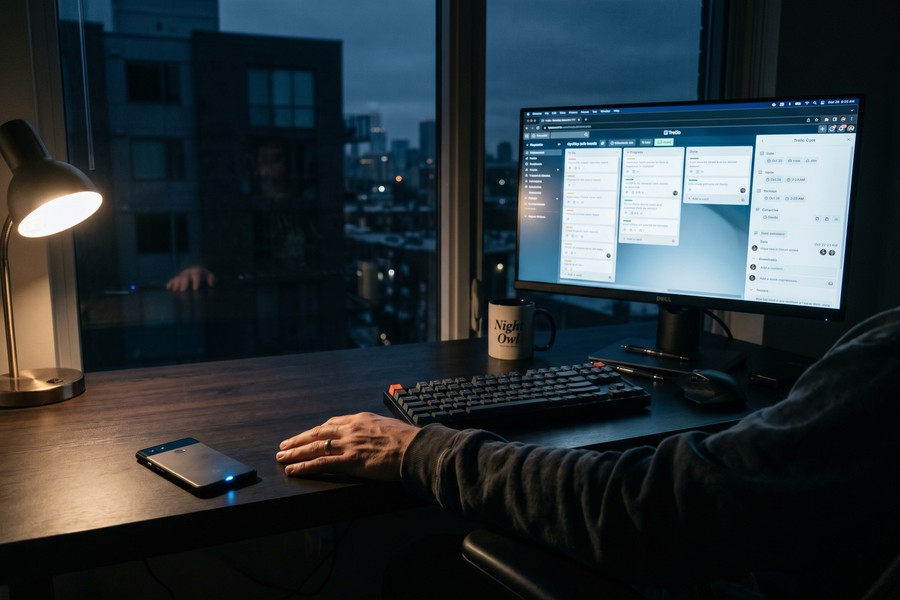
Use Toggl Track for two full work weeks before making any changes to your task schedule. The data will show you your actual energy pattern, which often differs from what you assume. Only then should you start moving task types around your shift timeline.
Step 6: Which Nutrition and Fitness Apps Actually Work for a Reversed Schedule?
This is the category almost entirely absent from competitor articles on productivity apps for night shift workers, and the gap is significant, because both nutrition timing and exercise timing interact directly with sleep quality and circadian health.
Nutrition Apps and the 2 AM Problem
Night shift workers eat more erratically, snack more after midnight, and consume fewer nutrient-dense foods than day workers, a pattern documented across 31 studies and over 18,000 participants. Standard nutrition apps are built around breakfast-centric meal structures: “breakfast,” “lunch,” “dinner,” and a small “snack” category. A worker eating her main meal at 2 AM will find that logging it as “dinner” produces incorrect nutrient pacing recommendations and, in some apps, a guilt-adjacent flag for “late-night eating.”
Look for apps like Cronometer or Lose It! that allow fully custom meal names and do not attach behavioral nudges to meal timing. What you want is pure nutrient logging without assumptions about when eating is appropriate. Avoid apps that automatically send “you haven’t eaten today” alerts tied to a hard-coded morning window, they fire during your sleep and disrupt it. MyFitnessPal, despite its popularity, has this exact problem: its default notification schedule assumes a daytime eater and requires deliberate manual override to stop morning alerts.
Staying adequately hydrated is harder to remember on a night shift, particularly in the hours before your sleep window. Checking out a dedicated hydration tool can help: the best water tracking apps reviewed here include options with fully customizable reminder schedules, so you can set intake goals aligned to your waking hours rather than a default 8 AM to 8 PM window.
Exercise Timing: The Hidden Variable
Vigorous exercise within two to three hours of your intended sleep onset raises core body temperature and cortisol in ways that can delay sleep by 30 to 90 minutes. For a night worker who finishes a shift at 7 AM and plans to sleep by 9 AM, a hard gym session at 7:30 AM is working directly against sleep quality, even though it happens before a “bedtime.” Most fitness app reviews for shift workers simply say “exercise is good.” That is true, but incomplete.
Look for fitness apps like TrainingPeaks or Whoop that allow you to define your own active-window schedule, log workouts tied to your subjective readiness, and track how exercise timing correlates with sleep quality over time. Whoop in particular surfaces a “strain vs. recovery” relationship that night workers can use to identify whether a post-shift workout is helping or hurting their next sleep cycle. Garmin Connect and Polar Flow offer similar recovery-score features and both support custom active-hour windows, worth knowing if you already own hardware from either brand.
“Historically, shift duration guidance has set maximum shift durations in a one-size-fits-all approach that focused primarily on physical fatigue.”
Step 7: Mental Health Tools and Building Your Final App Stack
Social isolation is one of the strongest predictors of depression in shift workers, and it compounds the biological toll of circadian disruption. This belongs in the productivity stack because a worker who is socially disconnected and mentally exhausted is less effective regardless of how well-optimized her task manager is.
Asynchronous Communication and Connection Tools
The friction of maintaining relationships on a reversed schedule is real. Most people in a night worker’s life are asleep when she is active and active when she is asleep. Asynchronous messaging tools, voice memo apps, shared digital journals, and apps like Marco Polo (asynchronous video messaging) reduce this friction considerably. A two-minute voice message left for a partner at 2 AM takes ten seconds to record and can be heard at 8 AM; it maintains connection without requiring synchronized availability. Loom serves the same function in a workplace context, letting night-shift team members record updates for managers who will not be online until morning.
For wind-down before daytime sleep, apps like Calm and Headspace have a specific use case that most reviews miss: they work best for night workers as pre-sleep tools, not nighttime tools. Most reviews describe them as “bedtime” aids without acknowledging that “bedtime” for a night worker is 8 AM. Both apps allow users to set a custom wind-down schedule; use that feature to align their guided sleep programs with your actual sleep window. Similarly, journaling apps with no time-of-day assumptions, like Day One, are effective reflection tools. A daily reflection habit built around your post-shift wind-down is substantively the same practice whether it happens at 7 PM or 7 AM. The best journaling apps for daily reflection and beginner-friendly meditation apps both include options with fully customizable session timing.
When Apps Are Not Enough
A genuine concession is warranted here. No app fully counteracts circadian misalignment. The human circadian pacemaker is not designed to flip completely to a reversed schedule, and the research is clear that even well-adapted night shift workers maintain some degree of biological tension. Apps are harm-reduction and optimization tools; they narrow the gap, they do not close it. With over 26.5% of shift workers meeting diagnostic criteria for Shift Work Disorder, it is worth being direct: if your sleep disruption, mood, or cognitive function is significantly impairing your life, an app is a useful supplement to professional evaluation, not a substitute for it.
Building the Actual Stack
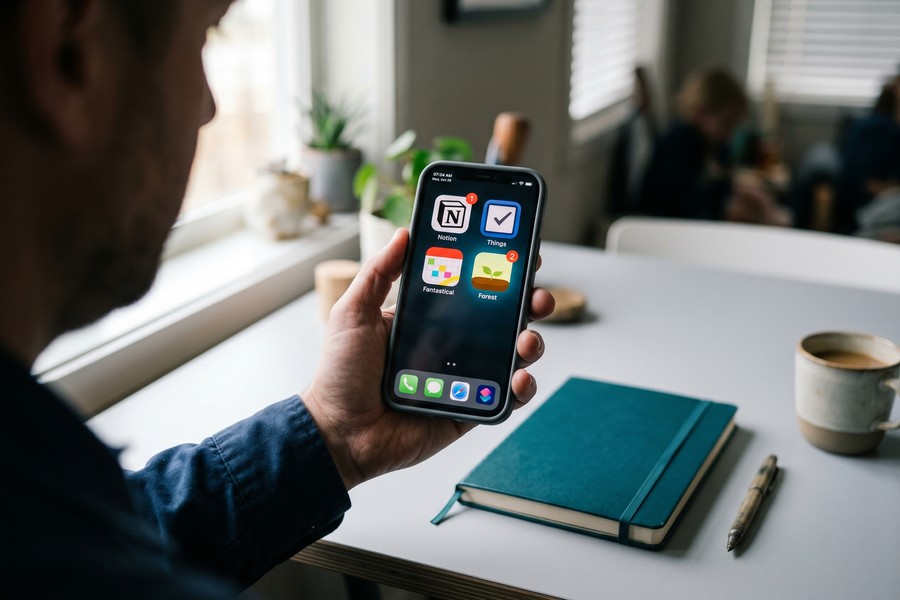
The over-app problem is real. Downloading ten apps creates its own cognitive load and decision fatigue, exactly what night workers have least to spare. A practical starting framework: one circadian or sleep scheduling tool (SleepSync or Timeshifter), one shift calendar (MyShiftPlanner or Homebase), and one focus tool (Forest or Toggl Track). Test each one for two full work weeks before adding anything else.
Integration matters more than quantity. A shift calendar that triggers your Do Not Disturb window automatically, or a sleep tracker whose readiness score informs how aggressively you front-load your shift tasks, delivers compound value that no additional app can replicate. Zapier and IFTTT are worth knowing here: both connect apps that otherwise do not talk to each other, and either one can pipe your Homebase shift schedule into a calendar trigger that activates your Tasker sleep-mode routine on Android. The setup takes an hour. The benefit is daily.
A quick example of what that 29-minute sleep gain is worth: if a night worker currently averages 5.8 hours of sleep on five working nights, the total weekly sleep is 29 hours. Adding 29 minutes per night brings that to approximately 31.4 hours, a gain of roughly 2.4 hours per week, or over 125 hours per year. That is more than five full nights of additional sleep, just from using a personalized scheduling app consistently.
Frequently Asked Questions
What are the best productivity apps specifically designed for night shift workers?
The strongest combination for night shift workers is SleepSync (personalized sleep scheduling), Timeshifter (circadian alignment and light timing), MyShiftPlanner (shift calendar with cross-midnight support), and Toggl Track (energy-pattern time tracking). Each one addresses a different layer of the night-shift productivity problem, sleep protection, circadian alignment, scheduling, and focus management, rather than duplicating the same function. Most mainstream productivity apps are built for 9-to-5 schedules and create friction rather than reducing it for this group.
Can an app actually help me sleep better during the day after a night shift?
Yes, though the mechanism matters. A sleep-tracking app alone will not improve your daytime sleep, it records what happened but does not prescribe when or how to sleep. A scheduling app like SleepSync, which personalizes your sleep window to your specific shift end time, has shown measurable results: a Monash University trial found 29 minutes of additional sleep per night and over 80% of participants reported improved sleep quality in just two weeks. Combining a scheduler with environment automation (phone Do Not Disturb, smart home dimming) produces the strongest effect.
Does the Timeshifter app work for rotating shifts or just fixed night shifts?
Timeshifter handles rotating shifts. You input your specific pattern, including off days and schedule changes, and the app recalculates your light-exposure plan, caffeine cutoff times, and fatigue alerts for each phase. The off-day transition plan is one of its most underrated features: when you have two days off between shift rotations and need to partially align with daytime social life, the app generates the least-disruptive re-alignment path rather than giving one-size advice.
Should I use a Pomodoro timer during a night shift?
Pomodoro timers can be effective during a night shift, but only if they support cross-midnight sessions and custom work-break ratios. Many standard Pomodoro apps reset at midnight, fragmenting your shift record and breaking active focus sessions. Look for apps with configurable session lengths, longer work blocks (45 to 90 minutes) often suit the first half of a night shift better than the classic 25-minute interval, which can feel too short when energy is still relatively high. Adjust the ratio to shorter sessions around the 3–5 AM nadir window.
Which nutrition apps work for people who eat their main meal at 2 AM?
Cronometer and Lose It! are the most flexible options for off-hours eating because they allow fully custom meal labels and do not attach behavioral warnings to late-night logging. Avoid apps with hard-coded breakfast, lunch, and dinner windows that generate “late-night snacking” alerts or “haven’t eaten today” notifications during your sleep hours. The core feature to look for is custom meal timing with no normative assumptions attached, a nutrition app should track what you eat, not when the developers think you should eat it.
Is Shift Work Disorder a real medical condition, or just being tired?
Shift Work Disorder is a recognized circadian rhythm disorder, classified by both the American Academy of Sleep Medicine and the International Classification of Sleep Disorders. A systematic review of 29 studies found a pooled prevalence of 26.5% among shift workers, meaning more than one in four meet clinical criteria. Symptoms include persistent insomnia during intended sleep periods, excessive sleepiness during the shift, and functional impairment. A wellness app may reduce symptom severity, but formal evaluation by a sleep medicine physician is appropriate for workers with significant impairment.
How do I stop my phone from waking me up during daytime sleep?
The most reliable approach is an automated routine rather than manual Do Not Disturb each day. On iPhone, you can build a Shortcuts automation triggered by a specific time or NFC tag that enables Do Not Disturb, silences all notifications except designated emergency contacts, and activates low-power mode simultaneously. Android users can use Digital Wellbeing schedules or Tasker for the same result. The goal is zero-friction execution: the protection activates automatically when your shift ends, so forgetting to enable it manually is not a risk. Pairing this with a shift calendar that knows your schedule makes the whole system self-maintaining.
Sources
- CDC / NIOSH, Night Shift Work and Safety Culture in Health Care (Module 2)
- CDC / NIOSH, Work Hours, Health, and Safety for Nurses: Light Exposure and Sleep (Module 9)
- National Institutes of Health / PubMed Central, Prevalence of Shift Work Disorder: Systematic Review and Meta-Analysis (2021)
- Monash University Turner Institute for Brain and Mental Health, SleepSync Mobile App Trial for Shift Workers
- American Academy of Sleep Medicine, Shift Work Disorder: Symptoms, Causes, and Treatments
- Sleep Review, AASM and SRS Guiding Principles on Work Shift Duration
- Business of Apps, Productivity App Market Revenue and Statistics (2025)
- 3AW, The World-First App That Could Help Shift Workers Get More Sleep (Jade Murray, Monash University)
- National Heart, Lung, and Blood Institute, Sleep Deprivation and Deficiency
- World Health Organization, Shift Work and Cancer Risk Classification
- Sleep Foundation, Shift Work and Sleep: Effects, Risks, and Strategies






