Fact-checked by the SnapMessages editorial team
Quick Answer
For most health-conscious households, a basic TV paired with a streaming stick offers more control over privacy, screen habits, and cognitive load than a fully-featured smart TV on default settings. Streaming sticks start at $35–$60, cover nearly every major app, and, critically, can be physically unplugged. Smart TVs own 68% of U.S. internet households, but ownership does not mean optimal setup.
The smart TV vs streaming stick debate looks like a tech question on the surface, but the device you put in your living room shapes how long you watch, how much data you hand over, and how well you sleep. Both options deliver the same Netflix queue and the same Disney+ library. The real differences show up in your viewing environment, your privacy exposure, and the subtle ways each device is designed to keep you watching longer than you intended.
Streaming is no longer a niche habit. According to a 2024 Parks Associates survey of 8,000 U.S. internet households, 68% own a smart TV and 46% own a dedicated streaming media player. Many households own both, which tells you something important: even people who have a smart TV often reach for a separate stick instead. That behavior gap is worth understanding before you spend a dollar.
This guide is for anyone setting up or rethinking their living room screen, particularly families with children, people managing sleep or anxiety, and anyone who wants their media setup to serve their wellbeing rather than work against it. By the end, you will know exactly which setup fits your household and why.
Key Takeaways
- 68% of U.S. internet households own a smart TV as of Q3 2024, per Parks Associates, but ownership and optimal use are two different things.
- Smart TV Automatic Content Recognition (ACR) captures screenshots every 15–60 seconds by default on Samsung, LG, Vizio, Roku TV, and Fire TV platforms, transmitting viewing data to manufacturers and advertisers without explicit user awareness.
- The FTC’s $2.2 million settlement with Vizio established that covert smart TV tracking violates consumer protection law, confirming the data-collection risk is real and legally recognized.
- Capable 4K HDR streaming sticks cost $35–$60 (Roku Streaming Stick 4K, Fire TV Stick 4K), compared to hundreds of dollars for a smart TV, making a deliberate “dumb TV plus stick” strategy financially accessible for most households.
- Roku holds 37% of the U.S. CTV device market as of Q2 2025, per Pixalate’s Q2 2025 market share report, making it the dominant platform ahead of Amazon Fire TV at 17%.
- U.S. households consume an average of 35.6 hours of video per week, with over half watched on a TV set, according to Parks Associates Q1 2024 data, meaning the device configuration has meaningful cumulative impact on habits and health.
In This Guide
- Is choosing a TV really a health decision?
- How does each device affect blue light exposure and eye strain?
- Which setup is worse for sleep: smart TV or streaming stick?
- What data does a smart TV collect, and how does a streaming stick compare?
- Which device gives parents better control over kids’ screen time?
- Do smart TV interfaces cause more decision fatigue than streaming sticks?
- Which setup actually supports a healthier home?
- Frequently Asked Questions
Step 1: Is choosing a TV really a health decision?
Yes, and most buyers never think about it that way. The device sitting in your living room determines how many data points you broadcast nightly, how much blue light hits your eyes before bed, and whether your home screen is designed to help you stop watching or keep you scrolling. Framing the smart TV vs streaming stick question as a purely technical one misses the behavioral layer entirely.
Why your living room setup matters beyond picture quality
U.S. households watch an average of 35.6 hours of video per week, with more than half of those hours, 20.4 hours, on a TV set, according to Parks Associates’ Q1 2024 data. That volume means even small differences in how a device nudges your behavior compound into meaningful health outcomes over weeks and months. A smart TV from Samsung or LG that boots directly into an algorithmically curated recommendation engine is a different behavioral environment than a Roku or Apple TV stick you have to switch an HDMI input to reach.
Both options deliver the same content. Netflix on a Roku Streaming Stick 4K and Netflix on a Samsung Tizen TV play the same show at the same quality. The differences show up in privacy, interface design, sleep mechanics, and parental control depth, all of which have real-world health implications.
What to watch out for
The biggest mistake buyers make is treating the smart TV as a neutral upgrade over a basic set. Factory default settings on most smart TVs from Vizio, TCL, Hisense, and Samsung enable data collection, autoplay, and ad-heavy home screens before you have watched a single minute. If you never change those settings, which the majority of users do not, you are accepting a set of conditions you may not have consciously agreed to.
The global streaming devices market is projected to grow from $18.98 billion in 2025 to $50.82 billion by 2033 at a CAGR of 13.1%, driven by demand for 4K content and the shift away from cable, per Straits Research’s streaming devices market report. The device in your living room is part of one of the fastest-growing consumer technology categories on earth.
Step 2: How does each device affect blue light exposure and eye strain?
The TV panel itself, not the streaming source, is the primary driver of blue light exposure. Whether you use a smart TV’s built-in apps or pipe content through a streaming stick, the LED or OLED backlight emits the same wavelengths. Smart TVs do have a meaningful advantage here, though: blue light reduction tools live in the TV’s firmware and apply universally, regardless of what is feeding the signal.
How to manage blue light on both setups
Most current smart TVs from Samsung, LG, and Sony include settings labeled Filmmaker Mode, Night Mode, or Warm Color Temperature. These shift the panel’s output away from short-wavelength blue light, which suppresses melatonin production and reduces restorative sleep quality. Filmmaker Mode disables motion smoothing and lowers peak brightness while warming the color profile. It is one of the more underused settings on any modern TV.
A streaming stick plugged into a basic or older display gives you no equivalent control at the TV level. You would need to manually lower brightness and adjust any available color temperature settings on the set itself, assuming those options exist. For evening viewing, a smart TV with Filmmaker Mode enabled is genuinely better for your eyes than a streaming stick connected to a display with no picture calibration options at all.
The practical recommendation: choose a TV with Filmmaker Mode or a warm color temperature preset, then enable it every evening. The streaming source does not change this calculus.
What to watch out for
Vivid or Dynamic picture modes, which many smart TVs and streaming sticks default to in retail settings, dramatically increase peak brightness and blue light output. These modes are designed to look impressive in brightly lit showrooms, not in a dimmed living room at 10 p.m. Switch to Cinema, Movie, or Filmmaker Mode on first setup and leave it there.
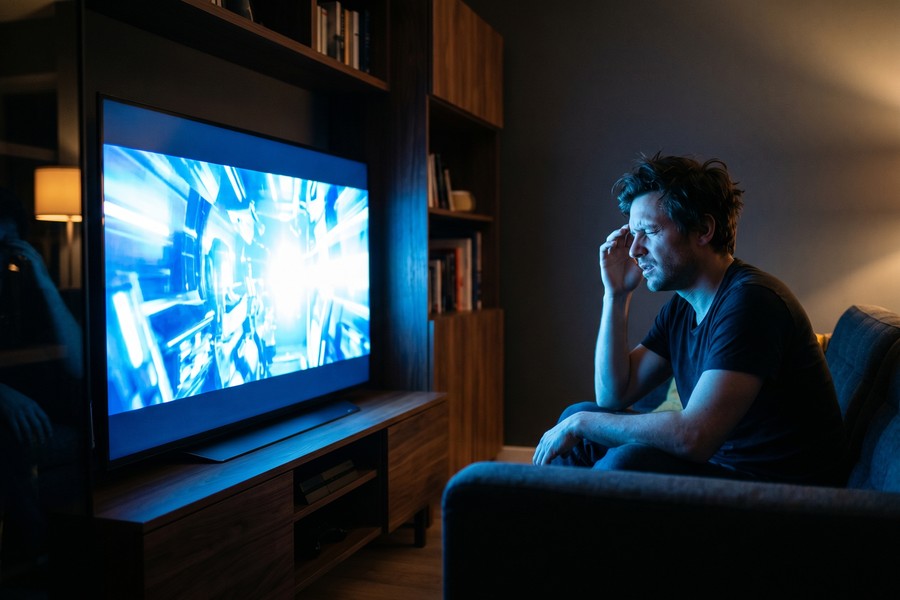
Set a display brightness ceiling of around 50% for evening use on any TV. On Samsung sets, the Ambient Light Detection feature will override your manual brightness if left on, turn it off so your warm, dimmed settings actually hold through a full viewing session.
Step 3: Which setup is worse for sleep: smart TV or streaming stick?
Smart TV platforms with ad-heavy home screens, particularly Samsung Tizen and Amazon Fire TV’s built-in interface, are architecturally designed to extend session length. That design goal is in direct conflict with sleep hygiene. The problem is not exclusive to smart TVs, though; most streaming sticks share the same autoplay logic once you are inside an app.
The autoplay problem and how interfaces differ
Autoplay is a universal feature across Netflix, Hulu, and other services regardless of the device you use to access them. The behavioral difference shows up one layer above that: the home screen. Samsung’s Tizen interface and LG’s webOS present ad-sponsored content rows, autoplay previews, and algorithmically ranked thumbnails before you have even opened an app. This passive scroll environment encourages continuation rather than stopping.
Compare that to Apple TV’s home screen, which shows only your installed app icons with no advertising, no autoplay previews, and no recommendation rows sponsored by studios. Roku’s interface is a simple grid of app icons with a sidebar, cleaner than Samsung or LG, though Roku does display ads on its home screen row. These interface differences matter because they change the cognitive friction between you and a decision to stop watching.
Sluggish smart TV performance has an unintended sleep consequence worth naming. Longer menu-browsing sessions before content loads keep you engaged with the screen longer before you have even started watching. A faster streaming stick from Roku or Amazon reduces that passive scroll time in both directions.
As technology journalist Jared Newman observed in PCWorld, smart TVs, particularly cheaper ones, tend to have weak processors and limited memory, resulting in long load times, jerky animations, and sluggish responses when you click the remote.
The portable off-switch advantage
A streaming stick has one behavioral health property that a built-in smart TV cannot match: it can be physically unplugged. Removing a $40 Roku stick from a bedroom HDMI port and putting it in a drawer is a low-tech behavioral intervention. A 65-inch smart TV is not going anywhere. For households trying to enforce a screen-free hour before bed, the physical portability of a streaming stick is a genuine tool, not a gimmick.
What to watch out for
Disabling autoplay at the streaming service level reduces the problem on any device. Netflix, Prime Video, and Disney+ all allow this in account settings. Do this before relying on interface design to save your sleep schedule. The setting is buried but available on every major platform.
Smart TV sleep timer features, available on most Samsung and LG sets, turn off the display but often leave the operating system and data collection running in the background. A true off is still a physical power button or a pulled power cable, not a software sleep mode.
Step 4: What data does a smart TV collect, and how does a streaming stick compare?
Automatic Content Recognition (ACR) is the technology that makes smart TVs the most data-hungry consumer device in the average home. ACR captures screenshots of whatever is on screen every 15 to 60 seconds and sends that data to the manufacturer and, often, to third-party advertisers. It runs by default on Samsung, LG, Vizio, Roku TV (the operating system, not the stick), and Amazon Fire TV platforms. Most users never disable it because the opt-out is buried in setup menus.
What the regulators have already found
The FTC’s enforcement action against Vizio resulted in a $2.2 million settlement after the company was found to have secretly tracked viewing data and sold it to third parties without consumer consent. Vizio was required to obtain affirmative express consent before collecting or sharing viewing data going forward. More recently, the Texas Attorney General filed lawsuits against Sony, Samsung, LG, Hisense, and TCL in 2024–2025 over similar ACR practices.
Beyond the Vizio case, the FTC’s September 2024 staff report “A Look Behind the Screens” found that major video streaming services engaged in extensive consumer surveillance to monetize personal data, with inadequate safeguards particularly for children and teens. This applies to the software layer on any streaming device, not just built-in smart TV platforms.
Jessica Rich, then-Director of the FTC’s Bureau of Consumer Protection, captured the core problem plainly: consumers may not recognize that their smart TV is also a computer, and the data collection that follows from that matters enormously for privacy.
How streaming sticks differ on privacy
Streaming sticks also collect data. Roku, Fire TV, and Google TV all use ACR and behavioral tracking in their operating systems. The meaningful exception is Apple TV, which does not include built-in ACR, does not serve ads on its home screen, and operates under Apple’s comparatively restrictive App Tracking Transparency framework. For a household where privacy and reduced stress around surveillance are genuine priorities, Apple TV is the only major streaming platform with a structurally different data model.
One practical strategy that addresses privacy concerns directly: pair a non-smart or minimally smart TV with a streaming stick you control. A “dumb TV” connected to an Apple TV stick, with ACR disabled at the streaming service level, gives you more control over your data than any fully featured smart TV on factory settings. For more on building a broader digital privacy routine, the personal digital security routine guide covers habits that extend well beyond your living room screen.
How to disable ACR on common platforms
- Samsung: Settings > Support > Terms & Privacy > Viewing Information Services > Off
- LG: Settings > General > About This TV > User Agreements > Live Plus > Off
- Roku (TV or stick): Settings > Privacy > Smart TV Experience > Use Info from TV Inputs > Off
- Amazon Fire TV: Settings > Preferences > Privacy Settings > Device Usage Data > Off
- Vizio: System > Reset & Admin > Viewing Data > Off
The FTC’s 2017 settlement required Vizio to pay $2.2 million and obtain explicit user consent before collecting viewing data, the first major enforcement action confirming that smart TV surveillance violates consumer protection law. Source: FTC Vizio enforcement blog.
| Feature | Smart TV (Samsung/LG/Vizio) | Roku Stick 4K | Amazon Fire TV Stick 4K | Apple TV 4K |
|---|---|---|---|---|
| Starting price (2025) | $180–$2,000+ | $50 | $60 | $129 |
| ACR enabled by default | Yes | Yes | Yes | No |
| Ads on home screen | Yes (heavy on Samsung) | Yes (moderate) | Yes (heavy) | No |
| Filmmaker / Night Mode | Yes (built-in to TV panel) | Depends on TV | Depends on TV | Depends on TV |
| Parental screen time limits | Content rating PIN only | Content rating PIN only | Yes (screen time timers) | Yes (Screen Time via iOS) |
| Portable / removable | No | Yes | Yes | Yes |
| App library depth | Good (gaps in niche apps) | Excellent (4,000+ channels) | Excellent | Excellent |
Step 5: Which device gives parents better control over kids’ screen time?
On parental controls, dedicated streaming sticks have a clear structural advantage over built-in smart TV software. Most smart TV platforms restrict content by rating and allow PIN-locked app access, but they do not set time limits, daily caps, or scheduled viewing windows. That functionality exists on Amazon Fire TV Stick and Apple TV and, via the parent app, on Roku.
Comparing parental control depth
Amazon Fire TV Stick includes Kids+ profiles with content rating filters, PIN locks, and daily screen time limits that shut off access when the timer expires. Apple TV integrates with Apple’s Screen Time feature, allowing parents to set content restrictions, app limits, and downtime schedules from an iPhone. The controls extend across the child’s entire Apple ecosystem, not just the TV. Roku’s parental controls cover content rating PIN locks but lack native time limits, though third-party router-level controls can fill that gap.
Smart TVs from Samsung and LG offer PIN-protected app access and content rating filters, but the controls are flat. There is no “30 minutes and then it locks” functionality built into the TV itself. For households where the primary goal is limiting viewing duration rather than just blocking content, a streaming stick wins clearly.
The placement argument: why portability matters more than features
The American Academy of Pediatrics recommends no more than one hour of screen time per day for children ages 2–5 and consistent limits for older children. No device enforces this automatically, but a streaming stick’s portability gives parents a physical enforcement option a smart TV cannot offer: remove the stick from a child’s room and the TV becomes inert. A built-in smart TV stays in the room and stays connected.
Keeping screens out of children’s bedrooms is one of the most-cited behavioral recommendations for improving children’s sleep. A streaming stick makes that strategy easy and affordable. Buy a cheap, non-smart television for a child’s room and keep the streaming stick in the living room. A 65-inch Samsung smart TV with a built-in Tizen interface cannot be managed the same way.
What to watch out for
PIN locks are only as strong as the PIN’s secrecy. Children over about age 8 are generally capable of shoulder-surfing a four-digit code. Physical removal or router-level scheduling, available through tools like Circle by Disney or your router’s parental control settings, provides a more reliable barrier than a software PIN alone.
Connect your streaming stick to a smart plug with a schedule. A $10–$15 smart plug paired with a Roku or Fire TV stick lets you cut power to the device automatically at a set time, no app required after initial setup, and no PIN to crack. This pairs well with the iPhone Shortcuts automation guide if you want to build a broader evening routine around it.
Step 6: Do smart TV interfaces cause more decision fatigue than streaming sticks?
Yes, and this is one of the most overlooked dimensions of the smart TV vs streaming stick comparison. Decision fatigue is the documented cognitive cost of making repeated choices. The more options your home screen presents, the more mental energy you spend before you have watched a single frame. Smart TV platforms from Samsung and LG are the worst offenders.
How interface design drives passive viewing
Samsung’s Tizen and LG’s webOS home screens present algorithmically ranked content rows, studio-sponsored recommendation tiles, and autoplay video previews that begin running the moment you stop scrolling. This design is deliberate: more time spent in the interface means more ad impressions. For the viewer, it translates to longer passive sessions where you scroll without deciding, which research on choice overload consistently links to lower satisfaction and longer total screen time.
PCWorld’s Jared Newman has noted that while Samsung, LG, and Vizio TVs have improved their app selections in recent years, they still tend to lag behind Roku, Fire TV, and Google TV, particularly with certain niche apps.
Roku’s app-icon grid and Apple TV’s clean layout reduce visual noise significantly. You see your apps, you pick one, and you start watching. There is no autoplay preview competing for your attention before you have made a choice. For people managing anxiety, ADHD, or digital overwhelm, the structural simplicity of these interfaces may support more intentional viewing habits in a way that a feature-laden smart TV home screen cannot.
What to watch out for
Interface design shifts with software updates. Roku has progressively added more advertising to its home screen over the past few years, and Amazon’s Fire TV interface leans heavily toward Prime Video content regardless of your actual preferences. Interface simplicity is a feature that platform providers have financial incentives to erode over time. Worth reviewing periodically rather than assuming your device’s interface stays static.
For a useful parallel, consider how push notifications on your phone operate on the same attention-capture logic as smart TV recommendation rows, designed to interrupt and redirect rather than serve your actual intent. Understanding both helps you build environments that support focus rather than fragment it.
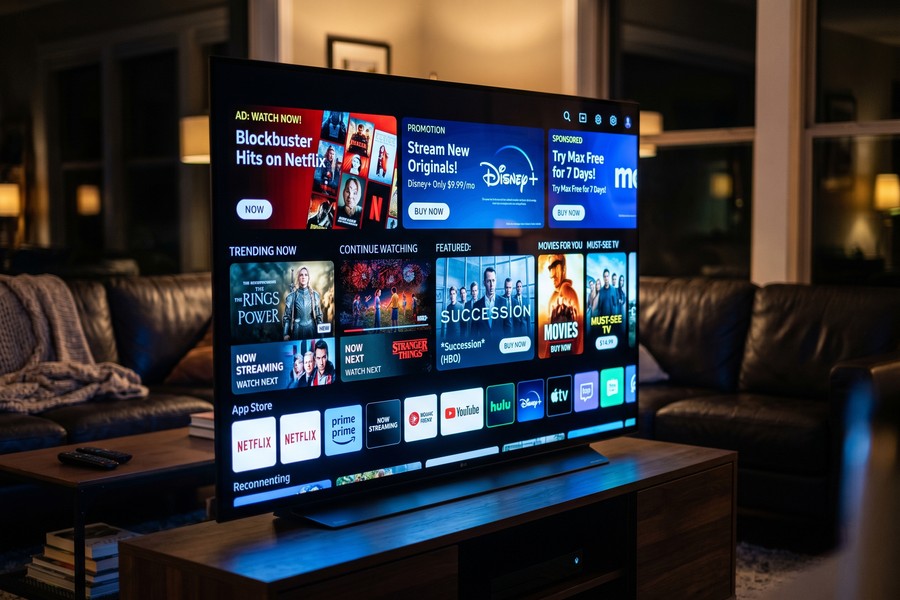
As of Q2 2025, Roku holds 37% of the U.S. connected TV device market, more than double Amazon Fire TV’s 17% share, per Pixalate’s Q2 2025 report. Roku’s dominance is partly explained by its OS running on nearly 40% of TV units sold in the U.S. in Q1 2025, per Roku’s SEC filing, meaning many “Roku TVs” are smart TVs running the same OS as the stick.
Step 7: Which setup actually supports a healthier home?
A mid-range non-smart or minimally smart television paired with a streaming stick, particularly Apple TV for privacy or Roku for simplicity, offers more user control than a fully featured smart TV running on factory default settings. That is a defensible position, not a preference. The reasons are structural: ACR is enabled by default, recommendation interfaces are designed to extend session time, and built-in smart TV software cannot be physically removed from the room.
The honest concession
The single-device setup has a real argument in its favor. If someone genuinely will not change settings, hunt down ACR opt-outs, or manage a separate remote and input, the friction reduction of one remote and one device may lead to shorter, more casual viewing sessions. The best wellness setup is one that gets used thoughtfully, and some people manage that more easily with fewer components.
Real-world constraints matter too. As Jared Newman noted in PCWorld, some households have already claimed every HDMI input with a gaming PC, consoles, and a soundbar, leaving no practical port for an additional streaming device. The framework should guide your decision, not override it.
A practical wellness checklist for either setup
- Disable ACR on your smart TV or streaming stick using the steps listed in Step 4 above.
- Enable Filmmaker Mode or warm color temperature on your TV panel for all evening viewing.
- Turn off autoplay within each streaming service’s account settings (Netflix, Disney+, Prime Video all offer this).
- Set a viewing curfew using a smart plug timer or the streaming device’s built-in sleep timer.
- Keep screens out of bedrooms, especially children’s rooms, a streaming stick makes this physically enforceable.
- Lower brightness to 50% or below for any viewing after sunset and disable Ambient Light Detection if present.
The same principles that apply to building healthy habits with your phone’s apps apply to your living room screen. If you want to go deeper on building a device-agnostic digital health routine, the personal digital security and privacy routine guide covers both data hygiene and behavioral tools worth pairing with these TV-specific steps.
If you already own a smart TV and cannot replace it, treat it as hardware only: plug in an Apple TV stick, switch your HDMI input to the stick exclusively, and use the TV’s built-in software only when the stick is unavailable. You get the panel quality of your smart TV with the privacy and interface controls of the stick. The same logic applies to any device comparison where the hardware is fixed but the software layer is not.
Frequently Asked Questions
Should I buy a smart TV or a streaming stick if I already have an old TV?
Buy a streaming stick. A capable 4K HDR streaming stick from Roku or Amazon costs $35–$60 and delivers every major streaming service with better software updates and interface design than most budget smart TVs at any price. Your existing TV becomes a fully functional streaming display without replacement cost. The only exception is if your current TV lacks HDMI ports or has a panel quality too low to enjoy the content.
Is a smart TV a privacy risk in my home?
Yes, by default. Smart TVs from Samsung, LG, Vizio, and others enable ACR technology that captures screenshots of on-screen content and transmits that data to manufacturers and advertisers without requiring explicit user consent at setup. The FTC’s $2.2 million Vizio settlement confirmed this is a legally recognized consumer harm. You can disable ACR in settings, but it is enabled by default on most platforms.
Which streaming stick is best for privacy?
Apple TV 4K is the only major streaming device without built-in Automatic Content Recognition, no advertising on its home screen, and App Tracking Transparency enforcement across all installed apps. For users where privacy is the top priority, this is a concrete, verifiable advantage over Roku, Amazon Fire TV, and Google TV, all of which include ACR by default. Apple TV costs $129, significantly more than competing sticks.
Does using a streaming stick instead of a smart TV improve sleep?
It can, primarily through two mechanisms: cleaner interfaces (Roku’s app grid, Apple TV’s icon layout) reduce the passive scrolling that extends sessions before bed, and a streaming stick can be physically unplugged as a behavioral sleep hygiene tool. Autoplay and blue light exposure are present on any device, so those require separate action at the streaming service and display settings level regardless of what device you use.
Can a streaming stick replace a smart TV completely?
For the vast majority of households, yes. Streaming sticks support every major service including Netflix, Disney+, Hulu, Prime Video, Apple TV+, HBO Max, Peacock, and YouTube. The only content gaps appear in highly niche apps, and as PCWorld notes, even Samsung, LG, and Vizio smart TVs sometimes lag on niche app availability compared to Roku and Fire TV. A streaming stick typically has broader app support than the built-in software on all but the highest-end smart TVs.
What parental controls does the Amazon Fire TV Stick have compared to a smart TV?
Amazon Fire TV Stick offers PIN locks, content rating filters, Kids+ profiles, and daily screen time limits that automatically cut off access when a set time is reached. Most smart TV parental controls are limited to content rating PIN locks without time-based enforcement. For households where limiting total viewing duration is the goal, Fire TV Stick and Apple TV (via Screen Time) are meaningfully more capable than built-in smart TV parental controls.
How do I stop my smart TV from collecting data about what I watch?
Disable ACR in your TV’s privacy or settings menu: on Samsung, go to Settings > Support > Terms & Privacy > Viewing Information Services; on LG, Settings > General > About This TV > User Agreements > Live Plus; on Vizio, System > Reset & Admin > Viewing Data. Also disable personalized advertising in your streaming apps’ account settings. No single step eliminates all data collection, but disabling ACR removes the most invasive layer. The FTC’s Smart TV workshop guidance provides additional consumer protection context.
Is the Roku Streaming Stick 4K worth it over a built-in smart TV in 2025?
For most buyers, yes. Roku’s stick delivers 4K HDR, Dolby Vision, a clean app-grid interface, and over 4,000 channels for $50, and Roku holds 37% of the U.S. CTV device market as of Q2 2025, per Pixalate data. The one honest caveat: Roku has been incrementally adding more home screen advertising, and its interface is less clean than it was three years ago. Apple TV remains the premium ad-free alternative at $129.
Do streaming sticks work on any TV, or do I need a smart TV?
Streaming sticks work on any television with an HDMI port, which includes virtually every TV sold in the past 15 years. You do not need a smart TV. The stick connects to the HDMI input and draws power from a USB port (on the TV or a wall adapter). Internet connectivity comes from your home Wi-Fi network, not the TV itself. This is precisely why pairing a non-smart TV with a quality streaming stick is a viable and often preferable strategy.
How does a smart TV affect my mental health compared to using a streaming stick?
The primary documented risk is decision fatigue from ad-heavy, recommendation-saturated home screens on smart TV platforms like Samsung Tizen and LG webOS. These interfaces are designed to maximize passive browsing time, which research on choice overload links to reduced decision satisfaction and longer total screen time. A streaming stick with a simpler interface, Roku’s icon grid or Apple TV’s clean layout, structurally reduces that cognitive load. For people managing anxiety or digital overwhelm, interface simplicity is a concrete, meaningful difference.
Sources
- Parks Associates via PR Newswire, 68% of U.S. Households Have a Smart TV and 46% Have a Streaming Media Player (2024)
- Federal Trade Commission, What Vizio Was Doing Behind the TV Screen (2017)
- Federal Trade Commission, A Look Behind the Screens: Data Practices of Social Media and Video Streaming Services (September 2024)
- Federal Trade Commission, Fall Technology Series: Smart TV Workshop (2016)
- Pixalate via GlobeNewswire, Q2 2025 Global CTV Device Market Share Report
- Roku, Inc., Form 8-K SEC Filing, Q1 2025 Earnings
- Straits Research, Streaming Devices Market Report (2025)
- PCWorld (Jared Newman), Smart TV or Streaming Stick: Which Should You Buy?
- PCWorld (Jared Newman), 11 Tips for Samsung’s Smart TV Software






