Fact-checked by the SnapMessages editorial team
The Verdict
Smarter notification design, not blanket silence, is the right move for most users. Switching non-urgent health and messaging data to silent delivery is worth it if you receive more than 20 interruptive push alerts per day. It is not the answer if you rely on time-critical alerts like medication reminders or emergency check-ins, which still legitimately need audible, visible pushes.
Every buzz, chime, and screen-wake your phone produces is a deliberate engineering decision, not a reflex. The way push notifications in messaging apps are configured, visible and loud versus invisible and silent, travels through the same infrastructure but carries a different biological cost. According to Business of Apps’ 2025 push notification research, the average U.S. smartphone user receives 46 push notifications per day across all apps. That number alone does not tell the whole story, but it sets the scale of the interruption problem squarely in front of you.
The conversation around notification design has shifted from convenience to mental wellness. The biological evidence that visible alerts spike stress hormones is now solid enough that developers, clinicians, and OS engineers are all weighing in. Understanding how the decision gets made, by apps, by operating systems, and by you, is the most direct path to reclaiming your attention without losing the alerts that genuinely matter.
| Factor | Reasons to Favor Silent Delivery | Reasons to Keep Visible Push Alerts |
|---|---|---|
| Cortisol Response | Silent background syncs produce no audible or visual interruption, meaning no measurable hormonal stress spike | A well-timed, relevant visible alert can prompt action (medication, crisis response) faster than a silent sync |
| Sleep Quality | Eliminating nighttime audible pushes protects melatonin production and reduces cortisol elevation during the sleep window | Emergency or medical alerts during overnight hours may justify an audible interruption in specific clinical contexts |
| Attention Disruption | Alert fatigue and attention disruption, not notification count, are the strongest predictors of reduced well-being, so cutting interruptive alerts matters more than reducing total volume | Zero notifications can increase FOMO; research in Media Psychology (2025) found that completely disabling alerts did not improve digital well-being |
| Delivery Reliability | For non-time-sensitive data like chat history sync or appointment pre-loading, silent delivery is functionally equivalent and less disruptive | iOS treats silent pushes as best-effort and may throttle or drop them under power-saving rules; audible pushes at priority 10 are dispatched immediately |
| User Control | iOS Scheduled Summary and Android’s notification channels let users batch non-urgent alerts to a chosen time, cutting cortisol spikes without triggering FOMO | Users who have not configured these settings get the same deluge regardless; visible pushes at least surface information the user can act on |
| Privacy Exposure | Fewer visible notifications mean less sensitive content displayed on a lock screen in public spaces | A visible notification’s content field is often encrypted in transit via APNs or FCM; the real risk is metadata in the payload, not the lock screen preview |
Key Takeaways
- Switch non-urgent messaging data to silent delivery if you currently receive more than 20 interruptive push alerts per day from apps you do not actively monitor in real time.
- Keep audible, visible push alerts for any medication reminder, emergency alert, or time-sensitive clinical notification where a delay of even 30 seconds changes the outcome.
- Use iOS Scheduled Summary or Android notification channels if you want a middle path: non-urgent alerts batch to one delivery window instead of interrupting you throughout the day.
- Apply a no-audible-push rule for the 90 minutes before bed and 30 minutes after waking, the windows most critical for melatonin and cortisol regulation, as a minimum viable circadian hygiene step.
- Audit any health or wellness app that sends the same notification copy to every user; personalized, suggestion-framed alerts outperform generic blasts in health behavior change research, and an app still using broadcast messages is almost certainly not serving you well.
- Recognize that only about 5% of healthcare app users currently engage with push notifications at all, which signals that most health apps are either asking for permission at the wrong moment or sending irrelevant content, a design failure, not a user preference.
- Check whether any messaging app you use leaks metadata via FCM notification payloads; a 2024 PETS peer-reviewed study found 11 of 21 popular secure messaging apps leaked user identifiers through push notification payloads, with none of the leaked data disclosed in their privacy policies.
What Actually Happens When Your Phone Buzzes: Push vs. Silent, Explained
A visible push notification is a deliberate interrupt: the screen lights up, a sound plays, and your attention is pulled away from whatever you were doing. A silent (background) notification does the opposite, it wakes the app invisibly, allows it to sync data or pre-load content, and the user never sees or hears a thing. Both message types travel through the same delivery infrastructure: Apple Push Notification service (APNs) for iOS devices and Google Firebase Cloud Messaging (FCM) for Android. They carry different flags, though, that tell the operating system exactly how to handle them.
According to Apple’s canonical APNs documentation, a visible alert uses the apns-push-type: alert header with an apns-priority value of 10, signaling immediate dispatch with a user-visible result. A silent background push uses apns-push-type: background with priority 5 and a content-available: 1 payload flag, telling the system to wake the app quietly without triggering any user interface. Google’s FCM documentation draws the same line between “notification messages”, handled automatically by the FCM SDK to alert the user, and “data messages,” which are handled entirely by the client app without surfacing to the screen. The FCM documentation also makes explicit that while FCM connections are encrypted in transit, they are not end-to-end encrypted; any sensitive data in the payload should use a separate encryption scheme.
This distinction is a deliberate design choice made by the app developer, not an accident of the network. A messaging app can choose to deliver a new chat message as a silent sync and surface it only when you open the app, or it can fire a full audible alert. Understanding this removes any excuse for apps that default to maximum interruption for every event.
The Decision Engine: How Messaging Apps Choose Whether to Wake You
The choice to interrupt you follows a three-layer decision chain: the app developer sets a default urgency level, the operating system applies its own power-saving and focus rules, and your personal notification settings act as a final filter. Any one of these layers can block a notification before it reaches you, which is why a “gentle reminder” from a health app sometimes never arrives at all.
At the OS layer, the throttling mechanics are more aggressive than most users realize. On iOS, if you force-quit an app, Apple’s APNs documentation explicitly warns that silent background notifications will be withheld or throttled entirely, and that APNs treats background pushes as low-priority and may throttle or withhold delivery if totals become excessive. The woken app also receives only approximately 30 seconds of background execution time before iOS terminates the process, meaning app developers must triage which data is genuinely urgent enough to warrant an interruptive alert versus what can wait. On Android, Doze mode batches low-priority silent pushes into infrequent delivery windows when the device is idle and off the charger, further delaying non-urgent background syncs.
Platform-level focus tools add another layer most people have configured only partially. iOS Focus modes and Android’s Do Not Disturb schedules can intercept even high-priority pushes from specific apps, giving users a health-relevant control lever that most notification guides skip over entirely. If you have spent time building a security routine for your digital life, the kind covered in guides like building a personal digital security routine, notification hygiene belongs in the same framework.
The delivery pipeline itself adds a third source of potential delay. As described in Google’s FCM architectural overview, messages route through a three-tier pipeline: a trusted server environment, the FCM backend (which performs topic fanout and generates message IDs), and a platform-specific transport layer, the Android Transport Layer for Android devices and APNs for iOS. Each tier has an opportunity to modify or delay delivery before the message ever reaches your device.
The Biology of a Buzz: What Notifications Do to Your Body
Visible push notifications with sound trigger a measurable physiological stress response. This is no longer speculative. Salivary cortisol studies have documented hormonal elevation in direct response to incoming text notifications, meaning your body treats a phone ping as a low-grade threat signal even when the message content is entirely benign. Silent background messages that never surface to the user produce no equivalent interruption signal, which makes silent delivery a genuinely lower-cortisol design pattern rather than just a user preference.
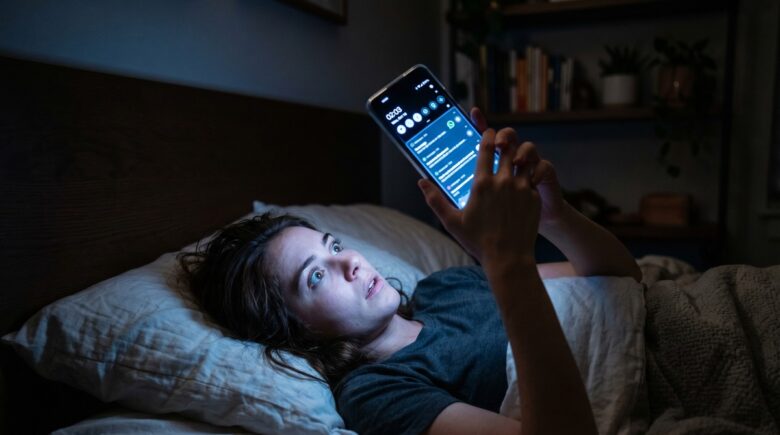
The nighttime window is the most consequential. Smartphone interruptions during the sleep window suppress melatonin and elevate cortisol, degrading both sleep quality and next-day cognitive function. The mechanism runs through the melatonin-cortisol axis: audible alerts trigger arousal, cortisol rises, and melatonin production is suppressed at exactly the moment the body needs it most. This makes the 90-minute pre-sleep window the highest-stakes period for notification management. For anyone already using apps to support sleep or mindfulness goals, tools like the ones compared in our roundup of best meditation apps for beginners, an audible push at 11 p.m. from a messaging app can undo the benefit of a full session.
There is an important nuance here that most wellness content misses. A mixed-methods study of 160 university students found that notification frequency was not the significant predictor of reduced well-being. Alert fatigue and attention disruption were the stronger predictors. The question, then, is not “how many notifications” but “how jarring are the interruptions.” A single ill-timed, context-free alert at 2 a.m. causes more damage than a dozen well-timed, relevant ones during the workday.
Notification Fatigue vs. Fear of Missing Out: The Paradox You Need to Know
Turning off all notifications is not the straightforward wellness win it is usually framed as. Research published in Media Psychology in 2025 directly tested a notification-disabling intervention and found it did not improve digital well-being, and it increased fear of missing out (FOMO). This is a direct contradiction of the standard advice, and it matters enormously for anyone trying to design a healthier relationship with their messaging apps.
The underlying mechanism is the dopamine-slot-machine loop. Unpredictable notification rewards, a reply, a reaction, breaking news, trigger dopamine release in a variable-ratio reinforcement pattern, the same schedule that makes gambling compulsive. When you silence all alerts, the unpredictability does not disappear; it relocates to the act of manually checking the app. Checking behavior often increases after silencing, which means blanket silence trades one problem for another. The goal is not zero notifications but smarter ones: audible pushes reserved for genuinely urgent signals, and silent delivery handling everything else.
This is also where the industry’s execution falls short. According to Batch’s 2025 Push Notifications Benchmark, the overall average push notification opt-in rate across mobile platforms is 61% (Android at 67%, iOS at 56%). A low opt-in rate is partly the consequence of apps asking for permission at the worst possible moment, immediately on first launch, before the user has any reason to trust the app. Once a user declines, the opportunity for even a well-designed, low-cortisol notification strategy is gone.

Where Health Apps Fit In: When a Notification Is Actually Good for You
Push notifications in health and wellness apps can demonstrably improve outcomes when the content is relevant and the timing is user-controlled. The same physiological channel that harms, the cortisol-spike interrupt, can also prompt a medication dose, a water intake reminder, or a mental health check-in at the right moment. The critical variable is framing: peer-reviewed research on self-monitoring apps consistently finds that suggestion-type notifications (“Time to take your evening dose”) outperform insight-type notifications (“Your average heart rate this week was 74 bpm”) in driving actual behavior change.
Silent delivery offers a specific advantage for health platforms operating under HIPAA compliance requirements. A telehealth app can use a silent background push to pre-load appointment updates, lab results, or non-urgent vital-sign summaries so the information is waiting inside the app without ever appearing on a lock screen or triggering a cortisol spike. This matters both for patient wellbeing and for privacy: sensitive medical data never appears in a notification preview visible to anyone who picks up the phone. If you are thinking about the broader security architecture around your messaging stack, including what happens to data in transit, our coverage of how push notifications work behind the scenes explains the delivery pipeline in more detail.
The honest concession here is that silent delivery is not a guaranteed channel. Apple and Google both treat background pushes as best-effort: they can be delayed, batched, or dropped entirely under Doze mode or iOS power-saving conditions. For a truly time-sensitive health alert, a medication alarm for a narrow dosing window, an emergency crisis-line response, a severe weather warning, a visible, audible push at priority 10 is still the right tool. Silent delivery is better for the nervous system. It is not always better for safety.
The Privacy Risk Hiding in Plain Sight
Most users think of notification privacy in terms of lock screen visibility, someone glancing at your phone and reading a message preview. That concern is real but secondary. The more serious exposure is in the payload metadata that FCM and APNs route through their delivery infrastructure before a notification ever displays on screen.
A peer-reviewed study by Samarin, Sanchez, Chung, Reardon, Egelman, and colleagues from the University of California, Berkeley and the International Computer Science Institute (ICSI), published in the Proceedings on Privacy Enhancing Technologies (PETS 2024), analyzed 21 popular secure messaging apps. Eleven of those apps leaked metadata, including user identifiers, sender and recipient names, and phone numbers, through FCM push notification payloads. None of the leaked data was disclosed in those apps’ privacy policies. The apps in question positioned themselves as security-focused products; the leakage contradicted that positioning entirely.
Google’s own FCM documentation is candid on this point: FCM connections are encrypted in transit, but they are not end-to-end encrypted. Google’s FCM documentation explicitly states that sensitive data should use a separate encryption scheme rather than relying on transport-layer encryption alone. Many apps simply do not follow that guidance. For a comparison of how specific apps handle data in transit, the breakdown of WhatsApp vs iMessage privacy features covers the key differences.
The Settings Most People Have Never Touched
Most users manage notifications at the binary level: on or off, per app. The more effective approach is separating “interrupt me now” alerts from “tell the app, not me” data, and both iOS and Android provide the controls to do this without requiring any technical knowledge.
iOS Scheduled Summary, introduced in iOS 15 and refined through iOS 18, batches non-urgent notifications and delivers them at a time you choose, typically morning or evening. This is the middle path most articles ignore: alerts are not suppressed and lost, they are queued and delivered when your cortisol curve is lower and your attention is available. Android’s notification channels let developers and users assign different priorities to different alert types within the same app, so a messaging app can ring loudly for direct messages and deliver group chat updates silently. Apps like WhatsApp and Telegram have supported granular channel controls since at least 2023, though most users have never opened the settings menu to configure them. If you want a fuller picture of what Android’s system-level controls can do, the guide on hidden Android developer options worth enabling covers several underused system levers in the same spirit.
The circadian rule is simple and grounded in biology: no audible push notifications in the 90 minutes before bed or the 30 minutes after waking. These are the windows most critical for melatonin and cortisol regulation. A Do Not Disturb schedule set to those windows takes about two minutes to configure and has a measurable impact on sleep quality. Exceptions, a true medication alarm, a family emergency contact, can be added to the “Allow” list so the protection does not come at the cost of genuine safety.
Who Should and Who Should Not
Good candidates
These users will get a meaningful, low-friction benefit from shifting to a smarter notification architecture.
- Anyone receiving more than 30 push alerts daily from messaging apps they check reactively rather than proactively, the attention disruption cost clearly outweighs the “stay informed” benefit.
- Users of HIPAA-regulated telehealth or mental health apps who want appointment data and non-urgent updates without sensitive content appearing on a public-facing lock screen.
- People who wake at night due to phone alerts and have not yet configured a Do Not Disturb schedule, this is a 2-minute fix with a documented positive impact on sleep architecture.
- Health app developers whose current strategy sends the same broadcast notification to every user regardless of behavior history, personalization is both more ethical and more effective at driving engagement.
- Anyone who has tried turning off all notifications, felt more anxious about missing things, and quietly turned them back on, this is the FOMO rebound the Media Psychology 2025 research predicted, and a middle-path strategy is the right next step.
Who should skip it
In certain situations, maintaining visible, audible pushes at full priority is the safer and more practical choice.
- Patients managing a condition with a narrow medication dosing window where a missed reminder has real clinical consequences, silent delivery’s best-effort status makes it unsuitable here.
- On-call professionals (medical staff, incident response engineers, crisis counselors) whose role requires sub-minute response to incoming messages regardless of time of day.
- Users running older Android devices that do not support granular notification channels, where the choice is genuinely binary and silent delivery may mean the alert is missed entirely under Doze mode.
- Anyone who relies on a single messaging app for emergency family contact and has not set up an “Allow” exception in Do Not Disturb, switching to silent delivery for that contact would be the wrong trade-off.
Frequently Asked Questions
What is the difference between a push notification and a silent notification in messaging apps?
A push notification is a visible, often audible alert that interrupts you immediately, a banner, a sound, or a screen wake. A silent notification travels through the same delivery infrastructure (APNs for iOS, FCM for Android) but carries a background-only flag so it wakes the app to sync data without surfacing anything to the user. The app developer chooses which type to send; it is a design decision, not a network limitation.
Can iOS or Android block a silent notification without telling me?
Yes, and this happens more often than users realize. Apple’s APNs documentation states that background notifications must use the content-available: 1 payload flag with push type background and priority 5, and warns that APNs treats them as low-priority, withholding or throttling delivery if totals become excessive or if the user has force-quit the app. The woken app receives only approximately 30 seconds of background execution time before iOS terminates the process. Android’s Doze mode batches low-priority background pushes into infrequent delivery windows when the device is idle. Neither OS notifies you when this throttling occurs, which is why non-urgent health app reminders sometimes simply do not arrive.
Do push notifications from messaging apps actually cause stress?
The biological evidence says yes, for visible audible alerts. Salivary cortisol studies have documented measurable hormonal elevation in response to incoming text notifications, meaning the body interprets a phone ping as a low-grade threat signal even when the message is harmless. Silent notifications that never surface to the user produce no equivalent stress response, which makes the choice of delivery type a genuine wellness variable rather than just a preference.
Is turning off all notifications a good way to reduce phone anxiety?
Not straightforwardly. Research published in Media Psychology in 2025 found that a notification-disabling intervention did not improve digital well-being and increased FOMO among participants. The dopamine-reinforcement loop means users often check apps more frequently after silencing alerts, trading reactive interruptions for proactive checking. A targeted approach, silencing non-urgent alerts while keeping time-sensitive ones audible, is better supported by the current evidence than blanket silence.
Are push notifications from messaging apps a privacy risk?
They can be. A 2024 peer-reviewed study published in the Proceedings on Privacy Enhancing Technologies (PETS) by researchers at the University of California, Berkeley and the International Computer Science Institute (ICSI) analyzed 21 popular secure messaging apps and found that 11 leaked metadata, including user identifiers, sender names, and phone numbers, through FCM push notification payloads, with none of the leaked data disclosed in those apps’ privacy policies. The risk is not primarily from lock screen visibility; it is from metadata embedded in the notification payload itself. For a deeper look at how messaging apps handle data in transit, the comparison of WhatsApp vs iMessage privacy features covers the key differences.
What push notification open rates should I expect from a health or wellness app?
According to Batch’s 2025 Push Notifications Benchmark, contextual (event-triggered) push campaigns achieve an average open rate of 14.4%, compared to just 4.19% for generic broadcast campaigns. For health apps specifically, the gap is likely even wider, since personalized, suggestion-framed messages consistently outperform generic copy in behavior change research. If your health app’s notifications feel irrelevant and you never open them, that is not unusual, it is the predictable result of generic broadcast design.
Sources
- Apple Inc., Sending Notification Requests to APNs (APNs HTTP/2 Reference)
- Apple Inc., Creating the Notification Payload (APNs Background Notifications)
- Google Firebase, FCM Documentation: Setting Message Type (Notification vs. Data Messages)
- Google Firebase, FCM Architectural Overview
- Samarin et al. (UC Berkeley / ICSI), PETS 2024: Metadata Leakage via Push Notifications in Secure Messaging Apps
- Batch, The Great Push Notifications Benchmark 2025
- Business of Apps, Push Notifications Statistics 2025
- CleverTap, Push Notification Benchmark Metrics: CTR and Open Rate (2025)






