
Fact-checked by the SnapMessages editorial team
Quick Answer
The five most common phone battery mistakes are charging to 100% nightly, letting the battery fully drain to 0%, charging on soft surfaces that trap heat, using the phone heavily while it charges, and ignoring background apps and weak 5G signals. Lithium-ion batteries lose roughly 20% of their original capacity after 500 charge cycles, and 75% of smartphone owners cite battery degradation as their primary reason for upgrading.
The most damaging phone battery mistakes are not dramatic accidents, they are ordinary habits most people repeat every single day without knowing the cost. According to ElectroIQ’s 2024 battery usage data, lithium-ion smartphone batteries lose approximately 20% of their original capacity after 500 charge cycles under typical use. That is roughly two years of daily charging, and most of that loss is preventable.
This matters beyond gadget performance. A phone stuck at 10% battery keeps you tethered to a wall, disrupts your routines, and feeds a low-grade anxiety that genuinely affects your wellbeing. This guide breaks down each mistake in plain terms, explains the chemistry behind why it causes damage, and gives you specific, actionable fixes, including some that most battery articles never cover.
Key Takeaways
- Lithium-ion smartphone batteries lose approximately 20% of their original capacity after 500 charge cycles, or about two years of daily use (ElectroIQ, 2024).
- A temperature increase of just 5–10°C during charging can accelerate battery degradation by up to 25% due to higher internal resistance and side reactions (ACS Omega, cited by NSYS Insights, 2024).
- 75% of smartphone owners name battery degradation as the primary reason they upgrade to a new device, making it the single most common driver of phone replacement (SQ Magazine, 2025).
- Smartphone batteries have decreased in lifespan by 23%, with the average device now requiring daily charging compared to every 1.5 days in 2019 (Digital Journal, reporting on an Elevate study, 2025).
- Apple officially states that ambient temperatures above 95°F (35°C) can permanently reduce battery capacity, with the safe operating range sitting between 32°F and 95°F (Apple Support).
In This Guide
- Why Your Phone Battery Is a Wellness Issue, Not Just a Tech Problem
- Mistake 1: Charging to 100% Every Single Night
- Mistake 2: Letting Your Battery Hit 0%, the Full Drain Myth
- Mistake 3: Charging in Bed, the Heat Trap Nobody Talks About
- Mistake 4: Using Your Phone Hard While It Charges
- Mistake 5: Ignoring Background Apps, 5G Searching, and Silent Battery Killers
- The Wellness Ripple Effect: What a Dying Battery Does to Your Stress Levels
- How to Check Your Battery Health in Under 5 Minutes
- Frequently Asked Questions
Why Your Phone Battery Is a Wellness Issue, Not Just a Tech Problem
Battery degradation is not a gadget trivia topic, it affects how you move through your day. A phone that dies at noon forces you to carry a cable everywhere, skip the gym run, or stay tethered to a desk. Over time, that low-level logistical stress compounds.
Understanding the underlying chemistry helps make sense of why the mistakes below actually cause damage. Modern smartphones use lithium-ion cells, which work by moving lithium ions between two electrodes during charging and discharging. Every charge cycle generates some heat and causes minor, irreversible chemical changes at the electrode level. Those changes accumulate. The question is not whether your battery will age, but how fast, and that is where behavior matters.
The Honest Concession
Time is the single largest factor in battery degradation. No set of habits fully prevents it. A battery that drops from 100% to roughly 90% maximum capacity over two years is behaving normally. The defensible goal is not eternal battery life, it is slowing an inevitable process by avoiding the mistakes that accelerate it most. That framing is more honest than most battery guides offer, and it is also more useful.
According to a 2025 Digital Journal report on an Elevate study, smartphone batteries have decreased in lifespan by 23%, with devices now requiring daily charging compared to every 1.5 days in 2019, a measurable generational decline driven partly by heavier app and 5G modem usage.
Mistake 1: Charging to 100% Every Single Night
Charging your phone to full every night is the most normalized phone battery mistake, and the least understood. Modern phones do prevent true overcharging, so the battery will not explode or fail overnight. The problem is subtler: when a lithium-ion cell sits at 100% charge for six to eight hours, the electrodes are under maximum electrochemical stress, and any heat generated during that period has nowhere productive to go.
Battery University’s technical guidance on prolonging lithium-based batteries states that the worst situation for a lithium-ion battery is keeping it fully charged at elevated temperatures. The combination of high state-of-charge and warmth accelerates the degradation of the electrolyte and electrode materials faster than either factor alone.
The Built-In Fix Most People Ignore
Both major smartphone platforms now include features that address this directly. Apple advises enabling Optimized Battery Charging on iPhone, which learns your schedule and delays charging past 80% until shortly before you typically wake up. Samsung’s Protect Battery mode caps charging at 85%. Google Pixel’s Adaptive Charging does something similar.
All three are single-tap settings that most users have never turned on. Enabling them is the most effective single action you can take for long-term battery health.
The honest trade-off: if you need a full charge for a demanding day, using 100% occasionally is fine. The damage accumulates when it becomes the nightly default, week after week, month after month. Reserve full charges for when you genuinely need them.

Mistake 2: Letting Your Battery Hit 0%, the Full Drain Myth
Draining your battery to zero is not good for it, and the belief that it is comes from a different era of technology. The full drain myth originated with nickel-cadmium (NiCd) and nickel-metal hydride (NiMH) batteries, which were common in consumer electronics through the 1990s. Those chemistries developed a genuine “memory effect” that required periodic full discharges to maintain accurate capacity readings.
Lithium-ion cells work on entirely different electrochemistry. Deep discharges stress the anode and cathode, accelerating the structural changes that reduce long-term capacity. Battery University recommends avoiding full discharges, charging more frequently between uses, and keeping the battery in a partial state of charge to extend cycle life.
The 20–80 Rule
The practical takeaway is simple: plug in around 20%, and stop or switch to a slow charge before reaching 100%. Staying between 20% and 80% for everyday use keeps the cell in a lower-stress state chemically. This is not blogger advice, it is the design logic behind Apple’s Optimized Battery Charging and Samsung’s Protect Battery cap at 85%.
If you want to go further on iPhone optimization, our guide on making your iPhone battery last all day covers additional settings and daily habits worth building.
The “full drain to calibrate” habit comes from nickel-cadmium battery technology of the 1980s and 1990s, a chemistry with a genuine memory effect. Lithium-ion batteries, used in every modern smartphone, have no memory effect whatsoever. Fully draining them does not calibrate anything; it only stresses the cells.
Mistake 3: Charging in Bed, the Heat Trap Nobody Talks About
Charging your phone in bed combines two problems that most battery guides treat separately: heat generation and heat trapping. Charging already produces heat as a byproduct of the electrochemical process. On a hard, flat surface like a desk or nightstand, that heat dissipates into the air. On a soft surface, a pillow, a duvet, a mattress, it cannot. The material surrounds the device, insulating it instead of cooling it.
This is the physical mechanism that makes bed charging distinctly worse than nightstand charging, even at the same charge level. Apple’s support documentation explicitly warns against ambient temperatures above 95°F (35°C), noting that operating or charging a device in such conditions can permanently reduce battery lifespan. A phone trapped under a pillow can exceed that threshold without the user noticing.
The Sleep Hygiene Connection
There is a second reason to move the charger out of the bedroom. A phone on the nightstand, or worse, under the pillow, keeps you in the notification-checking loop that disrupts sleep architecture. Every buzz or glow is a potential cortisol trigger at exactly the time your body is trying to wind down.
Charging on a hard surface in another room solves the thermal problem and creates a natural nudge toward better sleep hygiene. The fix costs nothing. Charge on a desk, a kitchen counter, or any firm surface with airflow, and keep the bedroom for sleep. For more on building sustainable phone habits, see our piece on building a personal digital routine that actually sticks.
Mistake 4: Using Your Phone Hard While It Charges
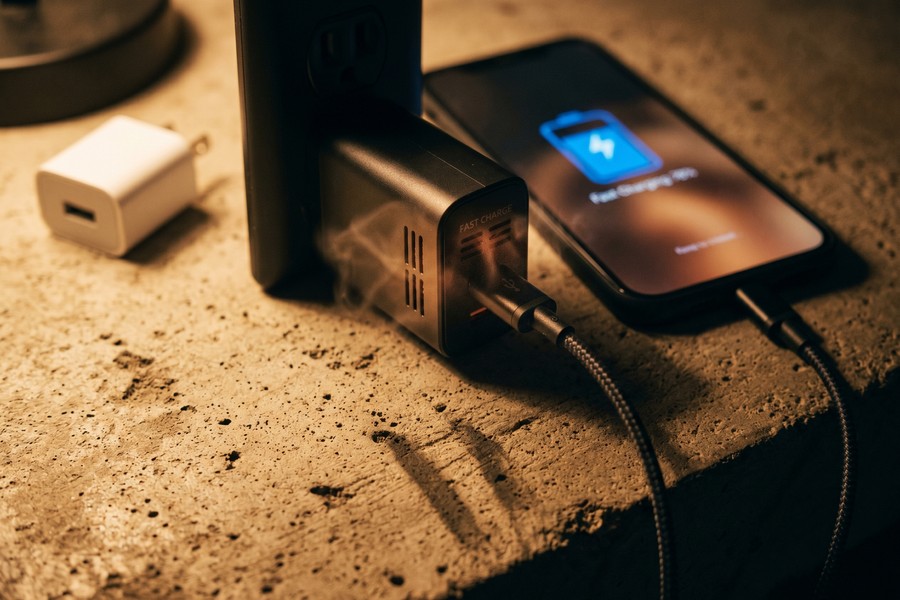
Running a demanding app while charging pushes two heat sources simultaneously: the battery’s charging process and the processor’s workload. Gaming, GPS navigation, HD video streaming, and video recording all tax the CPU and GPU heavily, generating their own thermal output. Combine that with charging heat, and the device’s internal temperature can climb well past comfortable operating ranges.
A phone that feels uncomfortably warm during a charge-and-use session is not just a minor inconvenience, it is a signal that conditions inside the device have crossed into the range that accelerates degradation. Battery University’s guidance on temperature effects notes that prolonged exposure to heat reduces longevity, with cycle life dropping significantly as operating temperatures rise above 20°C (68°F).
Fast Charging as an Occasional Tool, Not a Daily Default
Fast charging adds another variable here. Technologies like Qualcomm Quick Charge, Apple’s 20W USB-C charging, and various manufacturer proprietary systems push higher current through the battery, which generates more heat than standard charging. Fast charging is a genuinely useful tool when time is constrained. Used as a daily default, especially combined with heavy phone use, it compounds the thermal stress described above.
A practical heuristic: use standard or slow charging when you have the time (overnight on a nightstand, for example), and reserve fast charging for situations where you actually need a quick top-up. The phone’s long-term capacity will reflect the difference.
OSHA’s lithium-ion battery safety guidance advises users to discontinue use if a battery pack temperature rises more than 10°C during a regular charge, a threshold that can be reached faster than most people realize when heavy app use and charging coincide.
Mistake 5: Ignoring Background Apps, 5G Searching, and Silent Battery Killers
The drains that are hardest to see are often the most persistent. Background app refresh, constant location polling, and weak cellular signal are three of the biggest silent battery killers, and the last one is almost universally missing from battery mistake articles.
The 5G Weak-Signal Problem
When a 5G phone is in an area with poor 5G coverage, the device’s modem works significantly harder scanning for a usable signal. This is the wireless equivalent of running your car engine hard in a low gear, it burns through fuel (battery) at a disproportionate rate. Apple’s own support documentation names “No Mobile Coverage and Low Signal” as a leading cause of fast battery drain and recommends enabling 5G Auto mode or Airplane Mode as mitigations in poor-coverage areas.
The concrete fix: if you are consistently in a weak 5G zone, a rural area, a basement, or a building with thick concrete walls, switch to LTE Auto in your cellular settings. You will lose minimal performance in most real-world scenarios and gain measurable battery life throughout the day.
Location and Background Refresh
Background app refresh and Always On location access are the other two culprits worth auditing. On both iPhone and Android, a surprising number of apps request continuous location access when they only need it occasionally. On iPhone, go to Settings > Privacy & Security > Location Services and change any non-essential app from “Always” to “While Using” or “Never.” On Android, go to Settings > Apps > Permissions > Location for the same audit.
Background app refresh, where apps silently check for new content while you are not using them, is worth disabling for apps that do not genuinely need real-time updates. Social media apps are the most common offenders. If you are curious about the deeper mechanics of how these apps stay active, our breakdown of how push notifications work on your phone explains the system-level behavior that keeps apps running in the background.
| Battery Mistake | Primary Cause of Damage | Recommended Fix |
|---|---|---|
| Charging to 100% nightly | High-state electrochemical stress + heat for 6–8 hours | Enable Optimized Charging (iPhone) or Protect Battery (Samsung, caps at 85%) |
| Full drain to 0% | Deep discharge stresses anode and cathode | Plug in at 20%; stay in the 20–80% range daily |
| Charging on soft surfaces | Heat trapping; no dissipation through fabric | Charge on a hard, flat surface with airflow |
| Heavy use while charging | Dual heat sources (battery + processor) simultaneously | Avoid demanding apps during charging; reserve fast charging for when needed |
| Weak 5G signal + background apps | Modem overwork and constant location polling | Switch to LTE Auto in weak areas; audit location permissions |
The Wellness Ripple Effect: What a Dying Battery Does to Your Stress Levels
Battery anxiety is a real phenomenon. A phone consistently sitting at 10% is not just inconvenient, it keeps you in a low-grade state of alertness that has measurable physiological effects. Research on smartphone notifications has found that alert sounds and vibrations trigger measurable cortisol responses, even when the notification turns out to be trivial. A dying battery amplifies this: every percentage point drop becomes a micro-stressor.
The bedroom charging habit is where battery health and sleep hygiene intersect most directly. Keeping a phone on the nightstand exposes you to blue-light emission if you check it, audible or tactile alerts during sleep, and the psychological pull of “just checking” that delays sleep onset. Charging in another room removes all three simultaneously.
The Cortisol and Sleep Connection
The bedtime charging fix is both a battery-health intervention and a sleep-hygiene intervention. Eliminating the phone from the sleep environment reduces blue-light exposure during the melatonin window, stops nighttime notification disruptions, and breaks the cortisol-notification loop that keeps the nervous system partially activated during what should be recovery time.
This is the angle that most battery guides miss entirely. Protecting your battery and protecting your sleep quality are the same action. If you are building broader healthy digital habits, the principles in our guide to building a personal digital security routine apply here too, small, consistent boundaries compound over time.
According to SQ Magazine’s 2025 smartphone data, 75% of smartphone owners cite battery degradation as their primary reason for upgrading to a new phone, yet most battery replacements cost under $100, a fraction of the cost of a new device. Replacement is almost always the smarter financial and environmental choice once capacity falls below 80%.
How to Check Your Battery Health in Under 5 Minutes
Before changing any habits, check where your battery actually stands. Both major platforms give you a specific number, and knowing your baseline makes everything else concrete.
iPhone Battery Health
On iPhone, go to Settings > Battery > Battery Health & Charging. You will see a “Maximum Capacity” percentage. A reading above 80% is considered healthy. Below 80%, Apple’s guidance on maximizing battery performance indicates the battery may need service to restore full peak performance. Apple recommends storing devices at around 50% charge if putting them away for extended periods, and keeping them in environments below 90°F (32°C).
If you are running an iPhone and want a full breakdown of daily settings that extend battery life beyond these fixes, our guide on making your iPhone battery last all day covers the complete picture.
Android and Samsung Battery Health
On Samsung Galaxy devices, go to Settings > Battery and Device Care > Battery, tap the three-dot menu in the top-right corner, and select Battery Health. Google Pixel phones running Android 14 or later include a battery health indicator under Settings > Battery > Battery health. Other Android manufacturers vary, but many expose a battery health status through their built-in device care apps.
The widely accepted benchmark across manufacturers and repair services: below 80% maximum capacity is the threshold at which a battery replacement makes practical sense. A replacement typically costs between $50 and $100 at an authorized service center, compared to $800–$1,200 for a comparable new device. It is also the more sustainable choice, manufacturing a new phone has a substantially larger environmental footprint than replacing a battery.
For Android users who want to go deeper into system-level optimizations, the Android Developer Options features worth enabling guide covers battery-adjacent settings that most users never discover.
The U.S. Consumer Product Safety Commission recommends that battery-powered devices always be charged with the manufacturer’s approved charger, tested as a complete system. Third-party chargers, especially cheap, uncertified cables, can deliver inconsistent voltage that accelerates battery wear and creates safety risks beyond mere degradation. Stick to the original charger or a certified third-party option from a reputable brand. See the CPSC’s battery safety guidance for the reasoning behind this recommendation.
Frequently Asked Questions
How many charge cycles does a smartphone battery last?
Most lithium-ion smartphone batteries are rated for approximately 500 full charge cycles before noticeable capacity loss. After 500 cycles, batteries lose roughly 20% of their original capacity under typical use, according to ElectroIQ’s 2024 battery data. One full cycle equals discharging from 100% to 0%, partial charges count proportionally.
Is it bad to charge your phone overnight?
Overnight charging is not catastrophic with modern phones, but it does contribute to long-term degradation. The core issue is that a battery held at 100% for six to eight hours, especially with any ambient heat, accelerates chemical aging inside the cell. Enabling Optimized Battery Charging (iPhone) or Protect Battery (Samsung) mitigates this by delaying the final charge until close to your wake time.
What is the ideal battery percentage range for daily use?
The widely supported recommendation is to keep your battery between 20% and 80% for everyday use. This range keeps lithium-ion cells in a lower-stress electrochemical state and is the design logic behind manufacturer features like Samsung’s Protect Battery cap at 85%. Full charges and deep discharges are both harder on the cell chemistry over time.
Does 5G drain your battery faster than LTE?
Yes, particularly in weak-signal areas. When a 5G phone cannot find a strong 5G signal, the modem works significantly harder scanning for a connection, consuming battery at a disproportionate rate. Apple Support specifically names low signal as a leading cause of fast battery drain and recommends switching to 5G Auto or LTE in poor-coverage areas.
Should I use fast charging every day?
Fast charging is best treated as an occasional tool rather than a daily habit. It pushes higher current through the battery, which generates more heat than standard charging and accelerates wear over time. Use it when you genuinely need a quick charge; default to standard or slow charging when time is not the constraint.
What temperature is too hot for a smartphone battery?
Apple officially states that ambient temperatures above 95°F (35°C) can permanently reduce battery capacity. The safe operating and charging range is 32°F to 95°F (0°C to 35°C). Charging on soft surfaces like pillows or duvets can push device temperatures past this threshold even in a cool room, because fabric insulates rather than dissipates heat.
When should I replace my phone battery instead of buying a new phone?
Below 80% maximum capacity is the broadly accepted threshold for considering a battery replacement. At this point, the battery can no longer reliably power the device through a full day, and peak performance may be throttled. A battery replacement typically costs $50–$100 at an authorized service center, significantly less than a new device, and is the more environmentally responsible choice.
Sources
- Apple Support, iPhone Battery and Performance
- Apple, Batteries: Maximizing Performance
- Battery University (Cadex Electronics), BU-808: How to Prolong Lithium-based Batteries
- Battery University (Cadex Electronics), BU-410: Charging at High and Low Temperatures
- U.S. OSHA, Lithium-Ion Batteries Hazard and Use Assessment
- U.S. Consumer Product Safety Commission, Battery Safety Standards
- ElectroIQ, Battery Usage Statistics (2024)
- NSYS Insights, How Wireless Charging Affects Battery Health (citing ACS Omega, 2024)
- SQ Magazine, Smartphone Statistics (2025)
- Digital Journal, Power Hungry: The Apps Most Likely to Drain Your Battery (reporting on Elevate study, 2025)






