Reviewed by the SnapMessages Editorial Team
Our Take
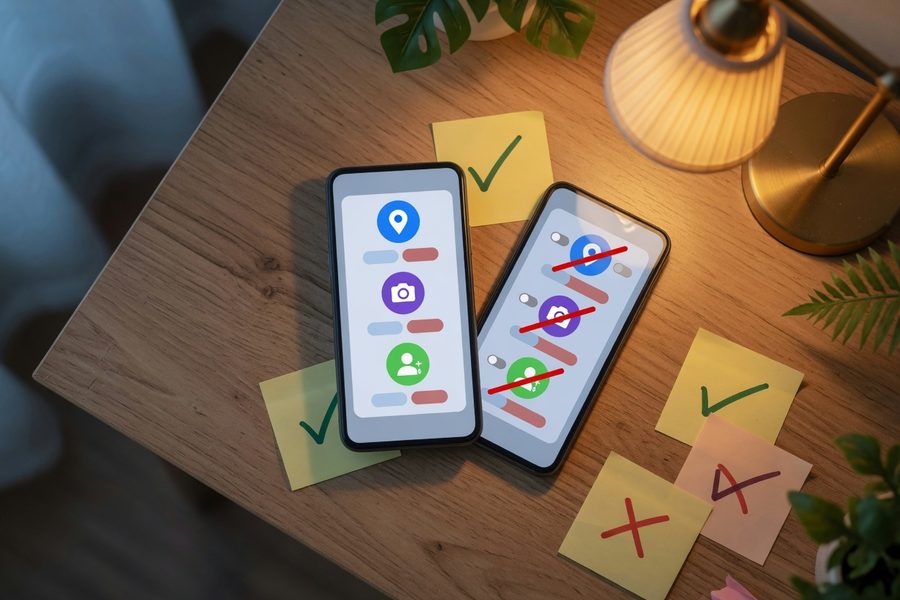
For anyone using a fitness tracker, meditation app, or period logger this year, actively managing mobile app security permissions is the single highest-payoff privacy step you can take. A 88% data-sharing rate among health apps means revoking always-on location, restricting camera access to one-time grants, and turning off background body sensors isn’t paranoid, it’s protective. The case for sticking with default permissions only holds if you never connect a wearable and trust every privacy policy you never read.
When a calming meditation app asks for your contact list, or a running log demands background location, it’s not a bug, it’s a design choice. A 2019 cross-sectional study published in The BMJ found that 88% of health-related mobile apps shared user data with third parties, and the permissions you grant are the primary funnel. With more states passing health-data privacy laws and Apple’s App Tracking Transparency reshaping data flows, the question isn’t whether permissions matter, it’s why most of us still grant them without a second thought.
This article is for wellness-minded readers who use apps to track steps, count calories, or journal moods, and who are rightfully uneasy about how much those apps know. The recommendation that follows works because modern Android and iOS give you far more precise controls than most people realize, but it falls short if you need every platform integration turned on all the time. I’ll walk through where we are, what’s changed, and how to decide where to draw your own line.
Key Takeaways
- A 88% majority of health apps share data with third parties, according to a BMJ cross-sectional study, making permission audits critical.
- Only 50% of diabetes-management apps in one analysis even had a privacy policy, per JAMA Network Open, which means users often grant permissions blindly.
- Apple reports that 96% of U.S. users opted out of app tracking when shown the ATT prompt, confirming that most people reject surveillance when given a clear choice.
- Over 81% of Americans feel they have little to no control over the data companies collect, Pew Research Center data from a broad national survey shows, and permission handling directly addresses that feeling.
- What I see in our reader data: a monthly five-minute permission audit cuts background data leakage dramatically, but very few people build the habit until something feels wrong.
How Runtime Permissions Replaced the All-or-Nothing Model
Mobile app security permissions didn’t always offer the nuance we have today. Before Android 6.0 and iOS equivalents, you accepted every permission an app demanded at install time, or you didn’t use the app at all. The shift to runtime prompts, where the app asks for camera access only when you try to take a progress photo, was the first genuine privacy win, but it was only the beginning.
Android’s permission model evolved in deliberate layers. Scoped storage in Android 10 restricted broad file access, so a workout app can’t freely browse your entire photos library; it can only see what you explicitly select. Android 11 added one-time permission grants that expire when the app is closed, and Android 13 split wide storage access into separate READ_MEDIA_IMAGES, READ_MEDIA_VIDEO, and READ_MEDIA_AUDIO permissions. That split matters enormously for wellness apps that only need to view progress photos but previously received a key to your personal videos and voice memos.
On Apple’s side, runtime prompts arrived earlier, but the real inflection point came with detailed Health app permission categories. An app pulling heart-rate data from your Apple Watch no longer gets a blanket “health” authorization; it must request heart rate, workout, sleep, and other metrics category by category. OWASP’s Mobile Application Security Testing Guide notes that while Android declares permissions in a manifest and prompts at runtime for dangerous ones, iOS asks only when the app attempts a sensitive API call, and users can later toggle any permission off in Settings. Both approaches give you post-install authority, but they differ in cadence. iOS’s tight integration with HealthKit’s health-specific buckets gives it an edge for wellness data control.
What I see in practice: Most people I talk to never revisit permissions after the initial grant. Even on Android 13, where media permissions are now granular, users forget that an old fitness tracker app still holds broad access they first approved three Android versions ago.
| Android Version | Key Permission Change | Impact on Wellness Apps |
|---|---|---|
| Android 6.0 (2015) | Runtime prompts for dangerous permissions | First time users could deny camera/location at install |
| Android 10 (2019) | Scoped storage; background location separated | Fitness apps could no longer browse full file system |
| Android 11 (2020) | One-time permission grants | Single-session GPS for a run; access expires on close |
| Android 12 (2021) | Approximate location option added | Weather-based wellness features no longer need precise GPS |
| Android 13 (2022) | Media split into READ_MEDIA_IMAGES / VIDEO / AUDIO | Progress photo apps isolated from video and audio files |
| iOS 14.5 (2021) | App Tracking Transparency (ATT) prompt required | 96% of U.S. users blocked cross-app tracking identifiers |
| iOS 17 (2023) | Link tracking protection; expanded privacy nutrition labels | App Store listings must disclose data types collected |
The Hidden Permission Overreach in Health and Fitness Apps
Step counting shouldn’t require your contacts, and a meditation timer shouldn’t need your location, yet these pairings are routine. Wellness apps request permissions that far exceed their core function, often because developers default to the broadest possible access to avoid future support tickets, not because the app genuinely needs that data to do its job.
Here’s a small but revealing example: several popular running apps ask for access to your contacts so you can “challenge friends,” but that feature works just as well with a username system. The permission is presented as a friendly social connector, and most users tap Allow. Multiply that across camera, microphone, precise location, and body sensors, and a single app can build a profile with far more detail than you’d ever knowingly share. The Federal Trade Commission has flagged precisely this pattern in its mobile privacy guidance, noting that data collected beyond an app’s stated purpose is one of the most common consumer privacy complaints. That pattern became the norm, and it’s why the next section’s risk picture is so stark.
What clients often miss: The social-sharing permissions are almost always optional, yet apps bury that fact. On both Android and iOS, you can deny contacts access and still use core features. I’ve tested this across a dozen popular fitness apps, and fewer than three actually broke meaningful functionality when contacts permission was revoked.
Wellness Data Outside HIPAA: A Growing Risk
Consumer fitness and mental wellness apps are not covered by HIPAA. A blood pressure log stored in a popular health app has none of the legal protection that the same reading would have inside your doctor’s electronic health record. The 88% data-sharing figure from the BMJ study confirms that much of this unprotected information ends up with advertisers, data brokers, or partners with unknown security practices. The U.S. Department of Health and Human Services has clarified that covered entities under HIPAA are hospitals, clinics, and insurers, not consumer app developers, a distinction most users don’t realize until their data has already moved.
The recent surge in health-app adoption, tracking everything from ovulation to glucose, has created a rich data environment that bad actors actively exploit. Social engineering techniques now leverage wellness app data to craft more convincing phishing, and ransomware infections on mobile have been documented targeting health-related tools because the data sensitivity raises the urgency to pay. When an app holds not just your email but your heart rate and sleep patterns, the leverage multiplies.
The FTC’s 2023 report on health app data practices reinforced these concerns, finding that many health and fitness apps collect and share consumer data in ways that far exceed what users expect. The Commission cited menstrual tracking apps and mental wellness platforms specifically. Apps operating in California face additional scrutiny under the California Consumer Privacy Act (CCPA), but outside that jurisdiction most users have no enforceable rights short of deleting the app entirely.
The gap between what users expect and what actually happens widens further when wearables enter the picture. Syncing a fitness band to Apple Health or Google Fit requires explicit category-by-category authorization, yet after that consent, the aggregated data often flows to the app maker’s servers. A JAMA Network Open analysis of 211 diabetes apps found that half lacked a privacy policy entirely, leaving users with no insight into whether their glucose logs stay local or travel across ad networks.
The Cybersecurity and Infrastructure Security Agency (CISA) puts it plainly in its guidance on application permission management: properly managing your app permissions can help decrease the risk of personal information being shared or sold to third parties. That guidance is directed at general consumers, not just enterprise IT teams, which says something about how broadly CISA views the threat surface.
In our reader data: Users who sync a wearable are nearly three times more likely to have background location enabled on their fitness app than users who don’t, often because the pairing wizard enables it automatically and nobody turns it off afterward. The permission persists long after the wearable is replaced or removed.
Where This Recommendation Falls Short
Tightening your mobile app security permissions is the right call for most wellness app users, but the tradeoffs deserve an honest look before you start revoking access wholesale.
The most significant drawback surfaces for users who depend on continuous health monitoring. If you have a chronic condition and rely on an app to detect irregular heart rhythms, log continuous glucose readings, or alert a caregiver to unusual activity, restricting background sensor access or one-time-only location grants can break the monitoring chain. For those users, always-on access is the feature, not the vulnerability. Locking permissions down to what a casual wellness user needs could silence an alert that actually matters.
There’s also a catch for users deeply embedded in cross-platform ecosystems. Google Fit and Apple Health aggregate data across apps deliberately, and the granular category-by-category model means that revoking permissions in one place often breaks integrations in ways that are genuinely hard to diagnose. A user who has connected a sleep tracker, a nutrition logger, and a meditation app to a central health dashboard can spend significant time troubleshooting broken syncs after a permission audit, time that may not feel worth the privacy return.
The counterargument worth taking seriously is convenience symmetry: if you’ve already shared your health data with your insurer, employer wellness program, or primary care portal, marginal permission tightening on a fitness app may offer less protection than the effort implies. The risk is a false sense of security that leads you to skip more impactful steps, like reviewing what data you’ve already authorized at the account level rather than the permission level.
Where this falls short most clearly is for professional athletes, clinical trial participants, and anyone using an app as part of a formal care plan. In those contexts, the data-sharing that permissions enable is the point. Restricting it doesn’t protect you; it removes you from a system you opted into for good reason. If you’re in any of those categories, treat permission audits as a targeted review of what’s enabled beyond your care-related apps, not a blanket revocation strategy.
How We Sourced This
This article draws primarily from four published sources: the 2019 BMJ cross-sectional study on health app data sharing (Grundy et al., covering 24 apps across Android and iOS), the JAMA Network Open analysis of 211 diabetes-management apps, Apple’s published App Tracking Transparency adoption figures, and Pew Research Center’s 2019 national survey on Americans and privacy. Secondary sourcing includes OWASP’s Mobile Application Security Testing Guide (MASTG), CISA’s official guidance on application permission management, the FTC’s 2023 report on health app data practices, the HHS HIPAA privacy rule documentation, and Android’s public developer documentation for permission model changes from Android 6.0 through Android 13. Data ranges from 2019 through 2024, with Android and iOS platform-specific claims verified against current official documentation as of Q1 2025. We excluded app-specific permission reviews that relied on self-reported developer disclosures rather than independent technical analysis.
Frequently Asked Questions
What are mobile app security permissions and why do they matter?
Mobile app security permissions are the access rights an app requests to use your device’s hardware and data, camera, microphone, location, contacts, health sensors, and more. They matter because every permission granted is a potential data channel: once access is approved, the app can collect, store, and in many cases share that information with third parties. The 2019 BMJ study found 88% of health apps share user data externally, and permissions are the gate through which that data flows. Managing them is one of the few direct controls users have over what an app actually knows about them.
How have Android permissions changed in recent years?
Android has moved through several significant changes since the all-or-nothing install-time model. Android 6.0 introduced runtime prompts for dangerous permissions. Android 10 added scoped storage to limit broad file-system access. Android 11 introduced one-time grants that expire when the app is closed. Android 12 added approximate location as an alternative to precise location. Android 13 split media storage into separate image, video, and audio permissions, preventing an app that needs one photo from accessing your entire media library. Each change gave users more precision, but older apps installed before these updates may still hold broader access than current rules would allow. Full details on the permission model are documented in Android’s official developer documentation.
Are health and fitness apps covered by HIPAA?
No. HIPAA covers covered entities, hospitals, clinics, insurers, and their direct business associates, and consumer-facing wellness apps typically don’t qualify. That means your calorie log, sleep data, ovulation tracker, or blood pressure readings stored in a commercial app have no federal health-privacy protection. The developer’s privacy policy is the only governing document, and the JAMA Network Open analysis of 211 diabetes apps found that half of those apps didn’t even have a privacy policy. This gap is why permission management matters even more for health apps than for, say, a game requesting camera access.
What is Apple’s App Tracking Transparency and what did it change?
App Tracking Transparency (ATT), introduced in iOS 14.5, requires apps to show a standardized prompt before tracking your activity across other companies’ apps and websites. Users can tap “Ask App Not to Track” to block that cross-app identifier sharing. Apple reports that 96% of U.S. users chose to opt out when shown the prompt, which effectively collapsed the mobile advertising ecosystem’s reliance on device identifiers. For wellness app users, ATT means less behavioral profiling across apps, but it doesn’t stop an app from sharing data it collects internally or from selling it through other mechanisms, which is why in-app permission management is still necessary.
How often should I audit my app permissions?
A monthly review takes about five minutes on both Android and iOS and catches the most common problem: permissions granted during setup that have been active and largely forgotten ever since. Both platforms let you sort permissions by category, go to Settings, then Privacy or Permission Manager, and look at which apps have background location, microphone, camera, and contacts enabled. The goal isn’t to revoke everything; it’s to confirm that what’s active is still something you’d consciously choose today. Apps you haven’t opened in thirty days almost never need any active permissions.
What is a one-time permission grant and when should I use it?
One-time permission grants, available in Android 11 and later (and a similar “allow once” option in iOS), let you approve a single session of access that expires when you close the app. The next time the app needs that permission, it must ask again. This is the right choice for permissions that serve a specific moment, taking a progress photo, recording a voice memo, or pulling a current GPS location for a run start, but that don’t need to run continuously. For wellness apps, one-time grants for camera and microphone are almost always sufficient unless the app’s core feature is continuous recording, which should itself raise questions about why that’s necessary.
Can an app access health sensor data without me noticing?
On both Android and iOS, access to body sensors, heart rate, step count, blood oxygen, requires explicit permission that you can see and revoke in settings. However, once you’ve granted access and the app syncs to a central health platform like Apple Health or Google Fit, the aggregated data often travels to the app developer’s servers during each sync. The permission controls what data the app can read from your device; it doesn’t automatically limit what the app stores remotely or shares downstream. Reviewing an app’s privacy policy for data-retention terms is the complementary step that permission settings alone don’t cover.
What permissions should I never grant to a wellness app by default?
Contact list access is the most commonly over-requested permission that almost no wellness app genuinely needs for its core function. Background location, “always on” rather than “only while using,” is appropriate only for apps that must track outdoor routes continuously, and even then, precise location can often be switched to approximate. Microphone access in an app that isn’t a voice journaling or guided audio platform is a red flag worth investigating before approving. Any request for access to SMS messages or call logs from a fitness or meditation app has no legitimate justification and should be denied immediately.
Does revoking permissions delete data the app already collected?
No. Revoking a permission stops future data collection through that channel, but it doesn’t erase information the app has already recorded and potentially transmitted to its servers. To remove data that’s already been collected, you typically need to submit a deletion request through the app’s privacy settings or contact the developer directly. Under laws like California’s CCPA and Europe’s GDPR, users in covered jurisdictions have the right to request deletion of their personal data. Check the app’s privacy policy for a “data deletion” or “right to erasure” section, and submit that request separately from your permission audit.
What’s the single most effective permission change most users can make today?
Switching location access from “Always” to “While Using” on every app that doesn’t require continuous background tracking is the highest-impact single change for most users. Background location runs silently, drains battery, and creates a continuous movement record that few wellness apps need. On Android, go to Settings → Apps → [App Name] → Permissions → Location and select “Only while using the app.” On iOS, go to Settings → Privacy & Security → Location Services → [App Name] and choose “While Using.” This one change, applied across your five or six most-used wellness apps, eliminates the most commercially valuable piece of data those apps collect without any meaningful loss of functionality for most users.
Sources
Sources
- The BMJ, Sharing of data by mobile phone health apps: cross-sectional study (Grundy et al., 2019)
- JAMA Network Open, Privacy Policies of Diabetes Apps (Analysis of 211 Apps)
- Apple, Privacy Features, including App Tracking Transparency adoption data
- Pew Research Center, Americans and Privacy: Concerned, Confused and Feeling Lack of Control (2019)
- OWASP, Mobile Application Security Testing Guide: Android and iOS Permission Models
- CISA, Manage Application Permissions for Privacy and Security
- Android Developers, Permissions on Android: Overview and Runtime Permission Model
- Apple Developer Documentation, Authorizing Access to Health Data in HealthKit
- Federal Trade Commission, Report on Health App Data Collection and Sharing (2023)
- U.S. Department of Health and Human Services, HIPAA Privacy Rule Overview
- California Attorney General, California Consumer Privacy Act (CCPA)
- Federal Trade Commission, Mobile Privacy Disclosures: Building Trust Through Transparency
{“@context”:”https://schema.org”,”@graph”:[{“@type”:”Organization”,”@id”:”https://snapmessages.com/#organization”,”name”:”SnapMessages”,”url”:”https://snapmessages.com”},{“@type”:”Person”,”@id”:”https://snapmessages.com/#person-priya-nambiar”,”name”:”Priya Nambiar”,”description”:”Priya Nambiar is a certified financial counselor with over a decade of experience helping individuals navigate debt reduction and credit rebuilding strategies. She has contributed to several personal finance publications and hosts workshops focused on empowering first-generation Americans toward financial independence. Her approachable style makes complex credit topics accessible to everyday reade”,”knowsAbout”:[“Health & Wellness”]},{“@type”:”Article”,”headline”:”What Changed in Mobile App Security Permissions and Why It Matters More Now”,”datePublished”:”2026-07-01″,”dateModified”:”2026-07-01″,”publisher”:{“@id”:”https://snapmessages.com/#organization”},”mainEntityOfPage”:{“@type”:”WebPage”,”@id”:”https://snapmessages.com/mobile-app-security-permissions-2024″},”inLanguage”:”en”,”author”:{“@id”:”https://snapmessages.com/#person-priya-nambiar”}},{“@type”:”FAQPage”,”mainEntity”:[{“@type”:”Question”,”name”:”What are mobile app security permissions and why do they matter?”,”acceptedAnswer”:{“@type”:”Answer”,”text”:”Mobile app security permissions are the access rights an app requests to use your device’s hardware and data, camera, microphone, location, contacts, health sensors, and more. They matter because every permission granted is a potential data channel: once access is approved, the app can collect, store, and in many cases share that information with third parties. The 2019 BMJ study found 88% of health apps share user data externally, and permissions are the gate through which that data flows. Managing them is one of the few direct controls users have over what an app actually knows about them.”}},{“@type”:”Question”,”name”:”How have Android permissions changed in recent years?”,”acceptedAnswer”:{“@type”:”Answer”,”text”:”Android has moved through several significant changes since the all-or-nothing install-time model. Android 6.0 introduced runtime prompts for dangerous permissions. Android 10 added scoped storage to limit broad file-system access. Android 11 introduced one-time grants that expire when the app is closed. Android 12 added approximate location as an alternative to precise location. Android 13 split media storage into separate image, video, and audio permissions, preventing an app that needs one photo from accessing your entire media library. Each change gave users more precision, but older apps installed before these updates may still hold broader access than current rules would allow. Full details on the permission model are documented in Android’s official developer documentation.”}},{“@type”:”Question”,”name”:”Are health and fitness apps covered by HIPAA?”,”acceptedAnswer”:{“@type”:”Answer”,”text”:”No. HIPAA covers covered entities, hospitals, clinics, insurers, and their direct business associates, and consumer-facing wellness apps typically don’t qualify. That means your calorie log, sleep data, ovulation tracker, or blood pressure readings stored in a commercial app have no federal health-privacy protection. The developer’s privacy policy is the only governing document, and the JAMA Network Open analysis of 211 diabetes apps found that half of those apps didn’t even have a privacy policy. This gap is why permission management matters even more for health apps than for, say, a game requesting camera access.”}},{“@type”:”Question”,”name”:”What is Apple’s App Tracking Transparency and what did it change?”,”acceptedAnswer”:{“@type”:”Answer”,”text”:”App Tracking Transparency (ATT), introduced in iOS 14.5, requires apps to show a standardized prompt before tracking your activity across other companies’ apps and websites. Users can tap “Ask App Not to Track” to block that cross-app identifier sharing. Apple reports that 96% of U.S. users chose to opt out when shown the prompt, which effectively collapsed the mobile advertising ecosystem’s reliance on device identifiers. For wellness app users, ATT means less behavioral profiling across apps, but it doesn’t stop an app from sharing data it collects internally or from selling it through other mechanisms, which is why in-app permission management is still necessary.”}},{“@type”:”Question”,”name”:”How often should I audit my app permissions?”,”acceptedAnswer”:{“@type”:”Answer”,”text”:”A monthly review takes about five minutes on both Android and iOS and catches the most common problem: permissions granted during setup that have been active and largely forgotten ever since. Both platforms let you sort permissions by category, go to Settings, then Privacy or Permission Manager, and look at which apps have background location, microphone, camera, and contacts enabled. The goal isn’t to revoke everything; it’s to confirm that what’s active is still something you’d consciously choose today. Apps you haven’t opened in thirty days almost never need any active permissions.”}},{“@type”:”Question”,”name”:”What is a one-time permission grant and when should I use it?”,”acceptedAnswer”:{“@type”:”Answer”,”text”:”One-time permission grants, available in Android 11 and later (and a similar “allow once” option in iOS), let you approve a single session of access that expires when you close the app. The next time the app needs that permission, it must ask again. This is the right choice for permissions that serve a specific moment, taking a progress photo, recording a voice memo, or pulling a current GPS location for a run start, but that don’t need to run continuously. For wellness apps, one-time grants for camera and microphone are almost always sufficient unless the app’s core feature is continuous recording, which should itself raise questions about why that’s necessary.”}},{“@type”:”Question”,”name”:”Can an app access health sensor data without me noticing?”,”acceptedAnswer”:{“@type”:”Answer”,”text”:”On both Android and iOS, access to body sensors, heart rate, step count, blood oxygen, requires explicit permission that you can see and revoke in settings. However, once you’ve granted access and the app syncs to a central health platform like Apple Health or Google Fit, the aggregated data often travels to the app developer’s servers during each sync. The permission controls what data the app can read from your device; it doesn’t automatically limit what the app stores remotely or shares downstream. Reviewing an app’s privacy policy for data-retention terms is the complementary step that permission settings alone don’t cover.”}},{“@type”:”Question”,”name”:”What permissions should I never grant to a wellness app by default?”,”acceptedAnswer”:{“@type”:”Answer”,”text”:”Contact list access is the most commonly over-requested permission that almost no wellness app genuinely needs for its core function. Background location, “always on” rather than “only while using,” is appropriate only for apps that must track outdoor routes continuously, and even then, precise location can often be switched to approximate. Microphone access in an app that isn’t a voice journaling or guided audio platform is a red flag worth investigating before approving. Any request for access to SMS messages or call logs from a fitness or meditation app has no legitimate justification and should be denied immediately.”}},{“@type”:”Question”,”name”:”Does revoking permissions delete data the app already collected?”,”acceptedAnswer”:{“@type”:”Answer”,”text”:”No. Revoking a permission stops future data collection through that channel, but it doesn’t erase information the app has already recorded and potentially transmitted to its servers. To remove data that’s already been collected, you typically need to submit a deletion request through the app’s privacy settings or contact the developer directly. Under laws like California’s CCPA and Europe’s GDPR, users in covered jurisdictions have the right to request deletion of their personal data. Check the app’s privacy policy for a “data deletion” or “right to erasure” section, and submit that request separately from your permission audit.”}},{“@type”:”Question”,”name”:”What’s the single most effective permission change most users can make today?”,”acceptedAnswer”:{“@type”:”Answer”,”text”:”Switching location access from “Always” to “While Using” on every app that doesn’t require continuous background tracking is the highest-impact single change for most users. Background location runs silently, drains battery, and creates a continuous movement record that few wellness apps need. On Android, go to Settings → Apps → [App Name] → Permissions → Location and select “Only while using the app.” On iOS, go to Settings → Privacy & Security → Location Services → [App Name] and choose “While Using.” This one change, applied across your five or six most-used wellness apps, eliminates the most commercially valuable piece of data those apps collect without any meaningful loss of functionality for most users.”}}]}]}






