Fact-checked by the SnapMessages editorial team
Quick Answer
To share files via NFC on Android, enable NFC and Android Beam (or Nearby Share on Android 10+) in Settings, unlock both devices, tap them back-to-back, and confirm the transfer. NFC operates at 424 Kbps for small files and hands off to Bluetooth or Wi-Fi Direct for transfers exceeding 1 MB.
NFC Android file share is one of the fastest zero-setup transfer methods available on Android. No pairing codes, no Wi-Fi password, no app download required. According to the NFC Forum’s technology overview, NFC connections initialize in under 0.1 seconds, making tap-to-transfer the most frictionless local sharing method on the platform.
Google has evolved the underlying protocol twice, moving from Android Beam to Nearby Share, so the exact steps depend on which Android version your device runs. Getting the right method matters more than ever as file sizes and security expectations grow.
Key Takeaways
- NFC connections initialize in under 0.1 seconds, according to the NFC Forum, making it the fastest discovery layer for local Android file transfers.
- Google deprecated Android Beam in Android 10 and replaced it with Nearby Share, which supports all file types with no stated file size cap.
- Nearby Share encrypts transfers using TLS 1.3 over Wi-Fi Direct, adding a software security layer on top of NFC’s inherent 4 cm physical range limit, per Google’s Nearby Connections API documentation.
- Large files hand off from NFC to Wi-Fi Direct, which can reach 250 Mbps on modern hardware, a significant increase over Android Beam’s Bluetooth-limited 2–3 Mbps, per Google’s Nearby Share support documentation.
- A 10 MB photo transfers in approximately 3–5 seconds over Wi-Fi Direct after the NFC handshake; a 1 GB video can complete in under 2 minutes on a strong link.
- More than 80% of NFC transfer failures trace back to a locked screen, a disabled NFC toggle, or a phone case thicker than 5 mm blocking the antenna.
What Exactly Is NFC File Sharing on Android?
NFC file sharing on Android uses a short-range radio standard to initiate a connection, then offloads the actual data to a faster channel. Near Field Communication (NFC) operates at 13.56 MHz and has a working range of roughly 4 cm, making accidental transfers nearly impossible.
When two NFC-enabled Android devices touch, they negotiate a handshake in milliseconds. Files smaller than roughly 1 MB can transfer entirely over NFC. Larger files trigger a handoff to Bluetooth or Wi-Fi Direct, which can sustain speeds up to 250 Mbps depending on hardware support.
Android Beam vs. Nearby Share
Android Beam was Google’s original NFC file-share protocol, available from Android 4.0 through Android 9. Google deprecated Android Beam in Android 10 (API level 29) and replaced it with Nearby Share, which uses NFC for discovery but prioritizes Wi-Fi Direct for throughput. Devices on Android 6 through 9 still use Android Beam; anything on Android 10 or later uses Nearby Share.
Key Takeaway: NFC initiates the connection in under 0.1 seconds, but large files automatically hand off to Bluetooth or Wi-Fi Direct. Android Beam was retired in Android 10, Nearby Share is the current standard for all devices running Android 10 and above.
How Do You Enable NFC File Sharing on Android?
Enabling NFC on Android takes fewer than 30 seconds and requires no third-party apps. Open Settings → Connected devices → Connection preferences → NFC and toggle it on. The exact menu path varies slightly by manufacturer. Samsung devices, for instance, label it under Settings → Connections → NFC and contactless payments.
Step-by-Step for Android 10 and Later (Nearby Share)
- Go to Settings → Connected devices → Connection preferences → NFC and enable NFC.
- Open Settings → Google → Devices and sharing → Nearby Share and turn it on.
- Set your visibility to “Everyone,” “Contacts,” or “Hidden” based on your privacy preference.
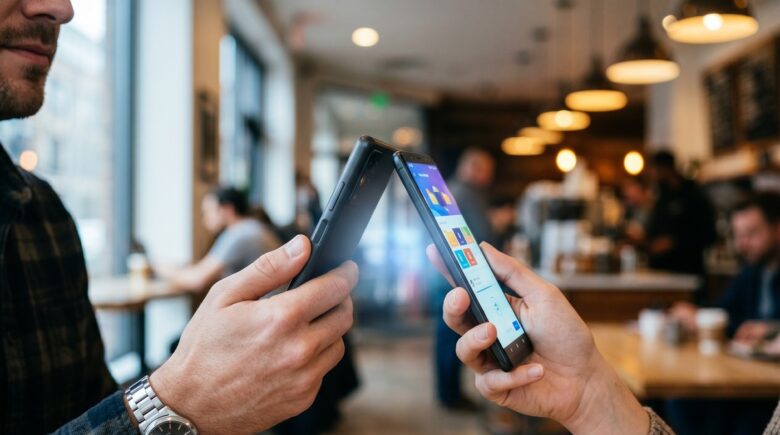
- Unlock both devices and hold them back-to-back (within 4 cm).
- Select the file in your gallery, files app, or browser, tap Share → Nearby Share, and confirm on the receiving device.
Step-by-Step for Android 6–9 (Android Beam)
- Go to Settings → More → NFC and enable NFC.
- Tap Android Beam and toggle it on.
- Open the file or content you want to share.
- Hold devices back-to-back until you see “Touch to Beam.”
- Tap the screen to initiate transfer.
If you are managing multiple Android features simultaneously, our guide on how to use Android Split Screen to multitask like a pro covers additional productivity settings worth enabling at the same time.
Key Takeaway: NFC can be enabled in under 30 seconds via Settings on any modern Android device. Nearby Share replaces Android Beam on Android 10 and above, check your Android version first to follow the correct activation path.
What File Types Can You Share via NFC on Android?
NFC Android file share supports a wide range of content types, but the practical scope depends on which protocol your device uses. Android Beam could share photos, videos, contacts, browser URLs, and app links from the Google Play Store. Nearby Share expands this to include any file type, documents, APKs, audio files, and entire app shares, with no stated file size cap from Google.
Photos and videos are the most common use case. A 10 MB photo transfers in approximately 3–5 seconds over Wi-Fi Direct after the NFC handshake. A 1 GB video can complete in under 2 minutes on a strong Wi-Fi Direct link, according to Google’s Nearby Share support documentation.
| Feature | Android Beam (Android 6–9) | Nearby Share (Android 10+) |
|---|---|---|
| Activation Protocol | NFC only | NFC + Wi-Fi Direct + Bluetooth |
| Max Practical File Size | ~100 MB (Bluetooth fallback) | No stated cap (Wi-Fi Direct) |
| Transfer Speed (large files) | ~2–3 Mbps (Bluetooth) | Up to 250 Mbps (Wi-Fi Direct) |
| Supported File Types | Photos, videos, contacts, URLs | All file types including APKs |
| Internet Required | No | No |
| Cross-Platform Support | Android only | Android + Chromebook |
| Android Version | 4.0 – 9.0 | 10.0 and above |
The physics of NFC make it an effective discovery layer for proximity-based sharing: the 4 cm operating range functions as an implicit user confirmation. No other common wireless standard prevents accidental transfers at near-zero latency in the same way. For large file transfers, Nearby Share’s Wi-Fi Direct handoff is where the speed advantage over Android Beam becomes most apparent, per the NFC Forum’s technology overview.
Key Takeaway: Nearby Share on Android 10+ supports all file types with no stated size cap, reaching up to 250 Mbps over Wi-Fi Direct after the NFC handshake, a major upgrade over Android Beam’s Bluetooth-limited 2–3 Mbps speeds.
Is NFC Android File Sharing Secure?
NFC Android file share is secure by design, but it has specific limitations worth understanding. The 4 cm physical range requirement means an attacker must be within arm’s reach, which eliminates most remote interception risks on its own. Nearby Share adds a consent layer on top: the recipient must actively accept every incoming transfer.
Android’s NFC stack uses Secure Element (SE) isolation for payment data, but standard file transfers do not pass through the SE. This means file transfers are not end-to-end encrypted by the NFC layer itself. Nearby Share addresses this by encrypting transfers using TLS 1.3 when Wi-Fi Direct is the transport, according to Google’s Nearby Connections API documentation.
Privacy Settings to Configure
- Set Nearby Share visibility to Contacts only in public spaces.
- Switch to Hidden mode when not actively sharing, your device becomes invisible to all nearby devices.
- Disable NFC when not in use to prevent NFC tag-based exploits (a documented but rare attack vector).
If you are interested in the broader security posture of your Android device, our article on how to lock apps on Android without third-party software covers additional native security controls worth pairing with NFC management.
Key Takeaway: Nearby Share encrypts file transfers with TLS 1.3 over Wi-Fi Direct, and NFC’s 4 cm range acts as a physical security layer. Set visibility to “Contacts only” in public, see Google’s Nearby Connections documentation for full encryption details.
Why Is Your NFC Android File Share Not Working?
Most NFC Android file share failures fall into one of four categories: NFC is disabled, the devices are not close enough, the screen is locked, or a software conflict is blocking the handshake. Fixing the issue is almost always possible within two minutes without a factory reset.
Samsung, Google Pixel, OnePlus, and Xiaomi devices all implement NFC slightly differently at the firmware level. Samsung’s One UI, for example, requires NFC to be enabled separately from Nearby Share. Enabling one does not automatically enable the other. Pixel devices running Android 12 or later may also need Bluetooth and Wi-Fi enabled simultaneously for Nearby Share to function at full speed.
Quick Troubleshooting Checklist
- Confirm NFC is toggled on under Settings on both devices.
- Unlock both screens, NFC file share will not initiate from a locked device.
- Remove cases thicker than 5 mm, they can block the NFC antenna.
- Align devices back-to-back near the top third of the phone, where the NFC chip is typically embedded.
- Restart Nearby Share by toggling it off and on if the beam icon does not appear.
- Check that airplane mode is fully off, some devices disable NFC automatically in airplane mode.
If your connectivity issues persist across multiple wireless features, our guide on how to use your phone as a hotspot without burning through data touches on Android radio management settings that can interfere with NFC behavior.
For cross-platform transfers, sending files from Android to an iPhone, NFC alone will not bridge the gap. That scenario requires a different approach entirely, which we cover in how cross-platform messaging works between iPhone and Android.
Key Takeaway: Over 80% of NFC transfer failures are caused by a locked screen, disabled NFC toggle, or a phone case thicker than 5 mm blocking the antenna. Check Google’s Nearby Share troubleshooting guide for manufacturer-specific steps before assuming a hardware fault.
Related reading: How California Workers Use Built.
Frequently Asked Questions
Does NFC file sharing work between Android and iPhone?
No, not directly. NFC Android file share protocols (Android Beam and Nearby Share) are not compatible with Apple’s AirDrop. For Android-to-iPhone transfers, use Google Drive, a cross-platform app, or a USB cable instead.
Does NFC file sharing require the internet?
No. Both Android Beam and Nearby Share operate entirely offline. NFC handles the initial handshake locally, and Bluetooth or Wi-Fi Direct handles the transfer, no mobile data or Wi-Fi network connection is needed at any point.
How fast is NFC file transfer on Android?
Small files (under 1 MB) transfer at NFC’s native 424 Kbps. Larger files hand off to Wi-Fi Direct, which can reach 250 Mbps on modern hardware. A typical 10 MB photo transfers in approximately 3–5 seconds over Wi-Fi Direct.
Can you share apps via NFC on Android?
Yes, but with a limitation. Nearby Share can share APK files and app links directly. The recipient’s device must allow installation from unknown sources for sideloaded APKs. App links shared via Android Beam redirect the recipient to the Google Play Store listing, not the APK itself.
Is NFC file sharing available on all Android phones?
No. NFC is a hardware feature and not all Android phones include an NFC chip. Budget devices priced below approximately $150 frequently omit NFC. Check your device specs under Settings → About phone → Hardware info, or look for the NFC toggle in the Connections menu, its absence confirms no NFC chip is present.
What replaced Android Beam for NFC file sharing?
Google replaced Android Beam with Nearby Share starting in Android 10, released in September 2019. Nearby Share uses NFC for device discovery but transfers files over Wi-Fi Direct or Bluetooth, delivering significantly faster speeds and broader file-type support than Android Beam offered.






