
Fact-checked by the Snapmessages editorial team
Quick Answer
To unsend a message on iPhone, press and hold the message in iMessage and tap “Undo Send”, available for up to 2 minutes after sending on iOS 16 and later. On Android, most apps like WhatsApp allow deletion for up to 60 hours., every major messaging platform offers some form of unsend or delete functionality.
The ability to unsend a message is now a standard feature across every major messaging platform, but the rules, time limits, and exact steps differ significantly by app and operating system. More than 3 billion people use mobile messaging apps every month, according to Statista’s 2024 messaging usage data, making message recall one of the most searched-for mobile features in the world.
Sent a text to the wrong person? Made a typo you immediately regretted? This guide covers exactly how to unsend a message on iPhone and Android, across iMessage, WhatsApp, Instagram, Messenger, Snapchat, and more, including time limits, what the other person sees, and what to do if the window has already closed.
Key Takeaways
- iMessage gives you 2 minutes to unsend a message on iOS 16 or later, and recipients on older iOS versions will still see the original message (Apple Support).
- WhatsApp allows deletion for everyone for up to 60 hours, 24 minutes, and 60 seconds after sending, the longest window of any major messaging app (WhatsApp FAQ).
- Instagram’s unsend feature removes a message from both sides of the conversation instantly, with no time limit, but the other person may have seen a notification (Instagram Help Center).
- Android’s default SMS/RCS app (Google Messages) does not support unsending standard SMS texts, once sent, they cannot be recalled (Google Messages Help).
- Snapchat allows you to delete sent snaps and messages, but recipients receive a notification that a message was deleted, no silent removal is possible (Snapchat Support).
In This Guide
- How Do You Unsend a Message on iPhone Using iMessage?
- How Do You Unsend a Message on WhatsApp?
- How Do You Unsend a Message on Instagram and Facebook Messenger?
- How Do You Unsend a Message on Snapchat?
- Can You Unsend a Regular Text Message on Android?
- How Do Unsend Limits Compare Across Platforms?
- What Does the Other Person See When You Unsend a Message?
How Do You Unsend a Message on iPhone Using iMessage?
You can unsend a message in iMessage by pressing and holding the message bubble and tapping “Undo Send”, but only if you are using iOS 16 or later and act within 2 minutes of sending. This feature does not work for standard SMS (green bubble) messages, only iMessages (blue bubble).
Step-by-Step: Undo Send in iMessage
- Open the Messages app on your iPhone.
- Find the conversation containing the message you want to remove.
- Press and hold the message bubble.
- Tap “Undo Send” from the pop-up menu.
- The message disappears from your screen immediately.
Apple’s official support documentation notes one important limitation: if the recipient is on iOS 15 or earlier, they will still be able to see the original message even after you unsend it. Apple displays a note in the conversation that says “You unsent a message”, so it is not invisible to anyone in the thread.
That caveat matters more than most users realize. A significant share of iPhone owners have not updated to iOS 16 or later, which means unsending is not a reliable safety net when you have no idea what software version the other person is running.
Edit vs. Unsend in iMessage
iOS 16 also introduced a separate Edit option, which lets you correct a sent iMessage up to 5 times within 15 minutes. The recipient sees a small “Edited” label under the message. Editing is often better than unsending when you only need to fix a typo rather than remove the message entirely.
Apple’s Undo Send and Edit features were introduced in iOS 16 in September 2022, making iPhone one of the last major platforms to add native message recall. WhatsApp has offered the feature since 2017.
How Do You Unsend a Message on WhatsApp?
WhatsApp lets you delete a sent message for everyone in the chat within a window of 60 hours, 24 minutes, and 60 seconds, the most generous recall window of any mainstream messaging app. After that period, only “Delete for Me” is available, which removes the message from your view only.
Step-by-Step: Delete for Everyone on WhatsApp
- Open WhatsApp and navigate to the conversation.
- Long-press the message you want to delete.
- Tap the trash icon or select “Delete” from the menu.
- Choose “Delete for Everyone” (not “Delete for Me”).
- The message is replaced with “This message was deleted.”
WhatsApp is owned by Meta and currently has over 2 billion monthly active users according to Statista. The “Delete for Everyone” label remains visible in the chat thread, the other person will know a message was removed, even if they cannot read it. If you want to learn more about privacy features across platforms, see our comparison of Telegram vs WhatsApp and which app better protects your messages.
WhatsApp Voice Messages and Media
The “Delete for Everyone” option applies to all content types: text, images, videos, documents, and voice messages. There is a real limitation here, though. If the recipient has already downloaded or saved the media, your deletion does not remove the local copy from their device. The file stays on their phone regardless of what you do inside the app.
How Do You Unsend a Message on Instagram and Facebook Messenger?
Instagram allows you to unsend a message at any time, there is no time limit, and the message disappears from both sides of the conversation instantly. Facebook Messenger also supports unsending, but only within 10 minutes of sending.
How to Unsend on Instagram
- Open Instagram Direct Messages.
- Find and open the conversation.
- Press and hold the message you want to remove.
- Tap “Unsend” from the options that appear.
- The message is removed from both sides immediately.
The Instagram Help Center confirms that unsending removes the message from the conversation, but the recipient may have already read it or seen a push notification preview. Instagram is also owned by Meta, the same parent company as WhatsApp and Messenger.
How to Unsend on Facebook Messenger
- Open Messenger and go to the conversation.
- Long-press the message.
- Tap “Remove” then select “Remove for Everyone.”
- Act within the 10-minute window or the option will not appear.
“Users increasingly expect message recall as a default feature, not a premium one. The platforms that don’t offer it are now the outliers — and that’s a significant shift from just five years ago.”
How Do You Unsend a Message on Snapchat?
Snapchat lets you delete sent messages at any time by pressing and holding the message and selecting “Delete.” However, the platform always notifies the other person that a message was deleted, there is no silent unsend on Snapchat.
Step-by-Step: Delete a Snap Message
- Open Snapchat and go to the chat.
- Press and hold the message you want to remove.
- Tap “Delete” from the menu.
- Confirm deletion, Snapchat notifies the recipient that a message was removed.
Snapchat’s official support page states that recipients see a notification reading “[Username] deleted a message.” This applies even if the message was unsaved or auto-deleted by Snapchat’s default disappearing message system. For more on managing disappearing content, see our guide on how to send disappearing messages on any device.
If your goal is to prevent messages from being seen in the first place, use Snapchat’s built-in disappearing message timer rather than relying on the delete function. Set messages to disappear immediately after viewing, this is more reliable than trying to unsend after the fact.
Can You Unsend a Regular Text Message on Android?
No, you cannot unsend a standard SMS text message on Android once it has been sent. Google Messages, the default SMS/RCS app on most Android devices, does not include a recall or delete-for-others feature for SMS. The message is delivered to the recipient’s carrier network almost instantly and cannot be retrieved.
RCS Messages: Is There Any Recall Option?
RCS (Rich Communication Services) is the modern replacement for SMS and is supported by Google Messages., though, Google Messages does not offer an “unsend” or “delete for everyone” function for RCS messages, even between two RCS-capable users. To understand the broader differences, read our breakdown of SMS vs RCS and what those differences mean for your messages.
If you need message recall on Android, your only reliable option is to use a third-party messaging app like WhatsApp, Telegram, or Signal, all of which support some form of delete-for-everyone. Standard carrier SMS is simply not designed with recall in mind.
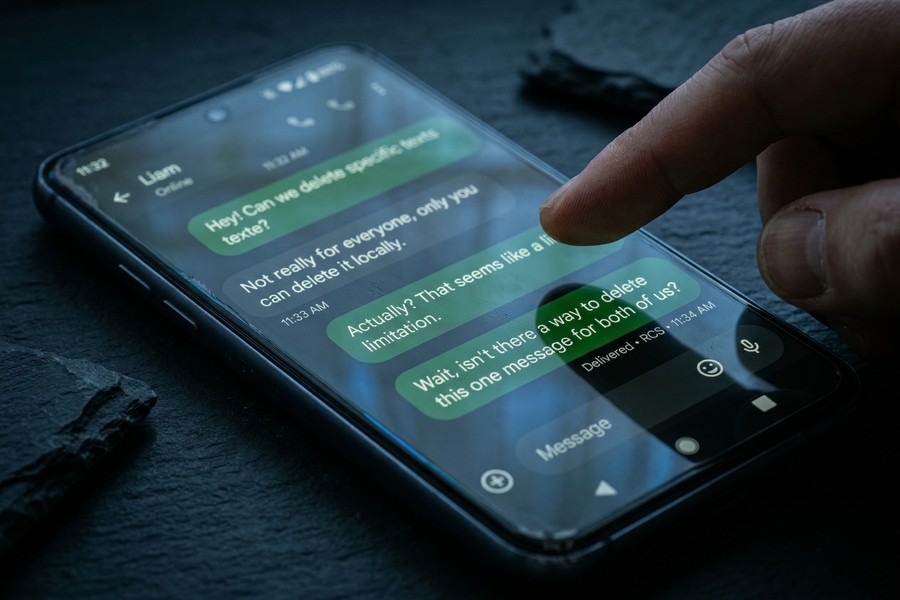
, over 1.5 billion Android devices have Google Messages installed as the default SMS app, yet none of them support unsending standard SMS texts, meaning billions of users must use third-party apps to get message recall functionality.
How Do Unsend Limits Compare Across Platforms?
Each messaging platform sets its own rules for message recall. Time limits, recipient notifications, and content type support vary widely. The table below gives a precise, side-by-side comparison of unsend features across the six most widely used platforms.
| Platform | Unsend Time Limit | Recipient Notified? | Works on All Content Types? |
|---|---|---|---|
| iMessage (iOS 16+) | 2 minutes | Yes, “You unsent a message” shown | Text only (not SMS) |
| 60 hours, 24 minutes, 60 seconds | Yes, “This message was deleted” | Text, images, video, audio, files | |
| Instagram DM | No time limit | Partially (push notification may remain) | Text, images, video |
| Facebook Messenger | 10 minutes | Yes, “You removed a message” | Text, images, video |
| Snapchat | No time limit | Yes, explicit deletion notice sent | Text, snaps, stickers |
| Google Messages (SMS/RCS) | Not supported | N/A | Not available |

What About Telegram?
Telegram allows users to delete messages for everyone with no time limit, and it does so without leaving any visible placeholder or notification in the chat. This makes Telegram one of the most discreet platforms for message removal. For a deeper look at privacy differences, our guide comparing Signal vs Telegram and which app actually protects your privacy covers this in detail.
What Does the Other Person See When You Unsend a Message?
In almost every case, the recipient receives some indication that a message was removed, either a placeholder text, a push notification they already saw, or an explicit deletion notice. No mainstream platform offers truly silent message removal in 2025.
Notification Previews Are a Critical Blind Spot
Even if you unsend a message instantly, the recipient’s phone may have already displayed the message content in a lock screen or notification banner preview. This is outside the app’s control and depends entirely on the recipient’s notification settings. Acting within seconds reduces, but never eliminates, this risk.
Understanding what metadata accompanies your messages goes beyond just the text itself. Our guide on what message metadata is and who can see it explains what platforms retain even after you delete content. If your concern is privacy beyond message recall, you may also want to review our list of the best encrypted messaging apps for privacy in 2025.
“The ‘unsend’ feature creates a false sense of security. By the time most users act, the message has already been delivered, previewed, and in many cases screenshot. Privacy requires a proactive strategy — not a reactive one.”
Related reading: Pro Techniques for Syncing Notes Between iPhone and Android in 2026.
Frequently Asked Questions
Can you unsend a message on iPhone without the other person knowing?
Not completely. When you use iMessage’s Undo Send on iOS 16 or later, the recipient sees a note saying “You unsent a message.” If they were already looking at the conversation or received a push notification from Apple’s notification system, they may have seen the content before you removed it. There is no version of iMessage’s unsend that is fully invisible to the other party.
What happens if I try to unsend an iMessage after 2 minutes?
The “Undo Send” option will no longer appear after the 2-minute window has passed. The message is then permanently visible to the recipient and cannot be removed from their device through any in-app feature. Your only remaining option at that point is to send a follow-up message clarifying or correcting what you wrote.
Does unsending a WhatsApp message delete it from both phones?
Yes, “Delete for Everyone” removes the message from the chat on both the sender’s and the recipient’s device, replacing it with “This message was deleted.” However, it does not delete media files that the recipient has already saved to their phone’s gallery. The file persists on their device even after the in-chat reference is gone.
Can you unsend a text message (SMS) on Android?
No. Standard SMS texts sent via Google Messages or any carrier-based SMS app cannot be recalled once delivered. The SMS protocol, which predates modern smartphone platforms, was never designed with message recall in mind. To get unsend functionality on Android, you must use a third-party app like WhatsApp, Telegram, or Signal.
Does Snapchat tell the other person when you delete a message?
Yes. Snapchat always sends a notification to the recipient when a message is deleted, regardless of whether they had opened it. The notification reads “[Username] deleted a message in Chat.” This behavior is by design and cannot be disabled, which makes Snapchat a poor choice if discreet removal is your goal.
Is there a way to unsend a message on Telegram?
Yes. Telegram lets you delete messages for everyone with no time limit and without leaving a visible placeholder in the chat. This makes it one of the most thorough unsend implementations available on any platform. Signal offers similar functionality for end-to-end encrypted conversations, though it does notify the recipient that a message was deleted.
What is the difference between “Delete for Me” and “Delete for Everyone”?
“Delete for Me” removes the message only from your view, the recipient can still read it. “Delete for Everyone” (or equivalent terms on each platform) removes it from both sides of the conversation. Always choose “Delete for Everyone” if your goal is to truly unsend a message rather than just hide it from your own screen.
Which messaging app has the longest unsend window?
WhatsApp has the longest recall window of any major platform: 60 hours, 24 minutes, and 60 seconds. That is roughly 2.5 days after sending, which covers most scenarios where someone realizes a mistake after the fact. Instagram technically has no time limit at all, but the absence of a deletion notice there comes with its own tradeoffs around notification previews.
Can someone screenshot a message before you unsend it?
Yes, and none of the platforms covered here can prevent it. iMessage, WhatsApp, Instagram, and Facebook Messenger do not alert you if someone screenshots a message before you delete it. Snapchat is the exception, it notifies you when someone screenshots a snap or a chat, but even that notification arrives after the fact. Once a message is on another person’s screen, the content is effectively out of your control.
Does unsending work if the other person has no internet connection?
This depends on the platform and timing. On WhatsApp, if a message has not yet been delivered (shown by a single gray checkmark), deleting it before delivery may prevent the recipient from ever seeing it. Once delivery is confirmed, the deletion request is sent to Meta’s servers and processed when the recipient comes back online. On iMessage, the 2-minute clock runs regardless of the recipient’s connection status, so acting quickly still matters even if their device is offline at the moment you send.






