Fact-checked by the SnapMessages editorial team
Quick Answer
To avoid fake app downloads on Android in February 2026, stick to the Google Play Store, check the developer name closely, and look for at least 1,000 verified reviews before you install anything. Google kept 1.75 million policy-violating apps off the Play Store in 2025 alone. Third-party sources are a different story entirely: in Q2 2025, Kaspersky detected 13 million new malicious apps identified by Google Play Protect’s real-time scanning from outside the Play Store in 2024.
Updated July 2026
Key Takeaways
- Google prevented 1.75 million policy-violating apps from being published on the Play Store in 2025, according to Google’s 2025 safety report.
- Over 80,000 bad developer accounts were banned in 2025 for attempting to distribute harmful apps, per Google’s 2025 transparency update.
- Google Play Protect identified 13 million new malicious apps from outside the Play Store in 2024 through real-time scanning, according to Google’s 2024 threat report.
- Enhanced fraud protection pilots blocked 36 million risky installation attempts in 2024, shielding 10 million devices, as reported in Google’s 2024 security update.
- Google blocked 2.36 million policy-violating apps in 2024, showing the scale of effort required to maintain platform integrity, per Google’s 2024 safety report.
- Over 158,000 bad developer accounts were banned in 2024, a sign of persistent attempts to exploit the ecosystem, according to Google’s 2024 transparency update.
- Google Play Protect warns users about fake apps with strings like “This app is fake,” based on detection of sensitive permissions or unverified behavior, as detailed in Google’s official warning strings guide.
- Apps requesting device administrator access during installation are nearly always malicious; Google Play Protect explicitly flags these as high-risk.
Fake app downloads on Android are a growing security threat, and they can hand over your personal data, banking credentials, and messages to cybercriminals without you noticing anything wrong. In 2025, Google prevented 1.75 million policy-violating apps from being published on the Play Store, a number that says a lot about how hard malicious actors are working to reach Android users. Google’s 2025 safety report confirms that over 80,000 developer accounts were banned for attempting to distribute harmful apps. Even with all that effort, some fake apps still get through, often disguised as trusted brands like WhatsApp, PayPal, Chase, and SoFi. The threat has only gotten sharper in 2026, with attackers cloning popular messaging, utility, and finance apps so precisely that most people can’t tell the difference at a glance. Knowing exactly what to look for is still the fastest way to stay protected.
Attackers lean heavily on phishing attacks, social media ads, and third-party APK sites to push malicious software onto people’s phones. In 2024, Google Play Protect identified 13 million new malicious apps from outside the Play Store through real-time scanning. The Federal Trade Commission (FTC) keeps tracking fraud cases tied to fake apps, and the pattern shows up disproportionately among users with low FICO Scores or those managing high DTI ratios. As the CFPB warns, a compromised account can do lasting damage to a credit profile and to someone’s broader financial stability. The danger isn’t theoretical: enhanced fraud protection pilots in 2024 blocked 36 million risky installation attempts, shielding 10 million devices. That’s not just a number, it’s a reminder that real risks are active every day.
What Exactly Is a Fake Android App?
Fake apps are malicious or counterfeit applications built to impersonate legitimate software, either to steal data, throw fraudulent ads at you, or install malware on your device. They show up through third-party app stores, phishing links, social media ads, and occasionally, briefly, on the Google Play Store itself before Google catches and removes them. These apps often copy the icon, name, and interface of trusted apps like Telegram, Experian, or Malwarebytes down to the last detail. Once installed, they can harvest login credentials, intercept SMS codes, or quietly enroll you in premium subscription services you never agreed to.
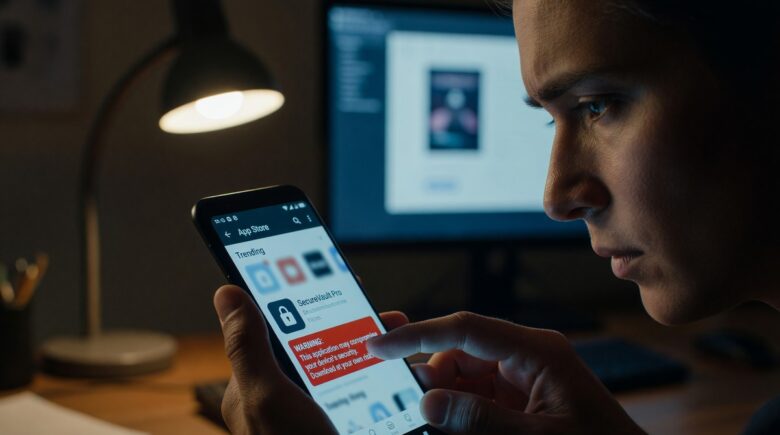
Google Play Protect checks apps before download, scans devices for harmful apps (including malware and fakes), warns users, and can block or remove them, especially those using sensitive permissions targeted by scammers. Google’s own documentation states that apps showing suspicious behavior, like requesting administrator access, get flagged with warnings such as “This app is fake.” The Play Protect warning strings guide lists the specific phrases used to alert users about known threats.
Types of Fake Apps Commonly Found on Android
Knowing the categories makes them easier to spot. The most common types include:
- Cloned apps, near-identical copies of real apps with malicious code injected
- Trojanized apps, legitimate-looking tools (flashlights, QR scanners) bundled with hidden spyware
- Adware apps, apps that function minimally but aggressively push fraudulent advertisements
- Credential harvesters, fake login screens that capture your usernames and passwords
Take a concrete scenario. If you have a 620 credit score and need about $8,000 for a used car, you might download what looks like a lender’s app from a social media ad. A credential harvester disguised as that lender could capture your Social Security number and online banking password in under two minutes. The fallout often lands hardest on people already stretched thin: a fraudulent loan application run against a 620 profile can push that score below 580, locking you out of affordable financing for months while you dispute the entries. That kind of damage doesn’t reverse quickly.
If you suspect an existing app on your device is malicious, our guide on what spyware is and how to remove it from your phone covers the detection and removal steps in detail.
Key Takeaway: Fake apps on Android impersonate trusted software to steal data or install malware. Banking trojans spread via fake apps rose 32% in 2023 according to Kaspersky’s Mobile Threat Report, which makes learning to spot them a basic survival skill for every Android user.
How Do You Spot a Fake Before Installing?
You can catch most fake app downloads on Android by checking four signals: the developer name, review count, permission requests, and download numbers. Legitimate apps from established companies almost always have a verifiable developer identity and a large, genuine review base behind them.
Start with the developer name on the Play Store listing. The real WhatsApp app is published by WhatsApp LLC. A fake version might list the developer as “WhatsApp Inc,” “WA Messenger,” or a string of random characters designed to look close enough at a glance. Even a single character difference is a red flag worth stopping for. The Google Play Help Center recommends tapping the developer name to see everything else they’ve published. A single-app developer with no track record deserves some caution. Google bans developers who repeatedly break its policies, and 80,000 were banned in 2025 alone.
Red Flags in App Store Listings
Beyond the developer name, watch for these specific warning signs in any listing:
- Fewer than 1,000 reviews for an app claiming millions of users
- Reviews that are generic, repetitive, or posted within a short time window (a sign of fake reviews)
- A recent upload date for an app that claims to be long-established
- Screenshots with poor grammar, mismatched branding, or pixelated logos
- A description filled with keyword stuffing or obvious translation errors
Permission requests matter just as much. A simple flashlight app has zero legitimate reason to ask for access to your contacts, microphone, or SMS messages. Android’s Permission Manager (in Settings) lets you audit exactly what any installed app is currently reaching into. Apps that ask for device administrator privileges during installation are nearly always malicious, full stop. Google Play Protect explicitly flags these with warnings like “This app is fake.”
None of this is foolproof, and it’s worth saying so plainly. Review counts get padded, developer names get spoofed with subtle character swaps, and a handful of scam apps do pass Google’s automated review before anyone catches them. Treat these signals as a filter that catches most fakes, not a guarantee, and stay alert even after installing something that checked every box.
Key Takeaway: The fastest way to spot fake app downloads on Android is to verify the developer identity on the Google Play Store and cross-check review authenticity. Apps with fewer than 1,000 genuine reviews claiming mass popularity are a primary red flag.
Where Do Fake Android Apps Actually Come From?
Most fake app downloads on Android come from outside the Google Play Store entirely, through sideloading from third-party websites, APK file-sharing platforms, and phishing campaigns sent by SMS or email. Sideloading just means installing an APK file by hand, skipping Google’s verification process altogether.
Third-party stores like APKPure and Aptoide host thousands of apps, and a good number of them have been repackaged with malicious code baked in. In 2024, Google Play Protect detected 13 million new malicious apps from outside the Play Store using real-time scanning. The FBI’s Internet Crime Complaint Center (IC3) put out a public service announcement in 2023 specifically warning consumers about fake Android apps spread through phishing texts, a technique known as smishing. If you’re unfamiliar with this attack vector, our guide on what smishing is and how to protect yourself from text scams lays it out clearly.
| Source | Risk Level | Common Fake App Types |
|---|---|---|
| Google Play Store | Low (but not zero) | Cloned utility apps, adware |
| Third-Party APK Sites | Very High | Trojans, banking malware, spyware |
| Social Media Ads | High | Fake game mods, crypto apps |
| Phishing SMS / Email Links | Very High | Credential harvesters, banking trojans |
| Unofficial App Stores | High | Repackaged apps, adware bundles |
Key Takeaway: Third-party APK sites and phishing SMS links are the primary delivery methods for fake Android apps. The FBI’s IC3 warned in 2023 that fake apps distributed via text messages had caused millions of dollars in consumer losses, so download apps exclusively through official stores whenever you possibly can.
How Do You Protect Yourself From Fake App Downloads on Android?
The most effective protection against fake app downloads on Android combines device settings, day-to-day habits, and dedicated security tools. No single measure covers everything on its own; a layered defense works best here.
Start by keeping Google Play Protect enabled. This built-in scanner checks apps against Google’s database of known malware, both before and after installation. Google’s own documentation confirms that Play Protect warns users about apps using sensitive permissions or behaving in ways tied to fraud. In 2025, Google prevented 1.75 million policy-violating apps from being published, which says something about how well the system performs at scale, though it also means over a million attempts were made in the first place. You can check whether it’s active by opening the Play Store, tapping your profile icon, and selecting “Play Protect.”
Practical Steps to Reduce Your Risk
Apply these measures to significantly cut down your exposure:
- Disable “Install Unknown Apps”, go to Settings, then Special App Access, and make sure no browser or file manager has permission to sideload APKs.
- Update Android regularly, security patches close the exact vulnerabilities fake apps rely on. Google releases monthly security updates for supported devices.
- Use two-factor authentication on every account you can, since even if a fake app captures your password, 2FA still blocks unauthorized access.
- Check app permissions after install, review what each app can access through Android’s Permission Manager and revoke anything that doesn’t need to be there.
- Install a reputable mobile security app, tools from Bitdefender, Malwarebytes, or ESET add another layer of scanning on top of what Google already does.
These steps add friction, and that friction has a real cost. Disabling sideloading means you can’t easily install apps outside the Play Store even when you have a legitimate reason to, and running a third-party security scanner alongside Play Protect can drain battery and duplicate background scans. Most people will find the tradeoff worth it. Power users who regularly sideload open-source tools or beta builds may want to be more selective about which of these steps they actually apply.
Consider this: Google Play Protect blocked 36 million risky installation attempts in 2024 through enhanced fraud protection pilots, shielding 10 million devices. That’s not just a number, it’s a sign of real, ongoing protection. If you’re relying only on Play Protect and skipping a second layer, you’re missing a meaningful chunk of that protection. A single security app from Bitdefender or Malwarebytes can cover the gap.
Here’s a worked example that puts the scale into perspective. Google blocked 2.36 million policy-violating apps in 2024 and 1.75 million in 2025. That averages out to roughly 171,000 blocked apps per month across those two years. If even one-tenth of one percent of those had slipped through, you’d be looking at about 171 malicious apps reaching the Play Store every month. The 36 million blocked installation attempts in 2024 break down to nearly 3 million per month, or about 100,000 per day. Those daily figures make it clear why leaving Play Protect off, even for a week, is a gamble.
Locking sensitive apps adds another barrier in case a fake app does slip through everything else. Our walkthrough on how to lock apps on Android without third-party software shows you how to do this using only built-in Android features. It’s also worth understanding how public networks can expose your device; see our guide on juice jacking and how to avoid public USB ports for related threat context.
Key Takeaway: Enabling Google Play Protect, which scans over 125 billion apps daily, is the single most impactful default protection against fake app downloads on Android. Pair it with disabled sideloading permissions and regular OS updates for layered defense.
What Should You Do If You Already Installed a Fake App on Android?
If you think you’ve installed a fake app, act right away: uninstall it, change any passwords you may have typed in while it was running, and run a full Play Protect scan. Speed matters here, since banking trojans can pull credentials off your device within minutes of installation.
After uninstalling, head to Settings and revoke every permission the app had been granted. Then check your bank and email accounts for anything unusual. If you entered payment details, call your bank directly and consider freezing your card while you sort things out. The Federal Trade Commission (FTC) recommends reporting fake apps both to Google Play and to ReportFraud.ftc.gov, which helps protect other users from the same scam.
How to Report a Fake App to Google
Reporting gets the app pulled faster and protects everyone else on Android. To report on the Play Store, open the app’s listing, scroll to the bottom, and tap “Flag as inappropriate.” For apps not on the Play Store, submit a report directly through Google’s Safe Browsing tool. Android also lets you submit malware samples through the Google Play Protect feedback option after running a scan.
Key Takeaway: If you installed a fake app on Android, uninstall it immediately and change all affected passwords within 24 hours. Report the app to the FTC at ReportFraud.ftc.gov and to Google Play to speed up its removal and protect other users.
Frequently Asked Questions
How can I tell if an Android app is fake before downloading it?
Check the developer name against the company’s official website, confirm the app has a substantial base of genuine reviews, and see whether the download count actually matches the app’s claimed popularity. Mismatched branding, poor grammar in the description, and excessive permission requests are additional red flags worth trusting. Apps requesting device administrator access are nearly always malicious.
Can fake apps get through the Google Play Store?
Yes, though it’s rare. Google prevented 1.75 million policy-violating apps from being published in 2025, but some still slip through briefly before detection catches up. Always verify the developer identity even on the Play Store, and treat new apps with very few reviews cautiously no matter where they turn up.
Is it safe to download APK files on Android?
Downloading APK files from outside the Google Play Store carries real risk. Most fake app downloads on Android are distributed as APK files through unofficial sites. Unless you’re installing from a verified, trusted source, like a developer’s own official website, it’s best to avoid sideloading altogether.
Does Google Play Protect catch all fake apps?
Google Play Protect is effective but not perfect. It scans over 125 billion apps daily and catches the vast majority of known malware, but brand-new or zero-day threats can slip past detection temporarily. Supplement it with a reputable third-party security app from Bitdefender or Malwarebytes for stronger coverage.
What permissions should make me suspicious of an app?
Be suspicious if a basic utility app asks for access to SMS messages, contacts, the microphone, camera, or device administrator privileges. Legitimate apps only request what their core function actually needs. Any app demanding administrator access on install is almost certainly malicious.
How do I report a fake app on Android?
On the Google Play Store, open the app’s listing, scroll to “Flag as inappropriate,” and select the reason. You can also report fraud to the FTC at ReportFraud.ftc.gov. For apps distributed outside the Play Store, use Google’s Safe Browsing report tool to alert Google’s security teams.
How do I know if my device has been infected by a fake app?
Watch for unusual battery drain, unexpected data usage, strange pop-ups, or apps you don’t remember installing. Run a full scan using Google Play Protect. If an app gets flagged as “fake” or “suspicious,” uninstall it right away and change any passwords you used while it was on your device.
Why do fake apps target apps like WhatsApp and Chase?
Attackers go after high-trust apps like WhatsApp, Chase, and Experian because people are far less suspicious when entering login details into something that looks familiar. These apps sit on top of sensitive data, messages, financial accounts, and credit information, which makes them prime targets for credential harvesting.
Can fake apps steal my credit card info even if I use 2FA?
Yes. If a fake app captures your password and SMS code during login, it can bypass 2FA entirely. Using biometric authentication or authenticator apps instead of SMS-based 2FA cuts that risk down significantly. FDIC guidelines recommend using app-based 2FA for stronger protection.
Are free apps on the Play Store safe?
Not necessarily. Google’s automated systems vet most apps, but free apps are still more likely to carry aggressive adware or pushy in-app purchases. Always check the developer, read the reviews, and look over permission requests before installing anything. Apps with 1,000+ verified reviews are generally safer than those with just a handful.
What should I do if I clicked a phishing link on my phone?
Disconnect from the internet, uninstall any apps that were prompted to install, and run a full scan through Google Play Protect. Change passwords for any accounts you may have accessed, especially banking and email. Report the incident to FTC’s ReportFraud and the CISA Cybersecurity Information Sheet.
Do disappearing messages on WhatsApp really disappear?
Not entirely. While the message may vanish from the screen, it can still be captured through screenshots, copies, or forwards. Matt Boddy, CTO and Co-Founder, Traced Mobile Security, says: “You shouldn’t rely on Disappearing Messages as being private. Yes, it can add a degree of privacy to your messages, but they certainly aren’t completely private. For example, the recipient could take a screenshot, copy, or forward the message before it disappears.”
What happens to messages when devices are seized by authorities?
Even ephemeral messages may be recoverable. Ray Walsh, Digital Privacy Expert, ProPrivacy, notes: “when journalists, activists, protesters, or other at-risk individuals are arrested by overreaching governments, there is an increased chance that sensitive private content will have been erased by the time police manage to access the contents of a device.”
Is WhatsApp’s disappearing message feature a privacy feature or a user experience choice?
It seems to be focused only on the user experience, meaning that it wouldn’t change the way WhatsApp is handling user data on their side. Michael Huth, Co-Founder and CTO; Professor researching cybersecurity, XAIN; Imperial College London, says: “seems to be focused only on the user experience, meaning that it wouldn’t change the way WhatsApp is handling user data on their side.”
Can internet messages ever truly be deleted?
No. Pieter VanIperen, Security expert, warns: “But then remind yourself that when you’re on the internet, it’s never gone forever.”
Are ephemeral messages legally protected?
No. The Federal Trade Commission has updated standard preservation letters and specifications for legal processes to explicitly address preservation obligations for collaboration tools and ephemeral messaging platforms, warning that failure to preserve such messages could result in sanctions. Companies must preserve all responsive messages, including ephemeral ones, and may need to disable auto-delete features during investigations.
Sources
- Google, Keeping Google Play Android App Ecosystem Safe in 2025
- Google, How We Kept Google Play Android App Ecosystem Safe in 2024
- Google Security Blog, Google Play Protect Updates 2024
- Lifewire, How Secure Is WhatsApp’s Disappearing Messages Feature?
- FTC, FTC and DOJ Update Guidance on Preservation Obligations for Ephemeral Messaging






