Fact-checked by the SnapMessages editorial team
The Verdict
Using a VPN whenever you handle client health data on public Wi‑Fi is usually worth it if you do so more than a couple of times a week. It is not if your entire workflow runs inside encrypted, platform‑native apps and you never download sensitive files to your device.
Updated July 2026
When you’re a health coach sending a client’s nutrition plan from a café or a therapist reviewing session notes at the airport, the difference between a safe session and a data leak often comes down to a single choice: whether to trust the network. Gig worker data protection isn’t just about encryption, it’s about deciding which tools actually shield sensitive health information from prying eyes on shared connections. The Federal Trade Commission warns that no public Wi‑Fi network should be assumed secure unless it requires a WPA2 password, and even then, traffic can be sniffed by a malicious hotspot.
As more wellness professionals go mobile, working from co‑working spaces and hotel lobbies between appointments, the line between personal convenience and professional data hygiene keeps blurring. A single exposed session file can erode client trust and trigger legal trouble, even if HIPAA doesn’t formally apply to your practice. The Cybersecurity and Infrastructure Security Agency (CISA) is blunt about the baseline risk: public Wi‑Fi networks are not always secure, and before connecting, you should verify with staff that the network name is legitimate and that communications over the hotspot are encrypted. That guidance matters more for gig workers than for salaried staff, since roughly 36% of U.S. workers participate in the gig economy in some form according to the U.S. Department of Labor, and almost none of them have an IT department managing their network security for them.
Key Takeaways
- A VPN is likely the right tool if you can check most of these:
- You handle client health or mental‑health data, even non‑HIPAA protected information, at least once a week on public Wi‑Fi.
- You ever transmit unencrypted files, such as PDF progress reports or session summaries, over a shared network.
- Your live sessions involve discussion of medication, therapy topics, or personal identifiers.
- The apps or portals you use for client records don’t clearly state they use end‑to‑end encryption on every data transfer.
- You travel to multiple locations per day and can’t verify the security of each network.
- Your device holds a mix of personal and professional apps that sync health data in the background.
When a VPN Is Worth the Effort, and When It Isn’t
The threshold I use with clients is simple: if you touch client health data on a network you don’t control more than twice a week, the VPN pays for itself in peace of mind alone, before you even get to the cost math. Below that frequency, it becomes a judgment call based on what exactly you’re transmitting.
| Scenario | VPN Is a Smart Move | VPN Is Probably Overkill |
|---|---|---|
| Live video coaching session | VPN encrypts the entire stream, making it much harder for a nearby attacker to capture health conversations over the coffee‑shop Wi‑Fi. | If you’re using a platform that’s already end‑to‑end encrypted and you’ve verified the connection is secure, the extra hop adds latency with limited return. |
| Uploading unencrypted client notes | The VPN tunnel shields progress notes, mental‑health logs, or meal plans from packet sniffers that grab plain‑text files on an open network. | When you never store or transmit unencrypted files outside of a fully encrypted cloud workspace, the risk from the network layer is minimal. |
| Entering health metrics into a web portal | On a public network, a VPN prevents an interloper from seeing the data you type, even if the site itself lacks transport encryption. | If the portal enforces HTTPS and you’re on a trusted home network, the browser‑level encryption is usually enough. |
| Accessing a patient portal via hotel Wi‑Fi | The VPN masks what you download and renders the hotel’s often‑compromised DNS servers harmless. | When you do this only on a cellular‑data connection from your phone, no Wi‑Fi at all, a VPN doesn’t add meaningful protection. |
| Syncing a fitness tracker that stores client‑linked biometrics | Many trackers transmit data over Bluetooth or Wi‑Fi, and a VPN on the paired phone can encrypt the cloud‑sync traffic that passes over a public network. | If you’ve disabled the tracker’s cloud sync and only capture data locally until you return to a secure network, the risk window stays closed. |
Consider a mobile dietitian who sees eight clients a week, three of them at a café near the client’s office. A basic paid VPN plan runs somewhere in the range of $5 to $12 a month depending on the provider and contract length, so a year of coverage lands around $60 to $144. Compare that to a single incident of leaked plan notes: even a modest liability claim, or the hours spent notifying clients and rebuilding trust, will cost far more than a year of VPN service. The math only tips the other way if you genuinely never touch an open network, in which case you’re paying for a lock on a door you never open.
Here’s the arithmetic laid out plainly. At $8 a month, a VPN costs $96 a year. If that subscription prevents even one incident that would otherwise cost a dietitian a single week of lost bookings (call it $560 for someone billing $80 a session across seven weekly clients) plus a few hours of client-notification work, the VPN has already paid for roughly six years of coverage in a single avoided event. You don’t need the breach to be likely; you need the downside to be lopsided, and it is.
| Item | Annual Cost |
|---|---|
| Paid VPN subscription (mid-tier) | $60–$144 |
| One week of lost bookings after a client-facing incident (example, 7 sessions at $80) | $560 |
| Hours spent on client notification and documentation (example, 6 hours at $40/hr equivalent) | $240 |
| Approximate breakeven: incidents avoided needed to justify one year of VPN cost | Less than 1 |
The real cost of a health data leak for a sole practitioner
A single exposed note can cost far more than any monthly VPN subscription, it can cost your reputation and your business. Even though most wellness coaches aren’t HIPAA‑covered entities, state privacy laws like the California Consumer Privacy Act impose obligations on anyone handling personal health information. A breach that reveals a client’s mental‑health session or eating‑disorder treatment plan doesn’t just invite a lawsuit, it shatters the trust that your practice runs on. The Consumer Financial Protection Bureau (CFPB) has increasingly scrutinized how service providers, gig workers included, handle sensitive personal data collected in the course of doing business, even outside traditional financial services.
Clients don’t care whether a leak came from the network layer or your device; they see their private struggle in the open. The Federal Trade Commission’s consumer guidance makes a blunt point: assume no public network is trustworthy unless it demands a password and even then, log in only on sites that use encryption. For a gig worker, that means treating every coffee‑shop router as adversarial. The privacy of the wellness niche, intimate, vulnerable, built on confidentiality, raises the stakes higher than they are for a graphic designer sharing mockups. Gig worker data protection in this space is as much an ethical imperative as a technical one.
Legal expectations are catching up, too. Even where HIPAA doesn’t reach, professional liability carriers increasingly ask practitioners to document the security measures they use when working remotely. A documented policy that includes VPN use on public networks can be the difference between a denied claim and a supported one. The cost of ignoring this is asymmetric: a $5‑a‑month plan versus the price of a breached practice. Consider it the same way a lender weighs a borrower’s debt-to-income ratio before extending credit: a small, ongoing cost that hedges against a much larger downside risk.
Picture a solo massage therapist who just started freelancing full time, clearing about $2,800 a month in gig income and still building an emergency fund. She isn’t a HIPAA‑covered entity, but she keeps intake forms with old injury details and medication notes on a tablet she carries between two studio spaces and the occasional in‑home session. She has no cyber‑liability policy yet, so a leaked intake form isn’t just embarrassing, it’s a bill she’d have to cover herself if a client pursued a claim under a state privacy law. For someone in that position, a $6‑a‑month VPN is a rounding error against her monthly income, about 0.2% of it, and a cheap way to close the gap until she can afford a proper liability policy.
When a VPN actually protects client sessions, and when it doesn’t
A VPN protects your client data only when the connection between your device and the VPN server is less likely to be intercepted than the raw connection between your device and the destination server, and that’s almost always the case on untrusted Wi‑Fi. On your home network with WPA3 encryption and a router you control, the risk from a local eavesdropper drops dramatically; at an airport, a hotel, or a co‑working space, it spikes. The VPN acts as a locked envelope around all your traffic, so even if someone is sniffing packets, they see nothing but gibberish.
Sensitive information from remote access communications passing over the Internet, wireless networks, and other untrusted networks should have its confidentiality and integrity preserved through use of cryptography.
That’s the core scenario: you’re on a network you don’t own and you’re transmitting anything that isn’t already inside an end‑to‑end encrypted container. But a VPN isn’t a universal shield. It won’t stop phishing links, malware on your device, or a client‑side keylogger. And if the VPN provider itself logs your activity, you’ve just swapped one privacy risk for another. Building a personal digital security routine that suits your workflow matters more than any single tool. Still, for the specific threat of a coffee‑shop packet sniffer, a no‑log VPN is the closest thing you have to a single‑click fix.
Device hygiene that makes or breaks your security stack
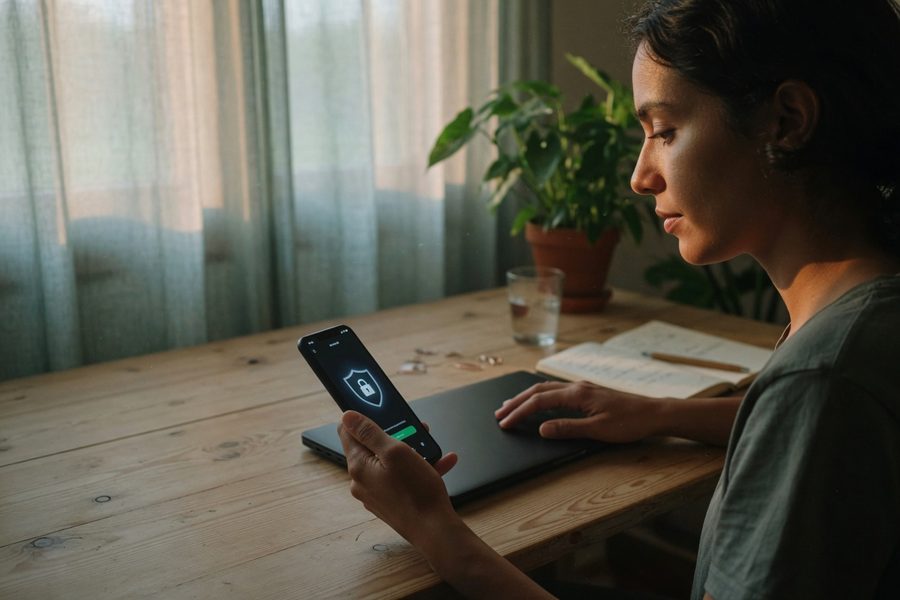
A VPN is worthless if a thief can unlock your phone. Full‑disk encryption and biometric locks are the floor, not the ceiling. Every laptop and tablet that touches client data should require a strong passcode and lock automatically after a minute of inactivity. Turn off file sharing entirely when you’re on a public network, the Canadian Cyber Security Centre recommends disabling file‑sharing features whenever you connect to an untrusted Wi‑Fi hotspot, and consider using a separate user profile on your laptop that holds only the apps and accounts you need for client work. This limits blast radius if something slips through.
The mixed‑use phone is a stealthier problem. If you’re a personal trainer who tracks client‑linked metrics through the same device where you browse social media, that data can sync silently in the background. A fitness band over Bluetooth isn’t the threat, the cloud upload that follows is. Using a hardware security key for your core accounts, email, cloud storage, the portal where you keep progress charts, adds a second factor that’s nearly impossible to phish. It’s the same logic banks like Chase and online lenders like SoFi apply when they push customers toward multi‑factor authentication for account access. For gig workers who bounce between four locations a day, that extra step is worth the five seconds it takes.
Some wellness platforms even allow you to set automatic logout timers. Enable them. The most common data exposure story isn’t a sophisticated hack, it’s a laptop left unlocked for ninety seconds while you grab a latte.
Live sessions: protecting real‑time video and audio on café Wi‑Fi
If you’re conducting a coaching call on public Wi‑Fi, the first thirty seconds of preparation determine whether the session is private or an open mic. Activate your VPN with a nearby server, test the audio and video with the client before discussing anything sensitive, and always have your phone’s cellular hotspot ready as a fallback. A weak signal combined with a VPN that adds 60 milliseconds of lag can turn an intimate conversation into a frustrating one, and when the quality drops, the temptation is to switch back to the raw network. That’s exactly when eavesdropping becomes possible.
Not all video platforms encrypt the stream end‑to‑end. Many only encrypt between you and the server, leaving the server side visible to the provider. When you add a VPN, you wrap that server‑side path as well. For a therapist discussing medication changes or a yoga instructor guiding a client through a trauma‑informed practice, that extra layer is not paranoia, it’s practicality. Securing your messaging setup before heading abroad is just the travel equivalent; the same principle applies to any network you didn’t configure.
Here’s a habit that costs nothing: before the session, open a simple site like example.com and check that the VPN’s kill switch would actually drop the connection if the tunnel fails. A five‑second test prevents a coach from ever unknowingly sharing a live stream over the open air. And if the network feels suspicious, slow, requiring no password, or named something generic like “FreeAirportWiFi”, treat it as hostile and switch to cellular before the first word is spoken. CISA’s telework guidance makes the same point for remote employees, and it holds just as true for a solo practitioner working from a hotel lobby.
Who Should Use a VPN for Client Data, and Who Can Wait
Good candidates
A VPN slides right into your pocket and pays for itself the first time you avoid a breach. You’re a strong fit if:
- A dietitian who meets clients at coffee shops and sends meal plans as unencrypted PDFs from a laptop.
- A mental‑health coach conducting live video intake sessions from hotel lobbies while traveling.
- A personal trainer whose assessment app syncs heart‑rate data to a cloud dashboard over any available Wi‑Fi.
- A telehealth therapist storing even brief progress notes on a tablet before uploading them later.
- A wellness consultant who accesses a patient portal through a co‑working space’s shared network at least weekly.
Who should skip it
If your entire client workflow lives inside a heavily locked‑down digital bubble, a VPN may cost more sweat than it saves. These profiles often don’t need one:
- A speech pathologist who exclusively uses a HIPAA‑compliant platform with built‑in encryption and never leaves the home office.
- A yoga instructor who only texts appointment reminders through an end‑to‑end encrypted app like Signal and stores no health data digitally.
- A wellness writer who occasionally interviews clients over the phone but never records or stores personal identifiers.
- A coach operating entirely from a cellular‑only tablet with no public Wi‑Fi usage, and who turns off background sync.

Frequently Asked Questions
Do I need a VPN if I use an encrypted messaging app like Signal?
Not necessarily. Signal already encrypts your messages end‑to‑end from your device to the recipient’s. A VPN adds a second layer that masks the fact you’re using Signal, but if all you do is text and never transmit files, the risk of content exposure is extremely low. However, if you also share unencrypted attachments or use the same network for web browsing where you enter client data, a VPN closes those gaps.
Is it safe to do a coaching session over public Wi‑Fi using my phone’s cellular connection?
Yes, cellular data is generally safer than an unencrypted Wi‑Fi signal, so it’s a reasonable default. For a brief session where you only talk voice‑only through an encrypted app, skipping the VPN isn’t reckless. For a video session carrying sensitive health details, using the VPN anyway is the safer bet, cellular carriers can still be compromised at the network core.
What’s the difference between a free VPN and a paid one for client data protection?
A paid VPN from a provider with a publicly verified no‑log policy and a history of independent audits is fundamentally different from a free service. Free VPNs often monetize by selling user data or injecting ads, exactly the opposite of what you want. For client health data, a monthly subscription to a trusted provider is a non‑negotiable baseline.
Can a VPN protect me from platform surveillance of my work activity?
No. A VPN encrypts your traffic between your device and the VPN server, but once it exits onto the open internet toward a gig platform, the platform can still see your activity, login times, and data if you’re using their app. A VPN protects against a local network eavesdropper, not against the services you voluntarily connect to.
How do I set up split tunneling so my video calls aren’t slowed?
Most reputable VPN apps offer a split‑tunneling feature that lets you route only specific apps through the encrypted tunnel while others use the regular connection. Enable split tunneling for your video app so the call bypasses the VPN, reducing latency, but keep your browser and client portal inside the tunnel. Test this on a fast network first, a two‑minute dry run prevents a garbled session.
Should I use a VPN when accessing client files on a public library computer?
No, avoid accessing client data on a public computer altogether. A VPN on a shared library computer offers almost no protection because the machine itself might be compromised, keystroke loggers or session stealers operate before the VPN ever encrypts anything. If you must use one, stick to a read‑only cloud viewer and enable two‑factor authentication, but recognize the risk remains high.
Does a VPN affect my credit or financial accounts the way it protects health data?
Yes, the same logic applies to financial logins as to health portals. If you check a bank account or a service like Experian for a client’s or your own FICO Score over public Wi‑Fi, a VPN reduces the chance a local eavesdropper captures your login credentials or session tokens. The Federal Reserve and the FDIC both publish consumer guidance encouraging encrypted connections for any account access involving financial data, and the same caution applies to a wellness practice’s billing and invoicing tools.
What should I do immediately if I suspect a client data leak happened over public Wi‑Fi?
Disconnect from the network immediately, change the passwords for any accounts accessed during that session, and notify affected clients as soon as you’ve confirmed the scope of exposure. Document what happened, including the network name, location, and time, since liability insurers and any relevant regulator will want that record. If financial or identity data was involved, consumers can also file a complaint with the CFPB or check guidance from the FTC on next steps.
Do gig economy platforms have any responsibility for protecting the data I handle as a contractor?
Generally, no. Most gig platforms treat data security on your device and network as your responsibility as an independent contractor, not an employee. That’s precisely why device hygiene, VPN use, and encrypted apps fall on the practitioner rather than the platform, unlike a salaried employee who might work behind a company-managed VPN and IT department.
Sources
- Cybersecurity and Infrastructure Security Agency (CISA), Telework Guidance and Resources
- National Institute of Standards and Technology (NIST), Guide to Enterprise Telework, Remote Access, and BYOD Security
- Canadian Centre for Cyber Security, Protecting your organization while using Wi‑Fi
- Kaspersky, Public Wi‑Fi Risks: What They Are and How to Avoid Them
- Federal Trade Commission, Protecting Personal Information: A Guide for Business
- Consumer Financial Protection Bureau (CFPB)






