
Fact-checked by the SnapMessages editorial team
Quick Answer
The best weekly review apps for professionals who repeatedly abandon their planning systems are Obsidian (free, local-first, fully portable), Sunsama ($16–$20/month, built-in weekly summaries), and Logseq (free, open-source, journal-first). The deciding factor is re-entry cost: 82% of workers lack a formal time management system, and the app you will actually restart after a two-week lapse beats the one with the most features.
Weekly review apps exist on a spectrum from dead-simple journaling tools to elaborate GTD dashboards, but most professionals cycle through three or four of them before giving up entirely. According to Speakwise’s 2026 time management statistics, 82% of the working population operates without a formal time management system, relying on memory, loose to-do lists, or reacting to whatever feels most urgent. That number does not reflect a motivation deficit. It reflects systems with too much friction and too little tolerance for a missed week.
This guide focuses specifically on the re-entry problem: what happens when you skip two weeks, open an app you haven’t touched since a hopeful Sunday in January, and try to figure out whether anything is still usable. You will find honest assessments of the apps worth considering in 2026, a clear distinction between review tools and planning tools, and the health reasons that make a weekly reflection practice worth protecting even when the productivity case alone hasn’t been enough to keep you going.
Key Takeaways
- Productivity apps retain only 4.1% of users by day 30, meaning most people abandon their weekly review app before the habit has any chance of becoming automatic (according to Amra & Elma’s 2025 mobile app retention data).
- HBS research found that employees who spent 15 minutes reflecting on their work performed 23% better on subsequent tasks than those who used that time for additional practice, giving the weekly review a documented performance benefit (Harvard Business School Working Knowledge).
- Knowledge workers spend 60% of their time on “work about work” such as chasing updates and switching between tools, rather than skilled output, according to Asana’s Anatomy of Work Index.
- Habit formation research places the automaticity threshold at 30–66 days, but most GTD practitioners stop weekly reviews well before that window closes, which means friction at re-entry is the real barrier, not willpower.
- Notion recorded 18 million downloads in 2024, making it the most-downloaded to-do and knowledge-base app in its category, per Business of Apps’ 2026 productivity market data.
In This Guide
- Why You Keep Abandoning Your Planning System
- What a Weekly Review App Actually Needs to Do
- The Weekly Review Apps Worth Using in 2026
- How to Match the App to Your Actual Work Pattern
- The Health Cost of Not Reviewing Your Week
- How to Set Up a Review System That Survives a Missed Week
- Why Most App Recommendations Fail You
- Frequently Asked Questions
Why You Keep Abandoning Your Planning System
The most common reason professionals abandon their planning systems is not a lack of discipline. It is what researchers call system decay: once a single weekly review is skipped, task lists go stale, the system loses credibility as a trusted record of reality, and the cost of catching up starts to feel larger than the benefit of trying. Restarting with a new app feels productive in the moment, but it resets the data without fixing the underlying friction.
The Cognitive Science Behind the Weekly Review
Working memory holds roughly four chunks of information at once. Knowledge workers routinely juggle dozens of concurrent projects, which means the gap between cognitive capacity and workload demands is not a personal failing but a structural mismatch. The weekly review is the mechanism that bridges that gap by offloading open loops to a trusted external system. Without it, those loops stay active in the background, consuming mental resources continuously.
Masicampo and Baumeister’s published research demonstrated that simply forming a credible plan for an uncompleted goal eliminates its cognitive interference effects entirely. That is the stress-reduction mechanism behind the weekly review, and it is neurologically real, not a productivity industry abstraction. This is why the practice belongs in a wellness conversation just as much as a productivity one.
A 2025 Deloitte report found that nearly two-thirds of employees view structured review processes as a waste of time. That frustration is valid feedback about how most systems are designed, not evidence that reflection itself is unhelpful.
The Occupational Health Angle
The World Health Organization classifies burnout as an occupational phenomenon driven by prolonged, unmanaged workplace stress. Chronic task overload without a regular clearing mechanism is a documented precursor. That makes the weekly review a burnout-prevention tool, not merely an organizational preference. If you struggle with maintaining consistent wellness habits alongside your work routines, the connection between daily reflection habits and sustainable performance is worth taking seriously as a health decision.
What a Weekly Review App Actually Needs to Do
A review tool and a planning tool serve opposing cognitive modes, and apps that conflate them tend to be abandoned faster. The review phase is analytical and backward-looking: clearing inboxes, processing what happened, closing open loops. The planning phase is creative and forward-looking: deciding what matters next week. Loading both functions into a single session in a single app creates cognitive overload at exactly the moment the system needs to feel easy.
Friction Is the Primary Failure Point
The research benchmark for a sustainable weekly review is 15 to 45 minutes. Sessions that regularly exceed that threshold get skipped by the second or third week. The Todoist productivity methods guide on weekly reviews frames this precisely: skipping the review pushes work into a reactive mode where urgent noise crowds out important priorities. That dynamic compounds quickly.
The minimum viable review has three components: inbox clearance, a calendar scan for the coming week, and a glance at active projects. Everything else, template fields, habit trackers, mood scores, project health ratings, is optional overhead. Features that add maintenance burden without proportional benefit are the first things that make an app feel like homework.
“A weekly review for some amount of time is better than none.”
The Weekly Review Apps Worth Using in 2026
The tools below are evaluated specifically on re-entry cost: how hard is it to restart after two weeks away? That question is almost never asked in standard app roundups, and it is the one that matters most for chronic quitters.
Purpose-Built: Sunsama
Sunsama integrates daily planning with a weekly summary that automatically surfaces hours worked and workload balance across the week. The review is embedded in the daily ritual rather than treated as a separate weekly event, which reduces the psychological weight of the session. Pricing runs $16 to $20 per month depending on billing cycle. The trade-off is that Sunsama is a closed, cloud-dependent system: your planning history lives on their servers, and a lapsed subscription means losing access to accumulated context.
Flexible Knowledge Bases: Notion, Obsidian, and Logseq
Notion had 18 million downloads in 2024 according to Business of Apps’ productivity market data, making it the most-downloaded app in its category. Its visual structure and team-sharing features make it genuinely useful for collaborative review workflows. The honest drawbacks: cloud-only sync introduces occasional lag, and the AI features that make it most powerful cost $240 per year for a solo user. Template overengineering is also a real failure mode with Notion; it is easy to build a review system so elaborate that filling it out becomes the task you dread most.
Obsidian removed its commercial license requirement in early 2025, making it genuinely free for professional use. Files are stored as plain-text Markdown on your local device, fully portable, and readable without the app. For chronic quitters, that portability matters: switching apps after abandonment is significantly harder when your data is locked in a proprietary format. Notion users lose accumulated context in ways Obsidian users simply do not.
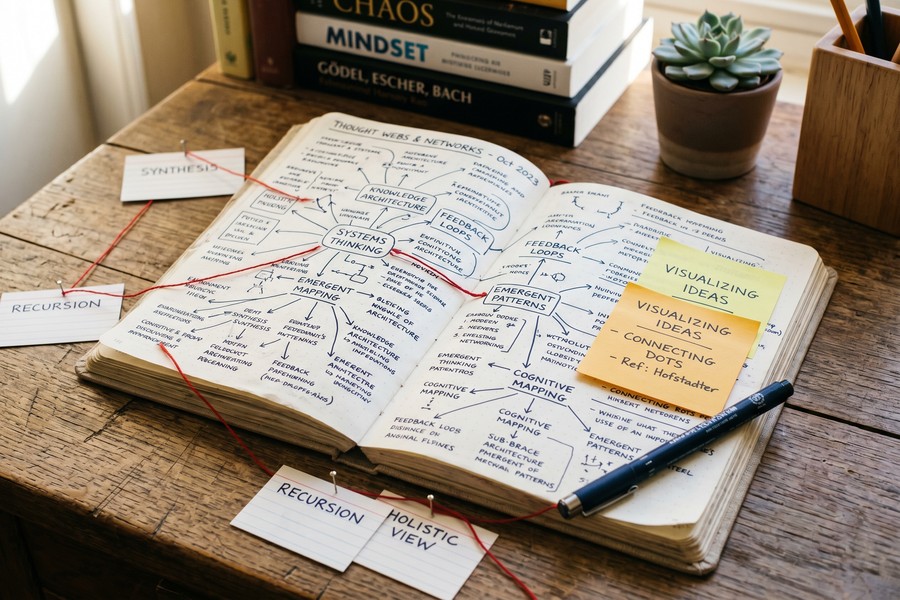
Logseq is fully free, open-source, and journal-first by default. Every entry starts with today’s date, which means the default state of the app is already a daily capture log. That lowers friction for re-entry: you open it, you write today’s date, you start. There is no blank template staring at you demanding a structured audit of the last three weeks.
Automatic Time-Tracking Companions: RescueTime and Rize
RescueTime and Rize run passively in the background and generate honest data about where time actually went during the week, without requiring any manual input. Neither is a review tool on its own, but both serve as an evidence base that makes the review more grounded and less reliant on memory. Pairing one of these with Obsidian or Logseq gives chronic quitters a combination that is both low-maintenance and genuinely informative.
| App | Price (2026) | Data Portability | Re-Entry Cost After Lapse | Best For |
|---|---|---|---|---|
| Obsidian | Free (personal) | Full (local plain text) | Low | Chronic quitters, privacy-conscious users |
| Logseq | Free (open source) | Full (local plain text) | Very low (journal-first) | Daily capture habit, minimal setup |
| Sunsama | $16–$20/month | Limited (cloud only) | Medium | Professionals with structured daily planning |
| Notion | Free–$16/month; AI add-on $20/month | Partial (export required) | Medium–High | Teams, visual thinkers, collaborative reviews |
| RescueTime | $12/month | Exportable CSV | None (passive tracking) | Data companion for any review system |
How to Match the App to Your Actual Work Pattern
Personality fit is a primary driver of abandonment, and most app roundups ignore it entirely. High-conscientiousness users respond well to structured, step-by-step systems like the GTD 11-step Weekly Review format documented by David Allen Company’s official GTD methodology. Lower-conscientiousness users tend to abandon rigid templates within weeks and respond better to flexible, values-driven prompts: “What mattered this week? What do I want more of next week?”
Reactive Workers vs. Structured Workers
A professional who spends four to six hours daily in back-to-back meetings and responds to a constant stream of messages needs a different review format than someone with clear project boundaries and protected focus time. GTD-style full reviews work well for the latter. For the former, a lighter adaptive format focused on the next 72 hours rather than a full weekly horizon is more realistic. Trying to force a 45-minute structured audit onto a reactive work pattern is a recipe for skipping it entirely by week three.
If you rely on asynchronous communication to manage that reactive pressure, understanding why teams are shifting to asynchronous messaging can help you design a work pattern that actually creates space for a weekly review.
Before choosing an app, answer one question honestly: how many total minutes did you spend on your last weekly review, including the time you spent feeling guilty about not doing it? If that number is over 60, the problem is not the app. Simplify the process before upgrading the tool.
The Honest Concession on AI Scheduling Tools
Tools like Motion, which uses AI to auto-schedule tasks across your calendar, solve a scheduling problem, not a reflection problem. Scheduling and reviewing are distinct cognitive acts. An app that auto-fills your calendar does not help you determine whether you are working on the right things. Conflating them adds cognitive load rather than reducing it, and it tends to create the illusion of a review without the neurological benefits that come from genuine reflection.
“The Weekly Review will sharpen your intuitive focus on your important projects as you deal with the flood of new input and potential distractions coming at you the rest of the week.”
The Health Cost of Not Reviewing Your Week
Skipping the weekly review is not a neutral choice. Unfinished tasks create persistent cognitive tension that degrades performance on unrelated work, a finding from Masicampo and Baumeister’s research on the Zeigarnik effect. Those open loops do not sit quietly. They generate low-grade anxiety and contribute to the ambient cortisol load that, over time, is a documented pathway to occupational burnout.
The Multi-Domain Check-In Problem
Most productivity-focused weekly reviews audit only work tasks, which means health, relationships, and rest go unexamined until something breaks. Planning only for work output while ignoring energy, sleep, and recovery is itself a burnout risk factor. A wellness-aligned weekly review should include a brief multi-domain check-in: not just “did I finish my projects?” but “did I sleep adequately, move my body, and spend time on things that restore me?” That framing puts the weekly review squarely in the same territory as mindfulness-based practices that have documented stress-reduction benefits.
Tiago Forte, whose Second Brain methodology has shaped how many professionals think about personal knowledge management, places the weekly review at the center of a sustainable system. His framing is worth noting here:
“The three habits most important to your Second Brain include: Project Checklists: Ensure you start and finish your projects in a consistent way, making use of past work. Weekly and Monthly Reviews: Periodically review your work and life and decide if you want to change anything. Noticing Habits: Notice small opportunities to edit, highlight, or move notes to make them more discoverable for your future self.”
Intentional Rest vs. Collapse
Deliberately scheduling downtime during a weekly review is qualitatively different from crashing at the end of the week because there was nothing left. The former is a burnout-prevention strategy rooted in planning. The latter is a symptom of a system that never created space for recovery. This distinction matters practically: the review is where you protect your recovery time before the week fills in around it. Once Monday arrives, that window is gone.
According to Harvard Business School research by Gino, Pisano, Di Stefano, and Staats, employees who spent just 15 minutes in structured end-of-day reflection performed 23% better on subsequent tasks than those who used that time for additional practice. That is a measurable performance gain from less time doing and more time reviewing.
How to Set Up a Review System That Survives a Missed Week
The most important design decision for chronic quitters is not which features to include but how fast the system can be re-entered after a lapse. A 15-minute mini review consisting only of inbox clearing and a calendar scan removes the 90-minute dread that causes abandonment after a break. Imperfect re-entry beats no re-entry on every measure.
Implementation Intentions and Anchoring
Research across 94 studies found that if-then implementation intentions, specific plans of the form “if X happens, then I will do Y,” increase follow-through rates by approximately 65% compared to general intentions. Applied to the weekly review: anchoring it to an existing weekly event (Friday lunch, Sunday before dinner, end of last meeting on Thursday) is significantly more reliable than a generic calendar block labeled “Weekly Review” that competes with everything else.
This is the same behavioral design principle behind building any personal digital routine that actually sticks. The trigger matters as much as the behavior.
Data Portability as a Re-Entry Strategy
Chronic quitters switch apps. That is the observed behavior pattern. Choosing tools with plain-text or exportable data (Obsidian, Logseq) means that a tool switch does not wipe accumulated context. A professional who has two years of Obsidian notes can open a fresh copy of the app after three months away and find their entire history intact, readable, and searchable. A Notion user who lets their subscription lapse loses access to that same context until they pay again, or can only recover it through a manual export they probably did not schedule.
That portability asymmetry is a concrete reason to weight data ownership heavily when choosing a weekly review system. It is also the honest reason most paid-tool roundups omit Obsidian and Logseq from their recommendations.

Why Most App Recommendations Fail You
Most weekly review app roundups compare feature lists. Recurring tasks, habit streaks, integrations, AI summaries. What they do not measure is maintenance burden: the total admin time each tool requires to stay useful. Every additional tool in a productivity stack requires its own upkeep, and the tracker trap, where managing the tracking system consumes more time than it saves, is a well-documented failure mode among heavy tool users.
The App Count Problem
The average number of apps deployed per company globally surpassed 101 in 2025 for the first time, according to Okta’s Businesses at Work 2025 report. That figure reflects accelerating adoption despite widespread talk of tool consolidation. At the individual level, the pattern repeats: most professionals add tools without retiring old ones, creating a fragmented stack where the weekly review itself becomes a task that requires managing multiple data sources just to begin.
For professionals who already use focused productivity tools like Pomodoro-based deep work timers, the weekly review is the connective tissue that turns isolated sessions into coherent progress. Adding another app without integrating it into that structure often makes the problem worse.
The Honest Position on App Selection
The best weekly review app for a chronic quitter is the one with the lowest re-entry cost after a two-week lapse, not the one with the most features. That framing reorders the entire category. By that standard, Logseq and Obsidian win for solo professionals who value portability. Sunsama wins for professionals who need the review embedded in a daily ritual with a financial commitment that motivates follow-through. Notion wins for teams that need shared visibility but should be used with deliberately sparse templates.
The HEC Paris research by Professor Giada Di Stefano reinforces this from an academic direction: periodic reflection on performance, rather than simply doing more work, produces measurably better outcomes. The app is the vehicle. The reflection is the mechanism. Pick the vehicle that gets out of the way.
Digital workplace mental health interventions show high short-term benefit but a 42% attrition rate in systematic review data. Weekly review abandonment follows the same structural pattern: the problem is not personal failure but poor system design for real-world conditions.
Frequently Asked Questions
What is the best weekly review app for beginners?
Logseq is the best starting point for beginners because it is free, open-source, and journal-first by default: you open it and today’s date is already there. There is no template to fill out, no system to configure before you can start. The barrier to a first entry is lower than any other tool in this category.
How long should a weekly review take?
A sustainable weekly review takes between 15 and 45 minutes. Sessions that consistently run longer than 45 minutes tend to get skipped within a few weeks. If yours regularly exceeds that, the template or process needs to be simplified before the tool is changed.
Can I do a weekly review without a dedicated app?
Yes. A plain text file, a paper notebook, or a single recurring note in any app you already use will work. The review process is the critical element; the app is secondary. The main argument for a dedicated tool is structured prompts and searchable history, neither of which is essential for getting started.
Is Notion good for weekly reviews?
Notion works well for weekly reviews, particularly for teams or visual thinkers who benefit from structured templates. The honest caveats: solo AI features cost an additional $240 per year, templates are easy to over-engineer, and data portability requires manual export. For chronic quitters, the setup investment creates a higher re-entry cost after a lapse than simpler alternatives.
Why do I keep abandoning my weekly review system?
The primary cause is friction at re-entry, not motivation. Habit formation research places automatic behavior at 30 to 66 days, and most people stop well before that threshold. Systems that are hard to restart after a missed week tend to stay abandoned. The fix is designing a minimum viable review that takes under 20 minutes and can be re-entered without catching up on everything you missed.
Does the weekly review actually reduce stress?
Yes, and the mechanism is documented. Masicampo and Baumeister’s research showed that forming a credible plan for an unfinished task eliminates its cognitive interference effects. The weekly review closes those open loops, which reduces the ambient anxiety load they create. Additionally, HBS research found a 23% performance improvement from structured reflection, suggesting that stress reduction and performance gains are linked through the same mechanism.
What is the difference between a weekly review and a to-do list?
A to-do list captures what needs to be done. A weekly review evaluates whether the right things are on the list, whether priorities have shifted, and whether the system itself still reflects reality. They serve different cognitive functions. Apps that combine both in a single interface often create confusion between the two modes, which is a common reason integrated task managers feel overwhelming to use consistently.
Sources
- David Allen Company, GTD Weekly Review Best Practices
- Harvard Business School Working Knowledge, Reflecting on Work Improves Job Performance
- HEC Paris, The Power of Reflection at Work: Insight from Professor Giada Di Stefano
- Todoist Productivity Methods, Weekly Review Guide
- Speakwise, Time Management Statistics 2026
- Speakwise, Workplace Technology Overload Statistics (Okta and Asana data)
- Amra & Elma, Mobile App Retention Statistics 2025
- Business of Apps, Productivity App Revenue and Usage Statistics 2026
- David Allen Substack, Partial or Complete GTD






