Fact-checked by the SnapMessages editorial team
Quick Answer
To protect sensitive accounts, use a dedicated authenticator app rather than SMS codes. Authenticator apps generate codes locally on your device, eliminating the carrier-level vulnerabilities that SMS exposes. SMS-based 2FA blocks roughly 76% of targeted attacks, while on-device authenticator prompts block closer to 99%. Setup takes under five minutes per account, and free apps like Google Authenticator, Microsoft Authenticator, and Aegis cover most use cases.
The clearest way to protect your online accounts is to enable two-factor authentication apps rather than relying on SMS codes, particularly for any account that holds medical, insurance, or mental health information. SMS codes travel across a phone network built on decades-old protocols with no encryption, and the FBI recorded 982 SIM swap complaints in 2024 alone, resulting in over $26 million in losses. The gap in protection between the two methods is not theoretical; it is measurable and documented by the agencies charged with defending critical infrastructure.
The stakes have risen sharply for anyone using health and wellness apps. The Change Healthcare breach, disclosed in early 2024, exposed the medical records of an estimated 192.7 million Americans, and investigators found the attackers gained initial access through a remote portal that had no multi-factor authentication at all. That single missing control made it the largest healthcare data breach in U.S. history. Meanwhile, a proposed update to the HIPAA Security Rule published in late 2024 explicitly mandates MFA for covered entities, signaling that regulators have stopped treating authentication strength as optional.
This guide is for anyone who uses telehealth services, patient portals, fitness trackers, or mental health apps and wants to understand, concretely, which second-factor method actually protects that data. By the end, you will know how each method works, where each one fails, which authenticator app fits your situation, and how to avoid locking yourself out of your own health records in the process.
Key Takeaways
- Enabling any form of MFA can block up to 99.9% of account compromise attacks, according to Microsoft’s security research, making 2FA the single highest-impact action most people can take.
- 56% of organizations worldwide still use SMS-based one-time passcodes as their primary second factor, per Statista data compiled by Expert Insights, meaning most platforms still offer SMS by default, even though stronger options exist.
- The NIST SP 800-63B-4 standard formally classifies SMS one-time passcodes as a “restricted authenticator,” imposing new obligations on any organization that continues to offer it as an MFA method.
- SMS-based 2FA blocks only 76% of targeted attacks, while on-device authenticator prompts block closer to 99%, a gap that matters most for accounts holding sensitive health data where targeted attackers have a specific motive.
- Losing your phone without pre-saved backup codes can permanently lock you out of accounts protected by an authenticator app; Microsoft officially states recovery without backup codes for personal accounts may be impossible.
- Both TOTP apps and SMS remain vulnerable to real-time phishing proxy tools like Evilginx; for true phishing resistance on the most sensitive accounts, passkeys and FIDO2 hardware keys are currently the only available solution.
In This Guide
- Step 1: Why Health Data Is the Highest-Value Target in Your Digital Life
- Step 2: What Two-Factor Authentication Actually Does (and Doesn’t Do)
- Step 3: How SMS Codes Work and the Specific Ways They Can Be Hijacked
- Step 4: How Authenticator Apps Work and Where They Actually Fall Short
- Step 5: Which Authenticator App Should You Actually Use?
- Step 6: When Is SMS 2FA Acceptable and When Should You Insist on an App?
- Step 7: How to Build a Backup Plan So You Never Lose Access to Your Health Records
Step 1: Why Health Data Is the Highest-Value Target in Your Digital Life
Unlike a stolen credit card number, medical records cannot be cancelled and reissued. A credit card fraud dispute at Chase or Bank of America is resolved in days. A leaked diagnosis, prescription history, or mental health record is permanently sensitive; it can fuel insurance fraud, blackmail, and identity abuse for years, and there is no equivalent of a credit bureau fraud alert that erases it from the attacker’s possession. Experian and the other major credit bureaus can freeze your credit file, but no agency can un-expose a psychiatric history or a list of controlled substances you were prescribed.
What Is Actually Exposed When a Health Account Is Breached
Most people think of a compromised account in terms of an email or password. But a breached telehealth account or patient portal exposes something far more durable: diagnoses, prescribed medications, mental health session notes, biometric data from connected fitness trackers, and insurance policy numbers. The Change Healthcare incident put this in concrete terms. 192.7 million Americans had data exposed through a single unprotected remote access portal, no MFA, no authentication app, no SMS code. The attackers needed only a stolen password.
What to Watch Out For
Many wellness app users assume their fitness tracker or meditation app is low-risk because it does not hold financial data. That assessment underestimates the market for health data. Prescription histories, sleep data, and mental health records are actively traded and can affect employment screenings, insurance underwriting, and legal proceedings. If an app captures health metrics, treat its login security the same way you would treat your bank account or your SoFi investment dashboard. For a broader look at how attackers manipulate people rather than systems to gain access, understanding social engineering tactics is a useful companion read.
According to Microsoft’s partner security documentation, 99.9% of compromised accounts did not have MFA enabled. The absence of any second factor, app or SMS, is overwhelmingly the dominant cause of account takeovers.
Step 2: What Two-Factor Authentication Actually Does (and Doesn’t Do)
Multi-factor authentication requires two separate proofs of identity before granting access. A stolen password alone cannot unlock the account because the attacker still lacks the second factor, something you physically possess (your phone or hardware key) or something you are (a biometric). That basic principle is why Microsoft’s research found MFA blocks up to 99.9% of account compromise attacks. The overwhelming majority of attacks involve credential stuffing or password spraying, and both stop dead at a second factor.
How to Do This
Enabling 2FA is a consistent process across most major platforms. Go to your account’s security or privacy settings, locate the two-factor or two-step verification option, and follow the prompts to register either an authenticator app or a phone number. Most health platforms and patient portals, including MyChart, Teladoc, and major insurance member portals, now offer at least one MFA option. Setup takes under five minutes. If you want a systematic approach to locking down all your accounts at once, building a personal digital security routine can help you work through them in a structured way.
The Honest Ceiling
Strong 2FA is a layer of protection, not an absolute lock. Real-time adversary-in-the-middle tools, the most widely cited example is Evilginx, can proxy a login page, capture both your password and your 2FA code as you type them, and replay that session to the real server before the code expires. Both SMS codes and TOTP codes from authenticator apps are vulnerable to this class of attack. The only currently available methods that are immune to this technique are FIDO2 hardware security keys and passkeys, because they cryptographically bind authentication to the legitimate domain. That ceiling matters; it shapes the recommendation at the end of this guide.
The CISA MFA Resource Center identifies FIDO/WebAuthn as the only widely available phishing-resistant form of authentication currently deployed at scale. TOTP apps are the next strongest option, and SMS codes are explicitly ranked below them.
Step 3: How SMS Codes Work and the Specific Ways They Can Be Hijacked
SMS one-time passcodes are delivered over the same cellular network that carries your voice calls, using a routing protocol called SS7 that was designed in the 1970s with no encryption built in. That design decision is not a theoretical problem; it is an active attack surface used by both nation-state actors and organized criminal groups today.
SIM Swapping and SS7 Exploitation, Explained
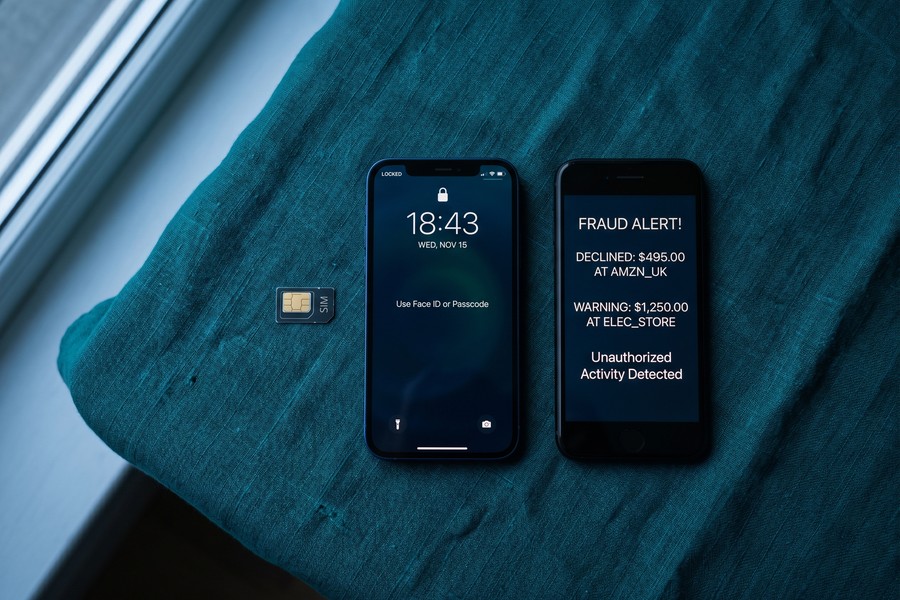
A SIM swap works by social engineering: an attacker calls your carrier, claims to be you, provides stolen personal information (often purchased from previous data breaches), and requests that your phone number be transferred to a SIM card they control. From that moment, every SMS code sent to your number goes to the attacker. Your phone loses signal. All SMS-based logins, including your patient portal, your telehealth service, and your health insurance account, are now accessible to someone else.
SS7 exploitation is more technical but similarly direct. Because SS7 was built without authentication between network nodes, a party with access to a telecom network, or to SS7-connected equipment that is commercially available, can request that a target’s messages be rerouted. The target never knows it happened. The CISA fact sheet on phishing-resistant MFA explicitly names SS7 exploitation and SIM swapping as active, current attack vectors against SMS-based authentication.
What to Watch Out For
SIM swapping is no longer an exotic attack targeting celebrities and cryptocurrency holders. The FBI’s 2024 figures, 982 complaints, $26 million in losses, reflect a commoditized, scalable operation. Security researchers have documented attackers deliberately targeting accounts with high-value data, including healthcare credentials and insurance information. Accounts at financial institutions, from large banks like JPMorgan Chase to fintech platforms like SoFi and Robinhood, have all appeared in SIM swap case reports. If your phone suddenly loses signal with no explanation, contact your carrier immediately from another device; that is the most common first symptom of an active SIM swap.
Enabling a carrier PIN or account passcode with your mobile provider is the minimum mitigation if you must use SMS-based 2FA. This requires any caller requesting a SIM change to provide a separate PIN that is not available in public records or data breach dumps. Every major U.S. carrier offers this in account security settings; most customers have never set it.
Step 4: How Authenticator Apps Work and Where They Actually Fall Short
Authenticator apps generate Time-based One-Time Passwords (TOTP) locally on your device, using a shared secret key established during setup and the current time as inputs. No code travels over the cellular network. No carrier can be social-engineered. The code exists only on your device for 30 seconds, then it is gone. That is the core technical advantage over SMS, and it closes the specific attack vectors that SIM swapping and SS7 exploitation rely on.
How to Do This
When you enable TOTP-based 2FA on a service, the site displays a QR code. You scan it with your authenticator app, which stores the shared secret. From that point, the app generates a fresh six-digit code every 30 seconds, synchronized with the server by the current timestamp. The server accepts a code only for a narrow time window, typically 30 to 90 seconds, which means an intercepted code is useless after it expires. Because everything happens locally, the app works without a cell signal or Wi-Fi connection. Be aware, however, that fake QR codes are an active phishing vector; always confirm you are scanning a code displayed by the legitimate service and not one embedded in a phishing email.
Where Authenticator Apps Actually Fall Short
Three failure modes are worth knowing. First, if malware has already compromised your device and extracts the TOTP seed, the shared secret stored in the app, an attacker can generate valid codes indefinitely without your phone. This requires a high level of device compromise, but it is not impossible, and it is why device hygiene matters alongside authentication choices. For context on how malicious software reaches phones, understanding how ransomware spreads to mobile devices covers the infection pathways in detail.
Second, as noted in Step 2, TOTP codes are still vulnerable to real-time phishing proxies. If you type a valid TOTP code into a fake login page that forwards it to the real server instantly, the attacker gets an authenticated session before your code expires. TOTP is meaningfully stronger than SMS, but it is not phishing-resistant in the way a hardware key is.
Third: the lockout risk. Losing your phone without pre-saved backup codes can make account recovery impossible. Microsoft’s own support documentation states plainly that recovery of a personal account without backup verification methods may not be achievable. For a patient portal or telehealth service, that can mean days or weeks of manual identity verification, or permanent loss of access to your own medical history.
When you enable TOTP on any account, download and save the backup codes immediately, before you close the setup screen. Store them in a password manager or print them and keep them somewhere physically secure. This single habit prevents the most common authenticator-app failure scenario.
Step 5: Which Authenticator App Should You Actually Use?
For health and wellness accounts specifically, three criteria matter most: encrypted cloud backup (so a lost phone does not mean lost access to your patient portal), offline functionality, and how much data the backup service itself can see about you. The last point is worth thinking through carefully if you use health apps and prefer to keep your data consolidated with as few large platforms as possible.
How to Do This
The table below compares the four most commonly recommended options against these criteria. The right choice depends more on your comfort level and existing ecosystem than on any single feature.
| App | Cloud Backup | Backup Encryption | Open Source | Platform | Best For |
|---|---|---|---|---|---|
| Google Authenticator | Yes (Google account sync) | Encrypted in transit; Google can access backup | No | iOS, Android | Users already in the Google ecosystem who want simplicity |
| Microsoft Authenticator | Yes (Microsoft account) | Encrypted backup; Microsoft account access required | No | iOS, Android | Users managing multiple Microsoft or enterprise accounts |
| Aegis | Local export only (no cloud) | Fully local; AES-256 encrypted vault | Yes | Android only | Android users who want full local control and zero third-party access |
| Ente Auth | Yes (Ente servers) | End-to-end encrypted; Ente cannot read your codes | Yes | iOS, Android, Desktop | Users who want encrypted cross-device sync without tying backup to Big Tech |
What to Watch Out For
Google Authenticator’s cloud sync is convenient, but it binds your authenticator backup to your Google account, the same account that may already hold your search history, location data, and Gmail. For someone using health apps and trying to minimize data aggregation, that is a genuine trade-off. Ente Auth and Aegis were built specifically to address this: Ente offers end-to-end encrypted sync that even Ente’s servers cannot read, while Aegis keeps everything local with no external dependencies. Neither is harder to use than Google Authenticator after setup.
NIST’s MFA guidance for small businesses recommends FIDO authenticators paired with the W3C Web Authentication API as the most widely available form of phishing-resistant authentication. TOTP apps are positioned as the practical next step for accounts where FIDO is not yet supported, which still covers a large portion of patient portals and telehealth platforms.
Step 6: When Is SMS 2FA Acceptable and When Should You Insist on an App?
SMS-based 2FA is not worthless. Google’s internal research found it blocks 100% of automated bot attacks and 96% of bulk phishing attempts, numbers that make a clear case for SMS being meaningfully better than no second factor at all. The honest position is not “never use SMS” but rather “match your authentication method to the sensitivity of what you are protecting.”
How to Do This
Draw the line based on what is in the account. Any platform holding medical records, prescriptions, mental health history, insurance information, or biometric data warrants an authenticator app. A fitness-challenge forum that holds only your step count and a display name does not require the same rigor. The rough arithmetic is useful here: SMS blocks 76% of targeted attacks versus roughly 99% for on-device authenticator prompts. That 23-percentage-point gap is small on a low-stakes account and meaningful on one where an attacker has a specific financial or personal motive to target you.
The same logic applies to financial accounts. A checking account at JPMorgan Chase, a brokerage at Fidelity, or a credit line where your FICO Score and debt-to-income ratio are visible deserves an authenticator app over SMS. Lenders and financial institutions routinely store sensitive underwriting data, including income verification, DTI calculations, and APR terms, that an attacker could exploit for loan fraud or credit abuse.
When a platform gives you no choice, some telehealth services and hospital patient portals still force either SMS or their own proprietary app, your minimum mitigation is a carrier PIN on your mobile account, combined with registering a backup email where the service allows it. It is imperfect, but it is not nothing.
What to Watch Out For
The December 2024 joint guidance from CISA and the FBI stated directly that SMS should not be used as a second factor because messages are unencrypted and can be intercepted by any threat actor with access to a telecom provider’s network. That is a federal recommendation, not a theoretical concern. If your current patient portal or telehealth service offers only SMS, it is reasonable to contact their support and ask when an authenticator app option will be available. Enough users asking the question tends to accelerate the roadmap.
CISA’s MFA Resource Center identifies FIDO/WebAuthn as the only widely available phishing-resistant form of authentication currently deployed at scale, and recommends that organizations begin planning a migration to FIDO in order to block credential-phishing attacks. TOTP authenticator apps represent the practical intermediate step for accounts where FIDO support has not yet been implemented.
Step 7: How to Build a Backup Plan So You Never Lose Access to Your Health Records
The step most people skip during authenticator app setup is saving backup codes. Every major platform, Google, Microsoft, your patient portal, your telehealth provider, generates a set of one-time backup codes when you enable 2FA. These codes let you regain access if your phone is lost, stolen, or damaged. Without them, recovery can take days, require extensive identity verification, and in some cases may be officially impossible.
How to Do This
Run through this checklist once when you first enable an authenticator app on any account, and revisit it any time you get a new phone:
- Download and save backup codes during initial 2FA setup. Store them in a password manager (Bitwarden, 1Password, and similar tools all support secure notes) or print them and keep them in a physically secure location.
- Enable encrypted cloud backup in your authenticator app if available. For Ente Auth, this happens automatically. For Aegis, schedule a regular manual export to an encrypted location. For Google Authenticator, confirm the sync is tied to an account you can independently access.
- Where the service allows it, register a second device. Many health platforms and enterprise accounts permit a backup authenticator registration, which means your desktop or tablet can generate codes if your phone is unavailable.
- Store one trusted backup phone number for account recovery. Even for accounts where an authenticator app is your primary method, a verified backup number gives you a recovery path, just ensure it is a number you will reliably have access to.
- Test recovery before you need it. Log out of one non-critical account and use a backup code or recovery method to get back in. Discovering a broken recovery process during a genuine emergency is far worse than finding it during a dry run.
What to Watch Out For
Recovery processes vary widely between platforms. A Gmail account has multiple recovery paths built in. A specialized telehealth service or hospital patient portal may have a manual identity verification process that requires submitting documents and waiting for a human review, a process that can take a week or longer. Financial institutions present their own complications: Wells Fargo, Capital One, and most major banks have dedicated fraud and identity teams, but even their recovery workflows can stall if the account holder cannot verify ownership through a second channel. Knowing this ahead of time is the only way to avoid being locked out of your own medical history, or your own money, at a moment when you need it most.
If you are considering whether a hardware security key might offer an even stronger recovery and authentication path for your most sensitive accounts, this guide on whether hardware security keys are worth using covers the practical trade-offs in detail.
Frequently Asked Questions
Is an authenticator app really more secure than getting a text message code?
Yes, for accounts holding sensitive data. Authenticator apps generate codes locally on your device, eliminating the carrier network as an attack surface. SMS codes travel over an unencrypted network vulnerable to SS7 exploitation and SIM swapping. According to Microsoft’s internal research, on-device authenticator prompts block approximately 99% of targeted attacks compared to roughly 76% for SMS-based codes, a gap that matters most when an attacker has a specific reason to target you, such as access to health records or financial data.
Can someone steal my two-factor authentication code even if I use an app?
Yes, under two specific conditions. If malware has compromised your device and extracted the TOTP seed stored in the app, an attacker can generate valid codes independently. Separately, real-time phishing proxy tools like Evilginx can capture a valid TOTP code the moment you type it and replay it to the real server before it expires. Neither attack is common against ordinary users, but both are real. The only methods currently immune to the second attack are FIDO2 hardware keys and passkeys, which cryptographically bind authentication to the legitimate domain.
What happens if I lose my phone and I have an authenticator app set up?
What happens depends entirely on whether you saved backup codes or enabled encrypted cloud sync before losing the device. If you have backup codes stored in a password manager or printed securely, recovery takes minutes. Without them, you are dependent on each platform’s manual recovery process, which can take anywhere from hours to weeks. For personal Microsoft accounts, official support documentation states recovery may be impossible if no backup verification methods were registered.
Should I switch from SMS codes to an authenticator app on my patient portal right now?
If your patient portal offers an authenticator app option, switch as soon as you have ten minutes to do it. Medical records, prescription histories, and insurance data are high-value targets for both SIM swap attacks and targeted credential theft. CISA and the FBI jointly advised in December 2024 that SMS should not be used as a second factor for authentication on sensitive accounts. If your portal offers only SMS, contact support to ask about app-based alternatives, and set a carrier PIN on your mobile account as an interim measure.
Which authenticator app is best for someone who uses a lot of health and wellness apps?
For most people, Ente Auth offers the best balance of usability, cross-device sync, and data privacy; its end-to-end encrypted backup means neither Ente nor any third party can read your stored codes. Android users who want full local control with no cloud dependency should look at Aegis. Microsoft Authenticator is a reasonable choice if you are already managing a Microsoft account or enterprise logins. Google Authenticator is functional but ties your backup to a Google account that may already aggregate significant personal data.
Does two-factor authentication protect against phishing attacks?
Standard 2FA, whether SMS or TOTP, reduces phishing risk significantly but does not eliminate it. Real-time adversary-in-the-middle tools can capture both your password and your 2FA code and replay them instantly, giving an attacker a valid authenticated session before your code expires. FIDO2 hardware keys and passkeys are the only currently available methods that are genuinely phishing-resistant, because they verify the domain cryptographically and will not authenticate to a fake site. CISA’s phishing-resistant MFA fact sheet explains this distinction in detail.
What is SIM swapping and how do I protect myself from it?
SIM swapping is a social engineering attack where an attacker contacts your mobile carrier, impersonates you using stolen personal data, and convinces the carrier to transfer your phone number to a SIM card they control. Every SMS sent to your number, including 2FA codes, then goes to the attacker. Protection has two components: set a carrier PIN or account passcode with your mobile provider (this requires anyone requesting a SIM change to supply a PIN not available in public records), and move high-value accounts from SMS-based 2FA to an authenticator app that has no carrier dependency.
Are there health apps that do not offer any form of two-factor authentication at all?
Yes, and this is a genuine gap in the market. A substantial portion of wellness apps, particularly smaller meditation, nutrition tracking, and mental health journaling apps, offer password-only login. This is especially concerning given that these apps often hold sensitive behavioral and health data. When evaluating a health or wellness app, check the security settings before entering any sensitive information. If MFA is not offered, consider whether the data you would store there is worth the risk, and use a strong, unique password generated by a password manager as a minimum baseline.
What does NIST say about using SMS for two-factor authentication?
NIST SP 800-63B-4 formally classifies SMS and PSTN-based one-time passcodes as “restricted authenticators,” a designation that imposes new compliance obligations on any organization that continues to offer SMS as an MFA method. NIST recommends software-based TOTP authenticator apps or hardware tokens as more secure alternatives. The same document recommends FIDO authenticators paired with the W3C Web Authentication API as the most phishing-resistant option currently widely available.
Is SMS two-factor authentication better than no second factor at all?
Definitively yes. SMS 2FA blocks 100% of automated bot attacks and 96% of bulk phishing attempts, according to Google’s research, and Microsoft’s data shows that 99.9% of compromised accounts had no MFA enabled at all. The vast majority of credential theft is automated and opportunistic; SMS stops it cleanly. The argument for authenticator apps over SMS is specifically about targeted attacks, scenarios where someone has a specific reason to compromise your account and is willing to invest effort in a SIM swap or SS7 exploitation. For a low-stakes forum or newsletter subscription, SMS is a reasonable and adequate choice.
Sources
- CISA & FBI, Joint Guidance on Mobile Communications Best Practices (December 2024)
- CISA, Fact Sheet: Implementing Phishing-Resistant MFA
- NIST, Multi-Factor Authentication Guidance for Small Businesses
- CISA, More Than a Password: MFA Resource Center
- Microsoft Security Blog, One Simple Action to Prevent 99.9% of Account Attacks (2019)
- Microsoft Learn, Security at Your Organization: Partner Center MFA Documentation (2025)
- Microsoft Entra ID, Plan for Mandatory MFA (2024)
- Expert Insights, Multi-Factor Authentication Statistics 2025 (citing Statista)






