Fact-checked by the SnapMessages editorial team
Quick Answer
Fake QR code scams involve cybercriminals replacing or creating fraudulent QR codes to redirect victims to phishing sites, steal credentials, or install malware. The FBI reports QR code fraud complaints have surged, with the FTC documenting losses exceeding $1 billion annually from QR-linked phishing attacks. Always verify a QR code’s source before scanning.
Updated July 2026
Fake QR code scams are a growing threat where criminals replace or mimic legitimate codes in public spaces, emails, or text messages to steal personal data. According to the FTC’s consumer alert on QR code fraud, these attacks exploit image-based links that bypass standard spam filters, which are built to catch text-based URLs.
The risk has grown sharply since 2025, as QR codes became part of everyday life, used in parking meters, restaurant menus, delivery notifications, and even hospital check-ins.
Key Takeaways
- QR code fraud losses now exceed $1 billion annually, per the FTC.
- Quishing attacks surged 587% in one six-month window, Check Point Research found.
- QR code shortener traffic jumped 55% from H1 2023 to H1 2024, then another 44% through H1 2025, Palo Alto Networks Unit 42 reports.
- The FBI’s IC3 flags parking meters and cryptocurrency ATMs as top physical targets for tampered QR codes.
- A single malicious scan can steal credentials or silently install malware without any user input.
- Previewing the destination URL before tapping is the most effective defense; enable Safe Browsing on your mobile browser.
How Do Fake QR Code Scams Actually Work?
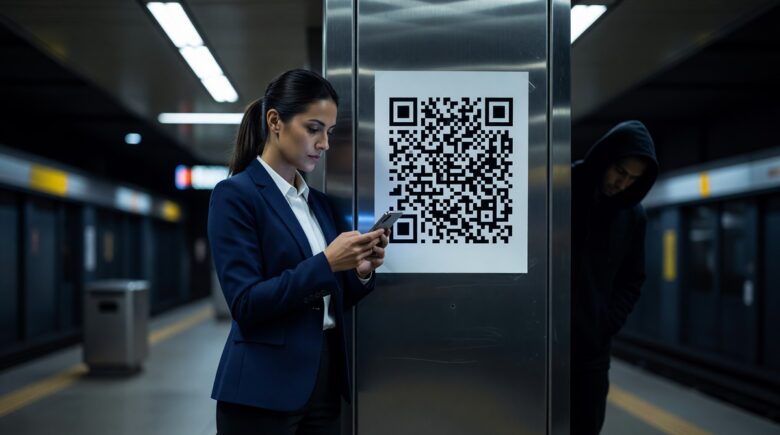
Criminals replace real QR codes with fake ones that point to malicious websites, often spoofed login pages or silent malware triggers. The swap is fast and undetectable to the naked eye. A sticker over a parking meter’s code looks identical to the original.
The attack happens in three steps. First, a user scans the code with their phone. Second, the browser opens a fake version of a trusted site, like a bank, delivery service, or government portal. Third, any information entered, passwords, card numbers, or personal data, is sent directly to the attacker.
New data from Palo Alto Networks Unit 42 shows the trend accelerating: QR code shortener traffic rose 55% from H1 2023 to H1 2024, then jumped 44% by H1 2025. That growth reflects both broader QR adoption and more aggressive criminal use. For context, a 55% increase from H1 2023 to H1 2024 means the volume of QR-based link traffic grew from roughly 100 million to 155 million monthly requests. By H1 2025, that had risen again to nearly 223 million monthly requests, highlighting a direct correlation between usage and exploitation.
Quishing: QR Phishing via Email
A growing form of attack called quishing embeds fake QR codes in email attachments or corporate documents. Because the payload is an image, most enterprise email filters don’t catch it. Check Point Research found quishing attacks rose over 587% in six months, making it one of the fastest-expanding phishing types in businesses.
Key Takeaway: Fake QR code scams work by redirecting smartphone cameras to phishing URLs. The quishing variant bypasses email filters entirely, Check Point reported a 587% surge in quishing incidents, making visual inspection of every scanned code a critical security habit.
Where Do Criminals Deploy Fake QR Codes?
Fake QR codes appear in both physical and digital settings, often in places where people scan quickly without checking the source. The FBI has issued specific warnings about common placement points.
Common physical spots include parking meters, restaurant table tents, public transit fare machines, retail point-of-sale terminals, and event check-in booths. Attackers either cover the real code with a sticker or alter printed signs. The FBI’s IC3 advisory on QR code tampering specifically calls out parking payment stations as high-risk targets.
Digital Delivery Channels
Online, criminals use phishing emails, SMS messages (a tactic overlapping with smishing attacks), social media posts, and fake delivery alerts. Fraudulent codes also appear in PDF invoices sent to businesses, targeting finance teams who scan them to confirm payments.
| Attack Surface | Delivery Method | Primary Target |
|---|---|---|
| Parking Meters | Physical sticker overlay | Payment card data |
| Restaurant Menus | Replaced printed code | Login credentials |
| Corporate Email (Quishing) | Embedded image in PDF | Microsoft 365 / Google credentials |
| SMS / Text Message | Fake delivery notification | Personal and financial data |
| Social Media | Sponsored post or DM | Account takeover |
| Cryptocurrency ATMs | Overlay on machine display | Crypto wallet theft |
Key Takeaway: Fake QR code scams target both physical spaces and digital inboxes. The FBI’s IC3 advisory specifically flagged parking meters and cryptocurrency ATMs as high-risk surfaces, 6 distinct attack surfaces are now actively exploited by threat actors.
What Information Can Criminals Steal Through a Fake QR Code?
Scanning a malicious QR code can expose login credentials, payment card numbers, device identifiers, or location data, all within seconds. The type of data stolen depends on what happens after the redirect, but some attacks collect data silently without user interaction.
Credential harvesting is most common. Users land on fake versions of bank portals, Microsoft 365, or government sites and enter usernames and passwords. These are then sold on the dark web or used for immediate account takeovers. This connects to broader mobile risks: some QR redirects install spyware in the background, which is harder to detect than a visible phishing page. Understanding how spyware operates on phones explains why some attacks work without any user input.
Silent Drive-By Downloads
More advanced attacks trigger a drive-by download, where malware installs automatically when a vulnerable browser loads the page. No user action beyond scanning is needed. The installed software can act as a keylogger, stalkerware, or banking trojan.
QR codes are especially dangerous because the destination URL is hidden. Unlike a text link, where you can hover to see the address, a QR code gives no clue until after scanning. The Federal Trade Commission notes this trust gap as a key reason fraud has spiked, people distrust suspicious links in emails but have no instinct for a small black-and-white square.
Key Takeaway: Beyond passwords, a single malicious scan can trigger silent malware installation targeting banking apps. The FTC documented over $1 billion in annual losses tied to QR-linked fraud schemes.
How Can You Spot and Avoid Fake QR Code Scams?
Checking the destination URL before tapping, inspecting physical codes for tampering, and using a scanner app that shows the full URL will cut your risk substantially. Most modern iOS and Android cameras show a URL preview, read it carefully before proceeding. This is the single most effective step.
Physical inspection matters. Look for stickers that sit slightly above the surface, misaligned edges, or codes that look newly printed on older signage. Should a code at a public place ask for payment info, go directly to the business’s official website instead of following the link.
Technical Protections to Enable Now
Turn on Safe Browsing in your mobile browser, both Chrome and Safari include real-time phishing detection that can stop known malicious domains after a QR redirect. Keep your phone’s OS updated, since drive-by downloads often exploit known vulnerabilities. For a broader view of how your data can be intercepted, end-to-end encryption helps explain where exposure begins.
- Always preview the full URL before tapping a QR-generated link.
- Inspect physical QR codes for sticker overlays or surface tampering.
- Never enter payment or login data on a page reached via an unexpected QR scan.
- Use a dedicated QR scanner app with built-in URL safety ratings.
- Report suspected fake QR codes to the FTC at ReportFraud.ftc.gov or the FBI’s IC3.
The Cybersecurity and Infrastructure Security Agency (CISA) recommends disabling automatic QR scanning in social media apps to reduce impulsive behavior. A moment of manual review is far less costly than a stolen identity.
Key Takeaway: The most effective defense against fake QR code scams is previewing the destination URL before loading it. Enabling Safe Browsing and keeping iOS or Android updated closes the drive-by download vector, the FBI’s IC3 recommends reporting suspicious codes immediately alongside these 5 protective steps.
What Should You Do If You Scanned a Fake QR Code?
Act within 30 minutes if you think you scanned a malicious QR code. Change any passwords you may have entered. Contact your bank to freeze affected cards. Run a mobile security scan. Speed matters, stolen credentials are tested on other accounts within minutes.
Disconnect from Wi-Fi and mobile data briefly if you suspect a drive-by download. This can block malware from contacting its command-and-control server. Then run a trusted mobile antivirus app. Understanding how malicious software gets installed helps you spot signs of compromise, like sudden battery drain or unknown background processes.
File a report with the FTC at ReportFraud.ftc.gov and with the FBI’s Internet Crime Complaint Center. If financial data was entered, place a fraud alert with Equifax, Experian, or TransUnion immediately. The FTC’s guide on credit freezes and fraud alerts explains how to do this step by step.
Key Takeaway: Victims of fake QR code scams should change passwords, freeze cards, and file reports within 30 minutes of a suspected compromise. The FTC’s ReportFraud portal and the FBI’s IC3 are the two primary reporting bodies, early reporting helps investigators dismantle active phishing infrastructure faster.
Real-world impact: Say you have a 620 credit score and need about $8,000 for a medical procedure. A single compromised account could lead to a $1,200 unauthorized charge on a card used for insurance payments. That’s enough to push your credit utilization ratio above 30%, which can drop your score by 10 to 20 points, especially if the fraud goes undetected for more than 30 days. This single incident could delay your ability to qualify for a loan at a reasonable rate, adding months to your timeline and increasing your total borrowing cost by $200 or more.
When the defense fails: None of these precautions help much if your device is already compromised through another vector, like a malicious app installed from a third-party store. If you’ve sideloaded apps or disabled security features like sandboxing, your phone may be vulnerable even with Safe Browsing and URL previews enabled. This is why device hygiene matters as much as scanning habits, no single habit is a complete fix on its own.
Frequently Asked Questions
Can my phone get hacked just from scanning a QR code?
Yes, if your phone has an unpatched vulnerability, scanning a malicious QR code can trigger a drive-by download. You don’t need to enter any data, just loading the page can install code. Keeping your OS and browser updated reduces this risk.
How do I tell if a QR code is fake before scanning it?
Look for physical signs, sticker overlays, uneven edges, or new printing on worn materials. After scanning, read the full URL before tapping. Legitimate businesses use their own domains, not shortened links or random strings. If it looks off, don’t proceed.
Are fake QR code scams common in email?
Yes. The quishing variant embeds fake QR codes in corporate emails and PDFs to bypass text-based filters. Check Point Research documented a 587% increase in quishing incidents in one period, with Microsoft 365 and Google Workspace credentials as primary targets.
What is the difference between quishing and regular phishing?
Quishing uses a QR code image instead of a clickable link. Email security tools scan text and URLs, not embedded images, so quishing emails often slip past filters. The result, credential theft or malware, is the same.
Is it safe to scan QR codes at restaurants and parking meters?
It can be, but only if you verify the URL first. High-traffic public locations like parking meters are specifically warned by the FBI as frequent targets for tampering. When in doubt, type the business’s website directly.
Should I use a third-party QR scanner app instead of my phone’s built-in camera?
A dedicated app that shows URL safety ratings adds a helpful layer. But no app eliminates risk entirely. The built-in camera preview, combined with your own URL review, works well for most users. Avoid obscure apps that ask for excessive permissions.
Can scanning a fake QR code drain my bank account?
If you enter banking credentials on a spoofed page, criminals can log in and move funds. Some malware even mimics the real banking app’s interface, capturing everything you type. That’s why changing passwords and freezing cards within minutes is critical.
What is the most common type of QR code scam?
Credential harvesting is most frequent. Attackers clone login pages for Microsoft 365, Google, or banks and trick users into entering passwords. These are sold or used for account takeovers within hours.
How do criminals place fake QR codes on parking meters?
They print a small sticker with a malicious code and place it over the original. The sticker matches the size and shape, so it looks identical. The FBI’s IC3 advisory specifically warns that parking meters are a top target.
Are QR code scams still rising in 2026?
Yes. Palo Alto Networks Unit 42 recorded a 55% jump in QR code shortener traffic from H1 2023 to H1 2024, followed by another 44% increase through H1 2025, with no sign of slowing. As QR codes become more common, the attack surface grows.






