Fact-checked by the SnapMessages editorial team
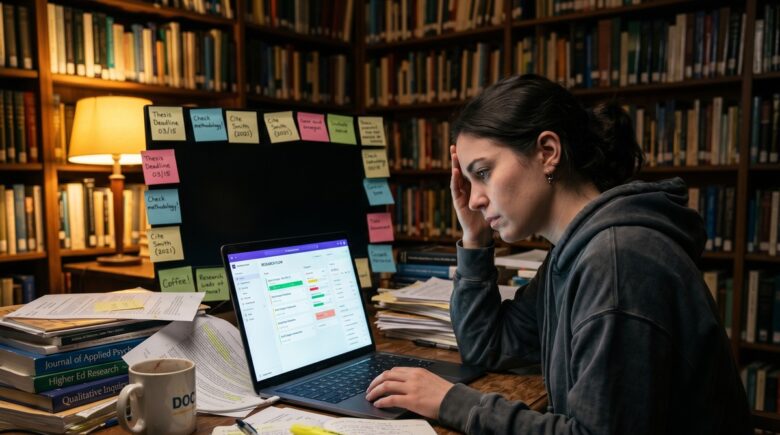
A 2019 Nature survey of more than 6,000 PhD students worldwide found that 36% had sought help for anxiety or depression directly attributed to their doctoral program. A follow-up meta-analysis published in Scientific Reports in 2021 found that roughly 24% of PhD students showed clinically significant depression symptoms. These are not marginal figures. They reflect a structural problem: the PhD environment asks one person to read hundreds of papers, run experiments or fieldwork, write a dissertation, teach undergraduates, meet supervisors, and hit grant deadlines, often with no clear boundary between work hours and personal time. Productivity apps for PhD students are not a luxury or a life-hack; for many students, the right set of tools is a genuine line of defense against the burnout that drives program dropout.
The mental health data align with a parallel problem in how knowledge workers use technology. Research cited by the Harvard Business Review found that the average knowledge worker toggles between apps and websites roughly 1,200 times per day, losing close to four hours per week just reorienting to whatever they switched to. Across a year, that is approximately five working weeks lost to context switching alone. A 2023 Asana study found employees switch between an average of 8.8 different apps per day, and 43% described constant app-switching as mentally exhausting. PhD students are not immune to this effect. A student running seven or eight loosely connected productivity tools, a habit reinforced by articles that list 15 apps without explaining how they fit together, may be compounding the very overwhelm they are trying to escape. Separately, a 2025 Chegg Global Survey found 43% of students worldwide reported experiencing academic burnout, a figure consistent with the broader mental health picture.
This guide takes a different approach from most. Rather than cataloguing every available option, it makes a direct argument: a small, carefully chosen toolkit almost always outperforms a long, fragmented one. By the end of this article, you will know which apps address the specific structural problems of doctoral research, why fewer tools configured well beats more tools used poorly, which widely recommended app has been broken since 2021 but still appears in competitor posts, and how to build a system you will actually maintain through the three to seven years of a PhD program.
Key Takeaways
- 36% of PhD students in a 2019 Nature survey had sought help for anxiety or depression linked to their program, making tool selection a health decision, not just an efficiency one.
- Knowledge workers lose roughly four hours per week, equivalent to about five working weeks per year, to context switching between apps, according to Harvard Business Review-cited research.
- Mendeley’s mobile app was discontinued in 2021; any article recommending it as an active mobile reference manager contains a factual error.
- Zotero is free, supports over 9,000 citation styles, and syncs libraries across devices, making it the most cost-effective reference manager for most PhD students, with no subscription required.
- A 2023 Asana study found 43% of workers describe constant app-switching as mentally exhausting; a PhD toolkit of two to three deeply integrated apps is more sustainable than eight loosely connected ones.
- Todoist’s Pro plan costs $4 per month (billed annually), Notion’s education plan is free, and Forest offers a one-time purchase around $1.99 on mobile, total toolkit cost can be kept under $10 per month without sacrificing capability.
In This Guide
- Why PhD Students Are Uniquely Overwhelmed
- The App-Overload Trap: More Tools, More Stress
- Taming the Literature Avalanche: Reference and Reading Management
- Managing the Research Project Without Losing Your Mind
- Protecting Your Focus During Deep Work
- Writing Consistently Without Burning Out
- Tracking Your Time and Energy, Not Just Your Tasks
- How to Build Your Personal Toolkit Without Starting Over
Why PhD Students Are Uniquely Overwhelmed
Most productivity advice is written for office workers who have a defined role, fixed hours, and a manager setting priorities. A PhD student has none of those guardrails. The work is self-directed: you decide what to read today, whether this week’s writing session advances chapter two or chapter four, and whether the statistical model is ready to run or needs another two weeks of reading. That structural ambiguity is by design; doctoral training is supposed to produce independent researchers. But it creates a context where mainstream productivity frameworks built around inbox-zero or meeting-free Fridays are simply not calibrated for what you are actually doing.
The Cognitive Load Is Different
A typical PhD student in a single week might read 20 to 40 papers, annotate several of them, respond to supervisor emails, prep a seminar or lab meeting, run analyses or field interviews, draft a section of a paper, and do all of this without a structured deadline for any individual task until a submission or committee meeting forces one. Each of those activities draws on a different cognitive mode. Reading requires absorption. Writing requires generation. Analysis requires precision. Teaching requires performance. Switching between them without a system is exactly the kind of context-switching that drains cognitive capacity and correlates with the anxiety figures cited above.
Reframing productivity apps as wellness tools is not a rhetorical stretch for a health and wellness publication. Reducing the friction of switching between tasks, protecting focused writing time, and surfacing where your hours actually go are actions that directly reduce the chronic low-grade stress that, left unaddressed, builds into burnout. Generic advice fails PhD students because it does not account for this structure. The right apps need to handle long, unstructured projects spanning multiple years, not just daily to-do lists with checkboxes.
The average PhD program in the United States takes 5.8 years to complete, according to the National Science Foundation’s Survey of Earned Doctorates. That is a long time to sustain motivation and mental health without intentional systems in place.
Generic Advice Makes It Worse
Listicles that recommend “15 apps to boost your productivity” often include tools built for sales teams, content creators, or startup founders. A Kanban board designed for sprint cycles does not translate neatly to a dissertation that will take 18 months of writing to complete. When PhD students install tools that do not fit and then abandon them after three weeks, the failure feeds a particular kind of self-doubt: not just “this app didn’t work” but “I can’t even manage my own research.” That psychological cost is real and deserves to be said plainly.
The companies behind many popular productivity tools, including Atlassian (which owns Trello), Notion Labs, and Doist (which makes Todoist), design their products for general knowledge-worker audiences. None of them explicitly optimizes for the 5.8-year arc of doctoral research. That means PhD students have to do the configuration work themselves, which is exactly what this guide helps you do.
The App-Overload Trap: More Tools, More Stress
The 2023 Asana Anatomy of Work report is worth sitting with for a moment. Workers who switched between an average of 8.8 apps per day were more likely to report feeling overwhelmed, and nearly half described the switching itself as a significant source of mental fatigue. This is distinct from the apps being bad. Even good tools impose a reorientation cost every time you switch to them: where was I, what was I doing here, what does this notification mean. For a PhD student whose primary cognitive asset is a long, sustained chain of thought about a narrow research problem, that reorientation cost is especially damaging.
The Minimum Viable Toolkit Argument
The central argument in this guide is deliberate and specific: two to three deeply integrated apps beat eight loosely connected ones, almost every time. The selection criteria should be ruthless. Does this app sync across every device you actually use? Does it connect to your reference manager, your writing environment, or your calendar without manual export? Does it work without internet access when you are in an archive or a field site with poor connectivity? If the answer to any of those is no, the app is creating friction, not removing it.
The practical implication: before adding a new tool, spend one week mapping which current tool you would replace. If there is no clear replacement, the new tool is probably adding to your app count, not improving your system. Indiana University’s official graduate-student productivity workshop guide makes a similar point, advising students to choose tools based on personal goals and peer adoption, and to prioritize tools that are simple to set up, since overly complex systems tend to be abandoned.
Pricing structures reinforce this logic. Atlassian’s Trello, Doist’s Todoist, and Notion Labs all offer free or near-free tiers specifically to get users inside their ecosystems. The cost is not always money; sometimes it is the hours you spend maintaining a system that was never right for your workflow. Choose the tool that fits your actual research phase, not the one with the most-praised feature set on a productivity forum.
Knowledge workers lose the equivalent of roughly five working weeks per year to app-switching and reorientation alone, based on research cited by Harvard Business Review. For a PhD student already managing a five-to-six-year program, this is not a minor inefficiency.

Taming the Literature Avalanche: Reference and Reading Management
By the time a PhD student reaches their dissertation, they may have collected and need to cite hundreds of papers. Without a reference manager, that means hunting through folders for PDFs, manually formatting citations in multiple styles, and hoping nothing is missing when the final submission goes in. With a good reference manager, citations are inserted in seconds, bibliographies are generated automatically, and every paper lives in one searchable library. This is one area where the right tool has an unambiguous, measurable impact on both output quality and stress.
Zotero: The Default Recommendation for Most Students
Zotero, developed by the Roy Rosenzweig Center for History and New Media at George Mason University, is free and open-source. Its official documentation describes it as a tool that collects, organizes, and cites bibliographic references, supports over 9,000 citation styles, syncs libraries across devices, and enables collaborative shared libraries at no cost. The browser clipper saves a paper from Google Scholar or a publisher’s site in one click, extracting metadata automatically. Integration with Microsoft Word and Google Docs means you insert citations without leaving your document. For LaTeX users working in Overleaf, the connection is equally direct.
Harvard University’s Graduate School of Arts and Sciences library guide explicitly recommends Zotero as one of the tools graduate students should adopt early, stating it will “save you lots of time later.” Carnegie Mellon University Libraries’ Zotero guide goes further, providing step-by-step setup for integrating Zotero with Word, Google Docs, and the CMU catalog. That kind of institutional backing matters: it means Zotero is not just tolerated but actively supported, and that support is unlikely to disappear mid-program. For most PhD students, Zotero should be the first tool installed and the last one removed.
Mendeley’s mobile app was discontinued in 2021. Multiple high-traffic productivity articles continue to recommend Mendeley as a mobile reference manager without noting this. If mobile access to your library matters, and for most PhD students it does, Mendeley is not the right choice. Zotero’s mobile app remains actively maintained and syncs with the desktop version.
When EndNote Makes Sense
EndNote, published by Clarivate, is the institutional standard at many universities, particularly in medicine and the life sciences. Its subscription cost (often $250 or more for a perpetual license, though many universities provide it free through site licenses) is the primary barrier, and its interface is less intuitive than Zotero’s. The honest case for EndNote: if your supervisor and all your collaborators are already using it, and your department provides it at no cost, the collaboration benefit may outweigh the setup overhead. If neither condition applies, Zotero is the better choice for almost everyone.
The PDF annotation workflow is worth describing in concrete terms, because this is where many students miss the long-term value. When you highlight a passage in Zotero and add a note explaining why it matters to your argument, that annotation is attached to the record and fully searchable. When you return to that paper eighteen months later while drafting chapter four, you do not re-read the whole paper. You read your past self’s summary. That is a genuine reduction in cognitive load, not just a feature checklist item. For guidance on how annotation fits into a broader reading and note-taking workflow, Notre Dame Library’s Dissertation and Thesis Camp productivity tools module provides a structured framework used in their official graduate support program.
| Tool | Cost | Mobile App (Feb 2026) | Best For |
|---|---|---|---|
| Zotero | Free (6 GB storage free; $20/yr for 2 GB extra) | Yes, actively maintained | Most PhD students; all disciplines |
| Mendeley | Free desktop version | No (discontinued 2021) | Desktop-only workflows; Elsevier users |
| EndNote | ~$250 or free via institution | Yes | Medical/life sciences with institutional access |
Managing the Research Project Without Losing Your Mind
A dissertation is not a task. It is a project that spans years, contains dozens of sub-projects, and has dependencies that shift as your research evolves. A daily to-do list app alone cannot hold that structure. You need something that can represent both the high-level arc (chapters, submission milestones, conference deadlines) and the granular daily actions (read three papers, revise introduction paragraph, email co-author). The right task and project app is the spine of your entire system.
Trello for Visual Thinkers
Trello, owned by Atlassian, uses a Kanban board structure: columns of cards that move from “to do” through “in progress” to “done.” Its free tier is genuinely capable for individual use, offering unlimited cards, ten boards, and basic automation. The visual format works well for dissertation chapter tracking, paper submission pipelines, and any workflow where seeing the whole picture at once reduces anxiety. Trello’s strength in the PhD context is shareability: you can show your supervisor exactly where each chapter stands without scheduling a meeting, which matters when supervisor time is scarce.
The limitation is depth. Trello cards do not hold nested subtasks or recurring task logic well without paid Power-Ups. If your work requires tracking dozens of daily recurring tasks alongside long projects, you may hit the ceiling of the free tier faster than expected.
Todoist for Daily Task Management
Todoist, made by Doist, excels at daily and weekly task management. Its natural language input, typing “read Smith 2022 every Monday at 9am” creates a recurring task automatically, reduces the friction of maintaining a system. At $4 per month billed annually for the Pro plan, it is affordable, and it integrates with Google Calendar, Zapier, and most popular time trackers. For PhD students, the practical setup is a project for each dissertation chapter, a project for teaching duties, and a project for administrative tasks, all surfacing relevant items in a unified “Today” view.
Notion: Powerful but Honest About Its Costs
Notion, built by Notion Labs, can replace a reference manager, a task manager, a note-taking app, and a writing environment simultaneously. Its education plan is free. That combination makes it genuinely appealing. The honest caveat is setup cost: a Notion workspace that does the things described above takes real time to configure, and a poorly configured Notion workspace is worse than no system at all because it adds maintenance overhead without delivering the clarity it promised.
The recommendation here is direct: if you will not spend three to four hours building a proper Notion system in the first week, start with Todoist instead. A simple system you maintain beats a complex system you abandon.
Notion’s education plan has been free for verified students since 2020 and includes full access to all workspace features, including databases, templates, and unlimited pages. Verification requires a .edu email address at most institutions.
| Tool | Free Tier | Paid Plan | PhD-Specific Strength | Main Limitation |
|---|---|---|---|---|
| Trello | 10 boards, unlimited cards | $5/user/month | Visual chapter/milestone tracking; easy supervisor sharing | Weak on recurring tasks and subtasks |
| Todoist | 5 active projects | $4/month (annual) | Natural language input; cross-platform; daily task clarity | Less suited to complex project hierarchies |
| Notion | Free for students | $10/month | All-in-one; can consolidate multiple tools | High setup cost; complex to maintain without commitment |
Protecting Your Focus During Deep Work
Deep work, the kind of sustained, uninterrupted concentration required to read a dense theoretical text or draft an original argument, is the core activity of doctoral research. It is also the activity most vulnerable to interruption. A single notification at the wrong moment can break a train of thought that took 20 minutes to build. Cognitive research on attention consistently shows that recovering focus after an interruption takes longer than the interruption itself. For PhD students whose phone doubles as a research tool (Google Scholar, library apps, PDF readers), the distraction risk is structurally higher than for workers who can simply leave their phone in another room.
Forest and the Gamified Pomodoro
Forest, developed by Seekrtech, is a focus app built on the Pomodoro technique: you set a timer (typically 25 minutes), plant a virtual tree, and the tree dies if you leave the app to check social media. Completed sessions grow a forest. The gamification is light but effective for many users; seeing a visual record of focused sessions is motivating in a way that a simple timer is not. Forest’s appeal to wellness-oriented students goes one step further: the app donates a portion of premium revenue to plant real trees through a partnership with Trees for the Future. The mobile app costs around $1.99 as a one-time purchase on iOS.
The neurological logic behind the Pomodoro interval is worth stating briefly. Twenty-five minutes of focused work followed by a five-minute break is not arbitrary. Working memory has a finite capacity, and deliberate rest intervals help consolidate what was just processed while preventing the cognitive exhaustion that leads to error-prone, low-quality work. For students worried about burnout, this structure is a concrete daily practice. Our guide to the best Pomodoro timer apps for deep focus goes deeper on the research behind interval-based work and reviews several alternatives to Forest.
Website Blockers and Phone-Specific Strategy
For desktop distraction, Freedom and Cold Turkey are the two strongest website blockers. Freedom (starting at $3.33/month billed annually) works across Mac, Windows, iOS, and Android simultaneously, meaning a block session covers all your devices at once. Cold Turkey’s free tier blocks websites on desktop; the paid version ($39 one-time) adds app blocking and a lockdown mode that cannot be bypassed without a restart. For PhD students who have tried and failed to self-enforce focus time, the inability to instantly undo a block is actually the feature. It removes the temptation entirely.
Schedule your website blocker sessions in advance using Freedom’s recurring block feature. Set a daily 9am–12pm block for your three highest-focus hours, and treat it the same way you would treat a seminar you cannot skip. Automation beats willpower every time.
Writing Consistently Without Burning Out
Academic writing is probably the most psychologically loaded task in a PhD program. It is the activity that produces the visible evidence of your progress, or its absence, and it is the task most students report procrastinating on most severely. Part of the reason is a confusion of cognitive modes. Drafting and editing are neurologically different activities: drafting requires generative, associative thinking where self-criticism is counterproductive, while editing requires precise, analytical judgment. Most writers work in both modes simultaneously, which produces neither good drafts nor good edits.
Drafting Tools: Get Words on the Page
750 Words is a minimalist web app built around one rule: write 750 words (roughly three pages) every day in a blank text field with no formatting, no distractions, and no editing. The point is to build a daily writing habit by removing every obstacle except typing. For PhD students who struggle to begin, 750 Words is a low-pressure on-ramp. The Hemingway Editor serves a different drafting purpose: it highlights overly complex sentences, passive voice, and adverb overuse, pushing you toward cleaner prose. Neither of these is a replacement for your main writing environment; they are warm-up and clarity tools.
Grammarly is useful, but not at the drafting stage. Recommending Grammarly as the first writing tool in a list, as many competitor posts do, is actively counterproductive for anyone who struggles with drafting block. Turning on a real-time grammar and style checker while you are trying to generate a first draft puts your inner critic in the driver’s seat at exactly the moment you need it out of the way. Use Grammarly during the revision phase, after the draft exists and the argument is at least roughed in.
Overleaf for STEM and Quantitative Researchers
Overleaf, owned by Digital Science, is a web-based LaTeX editor with real-time collaboration and direct integration with both Zotero and Mendeley. For students in STEM fields, economics, or any discipline where equations, tables, and precise formatting matter, Overleaf eliminates the version-control chaos of passing Word documents back and forth with supervisors. Changes are tracked automatically, comments are threaded in the document, and the compiled PDF updates live. The free plan is sufficient for individual use; collaboration features require a paid plan starting at around $21 per month (institutional licenses are available and often negotiated at no cost to students).
Humanities PhD students who have never encountered Overleaf often assume it is only for mathematicians. That undersells it. Any student writing a thesis with a large bibliography, multiple chapters as separate files, and a supervisor who requests tracked changes can benefit from Overleaf’s version history alone. The Carnegie Mellon University Libraries’ guide to Zotero specifically covers the Overleaf integration as part of its recommended workflow for graduate students.
| Writing Tool | Best Cognitive State | Cost | Key Feature |
|---|---|---|---|
| 750 Words | Early drafting / habit building | Free (basic); $5/month (premium) | Daily word-count habit, no formatting distractions |
| Hemingway Editor | Light revision / clarity check | Free (web); $19.99 (desktop one-time) | Highlights complex sentences and passive voice |
| Grammarly | Revision stage only | Free; $12/month (Premium) | Grammar, style, and plagiarism checking |
| Overleaf | Structured drafting and collaboration | Free (individual); ~$21/month (collab) | LaTeX editor with Zotero integration and version history |
Tracking Your Time and Energy, Not Just Your Tasks
One of the most reliable precursors to burnout is a consistent gap between how much time a person thinks they are working and how much they are actually producing. PhD students are especially vulnerable to this because the work is diffuse: reading a paper over coffee, answering an academic email at 10pm, and revising a methods section on a Sunday afternoon all “count” in some sense, but they do not all have the same cognitive value. A student can feel perpetually busy while making very little progress on the things that matter, which produces exactly the helplessness and loss of control that burnout research associates with psychological deterioration.
RescueTime: Passive Tracking That Reveals the Truth
RescueTime, developed by RescueTime Inc., runs in the background and categorizes every application and website you use throughout the day, producing weekly reports that show how much time went to Google Scholar versus YouTube, to Overleaf versus Reddit. The free tier provides basic reports; the premium version ($12/month or $78/year) adds focus sessions, daily goals, and the ability to block distracting sites. The value is not in the numbers themselves but in the surprise: almost every new RescueTime user discovers they spend significantly more time in email and administrative tasks than they believed, and significantly less in the deep work they care about.
Clockify: Manual Tracking with Project Context
Clockify, made by Cake.com, is a free manual time tracker that works well for PhD students who want to track time at the project level: how many hours this week went to dissertation writing versus teaching prep versus data analysis. Unlike RescueTime, which runs passively, Clockify requires you to start and stop a timer, which adds a small friction cost but also creates a moment of intentionality each time you switch tasks. That intentionality is itself a useful habit. Clockify integrates with Todoist, Trello, and Notion, meaning time data can flow directly into your project management tool.
Framing time tracking as self-knowledge rather than surveillance matters here. The goal is not to optimize every minute but to identify which hours of the day produce your best thinking and then protect those hours from meetings, email, and administrative drag. A student who discovers through four weeks of Clockify data that their best writing consistently happens between 9am and noon should treat that window as non-negotiable. This is a concrete, evidence-based wellness strategy that most productivity articles in this space entirely ignore. If you want to deepen that self-awareness, pairing time tracking with a reflective journaling practice is worthwhile; our guide to the best journaling apps for daily reflection covers options that integrate well with a structured PhD routine.
A 2025 Chegg Global Survey found 43% of students worldwide reported experiencing academic burnout. Time-tracking data that surfaces the gap between perceived and actual productive hours is one of the few early warning signals available to a student before burnout becomes clinically significant.
How to Build Your Personal Toolkit Without Starting Over Every Six Months
The PhD program is long. A tool you adopt in your first year should ideally still be serving you in your fourth. That argues strongly for choosing stable, well-supported software from organizations that are unlikely to disappear or pivot, which is one reason Zotero’s backing by George Mason University’s Roy Rosenzweig Center is a genuine feature, not just a footnote. Stability matters more for a five-year workflow than for a six-week work project.
It also argues for avoiding tools whose business models are precarious. Mendeley’s discontinuation of its mobile app in 2021, after Elsevier acquired the company in 2013, is a case study in what can happen when a research tool becomes secondary to its parent company’s commercial priorities. Choosing software maintained by universities and nonprofits, or by companies with long, stable track records, is a reasonable hedge against that risk.
A Decision Framework That Actually Works
Before installing any new tool, answer four questions. First: does this replace something I already have, or does it add to my app count? Second: does it sync across every device I use without manual intervention? Third: does it connect to my reference manager or writing environment, or will I be manually copying data between systems? Fourth: is there a verified student discount, or can I use a free tier that covers my real needs without artificial limits?
If the answer to questions two and three is no, the tool is creating friction. Stop there. The setup cost of a new system, learning its interface, migrating data, building new habits, is a real cognitive tax. Paying that tax for a tool that does not integrate with your existing workflow is one of the most common ways PhD students lose weeks they cannot afford to lose. Also consider that automating repetitive parts of your device workflow can compound the benefits of good app choices. Our guide on automating repetitive tasks on iPhone using Shortcuts shows how to reduce the mechanical overhead of daily digital habits.
Student Discounts and Free Tiers Worth Knowing
Financial stress is its own contributor to PhD burnout, and a productivity system that costs $80 per month is not sustainable on a stipend. The good news is that the recommended toolkit in this guide is nearly free at the core level. Zotero: free. Notion (education plan): free with a .edu email. Todoist Pro: $4/month billed annually. Forest (mobile): approximately $1.99 one-time. Clockify: free for individuals. A fully functional system costs under $5 per month for most students. Grammarly Premium and Freedom are the two tools that push the budget higher; both are optional rather than essential.
Many universities provide access to productivity and writing tools, including Grammarly Business, Microsoft 365, and institutional Overleaf licenses, through student IT portals at no individual cost. Check your university’s software licensing page before purchasing any paid tool.
One honest caution on the wellness side: even a well-chosen toolkit cannot substitute for structural support. If the pressure you are experiencing is affecting your sleep, relationships, or sense of self-worth, the right next step is your university’s counseling services, not a better app. Apps help manage the workload. They do not resolve the underlying conditions that produce doctoral burnout at the rates the research documents. Staying aware of your mental state is itself a productivity strategy, and tools like meditation apps can provide a meaningful daily anchor. Our guide to the best meditation apps for beginners is a practical starting point if you have not tried structured mindfulness before.

| Tool | Category | Cost | Student Discount or Free Tier |
|---|---|---|---|
| Zotero | Reference Management | Free | Fully free; no student verification needed |
| Notion | Task / Project / Notes | Free for students | Free with .edu email; full feature access |
| Todoist Pro | Task Management | $4/month (annual) | No dedicated discount; annual billing is lowest cost |
| Forest | Focus / Pomodoro | ~$1.99 (one-time mobile) | One-time purchase, no subscription |
| Clockify | Time Tracking | Free | Free for individuals indefinitely |
| Freedom | Website Blocker | $3.33/month (annual) | Student discounts available via education portal |
Real-World Example: From Seven Apps to Three, and a Calmer Dissertation Year
Consider an illustrative example: a third-year sociology PhD student, call her Maya, who arrives at the start of her dissertation writing year using seven different tools: a reference manager, a separate PDF reader, a task manager, a calendar app, a note-taking app, a writing app, and a distraction blocker. Each was installed to solve a specific problem, and each solved that problem partially. But the cognitive overhead of maintaining seven systems, remembering which information lived where, and switching between interfaces was consuming roughly two to three hours per week in reorientation time alone, by her own estimate. She also noticed that on days with heavy tool-switching, she felt mentally exhausted by early afternoon even when her total “work” hours were high.
Maya ran a one-week audit using Clockify and found that 22% of her working hours were going to what she called “meta-work”: updating task lists, reorganizing notes, migrating citations between apps, and troubleshooting sync errors. She consolidated to three tools: Zotero (replacing both her reference manager and PDF reader), Notion (replacing her task manager, calendar, and note-taking app), and Forest (replacing her distraction blocker). Setup took approximately four hours over a weekend. The following month, her Clockify data showed meta-work had dropped to roughly 9% of her working hours.
The more significant outcome was psychological. With a smaller system, she stopped the low-grade anxiety of wondering whether a citation was in the right place or whether a task had been captured. The cognitive load of maintaining the system dropped enough that she had more working memory available for actual research. Her daily writing output increased from an average of 280 words per day (across the previous semester) to around 520 words per day in the month after consolidation, without increasing her total hours worked.
This is a composite scenario, not a transcript of a single student’s experience. But the dynamics it describes, meta-work creep, consolidation benefit, and the relationship between system complexity and anxiety, are consistent with the research on cognitive load and knowledge worker context-switching documented throughout this guide. The numbers are illustrative of plausible outcomes, not guarantees.
Your Action Plan
-
Audit your current tools before adding anything new
Spend 30 minutes listing every app you currently use for research, writing, task management, and focus. For each one, note whether you used it in the past two weeks and whether it syncs with at least one other tool you use daily. Anything you have not opened in two weeks and that connects to nothing else should be removed before you proceed.
-
Install Zotero and import your existing reference library
If you are not already using a reference manager, Zotero is the right starting point. Install the desktop app and the browser clipper, connect it to your writing environment (Word, Google Docs, or Overleaf), and import any existing reference files. Spend one hour tagging and organizing what you already have. The upfront investment pays back every time you insert a citation without hunting for it.
-
Choose one task management tool and set up PhD-specific projects
Pick either Todoist or Notion (not both). Create a project for each dissertation chapter, one for teaching or TA duties, and one for administrative tasks. Add your three most important tasks for the current week. Commit to reviewing this system every Sunday for the next four weeks before evaluating whether it is working.
-
Run a one-week time audit with Clockify
Install Clockify and track every working session for seven days, noting the project category for each. At the end of the week, calculate what percentage of your working hours went to deep work (reading, writing, analysis) versus meta-work (email, admin, tool maintenance). If meta-work exceeds 15%, that is your primary problem to solve before adding any new apps.
-
Separate your drafting and editing environments deliberately
Designate one tool for first-draft writing where Grammarly and other editing assistants are turned off. Use 750 Words, a plain text editor, or a distraction-free mode in Overleaf. Reserve Grammarly for the revision phase only. Implement this for two weeks and notice whether your daily word count changes.
-
Set up a daily focus block with Forest or a Pomodoro timer
Schedule a minimum of two 90-minute focus blocks each day (six Pomodoro intervals), ideally during the hours your Clockify data identifies as your highest-output period. Use Forest to make these blocks tangible. Treat the blocks as immovable commitments and schedule all meetings, email, and administrative tasks outside them.
-
Check your university’s software licensing portal before paying for anything
Many universities provide Grammarly Business, Microsoft 365, Overleaf institutional licenses, and other tools at no cost to enrolled students. Visit your university’s IT or library software page and verify which tools are available. This single step can eliminate $20 to $50 per month in unnecessary subscriptions.
-
Schedule a quarterly system review
Every three months, spend 45 minutes reviewing your toolkit. Are you actually using every tool? Has any tool’s pricing or features changed significantly? Has your research phase shifted in a way that demands a different type of support? A quarterly review prevents tool-sprawl from quietly rebuilding itself and keeps your system matched to where your PhD actually is, not where it was a year ago.
Frequently Asked Questions
Is Zotero really free, or are there hidden costs?
Zotero’s core functionality is completely free: the desktop app, browser clipper, Word and Google Docs integration, and sync across devices all cost nothing. The only paid element is additional cloud storage beyond the default 6 GB. If your library contains many large PDFs and exceeds 6 GB, additional storage is available at $20 per year for 2 GB, $60 per year for 6 GB, or $120 per year for unlimited storage. Most PhD students with a well-organized library do not exceed the free tier for several years.
Can I still use Mendeley if I prefer it?
The Mendeley desktop application still functions, and Elsevier (its owner) continues to maintain it for desktop use. The critical gap is mobile: Mendeley’s mobile app was discontinued in 2021 and has not been restored. If you work exclusively on a desktop or laptop and have no need for mobile access to your library, Mendeley remains a workable option. For anyone who reads papers on a tablet or phone, which describes most PhD students, Zotero’s actively maintained mobile app is the better choice.
Do I need both a task manager and a project manager, or will one do?
For most PhD students, one well-configured tool is enough. Notion can function as both if you are willing to invest the setup time. Todoist handles daily and weekly tasks cleanly but is less suited to holding a five-year project arc with dependencies. Trello handles the project arc well but is weaker for daily granular tasks. The most common successful setup is Todoist for daily tasks and Trello for chapter-level milestones, shared with supervisors. Two tools with a clear division of responsibility is fine; seven loosely overlapping tools is the problem to avoid.
Is it worth paying for Grammarly Premium as a PhD student?
Grammarly Premium ($12/month or $100/year) adds plagiarism detection and more advanced style suggestions beyond the free version’s grammar checking. For most PhD students, the free tier is sufficient during the revision phase. If your university provides Grammarly Business as part of its software licensing, use that. The main caveat, worth repeating, is that Grammarly should be used during revision, not during drafting. If it is actively running while you write first drafts, disable it or switch to a plain text environment for drafting sessions.
How do I handle the fact that my phone is both a research tool and a distraction source?
This is the genuine tension in focus apps for PhD students, and it is one most competitor articles ignore. The practical solution is a screen-time schedule rather than blanket blocking. Use iOS Screen Time or Android Digital Wellbeing to allow research apps (Google Scholar, Zotero mobile, your university’s library app) while blocking social media and entertainment during scheduled focus hours. Freedom’s cross-device blocking can be configured to allow specific apps while blocking others, which is more surgical than turning off your phone entirely.
What is the best app specifically for managing a dissertation writing schedule?
No single app is purpose-built for dissertation scheduling, but the most effective combination reported by PhD students in academic writing communities is Notion (for holding the chapter structure, deadlines, and word-count targets in one place) alongside a daily writing habit app like 750 Words. Some students add a Toggl Track or Clockify integration to see how many hours they logged against each chapter target. The key is that the system shows you both where you are and where you need to be, so you can calibrate your daily effort without waiting for a supervisor meeting to find out you are behind.
Are there apps that help specifically with the PhD mental health and burnout problem?
Productivity apps address the workload structure, not the emotional and psychological dimensions of burnout directly. For those, the most evidence-based digital tools are meditation and mindfulness apps. Headspace, Calm, and Insight Timer all have clinical research behind their core techniques. Our guide to the best meditation apps for beginners covers these in detail. Journaling apps that prompt structured reflection, including gratitude and mood tracking, can also help surface early signs of emotional depletion before they become acute. See our roundup of the best gratitude apps for building a positive daily mindset for specific options. Neither replaces professional counseling, which remains the appropriate intervention when symptoms are persistent.
How long does it realistically take to set up a new productivity system?
A Zotero installation with browser clipper and Word integration takes approximately 30 minutes. A Todoist project structure for a PhD takes one to two hours to configure meaningfully. A Notion workspace built from scratch takes three to five hours if you use a template and longer if you build from blank. The total upfront cost for the core toolkit described in this guide is roughly six to eight hours. That is a real investment, but it is front-loaded: once set up, a stable system requires about 15 to 20 minutes of weekly maintenance, not daily rebuilding.
What should I do if I try a tool for a month and it still does not feel right?
Abandon it without guilt and without replacing it immediately. Many students fall into a cycle of replacing one abandoned tool with a new one, which resets the setup cost without resolving the underlying issue. Before replacing, ask whether the problem was the tool or the workflow around it. If Todoist feels overwhelming, the issue may be that your project list is too granular, not that Todoist is wrong. Simplify the system before switching the tool. If after simplification the tool still imposes friction, choose the next simplest option, not the most feature-rich one.
Can I use these tools on a university-provided device that has software restrictions?
Zotero, Todoist, Notion, and Clockify all have web browser versions that require no local installation, making them compatible with restricted devices. Forest is mobile-only and requires installation on a personal phone. Freedom requires installation on each device you want to block, which may not be possible on a university-managed computer. In that case, the iOS or Android Screen Time features built into your personal phone, which require no installation, provide a functional alternative for phone-based focus management.
Sources
- Nature, PhD students and mental health: a growing concern (2019 survey)
- Harvard University Library, Graduate School of Arts and Sciences Research Guide
- Indiana University Libraries, Scholars’ Commons Productivity Tools Guide
- Carnegie Mellon University Libraries, Zotero Guide for Graduate Students
- University of Notre Dame Libraries, Dissertation and Thesis Camp: Productivity Tools
- Zotero, Official Quick Start Guide (Roy Rosenzweig Center for History and New Media, George Mason University)
- Asana, Anatomy of Work Global Index 2023
- Scientific Reports (PubMed Central), Meta-analysis: Depression prevalence in PhD students (2021)
- National Science Foundation, Survey of Earned Doctorates: Time to Degree
- Chegg, 2025 Global Student Survey on Academic Burnout
- SnapMessages, Best Pomodoro Timer Apps to Stay Focused During Deep Work
- SnapMessages, Best Journaling Apps to Build a Daily Reflection Habit
- SnapMessages, Best Meditation Apps for Beginners Who Have Never Tried Mindfulness
- SnapMessages, How to Automate Repetitive Tasks on iPhone Using Shortcuts






