
Fact-checked by the SnapMessages editorial team
Quick Answer
Freelancers using phone automation for freelancers can reclaim an average of 7.4 hours per week by setting up five core automations: client scheduling with auto-reminders, milestone-triggered invoicing, CRM intake via Zapier, AI-protected focus blocks, and scheduled Do Not Disturb rules. Most setups take under two hours and run entirely from a smartphone.
Phone automation for freelancers is the practice of using smartphone-native and cloud-connected tools to remove manual, repetitive tasks from your workday: scheduling, invoice reminders, client intake, and boundary enforcement, so your time and attention go where they actually matter. According to a 2025 FreelancerMap survey, 43% of freelancers spend roughly 5 hours every week on unproductive non-billable tasks like client acquisition, accounting, and customer care. Automation attacks that number directly.
The freelance workforce has grown too large to ignore this problem. MBO Partners’ State of Independence 2025 estimates 72.9 million Americans are now freelancing in some capacity, nearly 45% of the U.S. labor force. As the workforce grows, so does the pressure to stay responsive at all hours. The phone sits at the center of that pressure, pinging constantly and pulling attention away from deep work, rest, and recovery. The result is not just lost billable time. Chronic stress compounds into burnout, and freelancers face that outcome without the institutional buffers that employed workers rely on.
This guide is for independent designers, writers, developers, consultants, and any other solo practitioner who manages their business primarily from a smartphone. By the end, you will have a clear picture of which automations to prioritize, how to set them up, and how to use the hours you recover for something better than more work.
Key Takeaways
- Freelancers who automate core admin workflows report saving an average of 7.4 hours per week, according to a 2025 Zapier productivity report, time that can be reallocated to rest, exercise, or genuine recovery.
- 43% of freelancers waste approximately 5 hours a week on non-billable admin tasks, per FreelancerMap’s 2025 survey, making scheduling, invoicing, and intake automation the highest-value targets.
- 91% of workers reported extreme stress in 2024, up from 46% in 2021, according to Mental Health UK’s 2024 Burnout Report, and freelancers face this without the HR safety nets that employed workers rely on.
- FreshBooks reports that its AI-assisted workflows can save freelancers up to 553 hours per year on financial admin alone, though those hours only become wellness gains if deliberately redirected away from more billable work.
- The FTC’s March 2024 Telemarketing Sales Rule update extends robocall and Do Not Call protections to AI-generated voice technology, creating compliance obligations for any freelancer using automated outbound phone outreach.
- Automating a broken workflow accelerates friction rather than removing it. The only sequence that reliably reduces stress is audit first, simplify second, automate third, a principle none of the top-ranking automation articles currently teach.
In This Guide
- Why is my phone hurting my health as a freelancer?
- What does phone automation actually mean for a solo freelancer?
- Which phone tasks are silently eating my time every week?
- What are the best automations for freelancers to set up first?
- How do I use phone automation to protect my deep work and sleep?
- Where does phone automation quietly make things worse?
- How do I turn time saved into a genuinely healthier freelance life?
- Frequently Asked Questions
Step 1: Why is my phone hurting my health as a freelancer?
Your phone is the primary reason the line between work and rest no longer exists in freelance life. Unlike salaried workers who leave the office at a set time, freelancers carry their entire business in their pocket, and the phone reinforces that 24-hour availability at a neurological level every time a notification arrives.
The hidden cost of always-on availability
Every unread message, every unpaid invoice, every scheduling ping adds to what psychologists call cognitive load: the mental overhead of holding open loops in working memory. Research consistently shows that reducing cognitive load lowers stress hormones and improves decision quality. The phone, used reactively rather than by design, does the opposite. It fills your working memory with tasks you have not yet handled and cannot yet ignore.
The burnout numbers for the broader workforce are stark enough to warrant attention. Mental Health UK’s 2024 Burnout Report found that 91% of workers reported extreme stress, up from 46% in 2021. Freelancers sit inside that statistic without the buffer of HR departments, employee assistance programs, or colleagues who share the load. The phone is the device through which most of that stress arrives.
The reflex response to phone-driven stress is usually to work faster or stay more available. Both strategies worsen the problem. What actually changes the pattern is restructuring how the phone behaves, not how hard you try to keep up with it.
Mental Health UK found that 91% of workers experienced extreme stress in 2024, compared to just 46% in 2021. Freelancers face this trend without institutional support structures, making personal system design the only reliable protection.
Step 2: What does phone automation actually mean for a solo freelancer?
Phone automation for a solo practitioner is not about bots cold-calling prospects. It is about using smartphone-native and cloud-connected tools to remove decision-making and manual effort from recurring, predictable tasks: scheduling, follow-ups, intake, reminders, and boundary communication, so your active attention is reserved for work that actually requires it.
Passive automation vs. adaptive AI scheduling
The distinction that most automation articles skip entirely is the difference between passive automation and adaptive AI scheduling. Passive automation covers static, set-and-forget rules: an auto-reply that fires when you receive an email after 6 p.m., a scheduled invoice that sends on the 1st of every month, or an iPhone Shortcuts routine that silences your phone during specified hours. If you want a practical foundation for this on iOS, the guide to automating repetitive tasks on iPhone using Shortcuts covers the setup in detail.
Adaptive AI scheduling is qualitatively different. Tools like Reclaim.ai and Motion do not just follow rules. They actively monitor your calendar, detect conflicts, and reschedule protected focus blocks and personal commitments in real time as new meetings appear. For a wellness-focused freelancer, this distinction matters enormously: a passive rule cannot protect your afternoon workout when a client drops a last-minute call request. An adaptive scheduler can, because it treats recovery time as a real commitment rather than blank space to fill.
Start by asking one clarifying question before installing anything: “Is this task predictable enough to be handled without my active decision?” If yes, it is an automation candidate. Scheduling, invoice generation at project milestones, routing inquiry emails, and toggling Do Not Disturb all meet that test. Strategic client communication, creative judgment calls, and relationship-building do not, and trying to automate them is where the trouble begins.
The FCC’s July 2024 Notice of Proposed Rulemaking proposes to require specific prior consent and in-call disclosure when AI is used in outbound calls, according to FCC documentation. If you ever automate outbound client calls, these rules apply to you as a solo business operator.
Step 3: Which phone tasks are silently eating my time every week?
The four biggest time drains for most freelancers are back-and-forth scheduling messages, manually sending invoice reminders, re-reading old client threads to recover context, and juggling calendar conflicts on the fly. Together, these account for the majority of the 5 hours per week that FreelancerMap’s 2025 survey attributes to unproductive non-billable admin.
Run a simple one-week audit before automating anything. For five working days, keep a note on your phone and mark every time you stop a task to handle a reactive phone interruption: a scheduling message, an invoice question, a client check-in you could have anticipated. Most freelancers who do this discover that three or four recurring patterns account for more than 80% of their reactive time. Those patterns are your automation targets, not everything at once.
The cognitive load angle is worth naming explicitly here. Research on working memory consistently shows that the mental burden of remembering to do things is nearly as draining as actually doing them. Knowing an invoice reminder needs to go out on Thursday occupies mental bandwidth all week. An automated trigger that fires the moment a project milestone is logged removes that background drain entirely. The recovery in mental energy is the wellness benefit that asynchronous communication strategies also deliver, and the two approaches work well together.
Do not automate before you simplify. If your client intake process is unclear, routing confused inquiries into a HubSpot or Notion CRM via Zapier just delivers the confusion faster. The healthy sequence is audit, simplify the process itself, then automate the simplified version.
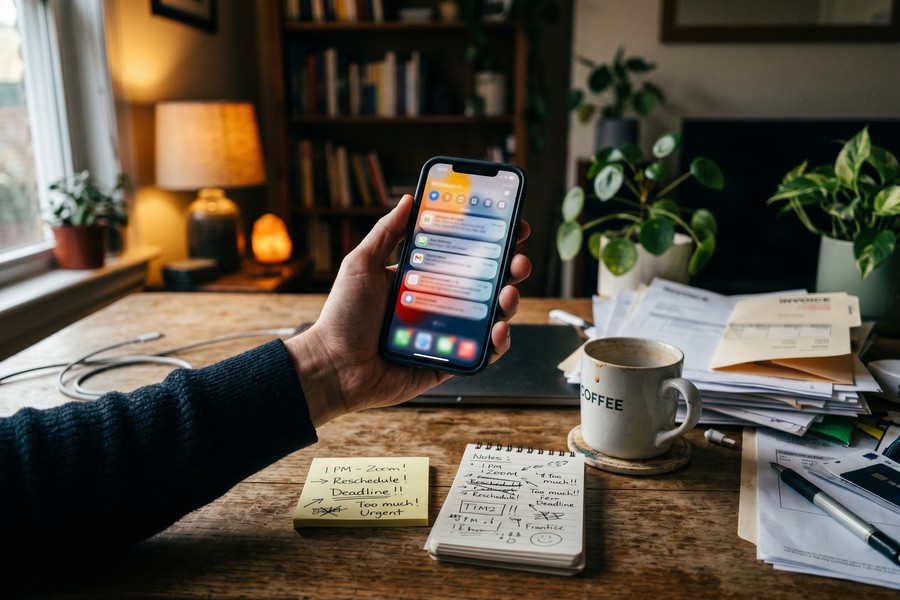
Automating a broken workflow accelerates the chaos rather than removing it. Before setting up any automation, confirm the underlying process is clear and repeatable. A messy scheduling system run through Calendly is still a messy system.
Step 4: What are the best automations for freelancers to set up first?
The highest-return starting point is a five-automation stack that covers scheduling, invoicing, intake routing, focus protection, and boundary enforcement. All five are manageable entirely from a smartphone and collectively address the tasks most responsible for reactive phone use.
How to build the stack
Work through these in order. Each one builds on the time and attention freed by the last.
- Calendly or YouCanBookMe for client scheduling. Replace all back-and-forth scheduling messages with a single booking link. Both tools send automatic reminders to clients before appointments, reducing no-shows without any manual follow-up. Set your available windows once, and the tool handles everything else.
- FreshBooks or Bonsai auto-invoicing at project milestones. Configure your invoicing tool to generate and send an invoice automatically when a project stage is marked complete. FreshBooks reports this approach can recover up to 553 hours per year in financial admin. The honest caveat: that figure represents the ceiling, not the average, and only applies if you actually stop doing it manually.
- Zapier routing new inquiry emails into a CRM. A single Zap can pull contact information from a new inquiry email and create a record in tools like HubSpot or Notion without you touching it. Setup takes under 20 minutes and eliminates a repetitive copy-paste task that interrupts focus multiple times a day.
- Reclaim.ai or Motion for AI-protected focus blocks. Unlike a static calendar block, these tools actively defend scheduled focus time by detecting incoming meeting requests and rescheduling them to open slots rather than allowing them to overwrite deep work. This is the adaptive AI scheduling approach described in Step 2, and it is the single most direct wellness use case for calendar automation.
- IFTTT applet triggering Do Not Disturb during protected hours. Create a simple applet that activates Do Not Disturb on your phone when your calendar shows a focus block or after a set evening hour. This removes the daily friction of manually toggling settings and makes your boundaries automatic rather than aspirational.
For Android users who want to go deeper on native system controls before adding third-party tools, the overview of Android developer options worth enabling surfaces some useful low-level settings for managing connectivity and notification behavior.
The table below compares the five core tools across the dimensions that matter most for a solo freelancer choosing where to start.
| Tool | Primary Function | Free Tier Available | Setup Time | Mobile-First |
|---|---|---|---|---|
| Calendly | Client scheduling + auto-reminders | Yes (1 event type) | 15 minutes | Yes |
| YouCanBookMe | Client scheduling + custom forms | Yes (1 booking page) | 20 minutes | Yes |
| FreshBooks | Auto-invoicing at milestones | No ($17/month minimum) | 30 minutes | Yes |
| Bonsai | Invoicing + contracts + intake | No ($21/month minimum) | 45 minutes | Yes |
| Zapier | Multi-app workflow routing | Yes (100 tasks/month) | 20 minutes per Zap | Partial |
| Reclaim.ai | AI calendar defense for focus time | Yes (limited habits) | 25 minutes | Yes |
| IFTTT | Cross-app triggers (DND, reminders) | Yes (5 applets) | 10 minutes | Yes |
Start with Calendly and one Zapier Zap before adding anything else. These two automations alone typically eliminate the majority of reactive scheduling and intake interruptions. Add invoicing automation only after you have confirmed the first two are running cleanly. Building the stack one piece at a time prevents the tool-management overhead from becoming its own source of cognitive load.
Step 5: How do I use phone automation to protect my deep work and sleep?
Using phone automation to protect recovery time, not just optimize output, is the angle most productivity guides skip entirely. The mechanism matters: after-hours notifications fragment sleep directly, and sleep fragmentation impairs the prefrontal cortex function that freelancers rely on for creative judgment the next day.
Configure a hard digital sunset using your phone’s native Focus modes (iOS) or Digital Wellbeing settings (Android) combined with an IFTTT or Shortcuts trigger. Set a specific time, say 8 p.m., after which all work app notifications are silenced and an automated reply in your email or messaging tools communicates your response window. The auto-reply does the boundary-setting for you, removing the emotional labor of explaining your availability to each client individually.
Reclaim.ai and Motion both allow you to designate specific time blocks as personal commitments that the AI treats as non-negotiable. Schedule sleep, exercise, and wind-down time with the same tool you use for client meetings. When the system treats these as real appointments, the friction of protecting them drops to near zero. This is a more reliable approach than willpower-based boundary-setting, which fatigues over time.
The relationship between phone use and sleep quality is direct enough to be worth stating plainly. Smartphone engagement in the hour before bed delays melatonin onset and shortens REM sleep duration. Automation that creates a physical break from work notifications, not just a mental intention to stop checking, is a legitimate sleep hygiene practice, not a productivity trick dressed up in wellness language.
What to watch out for
Automated boundaries only hold if your clients know they exist. Include your response window in your email signature, your booking confirmation messages, and your onboarding materials. When a client sees “I respond to messages between 9 a.m. and 5 p.m. on weekdays” in three places before they ever contact you after hours, the automated after-hours reply does not feel like a snub. It feels like consistency.
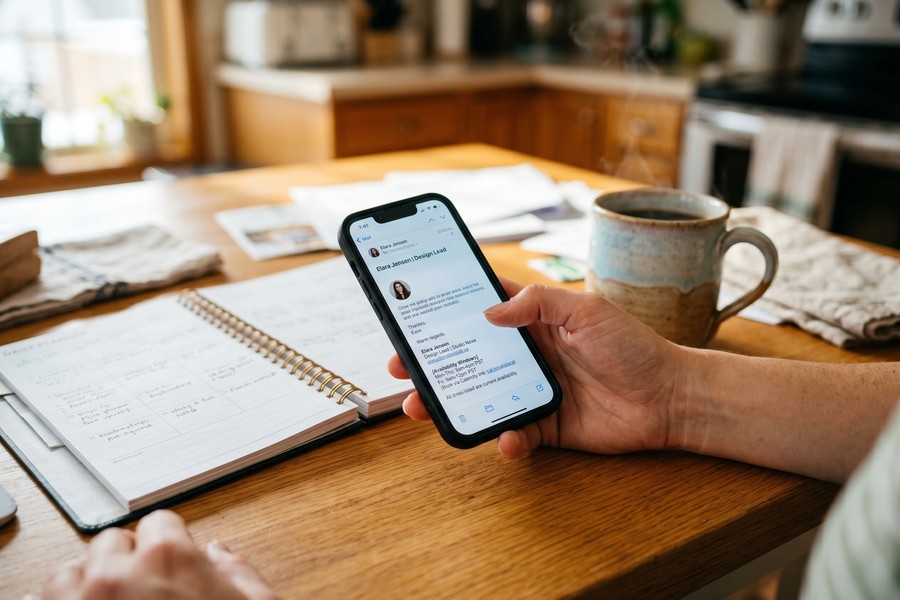
An April 2025 Upwork study found that one in four U.S. skilled knowledge workers now works independently, generating $1.5 trillion in earnings. The Upwork Research Institute frames this shift as skilled talent choosing flexibility and financial control over corporate structures. That flexibility is precisely what makes automated boundaries necessary rather than optional. Without a shared structural schedule, the freelancer must create and defend their own time architecture, and phone automation is the most reliable tool for doing that consistently.
Step 6: Where does phone automation quietly make things worse?
Phone automation has real limits, and naming them honestly is more useful than a list of tools that makes everything sound frictionless. There are three specific failure modes that wellness-focused freelancers should know before they build their stack.
The first failure mode is over-automating personal communication. Client relationships are built on warmth, and templates that sound robotic signal effort-avoidance to perceptive clients. The response is often more back-and-forth clarification, not less: the exact outcome the template was meant to prevent. Reserve automation for logistics and use real language for relationship-building, even when real language takes slightly longer.
The second failure mode is the tool accumulation trap. Managing a stack of ten loosely connected apps creates its own decision fatigue: which tool has the latest client note, why did the Zap stop running, does this notification mean the invoice sent or that it failed? A small, integrated stack of two or three well-chosen tools delivers more measurable wellbeing benefit than a sprawling system that requires constant maintenance. The cognitive load problem does not disappear when you delegate it to software. It just changes shape.
The third failure mode is the one already introduced in Step 3: automating before simplifying. A chaotic workflow run through Zapier produces chaotic outputs faster. The healthy sequence, worth restating here as a standalone principle, is: audit what you actually do, simplify the process until it is clear and repeatable, and only then automate the simplified version.
What to watch out for
Watch for automation that creates new screen time rather than reducing it. If you find yourself checking Reclaim.ai’s dashboard, reviewing Zapier run histories, and monitoring FreshBooks activity multiple times a day, the automation has become a new attentional burden. Set a weekly review time for system maintenance, 15 minutes on Monday mornings, and leave the dashboards closed the rest of the week.
The FTC’s March 2024 update to the Telemarketing Sales Rule extends Do Not Call and robocall prohibitions to AI-generated voice and voice-cloning technologies. The FTC’s Bureau of Consumer Protection stated that the changes “provide important new protections for small business and will help ensure that the FTC can take action against deceptive marketers who use AI robocalls and other emerging technology.” Solo freelancers using any automated outbound voice outreach are subject to these rules.
Step 7: How do I turn time saved into a genuinely healthier freelance life?
The hours recovered through automation are only a wellness gain if they are deliberately redirected away from more billable work. That sounds obvious, but most freelancers who save 7.4 hours a week instinctively fill those hours with additional client projects rather than recovery. The system resets to the same stress level within a few weeks, and the automation benefits disappear from the lived experience even though they persist on paper.
Before you activate your first automation, decide in writing where the recovered time will go. Block that time on your calendar using the same AI scheduling tool protecting your focus blocks. Movement, sleep, social connection, and creative rest are the inputs that prevent burnout relapse, and they need to be treated as commitments, not aspirational plans for when everything else is done.
Run a quarterly automation audit as a wellness practice rather than a productivity check. Review three questions: Which automations are running as intended and saving real time? Which have created new friction or screen time? Which processes have changed enough that the automation no longer fits? The goal is a smaller, cleaner system each quarter, not a larger one. Pairing this habit with a broader review of your digital boundaries, including your personal digital security routine, keeps your phone working for you rather than the other way around.
The wellness reframe for phone automation is not that it makes you more productive. It is that it makes you less reactive, less cognitively overloaded, and more capable of showing up well for the work and the life that actually matter to you.
What to watch out for
Beware of redefining “rest” as consuming content on the same device you just automated. A phone with better workflows is still a phone, and passive scrolling does not provide the cognitive recovery that genuine rest requires. The automation creates space. What fills that space determines whether it was worth building.

Schedule your quarterly automation audit as a recurring calendar event managed by the same tool defending your focus blocks. Treating it as a fixed commitment rather than a task on a to-do list is the difference between actually running the audit and perpetually deferring it.
Frequently Asked Questions
How much time can I realistically save with phone automation as a freelancer?
Freelancers who automate core admin workflows report saving an average of 7.4 hours per week, according to a 2025 Zapier productivity report. The actual figure for any individual depends on how much of their current time goes to manual scheduling, invoicing, and intake. Freelancers with high client volume typically see the largest gains from scheduling and invoice automation specifically.
What is the difference between Reclaim.ai and Motion for protecting my schedule?
Both tools use AI to actively defend calendar commitments rather than relying on static blocks, but they differ in approach. Reclaim.ai focuses heavily on habit scheduling and personal commitments alongside work tasks, making it a stronger fit for freelancers prioritizing wellness-driven calendar design. Motion leans toward task and project prioritization with automatic daily planning. Both offer free tiers and work on mobile, so a two-week trial of each is the clearest way to evaluate the fit for your specific workflow.
Is it legal to use automated messages or calls for client outreach as a freelancer?
Yes, with important limits. The FTC’s March 2024 Telemarketing Sales Rule update extends Do Not Call and robocall prohibitions to AI-generated voice technology, applying to any business, including solo freelancers, using automated outbound phone outreach. The National Consumer Law Center’s January 2025 analysis also covers the FCC’s ruling that AI-generated voices are “artificial voices” under the TCPA, requiring prior consent. Automated text and email reminders to existing clients you have an established relationship with are far lower risk than outbound AI voice calls to new prospects.
What is the simplest phone automation setup for a freelancer just getting started?
The simplest high-impact starting point is a Calendly free account for scheduling and a single IFTTT applet that activates Do Not Disturb on your phone after a set evening hour. Both take under 30 minutes to configure, require no paid subscriptions, and address the two most common complaints freelancers have: time wasted on scheduling messages and difficulty disconnecting after work. Add invoicing automation only once these two are running comfortably.
Can phone automation actually improve my sleep quality?
Automation that creates a hard evening cutoff for work notifications can meaningfully improve sleep by removing the triggers that delay melatonin onset. Smartphone engagement close to bedtime is well-documented as a cause of delayed sleep onset and reduced REM duration. An IFTTT or iOS Focus automation that silences work apps at 8 p.m. and routes messages to an auto-reply creates a physical break from work stimuli, not just a mental intention to stop checking. The effect is more reliable than willpower-based approaches because it does not require active decision-making each night.
Should I use Zapier or Make (formerly Integromat) for automating my freelance workflows?
Zapier is the better starting choice for most freelancers because its interface is simpler, its app library is larger (over 6,000 integrations as of mid-2025), and its free tier covers the most common beginner use cases. Make offers more powerful multi-step workflows at lower cost for complex automation, but the learning curve is steeper. If your needs are “route an inquiry email to my CRM” and “notify me when a client pays an invoice,” Zapier handles both without difficulty. If you find yourself hitting the limits of Zapier’s free tier frequently, Make becomes worth evaluating.
How do I set up automated office hours so clients stop messaging me at night?
The most effective approach combines three elements: an auto-reply in your email client (Gmail’s Vacation Responder or Outlook’s Automatic Replies) that states your response window, a similar auto-reply or status message in any messaging apps you use for client communication, and a mention of your response window in your email signature and client onboarding documents. When clients encounter the boundary in three places before they ever need it after hours, the auto-reply feels like consistency rather than avoidance. Pairing this with the IFTTT or Focus mode DND setup from Step 5 means the boundary is enforced technically, not just stated textually.
What phone automation tools work best for freelancers who manage everything from an iPhone?
iPhone users have strong native options before adding any third-party tools. iOS Shortcuts can automate multi-step workflows entirely on-device, Focus modes provide granular control over which apps can send notifications during specific times, and Screen Time settings add another layer of usage management. For a detailed walkthrough of building those native automations, the guide to automating repetitive tasks on iPhone using Shortcuts covers the setup from scratch. Add Calendly and Reclaim.ai on top of the native iOS layer for scheduling and calendar protection, and most iPhone-based freelancers will have a complete core stack.
How many automation tools should a freelancer actually use before it becomes counterproductive?
Two to three well-integrated tools deliver more measurable wellbeing benefit than a larger stack, based on the cognitive load research behind automation design. Each additional tool adds maintenance overhead, login credentials to manage, potential for sync failures, and dashboard-checking behavior. The goal is a system that runs itself without requiring daily oversight. If you are spending more than 15 minutes per week managing your automation stack, it has grown past its optimal size. A quarterly audit (as described in Step 7) is the practical mechanism for keeping the stack from growing by accumulation rather than design.
What should I automate first if I only have one hour this week?
Spend that hour setting up a Calendly booking page for client scheduling. This single automation eliminates the most universally time-consuming freelance admin task: the multi-message back-and-forth to find a meeting time. It also sets automatic reminders that reduce no-shows without any ongoing effort. The free tier is sufficient for most independent freelancers with a single service type. After it is live, send your booking link to your next three client communications and measure how much scheduling conversation disappears within a week.
Sources
- FreelancerMap, 2025 Freelancer Hours Survey: How Freelancers Spend Their Time
- Carry.com, Freelancing Statistics 2025: MBO Partners State of Independence Data
- Federal Trade Commission, FTC Implements New Protections Against AI Robocalls and Telemarketing Fraud (March 2024)
- Federal Communications Commission, July 2024 Notice of Proposed Rulemaking on AI-Generated Calls
- National Consumer Law Center, Top Six TCPA/Robocall Legal Developments 2024–2025
- GlobeNewswire, Upwork Study: 1 in 4 U.S. Skilled Knowledge Workers Now Work Independently (April 2025)






