Fact-checked by the SnapMessages editorial team
The Verdict
A budget smart home system setup is worth doing if you can keep your total spend at or below $300 and prioritize sleep, air quality, and stress reduction over flashy features. It is not worth it if you buy disconnected devices without a shared ecosystem, or if you expect whole-home coverage, medical-grade health tracking, or serious security from this price tier.
The single factor that determines whether a first-time homeowner gets real value from a smart home system budget setup is ecosystem discipline: choosing one voice platform and buying only devices that work within it. Without that decision made upfront, a $300 budget evaporates on incompatible hardware that never communicates. According to Parks Associates’ Smart Home Dashboard, 45% of U.S. households with internet access already own at least one smart home device, which means the technology is mature enough to buy at the budget tier without gambling on unproven products.
For a first-time homeowner, the timing is better than it looks. Matter protocol certification, now standard on most 2025 and 2026 budget devices from brands like Govee, Kasa, and Aqara, means a device you buy today for an Amazon Alexa ecosystem can work with Apple HomeKit or Google Home later. The lock-in risk that made budget smart home gear a bad bet in 2021 is largely gone.
| Factor | Reasons to Build It Now | Reasons to Wait or Skip |
|---|---|---|
| Cost | Core wellness setup (hub, bulbs, monitor, plugs) runs $121–$180 at March 2026 prices | Buying without a plan wastes budget on devices that duplicate functions |
| Health impact | Indoor air is 2–5x more polluted than outdoor air per the U.S. EPA; automation directly addresses that | Budget purifiers cover roughly 200 sq ft, not a whole home |
| Sleep | Scheduled warm-dim lighting below 2700K after dusk reduces evening melatonin suppression | Consumer sleep trackers are only 60–80% accurate versus clinical polysomnography |
| Energy savings | ENERGY STAR-certified smart thermostats save approximately $50/year on heating and cooling | A smart thermostat alone costs $100–$200 and sits outside the $300 ceiling |
| Ecosystem lock-in | Matter certification lets you switch from Alexa to HomeKit later without replacing hardware | Non-Matter, proprietary devices bought today may be orphaned within 3–5 years |
| Privacy | Local-control Matter devices reduce behavioral data sent to cloud servers | Cloud-dependent wellness devices collect sleep patterns and air quality baselines with limited user control |
Key Takeaways
- Your total hardware spend stays at or below $300, with a core wellness layer achievable for $121–$180
- You choose one ecosystem (Amazon Alexa, Google Home, or Apple HomeKit) before buying device one
- At least one device in your setup measures PM2.5 or VOC levels, since indoor air is the highest-impact variable most first-time owners ignore
- Your smart bulbs are capable of color temperature scheduling and can reach warm amber below 2700K for evening use
- You accept that this setup covers your bedroom and one or two adjacent spaces, not the whole home
- You are buying Matter-certified devices so that a future ecosystem switch does not require replacing everything
- You are treating sleep tracker data as trend information, not nightly diagnosis, to avoid the anxiety spiral researchers call orthosomnia
Should You Spend $300 on Health Outcomes or Device Features?
Spend around health outcomes, not device categories. The most common mistake first-time homeowners make is buying a smart bulb with no hub, or a hub with nothing meaningful to control. Frame the budget around sleep, air quality, and daily stress reduction, and the right devices become obvious. The wrong ones fall away on their own.
A practical three-tier split works well at this budget. Put roughly 60% (about $180) toward the control layer and foundational wellness devices: a voice hub like the Amazon Echo Dot at $35–$50, three or four smart bulbs with circadian scheduling at $40–$50 total, and an air quality monitor at around $70. Spend roughly 30% ($90) on a budget HEPA purifier like the Levoit Core 300. Reserve the remaining 10% (about $20) for two smart plugs that tie morning and evening routines together.
Skipping the ecosystem decision at the start is what makes smart home projects fail on a budget. If your first three purchases are from three different apps, you have already lost the efficiency that makes this worth doing. Pick Amazon Alexa if you want the widest device compatibility at the lowest price point. Pick Apple HomeKit if privacy is a priority and you are already deep in that ecosystem. Either way, make the call before you spend a dollar.
One comparison worth making: first-time homeowners who put $300 into a smart home setup are making roughly the same financial commitment as adding a rider to a homeowner’s insurance policy. The difference is that the smart home investment has a physical output you can observe and adjust, while the insurance rider is invisible until something goes wrong. Neither is optional thinking for a new owner; they address different categories of risk.
Does a $40 Lighting Setup Actually Improve Sleep?
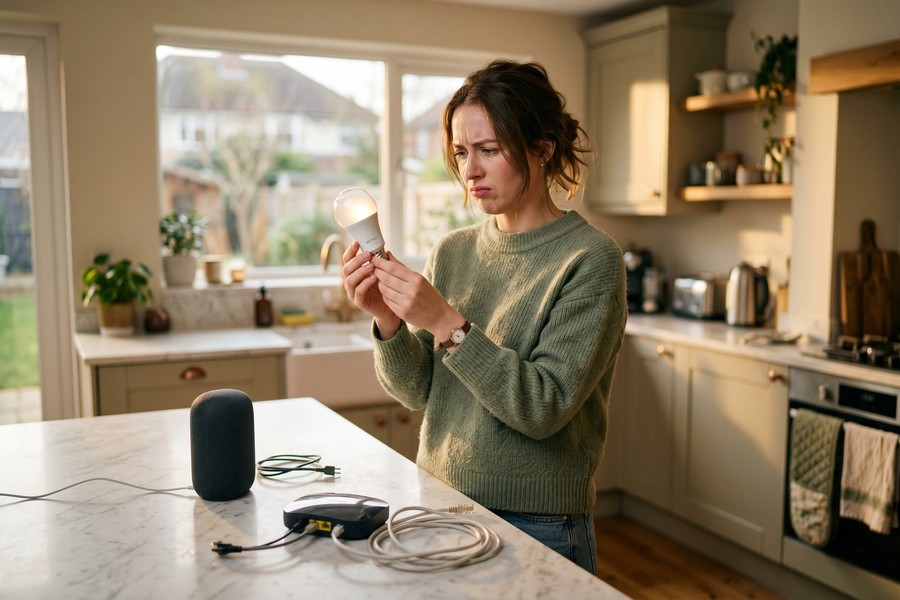
Yes, and the mechanism is specific enough to justify the purchase. Evening light above 4000K (cool white or daylight spectrum) suppresses melatonin secretion by as much as 50% in some studies. Shifting your bedroom and living room to warm amber below 2700K after 7 p.m. allows melatonin to rise on its natural schedule, which shortens the time it takes to fall asleep.
You do not need a $300 Philips Hue ecosystem to achieve this. Budget Matter-compatible bulbs from Kasa (the KL125 Multicolor, roughly $12–$15 per bulb) and Govee’s A19 line (similar pricing) both support full color temperature scheduling and do not require a proprietary hub. A four-bulb setup covering a bedroom and a small living area runs $40–$55 total and connects directly into any Amazon Alexa or Google Home routine.
The automation schedule that actually works: set bulbs to bright cool white (5000–6500K) at wake time, neutral white (3500K) through the workday, and a gradual warm dim starting around 7 p.m. that bottoms out at 2200–2700K by 9 p.m. The whole routine takes about ten minutes to configure and runs automatically from that point. No nightly manual adjustment needed. For readers already using iPhone Shortcuts for other automations, the logic is the same: set it once, let it run. If that kind of automation thinking interests you, the iPhone Shortcuts automation guide covers the broader principle well.
Is an Indoor Air Quality Monitor Worth $70?
For a first-time homeowner moving into an unfamiliar space, yes. The U.S. Environmental Protection Agency’s indoor air quality guidance documents that indoor air is typically 2 to 5 times more polluted than outdoor air. In a freshly painted, newly carpeted, or recently renovated home, VOC levels can spike well above that baseline. You cannot manage what you cannot measure.
The Amazon Smart Air Quality Monitor (around $70) measures PM2.5 particulate matter, VOCs, carbon monoxide, humidity, and temperature. Pair it with an Alexa routine and a budget purifier like the Levoit Core 300 ($70–$90), and the monitor automatically triggers the purifier when PM2.5 or VOC levels cross a threshold you set. That is a closed-loop health automation for under $170 combined, and no competing budget smart home guide mentions that this pairing is even possible at this price point.
The honest limitation: the Levoit Core 300 and similar budget HEPA purifiers cover about 200 square feet. That is a bedroom, not a living room and kitchen. Right-size the solution to the space where air quality matters most for your health, which is where you sleep. Buying for the whole house at this budget tier leads to disappointment; buying for the bedroom leads to a measurable improvement.
Can You Control Sleep Temperature Without a $200 Smart Thermostat?
You can, and almost no budget smart home guide explains how. Sleep researchers consistently cite 60–67°F as the range that supports optimal sleep onset, because core body temperature needs to drop slightly for sleep to begin. A $10–$15 smart plug paired with a basic fan or space heater creates a timed temperature routine that approximates this without touching your thermostat budget.
The setup is simple. Plug a fan into a Kasa EP25 or Amazon Smart Plug. Set an Alexa or Google Home routine to turn the fan on at 9:30 p.m. and off at 6:30 a.m. In warmer months, this nudges the bedroom toward the lower end of the sleep temperature range. In cooler months, a small space heater on the same schedule does the opposite. Neither solution is as precise as a U.S. EPA ENERGY STAR-certified smart thermostat, which the EPA estimates saves roughly $50 per year on heating and cooling. But a smart thermostat costs $100–$200 upfront, which blows the $300 ceiling before you have bought a single light bulb.
The smarter move is to build the $300 foundation now, then upgrade to a smart thermostat as a second-phase purchase. Many utility companies offer rebates of $50–$100 at installation, and some pay ongoing annual incentives for demand-response participation. That means a $150 thermostat can net down to $50–$100 after rebates, often paying for itself within the first year. Check your utility provider’s website or the DSIRE database of state energy incentives for what is available in your area.
Do Smart Plugs Actually Reduce Daily Stress?
In a narrow but real way, yes. Decision fatigue accumulates from small choices: did I leave the coffee maker on, should I dim the lights, did I remember to turn off the power strip. Automating those micro-decisions removes them from your conscious attention. That is a legitimate stress reduction mechanism, not a marketing talking point.
Two smart plugs (around $10–$15 each at March 2026 prices) covering a coffee maker and an entertainment center do three things at once. They create a morning routine that turns on the coffee maker automatically at your wake time. They create an evening routine that cuts standby power to devices you are not using, which also trims a small but real line from your electricity bill. Standby power, sometimes called “vampire power,” accounts for roughly 5–10% of residential electricity use according to the U.S. Department of Energy’s energy-saving resources.
The real value comes from chaining these plugs into a single “good night” voice routine that simultaneously dims your Govee or Kasa bulbs to 2200K, kicks the Levoit purifier into sleep mode, turns on a white noise machine, and cuts the TV power strip. One command replaces six manual actions. That routine costs nothing to create in Amazon Alexa or Google Home once the hardware is in place.
One genuine security note: smart plugs that connect to cloud servers add a small but nonzero attack surface to your home network. If you want to understand that risk, the personal digital security routine guide covers how to evaluate connected device risk in a practical way.
What About the Data These Devices Collect?
Wellness-oriented smart devices collect more sensitive data than most buyers realize. An air quality monitor logs your home’s VOC and PM2.5 patterns over time. Smart bulb schedules reveal when you wake, when you sleep, and when you are away. A sleep-adjacent routine creates a behavioral fingerprint of your home life. Most competitor guides in this space ignore this entirely.
The practical answer is to prefer local-control Matter devices over cloud-dependent proprietary ones. Matter-certified devices from Kasa, Govee, and Aqara can operate over your local Wi-Fi network without routing behavioral data through a third-party server when configured correctly. That does not make them zero-risk, but it meaningfully reduces cloud exposure compared to older proprietary ecosystems. Worth knowing: while no federal agency equivalent to the CFPB currently regulates smart home data collection the way the Consumer Financial Protection Bureau regulates financial data, the Federal Trade Commission has taken enforcement action against connected device companies for deceptive privacy practices. Checking a device’s actual privacy policy before buying is not paranoia; it is due diligence. For anyone already thinking about digital privacy, the hardware security key guide and the post on detecting spyware on your phone are worth pairing with any connected home setup.
One specific caution: if you add a budget sleep tracker to this setup, treat the data as trend information rather than nightly scores. Consumer sleep trackers are only 60–80% accurate at staging sleep compared to clinical polysomnography. Sleep researchers have documented a phenomenon called orthosomnia: anxiety that develops from obsessing over nightly tracker scores. Track week-over-week trends, not individual nights, and the data stays useful. Treat each night’s score as medical fact, and the tracker becomes a stressor rather than a tool.
Who Should and Who Should Not
Good candidates
This setup delivers the clearest return for homeowners who have at least one wellness problem they want to solve and the patience to spend two hours on initial configuration.
- A first-time homeowner moving into a newly renovated or recently painted space, where VOC levels are elevated and an air quality monitor pays for itself in awareness alone
- Anyone who struggles with sleep onset and has not yet tried shifting their evening lighting to warm-dim; the change is free to test with one bulb before committing to a full setup
- A homeowner already in the Amazon Alexa ecosystem who wants to build on existing hardware rather than start from scratch
- A budget-conscious buyer who can phase the purchase over two or three months, starting with hub and bulbs at roughly $80, adding the air quality monitor and purifier next
Who should skip it
There are real situations where $300 is better spent differently or where this setup does not match what the buyer actually needs.
- A renter, not an owner, who moves frequently: smart home investments are harder to recoup and sometimes prohibited by lease agreements
- Anyone whose primary concern is home security: a camera, smart lock, and video doorbell require a separate budget and are not served by this wellness-first approach
- A homeowner with severe indoor air quality problems (confirmed mold, asbestos, or HVAC contamination) who needs professional remediation, not a $90 purifier
- Someone unwilling to spend one to two hours on setup; devices left unconfigured in their default state deliver almost none of the benefits described here
Frequently Asked Questions
Can you really build a smart home for under $300?
Yes, if you define the goal as a wellness-focused foundation rather than whole-home automation. At March 2026 prices, an Amazon Echo Dot ($35–$50), four smart bulbs from Kasa or Govee ($40–$55), an Amazon Smart Air Quality Monitor ($70), a Levoit Core 300 HEPA purifier ($70–$90), and two smart plugs ($20–$30) total $235–$295. That leaves a small buffer and covers the bedroom and primary living space adequately.
What is the most important thing to buy first in a smart home setup?
The voice hub comes first because it is the control layer everything else plugs into. Buy the Amazon Echo Dot or Google Nest Mini before buying any other device. Without a hub, smart bulbs and plugs fall back to app-only control, which eliminates most of the automation benefit.
Do smart bulbs actually help with sleep?
They do, but only if scheduled to shift below 2700K warm amber in the two to three hours before bed. The biological mechanism is real: cool-spectrum light above 4000K suppresses melatonin secretion, delaying sleep onset. Budget bulbs from Kasa and Govee support this scheduling without a proprietary hub, which makes this one of the highest-value purchases in the $300 budget.
Is it worth getting a smart thermostat as part of a $300 smart home setup?
No, not in the first phase. A smart thermostat costs $100–$200 on its own, which consumes most of the budget before addressing lighting, air quality, or automation. The better approach is to build the wellness foundation first, then add a smart thermostat as a second-phase purchase using utility rebates of $50–$100 that are widely available from providers listed in the DSIRE state incentives database to offset the cost.
Are budget smart home devices safe from a privacy standpoint?
Safer than they were, but not without risk. Matter-certified devices from brands like Kasa and Aqara can operate locally on your home network without sending behavioral data to cloud servers when configured correctly. Older proprietary devices typically route everything through third-party servers. The Federal Trade Commission has established that deceptive privacy practices by connected device manufacturers are actionable, but enforcement is reactive rather than preventive. Check the device’s privacy policy before buying, and prefer Matter-certified hardware when price is comparable.
What should I buy if my smart home budget is only $100?
Start with an Amazon Echo Dot ($35–$50) and two or three Kasa or Govee smart bulbs with color temperature scheduling ($30–$45). That setup handles the circadian lighting routine, which has the highest direct impact on sleep quality per dollar spent. Add the air quality monitor next when budget allows; skip the purifier and smart plugs until the third phase.
Sources
- Today’s Homeowner / Parks Associates, Smart Home Statistics and Ownership Data (2025)
- U.S. EPA ENERGY STAR, Smart Thermostat FAQ and Savings Estimates (2024)
- Horowitz Research, State of Media, Entertainment & Tech: Subscriptions 2025
- American Home Shield, Smart Home Survey of 1,006 U.S. Homeowners (December 2024)
- U.S. Environmental Protection Agency, Introduction to Indoor Air Quality
- DSIRE, Database of State Incentives for Renewables and Efficiency






