Fact-checked by the Snapmessages editorial team
Quick Answer
Smishing is a form of phishing that uses SMS text messages to trick victims into revealing personal data or clicking malicious links. As of July 2025, the FTC received over 378,000 smishing-related fraud reports in a single year, with losses exceeding $330 million. Delete suspicious texts, never click unknown links, and report smishing to 7726 (SPAM).
Smishing text scams use fraudulent SMS messages to impersonate banks, government agencies, and delivery services — then steal your credentials, money, or identity. According to FTC data on text message scam reports, Americans lost more than $330 million to text scams in a single recent year, with median individual losses of $1,000 per victim. That’s not a rounding error. That’s real money, gone.
Here’s the uncomfortable truth: most people trust their text inbox in a way they simply don’t trust their email anymore. Scammers know this. They’re counting on it. This guide breaks down exactly how smishing works, what these messages actually look like in the wild, and — most importantly — what you can do right now to protect yourself.
Key Takeaways
- Smishing text scams cost Americans more than $330 million in a single year, according to FTC consumer fraud data.
- The most common smishing lures impersonate financial institutions, the IRS, USPS, and popular retailers — categories confirmed by Proofpoint’s State of the Phish report.
- SMS open rates are nearly 98%, compared to roughly 20% for email, making text the preferred delivery channel for attackers, per Gartner research on SMS engagement.
- Reporting smishing to 7726 (SPAM) forwards the message directly to your carrier’s fraud team — a step recommended by the Cybersecurity and Infrastructure Security Agency (CISA).
- Enabling two-factor authentication (2FA) on key accounts reduces account takeover success rates by more than 99% against automated attacks, according to Google Security research.
In This Guide
- What Exactly Is Smishing and How Does It Work?
- What Are the Most Common Types of Smishing Text Scams?
- How Can You Spot a Smishing Text Before It’s Too Late?
- What Should You Do If You Receive or Fall for a Smishing Attack?
- How Can You Protect Yourself From Smishing Text Scams?
- How Does Smishing Compare to Phishing and Vishing?
- Frequently Asked Questions
What Exactly Is Smishing and How Does It Work?
Smishing — a portmanteau of “SMS” and “phishing” — is a cyberattack that uses deceptive text messages to manipulate recipients into surrendering sensitive information, clicking malicious links, or downloading malware. The target is almost always someone who has no reason to be suspicious. A bank customer. Someone waiting on a package. A person who just filed their taxes.
The mechanics aren’t complicated, which is part of what makes this so maddening. A fraudster blasts out mass texts using spoofed sender IDs or cheap virtual phone numbers. The message manufactures urgency — “Your account is suspended” or “Your package cannot be delivered” — then shoves you toward a fake website designed to harvest your login credentials or quietly install spyware. The whole thing can take less than 90 seconds from your first tap to a compromised account.
Why SMS Is Uniquely Dangerous for Scams
Email inboxes are a warzone. We’ve been trained, over years of spam filters and phishing warnings, to approach them with at least some skepticism. Text messages? That’s different. They land in the same place your mom sends you birthday wishes and your friend texts about dinner plans. That familiarity is exactly what attackers exploit.
There’s also a purely technical problem. Mobile browsers don’t display full URLs the way a desktop browser does — you see a snippet, not the whole picture. A link to “usps-delivery-resch.com” can look almost reasonable on a 6-inch screen when you’re in a hurry. It’s also worth understanding the difference between SMS and RCS messaging protocols — RCS actually includes verified sender features that could help, but older SMS standards have no such protection built in, leaving a wide-open door for fraudsters.
SMS has an open rate of nearly 98% — roughly five times higher than email. Cybercriminals exploit this engagement advantage deliberately, knowing that most recipients will read a text message within three minutes of receiving it.
What Are the Most Common Types of Smishing Text Scams?
Most smishing text scams fit into four buckets: financial impersonation, package delivery fraud, government agency spoofing, and prize or gift card scams. Each one pulls a different psychological lever — fear, anticipation, authority, greed. Pretty much the full gamut of human vulnerabilities, honestly.
Knowing these categories is genuinely useful. When you can recognize the template, the urgency loses its grip. The table below breaks down the most reported smishing types, the lure they typically use, and how you can verify whether something is real.
| Smishing Type | Common Lure | Legitimate Verification Method |
|---|---|---|
| Bank Fraud Alert | “Suspicious activity detected — verify now” | Call the number on the back of your debit card |
| USPS / FedEx Package | “Your package is held — pay $3 redelivery fee” | Go directly to usps.com or fedex.com to track |
| IRS / Government | “You owe unpaid taxes — act within 24 hours” | The IRS contacts taxpayers by mail, never by text |
| Prize / Reward | “You’ve won a $500 gift card — claim today” | You cannot win a contest you never entered |
| COVID / Health Agency | “Update your vaccine records to avoid penalties” | Health agencies do not solicit data via SMS |
Package Delivery Scams: The Fastest-Growing Category
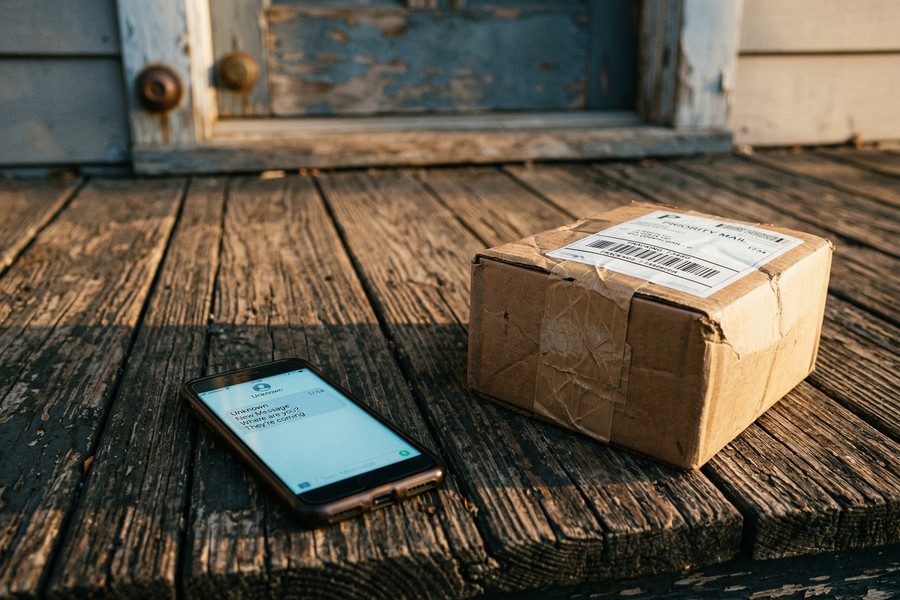
Delivery-related smishing exploded right alongside the e-commerce boom, and it makes perfect sense when you think about it. According to Proofpoint’s annual State of the Phish report, delivery notification lures now rank among the top three smishing templates used globally. Most people have two or three packages in transit on any given week. A text saying one is stuck? That lands.
Click the link, and you’re looking at a near-perfect replica of the USPS or FedEx website. You type in your name, your address, your card number to pay that convincing “$3 redelivery fee.” Done. The scammer now has everything needed to drain an account or open credit in your name.
How Can You Spot a Smishing Text Before It’s Too Late?
Five red flags catch the vast majority of smishing attempts: urgency language, unsolicited contact out of nowhere, suspicious or shortened URLs, requests for personal data, and sender information that doesn’t quite add up. None of these require a cybersecurity degree to spot. Just a moment’s pause before you tap.
The Cybersecurity and Infrastructure Security Agency (CISA) puts it plainly: treat any unsolicited text asking you to “verify,” “confirm,” or “update” account details as a potential smishing attempt until you’ve proven otherwise. That’s a reasonable default position.
Red Flags Checklist
- The message creates extreme urgency (“act within 2 hours or your account is closed”)
- The sender number is unfamiliar, unusually long, or formatted like an email address
- Links use URL shorteners (bit.ly, tinyurl) or domains that misspell a brand name
- The message asks for your Social Security number, PIN, or full card details
- Grammar and spelling are inconsistent with the brand being impersonated
- The offer is something you never signed up for or requested
Before clicking any link in a text, copy it and paste it into a URL-expansion tool like CheckShortURL to reveal the true destination. A legitimate company link will resolve to its official domain — anything else is a warning sign.
What Should You Do If You Receive or Fall for a Smishing Attack?
Got a suspicious text? Don’t click anything, don’t reply, and forward it to 7726 (SPAM) right now. If you’ve already clicked a link or — worse — typed in your information, the clock is ticking. Acting within the first hour makes a real difference in how much damage gets done.
The Federal Trade Commission’s guidance on spam text messages lays out a clear response sequence for victims. It’s not complicated. But you have to move fast and follow it in order.
Immediate Response Steps
- Do not engage. Delete the text after reporting it. Do not reply — even “STOP” confirms your number is active.
- Forward to 7726. This alerts your carrier’s fraud team and contributes to pattern detection.
- Report to the FTC at reportfraud.ftc.gov — takes under two minutes.
- Change compromised passwords immediately if you entered any credentials on a fake site.
- Contact your bank if you shared financial information. Request a card freeze or replacement.
- Place a fraud alert with one of the three major credit bureaus — Equifax, Experian, or TransUnion. One alert automatically notifies all three.
- Monitor your accounts for unauthorized activity over the next 30 days.
If you’re worried the link may have done something to the phone itself, check out our guide on how to tell if your phone has been hacked — it covers the specific signs of malware and unauthorized access that most people miss.
“Smishing is effective because it exploits human psychology, not technical vulnerabilities. Attackers know that people feel safer on their phones than on a desktop computer, and they deliberately use that trust against them. Your first line of defense is always skepticism — pause before you tap.”
How Can You Protect Yourself From Smishing Text Scams?
Look, there’s no single magic fix here. Protecting yourself from smishing text scams takes layers — 2FA on your important accounts, spam-filtering tools on your device, keeping your phone number out of unnecessary places, and staying at least loosely aware of whatever scam templates are circulating right now. One measure alone won’t cut it.
Accounts secured with two-factor authentication are more than 99% less likely to be successfully compromised by automated credential-stuffing attacks, according to Google’s security research on basic account hygiene. Enabling 2FA is the single highest-impact protective step you can take.
Account Security Measures
Enable two-factor authentication — but use an authenticator app, not SMS-based codes. Why? Because SMS codes are themselves vulnerable to SIM swap attacks, where a scammer convinces your carrier to transfer your number to their device, intercepting every verification text you receive. Apps like Google Authenticator or Authy generate time-based codes locally on your device. There’s nothing to intercept.
Strong, unique passwords for every account. Yes, every one. Our guide on how to set a strong password you can actually remember has practical techniques that don’t involve writing a random string of characters on a sticky note and calling it a day.
Device and Network Protections
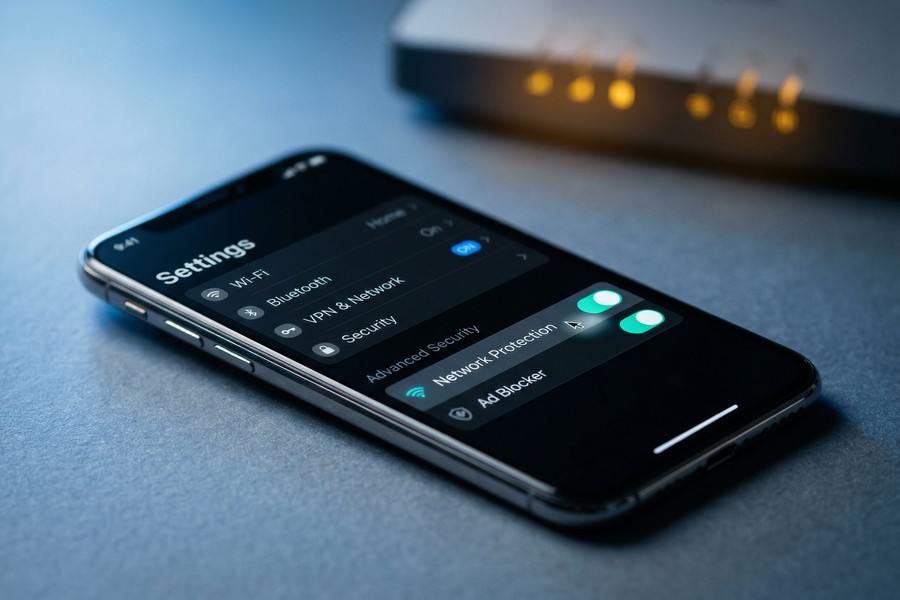
Both major mobile platforms have built-in defenses worth switching on. On iPhone, go to Settings → Messages and enable “Filter Unknown Senders.” On Android, Google Messages runs automatic spam detection that quietly flags suspicious texts before they ever hit your main inbox. Neither of these takes more than 30 seconds to set up.
Third-party apps like RoboKiller and Hiya go a step further — they cross-reference incoming messages against live databases of known smishing numbers and block them proactively. Worth considering if you’re getting hit regularly.
And keep your operating system updated. Not glamorous advice, but OS patches frequently close the exact security holes that smishing malware exploits once someone clicks a bad link. An outdated phone is a dramatically softer target.
The IRS explicitly states that it does not initiate contact with taxpayers by text message to request personal or financial information. Any text claiming to be from the IRS is, without exception, a smishing attempt and should be reported to phishing@irs.gov.
How Does Smishing Compare to Phishing and Vishing?
Smishing, phishing, and vishing are all social engineering attacks at their core. The only real difference is how they reach you. Phishing comes through email, smishing through SMS text messages, and vishing over a voice call. Same goal every time — get you to hand over sensitive data or send money somewhere you shouldn’t.
Many security professionals consider smishing the most dangerous of the three. The near-98% open rate for SMS is one reason. The cramped real estate of a mobile screen — which hides the warning signs that would be obvious on a laptop — is another. And it’s not just SMS anymore. The newer RCS messaging standard is already on attackers’ radar as adoption grows, which means the threat surface is expanding.
Key Differences at a Glance
- Phishing (email): Easiest to detect — email clients show full sender domains, and spam filters are mature and effective.
- Smishing (SMS): Harder to detect — SMS lacks authentication standards like DMARC, and mobile screens hide full URLs.
- Vishing (voice call): Most psychologically manipulative — real-time pressure from a live or AI-generated voice is harder to resist.
According to the FBI’s Internet Crime Complaint Center (IC3) 2023 Annual Report, phishing, smishing, and vishing combined accounted for the largest single category of reported cybercrime — with over 298,000 complaints filed in that year alone. That number doesn’t capture the cases that go unreported, either.
Frequently Asked Questions
What does smishing mean?
Smishing is a blend of “SMS” and “phishing” — it refers to scam text messages designed to steal personal information or money. Attackers impersonate banks, government agencies, or retailers to trick recipients into clicking malicious links or sharing sensitive data.
How do I report a smishing text?
Forward the smishing text to 7726 (SPAM) — this works on most U.S. carrier networks and alerts fraud teams. Also report it to the FTC at reportfraud.ftc.gov and, if it impersonates a specific company, notify that company’s fraud department directly.
Can smishing texts install malware on my phone?
Yes. Clicking a malicious link in a smishing text can download spyware, keyloggers, or banking trojans onto your device. This risk is higher on Android devices due to the ability to sideload apps, but iOS devices are not immune if a browser vulnerability is exploited.
What should I do if I accidentally clicked a smishing link?
Act immediately. Do not enter any information on the page that opened. Close the browser, run a security scan with your phone’s built-in tools or a trusted app, change passwords for any accounts that could be affected, and report the incident to the FTC. If you submitted financial details, call your bank right away.
How do smishing scammers get my phone number?
Scammers obtain phone numbers through data breaches, purchasing lists from the dark web, random number generation tools, or public data scraped from social media profiles. A number appearing in any major data breach is almost certainly in circulation among criminal networks. You can check if your number was exposed at Have I Been Pwned.
Is smishing the same as spam texts?
Not exactly. All smishing is spam, but not all spam texts are smishing. Spam texts may be unwanted marketing messages that are merely annoying. Smishing specifically involves criminal intent — deception designed to steal data, money, or account access. The key difference is fraudulent impersonation and the attempt to cause harm.
How can I tell if a text from my bank is real?
Real bank alerts never ask you to click a link to enter your full login credentials, PIN, or card number. If you receive a suspicious message claiming to be from your bank, call the number printed on the back of your debit or credit card — do not use any number provided in the text itself.
Sources
- Federal Trade Commission — Reports of Text Message Scams Soar
- CISA — How to Avoid Smishing Cyberattacks
- FTC Consumer Advice — How to Recognize and Report Spam Text Messages
- FBI Internet Crime Complaint Center (IC3) — 2023 Annual Report
- Proofpoint — State of the Phish Annual Report
- Google Security Blog — New Research: How Effective Is Basic Account Hygiene at Preventing Hijacking
- IRS — Report Phishing and Online Scams
- FTC — ReportFraud.ftc.gov
- Have I Been Pwned — Check If Your Data Was Compromised
- Gartner — SMS Open Rates and Engagement Data