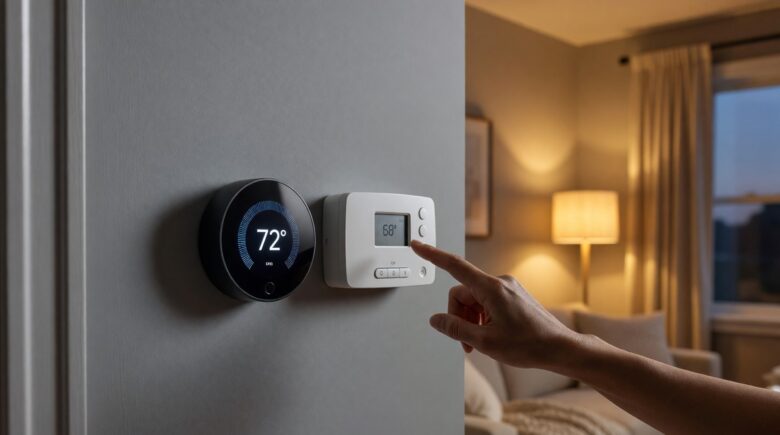
Fact-checked by the Snapmessages editorial team
Your energy bill arrives, and you feel that familiar sting. Heating and cooling account for nearly half of the average American household’s energy costs — roughly $900 per year, according to the U.S. Department of Energy. You upgraded to a programmable thermostat years ago thinking it would help, but the savings never materialized the way the box promised. Now everyone is talking about smart thermostats, and you are wondering if you made the wrong call. The smart thermostat vs programmable debate is real, and the answer directly affects your wallet every single month.
The scope of the problem is bigger than most people realize. The U.S. Energy Information Administration reports that residential energy consumption totals over 21 quadrillion BTUs annually, with space heating and cooling representing the single largest share. Meanwhile, a 2023 study from the American Council for an Energy-Efficient Economy found that up to 89% of programmable thermostat owners never fully configure their schedules, effectively running them as manual thermostats. That is billions of dollars in potential savings left on the table every year, across tens of millions of homes.
This guide cuts through the marketing noise. You will get a head-to-head breakdown of real-world energy savings, upfront costs, payback periods, compatibility issues, and the hidden factors that determine which device actually wins in your home. By the end, you will know exactly which thermostat type is right for your situation — and how to maximize savings from whichever one you choose.
Key Takeaways
- Smart thermostats save an average of 8% on heating and 10% on cooling costs, translating to roughly $50–$180 per year in documented energy savings.
- Programmable thermostats cost $25–$150 upfront; smart thermostats cost $100–$350, with a typical payback period of 1–3 years for smart models.
- Up to 89% of programmable thermostat owners never set a complete schedule, negating nearly all potential savings versus a basic manual thermostat.
- The Nest Learning Thermostat, one of the most studied smart devices, has been independently verified to save users an average of $131–$145 per year in energy costs.
- Many utility companies offer rebates of $25–$100 on qualifying smart thermostats, reducing payback periods to under 12 months in some regions.
- Smart thermostats integrate with smart home ecosystems; if you are already building a connected home, pairing your thermostat with a smart home hub can amplify savings by up to 15% through coordinated device automation.
In This Guide
- What Is a Programmable Thermostat?
- What Is a Smart Thermostat?
- Upfront Cost and Long-Term Investment
- Real Energy Savings: The Data
- Ease of Use and the Human Factor
- Compatibility and Installation
- Smart Home Integration and Automation
- Smart Thermostat vs Programmable: Which One Wins?
- How to Maximize Savings With Either Thermostat
What Is a Programmable Thermostat?
A programmable thermostat is a device that lets you pre-set temperature schedules based on time of day and day of the week. You program it once, and it follows those instructions automatically — raising the temperature in summer when you leave for work, lowering it before you return. The technology has existed since the 1980s and is well-understood, widely available, and inexpensive.
Most programmable models use a simple LCD interface with a few buttons. They come in several schedule formats: 7-day (a different schedule for every day), 5+2 day (weekdays vs. weekends), and 5+1+1 (weekdays, Saturday, and Sunday separately). The 7-day format offers the most flexibility but also requires the most setup time.
Types of Programmable Thermostats
Entry-level models from brands like Honeywell, Emerson, and White-Rodgers start at around $25–$40. Mid-range models with touchscreens and more programming slots cost $60–$150. These thermostats do exactly what you tell them — nothing more, nothing less.
The core limitation is their passivity. They cannot detect whether you are actually home. They cannot learn your habits. If your schedule changes, they keep following the old one until you manually reprogram them. That inflexibility is precisely why so many owners give up on scheduling altogether.
Who Programmable Thermostats Are Designed For
Programmable thermostats work best for households with highly consistent, predictable routines. Think retired couples, single-shift workers, or anyone who keeps the same schedule seven days a week. If your life fits neatly into a repeatable pattern, these devices can deliver meaningful savings with zero monthly fees.
They are also the right choice for rental properties or vacation homes where the owner wants simple, reliable temperature control without complex technology. Maintenance is minimal, and replacements are cheap.
What Is a Smart Thermostat?
A smart thermostat connects to your home’s Wi-Fi network and uses sensors, machine learning, and remote access to manage your HVAC system more intelligently than any preset schedule can. The category includes flagship products like the Google Nest Learning Thermostat, the Ecobee SmartThermostat, and the Honeywell Home T9. Prices range from $100 to $350 or more.
What separates smart thermostats from programmable ones is adaptability. They learn your behavior over days and weeks, adjusting automatically as your routine shifts. Many use geofencing — using your smartphone’s GPS to detect when you leave or approach home — so the system adjusts without you touching a thing.
Core Smart Thermostat Features
Remote control via smartphone app is standard across all smart models. Most also offer energy reports, showing you exactly how much energy you used each day and what drove usage changes. Some models, like the Ecobee, include remote room sensors that detect occupancy in specific rooms, preventing the system from heating or cooling empty spaces.
Advanced features include integration with Amazon Alexa, Google Assistant, and Apple HomeKit for voice control. Several models participate in utility company demand-response programs, where the utility briefly adjusts your thermostat during peak grid demand in exchange for bill credits — sometimes $20–$75 per season.
Learning vs. Non-Learning Smart Thermostats
Not all smart thermostats learn on their own. Some, like the Honeywell Home T6 Pro Wi-Fi, are essentially programmable thermostats with app control bolted on. True learning models — like the Nest Learning Thermostat — observe your manual adjustments for about a week and then automate from there.
The distinction matters because learning models require almost zero setup effort. Non-learning smart models still require you to program a schedule, just via an app instead of buttons. Understanding this difference is essential before you buy.
The Google Nest Learning Thermostat has been independently verified to save users an average of $131–$145 per year, based on a study of over 1,000 homes conducted by Nest Labs and audited by an independent energy consulting firm.
Upfront Cost and Long-Term Investment
Cost is where the smart thermostat vs programmable debate gets most heated. The upfront price difference is significant. A quality programmable thermostat costs $30–$150. A smart thermostat costs $100–$350. That is a gap of $70 to $200 before installation.
However, the true financial picture requires looking at total cost of ownership over 3–5 years, including installation, energy savings, and rebates. When you run those numbers, the story changes considerably.
Installation Costs
Both types require basic wiring to your HVAC system. Most homeowners can install either type themselves in 30–60 minutes. If you hire an electrician or HVAC technician, expect to pay $75–$150 for labor. Smart thermostats sometimes require a C-wire (common wire) for continuous power; older homes without one may need an adapter kit ($15–$40) or professional wiring.
Some smart thermostats, like the Nest, include a power-stealing adapter. Others, like the Ecobee, include a C-wire adapter in the box. Always check compatibility before purchasing — we cover this in the compatibility section below. If you are comfortable with DIY tech projects, installing a smart doorbell follows a similar process; our guide on setting up a smart doorbell without professional installation covers the fundamentals that apply here too.
Rebates and Utility Incentives
Many utility companies offer instant rebates on qualifying smart thermostats. Programs through utilities like Pacific Gas & Electric, Duke Energy, and Xcel Energy offer $25–$100 back on Nest, Ecobee, and Honeywell smart models. Some programs go further, providing the thermostat free of charge in exchange for enrollment in demand-response programs.
The Database of State Incentives for Renewables and Efficiency (DSIRE) maintains a searchable list of available rebates by state and utility. Checking this before you buy can dramatically shorten your payback timeline.
| Cost Factor | Programmable Thermostat | Smart Thermostat |
|---|---|---|
| Device Cost | $25–$150 | $100–$350 |
| DIY Installation | $0 | $0–$40 (adapter) |
| Professional Install | $75–$150 | $75–$150 |
| Utility Rebate | Rare / $0–$20 | Common / $25–$100 |
| Monthly Fees | None | None (most models) |
| Average Payback Period | 6–18 months | 12–36 months |
After applying a $75 utility rebate, the net cost of a $249 Ecobee SmartThermostat drops to $174. At $131 in annual savings, the payback period is just 16 months — after which every dollar saved is pure return.
Real Energy Savings: The Data
This is the core of the smart thermostat vs programmable question, and the data has become increasingly robust over the past decade. The honest answer is: both can save significant money, but smart thermostats save more in real-world conditions.
The key word is “real-world.” Lab tests and marketing claims assume perfect usage. Real households are messy, unpredictable, and busy. Actual savings depend heavily on human behavior — and that is exactly where the two technologies diverge most sharply.
Programmable Thermostat Savings in Theory vs. Practice
The U.S. Department of Energy estimates that you can save up to 10% per year on heating and cooling by turning your thermostat back 7–10°F for 8 hours a day. A perfectly programmed thermostat should deliver exactly that. In theory, a $0 programmable thermostat could save $90–$180 per year on the average $900 HVAC bill.
In practice, research consistently shows that most programmable thermostat owners fail to capture these savings. A landmark study published in the journal Energy and Buildings found that homes with programmable thermostats did not show statistically significant energy savings compared to homes with manual thermostats, specifically because of low compliance with programming. The technology works — the humans do not cooperate.
Smart Thermostat Savings: Independent Studies
Smart thermostats sidestep the human compliance problem. A 2015 study commissioned by Nest and audited by Ecometrica found average savings of $131–$145 per year across diverse climate zones. Ecobee’s own analysis of 1.5 million thermostat-months of data showed savings averaging $150 per year for homes that adopted their scheduling recommendations.
The most rigorous independent study, conducted by the Department of Energy’s Office of Energy Efficiency, confirmed 8% heating savings and 10% cooling savings on average for smart thermostat adopters. On a $900 annual HVAC bill, that is $72–$90 in documented, automatic savings — with zero ongoing effort from the homeowner.
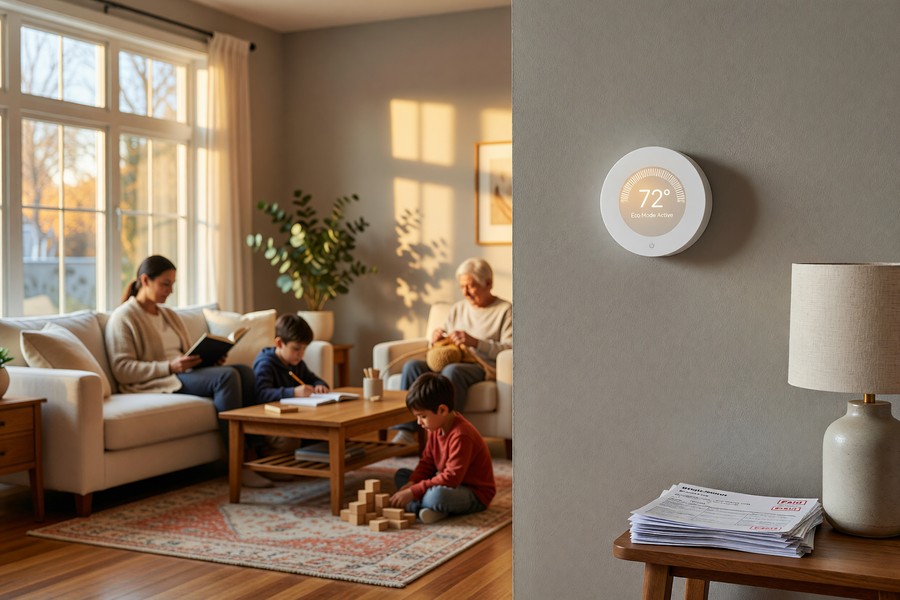
Climate Zone Impact on Savings
Your climate matters enormously. Homes in extreme climates — Minnesota winters, Texas summers — have more to gain from setback strategies simply because their HVAC systems run harder. A household spending $1,800 per year on HVAC in a northern climate could see $144–$180 in smart thermostat savings annually. A mild-climate household spending $400 might only save $32–$40.
Homes with heat pumps require special consideration. Aggressive setbacks can actually cost more money with heat pumps because reheating from a large temperature drop forces expensive auxiliary electric heat strips to activate. Smart thermostats like the Ecobee include heat pump-specific scheduling logic to avoid this trap. Most programmable thermostats do not.
| Climate / Annual HVAC Cost | Programmable Savings (Ideal Use) | Smart Thermostat Savings (Real-World) |
|---|---|---|
| Mild ($400/yr) | $40 (rarely achieved) | $32–$40 |
| Moderate ($900/yr) | $90 (rarely achieved) | $72–$90 |
| Extreme ($1,800/yr) | $180 (rarely achieved) | $144–$180 |
| Heat Pump Home ($900/yr) | May cost more | $60–$90 (optimized) |
“The gap between programmable and smart thermostat savings is almost entirely explained by user behavior. When we control for actual schedule compliance, the hardware performs almost identically. Smart thermostats simply remove the compliance barrier.”
Ease of Use and the Human Factor
The human factor is the single most underrated variable in the smart thermostat vs programmable debate. Technology only delivers savings if people actually use it correctly. The evidence is overwhelming: most people do not correctly use programmable thermostats.
Programming a 7-day thermostat schedule sounds simple until you are standing in front of a cryptic LCD screen with five buttons, juggling heat and cool settings, AM and PM times, and separate weekday and weekend programs. Many homeowners do it once, get it wrong, give up, and switch to manual override permanently.
The Setup Burden
A typical programmable thermostat setup takes 20–45 minutes for a first-time user. It requires reading a manual, navigating a non-intuitive interface, and understanding concepts like “setback temperature” and “recovery time.” For households with irregular schedules — shift workers, parents with changing school calendars, remote workers — the schedule is almost always wrong within weeks.
Smart thermostats flip this experience. The Nest Learning Thermostat requires zero programming. You simply adjust the temperature manually during your first week of use, and the thermostat builds your schedule from those observations. The Ecobee setup wizard takes about 10 minutes and walks you through a simple interview about your household. No manuals required.
Remote Access and Real-Time Adjustments
Remote app control is a game-changer for savings. If you leave work early, you can warm or cool your home from your phone so you are not returning to a setback temperature. If you stay late, you can extend the setback remotely and save money you would have wasted on an empty house. Programmable thermostats cannot do this — they stick to the pre-programmed schedule regardless of reality.
Energy reports are another underrated feature. Smart thermostat apps show you daily energy usage, what triggered system runtime, and comparisons to similar homes in your area. This data loop encourages behavioral change. Users who receive energy reports reduce consumption by an additional 3–5% on top of the thermostat’s automatic savings.
Enable geofencing on your smart thermostat as soon as you install it. Studies show geofencing alone saves an average of $50–$80 per year by ensuring the home is never conditioned when everyone is away — even when your schedule changes unexpectedly.
Compatibility and Installation
Compatibility is where smart thermostat buyers most often get tripped up. Not every HVAC system works with every smart thermostat, and a purchase mistake can mean returning a device and starting over — or paying an HVAC technician to sort it out.
The first question is always: does your system have a C-wire? The C-wire (common wire) provides continuous 24V power to keep the thermostat’s Wi-Fi and display running. Older homes built before the 1990s often lack a C-wire in the thermostat wiring bundle. Without it, some smart thermostats will not work, or may cause problems like short-cycling your HVAC.
How to Check Your Compatibility
Remove your existing thermostat faceplate and look at the wires connected to the terminals. Each terminal is labeled with a letter: R (power), G (fan), Y (cooling), W (heat), and C (common). If you see a wire on the C terminal, you are in good shape. If not, you have options.
The Ecobee includes its own Power Extender Kit that works without a C-wire in most systems. The Nest uses a power-stealing technology that works in most cases but can cause issues with some HVAC equipment. Honeywell’s Wi-Fi thermostats often require a C-wire and are more explicit about it in their compatibility checkers. Both Ecobee and Nest offer online compatibility checkers that walk you through the wiring step by step.
System Types and Limitations
Most smart thermostats work with standard forced-air systems (gas furnace + central AC). However, compatibility gets complicated with: high-voltage electric baseboard heaters (most smart thermostats do not support these), multi-stage heating or cooling systems, hydronic radiant heat, and certain heat pump configurations. Always run your specific model numbers through the manufacturer’s compatibility tool before purchasing.
| System Type | Programmable Thermostat | Smart Thermostat |
|---|---|---|
| Standard Forced Air | Full compatibility | Full compatibility |
| Heat Pump | Compatible (limited optimization) | Compatible (optimized logic) |
| Electric Baseboard | High-voltage models available | Very limited options |
| Radiant Hydronic | Compatible | Limited compatibility |
| Multi-Zone Systems | One thermostat per zone | One thermostat per zone + sensors |
| No C-Wire | No issue | Adapter needed (most models) |
Never install a smart thermostat on a high-voltage electric baseboard system without verifying the device is specifically rated for high voltage (120V or 240V). Standard smart thermostats operate on 24V low-voltage systems only. Connecting a low-voltage thermostat to a high-voltage system can damage your equipment and create a serious fire hazard.
Smart Home Integration and Automation
Smart thermostats do not operate in isolation. They plug into broader smart home ecosystems that can multiply their efficiency gains. This is where the smart thermostat vs programmable gap widens further — programmable thermostats are standalone devices with no ability to communicate with other systems in your home.
A smart thermostat connected to a smart home hub can participate in coordinated automations. When your smart lock detects everyone has left, it can signal the thermostat to enter away mode immediately — no geofencing delay required. When your smart blinds close to block afternoon sun, the thermostat can account for the reduced solar heat gain and avoid overcooling.
Voice Control and Routine Integration
Integration with Amazon Alexa, Google Assistant, and Apple HomeKit enables voice-controlled temperature adjustments and inclusion in daily routines. A “Goodnight” routine can simultaneously lock your doors, dim the lights, and set the thermostat to your sleep temperature — all with a single voice command or tap.
This convenience factor matters for savings because convenience drives compliance. When adjusting the thermostat is as easy as saying “Hey Google, set the temperature to 68,” people actually do it instead of tolerating an uncomfortable temperature or overriding a schedule.
Utility Demand-Response Integration
Some smart thermostats support direct enrollment in utility demand-response programs. During peak grid demand — typically hot summer afternoons — the utility can temporarily adjust your thermostat by 2–4°F in exchange for bill credits. Homeowners typically save $20–$75 per summer through these programs, on top of their normal thermostat savings.
Ecobee’s Rush Hours Rewards and Nest’s Rush Hour Rewards are the most widely available programs of this type, active in dozens of utility service territories across North America. Participation is voluntary, and you can opt out of any specific event. Programmable thermostats are categorically ineligible for these programs.
Utility demand-response programs powered by smart thermostats collectively reduced peak electricity demand by an estimated 500 megawatts during the summer of 2022 — equivalent to taking nearly 170,000 homes off the grid during the most expensive hours of the year.
Smart Thermostat vs Programmable: Which One Wins?
The honest answer is: it depends on your household. But for the majority of American homeowners, the smart thermostat wins the smart thermostat vs programmable debate once you account for real-world usage patterns, utility rebates, and long-term savings trajectories.
Programmable thermostats win for a narrow profile: highly disciplined homeowners with perfectly predictable schedules who are comfortable programming and maintaining the device. For this group, a $30–$60 programmable thermostat can deliver $60–$90 in annual savings with no subscription fees and no privacy considerations. The ROI is faster on the upfront investment even if the gross savings are similar to a smart model.
When Smart Thermostats Clearly Win
Smart thermostats are the better choice when your schedule is variable, when you travel frequently, when multiple people in the household have different routines, or when you want hands-off energy management. They are also superior for households with heat pumps, because their optimized scheduling logic avoids the costly auxiliary heat problem that trips up programmable thermostat users.
If your utility offers a rebate of $50 or more, the financial calculus almost always favors the smart thermostat. At $131–$145 in average annual savings with a $175 net cost (after rebate), you break even in about 15 months and enjoy a decade or more of compounding savings.
The Definitive Decision Framework
| Your Situation | Best Choice | Expected Annual Savings |
|---|---|---|
| Predictable schedule, tech-averse | Programmable | $60–$90 (if programmed) |
| Variable schedule, busy family | Smart | $100–$145 |
| Frequent travel | Smart | $120–$180 |
| Utility rebate available | Smart | $100–$145 + $25–$100 rebate |
| Rental property | Programmable | $40–$70 |
| Heat pump system | Smart | $60–$90 (optimized) |
| Smart home ecosystem | Smart | $130–$200+ |
“For the typical American household with an irregular schedule, a smart thermostat will outperform a programmable thermostat in energy savings within the first year. The technology eliminates the number-one cause of programmable thermostat failure: human forgetfulness.”

How to Maximize Savings With Either Thermostat
Whichever thermostat you choose, the device itself is only part of the savings equation. How you configure and use it determines whether you capture 20% of potential savings or 100%. These strategies apply to both thermostat types, with smart-thermostat-specific enhancements noted.
The first principle: setback temperatures must be significant to matter. The Department of Energy recommends setting back 7–10°F for at least 8 hours to see meaningful savings. A 2°F setback saves almost nothing. A 10°F setback during working hours and another 10°F during sleep can cut your HVAC bill by 15–20%.
Temperature Strategies That Actually Work
In winter, set your occupied temperature to 68°F, your sleeping temperature to 60–65°F, and your away temperature to 60°F. In summer, set your occupied temperature to 76–78°F, your sleeping temperature to 72–74°F, and your away temperature to 85°F. These ranges are based on Department of Energy and ASHRAE recommendations for balancing comfort and efficiency.
For smart thermostat users: activate “eco mode” or “away mode” geofencing thresholds as aggressively as your comfort allows. Setting the away threshold to a wider range (say, 60°F to 85°F instead of 65°F to 78°F) maximizes savings when you are not home without sacrificing comfort when you are.
Supporting Measures That Amplify Savings
No thermostat — smart or programmable — can compensate for a leaky, poorly insulated home. Sealing air leaks around windows, doors, and electrical outlets can reduce HVAC energy use by 10–20% independently of your thermostat choice. Combine good insulation with a smart thermostat and you are stacking savings that compound each other.
Regular HVAC maintenance also matters. A dirty filter forces your system to work harder, consuming more energy regardless of how well your thermostat manages the schedule. Replace filters every 1–3 months, and schedule a professional tune-up annually. A well-maintained system can be 15–25% more efficient than a neglected one.
Avoid cranking your thermostat to extreme temperatures to heat or cool a room faster. HVAC systems deliver conditioned air at the same rate regardless of your target temperature setting. Setting the thermostat to 90°F to heat a cold room faster does not work — it just causes your system to overshoot and waste energy.
Smart thermostat users should also review their energy reports monthly for the first six months. These reports often surface unexpected patterns — like a system running for hours in the middle of the night, indicating a problem. Catching a refrigerant leak or duct issue early can save hundreds in repair costs and months of wasted energy.
Combining a smart thermostat ($131 annual savings), geofencing ($65 additional savings), a demand-response program ($50 seasonal credits), and regular HVAC maintenance (15% efficiency improvement) can deliver total annual savings of $300–$400 for the average household — far exceeding any single thermostat’s savings alone.
“The thermostat is the control center, but the house is the system. Homeowners who treat energy efficiency holistically — sealing, insulation, maintenance, and smart controls together — consistently see 25–40% reductions in HVAC energy use compared to those who rely on the thermostat alone.”

Smart thermostat privacy settings deserve attention too. Because these devices collect data about when you are home, connecting them to your broader smart home network means more data flowing through your household systems. Just as you would review privacy settings on a messaging app, review your thermostat’s data-sharing settings after installation — especially if your thermostat is connected to a third-party platform.
Real-World Example: The Martinez Family Saves $287 in Year One
Carlos and Maria Martinez live in a 2,100-square-foot home in suburban Denver, Colorado. Their natural gas and electric bills averaged $1,640 per year, with roughly $940 attributable to heating and cooling. They had a 7-day programmable thermostat installed by a previous owner. Carlos had attempted to reprogram it twice but reverted to manual control after finding the process too confusing. The thermostat sat at a constant 71°F year-round — equivalent to having no programmable thermostat at all.
In March 2023, they purchased an Ecobee SmartThermostat Premium for $249 at Home Depot. They applied a $75 rebate from their utility, Xcel Energy, bringing the net cost to $174. Installation took 45 minutes, including running a new C-wire. Carlos completed the setup wizard in 12 minutes using the Ecobee app. He enabled geofencing on both his and Maria’s phones and enrolled in Xcel Energy’s AC Rewards demand-response program. No manual schedule programming was required.
Over the next 12 months, the Ecobee app showed total HVAC runtime dropped by 18% compared to the estimated equivalent usage under constant setpoint operation. Their annual HVAC-related utility costs fell from $940 to $653 — a reduction of $287. Of that, $143 came from automated scheduling and geofencing, $69 from the demand-response program credits applied to their bill, and $75 from the initial utility rebate applied at purchase. The device paid for itself in under 8 months.
In year two, with no additional investment, the family is on track to save the same $212 in energy costs (excluding the one-time rebate) — an indefinite annual return of 122% on their net purchase price. Carlos now checks the energy report weekly and says the most valuable feature is the geofencing: “We used to forget to turn it down when we went on vacation. Last Thanksgiving we were in Phoenix for six days and the house sat at 55°F the whole time. We estimate that alone saved us $35 over those six days.”
Your Action Plan
-
Audit your current thermostat and HVAC bill
Pull your last 12 months of utility bills and calculate your total heating and cooling costs. Note your current thermostat type, brand, and how it is currently configured. This baseline is essential for measuring future savings accurately.
-
Check compatibility before you buy anything
Remove your thermostat faceplate and photograph the wiring. Run the wiring photo through the compatibility checker on the Ecobee or Nest website. Confirm your HVAC system type (forced air, heat pump, radiant, etc.) before selecting a thermostat model. This 10-minute step prevents costly returns.
-
Search for utility rebates in your area
Visit the DSIRE database or your utility’s website and search for smart thermostat rebates. Enter your ZIP code and utility name. Many rebates require purchasing a specific model from a qualifying retailer — confirm the terms before buying. A $75 rebate can cut your payback period in half.
-
Select the right thermostat for your lifestyle
Use the decision framework in this article. If your schedule is predictable and you are comfortable programming devices, a quality programmable model saves money with minimal investment. If your schedule varies, you travel, or you want hands-off control, invest in a smart model with learning capability and geofencing. Prioritize the Ecobee for multi-zone sensing or the Nest for simplest setup.
-
Install and configure properly — do not skip setup
Whether you choose programmable or smart, the single biggest predictor of savings is completing the setup correctly. For programmable thermostats: program every time period for every day, including overnight setbacks. For smart thermostats: connect to Wi-Fi, enable geofencing on every household member’s phone, and complete the initial setup interview. Skipping setup is the most common reason thermostats fail to deliver savings.
-
Enroll in demand-response programs if available
If your smart thermostat and utility support demand-response enrollment, sign up. These programs cost you nothing, require no ongoing action, and deliver $20–$75 in bill credits per season. Events are brief (typically 2–4 hours, 10–15 times per summer) and the temperature adjustment is minimal (2–4°F). You can opt out of any individual event if needed.
-
Complement your thermostat with basic home efficiency improvements
Seal obvious air leaks around windows, doors, electrical outlets, and plumbing penetrations with weatherstripping or caulk. Replace your HVAC filter if it has not been changed recently. These low-cost improvements (often under $50 total) can add 10–20% additional savings on top of what your thermostat delivers.
-
Review your energy report monthly for the first six months
Smart thermostat apps provide monthly energy reports showing runtime, temperature history, and comparisons to similar homes. Review these monthly during your first six months to identify unexpected patterns — a system running overnight, unusual weekend usage, or runtime that increased despite no schedule changes. Early detection of HVAC inefficiencies can prevent hundreds in repair costs and wasted energy.
Frequently Asked Questions
Does a smart thermostat really save money, or is it just marketing?
The savings are real and independently documented. A study audited by Ecometrica found Nest users saved an average of $131–$145 per year. Ecobee’s own data across 1.5 million thermostat-months showed similar results. The Department of Energy’s independent estimates confirm 8–10% savings on heating and cooling. However, savings vary by climate, home size, and current thermostat habits. Households already using programmable thermostats perfectly will see smaller incremental gains.
Can a programmable thermostat save as much as a smart thermostat?
In theory, yes — if programmed perfectly and maintained consistently. In practice, research shows that most programmable thermostat owners never achieve this. The American Council for an Energy-Efficient Economy found that up to 89% of programmable thermostat owners do not maintain a full schedule. For the rare household that does maintain perfect programming, savings can be equivalent to a smart thermostat. For everyone else, the smart thermostat saves significantly more due to automation.
How long does it take for a smart thermostat to pay for itself?
Payback periods typically range from 12 to 36 months depending on your upfront cost, available rebates, and actual savings. A $249 thermostat with a $75 rebate has a $174 net cost. At $131 in annual savings, payback occurs in about 16 months. After that, every year of savings is pure return for the 10+ year life of the device.
What is geofencing and do I need it?
Geofencing uses your smartphone’s GPS location to detect when you leave or return home, automatically triggering away or home temperature modes. It is one of the highest-value features of smart thermostats. Studies suggest geofencing alone saves $50–$80 per year by ensuring the home is never conditioned when everyone is away — even when your schedule is unpredictable. If you have a smartphone and install a smart thermostat, enable geofencing. It is the single highest-return feature you can activate for free.
Do smart thermostats work with all HVAC systems?
Most smart thermostats work with standard 24V forced-air systems (gas or electric furnace with central air conditioning). They also generally support heat pumps, though heat pump users should choose a model with specific heat pump optimization logic, like the Ecobee or Nest. High-voltage systems (electric baseboard heaters) are generally not compatible with mainstream smart thermostats. Always run your wiring and system details through the manufacturer’s compatibility checker before purchasing.
Can I install a smart thermostat myself, or do I need a professional?
Most smart thermostat installations are DIY-friendly and take 30–60 minutes. Both Nest and Ecobee provide step-by-step app-guided installation. The main complication is a missing C-wire; Ecobee’s included Power Extender Kit resolves this for most systems. You should hire a professional if you have a multi-stage system, a heat pump with unusual wiring, or any comfort with electrical work. If you are comfortable with other DIY home tech projects like installing a smart doorbell — covered in our smart doorbell DIY setup guide — you can almost certainly handle a thermostat install.
Are there privacy concerns with smart thermostats?
Yes, and they deserve attention. Smart thermostats collect data about your occupancy patterns, daily routines, and in some cases, location data through geofencing. This data is stored on manufacturer servers. Review your thermostat’s privacy settings and data-sharing preferences after installation. Consider whether you want your occupancy data shared with third parties or used for advertising. Just as you might review the privacy settings on a messaging app, taking 10 minutes to audit your thermostat’s privacy settings is worthwhile.
What happens to my smart thermostat if the Wi-Fi goes down or the company shuts down?
Most smart thermostats continue to function as basic thermostats if the Wi-Fi is disconnected — they maintain the last programmed schedule and respond to manual adjustments at the device. If the manufacturer shuts down their cloud service (this happened with Revolv and has happened with other smart home products), some features may stop working. Nest and Ecobee have long track records and large installed bases, making them lower risk. Consider this when choosing between well-established brands and newer entrants.
Is the smart thermostat vs programmable debate different for renters?
For renters, the calculus changes significantly. You need your landlord’s permission to replace a thermostat. Smart thermostats are also harder to take with you when you move (though technically removable and reinstallable). If you plan to stay in a rental for 2+ years and your landlord agrees, a smart thermostat can still deliver meaningful savings on your utility bills. For short-term rentals or landlord-resistant situations, a well-programmed programmable thermostat may be the practical choice — or focus on other energy habits instead.
How does the smart thermostat vs programmable comparison change if I have solar panels?
If you have solar panels, the comparison favors smart thermostats even more strongly. Smart thermostats can be programmed to pre-cool or pre-heat the home during peak solar production hours, using free energy before drawing from the grid or battery. Some models integrate directly with solar monitoring systems. This time-of-use optimization is impossible with a standard programmable thermostat and can add another $50–$150 in value annually for solar-equipped homes.
Sources
- U.S. Energy Information Administration — Use of Energy in Homes
- U.S. Department of Energy — Energy Saver: Thermostats
- U.S. Department of Energy — Heating and Cooling Efficiency
- American Council for an Energy-Efficient Economy — Programmable Thermostat Research
- DSIRE — Database of State Incentives for Renewables and Efficiency
- Nest Labs / U.S. Department of Energy — Nest Thermostat Energy Savings Study
- Ecobee — Smart Thermostat Energy Savings Data
- ENERGY STAR — Certified Smart Thermostats
- ASHRAE — Handbook of Fundamentals (Temperature Comfort Standards)
- Consumer Reports — Best Smart Thermostats
- Natural Resources Defense Council — Home Energy Efficiency Guide
- ENERGY STAR — Heating and Cooling Efficiency Programs
- Google Nest — Thermostat Compatibility Checker