Fact-checked by the SnapMessages editorial team
Quick Answer
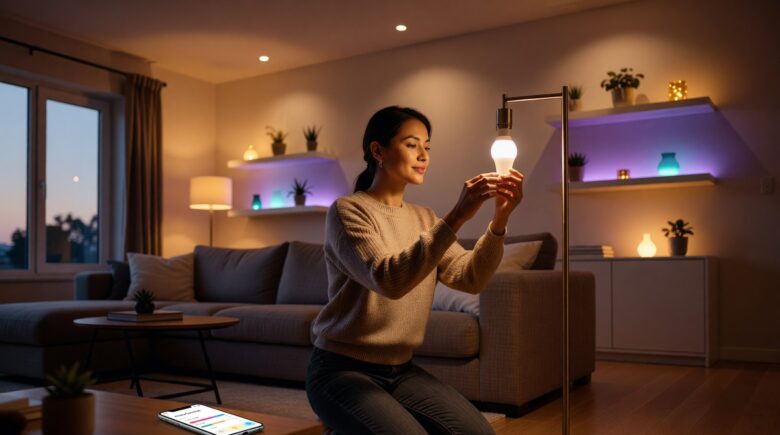
You can complete a smart lighting setup home project in under 2 hours without any electrical work. Replace standard bulbs with smart LED bulbs, connect them to a compatible app or hub, and configure schedules and automations. As of July 2025, starter kits from Philips Hue, LIFX, and Wyze start at under $15 per bulb.
A smart lighting setup home project does not require an electrician, a permit, or any wiring knowledge. According to Statista’s smart lighting market data, the global smart lighting market is valued at over $14 billion and is driven largely by DIY-friendly consumer devices that plug directly into existing sockets. The process is simpler than most homeowners assume.
This guide covers everything you need: how to choose the right system, which devices work without a hub, step-by-step installation, automation setup, and how to avoid the most common mistakes. Whether you are starting with one room or wiring an entire home, the same principles apply.
Key Takeaways
- Smart bulbs like Philips Hue White can be installed in under 5 minutes per fixture — no tools or wiring required (Philips Hue product overview).
- The U.S. Department of Energy reports that LED smart bulbs use up to 75% less energy than traditional incandescent bulbs (Energy.gov LED lighting guide).
- Over 60% of smart lighting users rely solely on Wi-Fi or Bluetooth setups, skipping dedicated hubs entirely (Statista Smart Home Report 2024).
- Automating lights with motion sensors can reduce unnecessary lighting time by up to 35%, according to the U.S. Department of Energy’s building controls research.
- Matter — the universal smart home standard developed by the Connectivity Standards Alliance — now supports over 2,000 certified devices, making multi-brand setups more reliable in 2025 (CSA Matter specification page).
In This Guide
- What Do You Actually Need to Get Started?
- Which Smart Lighting System Is Right for Your Home?
- How Do You Install Smart Bulbs and Switches Without an Electrician?
- How Do You Set Up Automations and Schedules?
- Does Smart Lighting Work Without a Hub?
- What Are the Most Common Smart Lighting Mistakes to Avoid?
- Frequently Asked Questions
What Do You Actually Need to Get Started?
You need three things: a smart bulb or switch, a smartphone with the manufacturer’s app, and a 2.4 GHz Wi-Fi network. Most modern smart bulbs do not require any additional hardware to function at a basic level.
The core decision is whether to buy smart bulbs or smart switches. Smart bulbs replace individual light bulbs. Smart switches replace the physical wall switch and work with any standard bulb. Each approach has trade-offs depending on your setup.
Smart Bulbs vs. Smart Switches
Smart bulbs are the fastest to deploy — you screw them in and connect them to an app. Brands like LIFX, Wyze, and Sengled offer Wi-Fi bulbs that need no hub at all. Smart switches require replacing the existing wall plate, which involves touching existing wiring at the switch box — not the main panel — and can technically be done without a licensed electrician in most U.S. states.
If you want full voice control, color changing, and schedules, smart bulbs are the better entry point. For whole-room control through a physical switch — especially in households with multiple users — smart switches from brands like Lutron Caseta or Kasa Smart offer a cleaner long-term solution.
Smart switches from Lutron Caseta use a proprietary Clear Connect RF protocol that operates on 434 MHz — a frequency that avoids Wi-Fi congestion and works reliably up to 30 feet through walls.
Which Smart Lighting System Is Right for Your Home?
The right system depends on three factors: your existing router setup, whether you use a voice assistant, and your budget per bulb. Philips Hue is the most feature-rich ecosystem, while LIFX and Wyze are the most affordable hub-free options.
All major platforms — Amazon Alexa, Google Home, and Apple HomeKit — support smart lighting integrations. Choosing a system that aligns with your existing voice assistant saves significant setup friction.
System Comparison by Key Metrics
| Brand / System | Protocol | Hub Required | Price Per Bulb (2025) | Voice Assistant Support |
|---|---|---|---|---|
| Philips Hue | Zigbee / Matter | Optional (hub adds features) | $15–$50 | Alexa, Google, HomeKit |
| LIFX | Wi-Fi | No | $20–$45 | Alexa, Google, HomeKit |
| Wyze Bulb | Wi-Fi | No | $8–$15 | Alexa, Google |
| Sengled Smart | Wi-Fi / Zigbee | No (Wi-Fi model) | $10–$18 | Alexa, Google |
| Lutron Caseta | Clear Connect RF | Yes (Smart Bridge) | $40–$60 (switch) | Alexa, Google, HomeKit |
| Kasa Smart (TP-Link) | Wi-Fi | No | $10–$20 | Alexa, Google |
If you already use other smart home devices, check out our guide to connecting smart home devices without a hub to understand which ecosystems work best together before you buy.
The average U.S. household has 47 light sockets, according to the U.S. Energy Information Administration. Even replacing just 10 bulbs with smart LEDs can cut annual lighting costs by an estimated $50–$80 per year.
How Do You Install Smart Bulbs and Switches Without an Electrician?
Installing smart bulbs takes under 5 minutes per fixture — you unscrew the old bulb, screw in the smart bulb, and follow the app pairing flow. No tools, no wiring, no permit required.
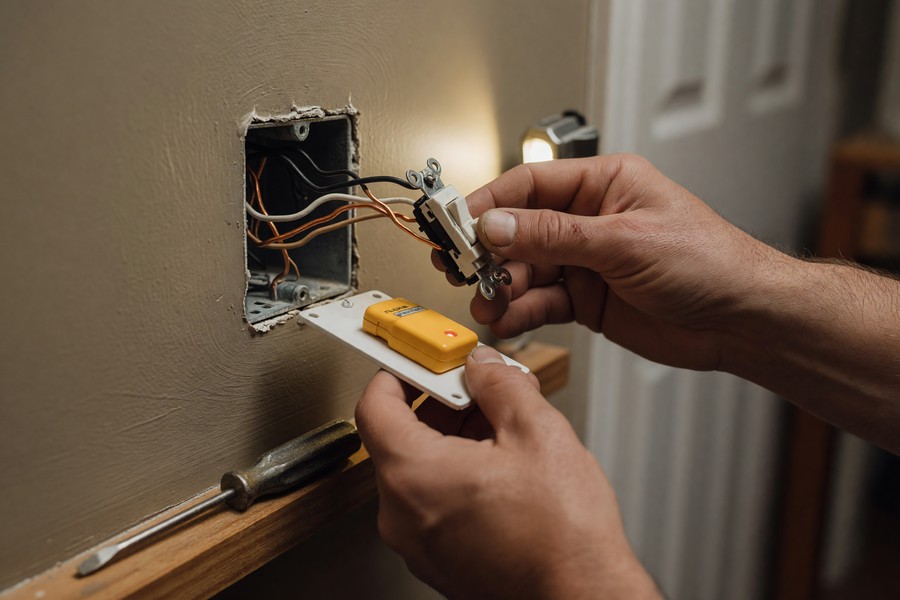
Smart switch installation is slightly more involved but still within reach for most homeowners. It requires turning off the circuit breaker for that switch, removing the old switch plate, and connecting labeled wires to the new smart switch’s terminals. According to the U.S. Consumer Product Safety Commission, switch-level work that does not involve the main panel is generally classified as low-risk homeowner maintenance.
Step-by-Step: Installing a Smart Bulb
- Turn off the lamp or fixture at the wall switch.
- Remove the existing bulb. Check the fixture’s maximum wattage — smart LED bulbs are typically 9–10W equivalent to 60W incandescent, well within standard fixture limits.
- Screw in the smart bulb until snug. Do not overtighten.
- Turn the switch back on. The bulb must remain powered at the switch for app control to work.
- Download the manufacturer’s app (Philips Hue, LIFX, Wyze, etc.) and follow the in-app pairing instructions.
- Connect the bulb to your 2.4 GHz Wi-Fi network when prompted.
- Name the bulb by room and assign it to a group if using multiple bulbs.
Step-by-Step: Installing a Smart Switch
- Turn off the circuit breaker for the target switch. Verify power is off with a non-contact voltage tester.
- Remove the existing switch plate and pull the switch from the wall box.
- Photograph the existing wiring before disconnecting anything.
- Identify the Line wire (live power in), Load wire (to the fixture), and Neutral wire if your switch requires one. Note: some smart switches like Lutron Caseta do not require a neutral wire.
- Connect wires to labeled terminals on the smart switch. Use the included wire nuts.
- Tuck wiring into the box, secure the switch, and attach the new faceplate.
- Restore power and follow the app pairing process.
“Smart switches are the more permanent, reliable choice for households that want consistent control without depending on the bulb remaining in its socket. The Clear Connect and Zigbee protocols specifically address the interference issues that plague basic Wi-Fi setups in denser homes.”
How Do You Set Up Automations and Schedules?
Automations are configured entirely within the manufacturer’s app or through a third-party platform like Amazon Alexa, Google Home, or Apple HomeKit. No coding knowledge is required — the process is menu-driven.
The most effective automations are time-based schedules, geofencing triggers, and motion-sensor integrations. Combining these three dramatically reduces manual interaction with your lighting system.
Most Useful Automation Types
- Sunrise/Sunset schedules: Lights turn on at local sunset and off at a fixed bedtime. All major apps pull local solar data automatically.
- Geofencing: Lights activate when your phone enters a defined radius of your home. Available in the Philips Hue, LIFX, and Kasa apps natively.
- Motion sensor triggers: Pair a smart motion sensor (such as the Philips Hue Motion Sensor or Samsung SmartThings Motion Sensor) to trigger lights in hallways, bathrooms, or entryways.
- Scenes: Pre-set color and brightness combinations — “Movie Mode,” “Morning Routine,” “Focus Work” — activated by a single tap or voice command.
- Away Mode / Vacation Simulation: Randomly turns lights on and off during set hours to simulate occupancy.
For voice-driven automations, linking your smart lighting to Amazon Alexa Routines or Google Home Automations expands what is possible beyond the manufacturer app. You can trigger lighting changes based on other smart home events, such as a smart doorbell detection. See our guide on setting up a smart doorbell without professional installation for a compatible approach.
Set a minimum brightness of 1% for bedroom smart bulbs rather than turning them fully off via the app. This keeps the bulb powered and connected to your network, preventing the common “bulb goes offline” problem caused by a physical switch cut-off.
Does Smart Lighting Work Without a Hub?
Yes — the majority of modern smart bulbs connect directly to your Wi-Fi router and require no hub at all. LIFX, Wyze, Kasa Smart, and Sengled Wi-Fi bulbs are fully functional without any bridge device.
Hub-based systems like Philips Hue Bridge or Samsung SmartThings offer advantages in reliability, response speed, and the ability to run local automations without internet connectivity. However, they are optional for most users starting out.
When a Hub Actually Adds Value
A hub becomes worthwhile when you exceed 10–15 devices on a single Wi-Fi network. Large numbers of Wi-Fi smart devices can saturate a standard router’s DHCP table and cause connectivity dropouts. Zigbee-based hubs like the Philips Hue Bridge keep smart bulb traffic off your main Wi-Fi network entirely.
If you plan to build a larger smart home ecosystem, our roundup of the best smart home hubs to control all your devices from one app covers the leading options in detail. For most users installing 5 bulbs or fewer, a hub is unnecessary complexity.
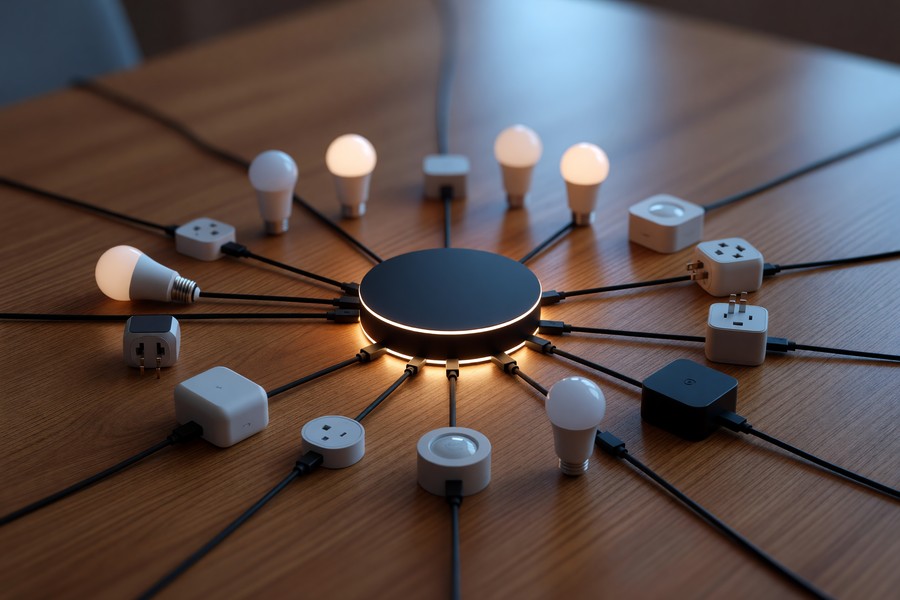
The Matter protocol, finalized by the Connectivity Standards Alliance in 2022 and updated through 2025, allows smart bulbs from different brands to communicate directly with each other over a local network — even without cloud access. This eliminates many hub compatibility headaches.
What Are the Most Common Smart Lighting Mistakes to Avoid?
The single most common mistake in a smart lighting setup home project is turning smart bulbs off at the physical wall switch. Smart bulbs require constant power to stay connected; cutting physical power severs the Wi-Fi or Zigbee connection, making voice and app control impossible until the switch is flipped back on.
Other frequent errors include buying incompatible ecosystems, overloading a 2.4 GHz Wi-Fi network, and skipping firmware updates that often contain critical security patches.
Top 5 Mistakes and How to Fix Them
- Using the physical switch to control smart bulbs: Apply a switch guard or replace the switch with a smart switch that keeps power constant while still providing physical control.
- Mixing incompatible protocols: Do not mix Zigbee-only bulbs with a Z-Wave hub. Confirm protocol compatibility before purchasing.
- Connecting to 5 GHz Wi-Fi: Most smart bulbs only support 2.4 GHz networks. Connecting to the wrong band prevents pairing.
- Skipping firmware updates: Outdated firmware creates security vulnerabilities. The Cybersecurity and Infrastructure Security Agency (CISA) recommends enabling automatic updates on all connected home devices.
- No password on the smart home app account: Smart lighting accounts linked to home networks should use strong, unique passwords. Our guide on setting a strong password you can actually remember provides a practical framework.
Security is especially relevant because smart home devices are increasingly targeted in credential-stuffing attacks. Using two-factor authentication on your smart home accounts adds a critical layer of protection against unauthorized access to your lighting automations and, by extension, your home occupancy data.
Also consider that smart lighting systems that integrate with energy management platforms like Google Nest or smart thermostats can compound energy savings when the two systems are coordinated — lights and HVAC working together based on occupancy signals.
“The biggest security risk with smart lighting isn’t the bulb itself — it’s the cloud account tied to it. Attackers who compromise your smart home account can map your occupancy patterns and, in some cases, access connected devices on the same network.”
Related reading: set up smart home multigenerational.
Frequently Asked Questions
Can I set up smart lighting without Wi-Fi?
Yes. Bluetooth-based smart bulbs like those in the Sengled Bluetooth or Philips Hue Bluetooth range work without Wi-Fi using a direct phone-to-bulb connection. However, Bluetooth-only setups limit control range to approximately 30 feet and do not support remote access when you leave home.
Do smart bulbs work with any lamp or fixture?
Smart bulbs work in any standard E26 or E12 Edison screw socket, which covers the vast majority of U.S. table lamps, floor lamps, and ceiling fixtures. Fixtures with enclosed globes or tight canopies can trap heat, so check that the smart bulb is rated for enclosed fixtures before installing.
Will a smart lighting setup home project increase my energy bill?
No — it typically reduces it. Smart LED bulbs consume 75% less energy than incandescent equivalents, according to the U.S. Department of Energy. Automations that turn lights off when rooms are empty add further savings on top of the baseline efficiency gain.
How many smart bulbs can I connect to one router?
Most consumer routers handle 20–30 Wi-Fi smart devices comfortably before performance degrades. Beyond that threshold, a Zigbee hub like the Philips Hue Bridge offloads bulb traffic from your router. Upgrading to a mesh Wi-Fi system such as Eero or Google Nest Wifi also significantly raises this ceiling.
Do I need a smart speaker for smart lighting to work?
No. Smart speakers like Amazon Echo or Google Nest Mini add voice control convenience but are entirely optional. Every smart lighting system is fully manageable through its smartphone app without any voice hardware.
Is smart lighting compatible with Apple HomeKit?
Philips Hue, LIFX, and Lutron Caseta all support Apple HomeKit natively. Many other brands have added Matter support, which provides HomeKit compatibility. Check the product listing for the HomeKit badge or Matter certification before purchasing if Apple Home integration is a priority.
Can I control smart lighting when I’m away from home?
Yes, provided the bulbs are connected to Wi-Fi and the router has an active internet connection. Remote access is handled through the manufacturer’s cloud servers. Some hub-based systems — like Philips Hue with its Bridge — also allow local control that continues to work even during internet outages.
Sources
- U.S. Department of Energy — LED Lighting Energy Savings Guide
- Statista — Global Smart Lighting Market Size and Forecast
- Statista — Smart Home: Market Data and Consumer Insights 2024
- U.S. Consumer Product Safety Commission — Electrical Safety Education
- Connectivity Standards Alliance — Matter Protocol Specification
- U.S. Department of Energy — Smart Building Controls: Lighting Efficiency
- Cybersecurity and Infrastructure Security Agency (CISA) — Cybersecurity Best Practices for Connected Devices
- Philips Hue — Home Lighting System Overview
- U.S. Energy Information Administration — Residential Energy Consumption Survey






