Fact-checked by the Snapmessages editorial team
Quick Answer
SIM swapping is a form of identity theft where criminals convince your carrier to transfer your phone number to a SIM card they control, bypassing SMS-based two-factor authentication. As of July 2025, the FBI reported over 2,000 SIM swap complaints resulting in more than $68 million in losses in a single year — and effective SIM swapping protection requires moving away from SMS authentication entirely.
SIM swapping protection is no longer optional for anyone who uses their phone number to secure financial accounts, email, or social media profiles. As of July 2025, this attack method has grown from a niche hacker technique into one of the most financially devastating forms of identity fraud targeting everyday consumers. The FBI’s 2023 Internet Crime Report documented a sharp rise in SIM-swap related losses, with victims losing an average of $34,000 per incident — far exceeding typical phishing or malware attacks.
According to the Federal Trade Commission, SIM swap fraud exploits a fundamental weakness in how mobile carriers verify customer identity — a process that relies heavily on easily compromised personal data (FTC, 2024). Research published by Princeton University found that five major U.S. carriers were vulnerable to SIM swap attacks using information available through data broker sites, underscoring how systemic the problem truly is.
This guide gives you a complete, step-by-step understanding of how SIM swapping works, who is most at risk, and exactly which tools and settings you can activate today to lock down your phone number and accounts. By the end, you will know precisely which authentication apps to use, how to add a carrier PIN, and what warning signs indicate an attack is already underway.
Key Takeaways
- The FBI received more than 2,026 SIM swap complaints in 2023, resulting in adjusted losses exceeding $68.4 million (FBI Internet Crime Complaint Center, 2023) — a dramatic increase from the 320 complaints filed between 2018 and 2020.
- SIM swap attacks succeed because 83% of carriers have been shown to authenticate customers using only publicly available personal information, such as last four digits of a Social Security number (Princeton University Security Study, 2020).
- Moving from SMS two-factor authentication to an authenticator app such as Google Authenticator or Authy eliminates the primary attack vector in over 99% of automated SIM swap attempts (Google Security Blog, 2019).
- Adding a carrier account PIN or passphrase — offered by AT&T, Verizon, T-Mobile, and most regional carriers — reduces successful unauthorized port-out requests by an estimated 90% (CTIA Wireless Industry Association, 2022).
- Cryptocurrency account holders are disproportionately targeted: SIM swap victims holding digital assets lost an average of $1.5 million per incident in high-profile cases tracked by the U.S. Department of Justice between 2021 and 2023 (DOJ, 2023).
- Freezing your credit with all three major bureaus — Equifax, Experian, and TransUnion — takes less than 10 minutes online and adds a critical secondary barrier against identity-based SIM swap fraud (Consumer Financial Protection Bureau, 2024).
In This Guide
- What Is SIM Swapping and How Does It Work?
- How Common Is SIM Swapping and Who Gets Targeted?
- How Do Attackers Get the Information They Need?
- What Are the Warning Signs of a SIM Swap Attack?
- What Carrier-Level Protections Can You Enable Right Now?
- What Should You Use Instead of SMS Two-Factor Authentication?
- How Do You Protect Individual Accounts From SIM Swapping?
- What Should You Do If You Have Already Been SIM Swapped?
- What Are the Legal Protections and Regulations Against SIM Swapping?
What Is SIM Swapping and How Does It Work?
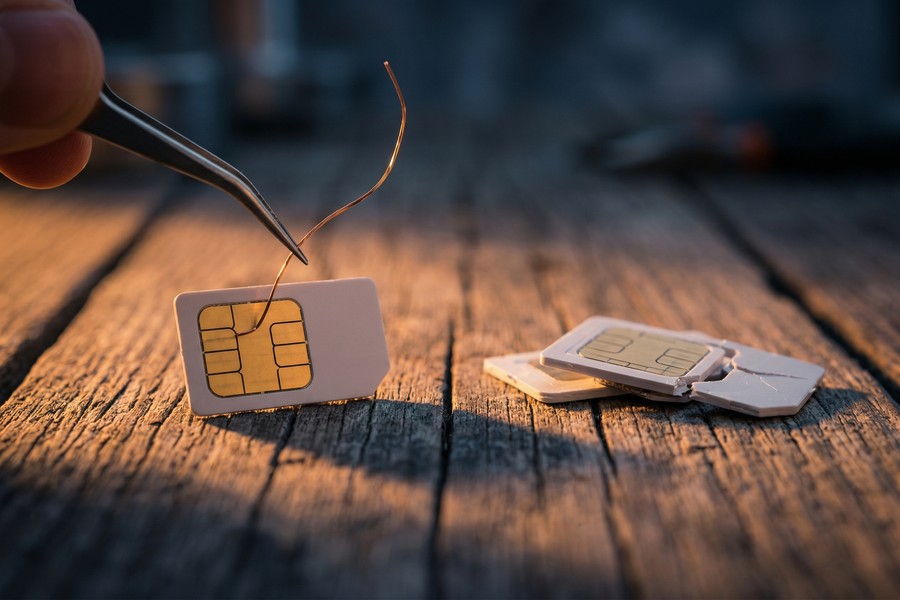
A SIM swap attack occurs when a criminal convinces your mobile carrier to reassign your phone number to a new SIM card under the attacker’s control, effectively hijacking all calls and text messages intended for you. Once they control your number, they use it to receive SMS verification codes and reset passwords on your most sensitive accounts — often in under 30 minutes.
The Step-by-Step Attack Process
The process follows a predictable pattern. First, the attacker harvests personal data about you — your name, address, date of birth, and the last four digits of your Social Security number — from data breaches, social media profiles, or purchased dark web data sets.
Second, the attacker contacts your carrier’s customer service, either by phone or in person at a retail store, and impersonates you. They claim to have lost their SIM or switched to a new device, and they use the harvested data to pass identity verification questions.
Third, once the carrier ports the number, your existing SIM card goes dark. The attacker immediately uses your phone number to trigger “forgot password” workflows on Gmail, banking apps, and cryptocurrency exchanges — all of which send SMS verification codes to the number they now control. This is why robust SIM swapping protection must address every layer of this chain.
A SIM swap does not require any malware on your device. The attack happens entirely at the carrier level, meaning your phone can be fully up to date and completely uninfected while your number is silently reassigned to a criminal’s SIM card.
Port-Out Fraud vs. SIM Swap: What Is the Difference?
A closely related attack is called a port-out scam, where the attacker transfers your phone number to an entirely different carrier rather than just a different SIM on the same network. Both attacks produce the same result — your number is hijacked — but port-out fraud is slightly harder to reverse because it crosses carrier boundaries.
The Federal Communications Commission has issued guidance warning consumers about both attack types and has proposed mandatory authentication standards for carriers to follow before completing any number transfer request (FCC, 2023).
How Common Is SIM Swapping and Who Gets Targeted?
SIM swapping has grown from a rare, technically sophisticated attack into a mainstream fraud method. The FBI’s Internet Crime Complaint Center (IC3) recorded 2,026 SIM swap complaints in 2023 alone, with total adjusted losses of $68.4 million — compared to just 320 complaints filed across the entire period from 2018 to 2020.
Who Is Most at Risk?
While anyone with a phone number can be targeted, certain groups face significantly elevated risk. Cryptocurrency holders are the most targeted demographic, because digital asset accounts offer irreversible transactions and high single-incident value. The U.S. Department of Justice has prosecuted multiple organized SIM swap rings specifically targeting crypto investors, with some cases involving losses exceeding $100 million (DOJ, 2023).
High-net-worth individuals, executives, social media influencers with monetized accounts, and journalists who handle sensitive sources are also priority targets. Notably, the attack is increasingly automated — organized crime groups use call center operations and pre-compiled victim data packages to process dozens of SIM swaps per day.
SIM swap losses reported to the FBI jumped from $12 million in 2020 to $68.4 million in 2023 — a 470% increase in just three years, according to the FBI Internet Crime Complaint Center Annual Report.
Geographic and Demographic Patterns
California, New York, Florida, and Texas account for the highest absolute numbers of SIM swap complaints, tracking with overall population. However, per-capita victimization rates are highest among adults aged 25–44 — the demographic most likely to hold cryptocurrency, investment accounts, and high-value social media handles.
International SIM swap rings have also been identified operating from West Africa, Eastern Europe, and Southeast Asia, targeting U.S. consumers using purchased data from the 2021 T-Mobile breach (which exposed data on 76.6 million customers) and subsequent dark web data sales.
How Do Attackers Get the Information They Need?
Attackers obtain the personal data needed to impersonate you through five primary channels: data breaches, data broker sites, social media reconnaissance, phishing campaigns, and insider threats within carrier retail stores.
Data Breaches and the Dark Web
Major data breaches have put the personal information of hundreds of millions of Americans into criminal marketplaces. The Have I Been Pwned database tracks over 13 billion breached account records as of 2025. A SIM swap attacker only needs your name, phone number, date of birth, and partial Social Security number — data that frequently appears together in breach compilations sold for as little as $10 on dark web forums.
If you have experienced a data breach recently, our guide on how to secure your personal data after a data breach covers the immediate steps you should take to limit your exposure.
Social Engineering and Phishing
Smishing — SMS-based phishing — is another common data collection tool. Attackers send text messages posing as your bank or carrier, directing you to a fake login page that harvests your credentials and personal details. This attack often precedes a SIM swap attempt by days or weeks. For a deeper look at this specific threat, read our coverage of what smishing is and how to protect yourself from text scams.
Carrier store employees have been bribed or recruited by SIM swap rings in documented prosecutions. The DOJ’s 2023 indictments of a nationwide SIM swap scheme revealed that insiders at carrier retail locations were paid between $1,000 and $1,500 per unauthorized swap — meaning no amount of personal data security fully eliminates insider risk.
Data Broker Sites
People-search sites such as Spokeo, Whitepages, BeenVerified, and Intelius aggregate and sell detailed personal profiles including home addresses, family member names, phone numbers, and employer history. This information gives attackers a ready-made dossier to present to carrier representatives. Requesting removal from these sites — a process called data broker opt-out — is a meaningful but time-consuming defensive step.
What Are the Warning Signs of a SIM Swap Attack?
The clearest warning sign of a SIM swap attack is sudden loss of cellular service — your phone stops making calls, sending texts, and connecting to mobile data without any apparent technical reason. This happens because your carrier has deactivated your SIM card the moment the attacker’s new SIM is activated.
Early Indicators Before Service Loss
Some warning signs appear before full service loss. You may receive an unexpected text message from your carrier asking you to confirm a SIM change you did not request. You might also receive unusual password reset emails for accounts you have not tried to access, or get calls from unknown numbers testing whether your number is active.
If you want to understand the broader picture of phone-level threats, our article on how to tell if your phone has been hacked covers additional indicators that your device or account may be compromised.
Post-Attack Signs
After a successful swap, you will notice you cannot receive calls or texts. Your banking app may show login activity from unfamiliar devices or locations. Social media accounts may have been locked or taken over. Cryptocurrency exchange accounts may show withdrawal activity.
| Warning Sign | What It May Indicate | Urgency Level |
|---|---|---|
| No cellular service | SIM swap may already be complete | Immediate — call carrier from another phone |
| Unexpected SIM change text from carrier | Attack in progress or just completed | Critical — act within minutes |
| Password reset emails you did not trigger | Attacker attempting account takeover | High — lock accounts immediately |
| Unfamiliar login activity on accounts | Account already compromised | High — change passwords and enable app-based 2FA |
| Calls from unknown numbers asking to verify identity | Attacker testing or social engineering | Medium — do not confirm personal details |
| Data broker emails about profile views | Attacker researching your personal data | Low — remove listings from data broker sites |
Speed is critical. Research shows that attackers typically attempt to access financial accounts within 15 minutes of a successful SIM swap. Every minute of delay reduces the window for intervention.
What Carrier-Level Protections Can You Enable Right Now?
The single most effective immediate step for SIM swapping protection at the carrier level is adding a unique, strong PIN or passphrase to your account that must be provided before any SIM change, port-out request, or account modification is processed. Every major U.S. carrier offers this feature, though the setup process varies.
How to Set Up Account PINs at Major Carriers
At AT&T, you can set an extra security passcode through your online account under the “Profile” and “Sign-In Info” sections. Verizon offers a similar feature called an account PIN, configurable through the My Verizon app. T-Mobile provides a “SIM Protection” feature specifically designed to block unauthorized SIM swaps, accessible in the app under “Privacy and Notifications.”
Critically, do not use a PIN that is also used for your voicemail or ATM card. Choose a unique string of at least 8 characters, mix letters and numbers, and store it in a password manager. Our guide on how to set a strong password you can actually remember offers practical techniques for creating and managing credentials that resist social engineering.
When calling your carrier to set up a SIM lock or account PIN, explicitly ask the representative to add a note that NO SIM changes or number ports can be processed without in-store photo ID verification. This adds a second human-review layer that automated phone scams cannot bypass.
Carrier-Specific SIM Lock Features
| Carrier | Feature Name | How to Enable | Protection Level |
|---|---|---|---|
| T-Mobile | SIM Protection / Account Takeover Protection | T-Mobile app or online account settings | High — blocks port-outs without in-store PIN |
| AT&T | Extra Security | myAT&T app or att.com account profile | High — requires passcode for account changes |
| Verizon | Number Lock | My Verizon app or 611 customer service | High — PIN required for SIM or number changes |
| US Cellular | Account PIN | My Account online portal | Medium — PIN required for in-store and phone changes |
| Mint Mobile | Account PIN | Customer service request | Medium — manual verification required |
Beyond PINs, consider enabling paperless billing and removing as much personal information from your carrier account profile as possible. The less data visible to a customer service agent — and therefore to a social engineer pretending to be you — the safer your account.
What Should You Use Instead of SMS Two-Factor Authentication?
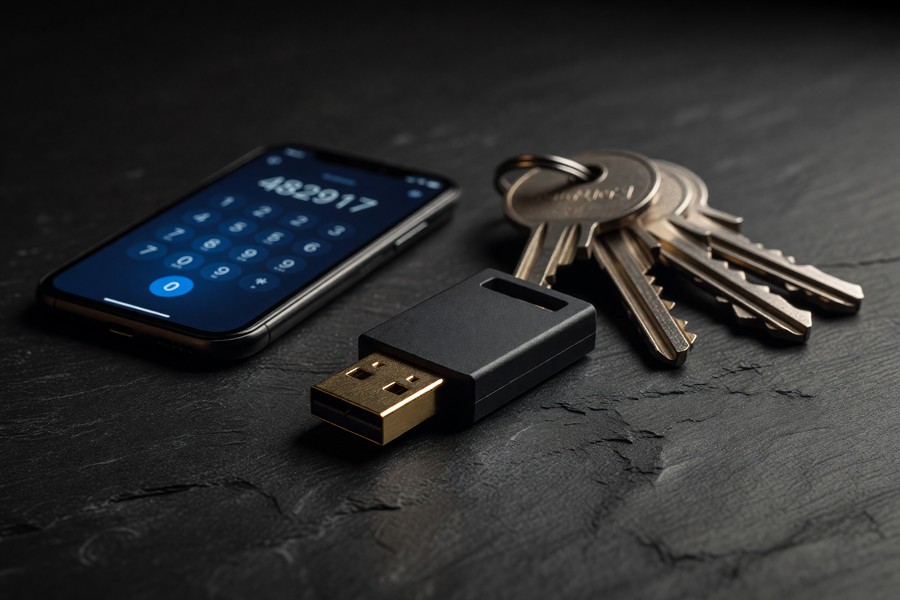
You should replace SMS-based two-factor authentication (2FA) with an authenticator app or a hardware security key on every account that supports it. SMS codes are fundamentally insecure against SIM swap attacks because they are delivered to your phone number — which an attacker now controls.
Authenticator Apps: The Accessible Alternative
Authenticator apps like Google Authenticator, Authy, and Microsoft Authenticator generate time-based one-time passwords (TOTP) that are tied to your device, not your phone number. Even if your number is swapped, the attacker cannot access codes generated on your physical device.
According to Google’s security research, authenticator apps block 99% of automated account takeover attacks and 76% of targeted phishing attacks — a dramatic improvement over SMS-based codes (Google Security Blog, 2019).
Understanding how two-factor authentication works at a deeper level is valuable. Our article on what two-factor authentication is and whether you should use it explains the full spectrum of 2FA methods, including which account types benefit most.
Hardware Security Keys: The Gold Standard
Physical FIDO2 hardware security keys — such as those made by Yubico (YubiKey) or Google (Titan Security Key) — offer the highest level of authentication protection currently available to consumers. These USB or NFC devices must be physically present to authenticate a login, making remote SIM swap attacks effectively impossible for protected accounts.
The Cybersecurity and Infrastructure Security Agency (CISA) explicitly recommends hardware security keys as the preferred method for phishing-resistant multi-factor authentication for high-value accounts (CISA, 2023).
Google reported that after requiring its own employees to use hardware security keys internally, the company recorded zero successful account takeover incidents among its workforce — despite being one of the most targeted organizations on the internet. The program began in 2017 and covered more than 85,000 employees.
Comparing Authentication Methods
For most consumers, the practical recommendation is to use an authenticator app as a minimum standard and a hardware key for your most critical accounts — primary email, banking, and cryptocurrency exchanges. The cost of a YubiKey ($25–$55) is trivial compared to the average SIM swap loss of $34,000.
How Do You Protect Individual Accounts From SIM Swapping?
Protecting individual accounts requires removing your phone number as a recovery option wherever possible and replacing it with authenticator app codes, backup codes stored offline, or a hardware security key. Phone-number-based account recovery is the direct target of every SIM swap attack.
Email Accounts: Your Highest-Priority Target
Your primary email account is the master key to your digital life — most “forgot password” flows send recovery links to email. Securing it is the single most impactful account-level action you can take. Enable 2FA via an authenticator app on Google, Microsoft Outlook, and Apple ID. Remove your phone number as a recovery method or, if the platform requires a backup phone, ensure it is not your primary SIM-based number.
For Gmail, navigate to your Google Account security settings, select “2-Step Verification,” and choose “Authenticator App” or “Security Key” as your primary method. Disable the option that allows SMS recovery codes to be sent as a fallback.
Financial and Cryptocurrency Accounts
Banks and cryptocurrency exchanges are the most financially consequential targets. Major exchanges including Coinbase, Kraken, and Gemini support hardware security keys and authenticator apps for 2FA. Enable the strongest available option. Many exchanges also offer an “anti-phishing code” — a unique phrase that appears in all legitimate emails from the platform, helping you detect spoofed messages.
For bank accounts, contact your institution directly to ask whether they support app-based 2FA. Many major U.S. banks including Chase, Bank of America, and Wells Fargo have added authenticator support, though some still default to SMS. Request that your bank flag your account for enhanced verification before any password reset is processed.
Cryptocurrency accounts are the primary target of SIM swap attacks in 68% of documented prosecutions, according to a review of U.S. Department of Justice SIM swap indictments from 2021 to 2023, with losses per incident averaging $1.5 million in high-value cases.
Social Media and High-Value Handles
Social media accounts with large followings or valuable usernames are targeted for resale or ransom. Enable app-based 2FA on Instagram, Twitter/X, TikTok, and Facebook, and remove your phone number from public profile visibility. Review which third-party apps have access to your social accounts and revoke any that are unnecessary.
It is also worth enabling login notifications on all social platforms. Instant alerts for new device logins give you a narrow but real window to react before an attacker fully establishes control.
What Should You Do If You Have Already Been SIM Swapped?
If you suspect you have been SIM swapped, contact your mobile carrier immediately using a landline or a different phone — your compromised device will not be able to make calls. Ask the carrier to freeze all activity on your account and reverse any unauthorized SIM changes. Request a temporary password or PIN for your account that differs from anything previously used.
Immediate Account Lockdown Steps
While waiting for carrier resolution, use a different device with a trusted Wi-Fi connection to begin locking down accounts. Start with your primary email, then your banking and cryptocurrency accounts. Change passwords using a unique string for each account and switch all 2FA methods away from SMS immediately.
File a report with the FTC at reportfraud.ftc.gov and submit a complaint to the FBI’s IC3 at ic3.gov. These reports are not only useful for investigations — they also create an official record that can support insurance claims and bank fraud disputes.
Financial Recovery and Credit Freeze
Place a security freeze on your credit files with all three major bureaus — Equifax, Experian, and TransUnion — immediately. A credit freeze is free under federal law and prevents new accounts from being opened in your name. You can also place an initial fraud alert, which requires creditors to verify your identity before extending credit.
If funds were transferred from bank accounts, notify your bank’s fraud department within 24 hours. Under Regulation E of the Electronic Fund Transfer Act, consumers who report unauthorized electronic transfers promptly may be entitled to full reimbursement — but the clock starts from when you knew or should have known about the unauthorized activity.
What Are the Legal Protections and Regulations Against SIM Swapping?
U.S. law provides consumers with several legal recourses and carriers face increasing regulatory pressure to improve SIM swap authentication practices. The FCC finalized new rules in November 2023 requiring carriers to implement additional verification steps before processing SIM swap and port-out requests.
FCC’s 2023 SIM Swap Rules
The FCC’s November 2023 order requires wireless carriers to notify customers immediately whenever a SIM change or port-out request is made on their account, and mandates that carriers develop secure methods for validating such requests. Carriers that fail to comply face enforcement action. These rules represent the most significant federal regulatory response to SIM swap fraud to date.
Criminal Prosecutions and Penalties
SIM swapping is prosecuted under multiple federal statutes, including wire fraud (18 U.S.C. § 1343), computer fraud under the Computer Fraud and Abuse Act, and aggravated identity theft. Recent sentences have ranged from 18 months to 10 years in federal prison, with restitution orders reaching into the tens of millions of dollars.
In 2023, the DOJ sentenced a member of a SIM swap ring to 8 years in federal prison for stealing over $9.5 million in cryptocurrency through coordinated SIM swap attacks targeting more than 50 victims across the United States.
“SIM swapping has become one of the most sophisticated and financially damaging forms of identity theft we see. The combination of social engineering, data broker information, and SMS authentication weaknesses creates a perfect storm that most consumers are completely unprepared for.”
The Identity Theft Resource Center offers free, live support to SIM swap and identity theft victims via phone and online chat at idtheftcenter.org. Their advisors help victims navigate carrier disputes, account recovery, and credit bureau fraud alerts at no cost.
“The most important thing consumers can do today is audit every account that uses a phone number for account recovery and replace SMS authentication with an app-based or hardware token alternative. This single change eliminates the core vulnerability that SIM swapping exploits.”
Real-World Example: How a Single SIM Swap Cost Marcus $47,000 in 48 Hours
Marcus, a 31-year-old software developer in Austin, Texas, held approximately $47,000 across a Coinbase cryptocurrency account and a brokerage account at Fidelity. His phone number was linked as the recovery method for his Gmail, which in turn was the recovery email for both financial accounts. He used SMS-based 2FA on all accounts.
On a Tuesday morning, his phone lost cellular service at 7:14 AM. By 8:30 AM — before he had contacted his carrier — his Gmail account had been accessed via a password reset link sent to his hijacked number. By 9:00 AM, all $29,400 in his Coinbase account had been transferred to an external wallet. His Fidelity account required a phone call to complete a large transfer, which the attacker attempted but failed — buying Marcus just enough time to lock the account after finally reaching a carrier representative and getting his number restored at 9:47 AM.
Total loss: $29,400 in cryptocurrency (unrecoverable). Time from first service disruption to account breach: 46 minutes. Root cause: SMS 2FA on all accounts and phone number used as sole account recovery method. After the incident, Marcus switched all accounts to a YubiKey ($45), removed his phone number from Gmail recovery, and enabled Fidelity’s voice authentication requirement for outbound wire transfers. He also added a carrier account PIN and requested that T-Mobile flag his account for in-store-only SIM changes.
Your Action Plan
-
Set a carrier account PIN and SIM lock today
Log into your carrier’s app or website and enable the highest available account security feature — AT&T’s “Extra Security,” Verizon’s “Number Lock,” or T-Mobile’s “SIM Protection.” Choose a unique PIN not used anywhere else and store it in a password manager such as 1Password or Bitwarden. Call your carrier afterward to confirm the change is active on your account.
-
Audit every account that uses SMS for two-factor authentication
Log into each major account — Gmail, Apple ID, Facebook, your bank, your brokerage — and check the 2FA settings. Make a list of every account using SMS codes. Prioritize accounts in this order: primary email, financial accounts, social media, and shopping accounts that store payment methods.
-
Download an authenticator app and migrate SMS 2FA accounts
Install Authy or Google Authenticator on your smartphone. One by one, switch each account from SMS 2FA to an authenticator app. Most platforms walk you through this in their security settings — look for “Authentication App” or “TOTP” as an option. Save the backup codes provided during setup to a secure offline location such as a printed sheet in a locked document safe.
-
Remove your phone number as an account recovery method wherever possible
In Google Account settings, under “Security” then “Ways we can verify it’s you,” remove your phone number if you have app-based 2FA enabled. Do the same in your Apple ID settings under “Sign-In and Security.” For accounts that require a backup phone number, consider using a Google Voice number or a dedicated secondary number rather than your primary SIM-based mobile number.
-
Purchase a hardware security key for your highest-value accounts
Order a YubiKey 5 NFC ($50) from yubico.com or a Google Titan Security Key ($30) from the Google Store. Enroll it in your primary Gmail, your cryptocurrency exchange, and your primary bank account if supported. Register two keys (a primary and a backup stored separately) to avoid lockout if one is lost.
-
Freeze your credit with all three major bureaus
Visit Equifax’s freeze portal, Experian’s credit freeze page, and TransUnion’s freeze page to place a security freeze on each report. The process takes approximately 3 minutes per bureau and is free under the Economic Growth, Regulatory Relief, and Consumer Protection Act of 2018. You can temporarily lift freezes when applying for credit.
-
Request opt-out removal from data broker sites
Submit removal requests to the major data broker sites that aggregate personal information: Spokeo, Whitepages, Intelius, BeenVerified, and Radaris. Alternatively, use a service such as DeleteMe or Privacy Bee to automate ongoing opt-out submissions — subscriptions cost between $99 and $129 per year and handle hundreds of sites on your behalf.
-
Set up account activity alerts on all financial accounts
Enable push notifications or email alerts for every login attempt, password change, and transaction over $1 on your bank and brokerage accounts. Set up Google Alerts for your own name and email address to detect if your information appears in news stories related to data breaches. Speed of detection is the most critical factor in limiting SIM swap damage.
Frequently Asked Questions
What is the first thing I should do if I think I am being SIM swapped?
Call your carrier immediately from a different phone or landline and ask them to freeze your account and reverse any unauthorized SIM changes. While waiting on hold, use a trusted Wi-Fi connection on another device to begin changing passwords on your primary email and financial accounts. Do not wait for confirmation from your carrier before starting to secure accounts — every minute matters.
Can SIM swapping happen even if I have two-factor authentication enabled?
Yes — if your two-factor authentication uses SMS text messages, a SIM swap attack defeats it entirely because the attacker now receives those text messages. Only non-SMS 2FA methods such as authenticator apps or hardware security keys remain effective after a SIM swap. This is why migrating away from SMS 2FA is the core of any effective SIM swapping protection strategy.
Will my carrier reimburse me if I lose money due to a SIM swap?
Carriers rarely reimburse SIM swap losses voluntarily, though some victims have successfully sued their carriers for negligence. In documented cases, AT&T, T-Mobile, and other major carriers have paid settlements to victims who demonstrated that the carrier failed to follow its own security procedures. File complaints with the FCC and FTC to create an official record that supports any future legal action.
Is Google Voice or a virtual phone number safer than a regular SIM for 2FA?
A Google Voice or VoIP number is slightly harder to SIM swap because it is not tied to a physical carrier SIM card, but it is not immune — attackers can compromise Google Voice through account takeover. Virtual numbers are a marginal improvement for account recovery purposes, but they should not be considered a primary SIM swapping protection strategy. Authenticator apps or hardware keys remain far superior.
How do I know if my personal data is already available on the dark web?
Use Have I Been Pwned (haveibeenpwned.com) to check whether your email addresses appear in known data breaches — the service is free and searches over 13 billion compromised records. Many password managers including 1Password and Bitwarden also include dark web monitoring that alerts you when your credentials appear in new breach data. Your carrier or bank may also offer identity monitoring as a free account benefit.
Does a SIM swap affect eSIM accounts the same way as physical SIM cards?
Yes. eSIM (embedded SIM) technology is subject to the same carrier authentication process and therefore the same social engineering vulnerabilities as physical SIM cards. The attack method is identical — the attacker asks the carrier to activate the eSIM profile on a new device. Adding a carrier PIN and account lock protections is equally important for eSIM users as for physical SIM users.
What is the difference between a SIM swap and a SIM clone?
A SIM swap involves socially engineering your carrier to transfer your number to a new SIM card. A SIM clone is a more technically complex attack where a criminal creates a physical duplicate of your SIM card by copying its cryptographic data — this requires close physical proximity to your SIM or interception of carrier network communications. SIM cloning is rare compared to SIM swapping and requires significantly more technical sophistication and equipment.
Can two-factor authentication for messaging apps protect against SIM swapping?
App-specific 2FA can protect the content of your messages even after a SIM swap. For example, enabling a registration lock PIN in Signal prevents an attacker from re-registering Signal under your number on their device. Our guide on two-factor authentication for messaging apps explains exactly how to enable these protections across major platforms including Signal, WhatsApp, and Telegram.
Is SIM swapping a federal crime in the United States?
Yes. SIM swapping is prosecuted as wire fraud (18 U.S.C. § 1343), computer fraud under the Computer Fraud and Abuse Act, and aggravated identity theft (18 U.S.C. § 1028A), which carries a mandatory two-year prison sentence added to the underlying offense. Federal prosecutors have secured sentences of up to 10 years in high-profile cases involving multi-million dollar losses.
How does SIM swapping relate to port-out scams?
Both attacks transfer your phone number out of your control. A SIM swap moves your number to a different SIM card on the same carrier network. A port-out scam transfers your number to an entirely different carrier using false identity verification. Port-out scams are governed by FCC Number Portability rules and the same FCC 2023 regulations that address SIM swaps now require enhanced verification for port-out requests as well.
Sources
- FBI Internet Crime Complaint Center — 2023 Internet Crime Report
- Federal Trade Commission — What to Know About SIM Swap Scams
- Federal Communications Commission — FCC Adopts Rules to Protect Consumers Against SIM Swapping Attacks (2023)
- Federal Communications Commission — Porting Your Phone Number to a New Carrier
- U.S. Department of Justice — Eight Individuals Charged in Nationwide SIM Swapping Scheme
- CISA — Implementing Phishing-Resistant Multi-Factor Authentication (2023)
- Google Security Blog — New Research: How Effective Is Basic Account Hygiene at Preventing Hijacking (2019)
- Have I Been Pwned — Data Breach Search Engine
- Identity Theft Resource Center — Consumer Support and Research
- Federal Trade Commission — Report Fraud Portal
- Equifax — Security Freeze Information and Enrollment
- Consumer Financial Protection Bureau — What Is a Security Freeze?
- Federal Trade Commission — Regulation E: Electronic Fund Transfers
- U.S. Congress — Economic Growth, Regulatory Relief, and Consumer Protection Act of 2018
- Princeton University — New Study Exposes Vulnerability to SIM Card Attacks (2020)