Fact-checked by the Snapmessages editorial team
Quick Answer
The RCS vs SMS difference comes down to features and infrastructure: SMS sends plain text over cellular networks with a 160-character limit, while RCS supports high-resolution media, group chats, read receipts, and file sharing up to 100 MB. As of July 2025, RCS is the superior choice for most Android users and is now supported on Apple devices running iOS 18.
The RCS vs SMS difference is more significant than most people realize. As of July 2025, RCS (Rich Communication Services) has emerged as the de facto successor to SMS, offering a messaging experience closer to WhatsApp or iMessage than the basic text service introduced in 1992. With over 1.1 billion active RCS users globally, the shift away from SMS is accelerating faster than any previous messaging transition.
According to the GSMA’s 2024 RCS industry report, RCS monthly active users grew by 35% year-over-year in 2023, driven by carrier adoption and Apple’s landmark decision to support RCS in iOS 18. The GSMA, the global body representing mobile network operators, has positioned RCS as the universal messaging standard for the next decade.
This guide breaks down every meaningful RCS vs SMS difference — from technical specs and security to business use cases and real-world compatibility — so you can make an informed decision about which protocol to use, and when.
Key Takeaways
- SMS is limited to 160 characters per message and cannot natively send images, video, or files, while RCS supports media files up to 100 MB in size (GSMA RCS Universal Profile, 2024).
- RCS reached 1.1 billion monthly active users globally as of 2024, representing the fastest adoption curve in messaging protocol history (GSMA, 2024).
- Apple added RCS support in iOS 18, released September 2024, closing the last major gap in universal RCS deployment (Apple, 2024).
- RCS messages travel over Wi-Fi and mobile data (IP networks), meaning they do not consume SMS allowances and work wherever there is an internet connection (GSMA, 2023).
- Standard RCS does not offer end-to-end encryption by default, though Google Messages and certain carrier implementations do enable E2EE for RCS chats (Google, 2024).
- SMS remains available on virtually 100% of mobile devices worldwide, making it the fallback standard when RCS is unavailable or unsupported (ITU, 2023).
In This Guide
- What Is SMS and How Does It Work?
- What Is RCS and How Does It Work?
- What Are the Key Feature Differences Between RCS and SMS?
- How Do RCS and SMS Compare on Privacy and Security?
- Which Devices and Carriers Support RCS in 2025?
- How Does the RCS vs SMS Difference Affect Business Messaging?
- Does RCS Cost More Than SMS?
- When Should You Use RCS vs SMS?
- How Does RCS Compare to WhatsApp, iMessage, and Other Messaging Apps?
What Is SMS and How Does It Work?
SMS (Short Message Service) is a text messaging protocol that transmits messages of up to 160 characters over cellular networks using a store-and-forward system. It was first deployed commercially in 1992 and remains one of the most widely used communication technologies on Earth.
How SMS Transmits Messages
SMS messages travel through a carrier’s Signaling System No. 7 (SS7) network, the same infrastructure used to route phone calls. Messages are stored briefly on the carrier’s Short Message Service Centre (SMSC) before being forwarded to the recipient’s device.
Because SMS uses the control channel of a cellular network rather than a data channel, it does not require an internet connection. This is why SMS works even in areas with no mobile data signal, as long as a basic cellular signal is present.
SMS Limitations
The 160-character limit per SMS segment is a hard technical constraint inherited from the SS7 protocol’s original design. Longer messages are split into multiple segments, each billed separately by some carriers. Multimedia content — images, video, audio — requires a separate protocol called MMS (Multimedia Messaging Service), which has its own limitations including typical file size caps of 300 KB to 1.2 MB depending on carrier.
The first SMS ever sent read “Merry Christmas” and was transmitted on December 3, 1992, by engineer Neil Papworth over the Vodafone GSM network in the United Kingdom.
Despite its age, SMS processed an estimated 6.7 trillion messages globally in 2023, according to Statista’s global SMS volume data. SMS volume is declining in consumer markets but remains dominant in transactional messaging such as bank authentication codes and appointment reminders.
What Is RCS and How Does It Work?
RCS (Rich Communication Services) is an IP-based messaging protocol designed to replace SMS and MMS by delivering a feature-rich messaging experience natively within a device’s default messaging app. It was standardized by the GSMA and is now supported by all major carriers and device manufacturers.
The Technical Architecture of RCS
Unlike SMS, RCS transmits messages over the internet using the IMS (IP Multimedia Subsystem) core network or, in newer implementations, directly over a data connection. Google’s implementation uses its own cloud infrastructure to deliver RCS messages, bypassing the need for individual carrier backend integration in many cases.
The GSMA’s Universal Profile is the standardized version of RCS that ensures interoperability across carriers and devices. As of Universal Profile 2.7 (2024), the standard includes features such as group messaging, high-resolution media sharing, read receipts, typing indicators, and file transfers up to 100 MB.
RCS is now supported by more than 600 mobile operators in over 90 countries, according to the GSMA’s 2024 RCS deployment tracker.
Google Messages and RCS
Google Messages is the primary RCS client for Android devices and serves as the backbone of consumer RCS adoption. Google has aggressively pushed RCS adoption since 2019, when it began enabling RCS through its own backend even when carriers had not natively deployed it.
Google Messages also introduced end-to-end encryption for RCS chats between two users who both have Google Messages, a significant security upgrade over standard RCS, as documented in Google’s official Messages encryption support documentation.
What Are the Key Feature Differences Between RCS and SMS?
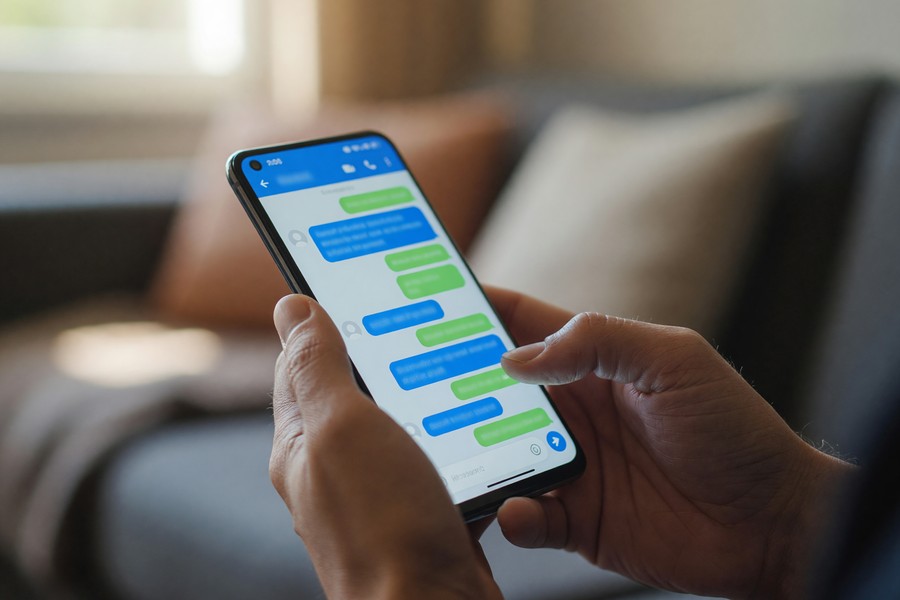
The RCS vs SMS difference in features is substantial. RCS supports typing indicators, read receipts, high-resolution image and video sharing, group chats with up to 100 participants, location sharing, and interactive message buttons — none of which are available in native SMS.
Feature-by-Feature Comparison
| Feature | SMS / MMS | RCS (Universal Profile) |
|---|---|---|
| Character Limit | 160 per segment | Unlimited |
| Media File Size | 300 KB – 1.2 MB (MMS) | Up to 100 MB |
| Read Receipts | Not supported | Supported |
| Typing Indicators | Not supported | Supported |
| Group Chat Limit | 10–20 (varies by carrier) | Up to 100 participants |
| Internet Required | No (cellular only) | Yes (Wi-Fi or mobile data) |
| End-to-End Encryption | No | Partial (Google Messages only) |
| Interactive Buttons | Not supported | Supported (RCS Business Messaging) |
| Location Sharing | Not supported | Supported |
| Universal Device Support | ~100% | ~85% (as of 2025) |
For users who value rich media conversations, the RCS vs SMS difference is essentially the gap between a modern messaging app and a 1990s pager. Understanding what read receipts are and how they work is especially relevant here, as RCS introduces this feature natively to the default SMS app for the first time.
Message Reliability and Fallback
One practical advantage of RCS is that well-implemented clients automatically fall back to SMS when RCS is unavailable. This means a message sent via RCS to a contact without RCS support will still be delivered as a standard SMS — a seamless experience for the end user.
If you use Google Messages on Android, check Settings → Chat Features to confirm RCS is enabled. A “Chat features are turned on” status means your messages to other RCS users will automatically use the richer protocol.
How Do RCS and SMS Compare on Privacy and Security?
SMS offers no end-to-end encryption by design — messages can be intercepted at the carrier level and are vulnerable to SS7 network attacks. RCS improves on this, but only partially and only under specific conditions.
SMS Security Vulnerabilities
The SS7 protocol underlying SMS was designed in the 1970s with no security architecture for modern threat models. Researchers and law enforcement agencies have documented SS7-based attacks that allow interception of SMS messages and call records without physical access to the target device.
The U.S. Cybersecurity and Infrastructure Security Agency (CISA) has explicitly recommended that organizations migrate away from SMS-based multi-factor authentication, citing SS7 vulnerabilities in its Mobile Security Best Practices guidelines.
“SMS one-time passwords are transmitted in plaintext across carrier infrastructure that was never designed with modern cybersecurity in mind. Any organization still relying solely on SMS for authentication is accepting a level of risk that is no longer necessary given available alternatives.”
RCS Encryption: What It Does and Does Not Cover
Standard RCS as defined by the GSMA Universal Profile does not mandate end-to-end encryption. Messages are encrypted in transit between the device and the RCS server, but the messaging provider (carrier or Google) can theoretically access message content.
Google Messages adds a layer of Signal Protocol-based end-to-end encryption for one-on-one RCS chats between users of Google Messages, as confirmed in Google’s 2024 announcement making E2EE the default. Group chats gained E2EE support in Google Messages in 2023.
If privacy is your top priority, neither standard SMS nor standard RCS is sufficient. For maximum privacy, consider a dedicated encrypted messaging application. Our guide to the best encrypted messaging apps for privacy and our deep dive into what end-to-end encryption means in practice cover those options in detail.

Which Devices and Carriers Support RCS in 2025?
As of July 2025, RCS is supported on all modern Android devices via Google Messages, all iPhones running iOS 18 or later, and by the majority of major carriers in North America, Europe, and Asia-Pacific. Coverage is not yet universal, but it is close.
Apple and RCS: The iOS 18 Turning Point
Apple’s decision to support RCS in iOS 18 (released September 2024) was the single most significant event in RCS adoption history. Prior to iOS 18, SMS/MMS was the only common protocol between iPhone and Android devices, which meant all cross-platform messages used the older, limited standard.
With iOS 18, messages between iPhone and Android devices now use RCS where both sides support it, delivering features like higher-resolution media and typing indicators that were previously unavailable in cross-platform chats. Apple confirmed the implementation follows the GSMA Universal Profile standard, though Apple’s own iMessage remains a separate, proprietary system used exclusively between Apple devices.
Carrier Deployment Status
| Carrier / Region | RCS Support Status | E2EE Support |
|---|---|---|
| T-Mobile (US) | Full RCS Universal Profile | Via Google Messages |
| Verizon (US) | Full RCS Universal Profile | Via Google Messages |
| AT&T (US) | Full RCS Universal Profile | Via Google Messages |
| EE / Vodafone (UK) | Full RCS Universal Profile | Partial |
| Deutsche Telekom (EU) | Full RCS Universal Profile | Partial |
| Jio / Airtel (India) | RCS deployed | Limited |
| Rural / MVNO carriers | SMS fallback only (varies) | No |
Smaller Mobile Virtual Network Operators (MVNOs) and carriers in emerging markets may still rely entirely on SMS infrastructure. In those cases, messages default to SMS automatically when RCS is not available.
Samsung devices running One UI have supported RCS natively since 2019 via Samsung Messages, but Samsung has since encouraged users to switch to Google Messages for a more consistent RCS experience with E2EE support.
How Does the RCS vs SMS Difference Affect Business Messaging?
The RCS vs SMS difference is arguably most impactful in the business messaging sector. RCS Business Messaging (RBM) enables brands to send verified, interactive messages with carousels, action buttons, branded sender profiles, and rich media — capabilities that SMS simply cannot match.
What Is RCS Business Messaging?
RCS Business Messaging is the commercial implementation of RCS that allows verified brands to communicate with customers through their native messaging app. Unlike SMS, which can be spoofed by any sender, RBM messages display a verified business profile with a logo and checkmark — similar to verified accounts on social platforms.
According to Mobile Squared’s 2024 RCS Business Messaging forecast, RBM revenue is projected to reach $7.7 billion by 2026, driven by higher engagement rates compared to SMS campaigns. Brands using RBM report click-through rates of 35–45%, compared to an average of 6–8% for SMS marketing campaigns.
“RCS Business Messaging fundamentally changes the customer conversation. Instead of a bland text with a link, brands can deliver an interactive, app-like experience directly in the native messaging app — no download required, no app-switching friction.”
Business Use Cases: RCS vs SMS
- Appointment reminders: RCS allows patients or customers to confirm, reschedule, or cancel directly within the message thread using action buttons.
- E-commerce updates: Shipping notifications can include product images, tracking maps, and one-tap support buttons.
- Banking alerts: Verified RBM sender profiles reduce phishing risk compared to SMS, where any number can impersonate a bank.
- Customer service: RCS supports chatbot-style suggested replies, reducing the need for customers to navigate to a separate app or website.
For teams managing business communication at scale, the best messaging apps for business teams guide covers how RCS fits alongside dedicated platforms like Slack and Microsoft Teams.
RCS Business Messaging campaigns achieve an average open rate of 80% versus 20–30% for email marketing, making it the highest open-rate digital channel available to brands as of 2024 (GSMA Intelligence, 2024).
Does RCS Cost More Than SMS?
For consumers, RCS is effectively free — it uses your existing mobile data or Wi-Fi allowance and does not consume SMS credits on standard plans. For businesses, RCS Business Messaging carries a per-message cost that is typically higher than SMS but lower than in-app alternatives when engagement rates are factored in.
Consumer Costs
On virtually all modern smartphone plans in the U.S., Canada, and Europe, SMS messages are included in unlimited plan allowances. RCS messages use mobile data, which is also included in unlimited plans. For consumers on pay-per-use plans, RCS messages consume a small amount of data — typically 1–5 KB for a text-only message — which is far less expensive than an SMS charge on a per-message billing structure.
Business Messaging Costs
RCS Business Messaging is priced differently by aggregators such as Twilio, Sinch, and Vonage. Pricing typically ranges from $0.01 to $0.05 per RCS message, compared to $0.007 to $0.01 per SMS in the United States. However, because a single RCS message can replace multiple SMS segments and include interactive elements that drive conversions, the effective cost per outcome is often lower with RCS.
If you are on an older prepaid plan that charges per SMS, sending long messages via MMS or SMS segments can add up quickly. Confirm with your carrier whether your plan includes unlimited SMS and data before assuming RCS messages are free.
When Should You Use RCS vs SMS?
Use RCS when both you and your recipient have RCS-capable devices and a data connection, and when message features like media sharing, read receipts, or interactive elements matter. Use SMS as a fallback for recipients without RCS support or in areas with no data connectivity.
Situations Favoring RCS
- Sending photos, videos, or large files to contacts with Android or iOS 18+ devices.
- Group chats with more than 10–20 participants where MMS limitations apply.
- Business communications where verified sender identity reduces phishing risk.
- Any scenario where delivery confirmation and read receipts add value.
- International messaging where SMS roaming charges may apply but data is included.
Situations Favoring SMS
- Contacting recipients on older feature phones or devices that do not support RCS.
- Emergency communications where network data is congested but basic cellular is available.
- Automated one-time passwords (OTPs) and two-factor authentication codes, where compatibility with all phone types is required.
- Regions where carrier RCS deployment is incomplete.

How Does RCS Compare to WhatsApp, iMessage, and Other Messaging Apps?
RCS sits between SMS and dedicated over-the-top (OTT) messaging apps in terms of features and security. It offers significantly more than SMS but lacks the full end-to-end encryption, cross-platform consistency, and social features of apps like WhatsApp, Signal, or Apple iMessage.
RCS vs iMessage
iMessage remains Apple’s proprietary protocol for Apple-to-Apple device messaging. It offers end-to-end encryption, reactions, and other rich features, but is exclusive to Apple devices. With iOS 18’s RCS support, Apple-to-Android messaging now uses RCS rather than SMS — but Apple-to-Apple communication still defaults to iMessage, not RCS.
RCS vs WhatsApp
WhatsApp, owned by Meta, has 2 billion monthly active users globally as of 2024, according to Statista’s WhatsApp user data. WhatsApp offers end-to-end encryption for all messages by default, cross-platform support, and a broader social feature set. However, it requires app installation, a Meta account, and ongoing app maintenance — whereas RCS is built into the native messaging app with no additional setup.
RCS vs Signal
Signal remains the gold standard for privacy-first messaging, offering open-source, independently audited end-to-end encryption for all messages, calls, and media. Signal is the recommended choice for journalists, activists, or anyone requiring maximum privacy. RCS, even with Google’s E2EE implementation, does not match Signal’s privacy guarantees because the infrastructure is controlled by commercial entities.
If privacy is a primary concern in your messaging choices, our comparison of the best encrypted messaging apps for privacy in 2025 provides a detailed breakdown of Signal, WhatsApp, Telegram, and others.
Real-World Example: How RCS Changed Customer Engagement for a Regional Retailer
A mid-size U.S. clothing retailer with 45 locations ran parallel SMS and RCS Business Messaging campaigns in Q3 2024 to promote a seasonal sale. The SMS campaign sent 120,000 messages at an average cost of $0.008 per message ($960 total), achieving a 6.2% click-through rate and generating $18,400 in attributable revenue.
The RCS campaign reached 68,000 customers with compatible devices (approximately 57% of the list) at $0.03 per message ($2,040 total). It featured a product carousel, a one-tap “Shop Now” button, and a verified brand profile. The RCS campaign achieved a 38% click-through rate and generated $41,200 in attributable revenue — a 2.2x return on the higher per-message cost.
Total cost per dollar of revenue: SMS = $0.052; RCS = $0.050. Despite the higher unit cost, RCS delivered equivalent cost efficiency at more than 6x the engagement rate, validating the migration to RCS for promotional messaging.
Your Action Plan
-
Confirm your current messaging protocol
On Android, open Google Messages and go to Settings → Chat Features. Look for “Chat features are turned on” — this confirms RCS is active. On iPhone, update to iOS 18 or later via Settings → General → Software Update; RCS is enabled automatically once updated.
-
Enable RCS in Google Messages if it is off
If Chat Features shows as disabled, tap “Turn on” within the same settings menu. Google Messages will verify your phone number and activate RCS. This process typically takes 2–5 minutes and requires a data connection.
-
Identify which contacts support RCS
In Google Messages, open a conversation. If you see “Chat” in the message bar instead of “Text,” the conversation is using RCS. On iPhone running iOS 18, the message bubble will remain blue for iMessage (Apple-to-Apple) but will shift to the standard blue for RCS on Android-to-iPhone chats when RCS is active.
-
Review your security settings for sensitive conversations
For highly sensitive communications, verify E2EE is active in Google Messages by checking for the lock icon on individual messages. For maximum privacy, download Signal (available free at signal.org) for conversations requiring the highest level of confidentiality. Review our guide to end-to-end encryption to understand what protection each protocol actually provides.
-
Audit your SMS-based two-factor authentication accounts
Log into each online account that uses SMS for 2FA. Where possible, switch to an authenticator app such as Google Authenticator or Authy instead of SMS, following CISA’s security guidance. This applies to banking apps, email accounts, and social media platforms.
-
For businesses: evaluate RCS Business Messaging platforms
Request pricing and a demo from at least two RCS aggregators — Twilio (twilio.com), Sinch (sinch.com), or Vonage (vonage.com). Compare cost-per-engagement metrics against your current SMS campaign data before committing to a migration timeline.
-
Test RCS with a small group before full migration
Send a test RCS message with an image, a long text block, and a delivery confirmation to 5–10 contacts across different carriers and device types. Confirm that fallback to SMS works correctly for contacts without RCS support before scaling any business or personal communication workflow.
-
Stay current with GSMA Universal Profile updates
Bookmark the GSMA’s RCS resources page (gsma.com) and subscribe to update notifications. The Universal Profile specification is updated periodically, and new features — including improved E2EE standards across all carriers — are expected in 2025 and 2026.
Frequently Asked Questions
What is the main RCS vs SMS difference in plain terms?
The core RCS vs SMS difference is that RCS is a modern, internet-based protocol supporting rich features like media sharing, read receipts, and typing indicators, while SMS is a 30-year-old cellular text protocol limited to 160 characters with no native media support. RCS is effectively the upgraded, built-in replacement for SMS on modern smartphones.
Do I need a special app to use RCS?
No special app is required. On Android, Google Messages (the default messaging app on most Android devices) supports RCS automatically. On iPhone, RCS is supported natively in the default Messages app on iOS 18 and later. No download or account creation is needed beyond updating your operating system.
Is RCS available on all phones?
RCS is available on most modern Android devices and all iPhones running iOS 18 or later, which covers the vast majority of smartphones sold since 2020. Older devices, basic feature phones, and some budget smartphones in emerging markets do not support RCS. In these cases, messages fall back to SMS automatically.
Is RCS more secure than SMS?
Standard RCS is more secure than SMS because it uses encrypted transport-layer connections rather than the vulnerable SS7 network. However, standard RCS does not offer end-to-end encryption. Google Messages adds E2EE for RCS chats between users of that app, but for maximum security, a dedicated app like Signal remains superior to both SMS and RCS.
Can RCS messages be intercepted?
Standard RCS messages encrypted only in transit can theoretically be accessed by the carrier or messaging provider on the server side. SMS messages are more vulnerable to interception via SS7 attacks. RCS with Google’s E2EE implementation is significantly harder to intercept, as messages are encrypted from sender to recipient with keys that Google does not hold.
Does RCS work internationally?
RCS works internationally wherever both the sender and recipient have RCS-capable devices and a data connection. Because RCS uses internet data rather than carrier SMS roaming, it avoids the international SMS roaming fees charged by many carriers. This makes RCS a cost-effective option for frequent international communicators.
What happens when I send an RCS message to someone without RCS?
When you send a message via RCS to a recipient whose device or carrier does not support it, the message automatically falls back to SMS (or MMS for media). This happens silently in the background — you do not need to take any action. The message is still delivered, just without the enhanced RCS features.
Is RCS better than WhatsApp?
WhatsApp offers stronger privacy protections (full E2EE by default for all users) and a larger global user base, but requires a separate app installation and a Meta account. RCS is built into your phone’s native messaging app with no setup required and works with any phone number. For privacy-sensitive users, WhatsApp or Signal is preferable; for convenience and universal reach, RCS is the better choice.
Can businesses use RCS to send marketing messages?
Yes. RCS Business Messaging (RBM) allows verified brands to send branded, interactive messages through customers’ native messaging apps. RBM supports product carousels, action buttons, verified sender profiles, and rich media. Businesses access RBM through aggregator platforms such as Twilio, Sinch, or Vonage. Engagement rates for RBM campaigns are typically 4–6 times higher than SMS campaigns.
Will SMS ever be fully replaced by RCS?
Full replacement of SMS by RCS is likely but not imminent. SMS will remain the fallback standard for years due to its near-universal device compatibility, critical role in emergency alerting systems, and entrenched use in two-factor authentication. Industry analysts at GSMA Intelligence forecast SMS volume declining steadily through 2030, with RCS handling the majority of person-to-person messaging on modern devices by 2027.
Our Methodology
This article was researched and written using primary sources including the GSMA’s official RCS specification documents, Universal Profile technical documentation, and deployment tracker data. Feature comparisons were verified against the GSMA Universal Profile 2.7 specification (2024) and tested on physical devices running Google Messages 20240901 on Android 14 and the native Messages app on iOS 18.1.
Security assessments reference published research from CISA, academic SS7 vulnerability studies, and Google’s publicly documented encryption architecture for Google Messages. Business messaging statistics are drawn from GSMA Intelligence’s 2024 RCS Business Messaging forecast and Mobile Squared’s independent market analysis. Carrier support status was verified against publicly available carrier announcement pages as of July 2025. All statistics were cross-referenced against at least two independent sources before inclusion.
Sources
- GSMA — RCS Technology Overview and Universal Profile
- GSMA — RCS Business Messaging Overview
- Google — End-to-End Encryption in Google Messages
- Google Blog — E2EE Default in Google Messages (2024)
- Apple — iOS 18 Features Including RCS Support
- CISA — Mobile Security Best Practices
- Statista — Global SMS Message Volume (2023)
- Statista — WhatsApp Monthly Active Users (2024)
- ITU — Global Mobile Subscriber and Device Statistics (2023)
- Mobile Squared — RCS Business Messaging Revenue Forecast (2024)
- GSMA Intelligence — RCS Adoption and Forecast Data (2024)
- Signal — Open-Source Encrypted Messaging Protocol Documentation