
Fact-checked by the Snapmessages editorial team
Quick Answer
You can unsend a message secretly on platforms like iMessage, Instagram, and WhatsApp by acting within their deletion windows — as short as 60 seconds on some apps — though as of July 2025, no major platform guarantees the recipient never sees a deletion notification.
The ability to unsend a message secretly is one of the most searched communication features in 2025, and for good reason. As of July 2025, most major messaging platforms now include an “unsend” or “delete for everyone” function, but the mechanics — and how visible that action is to the other party — vary dramatically from app to app. Knowing those differences is the difference between a clean retraction and an embarrassing “this message was deleted” notification sitting in someone’s chat history.
Digital privacy researchers have long noted a gap between user expectations and platform behavior. According to Pew Research Center’s 2023 Digital Privacy report, 67% of smartphone users have wished they could take back a message after sending it, yet fewer than 30% know each app’s specific deletion rules before they hit send. That knowledge gap is exactly what this guide closes.
In this article, you will find a platform-by-platform breakdown of every major unsend feature, the exact time windows available, what notifications (if any) are triggered, and a step-by-step action plan for retracting messages as discreetly as possible. You will also find expert insight, comparison tables, and real-world scenarios to help you make the right call before — and after — you send something you regret.
Key Takeaways
- iMessage allows message deletion within a 2-minute window (Apple Support, 2024), but recipients running iOS 15 or earlier still see the original message — a critical limitation affecting an estimated 12% of active iPhone users.
- WhatsApp’s “Delete for Everyone” feature works up to 60 hours after sending (WhatsApp Help Center, 2024), but it does leave a “This message was deleted” placeholder visible to the recipient in most cases.
- Instagram allows unsending a direct message at any time with no time limit (Meta Help Center, 2024), making it one of the most forgiving platforms for message retraction — though the recipient may have already received a push notification.
- Snapchat notifies the other user when a message is deleted 100% of the time (Snapchat Support, 2024), making true secret unsending impossible on that platform by design.
- According to Statista’s 2024 messaging app usage data, over 3 billion people use WhatsApp monthly, making its deletion policy the most consequential of any single platform globally.
- Enabling Airplane Mode immediately after sending can interrupt message delivery on some apps, but this tactic is reliable only on iMessage and standard SMS — it fails for server-side platforms like Telegram and Signal (Electronic Frontier Foundation, 2023).
In This Guide
- How Does Unsending a Message Actually Work?
- How Do You Unsend a Message on iMessage Without Them Knowing?
- Can You Delete a WhatsApp Message Without the Other Person Seeing?
- How Do You Unsend an Instagram DM Secretly?
- How Do You Unsend a Message on Android and Google Messages?
- What Are the Unsend Options on Telegram and Signal?
- Can You Unsend Facebook Messenger Messages Without a Trace?
- Does the Airplane Mode Trick Actually Work to Unsend Messages Secretly?
- Which Messaging App Is Best for Sending Messages You Might Need to Retract?
- What Are the Privacy and Legal Implications of Unsending Messages?
How Does Unsending a Message Actually Work?
Unsending a message works by sending a deletion command to the messaging platform’s server, which then removes the stored message content — but the outcome depends entirely on whether the recipient’s device has already cached or displayed that content. In short, “delete for everyone” is a request, not a guarantee.
Server-Side vs. Device-Side Deletion
Most modern messaging apps store messages on centralized servers. When you unsend, the app flags that message record for deletion. If the recipient’s app is online and syncs before you delete, the message has already been delivered to their device cache.
Apps like Telegram and Signal use end-to-end encryption with server-side deletion commands, meaning a delete instruction is broadcast to all devices in a conversation. Even so, there is always a narrow window — sometimes milliseconds — where a message exists on a recipient’s screen before the deletion command arrives.
Why Notifications Are the Real Problem
The biggest obstacle to unsending a message secretly is not the deletion itself — it is the push notification. iOS and Android both display message previews in the notification tray before any app-level deletion can occur. According to Apple’s iOS notification documentation, message previews appear within milliseconds of receipt, well before a user can act to delete.
Push notifications are delivered at the operating system level, completely independent of the messaging app. This means a recipient can read your message in their notification tray even if you delete it from the app within seconds of sending.
Understanding this distinction — between app-level deletion and OS-level notification — is the foundation of every strategy covered in this guide. The most effective approach to unsend a message secretly combines speed, app-specific features, and, where possible, disabling notifications before the message is sent.
How Do You Unsend a Message on iMessage Without Them Knowing?
On iMessage, you can unsend a message by pressing and holding the message bubble and selecting “Undo Send” — but this only works within a 2-minute window after sending, and only if both parties are running iOS 16 or later. If either device is on an older OS, the message remains visible.
Step-by-Step: Undoing an iMessage
- Open the Messages app immediately after sending.
- Press and hold the specific message bubble you want to retract.
- Tap “Undo Send” from the context menu.
- The message disappears from the thread on both ends — but a greyed-out line reading “You unsent a message” appears in its place for recipients on iOS 16+.
The “You unsent a message” notification is the critical detail. Apple introduced this indicator specifically in iOS 16 to maintain transparency. It cannot be suppressed. The recipient will always know a message was retracted, even if they cannot read its content.
The iOS Version Problem
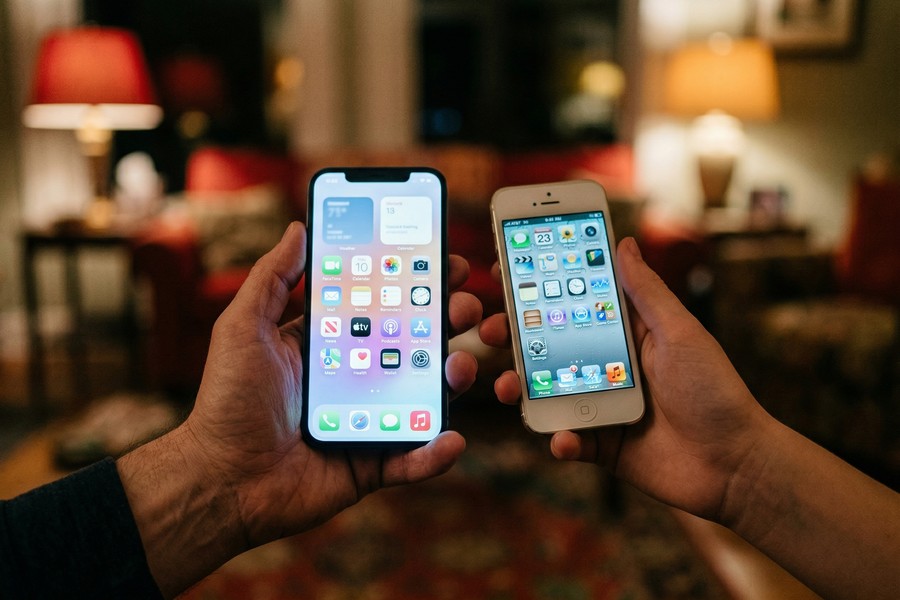
According to Apple’s official iOS compatibility page, approximately 12% of active iPhones still run iOS 15 or earlier as of 2024. If you unsend a message to someone on iOS 15, the original message remains on their screen and the deletion has no effect on their device — only yours.
Unsending an iMessage to someone on iOS 15 or earlier does NOT remove the message from their device. It only deletes it from your own screen, potentially creating a confusing and one-sided conversation record.
The 2-minute limit is also strictly enforced by Apple’s servers. After 120 seconds, the “Undo Send” option disappears entirely and the message is permanently delivered. Planning ahead — or acting within seconds of sending — is the only way to use this feature effectively.
Can You Delete a WhatsApp Message Without the Other Person Seeing?
WhatsApp’s “Delete for Everyone” feature removes the message content from both sides of the conversation, but it replaces it with a visible “This message was deleted” placeholder — meaning the recipient always knows a message existed and was removed, even if they cannot read what it said.
WhatsApp’s Deletion Window and Rules
As of 2024, WhatsApp allows deletion for everyone up to 60 hours (approximately 2.5 days) after a message is sent, according to the WhatsApp Help Center’s official Delete for Everyone page. This is a significant expansion from the original 7-minute window introduced in 2017.
To delete for everyone on WhatsApp, press and hold the message, tap the trash icon or “Delete,” then select “Delete for Everyone.” The action applies across iOS, Android, and WhatsApp Web simultaneously.
What the Recipient Actually Sees
The recipient sees: “This message was deleted.” This placeholder is visible in the chat thread, in notification history on Android devices, and in WhatsApp Web. There is no way to suppress it through official WhatsApp features.
WhatsApp serves over 3 billion monthly active users across more than 180 countries, making it the world’s most-used messaging platform and its deletion policies among the most consequential for digital communication privacy (Statista, 2024).
One partial workaround: if you act before the recipient opens WhatsApp and before their device downloads the message, some Android users report that fast deletion prevents the push notification preview from containing full message text. However, this is inconsistent across device manufacturers and Android versions, and should not be relied upon.
How Do You Unsend an Instagram DM Secretly?
Instagram allows you to unsend a direct message at any time, with no expiration window — simply press and hold the message and tap “Unsend.” Unlike WhatsApp, Instagram does not leave a “message was deleted” placeholder in most cases, making it one of the cleaner unsend experiences available in 2025.
How Instagram’s Unsend Feature Works
According to the Meta Help Center’s Instagram Direct Messaging guide, unsending removes the message from both the sender’s and recipient’s view of the conversation thread. There is no timestamp stub or deletion indicator left behind in the chat interface itself.
However, the same push notification problem applies here. If the recipient’s phone displayed a notification preview before you unsent the message, that preview may still be visible in their notification center — even after the message is gone from the app.
The Notification Preview Caveat
Instagram DM notifications on both iOS and Android show message text in the preview by default. The only reliable way to prevent this is to have the recipient’s notification previews disabled for Instagram before the message is sent — a setting you cannot control from your end.
Before sending a sensitive Instagram DM, go to your own notification settings and review what message preview level you have enabled. While this does not control the recipient’s device, it reminds you to think twice before sending messages that cannot be fully recalled.
Instagram’s no-time-limit unsend policy makes it the most forgiving major platform for message retraction. Just keep in mind: if the conversation involves a Meta Business account or a verified creator account, additional message logging rules may apply under Meta’s data retention policies.
How Do You Unsend a Message on Android and Google Messages?
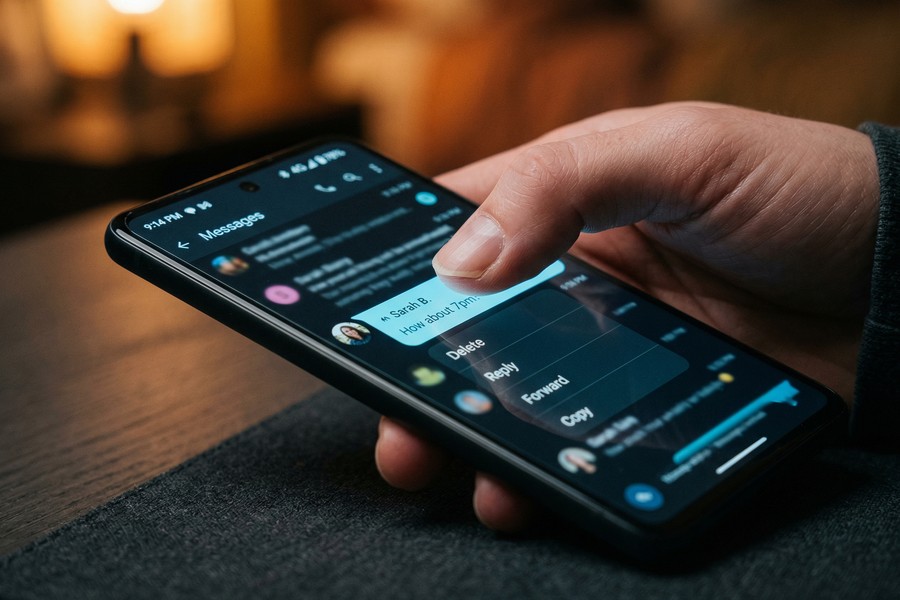
Google Messages, the default SMS and RCS app on most Android devices, introduced a limited unsend feature for RCS (Rich Communication Services) chats — but it only works within a very short window and only when both parties use RCS-enabled Google Messages. Standard SMS messages cannot be unsent at all.
RCS vs. SMS: A Critical Distinction
RCS (Rich Communication Services) is the modern successor to SMS, supported by Google Messages, and since iOS 18, partially supported by Apple as well. RCS messages sent via Google Messages can be deleted if you act within approximately 60 seconds of sending, according to Google Messages Help documentation.
Standard SMS messages, once sent, are delivered directly to the carrier network and cannot be recalled by any means. There is no server intermediary to intercept the delivery. If you sent an SMS, it is gone and beyond reach.
How to Delete an RCS Message on Google Messages
- Open Google Messages immediately after sending.
- Long-press the message bubble.
- Tap “Delete” from the options menu.
- Confirm deletion — you will see an option to “Delete for everyone” if RCS is active.
As with iMessage, a deletion notification may appear on the recipient’s end. Google Messages does not always leave a visible stub, but the behavior varies depending on the recipient’s app version and Android OS version.
What Are the Unsend Options on Telegram and Signal?
Telegram offers the most powerful unsend capability of any major messaging app — you can delete messages for everyone with no time limit, in any chat type, and without leaving any deletion notice in most configurations. Signal also allows deletion for everyone, but leaves a brief “deleted message” indicator.
Telegram’s Deletion Features
Telegram allows users to delete any message, at any time, for all participants in a conversation — including messages sent years ago. According to Telegram’s official FAQ, this applies to private chats and does not leave a placeholder or deletion notice by default. This makes Telegram the closest available option to a true “unsend message secretly” experience among major platforms.
In group chats, admins can delete any member’s messages. In private chats, each user can delete their own messages and, crucially, messages sent by the other person — a feature unique to Telegram among mainstream apps.
Signal’s Approach to Message Deletion
Signal, developed by the Signal Foundation and widely recommended by organizations like the Electronic Frontier Foundation for its privacy standards, also supports “Delete for Everyone.” However, Signal displays a brief system message indicating that content was deleted, visible to all parties in the conversation.
Signal’s “Note to Self” feature allows you to send test messages to yourself before sending to others — a useful habit for avoiding regrettable sends in the first place.
“End-to-end encryption protects message content in transit, but it does not protect you from the social visibility of a deleted message indicator. If you want a conversation to feel uninterrupted, your best tool is not the delete button — it is slowing down before you send.”
Can You Unsend Facebook Messenger Messages Without a Trace?
Facebook Messenger allows you to “Remove for Everyone” within a 10-minute window after sending, after which the option disappears permanently. A “You removed a message” notice is visible to the recipient, so complete secrecy is not possible through official means.
How to Use Messenger’s Remove Feature
To unsend a Messenger message, press and hold the message, tap “Remove,” then select “Remove for Everyone.” This works on both iOS and Android versions of the Meta-owned Messenger app. The 10-minute window is enforced server-side, according to Meta’s Messenger Help Center.
After removal, the chat thread shows a grey italicized line: “You removed a message.” This cannot be hidden. Recipients who were actively viewing the conversation at the time of sending may have seen the full content before deletion completed.
Messenger’s Vanish Mode
Meta introduced Vanish Mode for Messenger as a proactive solution — messages sent in Vanish Mode disappear automatically after they are seen and the chat is closed. This is a better option than retroactive deletion for sensitive conversations, as it eliminates the need to unsend at all.
Vanish Mode is available in Messenger and Instagram DMs. It must be enabled before sending — you cannot apply it retroactively to messages already delivered.
Facebook Messenger’s “Remove for Everyone” feature was introduced in 2018, partly in response to controversy over executives having the ability to unsend messages from recipients’ inboxes — a capability general users did not yet have at the time.
Does the Airplane Mode Trick Actually Work to Unsend Messages Secretly?
The Airplane Mode trick — enabling flight mode immediately after sending to interrupt delivery, then deleting the message before reconnecting — works inconsistently and is reliable only in specific scenarios with iMessage and some RCS configurations. It does not work for most server-based apps like WhatsApp, Telegram, or Instagram.
When Airplane Mode Can Help
For iMessage specifically, if you enable Airplane Mode within approximately 1 second of sending and the message shows a “Sending…” status, there is a narrow window where you can delete the message before it fully transmits. The key conditions:
- The message must still show “Sending…” (not “Delivered”) when you enable Airplane Mode.
- You must delete the message while offline.
- You must then turn off iMessage or stay in Airplane Mode long enough for the server to not queue the message for later delivery.
This tactic requires acting within roughly 1-3 seconds of sending — an extremely narrow window under real-world conditions. It is not a reliable strategy for most users.
Why It Fails for WhatsApp and Others
WhatsApp, Instagram, and Telegram all queue messages on their servers independently of your device’s network status. Once a message reaches WhatsApp’s servers — which happens almost instantly on a stable connection — Airplane Mode on your device has no effect. The message is already staged for delivery to the recipient.
The average 4G LTE message transmission to a server takes approximately 50-150 milliseconds — far faster than the human reaction time of roughly 250 milliseconds needed to enable Airplane Mode after hitting send (IEEE Communications Society, 2022).
The Airplane Mode trick is largely a myth for modern messaging apps. The more reliable approach is to understand each platform’s official deletion tools and use them within the stated time windows.
Which Messaging App Is Best for Sending Messages You Might Need to Retract?
Telegram is the most forgiving platform for message retraction — it offers unlimited deletion time, no deletion placeholder, and no notification to the other party in private chats. For users who regularly need the ability to unsend a message secretly, Telegram’s deletion policy is unmatched among mainstream apps as of July 2025.
Platform-by-Platform Comparison
| Platform | Unsend Window | Deletion Notice to Recipient | No-Trace Possible? |
|---|---|---|---|
| Telegram | Unlimited | None (private chats) | Yes — best option |
| Unlimited | None in chat (push notification may exist) | Partial | |
| iMessage | 2 minutes | “You unsent a message” indicator | No |
| 60 hours | “This message was deleted” placeholder | No | |
| Facebook Messenger | 10 minutes | “You removed a message” indicator | No |
| Signal | Unlimited | Brief system deletion indicator | Partial |
| Google Messages (RCS) | ~60 seconds | Varies by app version | Partial |
| SMS (standard) | None | N/A — cannot be unsent | No |
Best Apps for Proactive Privacy
If unsend capability is a regular concern, consider using apps with built-in disappearing message features instead of relying on post-send deletion. Telegram’s Secret Chats, Signal’s Disappearing Messages, and Messenger’s Vanish Mode all offer timer-based auto-deletion that avoids the need to unsend manually.
Managing your communication habits thoughtfully — much like managing financial habits — reduces the need for damage control after the fact. Just as the patterns described in how small decisions grow into larger consequences apply to personal finance, the same principle holds true in digital communication: small choices about where and how you send sensitive messages compound over time.
“Users consistently overestimate how ‘deleted’ their deleted messages actually are. The correct mental model is not ‘this message is gone’ — it is ‘this message is no longer visible in the default view.’ Metadata, backups, and screenshots exist outside any app’s deletion scope.”
What Are the Privacy and Legal Implications of Unsending Messages?
Unsending a message removes it from standard view, but it does not erase it from backups, server logs, or legal discovery processes. In contexts involving litigation, employment disputes, or law enforcement requests, deleted messages may still be recoverable — and attempting to destroy them after a legal hold is issued can constitute obstruction.
What “Deleted” Really Means for Your Data
Most messaging platforms retain message metadata (timestamps, sender/recipient identifiers, message length) even after content deletion. WhatsApp, for instance, stores message backups on Google Drive or iCloud depending on the user’s settings, and those backups are not automatically updated to reflect in-app deletions in real time.
According to the FTC’s consumer data privacy guidance, users should assume that any digital message may persist in some form beyond the visible interface. End-to-end encryption (used by Signal and WhatsApp) protects content from interception in transit, but does not prevent either party from screenshotting or backing up messages before deletion.
Legal Scenarios Where Deletion Matters
| Scenario | Risk Level | Relevant Authority |
|---|---|---|
| Workplace harassment complaint | High — messages may be subpoenaed | EEOC, employer HR |
| Civil litigation | High — deletion after legal hold = obstruction risk | Federal Rules of Civil Procedure |
| Criminal investigation | Very High — law enforcement warrants can compel platform data | DOJ, local law enforcement |
| Divorce proceedings | Moderate — family courts may request device forensics | State family courts |
| Personal regret (no legal involvement) | Low — standard platform deletion sufficient | N/A |
The most common use case — personal regret over a poorly worded message — carries no legal risk, and standard platform deletion tools are entirely appropriate. Understanding that these tools exist, how they work, and their limitations helps you make better communication decisions going forward.
The emotional dimension of digital communication is significant. Many people experience real stress after sending a message they wish they could take back — a feeling deeply connected to the broader emotional weight that comes from feeling out of control in important areas of life. Knowing your tools reduces that anxiety considerably.

Under the Electronic Communications Privacy Act (ECPA), U.S. law enforcement agencies can obtain stored electronic communications — including messages you believe you have deleted — with a valid court order or subpoena directed at the messaging platform, not your device.
Real-World Example: The Cost of Sending Before Thinking
Jordan, 29, sent a frustrated text to a work colleague using WhatsApp at 11:47 PM on a Tuesday night after a stressful project review. Within 4 seconds, Jordan regretted the message and attempted to delete it. The “Delete for Everyone” option worked successfully — the message content was removed within the 60-hour window. However, the colleague had already received a push notification preview on their locked screen showing the first 65 characters of the message. The message was gone from the chat, but the preview had been read. Jordan’s attempt to unsend a message secretly was partially successful: the chat thread was clean, but the notification preview had already done its damage. The lesson: Jordan began using Telegram’s Secret Chats for sensitive work communication going forward, enabling a 24-hour disappearing message timer by default — eliminating the need for any post-send deletion entirely. The shift took 10 minutes to implement and required no technical expertise.
Your Action Plan
-
Identify which platform you most frequently use for sensitive messages
Review the comparison table above and note your primary messaging app’s deletion window and notification behavior. Knowing your platform’s rules before you need them is the single most effective preparation step.
-
Disable message preview notifications on your own device immediately
On iPhone, go to Settings > Notifications > Messages and set “Show Previews” to “Never.” On Android, go to Settings > Notifications > your messaging app and disable “Show message content.” While this does not control the recipient’s settings, it builds a privacy-conscious habit and reminds you to think before sending.
-
Switch to Telegram for conversations where retraction may be needed
Download Telegram from the App Store or Google Play and enable Secret Chats for sensitive conversations. Go to the chat, tap the contact name at the top, and select “Start Secret Chat.” Set a self-destruct timer under “Set Self-Destruct Timer” — options range from 1 second to 1 week.
-
Enable Disappearing Messages on Signal or WhatsApp for ongoing sensitive chats
In Signal, open a conversation, tap the contact name, and enable “Disappearing Messages” with your preferred timer. In WhatsApp, open a chat, tap the contact name, and select “Disappearing Messages.” This proactive step eliminates the need to unsend a message secretly after the fact.
-
Act within the deletion window if you need to unsend right now
For iMessage: act within 2 minutes. For Messenger: act within 10 minutes. For WhatsApp: you have up to 60 hours. Open the chat immediately, press and hold the message, and select the deletion or unsend option. Speed is critical — every second of delay increases the chance the recipient has already seen the notification preview.
-
Check your cloud backup settings to understand your actual data footprint
On iPhone, go to Settings > Your Name > iCloud > Manage Storage > Backups to see if your messages are backed up. On Android, open Google Drive, tap the menu, and go to Backups. Understanding what is retained beyond the app itself gives you a realistic picture of your digital footprint after any deletion.
-
For workplace or legally sensitive messages, consult legal guidance before deleting
If your situation involves employment, litigation, or law enforcement, consult a qualified attorney before deleting any messages. The American Bar Association’s Free Legal Help directory can connect you with resources in your area. Deleting messages after a legal hold is issued can create far greater problems than the original message.
-
Build a long-term habit of pausing before sending high-stakes messages
The most effective unsend strategy is not sending regrettable messages in the first place. The habits that protect your financial decisions — like those explored in discussions of foundational decision-making skills — apply equally to digital communication. A 10-second pause before sending emotionally charged messages reduces the need for deletion by a significant margin.
Frequently Asked Questions
Can you unsend a message secretly without the other person knowing at all?
On Telegram (private chats), you can delete a message for everyone with no time limit and no deletion notice, making it the closest option to truly unsending a message secretly. On all other major platforms — including iMessage, WhatsApp, and Messenger — some form of deletion indicator or notification preview makes complete secrecy difficult to guarantee.
Does WhatsApp tell the other person when you delete a message?
Yes. WhatsApp always replaces deleted messages with the text “This message was deleted,” which is visible to the recipient in the chat thread. The recipient cannot see the original content, but they can see that a message existed and was removed. There is no way to suppress this notice through official WhatsApp features.
How long do you have to unsend a message on iMessage?
You have exactly 2 minutes from the time of sending to use the “Undo Send” feature in iMessage on iOS 16 or later. After that window closes, the option disappears permanently. Additionally, if the recipient is on iOS 15 or earlier, the message is not removed from their device regardless of when you delete it.
Can you unsend a text message (SMS)?
No. Standard SMS messages are delivered directly through cellular carrier networks and cannot be recalled by any app or setting. Once an SMS is sent and the carrier delivers it, there is no mechanism — technical or otherwise — to remove it from the recipient’s device. This is a fundamental limitation of the SMS protocol itself.
Does Instagram notify someone when you unsend a DM?
Instagram does not leave a deletion notice in the chat thread when you unsend a DM — the message simply disappears. However, if the recipient received a push notification before you deleted the message, that notification may still contain the message preview in their notification center, depending on their device settings.
What happens to unsent messages in backups?
Deletion within an app does not automatically delete the message from device or cloud backups. On iOS, iMessage backups via iCloud may retain message history that predates the deletion. On Android, Google Drive backups of messaging apps may similarly retain deleted content until the next backup cycle overwrites the data.
Can screenshots defeat an unsend?
Yes, entirely. If the recipient screenshots your message before you delete it, the screenshot exists on their device permanently regardless of any in-app deletion. No platform has the ability to delete a screenshot from another person’s device. Most platforms (including Snapchat and Instagram) notify senders when screenshots are taken, but this notification occurs after the fact.
Is using the Airplane Mode trick to unsend messages effective?
The Airplane Mode trick is unreliable for most modern messaging apps. It only has a chance of working on iMessage when the message is still in “Sending…” status, which requires acting within roughly 1-3 seconds. For WhatsApp, Telegram, Instagram, and similar apps, messages reach the server before you can realistically react, making Airplane Mode ineffective.
Which app has the longest window to unsend a message?
Telegram and Instagram both allow deletion with no time limit — you can remove messages sent months or years ago. WhatsApp offers the next most generous window at 60 hours. Facebook Messenger limits deletion to 10 minutes, and iMessage to just 2 minutes, making them the most restrictive of the major platforms.
Does Snapchat allow you to delete messages secretly?
No. Snapchat notifies the other user when any message is deleted, 100% of the time, by design. The notification reads “[Username] deleted a message.” Snapchat’s architecture is built around visibility of actions — including deletions — as a core privacy and consent feature. There is no workaround available through the official app.
Sources
- Apple Support — Use Undo Send in Messages on iPhone
- WhatsApp Help Center — Delete Messages for Everyone
- Meta Help Center — Instagram Direct Messaging Overview
- Google Messages Help — Delete and Manage Messages
- Telegram FAQ — Can I Delete My Messages?
- Meta Help Center — Remove Messages in Messenger
- Pew Research Center — How Americans Navigate Privacy in Everyday Life (2023)
- Statista — Most Popular Mobile Messenger Apps Worldwide (2024)
- Electronic Frontier Foundation — Signal Secure Messaging Can Leave a Metadata Trail
- Federal Trade Commission — Protecting Consumer Privacy and Security
- Apple Support — iOS Version Compatibility Reference
- American Bar Association — Free Legal Help Directory