Quick Answer
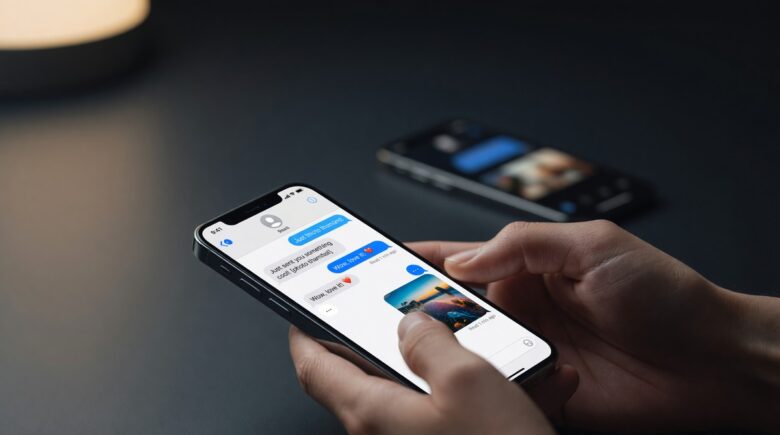
Apple added RCS (Rich Communication Services) support to iPhones with iOS 18 in September 2024, replacing SMS as the default protocol for texting Android users. RCS brings read receipts, typing indicators, high-resolution media, and better group chats to cross-platform conversations, but it isn’t end-to-end encrypted by default the way iMessage is, so sensitive conversations still deserve a more private option.
Updated July 2026
Green bubbles used to mean broken group chats, blurry photos, and read receipts that never arrived. Apple changed that in September 2024, when iOS 18 quietly folded support for Rich Communication Services (RCS) into the Messages app, the standard the GSMA and Google had pushed for more than a decade. Texting an Android user from an iPhone no longer means falling back to a protocol built for flip phones.
More than 3.5 billion people send text messages every day, according to Statista, and most of those messages still travel over infrastructure that predates the smartphone itself. This piece walks through what RCS actually changes on your iPhone, what it doesn’t fix, and where its privacy protections still fall short of iMessage.
Key Takeaways
- Apple added RCS support to iPhones with iOS 18, released in September 2024, ending years of SMS-only cross-platform texting.
- RCS delivers read receipts, typing indicators, and high-quality media sharing between iPhone and Android users without a third-party app.
- RCS messages are not end-to-end encrypted by default on iPhone, iMessage still offers stronger privacy for Apple-to-Apple conversations.
- Carriers must support RCS for the feature to activate, most major US carriers, including AT&T, Verizon, and T-Mobile, now do.
What Is RCS Messaging, and Why Does It Matter?
Rich Communication Services (RCS) is a messaging protocol built to replace SMS and MMS. Think of it as SMS rebuilt for the smartphone era. It lives inside your phone’s native messaging app, not a separate download you have to go hunting for.
The GSMA, the industry body that oversees mobile standards, has pushed RCS for more than a decade through its RCS Universal Profile. That profile sets shared rules for typing indicators, read receipts, high-quality media, and, in later versions, end-to-end encryption, so the feature behaves the same whether you’re on a Samsung Galaxy or a Google Pixel. Google adopted the standard aggressively on Android years ago. Apple held out, until regulatory pressure, including a 2024 Department of Justice antitrust lawsuit that flagged messaging interoperability as a competitive concern, and mounting user frustration made staying out no longer viable.
The scale of the shift is tangible. 68% of all active iPhones were already running iOS 18 by January 2025, according to Apple’s adoption data, which means a clear majority of iPhone users gained RCS access within months of launch. On the business side, global RCS business messaging traffic hit 33 billion messages in 2024 and is projected to climb further, per Juniper Research. That volume tells you the protocol is already woven into how companies reach customers. By 2025, global RCS business messaging traffic is expected to reach 50 billion messages, a 50% increase from the prior year, highlighting how quickly enterprises are adopting the platform for customer engagement.
If you want a deeper breakdown of how the protocol itself works, our guide on what RCS messaging is and how it works covers the technical side in plain language.
How Apple Finally Added RCS Support on iPhone
Apple announced RCS support at WWDC 2023 and shipped it with iOS 18 in September 2024. The rollout was quiet. No keynote moment, no big marketing push, just a changelog entry. But the impact was immediate for anyone who regularly texts Android users.
On an iPhone running iOS 18 or later, RCS activates automatically once your carrier turns it on. There’s no hidden setting to dig for. If your carrier is compatible, Messages simply starts using RCS the next time you chat with an Android contact.
How to Check If RCS Is Active on Your iPhone
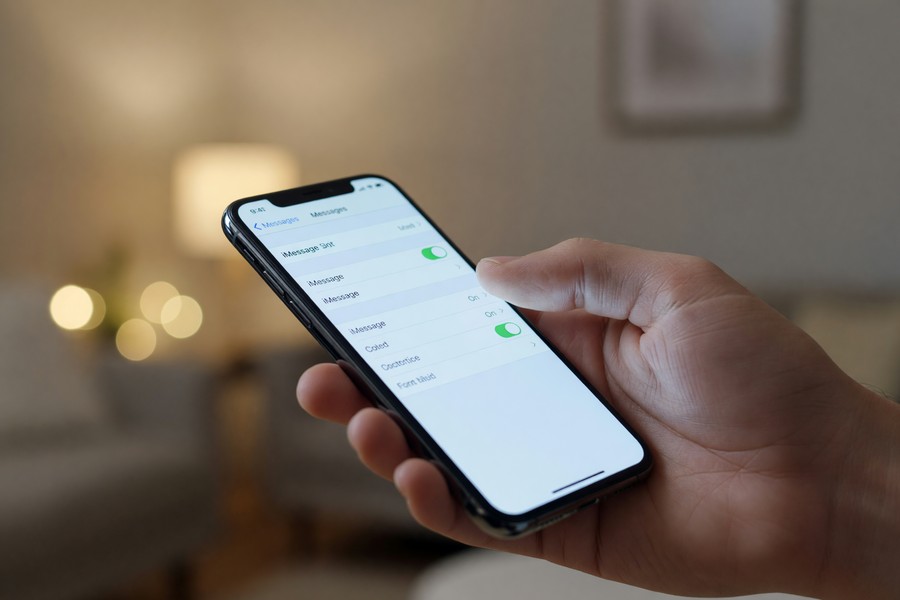
Open Settings → Apps → Messages. Scroll down and look for “RCS Messaging.” If you see a toggle and it’s on, you’re good. No toggle at all usually means your carrier, whether that’s AT&T, Verizon, T-Mobile, or a smaller regional provider, hasn’t switched it on for its network yet.
In a conversation, RCS chats still appear with a green bubble. Apple hasn’t touched the color coding. But you’ll notice read receipts and the three-dot typing indicator, both absent from a standard SMS thread.
What RCS Features You Actually Get on iPhone
The feature jump from SMS to RCS is big. Here’s what changes when texting an Android user once RCS activates:
- Read receipts (you can see when your message was read)
- Typing indicators (the three-dot bubble)
- High-resolution photo and video sharing
- Audio messages
- Improved group chats with named groups and member management
- Larger file transfer limits, up to around 100MB depending on carrier
Here’s how the three protocols actually compare, feature by feature:
| Feature | SMS/MMS | RCS | iMessage |
|---|---|---|---|
| Read receipts | No | Yes | Yes |
| Typing indicators | No | Yes | Yes |
| Max file size | ~1MB (MMS) | Up to 100MB | Up to 100MB (Wi-Fi) |
| End-to-end encryption | No | No (by default) | Yes, since launch |
| Requires data connection | No | Yes | Yes |
| Standard launched | 1992 | 2024 on iPhone (iOS 18) | 2011 |
These features have existed in iMessage for years. RCS finally extends most of them to cross-platform conversations. For a side-by-side breakdown, see our comparison of SMS vs RCS and what the difference actually means for everyday users.
Group chats get a real upgrade too. Adding an Android user to an iPhone group used to downgrade the whole thread to MMS. With RCS, that degradation no longer happens, at least when everyone involved is on an RCS-capable device.
Adoption is moving fast in some markets. In France, 50 million smartphones were RCS-compatible by the end of 2025, reaching 83% national coverage, according to AF2M. Those figures show what a carrier-led rollout looks like when the major players align behind the protocol. That level of penetration means businesses can now reach over 8 in 10 mobile users in France with rich, interactive messages, far beyond what SMS could offer.
RCS Privacy and Encryption on iPhone: What You Need to Know
Here’s the catch Apple doesn’t advertise loudly: RCS messages are not end-to-end encrypted by default. The current standard used between carriers doesn’t include E2EE. Your carrier, and potentially others sitting on the network path, can technically read the contents of your RCS messages.
iMessage, by contrast, has been end-to-end encrypted since launch. For sensitive conversations, sticking to iMessage (iPhone to iPhone) or a dedicated private app is still the smarter call. The CISA strongly urges highly targeted individuals to immediately review and apply best practices for protecting mobile device communications, and that guidance applies squarely here.
When to Use a More Private Option
Sharing financial details, health information, or anything sensitive with an Android user? Don’t rely on RCS alone. Apps like Signal offer full end-to-end encryption regardless of the recipient’s device. Our guide on Signal vs Telegram and which app keeps messages private can help you decide which tool fits your needs.
Even with RCS turned on, metadata, meaning who you message and when, is still visible to carriers. If that concerns you, read up on what message metadata is and who can see it.
There’s ongoing work within the GSMA to build an end-to-end encryption standard for RCS that works across manufacturers, not just inside one company’s app. Google has already rolled out E2EE in Google Messages for Android-to-Android RCS chats. The FTC has recommended steps to improve mobile device security based on information gathered from manufacturers, and interoperable encryption fits squarely within that broader push.

How RCS and iMessage Differ on Your iPhone
RCS does not replace iMessage. The two systems run side by side. Message another iPhone user, and your device defaults to iMessage’s blue bubble. Message an Android user with RCS enabled, and you get a green bubble, just one with a lot more going on under the hood than a plain SMS.
What RCS Still Can’t Do That iMessage Can
RCS doesn’t yet support message reactions that translate cleanly across platforms. An Android user’s thumbs-up reaction to your RCS message will show up, but it may render differently than an iMessage Tapback. The experience isn’t fully unified.
RCS also lacks iMessage’s animated Tapbacks, message effects, and SharePlay integration. Those stay exclusive to Apple’s own protocol for now. Treat RCS as a solid foundation, not a full replacement for iMessage.
RCS Security Risks to Watch Out For
A richer protocol means a bigger attack surface. RCS phishing, sometimes called “smishing,” is already climbing as the technology goes mainstream, and both the FCC and FTC have flagged text-based phishing as a growing complaint category. Fraudsters can now send convincing, link-rich messages that look almost identical to a legitimate business alert.
If you’re unfamiliar with how these scams work, our explainer on smishing and how to protect yourself from text scams is worth reading before RCS becomes fully normalized on your device.
Be skeptical of any RCS message with links or requests for personal information, even if it looks professional. The richer formatting RCS allows makes fake messages easier to disguise as the real thing. NIST publishes recommendations for deployment, use, and disposal of mobile devices throughout their life cycle, and those principles apply to securing your messaging workflow as much as the hardware itself.
Frequently Asked Questions
Does RCS on iPhone work with all Android phones?
Not automatically. RCS works between iPhone and Android when both devices support the protocol and both carriers have enabled it. Most Android phones running Android 5.0 or later support RCS through Google Messages, but if the Android user’s carrier hasn’t turned it on, the chat falls back to SMS.
Will my messages still show as green bubbles after RCS is enabled?
Yes. Apple hasn’t changed the bubble color system at all. Green still means a non-iMessage conversation, whether that’s plain SMS or upgraded RCS. The real difference shows up inside the chat: read receipts and typing indicators appear on RCS threads but not on standard SMS ones.
Does RCS on iPhone drain more battery than regular SMS?
Barely. RCS uses a data connection instead of the cellular SMS channel, so it consumes slightly more data and processing power. For most users the difference is negligible; on a very limited data plan, it’s worth keeping an eye on, but daily battery impact is minimal.
Can I turn off RCS on my iPhone if I don’t want it?
Yes, in one step. Go to Settings → Apps → Messages and toggle off “RCS Messaging.” Your device reverts to SMS and MMS for non-iMessage contacts, which can help if a specific carrier or contact is causing compatibility issues.
Is RCS available on older iPhones?
Only on models that support iOS 18. That means iPhone XS and newer, including the SE (2nd generation and later). Anything older stays on SMS and MMS for cross-platform texting indefinitely.
Does RCS cost extra or use up more of my data plan?
No, RCS itself is free through your carrier’s Messages app. It does use mobile data or Wi-Fi instead of the traditional SMS channel, so heavy photo and video sharing over RCS will count against your data allowance the way any data-based app would.
Can I send RCS messages internationally?
It depends on both carriers. RCS works across borders only when both the sender’s and recipient’s carriers support the protocol and have RCS interconnection agreements in place. Many international carriers still don’t, so cross-border texts often fall back to SMS.
Does RCS support group chats with mixed iPhone and Android users?
Yes, and this is one of the biggest upgrades. Mixed groups no longer downgrade automatically to MMS the way they used to; as long as every participant’s device and carrier support RCS, the group keeps read receipts, named titles, and high-quality media sharing.
Is RCS the same thing as WhatsApp or other messaging apps?
No. RCS is a carrier-level protocol built into your phone’s default Messages app, while WhatsApp, Signal, and Telegram are separate apps that route messages over the internet through their own servers. Third-party apps generally offer stronger, more consistent end-to-end encryption than RCS currently does.
Why do some Android messages still show as SMS instead of RCS on my iPhone?
Usually a carrier gap. If either your carrier or the recipient’s carrier hasn’t activated RCS, or the recipient’s phone is too old to support it, Messages quietly falls back to SMS. Check Settings → Apps → Messages to confirm your own RCS toggle is switched on first.
What simple steps can I take to secure RCS messages on my iPhone?
Start with the basics the CISA lists as fundamental cyber hygiene for mobile devices: keep iOS updated, avoid tapping links from unknown senders, and treat any message requesting personal information as suspicious regardless of how polished it looks. For sensitive conversations, switch to an app with proven end-to-end encryption.
Sources
- GSMA, Rich Communication Services (RCS) Overview
- GSMA Newsroom, RCS Now on iOS: A New Chapter for Mobile Messaging
- Apple, iOS 18 Features Overview
- Apple Support, Use RCS on iPhone
- MacRumors, iOS 18 Adoption Rate Reaches 68% Across All iPhones (Apple Data, January 2025)
- Juniper Research, RCS Business Messaging Traffic to Grow 50% in 2025; Reaching 50 Billion Messages
- AF2M, Le RCS franchit le cap des 50 millions de smartphones compatibles en France
- CISA, Mobile Communications Best Practice Guidance
- NIST, Guidelines for Managing the Security of Mobile Devices in the Enterprise (SP 800-124 Rev. 2)
- CISA, Capacity Enhancement Guide: Mobile Device Cyber Hygiene for Consumers
- FTC, FTC Recommends Steps to Improve Mobile Device Security Update Practices
- Statista, Mobile Messaging Statistics Worldwide
- SnapMessages, What Is RCS Messaging and How It Works
- SnapMessages, SMS vs RCS: What the Difference Actually Means
- SnapMessages, Signal vs Telegram: Which App Keeps Messages Private






