
Quick Answer
Spyware is software that secretly collects data from your phone, location, messages, passwords, and sends it to a third party without your knowledge. To remove it: run a scan with Malwarebytes, Bitdefender, or Lookout; delete flagged apps; change your passwords; and if the problem persists, perform a factory reset. Prevention starts with downloading apps only from the official App Store or Google Play and keeping your operating system updated.
Updated July 2026
Your battery drains faster than usual, data usage has spiked, and the phone runs warm even when you’re not using it. These are classic signs of spyware on phone, and they’re easy to miss until damage is already done.
According to the Federal Trade Commission, millions of consumers are affected by stalkerware and spyware every year. Below, you’ll find exactly what spyware is, how it reaches your device, and the step-by-step process to remove it.
Key Takeaways
- Spyware can run silently in the background, with victims often unaware for weeks or months before noticing unusual phone behavior.
- In 2025, Kaspersky blocked 14,059,465 mobile malware, adware, and unwanted software attacks according to its annual threat report.
- Resetting your phone to factory settings is the most reliable way to remove deeply embedded spyware.
- Installing a reputable mobile security app reduces your risk of reinfection by catching threats before they take hold.
What Is Spyware?
Spyware is malicious software that secretly collects data from your device without your knowledge. It can track your location, read your messages, record calls, and capture passwords, all while you go about your day with no idea it’s running.
Unlike viruses, spyware doesn’t usually damage your phone directly. It quietly sends your personal information to a third party, whether that’s a hacker, an abusive partner, or a data broker. That’s what makes it especially dangerous: the harm is often invisible until accounts are compromised or private information surfaces somewhere it shouldn’t.
Types of Spyware to Know
Stalkerware is built for monitoring someone without their consent, typically installed by someone who has physical access to your phone. Keyloggers record every keystroke you type. Adware spyware tracks browsing habits and sells that data to advertisers. Each type has a different purpose, but the privacy violation is the same. Adware accounted for 62% of all mobile threat detections in 2025, making it the most common form of unwanted mobile software.
There’s also commercial spyware, marketed as parental control or employee monitoring software but frequently misused. Pegasus, developed by NSO Group, is perhaps the most widely reported example, capable of compromising both Android and iOS devices with no interaction from the target. If you’re concerned your messages are being tracked, our guide on how to tell if your messages are being monitored covers more warning signs.
| Spyware Type | Primary Method | Data Targeted | Typical Source |
|---|---|---|---|
| Stalkerware | Physical device access | Location, calls, messages | Third-party app stores, sideloaded APKs |
| Keylogger | App install or phishing link | Passwords, PINs, typed text | Malicious apps, infected email attachments |
| Adware Spyware | Bundled with free apps | Browsing history, ad clicks | Unofficial app stores, free utility apps |
| Commercial Spyware (e.g., Pegasus by NSO Group) | Zero-click exploit | Full device access | Targeted delivery; no user action required |
| Banking Trojans | Phishing SMS or app overlay | Banking credentials, OTP codes | Smishing links, fake banking apps |
How Spyware Gets on Your Phone
The most common route is a malicious app download, from a third-party store or disguised as a legitimate app on an official marketplace. Once installed, it quietly requests permissions to access your contacts, camera, and microphone. Google Play Protect and Apple’s App Review process catch many of these, but not all. In 2025 alone, Kaspersky detected 815,735 new unique malicious mobile installation packages, showing the scale of the threat.
Consider the arithmetic: of the 14,059,465 mobile threats Kaspersky blocked in 2025, adware accounted for 62%. That’s roughly 8.7 million adware detections, or more than 23,000 per day. The 815,735 new unique malicious packages discovered that year means attackers averaged over 2,200 new packages daily. Meanwhile, the 255,090 new banking Trojan packages represent nearly one in three (31.3%) of those new malicious packages.
Physical Access Installs
Someone who knows your passcode can install spyware directly on your phone in under two minutes. This is the most common method in domestic abuse situations. If you’ve handed your phone to someone you don’t fully trust, that risk is real.
Spyware Warning Signs
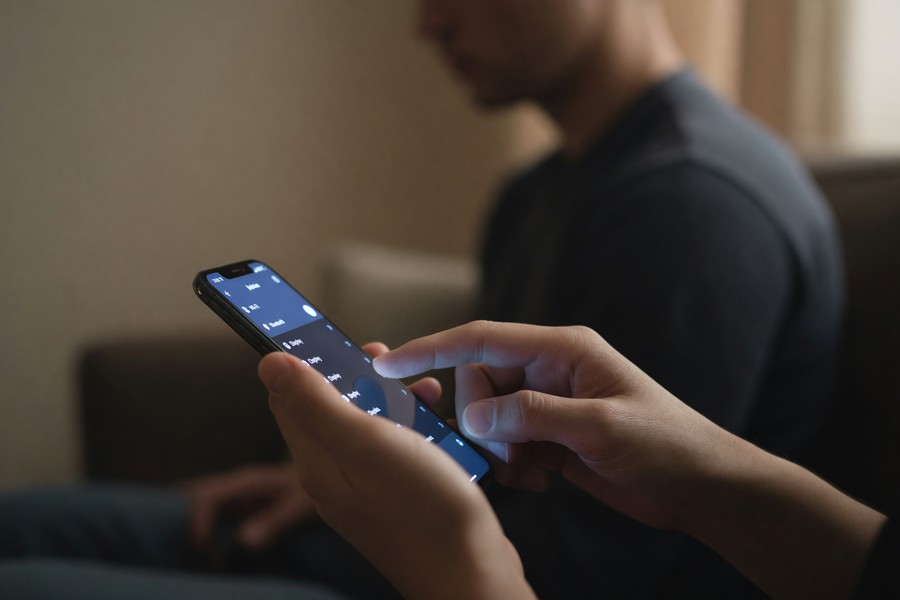
Your phone may be running hot, draining its battery unusually fast, or consuming more mobile data than normal. Spyware runs constantly in the background, transmitting data, which burns through both processing power and your data plan. These symptoms alone aren’t conclusive, but together they’re worth investigating.
Other warning signs include apps you don’t remember installing, your screen lighting up when the phone is idle, and strange noises during calls. A sluggish phone with no obvious explanation is worth checking. For a broader checklist, see our guide on how to tell if your phone has been hacked.
Checking App Permissions
Go into your phone’s settings and review which apps have access to your location, microphone, and camera. If an app you barely use has full access to everything, that’s a red flag. Revoke any permissions that seem unnecessary or suspicious. On Android, you can find this under Settings > Privacy > Permission manager; on iOS, it’s under Settings > Privacy & Security.
How to Remove Spyware
Start by running a scan with a reputable mobile security app. Tools like Malwarebytes, Bitdefender, or Lookout are widely trusted for identifying spyware on phone systems quickly. A scan takes a few minutes and flags suspicious apps automatically.
If the scan finds something, follow the removal instructions carefully and delete any flagged app immediately. Then change your passwords, start with your email account, since that’s the gateway to account recovery everywhere else. Our guide on creating a strong password you can actually remember is a useful next step.
One honest caveat: free tiers of security apps like Malwarebytes and Avast catch many known threats, but they may miss newer or more sophisticated spyware strains that haven’t yet been added to their threat databases. Real-time protection and deeper scanning typically require a paid subscription. If you have genuine reason to believe someone installed stalkerware deliberately, the free version probably isn’t enough.
Factory Reset: The Nuclear Option
If you suspect deep or persistent spyware, a factory reset is your most reliable solution. This wipes the device’s storage completely, restoring the phone to its original state. Back up your photos and important files first, but do not restore apps from a backup, since spyware could return with them.
After resetting, reinstall only the apps you know and trust from official sources. Enable two-factor authentication on all your key accounts before logging back in. This prevents anyone who captured your passwords from accessing your accounts even if they still have your credentials.

How to Protect Your Phone From Spyware Going Forward
Only download apps from the official App Store or Google Play. Before installing anything new, check the developer name, the review count, and what permissions the app requests on install. A flashlight app that wants access to your contacts has no legitimate reason for that access.
Keep your operating system updated. Updates from Apple and Google frequently patch security vulnerabilities that spyware strains actively exploit. According to CISA (Cybersecurity and Infrastructure Security Agency), keeping software current is one of the most effective defenses against malware. The UK’s National Cyber Security Centre makes the same recommendation.
Lock Down Your Phone Access
Use a strong PIN or biometric lock. A simple 4-digit code or swipe pattern is far too easy to observe and replicate. Never lend your unlocked phone to someone you don’t fully trust. If you’re worried about communication privacy, our guide on how to set up a secret chat on your phone covers additional layers of messaging security.
If your personal data was exposed in a breach, spyware is sometimes the follow-up attack, attackers use leaked credentials to target the same people a second time. Our article on how to secure your personal data after a data breach walks through the steps to take.
Frequently Asked Questions
Can spyware be installed on an iPhone?
Yes, though it’s less common than on Android. iPhones are more locked down, but jailbroken iPhones are highly vulnerable. Commercial spyware like Pegasus, developed by NSO Group, can infect iPhones without any user action at all, a so-called zero-click exploit that requires no tap on a link, no app download, nothing.
Will a factory reset definitely remove spyware on my phone?
In almost all cases, yes. A factory reset wipes the device’s storage completely, removing spyware along with it. Do not restore from a full app backup afterward, doing so could reinstall the malicious software. Reinstall only apps you recognize, one by one, from official sources.
Can someone install spyware without touching my phone?
Yes, through phishing links, malicious websites, or infected app downloads. You can trigger an install simply by tapping a link in a text or email from an unknown sender. Zero-click exploits used by tools like Pegasus require no interaction at all, though these are typically reserved for high-value targets rather than general consumers.
Is free antivirus software good enough to detect spyware?
Free versions of apps like Malwarebytes or Avast catch many known threats. But they often miss newer strains not yet in their threat databases, and real-time protection generally sits behind a paywall. If you’re dealing with a targeted or persistent threat, the paid tier is worth considering.
How do I know if someone is tracking my location through spyware?
Check your location permissions in settings. If an unfamiliar app has “always on” access to your location, revoke it immediately. Unusual battery drain is also a signal, something is running in the background and transmitting data. On Android, you can check battery usage by app in settings to see what’s consuming the most power.
What’s the difference between spyware and stalkerware?
Stalkerware is a specific category of spyware designed for covert personal surveillance, usually by someone in a relationship with the target. General spyware is often financially motivated, capturing banking credentials or selling browsing data. Stalkerware typically monitors calls, messages, and location in real time and is usually installed with physical access to the device. Organizations like the National Domestic Violence Hotline document its use in controlling relationships.
Can spyware steal my banking information?
Yes. Banking trojans are a class of spyware specifically built to intercept credentials entered into mobile banking apps. Some overlay a fake login screen on top of a real app to capture your username and password before passing you through to the legitimate session. Kaspersky detected 255,090 new mobile banking Trojan installation packages in 2025 alone. If you notice unfamiliar transactions, contact your bank immediately and report it to the FTC at ReportFraud.ftc.gov.
Does Android or iOS have better protection against spyware?
iOS has a stronger default security posture. Apple’s closed ecosystem, strict App Store review process, and sandboxing between apps make it harder for spyware to gain broad permissions. Android’s open architecture allows more flexibility, which also means more attack surface. A properly configured Android device running the latest OS, with Google Play Protect active, offers solid protection for most users. The gap narrows considerably when both platforms are kept updated.
What should I do if I think my employer installed spyware on my work phone?
Employer monitoring on company-owned devices is legal in most jurisdictions, including under guidelines published by the EEOC and interpreted through various state laws. If it’s a company device, assume it’s monitored. If you believe monitoring has moved onto your personal phone without consent, that’s a different matter, document your concerns and consult a privacy attorney. The Electronic Frontier Foundation (EFF) publishes guidance on workplace surveillance rights.
How often should I scan my phone for spyware?
Running a scan once a month with a tool like Malwarebytes or Lookout is a reasonable baseline for most people. If you’ve recently clicked a suspicious link, installed an app from outside the official store, or lent your phone to someone, scan immediately rather than waiting. Real-time protection on paid tiers handles this automatically.
Sources
- CISA, Malware, Phishing, and Ransomware
- Kaspersky Resource Center, What Is Spyware?
- Malwarebytes, Spyware Explained
- FTC Consumer Advice, How to Recognize, Remove, and Avoid Malware
- Kaspersky Securelist, Mobile Threat Report 2025
- Electronic Frontier Foundation, Workplace Privacy
- Federal Trade Commission, ReportFraud
- Apple App Store Review Guidelines
- Malwarebytes Spyware Removal






