
Fact-checked by the SnapMessages editorial team
Quick Answer
The clearest messaging app hacked signs include unexpected password reset emails, messages sent without your knowledge, unfamiliar linked devices, and sudden data spikes. Over 1.4 billion accounts are compromised annually through credential theft and session hijacking. If you spot 2 or more of these warning signs simultaneously, treat your account as actively breached and act immediately.
Updated July 2026
Recognizing messaging app hacked signs early can prevent serious data loss, identity theft, and the exposure of private conversations. According to the FBI’s Internet Crime Report, account takeover complaints are rising steadily, with messaging platforms among the most frequently targeted services.
This guide covers every major warning sign that your messaging app may be compromised, explains how attackers gain access, and tells you exactly what to do next. Whether you use WhatsApp, Telegram, Signal, or iMessage, these indicators apply across all major platforms.
Key Takeaways
- Most hacking-related breaches exploit stolen or weak credentials, making password hygiene the single most effective defense (Verizon 2024 DBIR).
- Unauthorized logins from new devices or locations are among the earliest indicators of a compromised messaging account (CISA Account Takeover Advisory).
- Spyware and stalkerware targeting messaging apps has risen sharply, with Android devices being the primary vector (CISA 2025 Alert).
- Phishing attacks targeting messaging credentials represent a large share of global data breach entry points (Verizon 2024 DBIR).
- Enabling two-factor authentication reduces account takeover risk by up to 99.9% for automated attacks, according to Microsoft Security research.
In This Guide
- What Are the Most Common Messaging App Hacked Signs?
- How Do Hackers Actually Get Into Your Messaging App?
- Are There Platform-Specific Signs on WhatsApp, Telegram, or Signal?
- What Device-Level Indicators Suggest a Compromised Messaging App?
- What Should You Do Immediately If Your Messaging App Is Hacked?
- How Can You Prevent Your Messaging App From Being Hacked Again?
- Frequently Asked Questions
What Are the Most Common Messaging App Hacked Signs?
The most reliable messaging app hacked signs are behavioral anomalies your account performs without your input: sent messages you did not write, contact notifications about suspicious links you supposedly shared, and login alerts from unknown locations or devices.
Account Activity You Did Not Initiate
If your contacts report receiving messages from you that you did not send, your account is almost certainly compromised. Attackers often use hijacked messaging accounts to distribute phishing links or malware to your trusted network.
Unexpected password reset emails or SMS verification codes you did not request are also direct red flags. These indicate someone is attempting, or has succeeded, in accessing your account credentials.
Unfamiliar Linked Devices or Active Sessions
Most major messaging platforms, including WhatsApp and Telegram, display a list of currently active sessions and linked devices. If you see a device or location you do not recognize, an unauthorized party has likely gained access.
Check this list regularly. On WhatsApp, navigate to Settings > Linked Devices. On Telegram, go to Settings > Privacy and Security > Active Sessions. Any session you do not recognize should be terminated immediately.
WhatsApp allows up to 4 linked devices per account simultaneously, making it easy for an attacker to add their own device without visibly disrupting your regular use.
Unusual Data Usage or Battery Drain
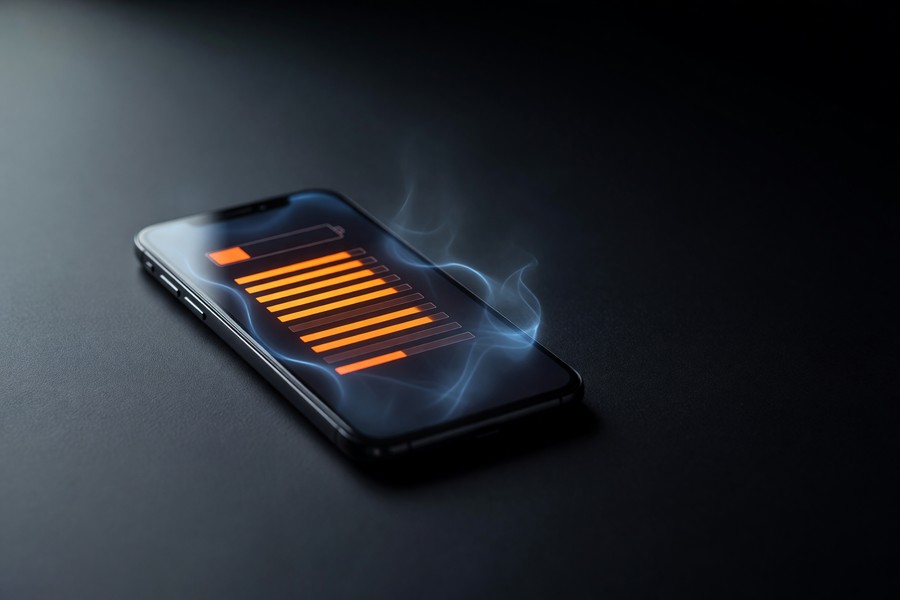
A hacked messaging app may run background processes that spike mobile data usage. If your app suddenly consumes significantly more data than usual, that is a messaging app hacked sign worth investigating. Similarly, rapid battery drain with normal usage patterns can indicate covert data exfiltration running in the background.
How Do Hackers Actually Get Into Your Messaging App?
Hackers gain access to messaging apps primarily through four methods: credential stuffing, phishing, SIM swapping, and malware installation. Understanding each method helps you identify which warning signs apply to your situation.
Credential Stuffing and Phishing
Credential stuffing involves using leaked username and password combinations from unrelated data breaches to try logging into messaging platforms. Verizon’s 2024 Data Breach Investigations Report notes that stolen or weak credentials are a dominant factor in most hacking-related breaches.
Phishing attacks trick users into entering their login details on fake websites designed to look like legitimate app login pages. These attacks are increasingly sophisticated, and smishing (SMS-based phishing) is a growing vector targeting messaging app users directly through their phones.
SIM Swap Attacks
A SIM swap attack involves a criminal convincing your mobile carrier to transfer your phone number to a SIM card they control. Once they have your number, they can intercept SMS-based two-factor authentication codes and take over any messaging account tied to that number. Learn more about how SIM swap attacks work and how to protect yourself.
Malware and Spyware
Spyware installed on your device can silently read, copy, and transmit your messages without triggering any in-app alerts. CISA has warned that cyber threat actors are using spyware to target users of mobile messaging applications, with Android devices frequently in the crosshairs.
“Cyber threat actors are using spyware to target users of mobile messaging applications through tactics like phishing, malicious QR codes, and zero-click exploits. Users must stay vigilant and apply patches immediately.”
Are There Platform-Specific Signs on WhatsApp, Telegram, or Signal?
Yes, each major messaging platform has unique features that either reveal or obscure a breach. Knowing where to look on each app is essential for catching messaging app hacked signs early.
WhatsApp: Linked Devices and Read Receipts
On WhatsApp, the Linked Devices panel is your primary diagnostic tool. An unknown device appearing there is an immediate red flag. Also watch for blue double-check read receipts on messages you did not open, this may indicate the message was read on a linked device you do not control.
For instance, if you have a 620 credit score and need about $8,000 for an emergency medical bill, and your messaging app is compromised, attackers could use your contacts to spread phishing messages that mimic your voice. A single compromised message could lead to a fraudulent loan application or identity theft. The financial risk isn’t just theoretical, individuals affected by account takeover can face average out-of-pocket losses of $1,500 according to the FBI’s 2023 report.
Telegram: Active Sessions and Bot Permissions
Telegram’s Active Sessions list (Settings > Privacy and Security) shows every device, IP address, and approximate location where your account is logged in. Look for sessions from unfamiliar countries or devices. Also review which third-party bots have been granted access to your account; malicious actors sometimes authorize bots to read message history.
Signal: Registration Lock and Safety Numbers
Signal does not support multi-device simultaneous logins the same way WhatsApp does, making unauthorized access harder. However, if your Signal registration is moved to a new device without your knowledge, you will lose access entirely. Enable Registration Lock (Settings > Account > Registration Lock) to require a PIN before your number can be re-registered. For a deeper comparison of privacy protections, see our Signal vs Telegram privacy comparison.
Phishing attacks targeting messaging credentials are among the top entry points in global data breaches, according to the Verizon 2024 DBIR. The report underscores that credential theft remains the single largest attack category by entry vector.
What Device-Level Indicators Suggest a Compromised Messaging App?
Device-level warning signs often precede or accompany in-app messaging app hacked signs. These indicators suggest that malware or unauthorized remote access tools may be running alongside your messaging applications.
Performance and System Anomalies
Unexplained slowdowns, overheating during idle periods, and background network activity when apps are closed all warrant investigation. These are classic symptoms of spyware or a remote access trojan (RAT) running alongside your messaging app. Our guide on how to tell if your phone has been hacked covers these device-level symptoms in greater detail.
Permissions You Did Not Grant
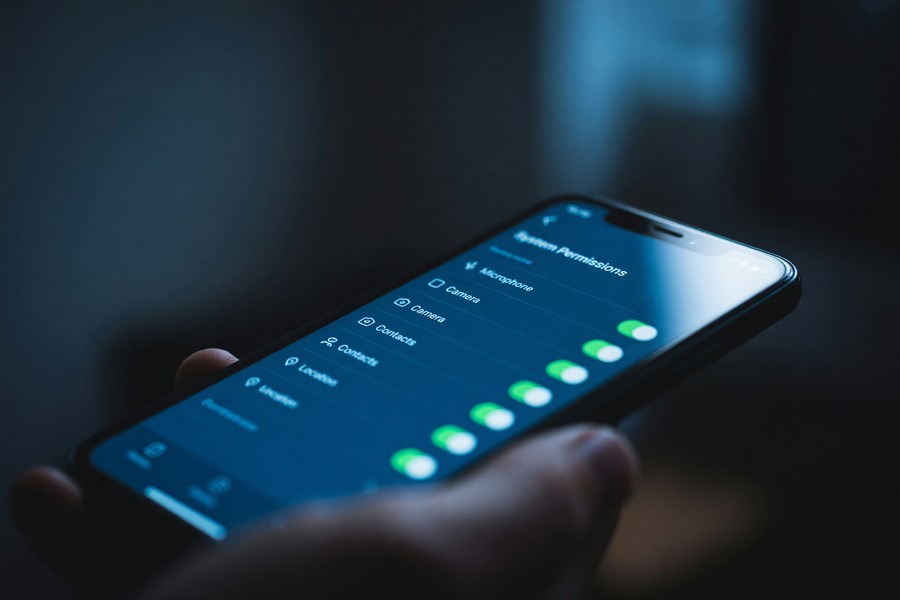
Check whether your messaging app has recently gained permissions it should not need, such as access to your microphone, camera, or contacts, without a corresponding app update. On both Android and iOS, you can review and revoke app permissions in your device’s privacy settings. CISA advises reviewing app permissions regularly and deleting unnecessary apps. Unexpected permission changes are a strong indicator of tampering.
| Warning Sign | Where to Check | Risk Level |
|---|---|---|
| Unfamiliar linked device | App Settings > Linked Devices / Active Sessions | Critical |
| Messages sent without your action | Sent folder / Contact reports | Critical |
| Unexpected password reset email | Your registered email inbox | High |
| Unusual data spike (>2x normal) | Device Settings > Mobile Data Usage | High |
| Unknown app permissions added | Device Settings > Privacy > App Permissions | High |
| Verification code you did not request | SMS inbox | Medium-High |
| Contacts receiving spam from your account | Contact reports / Sent messages | Medium-High |
| Read receipts on unread messages | In-app message thread | Medium |
What Should You Do Immediately If Your Messaging App Is Hacked?
If you confirm multiple messaging app hacked signs, your first priority is to revoke all active sessions, change your password, and enable two-factor authentication, in that order. Speed is critical because every minute of continued access gives an attacker more time to extract data or contact your network.
Step-by-Step Immediate Response
- Terminate all active sessions from within the app’s security settings. On Telegram, use “Terminate All Other Sessions.” On WhatsApp, log out all linked devices.
- Change your password immediately to a strong, unique credential. Do not reuse any existing password. See our guide on how to set a strong password you can actually remember for practical methods.
- Enable two-factor authentication (2FA) on your messaging account and on the email address associated with it. Our detailed walkthrough on two-factor authentication for messaging apps covers every major platform step by step.
- Notify your contacts that your account may have been compromised and they should not click any links recently sent from your account.
- Run a malware scan on your device using a reputable security tool such as Malwarebytes or your device’s built-in security scanner.
Reporting the Incident
File a report with the FBI’s Internet Crime Complaint Center (IC3) if financial fraud or identity theft has occurred. Also report directly to the messaging platform through its in-app support system. If personal data was exposed, follow the steps in our guide on how to secure your personal data after a data breach.
Use an authenticator app (such as Google Authenticator or Authy) rather than SMS for two-factor authentication. SMS codes can be intercepted via SIM swapping, while authenticator-generated codes cannot be redirected to another phone number.
How Can You Prevent Your Messaging App From Being Hacked Again?
Preventing future compromise requires layering multiple security controls. No single measure is sufficient, but the combination of strong credentials, 2FA, and regular session audits eliminates the vast majority of attack vectors.
Core Preventive Measures
- Use a unique password for every messaging platform. Never reuse credentials across services.
- Enable two-factor authentication using an authenticator app on every messaging platform that supports it.
- Review linked devices and active sessions monthly as a routine security audit.
- Keep your messaging app and operating system updated. Security patches close known vulnerabilities that attackers actively exploit. CISA recommends installing updates promptly and limiting downloads to official app stores.
- Be skeptical of login requests. Legitimate messaging platforms will never ask for your password or verification code via chat or email.
Advanced Privacy Protections
For higher-risk users, consider switching to end-to-end encrypted platforms with open-source codebases for independent security auditing. According to the Electronic Frontier Foundation’s secure messaging scorecard, Signal remains the highest-rated consumer messaging app for security properties in 2024.
Also monitor for signs your messages are being monitored at a network or carrier level, a separate but related threat. Our guide on how to tell if your messages are being monitored covers those indicators in full. CISA recommends using a secure messaging app for texting and calling to best protect the privacy and security of communications.
According to Microsoft Security research, enabling multi-factor authentication blocks 99.9% of automated account compromise attempts, making it the single highest-impact action you can take to protect your messaging accounts.
Frequently Asked Questions
Can someone read my messages without me knowing?
Yes, through spyware, session hijacking, or unauthorized linked devices, an attacker can read your messages silently. Spyware in particular leaves very few visible signs. Regular audits of linked devices and app permissions are the most reliable way to detect this.
What are the first signs a messaging app has been hacked?
The earliest messaging app hacked signs are typically an unexpected SMS verification code, a password reset email you did not initiate, or contacts reporting unusual messages from your account. These three indicators often appear before any visible account disruption.
How do I check if someone else is logged into my WhatsApp?
Open WhatsApp, go to Settings, and tap Linked Devices. Any device shown there that you do not recognize indicates unauthorized access. Tap the unknown device and select Log Out to immediately revoke that session.
Can two-factor authentication be bypassed by hackers?
SMS-based 2FA can be bypassed through SIM swapping, where attackers redirect your phone number to their SIM. Authenticator-app-based 2FA is significantly more resistant because codes are generated locally on your device and cannot be intercepted remotely.
Does a VPN protect my messaging app from being hacked?
A VPN encrypts your internet traffic and masks your IP address, which reduces network-level eavesdropping risk. However, it does not protect against account-level attacks such as credential stuffing, phishing, or malware. It is one useful layer, not a complete solution.
What should I do if my contacts received spam from my account?
Immediately terminate all active sessions in your messaging app, change your password, and enable 2FA. Then notify your contacts not to click any links they received. Report the incident to the platform’s trust and safety team through the official in-app reporting tool.
Is my messaging app safer if I use end-to-end encryption?
End-to-end encryption (E2EE) protects message content in transit so that only you and your recipient can read it. However, E2EE does not prevent account takeover; an attacker who logs into your account still has access to your decrypted messages on that device. E2EE and account security are both necessary, not interchangeable.
How can I tell if spyware is on my phone?
Look for sluggish performance, overheating when idle, unknown apps appearing, or your device using more data than usual. Run a reputable anti-malware scan. CISA alerts stress that keeping your operating system and apps updated is key to blocking many spyware infections.
Are messaging apps with more users inherently less secure?
Not necessarily. High-profile apps attract more attackers, but their security teams often respond faster to threats. Smaller, privacy-focused apps may have fewer resources for rapid patching. The crucial factor is whether the app offers strong default encryption, supports app-based 2FA, and has a transparent security track record.
What’s the most common mistake people make that leads to a hacked messaging app?
Reusing passwords across multiple services. When one site is breached, attackers test those credentials on messaging apps. Using a unique, strong password for every account, combined with 2FA, stops most automated attacks before they start.
Sources
- FBI Internet Crime Complaint Center (IC3), 2023 Internet Crime Report
- Verizon, 2024 Data Breach Investigations Report (DBIR)
- CISA Alert: Spyware Allows Cyber Threat Actors to Target Users of Messaging Applications
- Microsoft Security Blog, One Action to Prevent 99.9% of Account Attacks
- FBI, Internet Crime Complaint Center (IC3) Reporting Portal
- Federal Trade Commission (FTC), Data Security Guidance for Consumers
- CISA, Privacy and Mobile Device Apps
- CISA, How to Communicate Securely on Your Mobile Device
- CISA, Mobile Communications Best Practice Guidance






