
Fact-checked by the SnapMessages editorial team
Quick Answer
The best lifestyle apps to simplify your daily routine include Todoist, Headspace, MyFitnessPal, Notion, and Google Calendar. These tools collectively help users save up to 2 hours per day on task management and planning. Over 85% of smartphone users rely on at least one productivity or wellness app daily to streamline their schedules.
The global productivity app market was valued at over $102 billion in 2024 according to Statista. From habit tracking to meal planning, a well-chosen set of apps can eliminate friction and replace scattered paper systems with a single, unified workflow. Whether you are managing work deadlines, fitness goals, or sleep hygiene, there is a purpose-built app designed to handle it.
This guide covers top lifestyle apps across six core daily categories: productivity, health, sleep, finance, mindfulness, and smart home integration. You will learn what each app does best, how they compare on key features, and which combination works for most people.
Key Takeaways
- The global productivity app market exceeded $102 billion in 2024, reflecting massive mainstream adoption (Statista, 2024).
- Users who track habits digitally are 42% more likely to achieve their goals than those who do not, according to American Psychological Association research on self-monitoring.
- MyFitnessPal has over 200 million registered users and a food database of more than 14 million items, making it the largest nutrition-tracking platform available (MyFitnessPal About page).
- Mindfulness apps like Headspace report that users who complete an 8-day beginner course show a measurable 14% reduction in stress, based on Headspace’s published clinical research.
- Smart home apps integrated with daily schedules can reduce household energy costs by up to 23% annually, according to the U.S. Department of Energy.
In This Guide
- What Are Lifestyle Apps and Why Do They Matter for Your Daily Routine?
- Which Productivity Apps Best Organize Your Daily Tasks?
- Which Health and Fitness Apps Fit Seamlessly Into Your Day?
- Which Mindfulness and Sleep Apps Actually Improve Your Wellbeing?
- Which Finance Apps Help You Manage Money Without the Stress?
- How Do Smart Home Apps Automate Your Daily Routine?
- How Do You Build the Right Lifestyle App Stack for Your Routine?
What Are Lifestyle Apps and Why Do They Matter for Your Daily Routine?
Lifestyle apps are mobile and desktop applications designed to help users manage health, productivity, finances, mindfulness, and home automation within their everyday schedules. Fragmented routines, where tasks, habits, and goals live in separate systems, are a leading source of daily stress and inefficiency, and apps directly target that problem.
The average person switches between over 9 different apps per day according to RescueTime’s productivity research. Consolidating those touchpoints into a curated stack reduces decision fatigue and keeps your routine consistent.
The Case for Building a Routine Around Apps
Routine-building is backed by behavioral science. The habit loop, cue, routine, reward, is strengthened when digital reminders and tracking replace reliance on memory alone. Apps provide the cue and the reward feedback in a single interface.
Many of these tools also connect to each other through APIs and automation platforms like IFTTT and Zapier, allowing your fitness data to inform your calendar, or your sleep score to adjust your morning alarm. That interconnection is what separates a useful app from a genuinely transformative daily system.
That said, apps are not a fix for every routine problem. If the underlying behavior, eating consistently, going to bed on time, opening the budget app, is not there, no amount of notification design will substitute for it. Apps work best as reinforcement, not as motivation from scratch.
The average smartphone user spends 4 hours and 37 minutes per day on their device, according to DataReportal’s 2024 Global Digital Report. Redirecting even 30 minutes of that time toward intentional lifestyle app use can produce measurable improvements in productivity and wellbeing within two weeks.
Which Productivity Apps Best Organize Your Daily Tasks?
For most people, three apps cover the full productivity picture: Todoist for task capture, Notion for knowledge and long-form planning, and Google Calendar to anchor time-blocked schedules. They serve distinct needs and work well together.
Todoist: Task Management That Disappears Into Your Workflow
Todoist is consistently rated the top task manager across platforms, with over 30 million users globally. Its natural language input lets you type “submit report every Friday at 3pm” and the app parses it automatically into a recurring task. The free tier supports up to 5 active projects, which covers most individual routines.
For those who prefer a more visual and interconnected system, our guide on Notion vs Obsidian productivity tools breaks down the strengths of each platform in detail. Notion excels at building linked databases, ideal for users who want a single workspace for notes, tasks, and project wikis.
Google Calendar: The Anchor of Any Daily Routine
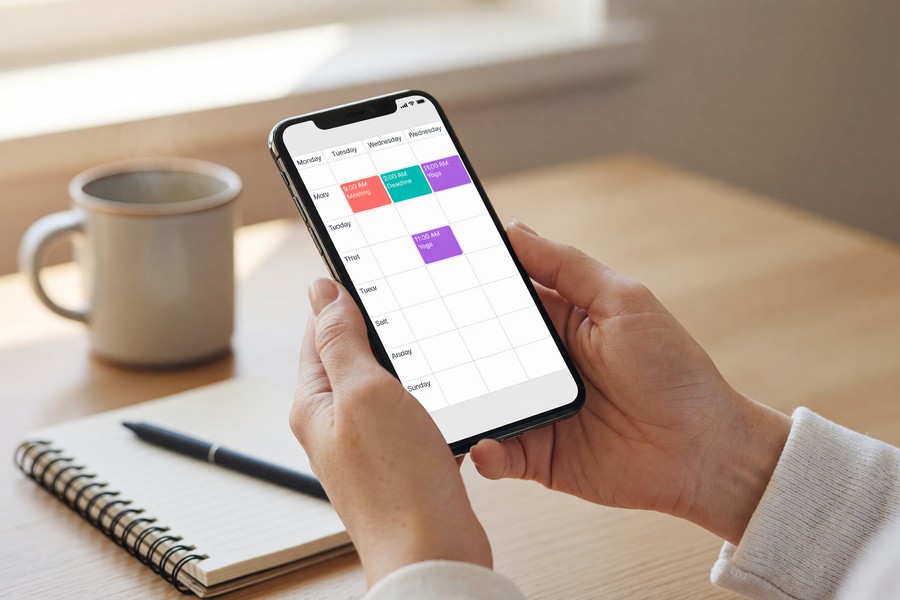
Google Calendar remains the most-used calendar app worldwide, with deep integrations across Gmail, Google Meet, and third-party tools. Its “Goals” feature uses machine learning to automatically schedule recurring personal goals, like a daily 20-minute walk, around your existing commitments.
The key is using time-blocking rather than simple event logging. Treat every task as a booked appointment rather than a to-do list item. If you want to go deeper on this approach, see our guide on using your phone calendar to actually stick to a schedule for practical setup strategies.
Which Health and Fitness Apps Fit Seamlessly Into Your Day?
On the health side, two apps carry most of the weight: MyFitnessPal for nutrition and Strava for activity tracking. Either Apple Health or Google Fit then serves as the central hub that receives data from both. These tools work best when they share data rather than operate in isolation.
MyFitnessPal: The Nutrition Tracking Standard
MyFitnessPal’s database of over 14 million foods makes it the most thorough calorie and macro tracker available. Its barcode scanner allows meal logging in under 10 seconds per item, removing the friction that causes most people to abandon nutrition tracking within a week.
The app integrates directly with over 50 fitness devices and apps, including Fitbit, Garmin, and Apple Watch. Your calorie burn data flows automatically into your nutrition target calculations, giving you an accurate daily energy balance without manual entry.
One real limitation: MyFitnessPal’s free tier lost several features in recent years as the company moved toward its paid subscription. Users who relied on macro percentage breakdowns and meal planning tools now need the premium plan at $19.99 per month to access them. For basic calorie logging, the free version still works. For serious nutrition tracking, budget for the subscription.
Adults who log food daily using apps like MyFitnessPal lose 2.6 times more weight on average than non-loggers, according to a study published in the Journal of Medical Internet Research. Consistency of logging, not perfection, is the primary driver of results.
Strava and Platform Integration
Strava dominates activity tracking for runners, cyclists, and walkers, with a social layer that drives accountability. Its segment feature lets users compete on specific routes, adding a gamification element that increases workout consistency.
Apple Health on iOS and Google Fit on Android aggregate data from all connected apps, providing a single dashboard for steps, sleep, heart rate, and nutrition without requiring manual syncing. Using one of these as your health data hub is the single highest-leverage setup decision in this category.
Which Mindfulness and Sleep Apps Actually Improve Your Wellbeing?
Two apps stand out in mindfulness: Headspace and Calm. Each has clinical or research backing that distinguishes it from the hundreds of generic meditation apps available. For sleep tracking specifically, Sleep Cycle leads the category.
Headspace vs. Calm: What the Research Shows
Headspace has published over 25 peer-reviewed studies on its effectiveness, making it one of the most scientifically validated consumer wellness apps. Research published through Headspace’s science program indicates that consistent use of guided meditation for as little as 10 minutes per day can produce clinically meaningful reductions in anxiety and improvements in focus within 30 days. The determining factor is regularity, not session length.
Calm, meanwhile, focuses more heavily on sleep content. Its “Sleep Stories” narrated series has become one of the most-used sleep aids in the app ecosystem. The two apps overlap enough that most users need only one, Headspace suits people who want a structured meditation curriculum, while Calm fits those primarily seeking sleep and relaxation content.
Sleep Cycle: Smart Alarm Technology
Sleep Cycle uses your phone’s microphone or accelerometer to detect sleep phases and wakes you during your lightest sleep stage within a 30-minute window. Users report feeling significantly more rested compared to fixed-time alarms, because the app avoids interrupting deep REM sleep.
For a detailed breakdown of how sleep tracking apps compare on accuracy and features, our guide on the best sleep tracking apps to improve your rest covers the top options side by side. Sleep quality directly affects cognitive performance, which makes this one of the highest-leverage categories in any daily routine stack.
Which Finance Apps Help You Manage Money Without the Stress?
On the finance side, YNAB (You Need A Budget) handles proactive budgeting while Credit Karma covers passive financial monitoring. These tools shift financial management from reactive to intentional, which is a meaningful distinction for anyone who has ever discovered an overdraft after the fact.
YNAB: Zero-Based Budgeting Made Accessible
YNAB uses a zero-based budgeting method where every dollar is assigned a job before it is spent. According to YNAB’s internal data, new users save an average of $600 in their first two months and over $6,000 in their first year. The app connects to most major bank accounts and updates transactions automatically.
Security is a legitimate concern when connecting financial apps to bank accounts. Before linking any app, understand how your data is used, our guide on securing personal data after a data breach provides practical steps for protecting sensitive financial information on your devices.
YNAB is not the right fit for everyone. At $14.99 per month, it costs more than many budgeting alternatives, and its zero-based method requires active engagement several times per week. Users who want a set-it-and-forget-it overview of their spending will find it demanding. The payoff is real for those who commit to it, but passive users will not get their money’s worth.
Credit Karma: Passive Financial Health Monitoring
Credit Karma provides free credit score monitoring from TransUnion and Equifax, two of the three major U.S. credit bureaus. It sends alerts when significant changes occur, new accounts, hard inquiries, or score drops, allowing users to catch identity theft or errors early without actively checking their report. Your FICO Score, which most lenders use to evaluate creditworthiness, is influenced by the same factors Credit Karma tracks, including payment history, credit utilization, and the age of accounts.

How Do Smart Home Apps Automate Your Daily Routine?
Smart home apps like Google Home, Amazon Alexa, and Apple Home automate repetitive daily tasks, lighting, temperature, locks, and appliances, that collectively consume significant time and cognitive load. When integrated with your morning and evening routine, they create a hands-free environment that runs on schedule.
Choosing a Smart Home Ecosystem
Each of the three dominant ecosystems has a distinct profile. Google Home integrates most naturally with Android devices and Google Calendar. Amazon Alexa leads in third-party device compatibility, supporting a wider range of hardware than either competitor. Apple HomeKit prioritizes privacy, processing most commands locally on-device rather than routing them through the cloud.
If you are just getting started with home automation, our guide on connecting smart home devices without a hub explains how to build a functional setup without expensive central hardware. For users ready to go deeper, the best smart home hubs guide covers centralized control options that unify multiple ecosystems into one app.
Pairing a smart thermostat with a routine scheduling app can reduce home heating and cooling costs by up to 23% annually, according to the U.S. Department of Energy’s energy savings guidance. Over a decade, this represents thousands of dollars in savings with minimal lifestyle disruption.
How Do You Build the Right Lifestyle App Stack for Your Routine?
Building a daily app stack comes down to three principles: one app per category, full integration between apps, and a regular weekly review. Overloading on apps creates the same friction they are supposed to eliminate.
The Core Five-App Daily Routine Stack
Most users need only five categories covered: task management, health tracking, mindfulness, finance, and calendar. Below is a comparison of the top apps by category, cost, and platform availability.
| Category | Top App | Free Tier | Paid Cost (Monthly) | Platform |
|---|---|---|---|---|
| Task Management | Todoist | Up to 5 projects | $4.00 | iOS, Android, Web |
| Nutrition Tracking | MyFitnessPal | Basic logging | $19.99 | iOS, Android |
| Mindfulness | Headspace | Limited content | $12.99 | iOS, Android, Web |
| Sleep Tracking | Sleep Cycle | Basic alarm | $9.99 | iOS, Android |
| Budgeting | YNAB | 34-day trial | $14.99 | iOS, Android, Web |
| Calendar | Google Calendar | Full features | Free | iOS, Android, Web |
| Smart Home | Google Home | Full features | Free | iOS, Android |
Integration and Privacy Considerations
Every app that connects to sensitive data, banking, health records, location, requires careful permission management. Review app permissions quarterly and revoke access for apps you no longer use actively. Strong account security, including two-factor authentication, is non-negotiable for any app that stores financial or health data.
Understanding what two-factor authentication is and how to use it is a baseline step, not an optional one. For productivity apps with note-taking features that may contain personal plans or sensitive information, also consider what metadata those services collect, our explainer on what message metadata is and who can see it applies equally to many app platforms.
Audit your lifestyle app stack every 90 days. Delete any app you have not opened in 30 days, review permissions for all connected accounts, and test whether your current tools still align with your goals. A leaner, more intentional stack consistently outperforms a bloated one. Fewer apps used consistently beat many apps used sporadically.
Frequently Asked Questions
What are the best free lifestyle apps for daily routine management?
Google Calendar, Google Fit, and Todoist’s free tier offer solid daily routine management at no cost. Google Calendar in particular provides full scheduling functionality, including recurring events, goal-setting, and cross-platform sync, without requiring a subscription. Together these three cover calendar, fitness, and task management for most users.
How many apps should be in a daily routine app stack?
Most productivity experts recommend no more than five to seven apps covering distinct categories. Two separate task managers, for example, create duplication and decision fatigue rather than efficiency. One app per function, fully integrated where possible, is the approach that holds up over time.
Are lifestyle apps safe for storing personal health and financial data?
Reputable apps from established companies like MyFitnessPal, YNAB, and Headspace use industry-standard encryption and comply with data protection regulations including HIPAA (for health data) and GDPR (for European users). Always enable two-factor authentication and review what data-sharing permissions each app requests. Avoid granting unnecessary access to contacts, location, or microphone unless the feature specifically requires it.
Can lifestyle apps actually change daily habits long-term?
Yes, when used consistently alongside behavioral strategies. Research from the American Psychological Association shows that self-monitoring, the core mechanism in most lifestyle apps, is one of the most effective behavior change techniques available. Anchoring app use to existing habits helps: log breakfast immediately after eating rather than trying to recall meals at the end of the day.
What is the best app for building a morning routine?
Fabulous and Routinery are purpose-built morning routine apps that guide users through timed habit sequences. Many users achieve the same outcome using Google Calendar time-blocks combined with a habit tracker like Streaks (iOS) or Habitica (iOS and Android). The best app is the one you will open consistently, simplicity beats feature richness every time.
Do lifestyle apps work better together or separately?
Integrated apps work significantly better. When MyFitnessPal shares calorie burn data with your fitness tracker, and your sleep app informs your morning alarm, and your calendar accounts for workout time, you have a system rather than a collection of tools. Use Apple Health or Google Fit as a central data hub to connect health apps automatically.
How do lifestyle apps handle user privacy?
Privacy practices vary significantly by app. Health and finance apps in the U.S. are subject to FTC oversight and, in the case of health data, HIPAA guidelines. Always read the privacy policy before granting sensitive permissions, and limit location tracking to “only while using the app” rather than “always.” Checking your device’s privacy settings regularly is the most reliable safeguard.
Which finance apps work best alongside a budgeting app like YNAB?
Credit Karma pairs well with YNAB because the two tools cover different ground. YNAB manages day-to-day spending and budgeting, while Credit Karma monitors your credit profile from TransUnion and Equifax, alerts you to changes in your FICO Score, and flags potential identity theft. For users carrying debt, tracking your debt-to-income ratio (DTI) and APR across accounts through a tool like Credit Karma gives you a clearer picture of overall financial health than a budget alone.
Are there lifestyle apps designed specifically for people who have tried and abandoned apps before?
Yes. Habitica gamifies habit tracking by turning your to-do list into a role-playing game, which works well for people who find standard checklist apps demotivating. Streaks on iOS is built around a single principle, keeping a daily streak alive, which is more manageable than multi-feature apps for people prone to app overload. Starting with one app in your weakest category, rather than building a full stack at once, dramatically improves the odds of sustained use.
What should I do if a lifestyle app I use has a data breach?
Change your password immediately, enable two-factor authentication if you have not already, and revoke the app’s access to any connected accounts, especially bank or health logins, until the company clarifies what data was affected. Our guide on securing personal data after a data breach covers the full response checklist. Health data breaches in the U.S. are subject to HIPAA notification requirements, so affected apps are legally required to inform you within 60 days.
Sources
- American Psychological Association, Self-Monitoring and Goal Achievement Research
- Headspace, Published Science and Clinical Research
- U.S. Department of Energy, Energy Savings from Smart Thermostats
- National Institutes of Health / JMIR, Digital Food Logging and Weight Loss Outcomes
- DataReportal, Digital 2024 Global Overview Report






