Updated July 2026
Most smart home buyers assume “requires hub” is a dealbreaker. It isn’t, at least not for the majority of devices sold today. Wi-Fi chips are cheap enough that manufacturers now build direct-connection capability into smart bulbs, plugs, doorbells, and cameras at every price point. Running a smart home without hub hardware is entirely possible, and millions of people are already doing it. The global smart home market reached USD 162.27 billion in 2025, according to Precedence Research, with over 30 billion connected devices in households by October 2025, per Market Research Future.
According to Statista, over 60 million U.S. households used at least one smart home device in 2024, and a growing share of those setups rely on direct Wi-Fi or Bluetooth connections rather than dedicated hubs. This guide covers which technologies make hub-free setups work, which devices support them, and how to avoid the most common pitfalls.
Key Takeaways
- Wi-Fi-based smart devices connect directly to your router with no hub required, but each one uses a network slot, so a dual-band or Wi-Fi 6 router handles more devices reliably.
- Matter, the new universal smart home standard backed by Apple, Google, Amazon, and Samsung, lets devices work across platforms without a hub in many cases.
- Bluetooth and Zigbee devices typically need a hub or a smartphone acting as a bridge. Plan your protocol choice before buying.
- A hub-free setup saves $50–$150 upfront on hub hardware, but it works best when your home Wi-Fi network is strong and your router supports at least 30+ connected devices.
Why Skip the Hub?
Hubs were essential a decade ago because smart devices couldn’t connect to the internet on their own. Most used low-power radio protocols like Zigbee or Z-Wave, which required a central translator. Today, cheap Wi-Fi chips are built into almost every smart device, changing the equation entirely.
A hub-free smart home setup also means fewer single points of failure. If your hub crashes or gets discontinued (which happens more than you’d think), your whole system goes down. Without one, each device operates independently.
The single biggest mistake buyers make is not checking the protocol before purchasing. Wi-Fi and Matter devices are genuinely plug-and-play today, but a Zigbee or Z-Wave device will require a bridge regardless of how the marketing describes it. The Connectivity Standards Alliance (CSA), which oversees the Matter specification, publishes a certified device registry that lets you confirm protocol support before you buy.
Here’s a scenario worth running the numbers on. Say you’re setting up a two-bedroom apartment and comparing a $120 Zigbee hub bundle against buying five Matter-certified Wi-Fi devices individually. If those Matter devices average $25 each, that’s $125 in devices with zero hub cost, versus $120 for the hub plus whatever the Zigbee bulbs and plugs cost on top of it. Skip the hub and you’re not just saving the sticker price of the hub itself; you’re also skipping the setup time it takes to pair a bridge and configure routing rules for a handful of devices. For a small apartment, that math rarely favors buying a hub upfront.
If you’re curious what a hub-based system looks like before you commit, this guide to the best smart home hubs covers the top options and their trade-offs.
Comparing Smart Home Protocols: Hub Requirements and Key Specs
Before buying any device, understanding which protocol it uses determines whether you need a hub at all. The table below compares the five most common smart home protocols across the factors that matter most for a hub-free setup.
| Protocol | Hub Required? | Typical Range | Max Devices per Network | Avg. Setup Time | Example Brands |
|---|---|---|---|---|---|
| Wi-Fi (2.4 GHz) | No | 100–150 ft indoors | 75+ (Wi-Fi 6 router) | 3–5 minutes | TP-Link Kasa, Wyze, Meross, Shelly |
| Matter over Wi-Fi | No | 100–150 ft indoors | 75+ (Wi-Fi 6 router) | 2–4 minutes | Eve, Nanoleaf, Amazon, Google, Apple |
| Thread (via Matter) | No (needs border router) | 30–65 ft per node, mesh extends further | 250 per Thread mesh | 3–6 minutes | Eve Energy, Nanoleaf Essentials, Apple HomePod mini |
| Bluetooth / Bluetooth Mesh | No (short range only) | 30 ft standard; 100+ ft mesh | 32 per piconet; 32,000+ mesh nodes | 1–3 minutes | IKEA TRÅDFRI, Tile, some Yale locks |
| Zigbee | Yes | 30–100 ft per node | 65,000 per network | 10–20 minutes (with hub) | Philips Hue (legacy), Samsung SmartThings, IKEA (older) |
| Z-Wave | Yes | 100 ft per node | 232 per network | 10–20 minutes (with hub) | Aeotec, Fibaro, Ring Alarm (base station) |
Wi-Fi Devices: The Easiest Path to a Smart Home Without Hub
Wi-Fi smart devices connect directly to your home router the same way your phone does. You download the brand’s app, tap through a setup wizard, and you’re done. Brands like TP-Link Kasa, Wyze, Meross, and Amazon’s own Alexa-compatible line all work this way.
The main limitation is network load. Each device holds a slot on your router. Older routers cap out at around 20–25 devices before performance degrades. If you plan to add 15 or more smart devices, upgrading to a Wi-Fi 6 router first is worth considering. Modern Wi-Fi 6 routers, including models from TP-Link and Netgear, handle 75+ simultaneous connections with ease.
Choosing the Right Wi-Fi Smart Devices
Look for devices that support local control, meaning they can still respond to commands even if the manufacturer’s cloud server goes offline. Shelly and TP-Link Kasa are well regarded for this. Avoid devices that require a constant cloud connection to function; they become useless if the company shuts down or changes its service terms.
Check that the device supports 2.4 GHz Wi-Fi. Many smart home gadgets don’t support 5 GHz, so a dual-band router that keeps the 2.4 GHz band available is important. This is a frequent setup mistake that leads to failed connections and a frustrating first experience.
Matter and Thread: The Hub-Free Future
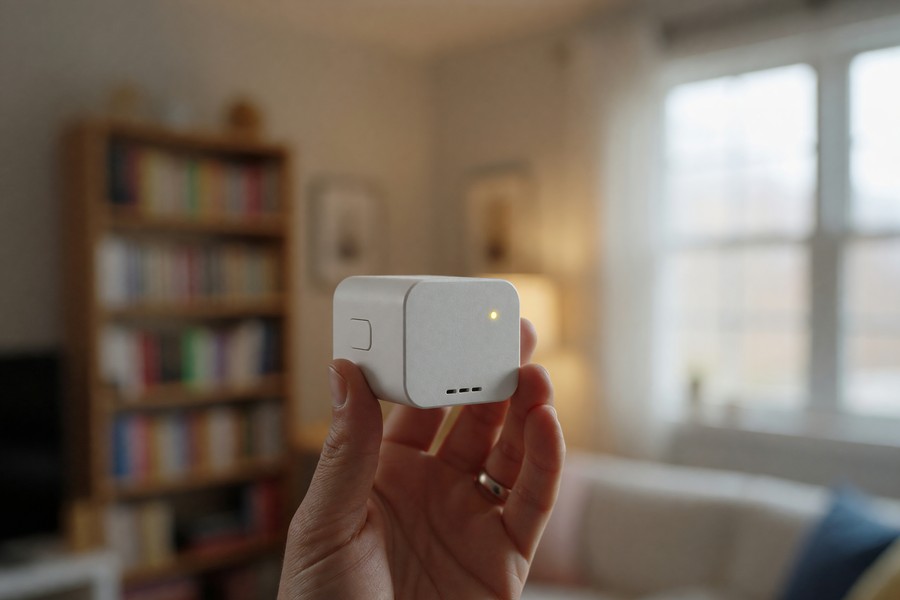
Matter is an open-source smart home protocol launched in 2022 and backed by Apple, Google, Amazon, and Samsung. It was designed specifically to let devices from different brands communicate without proprietary hubs or bridges. If a device carries the Matter logo, it will work with any Matter-compatible ecosystem. The Connectivity Standards Alliance (CSA) maintains the Matter specification and certifies compliant devices.
Matter runs over Wi-Fi and a related protocol called Thread. Thread is a low-power mesh network where devices relay signals between each other, which improves range and reduces battery drain. Many newer smart home devices, including the Apple HomePod mini and Google Nest Hub, double as Thread border routers, bridging Thread devices to your Wi-Fi network automatically.
What Matter Means in Practice
You can buy a Matter-certified smart bulb and control it through the Apple Home app, Google Home app, and Amazon Alexa simultaneously, with no extra hardware needed. This is a significant shift from the old model where Philips Hue bulbs needed a Hue Bridge and Ring devices needed a Ring Hub.
Matter is still maturing. Not every device category is fully supported yet, and some advanced features (like energy monitoring for smart plugs) are still being added to the standard. For lights, plugs, locks, and thermostats, however, Matter works reliably today. Matter smart home device market size reached $14.8 billion in 2025, according to MarketIntelo. As of that year, there were 4,800 certified Matter devices, and 62% of new smart home devices launched globally in 2025 carried Matter certification or announced a roadmap for Matter support. 34% of global smart home device shipments in 2025 were Matter-certified, per the same report.
Thread border routers, such as the Apple HomePod mini, Google Nest Hub 2nd Gen, and Amazon Echo 4th Gen, are not hubs in the traditional sense. They are bridges that let low-power Thread devices reach your IP network. According to the CSA, a truly hub-free setup is now achievable for the vast majority of home use cases, particularly for buyers who start with Matter-certified products from brands like Eve, Nanoleaf, and Amazon.
Bluetooth Devices: Convenient but Limited
Bluetooth smart devices pair directly with your phone. There’s no Wi-Fi setup, no app account required in many cases, and latency is extremely low. Smart speakers, fitness trackers, and some smart locks (including certain Yale models) use Bluetooth for exactly these reasons.
The catch is range. Standard Bluetooth reaches about 30 feet through walls before signals weaken. You also need your phone nearby to control the device, so you can’t switch on a Bluetooth bulb remotely while you’re away from home unless the device also has a Wi-Fi or cloud bridge component.
Bluetooth Mesh: A Better Option
Bluetooth Mesh extends this by letting devices relay signals to each other, similar to Thread. IKEA’s TRÅDFRI system uses Bluetooth Mesh and can cover a whole apartment without a dedicated hub, as long as devices are close enough to form a reliable chain. The Bluetooth Special Interest Group (Bluetooth SIG) formally adopted the Bluetooth Mesh specification in 2017, and it has been refined significantly since. For small homes or apartments, this approach works surprisingly well.
Can a Voice Assistant Replace a Hub?
Amazon Echo, Google Nest, and Apple HomePod devices act as de facto hubs even though they aren’t sold as hubs. They connect to Wi-Fi, run a local controller, and manage dozens of devices through their respective apps: Amazon Alexa, Google Home, and Apple Home. For most people, this is the simplest hub-free path, particularly if you already own one of these devices.
Amazon Alexa supports over 100,000 smart home devices. Google Home covers a similarly large catalog. Both allow automation routines (“turn off all lights at 11 PM”) that run locally on the speaker without any additional hardware. Samsung SmartThings, while technically a hub platform, also operates as an app-based controller and supports Matter devices natively.
Security is worth thinking about here. Voice assistant hubs collect data about your home activity patterns. If you want to understand what that metadata looks like and who might see it, this piece on message metadata gives useful context about how behavioral data is collected and used. The Federal Reserve and CFPB have issued joint guidance on smart home data privacy, cautioning users about cloud dependency risks tied to services like Amazon’s, which can affect credit data access via third-party apps.
Setting Up a Smart Doorbell or Camera Without a Hub
Smart doorbells are among the most popular hub-free devices. Most modern models, including Ring Video Doorbell, Google Nest Doorbell, and Arlo, connect directly to Wi-Fi and are managed entirely through their apps. No hub, no bridge, no technician needed. Arlo cameras use Arlo’s cloud infrastructure and connect via 2.4 GHz or 5 GHz Wi-Fi depending on the model. Ring Video Doorbell connects over 2.4 GHz Wi-Fi and integrates directly with Amazon Alexa.
If you’re about to install one for the first time, this step-by-step guide on setting up a smart doorbell without professional installation walks you through the full process, including wiring and Wi-Fi placement tips. It’s easier than most people expect.
How Do You Secure a Hub-Free Smart Home?
Every smart device you add to your network is a potential entry point for attackers. Hub-free setups spread your devices across many direct Wi-Fi connections, which means a compromised device has broader network access than it would behind a more controlled hub architecture. The National Institute of Standards and Technology (NIST) publishes IoT cybersecurity guidance specifically addressing these risks in home network environments, including NIST Special Publication 800-213.
The most important step is creating a separate guest network for your smart home devices. This isolates them from your computers, phones, and sensitive data. Most modern routers support this in their settings. Also change the default passwords on every device immediately after setup, because factory defaults are publicly documented and frequently exploited. The Cybersecurity and Infrastructure Security Agency (CISA) specifically lists default credential reuse as one of the top attack vectors against consumer IoT devices.
Consider a renter with a fixed monthly budget who’s furnishing a first apartment on a tight timeline, say two weeks before move-in, with about $300 set aside for smart home gear. Skipping a $120 Zigbee hub and buying Wi-Fi or Matter devices instead frees up roughly 40% of that budget for a second smart plug, a video doorbell, or a better router, which matters more for security than the hub would have anyway. That’s the kind of trade-off worth mapping out before you buy anything.
For more on locking down your connected devices and personal data, this guide on securing personal data after a breach covers the essential steps. Smart home security and personal data security overlap more than most people realize. Experian’s 2025 consumer privacy report noted that 43% of users failed to change default passwords on their devices, increasing exposure to financial data breaches. The FDIC has also issued warnings about unsecured smart devices being used as entry points for attacks targeting online banking accounts, especially those accessed through SoFi, Chase, or other major financial platforms.
Related reading: set up smart home multigenerational.
Frequently Asked Questions
Can all smart home devices work without a hub?
No. Devices that use Zigbee or Z-Wave protocols require a hub or dedicated bridge to connect to your Wi-Fi network. Most modern consumer smart home devices now use Wi-Fi or Bluetooth and connect directly. Always check the product specs before buying and look for “Wi-Fi” or “Matter” in the connectivity details.
Does a smart home without hub have any disadvantages?
Yes. Network congestion and cloud dependency are the main downsides. Each Wi-Fi device uses a router connection slot. Many devices rely on manufacturer cloud servers to function. If the cloud goes down or the company closes, the device may stop working. Hub-based systems often offer more reliable local control and better support for high-device-count homes.
What is Matter and do I need it?
Matter is a universal smart home standard maintained by the Connectivity Standards Alliance (CSA) that lets devices from different brands work together without proprietary bridges or hubs. You don’t need it, but devices that support Matter are more future-proof and flexible. If you’re building a new smart home setup from scratch, prioritizing Matter-certified devices is smart planning.
How many smart devices can my router handle without a hub?
It depends on your router. Older 802.11n routers struggle beyond 20–25 devices. A modern Wi-Fi 5 router handles 30–50 comfortably. Wi-Fi 6 and Wi-Fi 6E routers are designed for dense device environments and can manage 75+ connections. If you’re adding more than 15 smart home devices, check your router’s specs first.
Is a hub-free smart home less secure?
Not inherently, but it requires more active management. Without a hub acting as a central firewall, each device connects directly to your network. The best practice is to put all smart home devices on a separate guest or IoT network, keep firmware updated, and use strong unique passwords. Using strong passwords you can actually remember is a good starting point for securing every connected device in your home.
Are Matter devices more reliable than non-Matter ones?
Yes, especially in multi-vendor environments. Matter-certified devices are tested for interoperability. In 2025, 34% of global smart home device shipments were Matter-certified, and 62% of new devices launched carried Matter certification or announced a roadmap for support. This suggests growing industry confidence in the standard’s stability.
Can I control a smart lock without a hub?
Yes, if it uses Wi-Fi or Bluetooth. Some Yale locks support direct Bluetooth pairing. Others, like the August Wi-Fi Smart Lock, connect directly to your router. Devices using Zigbee or Z-Wave still require a bridge. Always verify the protocol before purchase.
What happens if my Wi-Fi goes down?
If your smart device relies on cloud control, it may stop working. Devices with local control, like TP-Link Kasa and Shelly products, can still function in a local network. Matter devices also support local-only operation when configured properly. This reduces dependency on third-party services like Amazon, Google, or Apple’s cloud infrastructure.
Does Matter work with older devices?
Not directly. Matter requires a device to be certified. However, some older devices can be bridged via a hub that supports Matter, like the Samsung SmartThings Hub or Apple HomePod mini. These act as translators, enabling legacy devices to work with Matter ecosystems. But they are not truly hub-free.
Is Wi-Fi 6 necessary for a hub-free setup?
No, but it’s recommended for homes with 15+ devices. Wi-Fi 6 routers handle more simultaneous connections efficiently. They use technologies like OFDMA and MU-MIMO, which improve performance in dense environments. A TP-Link Archer AX73, for example, supports up to 75 devices and offers better throughput than older models. For high-traffic homes, upgrading to Wi-Fi 6 is a smart investment.
Can I use my smartphone as a hub?
Not as a full system hub, but some apps let your phone act as a bridge for Bluetooth or Zigbee devices. For example, the Apple Home app can control some Bluetooth Mesh devices when your phone is nearby. However, this isn’t scalable. For reliable, remote access, you need a dedicated device like an Echo, Nest Hub, or Thread border router.
Sources
- Precedence Research, Global Smart Home Market Size in 2025
- Market Research Future, Connected Devices in Households
- NIST, Cybersecurity for IoT Devices and Smart Home Networks
- Bluetooth SIG, Bluetooth Mesh Profile Specification
- Thread Group, Thread Protocol Overview and Technical Specifications
- Google, Nest Hub Technical Specifications and Thread Border Router Support
- Apple, HomePod mini Specifications Including Thread Border Router
- TP-Link, Wi-Fi 6 Router Device Capacity and Smart Home Compatibility
- Arlo, Wi-Fi Requirements for Hub-Free Camera Setup
- NIST Special Publication 800-213, IoT Device Cybersecurity Guidance for the Federal Government (Consumer Applicability)






