Fact-checked by the Snapmessages editorial team
Quick Answer
RCS messaging (Rich Communication Services) is the next-generation SMS replacement built into Android and supported by Google Messages, offering read receipts, typing indicators, high-resolution media sharing, and group chats. Over 1 billion active RCS users exist worldwide, with Apple adding RCS support in iOS 18 for the first time.
What is RCS messaging? It is the modern protocol designed to replace traditional SMS and MMS, delivering a rich, app-like chat experience directly through your phone’s default messaging app with no third-party download required. RCS is supported on all major Android devices and, since September 2024, on Apple iPhones running iOS 18 or later. According to GSMA’s official RCS data, the technology has reached more than 1.1 billion monthly active users globally, a figure that has more than doubled since 2021.
Built on the GSMA’s Universal Profile standard, RCS ensures interoperability between carriers and device manufacturers worldwide. The GSMA, the industry body that governs mobile network standards, finalized Universal Profile 2.4 in 2023, adding end-to-end encryption support for one-on-one conversations in Google Messages. In February 2026, the GSMA released Universal Profile 4.0, adding interoperable video calls and expanded business messaging capabilities. These developments mark a shift in how billions of people send text messages every day.
This guide explains exactly how RCS works, how it compares to SMS and iMessage, what features you get, where it falls short, and what steps you need to take to enable it on your device right now. Every claim is sourced, every comparison is specific, and every step is actionable.
Key Takeaways
- RCS messaging is supported by over 1.1 billion monthly active users worldwide (GSMA, 2024), making it the fastest-growing native messaging protocol in history.
- Apple added RCS support in iOS 18, released September 2024 (Apple, 2024), ending the long-standing green-bubble vs. blue-bubble divide between iPhone and Android users.
- RCS supports file transfers up to 100 MB per message (GSMA Universal Profile 2.4, 2023), compared to MMS which is typically capped at just 300 KB to 1 MB by most carriers.
- Google Messages enabled end-to-end encryption for RCS one-on-one chats by default starting in 2023 (Google, 2023), though group chat encryption is still rolling out.
- RCS adoption among U.S. carriers reached all four major networks, AT&T, Verizon, T-Mobile, and US Cellular, by 2022 (CTIA, 2022), meaning most U.S. smartphone users are already eligible.
- Businesses using RCS Business Messaging report average open rates of 70–80% (Mobilesquared, 2023), compared to roughly 20% for email marketing campaigns.
In This Guide
- What Is RCS Messaging and Where Did It Come From?
- How Does RCS Messaging Actually Work?
- How Does RCS Compare to SMS, MMS, and iMessage?
- What Features Does RCS Messaging Include?
- Is RCS Messaging Secure and Encrypted?
- Does RCS Work on iPhone?
- How Are Businesses Using RCS Messaging?
- What Are the Limitations of RCS Messaging?
- How Do You Enable RCS Messaging on Your Phone?
- What Is the Future of RCS Messaging?
What Is RCS Messaging and Where Did It Come From?
RCS, or Rich Communication Services, is an open messaging protocol developed by the GSMA (the Global System for Mobile Communications Association) to replace SMS as the universal standard for mobile text messaging. It delivers features comparable to WhatsApp, iMessage, and Telegram, but works natively through your phone’s default messaging app using your existing phone number rather than a separate account.
The Origins of RCS
The GSMA first introduced the RCS specification in 2007, but mass adoption stalled for nearly a decade due to fragmented carrier implementations. The real turning point came in 2019 when Google launched its Universal Profile-based RCS service through Google Messages, bypassing carriers and enabling RCS for Android users directly. That decision turned RCS from a carrier experiment into a practical reality for everyday consumers.
The Universal Profile is the standardized version of RCS that ensures a consistent experience across different carriers and devices. Before Universal Profile, each carrier built its own proprietary version of RCS, which created incompatibility problems that slowed adoption for years. Universal Profile 2.4, finalized in 2023, brought end-to-end encryption, read receipts, typing indicators, and high-resolution media sharing into a single coherent standard. The February 2026 release of Universal Profile 4.0 extended that standard further, adding interoperable video calls and expanded technical enablers for business messaging.
The GSMA was founded in 1995 and represents over 750 mobile operators across more than 220 countries. RCS is the organization’s flagship next-generation messaging standard, designed to run on any network worldwide.
Why RCS Matters Now
SMS has remained unchanged since 1992, limited to 160 characters per message and unable to carry high-quality media. RCS eliminates those constraints. For the first time, users on different carriers and different operating systems can exchange high-quality photos, videos, and files through a single native protocol without downloading an app.
RCS is no longer an emerging technology. It is the default messaging experience on Android devices sold today, and it arrived on iPhones in 2024. To understand exactly how it stacks up against the older standard, see our detailed breakdown of SMS vs RCS: What Is the Difference and Does It Matter?
How Does RCS Messaging Actually Work?
RCS works by routing messages through an IP-based network (internet protocol) rather than the traditional cellular SMS channel. This means it behaves more like an internet chat app than a conventional text message. When you send an RCS message, your phone connects to an RCS server operated by either your carrier or Google, and transmits the message as data, similar to how WhatsApp or Signal works.
The Technical Architecture
An RCS message travels from your device to an RCS Application Server (AS), which handles message routing, presence information (online status), and file storage for media messages. The server communicates using IMS (IP Multimedia Subsystem) protocols, specifically SIP (Session Initiation Protocol) and MSRP (Message Session Relay Protocol). These are the same underlying protocols used for VoLTE (Voice over LTE) calls.
When Google bypassed carrier infrastructure in 2019, it built its own RCS backend, allowing Android users to enable RCS without their carrier having deployed it. Google Messages acts as the RCS client, and Google’s servers handle the routing. According to Google’s official support documentation on RCS chats, messages are sent via Google’s RCS infrastructure over the internet, end-to-end encrypted by default between Google Messages users, and protected by TLS encryption as a fallback when end-to-end encryption is not available. This is why RCS can work on an Android device even if your carrier has not officially launched its own RCS service.
Google Messages has been activated on over 500 million devices, according to Google’s official Messages blog, making it the world’s largest RCS client by volume.
Fallback to SMS
One of the most practical aspects of RCS is its automatic fallback mechanism. If the recipient’s device or carrier does not support RCS, your message automatically sends as a standard SMS or MMS. You typically see a label change in your messaging app, from “Chat message” to “Text message,” indicating which protocol was used.
This fallback system means RCS is backward compatible with every phone on the planet. No message fails to deliver simply because one party lacks RCS support. That is a real advantage over WhatsApp or Signal, which require both parties to have the app installed.
For business deployments, Google’s RCS for Business developer documentation confirms this fallback behavior applies to commercial messaging as well: the platform automatically reverts to SMS if a user’s device does not support RCS, meaning enterprises do not lose message delivery when reaching older devices.
How Does RCS Compare to SMS, MMS, and iMessage?
RCS is a direct upgrade over SMS and MMS in nearly every measurable way, and it closely rivals iMessage for Android users while now also serving as a cross-platform bridge between Android and iPhone. The key differences come down to media quality, feature set, delivery infrastructure, and privacy.
RCS vs. SMS vs. MMS vs. iMessage: Feature Comparison
| Feature | SMS | MMS | RCS | iMessage |
|---|---|---|---|---|
| Character Limit | 160 | Unlimited (segments) | Unlimited | Unlimited |
| Max File Size | None (text only) | 300 KB – 1 MB | Up to 100 MB | Up to 100 MB |
| Read Receipts | No | No | Yes | Yes (Apple-to-Apple) |
| Typing Indicators | No | No | Yes | Yes (Apple-to-Apple) |
| End-to-End Encryption | No | No | Yes (1-on-1 in Google Messages) | Yes |
| Works Over Wi-Fi | No | No | Yes | Yes |
| Requires App Download | No | No | No (native) | No (native on iPhone) |
| Cross-Platform | Yes | Yes | Yes (Android + iPhone iOS 18+) | No (Apple only for full features) |
The contrast with iMessage is worth spelling out. iMessage delivers its rich features only between Apple devices. When an iPhone texts an Android, those features disappear and the conversation drops to SMS. RCS solves this problem by providing a rich experience that works across both platforms, something that has only been fully possible since Apple adopted RCS in iOS 18.
For a deeper comparison of the two most popular third-party alternatives, read our analysis of Telegram vs WhatsApp: Which Messaging App Should You Use?
What Features Does RCS Messaging Include?
Defined by the GSMA Universal Profile standard, RCS ships with a set of communication features that transform what the default messaging app can do. Any compliant RCS implementation must support these features, which is what makes interoperability between carriers and devices possible.
Core RCS Features
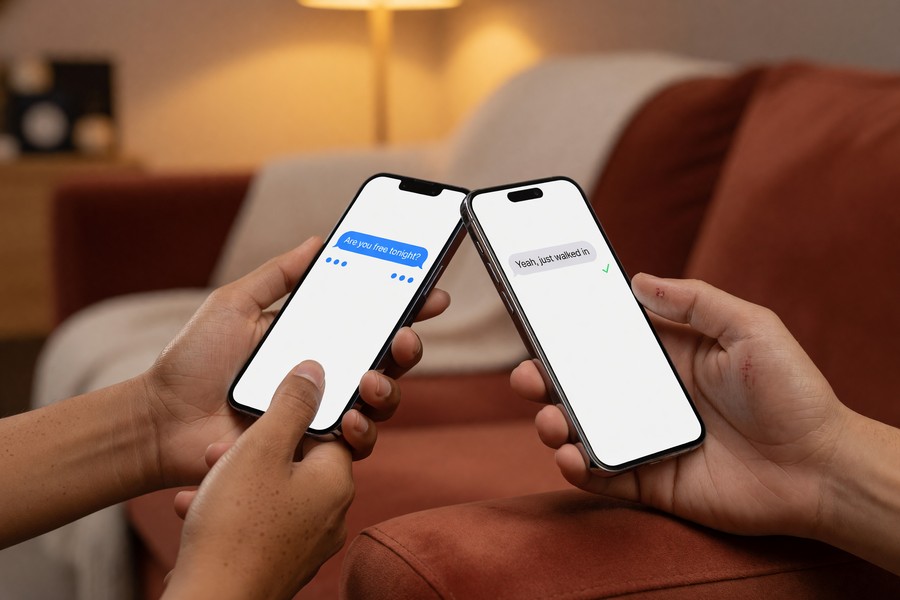
- Read receipts, see exactly when a recipient has read your message, not just when it was delivered.
- Typing indicators, a live “…” bubble shows when the other person is composing a reply.
- High-resolution photo and video sharing, send images and videos at full quality, up to 100 MB per file, compared to the heavily compressed MMS limit of under 1 MB.
- Group messaging, true group chat with named groups, participant management, and shared media history.
- Message reactions, tap to react with an emoji, identical to the behavior in iMessage or WhatsApp.
- Wi-Fi messaging, send and receive messages over Wi-Fi when cellular signal is unavailable.
- Location sharing, share your current location directly within a conversation.
- Audio messages, record and send voice clips directly in the chat window.
RCS vs. Third-Party Apps: How They Stack Up
| Feature | RCS (Google Messages) | Signal | Telegram | |
|---|---|---|---|---|
| End-to-End Encryption | 1-on-1 chats (default) | All chats (default) | All chats (default) | Secret Chats only |
| Requires Phone Number | Yes | Yes | Yes | Yes (or username) |
| Works Without App Download | Yes (native) | No | No | No |
| Max File Size | 100 MB | 2 GB | No stated limit | 2 GB |
| Business Messaging | Yes (RCS Business Messaging) | Yes (WhatsApp Business) | No | Limited |
| Cross-Carrier | Yes | Yes | Yes | Yes |
The key differentiator RCS holds over all third-party apps is that it requires no separate account, no separate download, and no separate login. It is integrated into the default messaging app and tied to your phone number. That frictionless access is why it has scaled to over a billion users faster than any third-party messaging app except WhatsApp.
This is the first time in the industry we have a ground-up rewrite of a semblance of an unlimited messaging model.
says TJ Thinakaran, Founder and Industry Analyst, CasselRoad.
To get the full RCS experience on Android, open Google Messages, tap your profile photo, select “Messages settings,” then “RCS chats,” and verify that “Turn on RCS chats” is toggled on. If your carrier does not support RCS, Google Messages will automatically use Google’s own RCS backend as a fallback.
Is RCS Messaging Secure and Encrypted?
RCS messaging in Google Messages is end-to-end encrypted for one-on-one conversations by default, meaning only the sender and recipient can read the messages. Google cannot read them, your carrier cannot read them, and neither can any third party. End-to-end encryption for RCS group chats is still being rolled out, and Apple’s current RCS implementation does not yet include end-to-end encryption.
How RCS Encryption Works
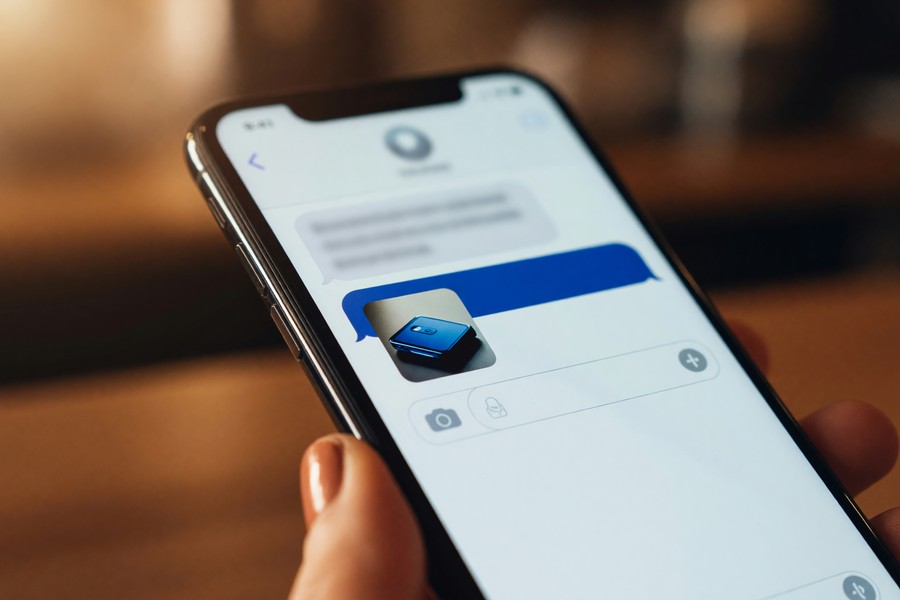
Google Messages uses the Signal Protocol, the same cryptographic standard used by Signal and WhatsApp, to secure one-on-one RCS conversations. According to Google’s official support page on RCS chats security, end-to-end encrypted messages are marked with a lock icon in the conversation thread, confirming protection is active. This was enabled by default for all eligible conversations starting in late 2023.
Looking ahead, the GSMA has published a formal end-to-end encryption specification for RCS that defines procedures for securing messages and user content using the Messaging Layer Security (MLS) protocol, including client encryption and decryption procedures and cross-platform key delivery interoperability. This specification is what Google and Apple have committed to implementing for cross-platform encrypted RCS.
The important caveat is that Google’s current encryption applies specifically to Google Messages. If you or your contact uses a different RCS client, such as Samsung Messages or an Apple device, the end-to-end encryption layer may not apply. The encryption is a Google-layer feature, not yet a universal RCS protocol feature across all clients.
RCS group chats in Google Messages are not yet end-to-end encrypted. If you are sharing sensitive information in a group thread, consider using Signal or WhatsApp for fully encrypted group conversations. Also, RCS messages sent to iPhone users running iOS 18 are not currently end-to-end encrypted because Apple’s RCS implementation does not yet include the encryption layer.
RCS Metadata and Privacy Considerations
Even when message content is encrypted, metadata, such as who you message, how often, and when, can still be visible to carriers and platform operators. This is a limitation shared by most messaging protocols, including iMessage. For users who want to understand the implications, our guide on what is message metadata and who can see it provides a thorough breakdown.
For the highest level of privacy, Signal remains the gold standard because it encrypts both message content and minimizes metadata collection by design. RCS offers meaningful security improvements over SMS, but it is not positioned as a privacy-first protocol in the same way Signal is. That is an honest trade-off worth naming: RCS wins on reach and convenience, Signal wins on privacy.
Does RCS Work on iPhone?
Yes. Apple added RCS support to iPhone with the release of iOS 18 in September 2024, marking the first time iPhone users could exchange rich messages with Android users without using a third-party app. This effectively ended the green-bubble vs. blue-bubble limitation that had defined cross-platform texting for over a decade.
What iPhone RCS Can and Cannot Do
When an iPhone running iOS 18 or later messages an Android device using RCS, both parties get read receipts, typing indicators, and high-quality media sharing. There are important limitations, however. Apple’s RCS implementation does not include end-to-end encryption between iPhone and Android, because both platforms need to support the same encryption implementation before that protection can apply.
iMessage conversations between two iPhones remain fully end-to-end encrypted and continue to show as blue bubbles. Conversations using RCS between iPhone and Android show as blue bubbles on the iPhone side but with a distinct “RCS” label in the conversation details. Regular SMS fallback still shows as a green bubble. Apple adopted the GSMA Universal Profile standard for its iOS 18 implementation, ensuring broad compatibility across carriers.
Apple’s decision to adopt RCS came after the European Union’s Digital Markets Act (DMA) pressured major tech platforms to support interoperable messaging standards. The DMA requires dominant messaging services to open their platforms to third-party interoperability, and that regulatory pressure accelerated Apple’s adoption timeline significantly.
Enabling RCS on iPhone
On iPhone, RCS is enabled automatically for iOS 18 and later if your carrier supports it. You can verify its status by going to Settings, then Apps, then Messages. If your carrier supports RCS, you will see a toggle labeled “RCS Messaging.” All four major U.S. carriers, AT&T, Verizon, T-Mobile, and US Cellular, enabled RCS for iPhone immediately upon the iOS 18 launch.
How Are Businesses Using RCS Messaging?
RCS Business Messaging (RBM) is the commercial application of RCS that allows brands to send verified, branded messages directly to customers’ default messaging apps, including interactive buttons, carousels, quick replies, and payment integrations. It is positioned as a direct replacement for SMS marketing and transactional notifications, with substantially higher engagement rates.
RCS Business Messaging Features
Unlike standard SMS, RCS Business Messaging allows a brand to display its official logo and verified name in the conversation, reducing the risk of phishing and spoofing. Messages can include action buttons such as “Track My Order,” “Book Appointment,” or “Pay Now,” which trigger app-like interactions directly in the messaging interface. According to Mobilesquared’s 2023 RCS Business Messaging report, RCS messages achieve open rates of 70–80%, compared to approximately 20% for email and 45% for standard SMS marketing.
Major brands including Google, Domino’s, Home Depot, and Subway have run documented RCS Business Messaging campaigns. Google’s own internal case study data, published via its Business Messages platform, reports that RCS campaigns generate conversion rates 3–7 times higher than equivalent SMS campaigns in controlled A/B tests.
Technically, the platform works through the RBM API: agents send messages as HTTP requests with JSON payloads, messages are encrypted between agents and Google’s servers and between Google’s servers and users’ devices, and delivery falls back to SMS automatically for devices that do not support RCS, as detailed in Google’s RCS for Business developer documentation.
Accelerating growth of RBM in 2026 will also require operators to offer basic RCS messages at the same price as SMS. This will support enterprises’ transition from SMS to RBM for transactional messaging, increasing familiarity with the channel to drive future growth.
says Molly Gatford, Research Author, Juniper Research.
According to Mobilesquared founder and Chief Analyst Nick Lane in the firm’s 2023 RCS Business Messaging report, RCS Business Messaging functions as a fundamentally different customer engagement channel rather than a simple enrichment of SMS. The combination of verified sender identity, interactive elements, and native delivery to the default SMS app makes it the most effective direct-to-consumer messaging format available. That assessment is borne out by the engagement data: verified sender alone reduces customer uncertainty about message legitimacy, which has downstream effects on both open rates and conversion.
How RCS Compares to SMS Marketing
Businesses that rely on SMS for appointment reminders, shipping notifications, and promotional campaigns are migrating to RCS in growing numbers. The branded sender experience reduces customer confusion. Recipients can see exactly who is sending the message and verify it is legitimate, rather than receiving an unidentified short code. This matters especially for banks, healthcare providers, and e-commerce platforms where message authenticity is critical.
For teams building out communication strategies, our roundup of the best messaging apps for business teams in 2026 covers how RCS fits alongside dedicated team collaboration tools.
What Are the Limitations of RCS Messaging?
RCS has meaningful limitations that users should understand before relying on it exclusively. The most significant gaps involve encryption coverage, carrier dependency, and the absence of a truly universal experience across all devices and networks worldwide.
Current Limitations of RCS
- Group chat encryption, End-to-end encryption for group RCS chats in Google Messages is still being rolled out. Large group conversations are not yet protected at the same level as one-on-one chats.
- Cross-platform encryption gaps, RCS messages exchanged between Google Messages (Android) and Apple’s Messages app (iPhone) are not end-to-end encrypted, because both platforms need to support the same encryption implementation.
- Carrier dependency for some features, While Google’s backend handles RCS for most Android users, some advanced features, particularly for RCS Business Messaging, still require carrier-side infrastructure to be fully enabled.
- No global carrier coverage, According to the GSMA’s RCS deployment tracker, RCS is available in over 80 countries, but full carrier-level support is uneven in parts of Southeast Asia, Africa, and Latin America.
- Feature fragmentation, Not all RCS clients implement every Universal Profile feature. Samsung Messages, for example, supports RCS but does not include Google Messages’ end-to-end encryption layer.
- Wi-Fi calling and RCS conflicts, Some carriers have reported intermittent issues with RCS activation when Wi-Fi calling is enabled simultaneously. This is a known edge case that varies by carrier and device.
RCS is fully deployed by carriers in over 80 countries (GSMA, 2024), representing approximately 68% of global mobile subscribers, but complete feature parity across all implementations remains inconsistent.
RCS vs. Fully Encrypted Messaging Apps
For users whose primary concern is privacy, RCS is not the best choice over a dedicated encrypted messaging app. Signal encrypts all messages, all group chats, and all voice calls end-to-end by default, and collects minimal metadata. WhatsApp encrypts all messages and group chats by default. RCS is catching up on encryption, but it is not there yet across all scenarios.
Our detailed comparison of what is end-to-end encryption and why it matters explains how these encryption systems work and what protection they actually provide.
How Do You Enable RCS Messaging on Your Phone?
Enabling RCS messaging takes under two minutes on most Android devices, and on iPhone it is typically activated automatically after updating to iOS 18. The exact steps vary slightly by device manufacturer and carrier, but the core process is consistent.
Enabling RCS on Android (Google Messages)
- Open the Google Messages app. If it is not your default app, go to Settings, then Apps, then Default apps, and set Google Messages as your SMS app.
- Tap your profile photo in the top-right corner.
- Select “Messages settings.”
- Tap “RCS chats.”
- Toggle on “Turn on RCS chats.”
- Google Messages will verify your phone number with your carrier. This typically takes 30 seconds to 2 minutes.
- Once confirmed, your conversations with other RCS-enabled contacts will automatically upgrade to the richer chat experience. You will see a “Chat” label instead of “SMS.”
Enabling RCS on iPhone (iOS 18+)
- Update your iPhone to iOS 18 or later via Settings, then General, then Software Update.
- Go to Settings, then tap Apps, then Messages.
- Scroll to find “RCS Messaging” and toggle it on if it is not already active.
- Your carrier must support RCS for iPhone. All four major U.S. carriers (AT&T, Verizon, T-Mobile, and US Cellular) support it.
Verifying RCS Is Active
In Google Messages, open any conversation with a contact. If RCS is active for that conversation, the message input field will display “Chat message” instead of “Text message.” In the conversation details, you may also see “Chat features” listed. If you still see “Text message,” either your contact does not have RCS enabled or your carrier has not yet fully activated the service.
If your Android carrier does not support RCS, Google Messages automatically connects to Google’s own RCS servers to deliver the Chat experience anyway. This fallback means nearly all Android users in supported regions can use RCS features regardless of carrier readiness, as long as they use Google Messages as their default app.
What Is the Future of RCS Messaging?
The future of RCS is one of the most actively developing stories in mobile communications. Apple’s adoption, GSMA encryption upgrades, and the growth of RCS Business Messaging together point to RCS becoming the dominant native messaging protocol within the next three to five years.
End-to-End Encryption for All RCS
The GSMA published a formal specification for universal end-to-end encryption across all RCS implementations, including group chats and cross-platform messages. Both Google and Apple have committed to implementing this standard, which uses the Messaging Layer Security (MLS) protocol and defines cross-platform key delivery interoperability. Once deployed, it would make RCS one of the most secure native messaging protocols available, with encryption that applies between any two devices using a compliant RCS client.
This development directly addresses the single largest criticism of RCS compared to fully encrypted alternatives. When universal RCS encryption is complete, the argument for choosing a third-party encrypted app over RCS will shrink considerably for most users.
RCS and Artificial Intelligence Integration
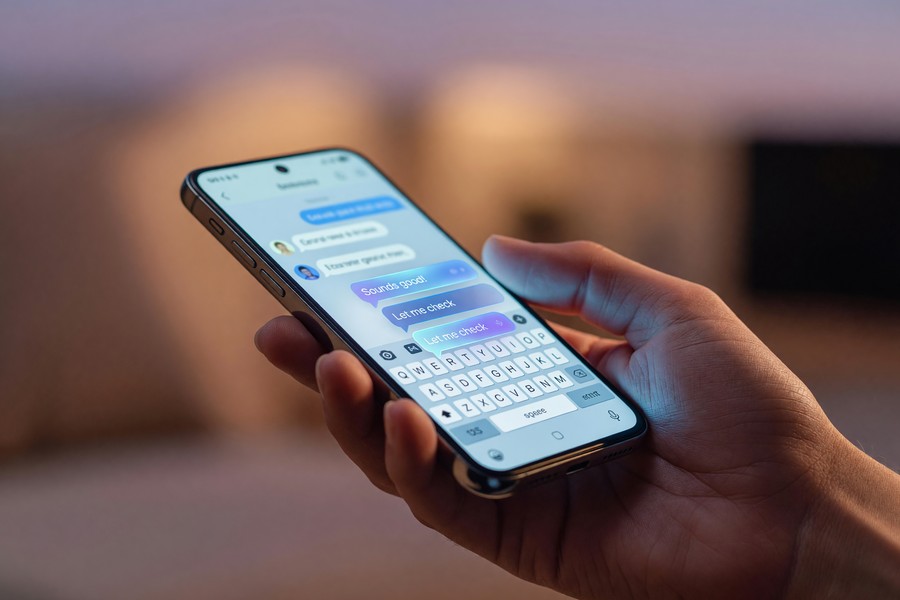
Google has already begun integrating its Gemini AI assistant directly into Google Messages, enabling AI-powered suggested replies, message summaries, and conversational search within the RCS chat interface. Samsung has similarly integrated its Galaxy AI features into its messaging experience on Galaxy devices. This represents a new frontier for messaging, one where AI actively assists communication rather than just facilitating it.
The Global Rollout Trajectory
GSMA projects that RCS will reach 2.1 billion active users by 2025, according to its GSMA Intelligence forecasts. Apple’s iOS 18 adoption alone could add hundreds of millions of new RCS-capable devices globally. Android currently holds roughly 71% of global smartphone market share per StatCounter’s 2024 mobile OS data, and growing iPhone RCS adoption means the protocol is on a clear trajectory toward becoming the near-universal default for mobile messaging.
Whether RCS displaces third-party apps like WhatsApp for features, or remains a universal baseline that coexists with them, is still an open question. What is clear is that understanding RCS is no longer optional for anyone who communicates by mobile. It is the foundation of how smartphone messaging is evolving.
Real-World Example: How RCS Transformed Customer Messaging for a Mid-Size Retailer
A regional U.S. apparel retailer with 85 store locations switched from SMS to RCS Business Messaging for its promotional campaigns in Q1 2023. Previously, the company sent approximately 120,000 SMS messages per campaign with an average open rate of 42% and a click-through rate of 4.1%. After migrating to RCS, using branded sender verification, product image carousels, and one-tap “Shop Now” buttons, the same audience achieved an open rate of 76% and a click-through rate of 11.8%, a 188% improvement in clicks. Over a six-month period covering four major campaigns, the retailer attributed an additional $340,000 in attributable revenue to the RCS channel, against a migration and platform cost of approximately $18,000. The campaign manager noted that the verified sender feature specifically reduced customer support inquiries about message legitimacy by 63%, as customers could now see the brand logo and name directly in the message thread.
Your Action Plan
-
Check your current messaging app
Open your phone’s default messaging app and identify whether it is Google Messages (Android) or Apple Messages (iPhone). If you are on Android and using a different SMS app such as Samsung Messages or a carrier-branded app, consider switching to Google Messages for the most complete RCS feature set, including end-to-end encryption.
-
Update your operating system
On Android, ensure you are running Android 5.0 (Lollipop) or later, all modern Android devices qualify. On iPhone, update to iOS 18 or later via Settings, then General, then Software Update. RCS is not available on earlier versions of iOS.
-
Enable RCS in your messaging settings
On Google Messages: tap your profile photo, go to Messages settings, select RCS chats, and toggle on “Turn on RCS chats.” On iPhone: go to Settings, then Apps, then Messages, and enable the RCS Messaging toggle if your carrier supports it.
-
Verify end-to-end encryption is active
In Google Messages, open a one-on-one conversation. Look for the lock icon on sent messages and the “Chat” label in the input field. These confirm encryption is active. Visit Google’s Messages encryption support page for troubleshooting steps if encryption is not showing.
-
Understand what RCS cannot yet protect
Be aware that RCS group chats are not yet end-to-end encrypted, and messages to iPhone users are not currently encrypted under the shared RCS standard. For highly sensitive conversations, use a fully encrypted app such as Signal. Our guide to the best encrypted messaging apps for privacy covers your options in detail.
-
Test your RCS experience with a trusted contact
Send a message to a contact you know uses Google Messages or an iOS 18 iPhone. If RCS is active, you will see typing indicators, read receipts, and the option to send high-resolution photos without compression. Try sending a video file larger than 1 MB, if it sends without a warning, RCS is active.
-
Explore RCS for team or business use
If you manage customer communications for a business, investigate RCS Business Messaging through Google’s Business Messages platform. Evaluate it alongside other business messaging channels by reviewing our breakdown of the best messaging apps for business teams, which includes RCS in its analysis.
-
Monitor the GSMA universal encryption rollout
Bookmark the GSMA’s official RCS hub and the Google Messages release notes for updates on universal end-to-end encryption for group chats and cross-platform (Android-to-iPhone) encrypted RCS. Once deployed, this will be the most important single upgrade to RCS security since the protocol’s launch.
Frequently Asked Questions
What is RCS messaging in simple terms?
RCS messaging is the modern replacement for SMS that adds features like read receipts, typing indicators, high-quality photos, and group chats directly to your phone’s default messaging app. It works using your phone number, with no separate app or account required. Think of it as SMS upgraded to behave like WhatsApp, but built into your phone natively.
Does RCS work between iPhone and Android?
Yes, RCS works between iPhone and Android as of iOS 18, released in September 2024. Both read receipts and high-quality media sharing are supported across platforms. However, end-to-end encryption between the two is not yet active because Apple and Google have not yet aligned on a shared encryption implementation under the GSMA standard.
Is RCS messaging free to use?
Carriers do not charge a separate fee for RCS. Messages are sent as data, similar to using an app over Wi-Fi or mobile data, and standard data rates from your carrier plan apply. If you have an unlimited data plan, RCS messages cost you nothing extra.
What is the difference between SMS and RCS?
SMS is a 1992-era protocol limited to 160-character plain text messages sent over the cellular network. RCS is the modern replacement, supporting unlimited text length, files up to 100 MB, read receipts, typing indicators, group chats, and end-to-end encryption. For a detailed side-by-side comparison, see our full guide on SMS vs RCS: What Is the Difference and Does It Matter?
Does RCS require Wi-Fi or data?
RCS requires either a Wi-Fi connection or a cellular data connection to function, because messages travel as internet data rather than through the traditional SMS cellular channel. One key benefit is that if you have Wi-Fi but no cellular signal, you can still send and receive RCS messages, which is something SMS cannot do.
Is RCS messaging safe?
RCS one-on-one messages in Google Messages are end-to-end encrypted by default, using the Signal Protocol, which is considered cryptographically strong. Group chats are not yet fully encrypted, and messages between Android and iPhone are not end-to-end encrypted under the current implementation. RCS is significantly safer than SMS, which has no encryption at all, but it is not as uniformly secure as Signal or WhatsApp for all use cases.
Can I use RCS on older phones?
RCS works on any Android phone running Android 5.0 or later with Google Messages installed, which covers virtually all Android devices sold in the last decade. On iPhone, you need iOS 18 or later, released in September 2024. Older iPhones that cannot update to iOS 18, such as the iPhone X and earlier, cannot use RCS.
What happens if my contact does not have RCS?
Google Messages automatically falls back to sending a standard SMS or MMS. You will see the message label change from “Chat message” to “Text message” in the input field. No message is lost; you simply lose the RCS features for that specific conversation.
Do all carriers support RCS?
All four major U.S. carriers, AT&T, Verizon, T-Mobile, and US Cellular, support RCS for Android users, and all four activated RCS support for iPhone at the iOS 18 launch in September 2024. Internationally, RCS is available in over 80 countries, but coverage is uneven in parts of Africa, Southeast Asia, and Latin America.
What is RCS messaging used for by businesses?
Businesses use RCS Business Messaging (RBM) to send branded, verified messages with interactive buttons, carousels, and multimedia directly to customers’ default messaging apps. Common use cases include order tracking, appointment reminders, promotional campaigns, and customer support. RCS business messages achieve open rates of 70–80%, compared to roughly 20% for email, according to Mobilesquared’s 2023 research.
How does RCS encryption compare to iMessage?
iMessage encrypts all conversations between Apple devices end-to-end by default. RCS in Google Messages encrypts one-on-one conversations end-to-end by default using the Signal Protocol, but group chats and cross-platform (Android-to-iPhone) RCS conversations are not yet covered. The GSMA has published a formal MLS-based encryption specification that both Google and Apple have committed to implementing, which would close this gap once deployed.
What is Universal Profile 4.0 and why does it matter?
Universal Profile 4.0, released by the GSMA in February 2026, is the latest version of the RCS standard. It adds interoperable video calls, expanded end-to-end encryption definitions, and improved technical enablers for business messaging. Any device or carrier implementing UP 4.0 will support a richer, more secure feature set than earlier RCS versions, and it sets the baseline for what compliant RCS clients must deliver going forward.
Sources
- GSMA, Rich Communication Services (RCS) Overview and Deployment Data
- GSMA, Universal Profile 4.0, RCS February 2026 Publications
- GSMA, Rich Communication Suite End-to-End Encryption Specification Version 1.0
- Google for Developers, RCS for Business: How It Works
- Mobilesquared, RCS Business Messaging Engagement Report 2023
- StatCounter, Global Mobile Operating System Market Share 2024
- Juniper Research via GlobeNewswire, RCS Business Messaging Traffic to Grow 50% in 2025
- Bandwidth, State of RCS Business Messaging Features (featuring TJ Thinakaran, CasselRoad)
- Wikipedia, Rich Communication Services (Technical Overview)






