Updated July 2026
Key Takeaways
- Today, 4.5 billion people globally use digital wallets in 2025, according to Juniper Research (2025), making phone-based payments accessible even without a traditional bank account.
- PayPal, Venmo, and Cash App require no bank account, just an email or phone number. Fund them via cash deposits at retailers or prepaid cards, with no routing number needed.
- Mobile wallets like Apple Pay and Google Wallet need linked cards. But standalone apps let you tap-to-pay using NFC with cash or prepaid card funds, no bank required.
- While 79% of adults globally have a financial account, only 40% in developing economies save money, highlighting the need for flexible, bank-free options. Finder (2024).
Why Phone-Only Payments Are Replacing Physical Wallets
Americans made 14.4 billion mobile wallet payments in 2022. That number doesn’t even count the coffee runs, gym check-ins, and farmers market stops that never get formally tallied. People aren’t switching because some tech journalist told them to. They’re switching because pulling out a phone at checkout is genuinely, measurably faster than finding the right card behind three loyalty cards and a crumpled CVS receipt.
Decision fatigue is real. Researchers have documented it. Every extra step you take before completing a purchase costs you something, even if it’s just a few seconds of mental energy.
Multiply that by a dozen transactions a day and it adds up fast.
What Are Bank-Free Digital Wallets?
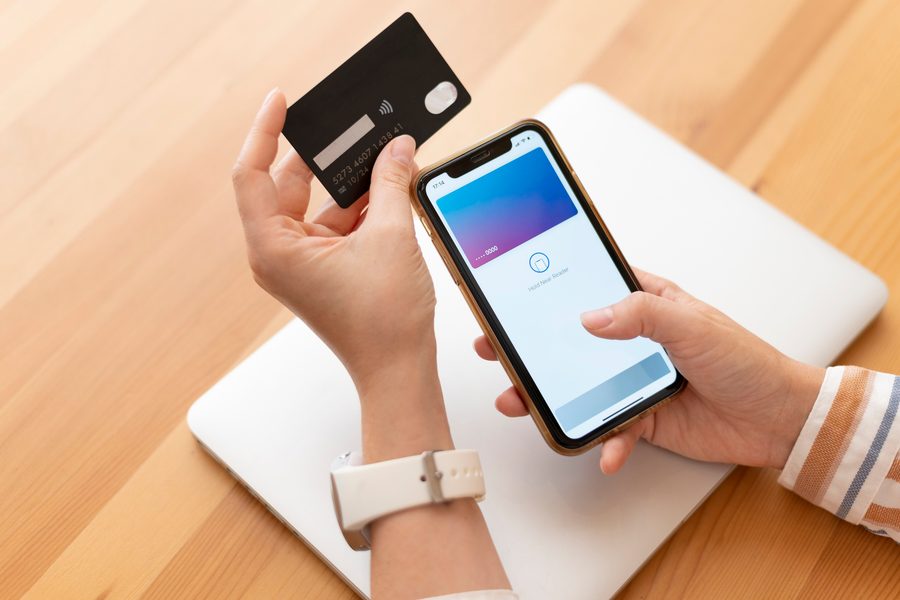
Apple Pay and Google Wallet work beautifully, until you realize they require a linked debit or credit card to function at all. No card, no payment. That’s a hard stop for roughly 5.9 million unbanked U.S. households, according to the FDIC’s 2021 survey. Federal Deposit Insurance Corporation (FDIC).
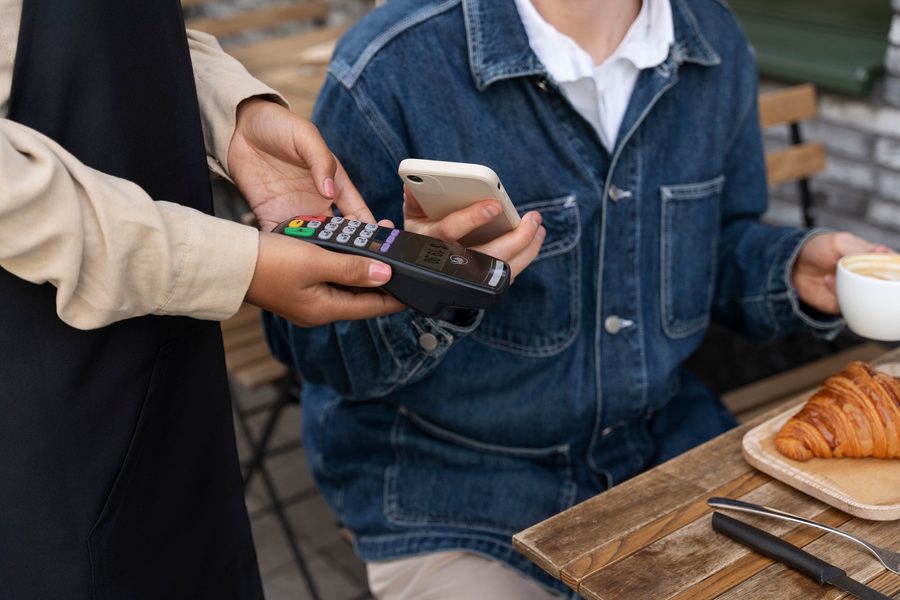
PayPal, Venmo, and Cash App are built differently. Sign up with an email address or phone number. No routing numbers. No bank verification call. Fund the account by dropping cash at a Walmart or CVS register, or by loading a prepaid Visa. Your phone becomes the wallet. The bank stays out of it entirely.
That distinction matters more than most fintech coverage acknowledges.
“What we have discovered is [that] these digital wallets are not secure”
says Taqi Raza, Assistant Professor of Electrical and Computer Engineering, University of Massachusetts Amherst.
How to Set Up PayPal, Venmo, or Cash App Without a Bank
Download the app. Create an account using your email or phone number. Account creation takes under three minutes for all three platforms.
Funding is the step most guides gloss over. PayPal’s cash reload network includes CVS, Walgreens, Dollar General, and Walmart locations, typically for a fee of $3.95 or less per deposit. Prepaid cards from brands like Netspend or Green Dot link directly to Cash App or Venmo without requiring a traditional checking account behind them. Load the card, connect it, spend. A good rule of thumb: deposit at least $100 at a time to keep the fee below 4% of your total. If you’re only loading $20, the fee eats up nearly 20% of your money, not worth it.
Tap-to-pay support keeps expanding. Independent gyms, juice bars, and yoga studios have been adding NFC-capable terminals at a steady clip since 2021. Once your app balance is funded, the setting to enable contactless payment is usually one toggle.
Where Phone Wallets Actually Get Used for Wellness Spending
Farmers markets have moved hard toward QR code payments over the past three years. Scan the vendor’s code, confirm the amount, walk away with your produce. No fumbling for a $5 bill, no waiting while someone makes change.
Group fitness is another natural fit. Yoga studios, Pilates classes, meditation apps like Insight Timer’s premium tier, and boutique cycling studios all support P2P transfers or direct app checkout. Splitting the cost of a foam roller or a set of resistance bands with a training partner takes about 10 seconds on Venmo.
Consider a freelance yoga instructor earning $2,500 a month, mostly in cash. Paying a $150 monthly studio rental fee via Venmo funded by a cash deposit at CVS takes about two minutes and avoids the need for a bank account entirely.
There’s a budgeting upside too. Every transaction logs automatically with a timestamp and merchant name. Tracking monthly health spending requires zero extra effort.
The tradeoff: these apps don’t report to credit bureaus. If you’re trying to build credit history, a secured bank card is still the better tool.
Security and Privacy for Non-Bank Wallets
PayPal and Cash App use tokenization, the same core technology Apple Pay relies on. Your actual card or account number never transmits to the merchant. What goes through is a one-time token that’s useless to anyone who intercepts it.
P2P transfers carry a different kind of risk. Social engineering, not technical hacking, is the most common attack vector. Someone poses as a friend or seller, you send money, it’s gone. Proposed 2025 CFPB rulemaking targets this problem directly, though the regulations aren’t finalized yet.
Practical steps help now. Turn on Face ID or fingerprint unlock. Set a strong PIN as a fallback. Keep your username off public forums. Disable location access for payment apps when you’re not actively using them. None of this is complicated.
“Security and privacy features are built into every part of Google Wallet.”
says Google spokesperson, Company spokesperson, Google.
Comparison: Bank-Dependent vs. Bank-Free Digital Wallets
| Feature | Apple Pay / Google Wallet | PayPal / Venmo / Cash App |
|---|---|---|
| Requires bank account or linked card | Yes | No |
| Fund via cash deposit | No | Yes (e.g., Walmart, CVS) |
| Fund via prepaid card | Yes (with limitations) | Yes (direct integration) |
| NFC tap-to-pay support | Yes (with linked card) | Yes (with funded balance) |
| Global user base (2025 estimate) | Part of broader ecosystem | Part of 4.5 billion global users |
Frequently Asked Questions
Can I use my phone as a digital wallet without a bank account?
Yes. Platforms like PayPal, Venmo, and Cash App let you sign up with just an email or phone number. Fund your balance with cash at retailers like Walmart or CVS, or use a prepaid card. No bank account or routing number required. Finder (2024).
Is NFC tap-to-pay safe on standalone apps?
Yes, on established platforms like PayPal and Venmo. They use tokenization, meaning your actual account details never leave your phone. But not every standalone app implements this correctly. Always verify tap-to-pay is enabled in app settings. CFPB (2025).
How can I avoid P2P fraud on these apps?
Always confirm the recipient’s username before sending money, especially to someone new. Use the final confirmation screen to double-check the name and amount. Sending to strangers carries high risk with little to no recourse. Federal Trade Commission (FTC).
What if I forget my phone during a wellness activity?
Keep a prepaid card in your gym bag. A Netspend or Green Dot card costs a few dollars at most drugstores and works anywhere Visa is accepted. Old-fashioned, but reliable. Prepaid cards are a common alternative for the unbanked. FDIC (2021).
Can I link loyalty or gift cards to my phone wallet?
Yes. PayPal, Venmo, and Cash App all support gift cards and select loyalty programs. They store in the app and apply at checkout automatically, so the physical card stays home. Business.com (2023).
Are digital wallets secure overall?
Security varies. While tokenization protects most transactions, researchers have identified vulnerabilities. One study found that digital wallets may not be as secure as assumed, especially when users rely on weak PINs or fail to update software. University of Massachusetts Amherst (2024).
How many people use digital wallets globally?
, there are 4.5 billion digital wallet users worldwide. This number is projected to grow to 6 billion by 2030, representing a 35% increase in five years. That works out to roughly 300 million new users each year, about the population of the United States. Juniper Research (2025).
Do nonbank payment apps help the unbanked?
Yes. Prepaid cards and nonbank payment apps help unbanked households make digital payments, receive income, and pay bills. However, they may not fully replace traditional bank accounts for long-term financial inclusion. Federal Reserve Bank of Kansas City (2022).
What guidance exists for prepaid card use on mobile?
The Federal Reserve Board has issued guidance clarifying how customer identification and due diligence rules apply to prepaid access products, such as mobile-based prepaid cards, that function as bank-account alternatives. This helps ensure compliance while supporting financial access. Federal Reserve Board (2016).
Sources
- Juniper Research (2025): Digital Wallet Research Report
- Finder (2024): Digital Wallet Statistics
- Federal Deposit Insurance Corporation (FDIC): Research on Unbanked Households (2021)
- Federal Reserve Bank of Kansas City: How Much Do Nonbank Accounts Improve Access? (2022)
- Federal Reserve Board: Guidance on Prepaid Access Products (2016)
- Consumer Financial Protection Bureau (CFPB): Final Rule on Digital Payment App Oversight (2025)
- Federal Trade Commission (FTC): Mobile Payment App Scam Guide
- University of Massachusetts Amherst: Study on Digital Wallet Security Loopholes (2024)
- ConsumerAffairs: Study on Apple Pay and Google Pay Safety (2024)
- Business.com: Google Pay vs Apple Pay vs Samsung Pay (2023)






